parking brake FORD TRANSIT CONNECT 2015 2.G Owners Manual
[x] Cancel search | Manufacturer: FORD, Model Year: 2015, Model line: TRANSIT CONNECT, Model: FORD TRANSIT CONNECT 2015 2.GPages: 428, PDF Size: 6.27 MB
Page 6 of 428
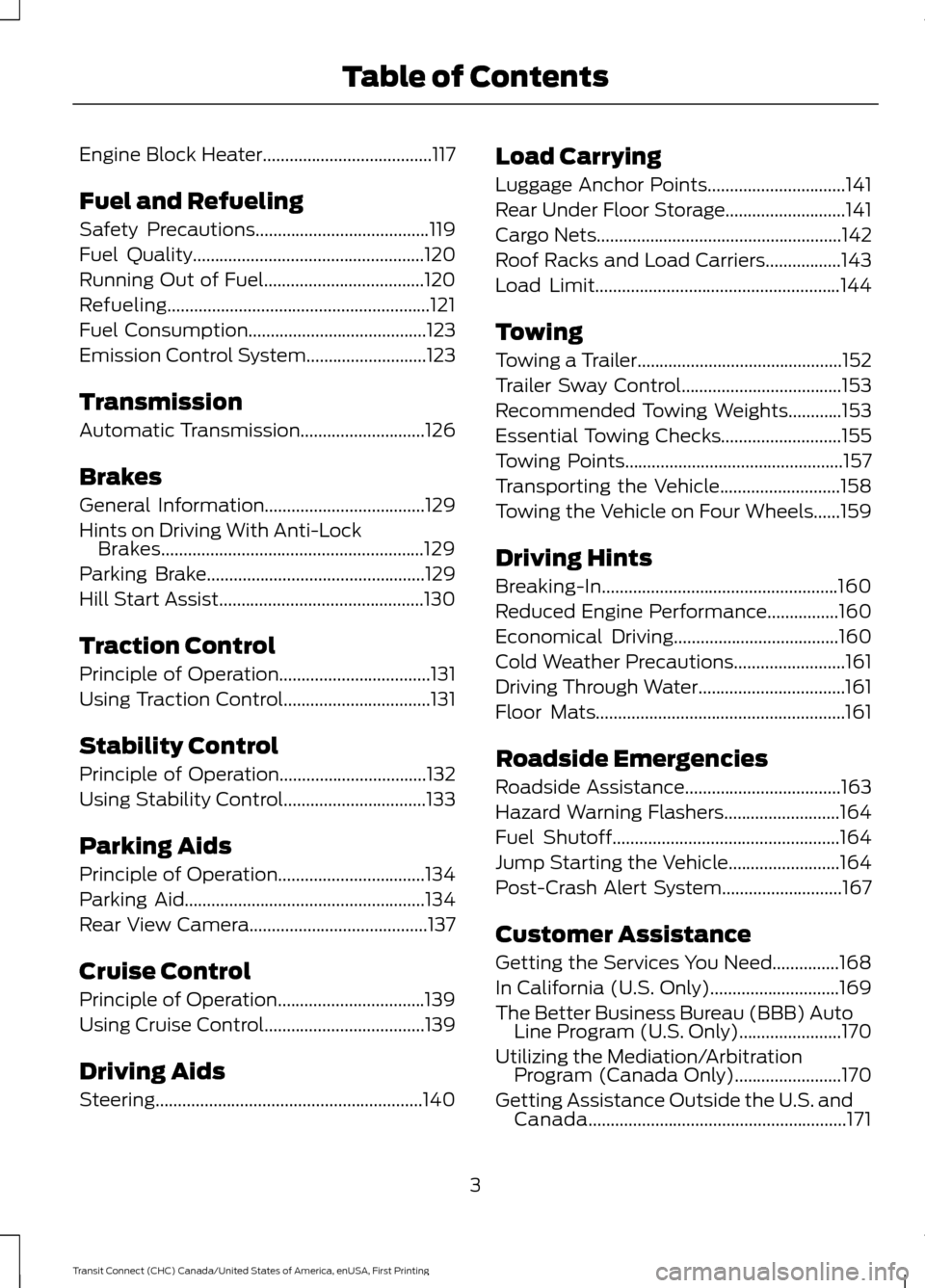
Engine Block Heater......................................117
Fuel and Refueling
Safety Precautions.......................................119
Fuel Quality
....................................................120
Running Out of Fuel....................................120
Refueling...........................................................121
Fuel Consumption
........................................123
Emission Control System...........................123
Transmission
Automatic Transmission
............................126
Brakes
General Information....................................129
Hints on Driving With Anti-Lock Brakes...........................................................129
Parking Brake
.................................................129
Hill Start Assist..............................................130
Traction Control
Principle of Operation..................................131
Using Traction Control.................................131
Stability Control
Principle of Operation.................................132
Using Stability Control
................................133
Parking Aids
Principle of Operation.................................134
Parking Aid
......................................................134
Rear View Camera........................................137
Cruise Control
Principle of Operation.................................139
Using Cruise Control
....................................139
Driving Aids
Steering............................................................140 Load Carrying
Luggage Anchor Points...............................141
Rear Under Floor Storage...........................141
Cargo Nets
.......................................................142
Roof Racks and Load Carriers.................143
Load Limit
.......................................................144
Towing
Towing a Trailer..............................................152
Trailer Sway Control....................................153
Recommended Towing Weights
............153
Essential Towing Checks
...........................155
Towing Points.................................................157
Transporting the Vehicle
...........................158
Towing the Vehicle on Four Wheels......159
Driving Hints
Breaking-In.....................................................160
Reduced Engine Performance................160
Economical Driving
.....................................160
Cold Weather Precautions
.........................161
Driving Through Water.................................161
Floor Mats........................................................161
Roadside Emergencies
Roadside Assistance
...................................163
Hazard Warning Flashers
..........................164
Fuel Shutoff
...................................................164
Jump Starting the Vehicle
.........................164
Post-Crash Alert System...........................167
Customer Assistance
Getting the Services You Need...............168
In California (U.S. Only).............................169
The Better Business Bureau (BBB) Auto Line Program (U.S. Only).......................170
Utilizing the Mediation/Arbitration Program (Canada Only)........................170
Getting Assistance Outside the U.S. and Canada..........................................................171
3
Transit Connect (CHC) Canada/United States of America, enUSA, First Printing Table of Contents
Page 12 of 428
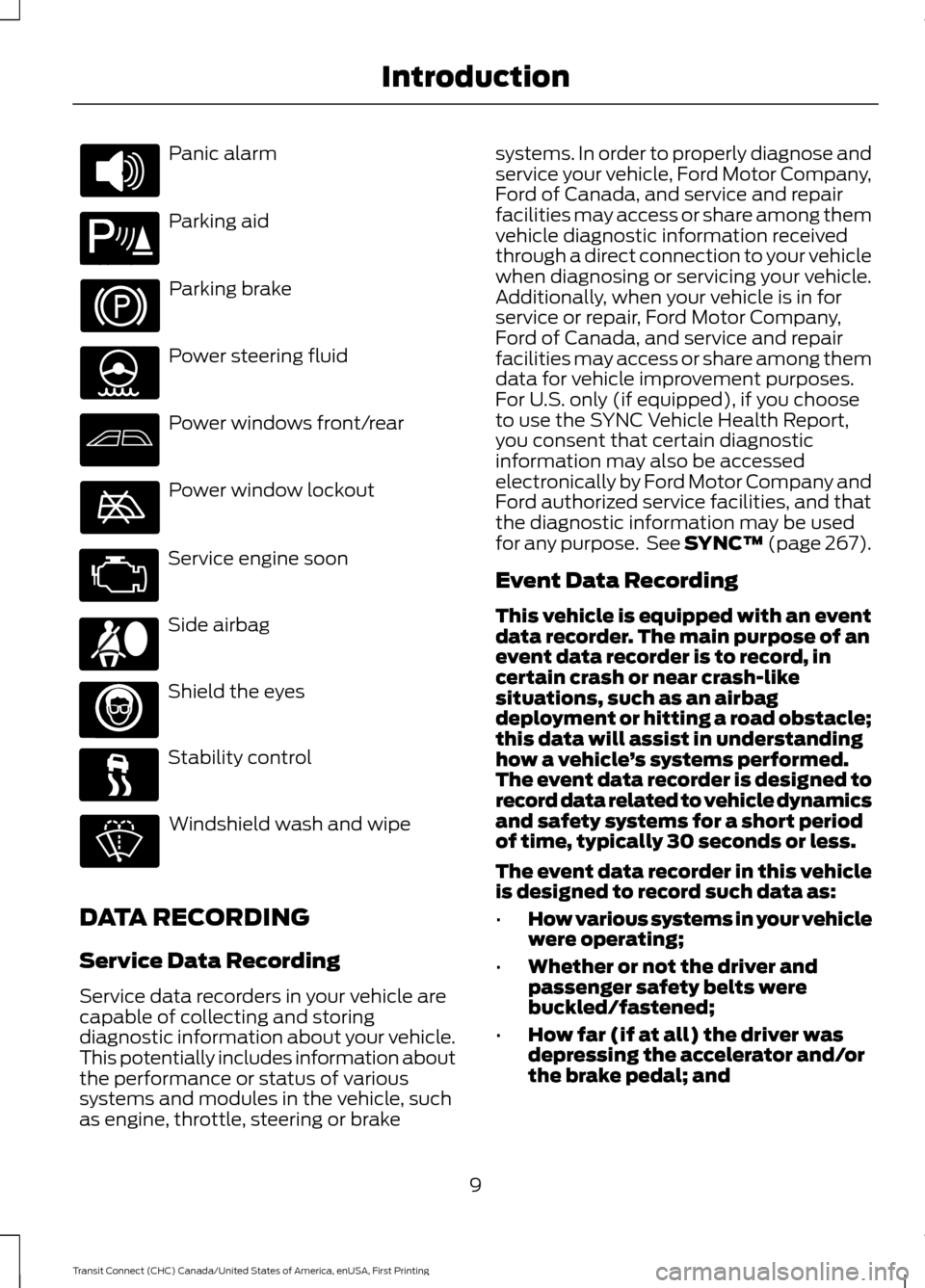
Panic alarm
Parking aid
Parking brake
Power steering fluid
Power windows front/rear
Power window lockout
Service engine soon
Side airbag
Shield the eyes
Stability control
Windshield wash and wipe
DATA RECORDING
Service Data Recording
Service data recorders in your vehicle are
capable of collecting and storing
diagnostic information about your vehicle.
This potentially includes information about
the performance or status of various
systems and modules in the vehicle, such
as engine, throttle, steering or brake systems. In order to properly diagnose and
service your vehicle, Ford Motor Company,
Ford of Canada, and service and repair
facilities may access or share among them
vehicle diagnostic information received
through a direct connection to your vehicle
when diagnosing or servicing your vehicle.
Additionally, when your vehicle is in for
service or repair, Ford Motor Company,
Ford of Canada, and service and repair
facilities may access or share among them
data for vehicle improvement purposes.
For U.S. only (if equipped), if you choose
to use the SYNC Vehicle Health Report,
you consent that certain diagnostic
information may also be accessed
electronically by Ford Motor Company and
Ford authorized service facilities, and that
the diagnostic information may be used
for any purpose. See SYNC™ (page 267).
Event Data Recording
This vehicle is equipped with an event
data recorder. The main purpose of an
event data recorder is to record, in
certain crash or near crash-like
situations, such as an airbag
deployment or hitting a road obstacle;
this data will assist in understanding
how a vehicle
’s systems performed.
The event data recorder is designed to
record data related to vehicle dynamics
and safety systems for a short period
of time, typically 30 seconds or less.
The event data recorder in this vehicle
is designed to record such data as:
• How various systems in your vehicle
were operating;
• Whether or not the driver and
passenger safety belts were
buckled/fastened;
• How far (if at all) the driver was
depressing the accelerator and/or
the brake pedal; and
9
Transit Connect (CHC) Canada/United States of America, enUSA, First Printing Introduction E139213 E167012
Page 18 of 428
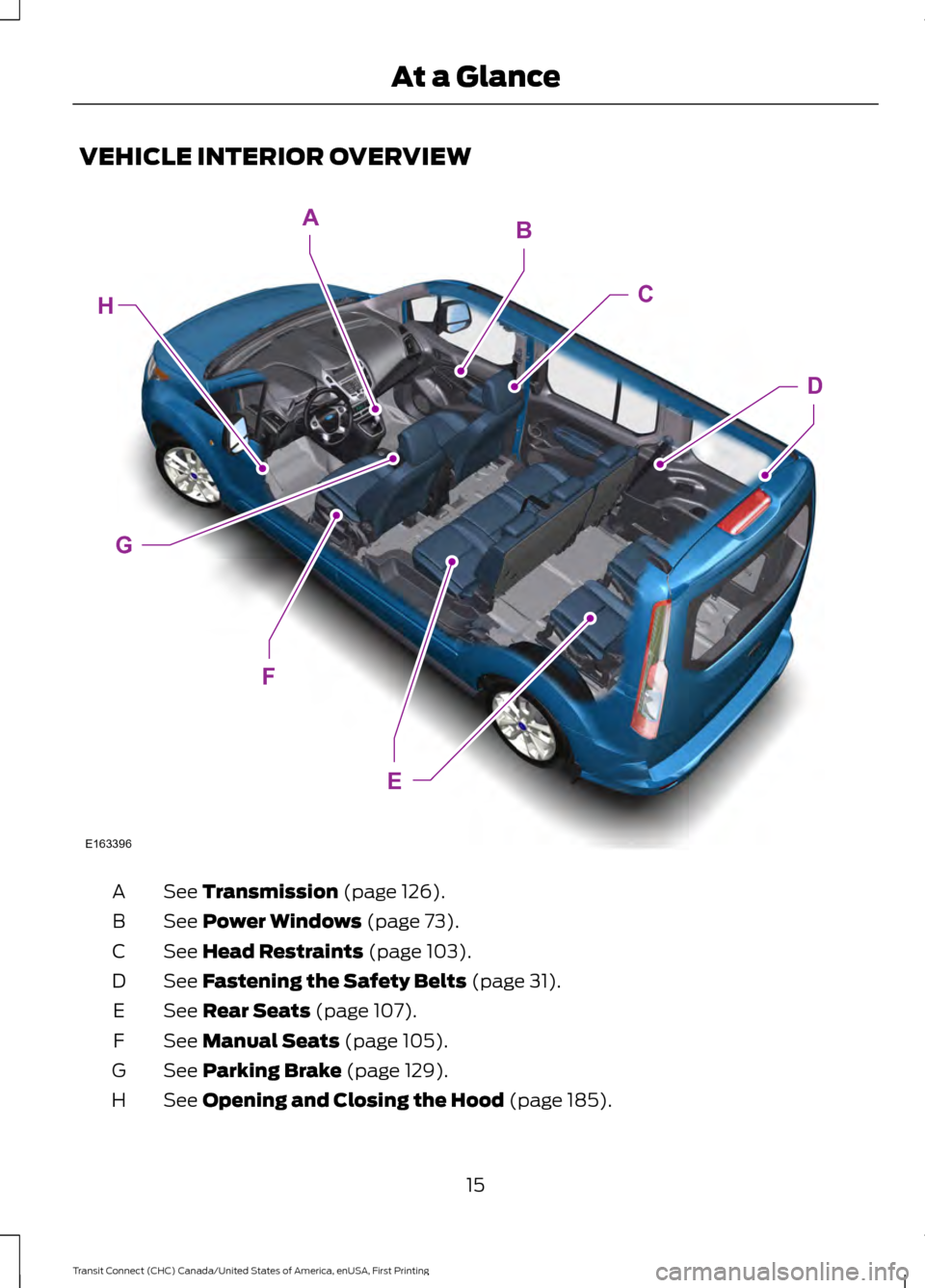
VEHICLE INTERIOR OVERVIEW
See Transmission (page 126).
A
See
Power Windows (page 73).
B
See
Head Restraints (page 103).
C
See
Fastening the Safety Belts (page 31).
D
See
Rear Seats (page 107).
E
See
Manual Seats (page 105).
F
See
Parking Brake (page 129).
G
See
Opening and Closing the Hood (page 185).
H
15
Transit Connect (CHC) Canada/United States of America, enUSA, First Printing At a GlanceE163396
E
H
F
G
AB
C
D
Page 38 of 428
Then...
If...
The Belt-Minder feature will not activate.
You and the front seat passenger buckle
your safety belts before you switch the
ignition on or less than 1– 2 minutes elapse
after you switch the ignition on...
The Belt-Minder feature activates, the
safety belt warning light illuminates and a
warning tone sounds for 6 seconds every
25 seconds, repeating for about 5 minutes
or until you and the front seat passenger
buckle your safety belts.
You or the front seat passenger do not
buckle your safety belts before your vehicle
reaches at least 6 mph (9.7 km/h) and 1–
2
minutes elapse after you switch the ignition
on...
The Belt-Minder feature activates, the
safety belt warning light illuminates and a
warning tone sounds for 6 seconds every
25 seconds, repeating for about 5 minutes
or until you and the front seat passenger
buckle your safety belts.
The safety belt for the driver or front
passenger is unbuckled for about 1 minute
while the vehicle is traveling at least 6 mph
(9.7 km/h) and more than 1–
2 minutes
elapse after you switch the ignition on...
Deactivating and Activating the
Belt-Minder Feature WARNING
While the system allows you to
switch this feature off, the intent of
the system is to remind you to wear
your safety belt to improve your chance to
survive an accident. We recommend you
leave the system switched on for yourself
and others who may use the vehicle. Note:
The driver and front passenger
warnings switch on and off independently.
When you perform this procedure for one
seating position, do not buckle the other
position as this will terminate the process.
Read Steps 1–4 thoroughly before
proceeding with the programming
procedure. Before following the procedure, make sure
that:
•
The parking brake is set.
• The transmission is in park (P) or
neutral (N).
• The ignition is off.
• The driver and front passenger safety
belts are unbuckled.
1. Switch the ignition on. Do not start the
vehicle.
2. Wait until the safety belt warning light turns off (about 1 minute). After Step
2, wait an additional 5 seconds before
proceeding with Step 3. Once you start
Step 3, you must complete the
procedure within 30 seconds.
3. For the seating position you are switching off, buckle then unbuckle the
safety belt three times at a moderate
speed, ending in the unbuckled state.
After Step 3, the safety belt warning
light turns on.
35
Transit Connect (CHC) Canada/United States of America, enUSA, First Printing Safety Belts
Page 83 of 428
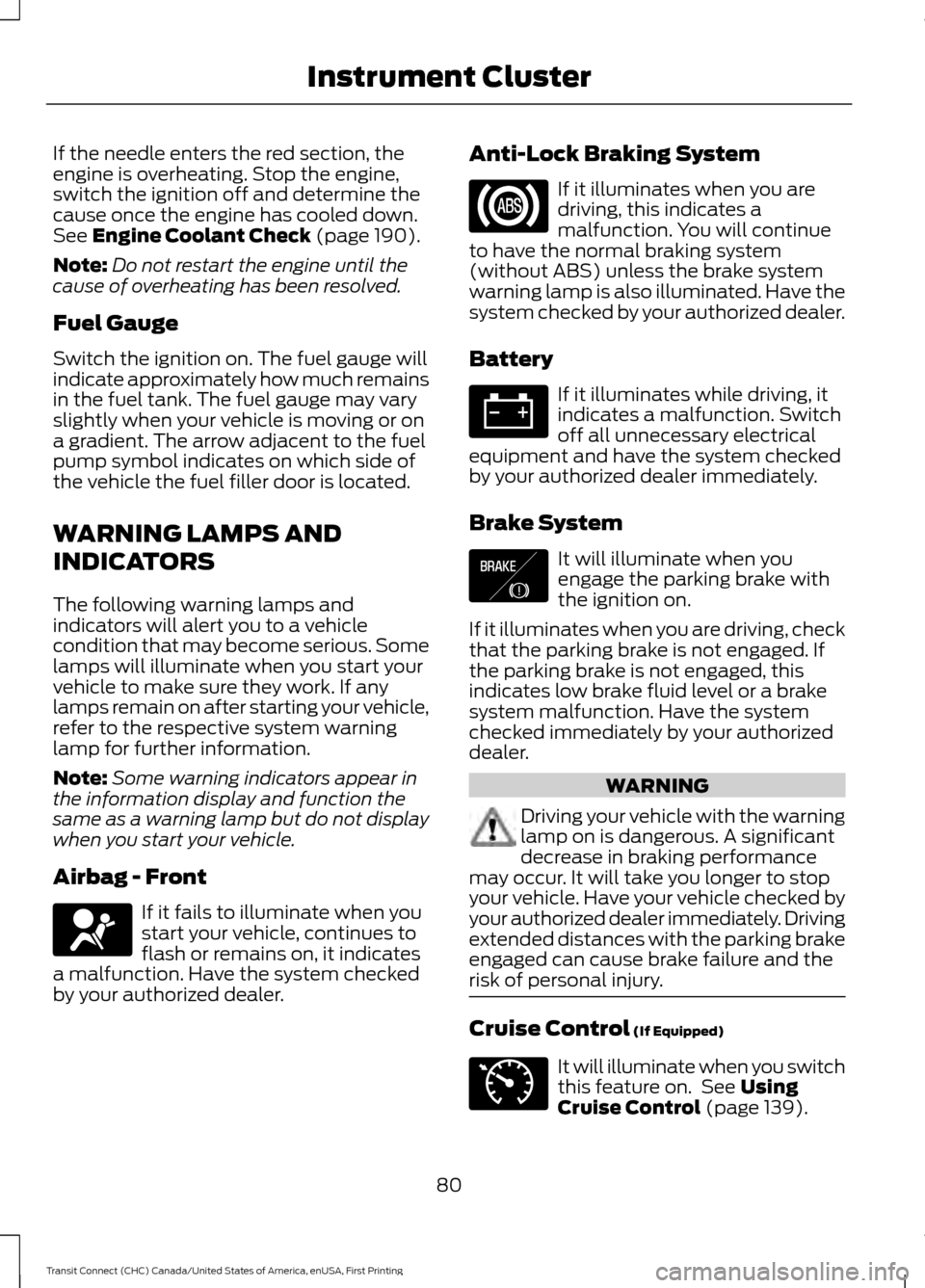
If the needle enters the red section, the
engine is overheating. Stop the engine,
switch the ignition off and determine the
cause once the engine has cooled down.
See Engine Coolant Check (page 190).
Note: Do not restart the engine until the
cause of overheating has been resolved.
Fuel Gauge
Switch the ignition on. The fuel gauge will
indicate approximately how much remains
in the fuel tank. The fuel gauge may vary
slightly when your vehicle is moving or on
a gradient. The arrow adjacent to the fuel
pump symbol indicates on which side of
the vehicle the fuel filler door is located.
WARNING LAMPS AND
INDICATORS
The following warning lamps and
indicators will alert you to a vehicle
condition that may become serious. Some
lamps will illuminate when you start your
vehicle to make sure they work. If any
lamps remain on after starting your vehicle,
refer to the respective system warning
lamp for further information.
Note: Some warning indicators appear in
the information display and function the
same as a warning lamp but do not display
when you start your vehicle.
Airbag - Front If it fails to illuminate when you
start your vehicle, continues to
flash or remains on, it indicates
a malfunction. Have the system checked
by your authorized dealer. Anti-Lock Braking System If it illuminates when you are
driving, this indicates a
malfunction. You will continue
to have the normal braking system
(without ABS) unless the brake system
warning lamp is also illuminated. Have the
system checked by your authorized dealer.
Battery If it illuminates while driving, it
indicates a malfunction. Switch
off all unnecessary electrical
equipment and have the system checked
by your authorized dealer immediately.
Brake System It will illuminate when you
engage the parking brake with
the ignition on.
If it illuminates when you are driving, check
that the parking brake is not engaged. If
the parking brake is not engaged, this
indicates low brake fluid level or a brake
system malfunction. Have the system
checked immediately by your authorized
dealer. WARNING
Driving your vehicle with the warning
lamp on is dangerous. A significant
decrease in braking performance
may occur. It will take you longer to stop
your vehicle. Have your vehicle checked by
your authorized dealer immediately. Driving
extended distances with the parking brake
engaged can cause brake failure and the
risk of personal injury. Cruise Control
(If Equipped)
It will illuminate when you switch
this feature on. See
Using
Cruise Control (page 139).
80
Transit Connect (CHC) Canada/United States of America, enUSA, First Printing Instrument Cluster E138644 E71340
Page 85 of 428
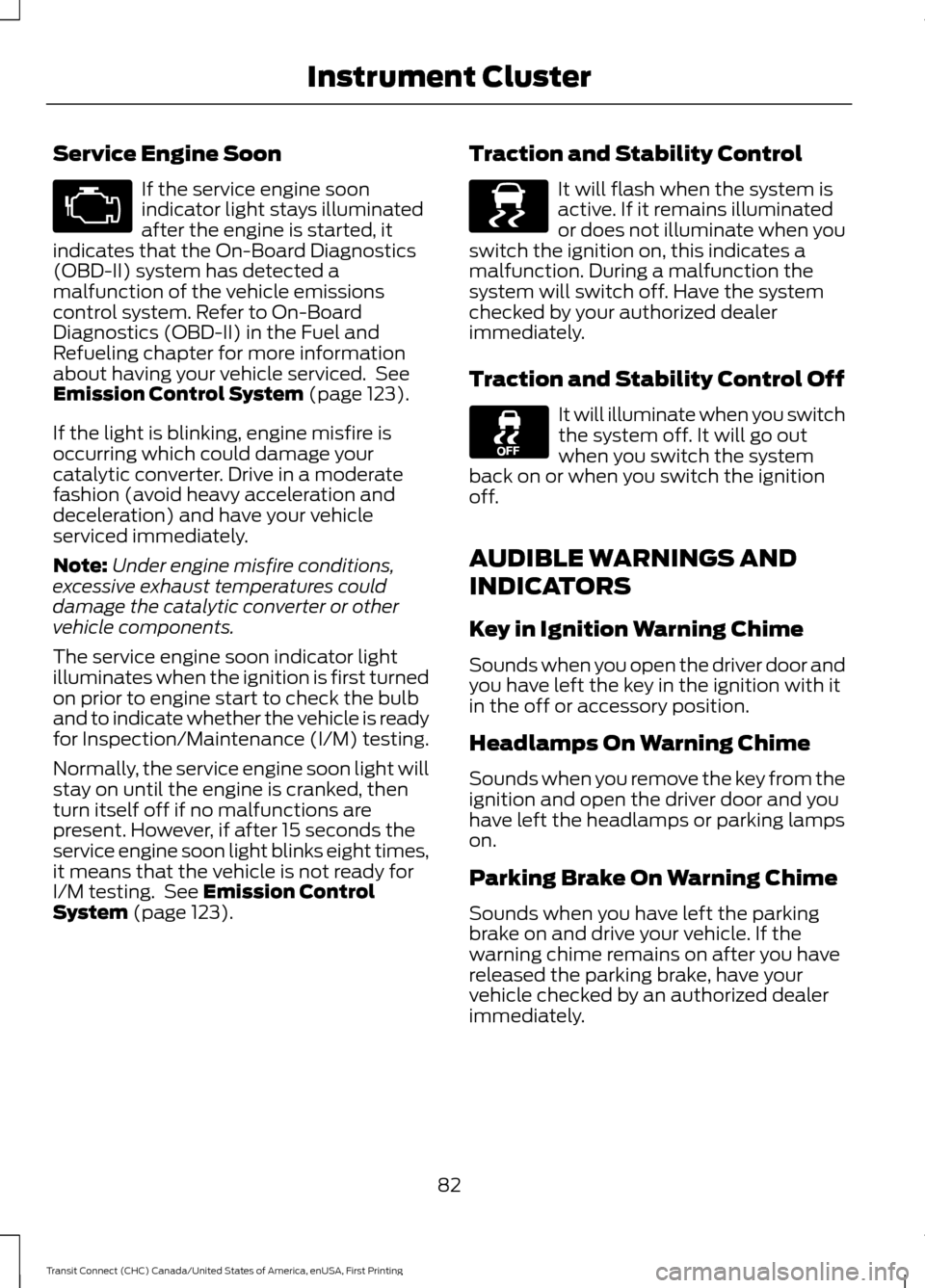
Service Engine Soon
If the service engine soon
indicator light stays illuminated
after the engine is started, it
indicates that the On-Board Diagnostics
(OBD-II) system has detected a
malfunction of the vehicle emissions
control system. Refer to On-Board
Diagnostics (OBD-II) in the Fuel and
Refueling chapter for more information
about having your vehicle serviced. See
Emission Control System (page 123).
If the light is blinking, engine misfire is
occurring which could damage your
catalytic converter. Drive in a moderate
fashion (avoid heavy acceleration and
deceleration) and have your vehicle
serviced immediately.
Note: Under engine misfire conditions,
excessive exhaust temperatures could
damage the catalytic converter or other
vehicle components.
The service engine soon indicator light
illuminates when the ignition is first turned
on prior to engine start to check the bulb
and to indicate whether the vehicle is ready
for Inspection/Maintenance (I/M) testing.
Normally, the service engine soon light will
stay on until the engine is cranked, then
turn itself off if no malfunctions are
present. However, if after 15 seconds the
service engine soon light blinks eight times,
it means that the vehicle is not ready for
I/M testing. See
Emission Control
System (page 123). Traction and Stability Control It will flash when the system is
active. If it remains illuminated
or does not illuminate when you
switch the ignition on, this indicates a
malfunction. During a malfunction the
system will switch off. Have the system
checked by your authorized dealer
immediately.
Traction and Stability Control Off It will illuminate when you switch
the system off. It will go out
when you switch the system
back on or when you switch the ignition
off.
AUDIBLE WARNINGS AND
INDICATORS
Key in Ignition Warning Chime
Sounds when you open the driver door and
you have left the key in the ignition with it
in the off or accessory position.
Headlamps On Warning Chime
Sounds when you remove the key from the
ignition and open the driver door and you
have left the headlamps or parking lamps
on.
Parking Brake On Warning Chime
Sounds when you have left the parking
brake on and drive your vehicle. If the
warning chime remains on after you have
released the parking brake, have your
vehicle checked by an authorized dealer
immediately.
82
Transit Connect (CHC) Canada/United States of America, enUSA, First Printing Instrument Cluster E138639
Page 95 of 428
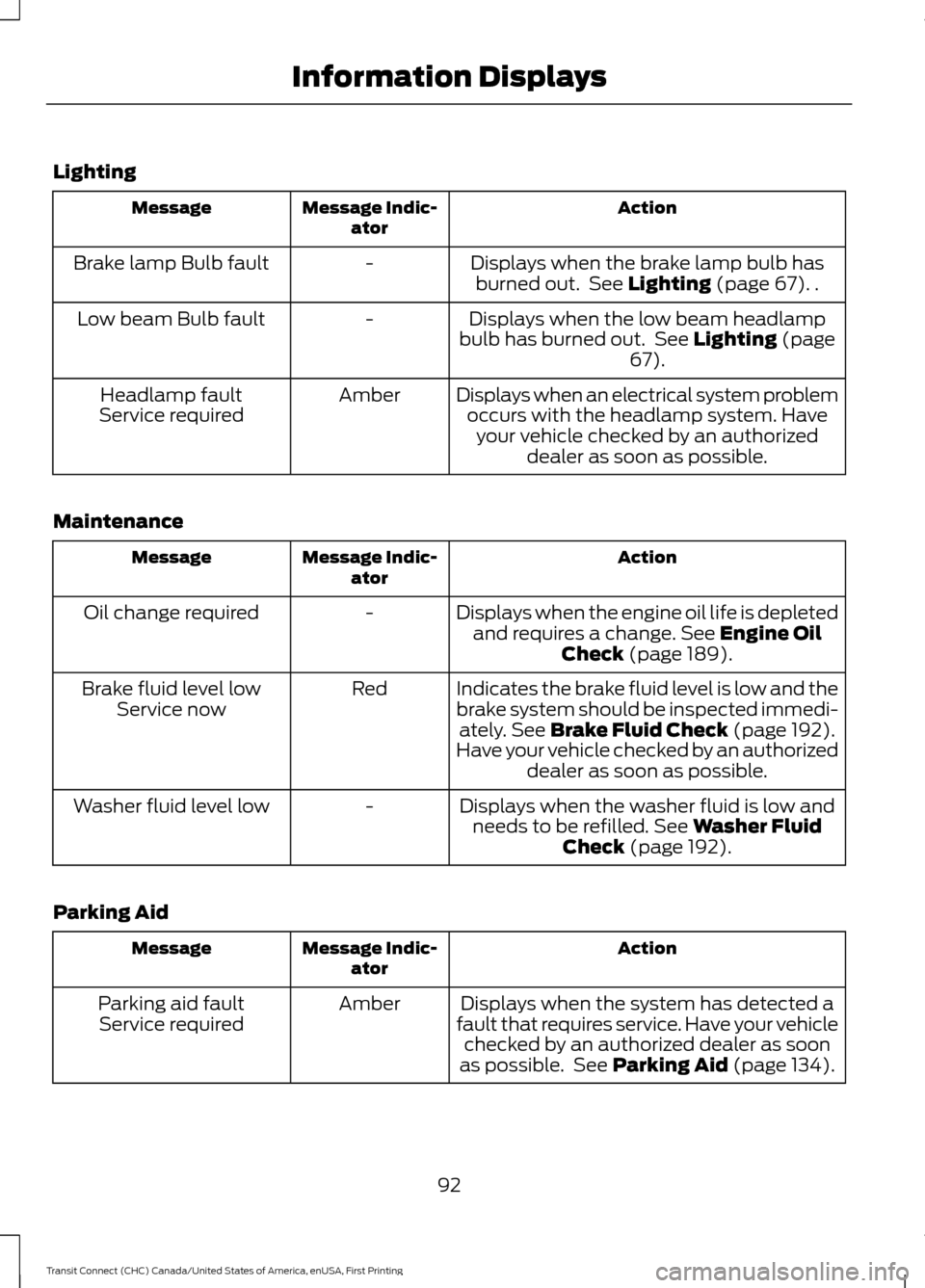
Lighting
Action
Message Indic-
ator
Message
Displays when the brake lamp bulb hasburned out. See Lighting (page 67). .
-
Brake lamp Bulb fault
Displays when the low beam headlamp
bulb has burned out. See
Lighting (page
67).
-
Low beam Bulb fault
Displays when an electrical system problemoccurs with the headlamp system. Haveyour vehicle checked by an authorized dealer as soon as possible.
Amber
Headlamp fault
Service required
Maintenance Action
Message Indic-
ator
Message
Displays when the engine oil life is depletedand requires a change.
See Engine Oil
Check (page 189).
-
Oil change required
Indicates the brake fluid level is low and the
brake system should be inspected immedi-ately.
See Brake Fluid Check (page 192).
Have your vehicle checked by an authorized dealer as soon as possible.
Red
Brake fluid level low
Service now
Displays when the washer fluid is low andneeds to be refilled.
See Washer Fluid
Check (page 192).
-
Washer fluid level low
Parking Aid Action
Message Indic-
ator
Message
Displays when the system has detected a
fault that requires service. Have your vehicle checked by an authorized dealer as soon
as possible. See
Parking Aid (page 134).
Amber
Parking aid fault
Service required
92
Transit Connect (CHC) Canada/United States of America, enUSA, First Printing Information Displays
Page 96 of 428
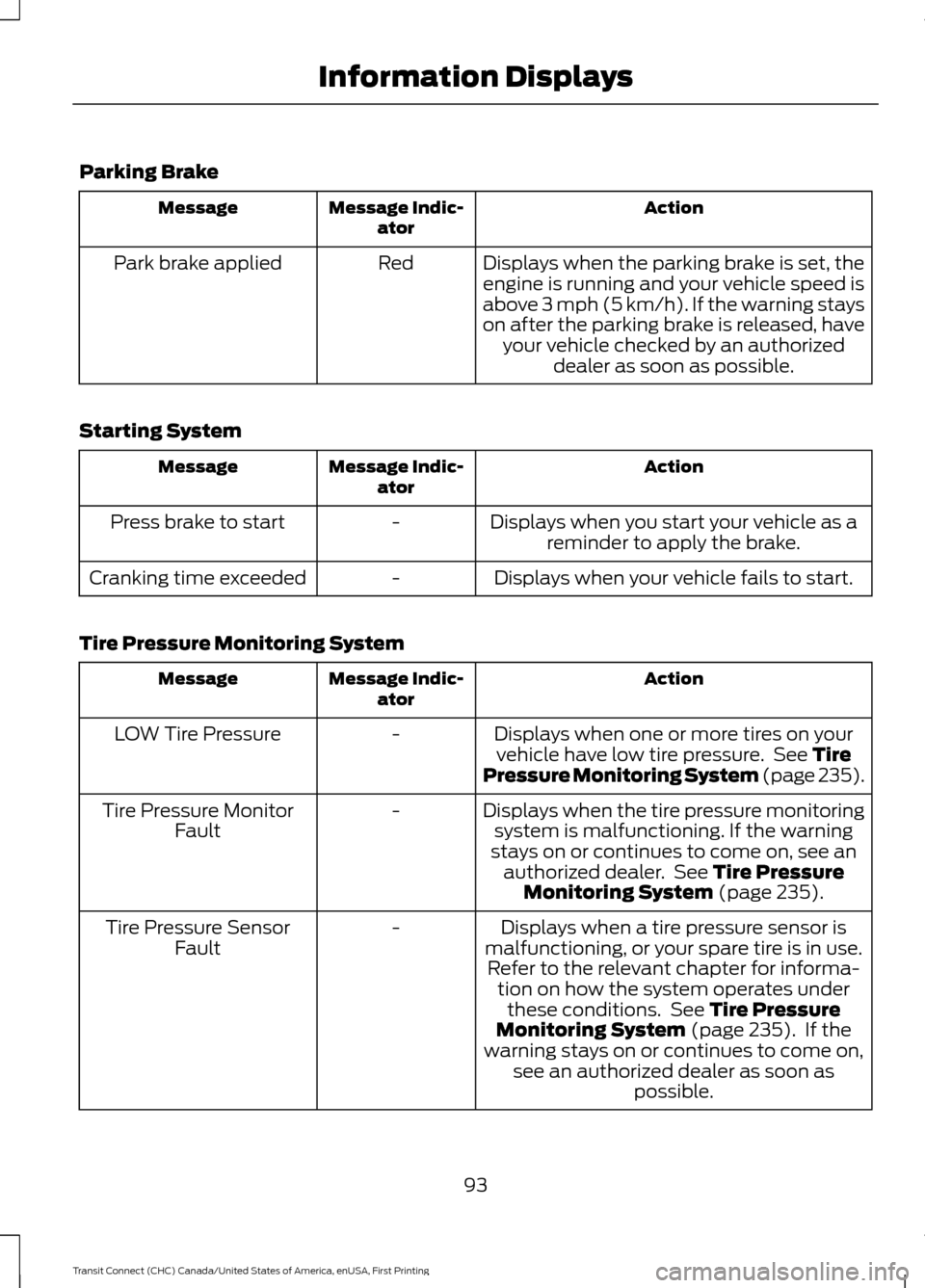
Parking Brake
Action
Message Indic-
ator
Message
Displays when the parking brake is set, theengine is running and your vehicle speed is
above 3 mph (5 km/h). If the warning stays
on after the parking brake is released, have your vehicle checked by an authorized dealer as soon as possible.
Red
Park brake applied
Starting System Action
Message Indic-
ator
Message
Displays when you start your vehicle as areminder to apply the brake.
-
Press brake to start
Displays when your vehicle fails to start.
-
Cranking time exceeded
Tire Pressure Monitoring System Action
Message Indic-
ator
Message
Displays when one or more tires on yourvehicle have low tire pressure. See Tire
Pressure Monitoring System (page 235).
-
LOW Tire Pressure
Displays when the tire pressure monitoringsystem is malfunctioning. If the warning
stays on or continues to come on, see an authorized dealer. See
Tire Pressure
Monitoring System (page 235).
-
Tire Pressure Monitor
Fault
Displays when a tire pressure sensor is
malfunctioning, or your spare tire is in use. Refer to the relevant chapter for informa- tion on how the system operates underthese conditions. See
Tire Pressure
Monitoring System (page 235). If the
warning stays on or continues to come on, see an authorized dealer as soon as possible.
-
Tire Pressure Sensor
Fault
93
Transit Connect (CHC) Canada/United States of America, enUSA, First Printing Information Displays
Page 103 of 428
Recommended Settings for
Cooling
•
Adjust the fan speed to the second
speed setting.
• Adjust the temperature control to the
midway point of the cold settings.
• Adjust the air distribution control to the
instrument panel air vents position.
Vehicle Stationary for Extended
Periods During Extreme High
Ambient Temperatures
• Apply the parking brake.
• Move the transmission selector lever
to position P or neutral.
• Adjust the temperature control to the
MAX A/C
position.
• Adjust the fan speed to the lowest
speed setting. Side Window Defogging in Cold
Weather
•
Adjust the air distribution control to the
instrument panel and windshield air
vents positions.
• Press the
A/C button.
• Adjust the temperature control to the
desired setting.
• Adjust the fan speed to the highest
setting.
• Direct the instrument panel side air
vents toward the side windows.
• Close the instrument panel vents.
Maximum Cooling Performance in
Instrument Panel or Instrument
Panel and Footwell Positions
• Adjust the temperature control to the
lowest setting.
• Press the
A/C and recirculated air
buttons.
• Adjust the fan speed to the highest
setting initially and then adjust it to suit
the desired comfort level.
100
Transit Connect (CHC) Canada/United States of America, enUSA, First Printing Climate Control
Page 119 of 428
To lock the steering wheel:
1. Remove the key from the ignition
switch.
2. Rotate the steering wheel slightly to engage the lock.
To unlock the steering wheel:
1. Insert the key in the ignition switch.
2. Turn the key to position I.
Note: You may need to rotate the steering
wheel slightly to assist unlocking if there is
a steering wheel load applied.
STARTING A GASOLINE
ENGINE
Before starting the engine check
the following:
• Make sure all occupants have fastened
their safety belts.
• Make sure the headlamps and
electrical accessories are off.
• Make sure the parking brake is on.
• Make sure the transmission is in park
(P).
When you start the engine, the idle speed
increases, this helps to warm up the
engine. If the engine idle speed does not
slow down automatically, have your
vehicle checked by an authorized dealer.
Note: Do not touch the accelerator pedal.
1. Fully press the brake pedal.
2. Turn the ignition key to position
II to
switch the ignition on.
3. Turn the ignition key to position
III to
start your vehicle. Release the key
when the engine starts. Note:
You can only operate the starter for
a limited period of time, for example 10
seconds. The number of start attempts is
limited to approximately six. If you exceed
this limit, the system will not allow you to
try again until a period of time has elapsed,
for example 30 minutes.
Engine Idle Speed after Starting
The speed at which the engine idles
immediately after starting will adjust
automatically to minimize vehicle
emissions and maximize cabin comfort
and fuel economy.
The idle speed will vary depending on
certain factors. These include vehicle
component and ambient temperatures as
well as electrical and climate system
demands.
Cold or Hot Engine
If the engine does not start within 10
seconds, wait for a short period and try
again.
If the engine does not start after three
attempts, wait 10 seconds and follow the
flooded engine procedure.
If you have difficulty starting the engine
when the temperature is below -13°F
(-25°C), press the accelerator pedal to the
mid-way point of its travel and try again.
Flooded Engine
1. Move the transmission selector lever to position
P.
2. Fully depress the accelerator pedal and
hold it there.
3. Start the engine.
Note: If the engine does not start, repeat
the cold or hot engine procedure.
116
Transit Connect (CHC) Canada/United States of America, enUSA, First Printing Starting and Stopping the Engine