lock FORD TRANSIT CONNECT 2016 2.G Owner's Guide
[x] Cancel search | Manufacturer: FORD, Model Year: 2016, Model line: TRANSIT CONNECT, Model: FORD TRANSIT CONNECT 2016 2.GPages: 439, PDF Size: 6.96 MB
Page 81 of 439
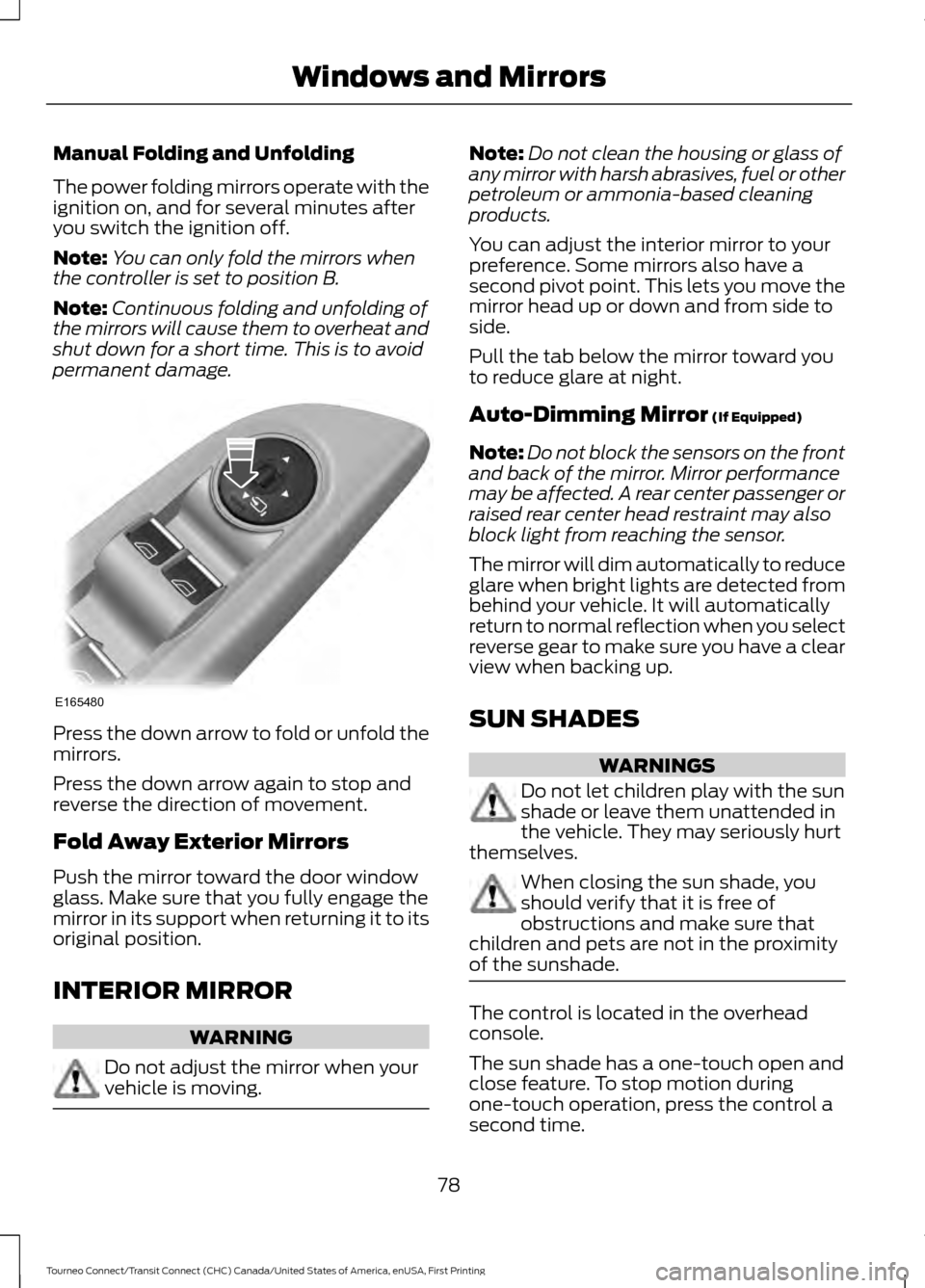
Manual Folding and Unfolding
The power folding mirrors operate with the
ignition on, and for several minutes after
you switch the ignition off.
Note:
You can only fold the mirrors when
the controller is set to position B.
Note: Continuous folding and unfolding of
the mirrors will cause them to overheat and
shut down for a short time. This is to avoid
permanent damage. Press the down arrow to fold or unfold the
mirrors.
Press the down arrow again to stop and
reverse the direction of movement.
Fold Away Exterior Mirrors
Push the mirror toward the door window
glass. Make sure that you fully engage the
mirror in its support when returning it to its
original position.
INTERIOR MIRROR
WARNING
Do not adjust the mirror when your
vehicle is moving. Note:
Do not clean the housing or glass of
any mirror with harsh abrasives, fuel or other
petroleum or ammonia-based cleaning
products.
You can adjust the interior mirror to your
preference. Some mirrors also have a
second pivot point. This lets you move the
mirror head up or down and from side to
side.
Pull the tab below the mirror toward you
to reduce glare at night.
Auto-Dimming Mirror (If Equipped)
Note: Do not block the sensors on the front
and back of the mirror. Mirror performance
may be affected. A rear center passenger or
raised rear center head restraint may also
block light from reaching the sensor.
The mirror will dim automatically to reduce
glare when bright lights are detected from
behind your vehicle. It will automatically
return to normal reflection when you select
reverse gear to make sure you have a clear
view when backing up.
SUN SHADES WARNINGS
Do not let children play with the sun
shade or leave them unattended in
the vehicle. They may seriously hurt
themselves. When closing the sun shade, you
should verify that it is free of
obstructions and make sure that
children and pets are not in the proximity
of the sunshade. The control is located in the overhead
console.
The sun shade has a one-touch open and
close feature. To stop motion during
one-touch operation, press the control a
second time.
78
Tourneo Connect/Transit Connect (CHC) Canada/United States of America, enUSA, First Printing Windows and MirrorsE165480
Page 84 of 439
If the needle enters the red section, the
engine is overheating. Stop the engine,
switch the ignition off and determine the
cause once the engine has cooled down.
See Engine Coolant Check (page 198).
Note: Do not restart the engine until the
cause of overheating has been resolved.
Fuel Gauge
Switch the ignition on. The fuel gauge will
indicate approximately how much remains
in the fuel tank. The fuel gauge may vary
slightly when your vehicle is moving or on
a gradient. The arrow adjacent to the fuel
pump symbol indicates on which side of
the vehicle the fuel filler door is located.
Low Fuel Level Reminder
Vehicles with Trip Computer
A low fuel level reminder displays and
sounds when the distance to empty
reaches
75 mi (120 km) to empty for
MyKey, and at 50 mi (80 km), 25 mi
(40 km), 10 mi (20 km) and 0 mi (0 km)
for all vehicle keys.
Vehicles without Trip Computer
A low fuel level reminder displays and
sounds when the fuel gauge needle is at
1/16th.
Note: The low fuel warning and
distance-to-empty warning can appear at
different fuel gauge positions depending on
fuel economy conditions. This variation is
normal. WARNING LAMPS AND
INDICATORS
The following warning lamps and
indicators will alert you to a vehicle
condition that may become serious. Some
lamps will illuminate when you start your
vehicle to make sure they work. If any
lamps remain on after starting your vehicle,
refer to the respective system warning
lamp for further information.
Note:
Some warning indicators appear in
the information display and function the
same as a warning lamp but do not display
when you start your vehicle.
Airbag - Front If it fails to illuminate when you
start your vehicle, continues to
flash or remains on, it indicates
a malfunction. Have the system checked
by your authorized dealer.
Anti-Lock Braking System If it illuminates when you are
driving, this indicates a
malfunction. You will continue
to have the normal braking system
(without ABS) unless the brake system
warning lamp is also illuminated. Have the
system checked by your authorized dealer.
Battery If it illuminates while driving, it
indicates a malfunction. Switch
off all unnecessary electrical
equipment and have the system checked
by your authorized dealer immediately.
81
Tourneo Connect/Transit Connect (CHC) Canada/United States of America, enUSA, First Printing Instrument Cluster
Page 90 of 439
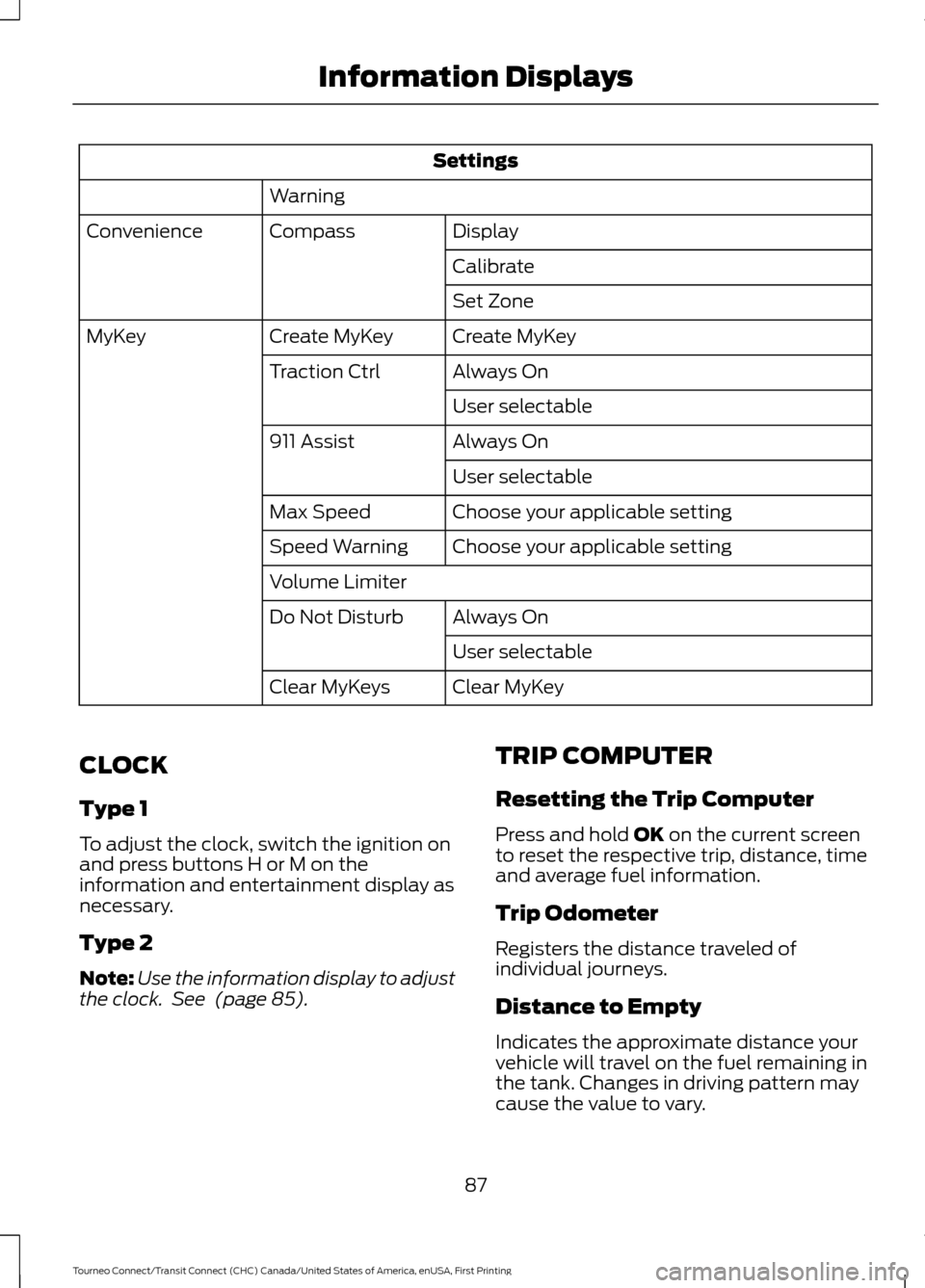
Settings
Warning Display
Compass
Convenience
Calibrate
Set Zone
Create MyKey
Create MyKey
MyKey
Always On
Traction Ctrl
User selectable
Always On
911 Assist
User selectable
Choose your applicable setting
Max Speed
Choose your applicable setting
Speed Warning
Volume Limiter
Always On
Do Not Disturb
User selectable
Clear MyKey
Clear MyKeys
CLOCK
Type 1
To adjust the clock, switch the ignition on
and press buttons H or M on the
information and entertainment display as
necessary.
Type 2
Note: Use the information display to adjust
the clock. See (page 85). TRIP COMPUTER
Resetting the Trip Computer
Press and hold
OK on the current screen
to reset the respective trip, distance, time
and average fuel information.
Trip Odometer
Registers the distance traveled of
individual journeys.
Distance to Empty
Indicates the approximate distance your
vehicle will travel on the fuel remaining in
the tank. Changes in driving pattern may
cause the value to vary.
87
Tourneo Connect/Transit Connect (CHC) Canada/United States of America, enUSA, First Printing Information Displays
Page 93 of 439
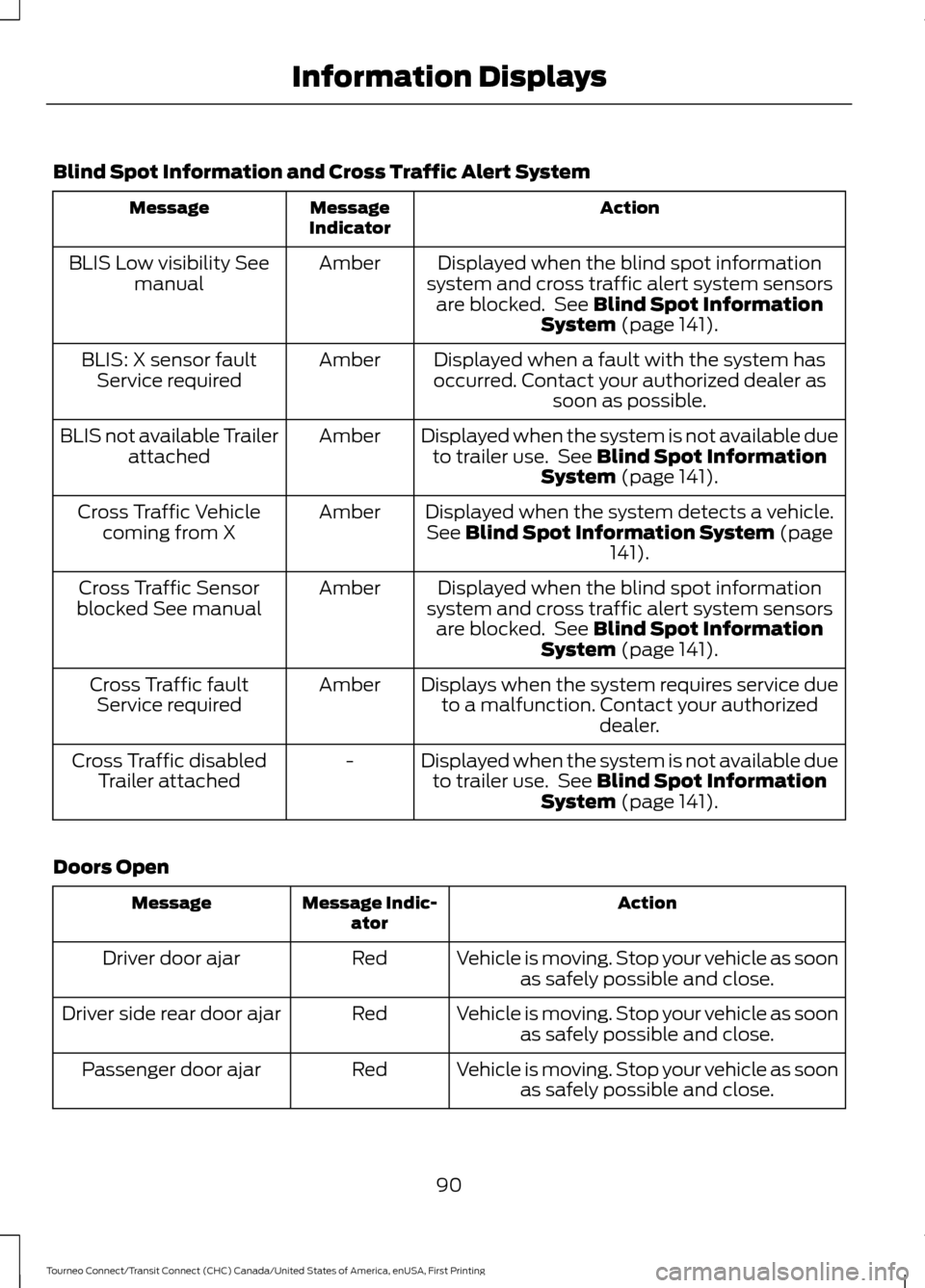
Blind Spot Information and Cross Traffic Alert System
Action
Message
Indicator
Message
Displayed when the blind spot information
system and cross traffic alert system sensors are blocked. See Blind Spot Information
System (page 141).
Amber
BLIS Low visibility See
manual
Displayed when a fault with the system has
occurred. Contact your authorized dealer as soon as possible.
Amber
BLIS: X sensor fault
Service required
Displayed when the system is not available dueto trailer use. See
Blind Spot Information
System (page 141).
Amber
BLIS not available Trailer
attached
Displayed when the system detects a vehicle.See
Blind Spot Information System (page
141).
Amber
Cross Traffic Vehicle
coming from X
Displayed when the blind spot information
system and cross traffic alert system sensors are blocked. See
Blind Spot Information
System (page 141).
Amber
Cross Traffic Sensor
blocked See manual
Displays when the system requires service dueto a malfunction. Contact your authorized dealer.
Amber
Cross Traffic fault
Service required
Displayed when the system is not available dueto trailer use. See
Blind Spot Information
System (page 141).
-
Cross Traffic disabled
Trailer attached
Doors Open Action
Message Indic-
ator
Message
Vehicle is moving. Stop your vehicle as soonas safely possible and close.
Red
Driver door ajar
Vehicle is moving. Stop your vehicle as soonas safely possible and close.
Red
Driver side rear door ajar
Vehicle is moving. Stop your vehicle as soonas safely possible and close.
Red
Passenger door ajar
90
Tourneo Connect/Transit Connect (CHC) Canada/United States of America, enUSA, First Printing Information Displays
Page 107 of 439
WARNINGS
Install the head restraint properly to
help minimize the risk of neck injury
in the event of a crash.
Note:
Adjust the seat backrest to an upright
driving position before adjusting the head
restraint. Adjust the head restraint so that
the top of it is level with the top of your head
and as far forward as possible. Make sure
that you remain comfortable. If you are
extremely tall, adjust the head restraint to
its highest position.
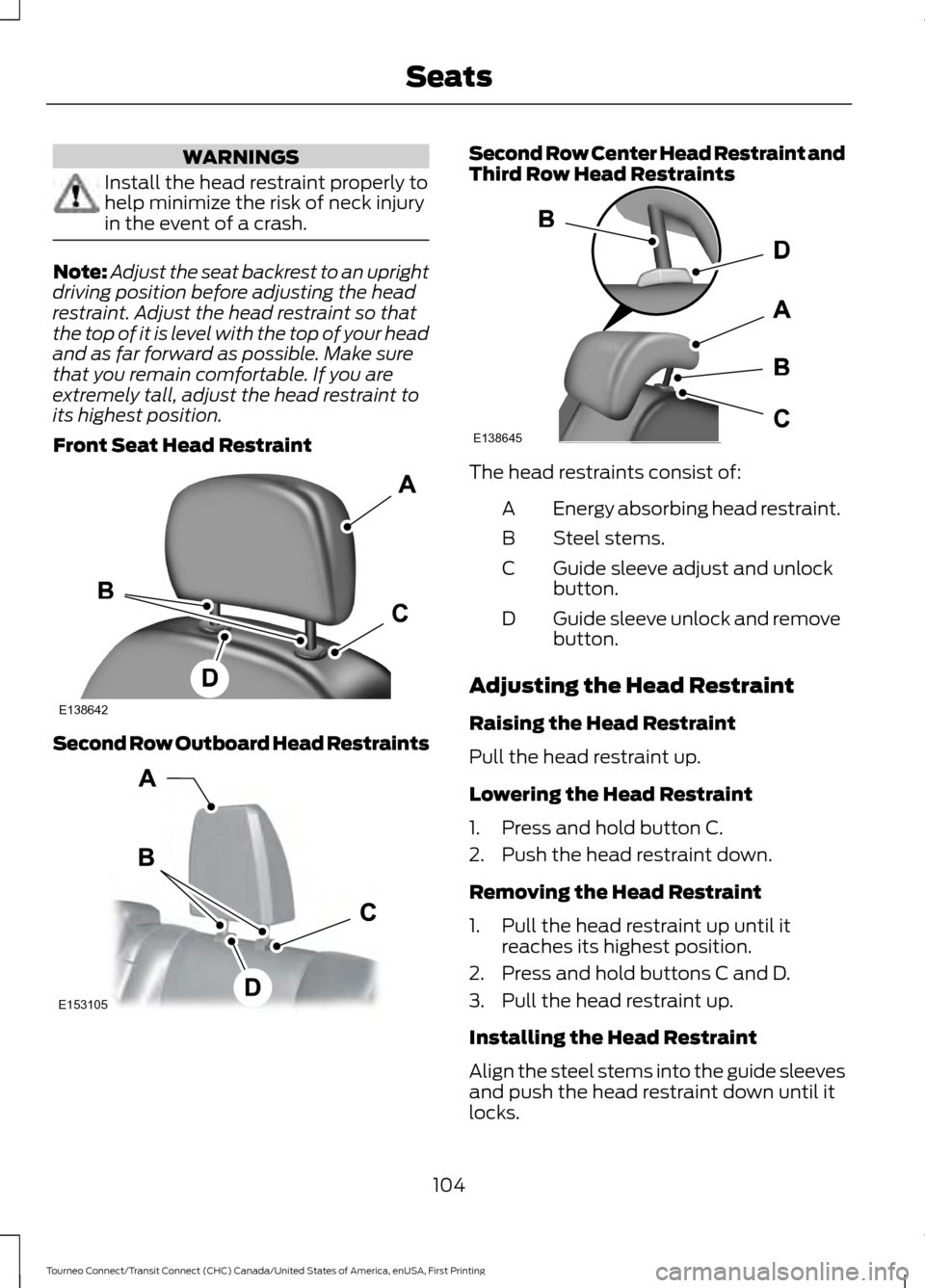
Front Seat Head Restraint Second Row Outboard Head Restraints Second Row Center Head Restraint and
Third Row Head Restraints
The head restraints consist of:
Energy absorbing head restraint.
A
Steel stems.
B
Guide sleeve adjust and unlock
button.
C
Guide sleeve unlock and remove
button.
D
Adjusting the Head Restraint
Raising the Head Restraint
Pull the head restraint up.
Lowering the Head Restraint
1. Press and hold button C.
2. Push the head restraint down.
Removing the Head Restraint
1. Pull the head restraint up until it reaches its highest position.
2. Press and hold buttons C and D.
3. Pull the head restraint up.
Installing the Head Restraint
Align the steel stems into the guide sleeves
and push the head restraint down until it
locks.
104
Tourneo Connect/Transit Connect (CHC) Canada/United States of America, enUSA, First Printing SeatsE138642 E153105 E138645
Page 111 of 439
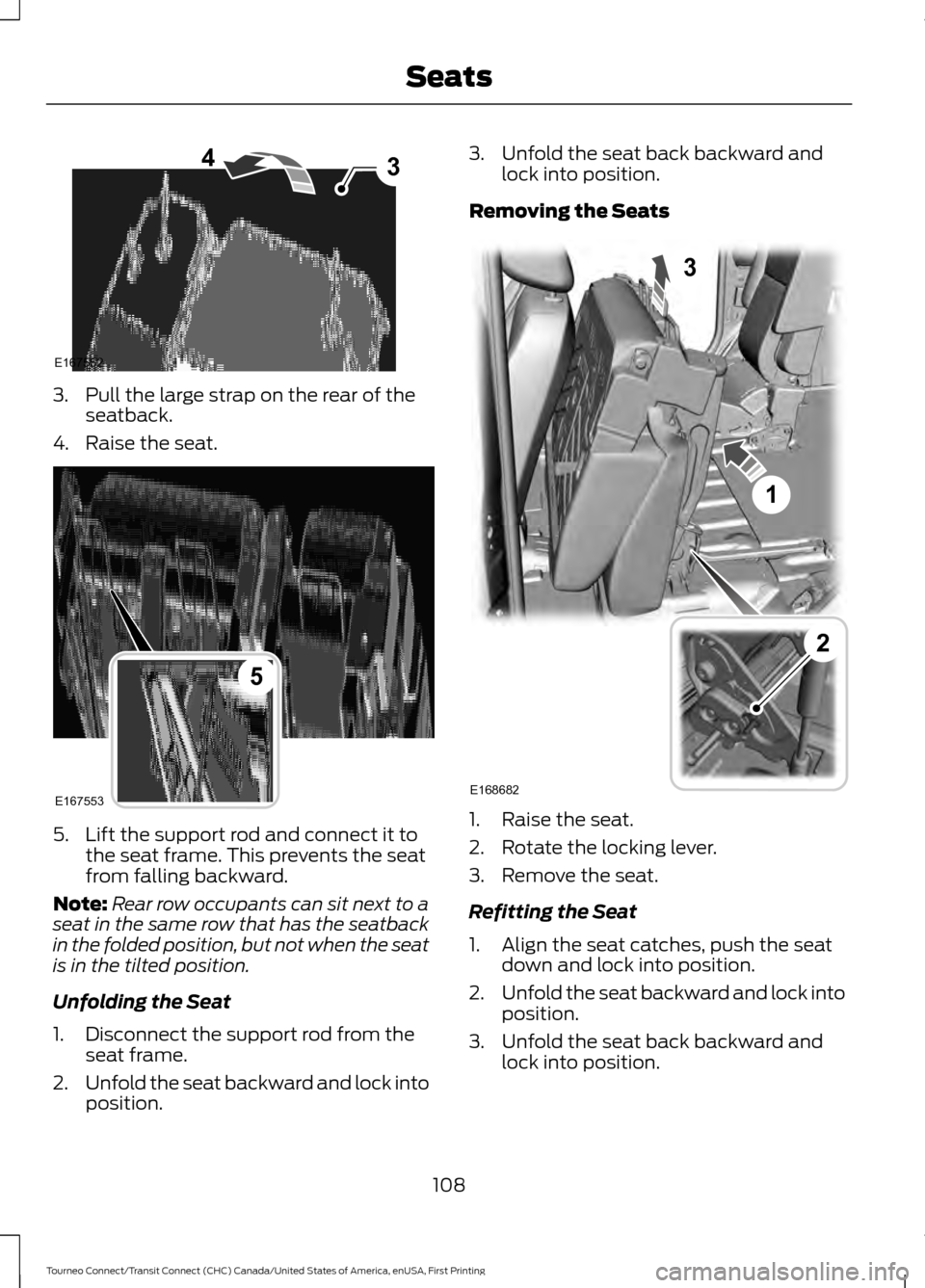
3. Pull the large strap on the rear of the
seatback.
4. Raise the seat. 5. Lift the support rod and connect it to
the seat frame. This prevents the seat
from falling backward.
Note: Rear row occupants can sit next to a
seat in the same row that has the seatback
in the folded position, but not when the seat
is in the tilted position.
Unfolding the Seat
1. Disconnect the support rod from the seat frame.
2. Unfold the seat backward and lock into
position. 3. Unfold the seat back backward and
lock into position.
Removing the Seats 1. Raise the seat.
2. Rotate the locking lever.
3. Remove the seat.
Refitting the Seat
1. Align the seat catches, push the seat
down and lock into position.
2. Unfold the seat backward and lock into
position.
3. Unfold the seat back backward and lock into position.
108
Tourneo Connect/Transit Connect (CHC) Canada/United States of America, enUSA, First Printing Seats43
E167552 E167553
5 E168682
1
3
2
Page 112 of 439
Type 2
Second Row Seats
Folding the Seat Flat
Note:
Fully lower the head restraint when
folding the seats. See Head Restraints
(page 103).
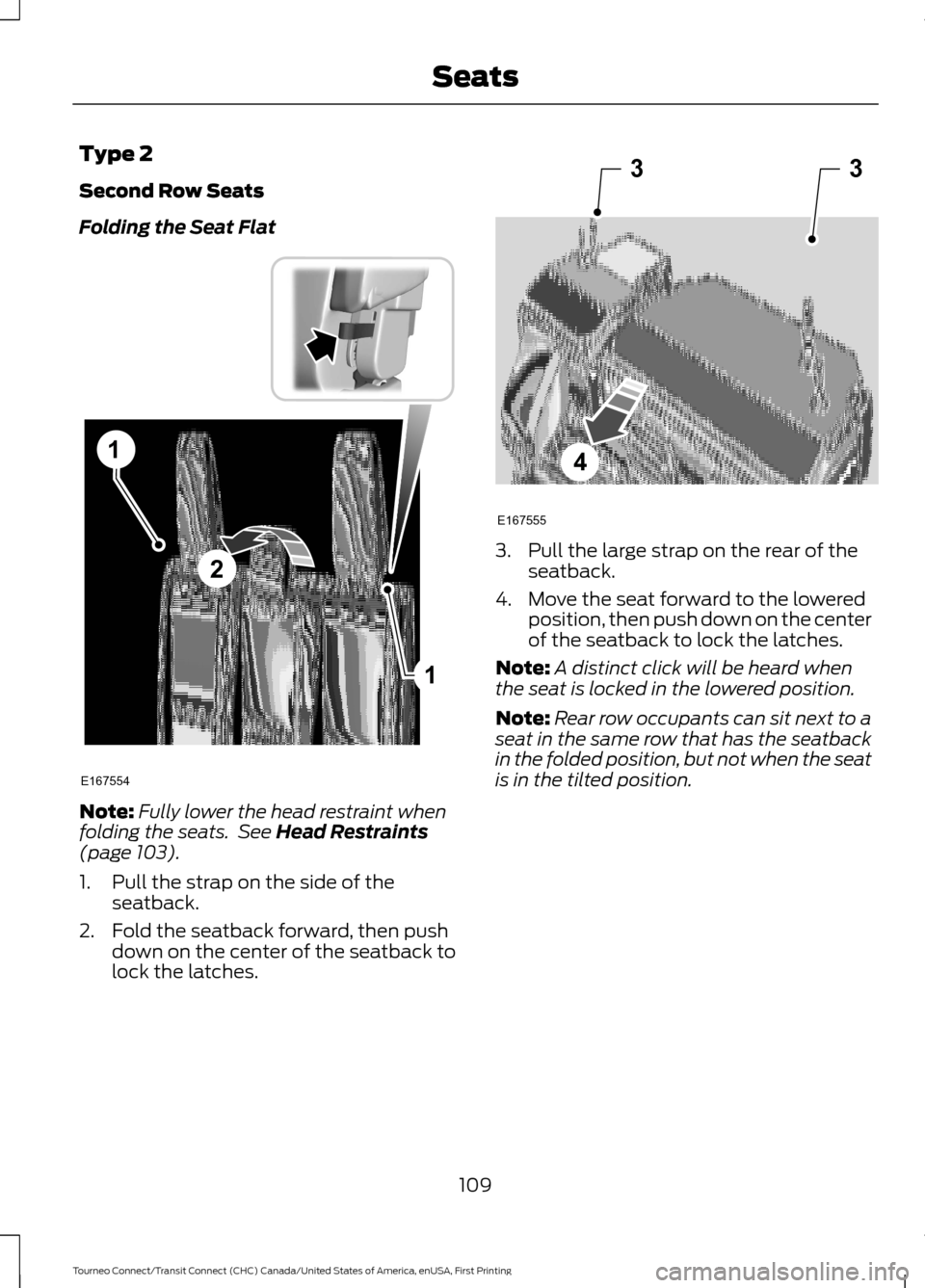
1. Pull the strap on the side of the seatback.
2. Fold the seatback forward, then push down on the center of the seatback to
lock the latches. 3. Pull the large strap on the rear of the
seatback.
4. Move the seat forward to the lowered position, then push down on the center
of the seatback to lock the latches.
Note: A distinct click will be heard when
the seat is locked in the lowered position.
Note: Rear row occupants can sit next to a
seat in the same row that has the seatback
in the folded position, but not when the seat
is in the tilted position.
109
Tourneo Connect/Transit Connect (CHC) Canada/United States of America, enUSA, First Printing Seats1
1
2
E167554 33
4
E167555
Page 113 of 439
Unfolding the Seat
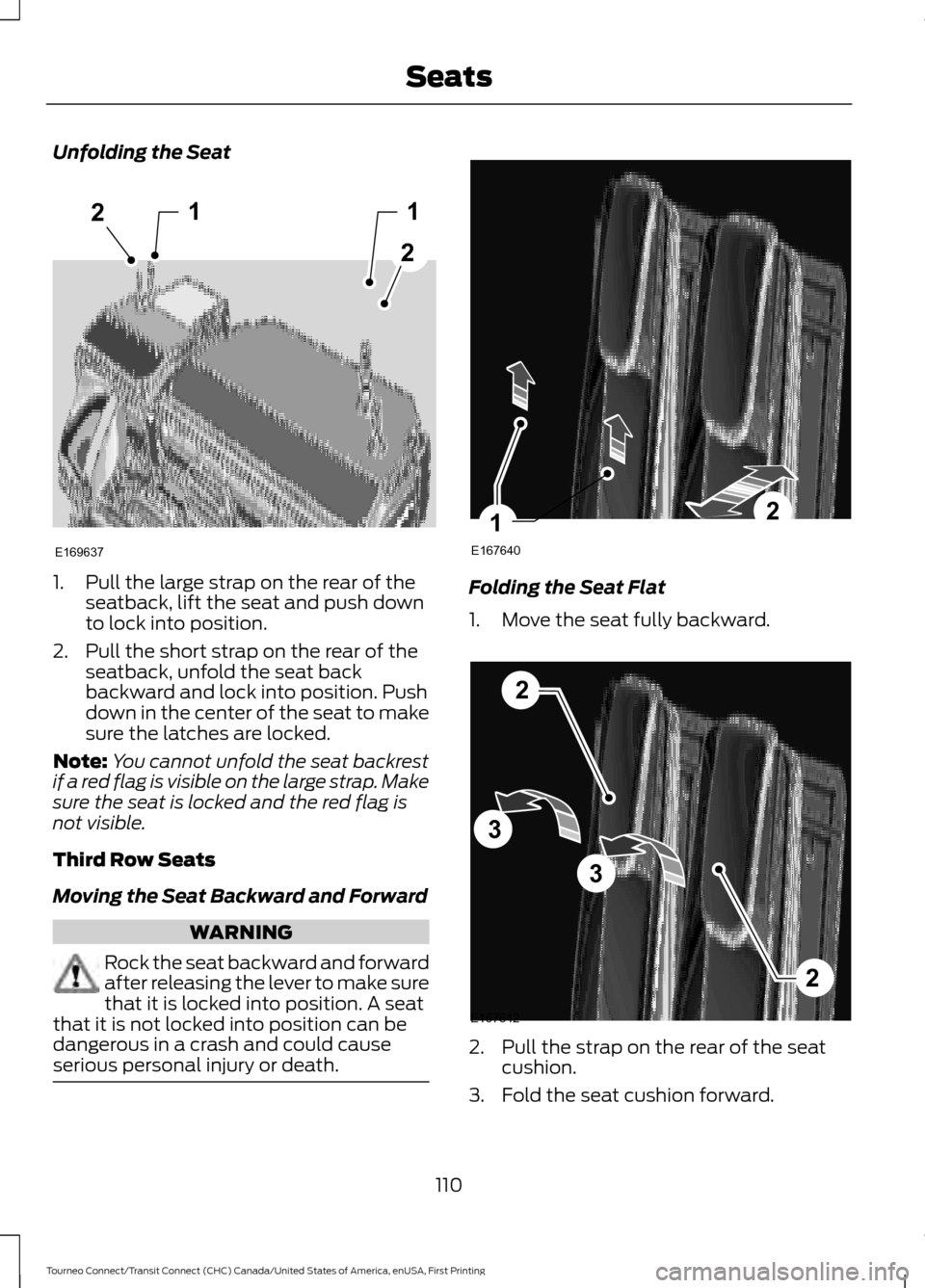
1. Pull the large strap on the rear of the
seatback, lift the seat and push down
to lock into position.
2. Pull the short strap on the rear of the seatback, unfold the seat back
backward and lock into position. Push
down in the center of the seat to make
sure the latches are locked.
Note: You cannot unfold the seat backrest
if a red flag is visible on the large strap. Make
sure the seat is locked and the red flag is
not visible.
Third Row Seats
Moving the Seat Backward and Forward WARNING
Rock the seat backward and forward
after releasing the lever to make sure
that it is locked into position. A seat
that it is not locked into position can be
dangerous in a crash and could cause
serious personal injury or death. Folding the Seat Flat
1. Move the seat fully backward.
2. Pull the strap on the rear of the seat
cushion.
3. Fold the seat cushion forward.
110
Tourneo Connect/Transit Connect (CHC) Canada/United States of America, enUSA, First Printing Seats12
2
1
E169637 E167640
21 E167642
2
3
3
2
Page 114 of 439
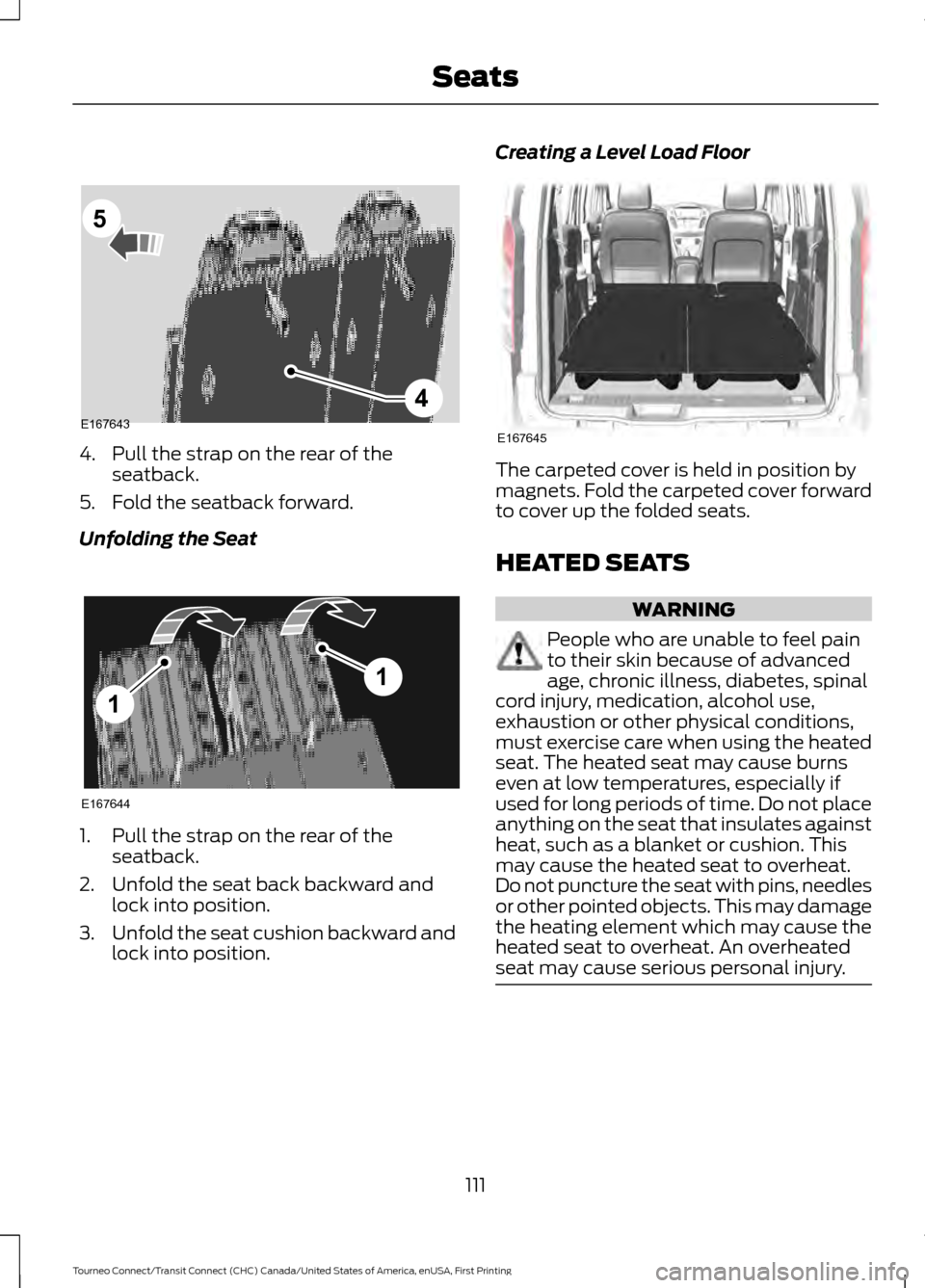
4. Pull the strap on the rear of the
seatback.
5. Fold the seatback forward.
Unfolding the Seat 1. Pull the strap on the rear of the
seatback.
2. Unfold the seat back backward and lock into position.
3. Unfold the seat cushion backward and
lock into position. Creating a Level Load Floor
The carpeted cover is held in position by
magnets. Fold the carpeted cover forward
to cover up the folded seats.
HEATED SEATS
WARNING
People who are unable to feel pain
to their skin because of advanced
age, chronic illness, diabetes, spinal
cord injury, medication, alcohol use,
exhaustion or other physical conditions,
must exercise care when using the heated
seat. The heated seat may cause burns
even at low temperatures, especially if
used for long periods of time. Do not place
anything on the seat that insulates against
heat, such as a blanket or cushion. This
may cause the heated seat to overheat.
Do not puncture the seat with pins, needles
or other pointed objects. This may damage
the heating element which may cause the
heated seat to overheat. An overheated
seat may cause serious personal injury. 111
Tourneo Connect/Transit Connect (CHC) Canada/United States of America, enUSA, First Printing SeatsE1676434
5 E167644
1
1 E167645
Page 120 of 439
ENGINE BLOCK HEATER
WARNINGS
Failure to follow engine block heater
instructions could result in property
damage or serious personal injury.
Do not use your heater with
ungrounded electrical systems or
two-pronged adapters. There is a risk
of electrical shock. Do not fully close the hood, or allow
it to drop under its own weight when
using the engine block heater. This
could damage the power cable and may
cause an electrical short resulting in fire,
injury and property damage. Note:
The heater is most effective when
outdoor temperatures are below 0°F
(-18°C).
The heater acts as a starting aid by
warming the engine coolant. This allows
the climate control system to respond
quickly. The equipment includes a heater
element (installed in the engine block) and
a wire harness. You can connect the
system to a grounded 120-volt AC
electrical source.
We recommend that you do the following
for a safe and correct operation:
• Use a 16-gauge outdoor extension cord
that is product certified by
Underwriter ’s Laboratory (UL) or
Canadian Standards Association
(CSA). This extension cord must be
suitable for use outdoors, in cold
temperatures, and be clearly marked
Suitable for Use with Outdoor
Appliances. Do not use an indoor
extension cord outdoors. This could
result in an electric shock or become a
fire hazard.
• Use as short an extension cord as
possible. •
Do not use multiple extension cords.
• Make sure that when in operation, the
extension cord plug and heater cord
plug connections are free and clear of
water. This could cause an electric
shock or fire.
• Make sure your vehicle is parked in a
clean area, clear of combustibles.
• Make sure the heater, heater cord and
extension cord are firmly connected.
• Check for heat anywhere in the
electrical hookup once the system has
been operating for approximately 30
minutes.
• Make sure the system is unplugged and
properly stowed before starting and
driving your vehicle. Make sure the
protective cover seals the prongs of the
block heater cord plug when not in use.
• Make sure the heater system is
checked for proper operation before
winter.
Using the Engine Block Heater
Make sure the receptacle terminals are
clean and dry prior to use. Clean them with
a dry cloth if necessary.
The heater uses 0.4 to 1.0 kilowatt-hours
of energy per hour of use. The system does
not have a thermostat. It achieves
maximum temperature after
approximately three hours of operation.
Using the heater longer than three hours
does not improve system performance and
unnecessarily uses electricity.
117
Tourneo Connect/Transit Connect (CHC) Canada/United States of America, enUSA, First Printing Starting and Stopping the Engine