cruise control FORD TRANSIT CONNECT 2020 User Guide
[x] Cancel search | Manufacturer: FORD, Model Year: 2020, Model line: TRANSIT CONNECT, Model: FORD TRANSIT CONNECT 2020Pages: 509, PDF Size: 7.73 MB
Page 209 of 509
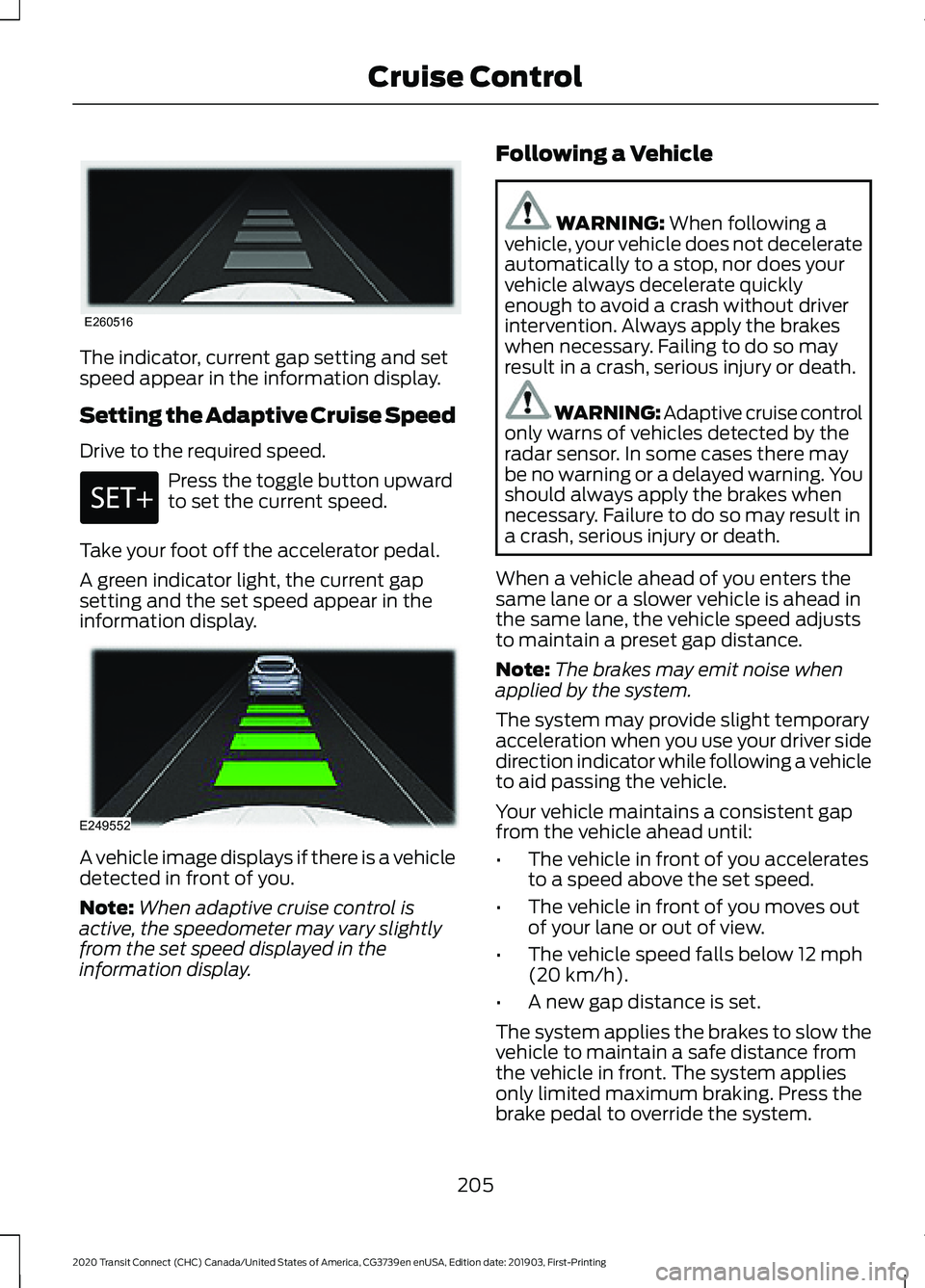
The indicator, current gap setting and set
speed appear in the information display.
Setting the Adaptive Cruise Speed
Drive to the required speed.
Press the toggle button upward
to set the current speed.
Take your foot off the accelerator pedal.
A green indicator light, the current gap
setting and the set speed appear in the
information display. A vehicle image displays if there is a vehicle
detected in front of you.
Note:
When adaptive cruise control is
active, the speedometer may vary slightly
from the set speed displayed in the
information display. Following a Vehicle WARNING: When following a
vehicle, your vehicle does not decelerate
automatically to a stop, nor does your
vehicle always decelerate quickly
enough to avoid a crash without driver
intervention. Always apply the brakes
when necessary. Failing to do so may
result in a crash, serious injury or death. WARNING: Adaptive cruise control
only warns of vehicles detected by the
radar sensor. In some cases there may
be no warning or a delayed warning. You
should always apply the brakes when
necessary. Failure to do so may result in
a crash, serious injury or death.
When a vehicle ahead of you enters the
same lane or a slower vehicle is ahead in
the same lane, the vehicle speed adjusts
to maintain a preset gap distance.
Note: The brakes may emit noise when
applied by the system.
The system may provide slight temporary
acceleration when you use your driver side
direction indicator while following a vehicle
to aid passing the vehicle.
Your vehicle maintains a consistent gap
from the vehicle ahead until:
• The vehicle in front of you accelerates
to a speed above the set speed.
• The vehicle in front of you moves out
of your lane or out of view.
• The vehicle speed falls below
12 mph
(20 km/h).
• A new gap distance is set.
The system applies the brakes to slow the
vehicle to maintain a safe distance from
the vehicle in front. The system applies
only limited maximum braking. Press the
brake pedal to override the system.
205
2020 Transit Connect (CHC) Canada/United States of America, CG3739en enUSA, Edition date: 201903, First-Printing Cruise ControlE260516 E249552
Page 210 of 509
If the system determines that its maximum
braking level is not sufficient, an audible
warning sounds and a message appears
in the information display when the system
continues to brake. You must take
immediate action.
Setting the Gap Distance
You can decrease or increase the distance
between your vehicle and the vehicle in
front by pressing the gap control.
Press and release to decrease
the gap distance.
Press and release to increase the
gap distance.
Note:
It is your responsibility to select a gap
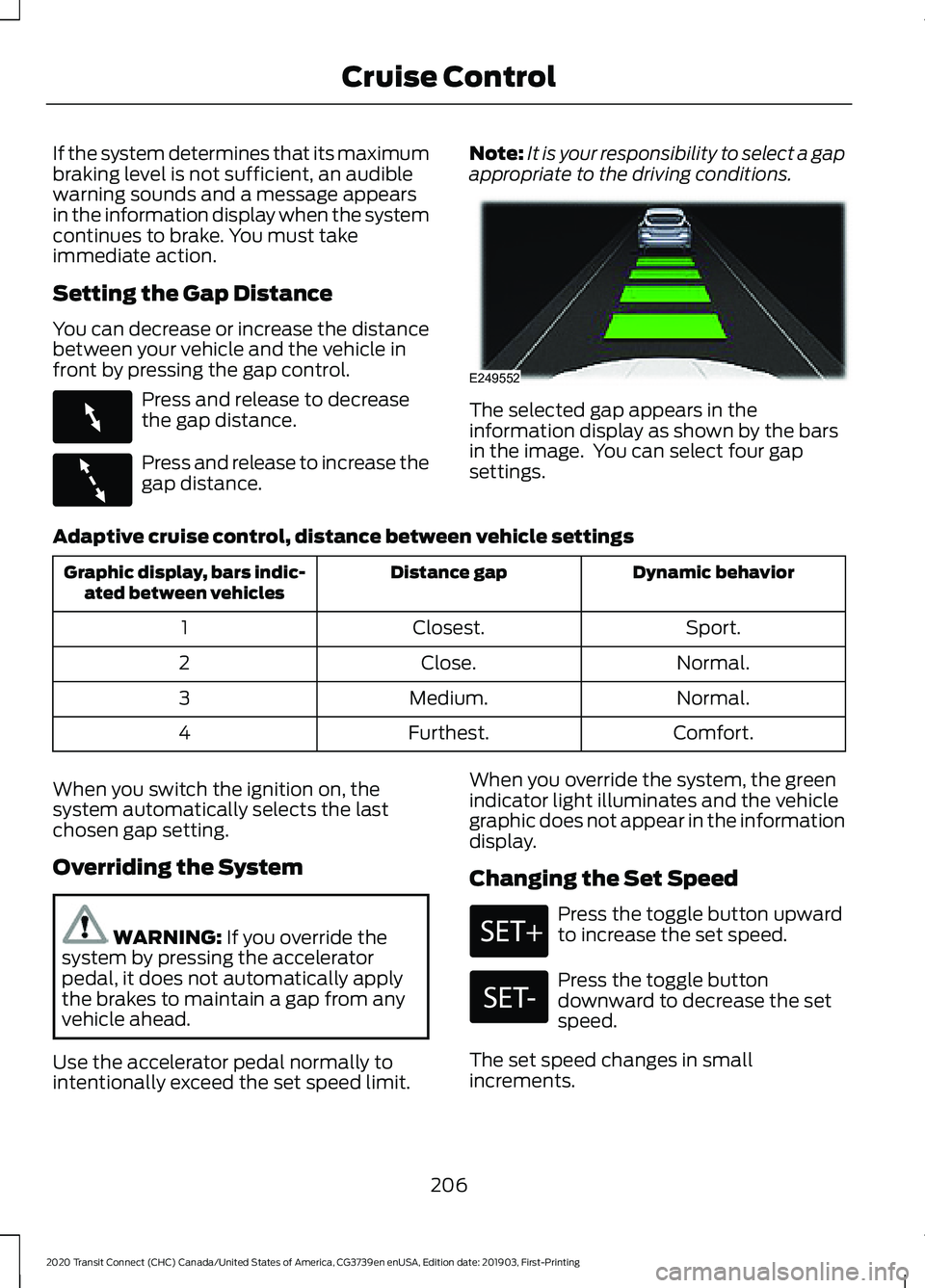
appropriate to the driving conditions. The selected gap appears in the
information display as shown by the bars
in the image. You can select four gap
settings.
Adaptive cruise control, distance between vehicle settings Dynamic behavior
Distance gap
Graphic display, bars indic-
ated between vehicles
Sport.
Closest.
1
Normal.
Close.
2
Normal.
Medium.
3
Comfort.
Furthest.
4
When you switch the ignition on, the
system automatically selects the last
chosen gap setting.
Overriding the System WARNING: If you override the
system by pressing the accelerator
pedal, it does not automatically apply
the brakes to maintain a gap from any
vehicle ahead.
Use the accelerator pedal normally to
intentionally exceed the set speed limit. When you override the system, the green
indicator light illuminates and the vehicle
graphic does not appear in the information
display.
Changing the Set Speed Press the toggle button upward
to increase the set speed.
Press the toggle button
downward to decrease the set
speed.
The set speed changes in small
increments.
206
2020 Transit Connect (CHC) Canada/United States of America, CG3739en enUSA, Edition date: 201903, First-Printing Cruise ControlE263697 E263696 E249552
Page 211 of 509
Note:
Press and hold the toggle button
upward or downward to change the set
speed in larger increments.
The system may apply the brakes to slow
the vehicle to the new set speed. The set
speed displays continuously in the
information display when the system is
active.
Canceling the Set Speed Press and release the switch or
tap the brake pedal.
The last set speed and gap setting displays
in grey but does not erase.
Note: If you press the clutch pedal for an
extended period, this action also cancels
the set speed.
Resuming the Set Speed Press and release the switch.
Your vehicle speed returns to the
previously set speed and gap setting. The
set speed shows continuously in the
information display while the system is
active.
Note: Only use resume if you are aware of
the set speed and intend to return to it.
Automatic Cancellation
The system is not functional at vehicle
speeds below 12 mph (20 km/h). An
audible alarm sounds and the automatic
braking releases if the vehicle drops below
this speed.
Automatic cancellation can also occur
when:
• The tires lose traction.
• The engine speed is too low.
• You apply the parking brake. Note:
If the engine speed drops too low,
the information display advises you to shift
to a lower gear.
Hilly Condition Usage
Note: An audible alarm sounds and the
system shuts down if it applies brakes for
an extended period of time. This allows the
brakes to cool. The system functions
normally again when the brakes have
cooled.
You should select a lower gear when the
system is active in situations such as
prolonged downhill driving on steep
grades, for example in mountainous areas.
The system needs additional engine
braking in these situations to reduce the
load on the vehicle ’s regular brake system
to prevent it from overheating.
Switching Adaptive Cruise Control
Off Press and release the switch.
Note: You erase the set speed when you
switch the system off.
Detection Issues WARNING:
On rare occasions,
detection issues can occur due to the
road infrastructures, for example bridges,
tunnels and safety barriers. In these
cases, the system may brake late or
unexpectedly. At all times, you are
responsible for controlling your vehicle,
supervising the system and intervening,
if required. WARNING:
If the system
malfunctions, have your vehicle checked
as soon as possible.
207
2020 Transit Connect (CHC) Canada/United States of America, CG3739en enUSA, Edition date: 201903, First-Printing Cruise Control E144529
Page 212 of 509
The radar has a limited field of view. It does
not detect all vehicles in all situations and
could detect vehicles later that you expect.
The lead vehicle image does not display if
the system does not detect a vehicle in
front of you.
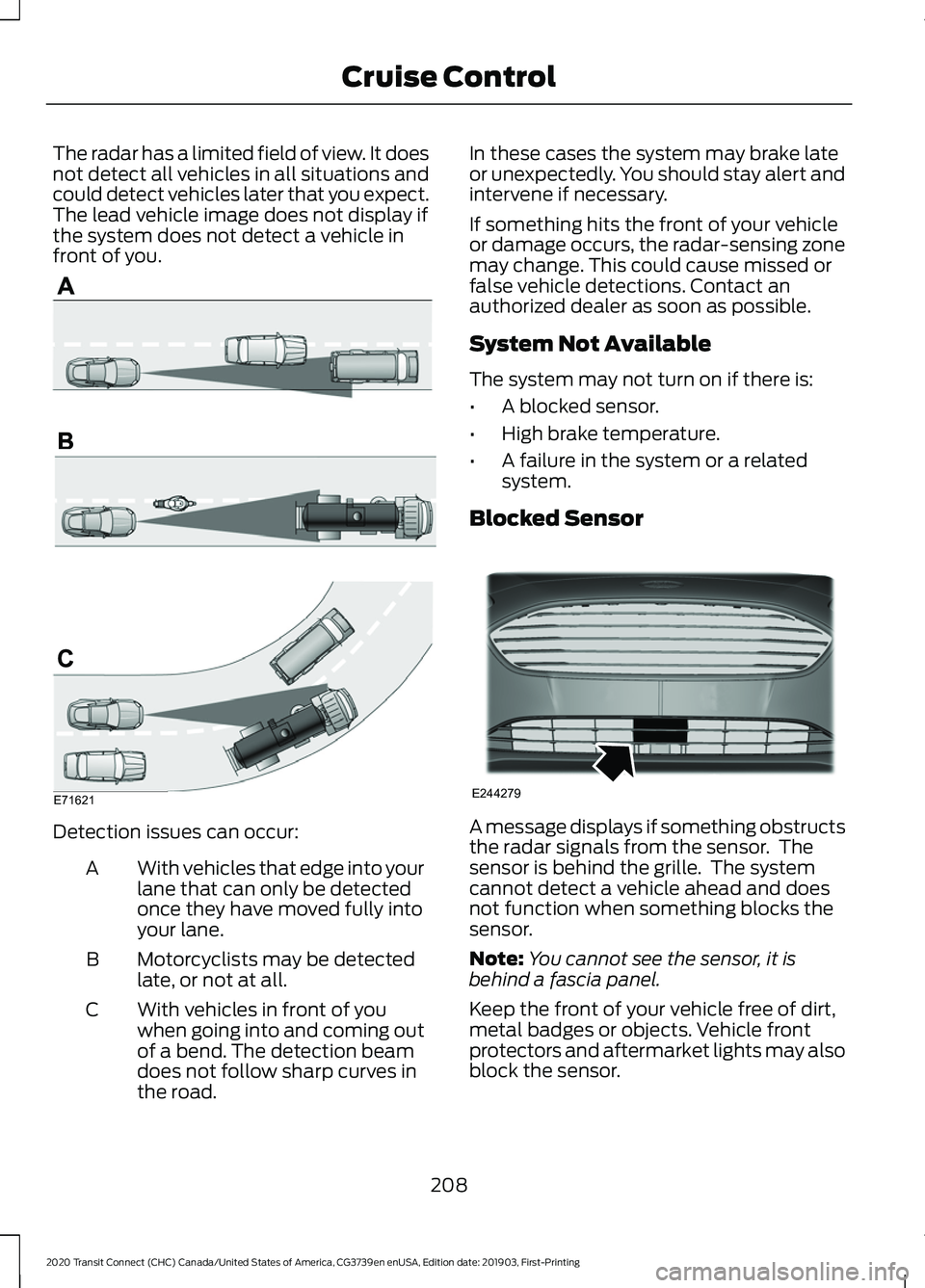
Detection issues can occur:
With vehicles that edge into your
lane that can only be detected
once they have moved fully into
your lane.
A
Motorcyclists may be detected
late, or not at all.
B
With vehicles in front of you
when going into and coming out
of a bend. The detection beam
does not follow sharp curves in
the road.
C In these cases the system may brake late
or unexpectedly. You should stay alert and
intervene if necessary.
If something hits the front of your vehicle
or damage occurs, the radar-sensing zone
may change. This could cause missed or
false vehicle detections. Contact an
authorized dealer as soon as possible.
System Not Available
The system may not turn on if there is:
•
A blocked sensor.
• High brake temperature.
• A failure in the system or a related
system.
Blocked Sensor A message displays if something obstructs
the radar signals from the sensor. The
sensor is behind the grille. The system
cannot detect a vehicle ahead and does
not function when something blocks the
sensor.
Note:
You cannot see the sensor, it is
behind a fascia panel.
Keep the front of your vehicle free of dirt,
metal badges or objects. Vehicle front
protectors and aftermarket lights may also
block the sensor.
208
2020 Transit Connect (CHC) Canada/United States of America, CG3739en enUSA, Edition date: 201903, First-Printing Cruise ControlE71621 E244279
Page 213 of 509
Action
Cause
Clean the radiator grille in front of the radar
or remove any obstruction.
The surface of the radar in the grille is dirty
or obstructed in some way.
Wait a short period of time. It may take
several minutes for the radar to detect that
it is free from obstruction.
The surface of the radar is clean but the
message remains in the display.
Do not use the system in these conditions
because it may not detect any vehicles
ahead.
Heavy rain or snow interfere with the radar
signals.
Do not use the system in these conditions
because it may not detect any vehicles
ahead.
Swirling water, snow or ice on the surface
of the road interfere with the radar signals.
Wait a short period of time or switch to
normal cruise control.
You are in a desert or remote area with no
other vehicles and no roadside objects.
It is possible to get a blockage warning and not be blocked. A false blocked condition self
clears or clears after a key cycle.
Due to the nature of radar technology, you
may get a blocked sensor warning when
no obstruction blocks your sensor. This can
happen, for example, when driving in
sparse rural or desert environments. A false
blocked condition either self clears or
clears after a key cycle.
Switching to Normal Cruise
Control WARNING: Normal cruise control
will not brake when your vehicle is
approaching slower vehicles. Always be
aware of which mode you have selected
and apply the brakes when necessary.
You can change from adaptive cruise
control to cruise control using the
information display. The gap setting does not display
and the system does not
respond to lead vehicles.
Automatic braking remains active to
maintain set speed.
209
2020 Transit Connect (CHC) Canada/United States of America, CG3739en enUSA, Edition date: 201903, First-Printing Cruise ControlE71340
Page 228 of 509
running pedestrians, partly obscured
pedestrians, or pedestrians that the
system cannot distinguish from a group.
Failure to take care may result in the loss
of control of your vehicle, serious
personal injury or death.
WARNING: The Pre-Collision
Assist system with brake support cannot
help prevent all collisions. Do not rely on
this system to replace your judgment
and the need to maintain correct
distance and speed.
The pre-collision assist system is active
when your vehicle reaches a speed greater
than approximately
3 mph (5 km/h).
Pedestrian detection is active at speeds
up to
50 mph (80 km/h). Note:
The system is not designed to detect
animals.
Note: The system is not designed to detect
vehicles or cyclists that are traveling in a
different direction. If your vehicle is rapidly approaching a
stationary vehicle, a vehicle or cyclist
traveling in the same direction as yours, or
a pedestrian within your driving path, the
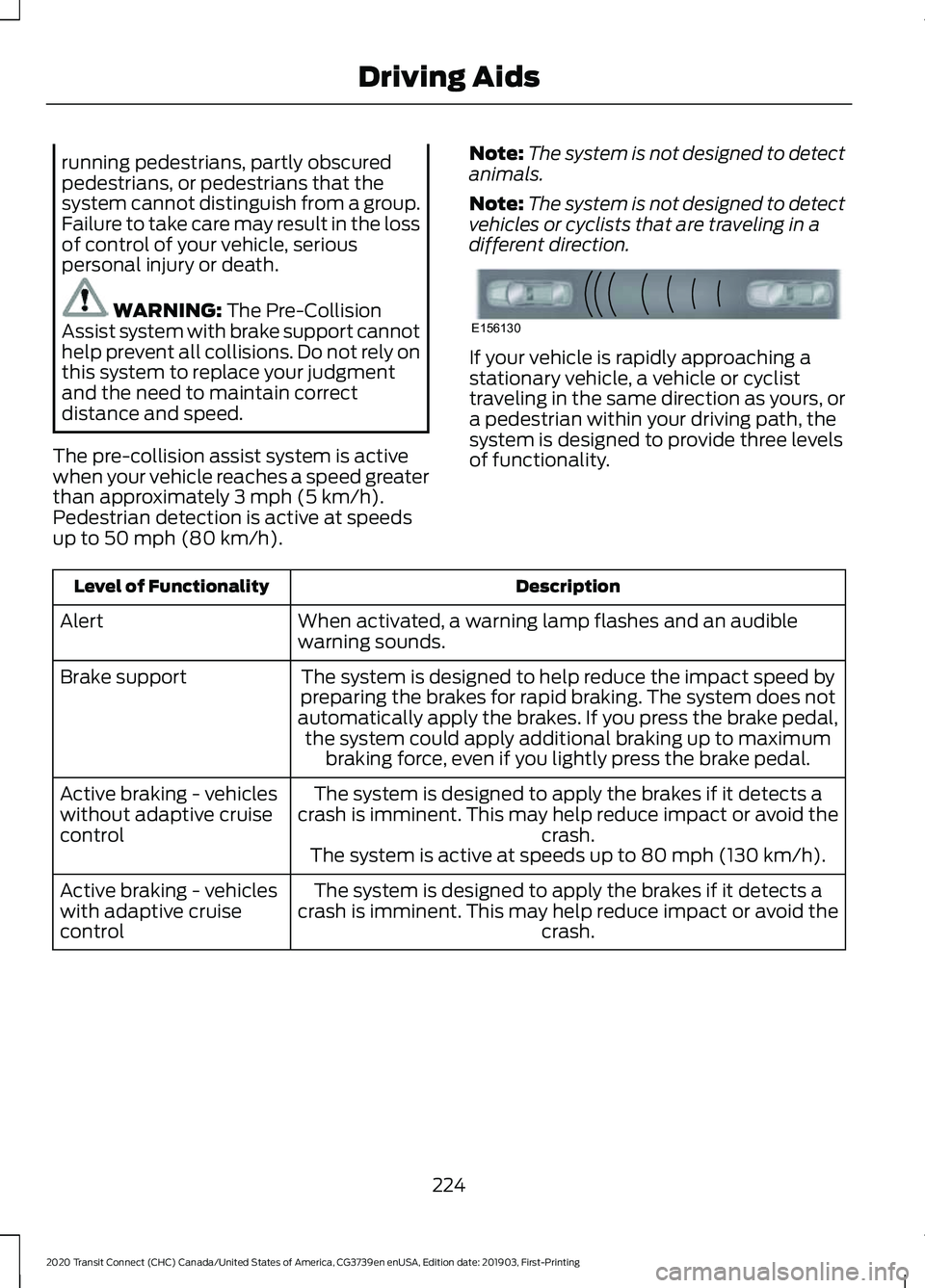
system is designed to provide three levels
of functionality.
Description
Level of Functionality
When activated, a warning lamp flashes and an audible
warning sounds.
Alert
The system is designed to help reduce the impact speed by
preparing the brakes for rapid braking. The system does not
automatically apply the brakes. If you press the brake pedal, the system could apply additional braking up to maximum braking force, even if you lightly press the brake pedal.
Brake support
The system is designed to apply the brakes if it detects a
crash is imminent. This may help reduce impact or avoid the crash.
Active braking - vehicles
without adaptive cruise
control
The system is active at speeds up to
80 mph (130 km/h).
The system is designed to apply the brakes if it detects a
crash is imminent. This may help reduce impact or avoid the crash.
Active braking - vehicles
with adaptive cruise
control
224
2020 Transit Connect (CHC) Canada/United States of America, CG3739en enUSA, Edition date: 201903, First-Printing Driving AidsE156130
Page 229 of 509
To switch active braking on or off, use the information display controls on the
steering wheel to select the following:
Action
Menu Item
Press the menu button.
Driver Assist.
Press the OK button.
Pre-Collision Assist
Press the
OK button.
Active Braking
Distance Alert
A warning lamp illuminates if the distance
to the vehicle ahead is small. Note:
The warning lamp does not
illuminate if cruise control or adaptive cruise
control is active.
Distance Alert Sensitivity Settings
To adjust the distance alert sensitivity settings, use the information display
controls on the steering wheel to select the following: Action
Menu Item
Press the menu button.
Driver Assist.
Press the
OK button.
Pre-Collision Assist
Press the
OK button. Press the toggle button upward or
downward to choose your required setting. Press the OK
button.
Alert Sensitivity
Distance Indication
A graphical indication displays the time
gap to vehicles ahead of you traveling in
the same direction. Note:
The graphic does not display if you
switch on cruise control or adaptive cruise
control. Time Gap
Distance Gap
Distance Indic-
ator Color
System Sensit-
ivity
Vehicle Speed
Greater than 0.9seconds.
Greater than
82.0 ft (25 m)
.
Gray.
Normal.
62 mph
(100 km/h)
0.6-0.9
seconds.
55.8–82.0 ft
(17 –25 m)
Yellow.
Less than 0.6seconds.
Less than
55.8 ft (17 m)
.
Red.
225
2020 Transit Connect (CHC) Canada/United States of America, CG3739en enUSA, Edition date: 201903, First-Printing Driving Aids
Page 230 of 509
Switching Distance Indication On or Off
To switch distance indication on or off, use the information display controls on
the steering wheel to select the following:
Action
Menu Item
Press the menu button.
Driver Assist.
Press the OK button.
Pre-Collision Assist
Press the
OK button.
Distance Indication
Pre-Collision Assist System
Sensors
Vehicles without Adaptive Cruise
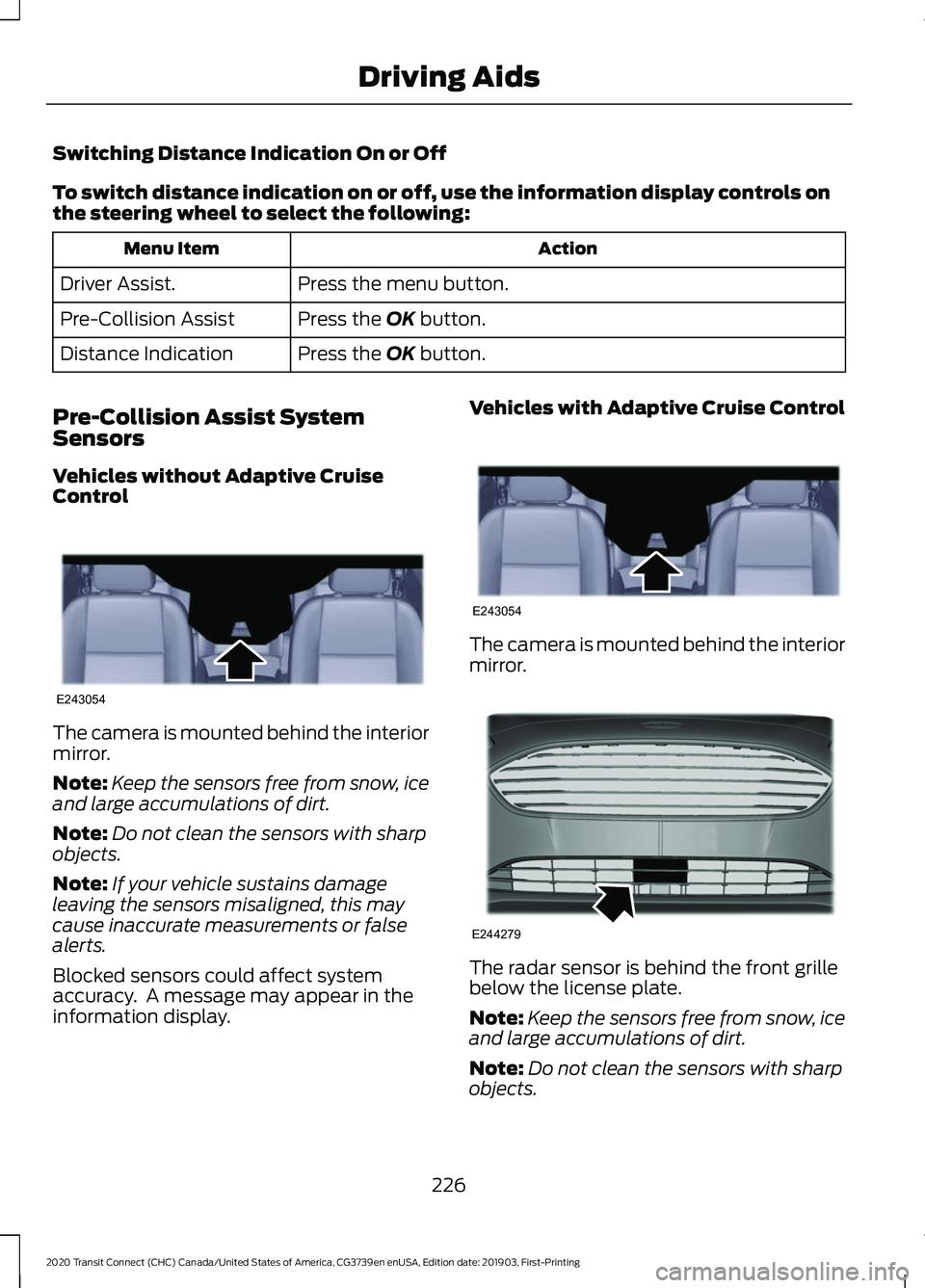
Control The camera is mounted behind the interior
mirror.
Note:
Keep the sensors free from snow, ice
and large accumulations of dirt.
Note: Do not clean the sensors with sharp
objects.
Note: If your vehicle sustains damage
leaving the sensors misaligned, this may
cause inaccurate measurements or false
alerts.
Blocked sensors could affect system
accuracy. A message may appear in the
information display. Vehicles with Adaptive Cruise Control
The camera is mounted behind the interior
mirror.
The radar sensor is behind the front grille
below the license plate.
Note:
Keep the sensors free from snow, ice
and large accumulations of dirt.
Note: Do not clean the sensors with sharp
objects.
226
2020 Transit Connect (CHC) Canada/United States of America, CG3739en enUSA, Edition date: 201903, First-Printing Driving AidsE243054 E243054 E244279
Page 490 of 509
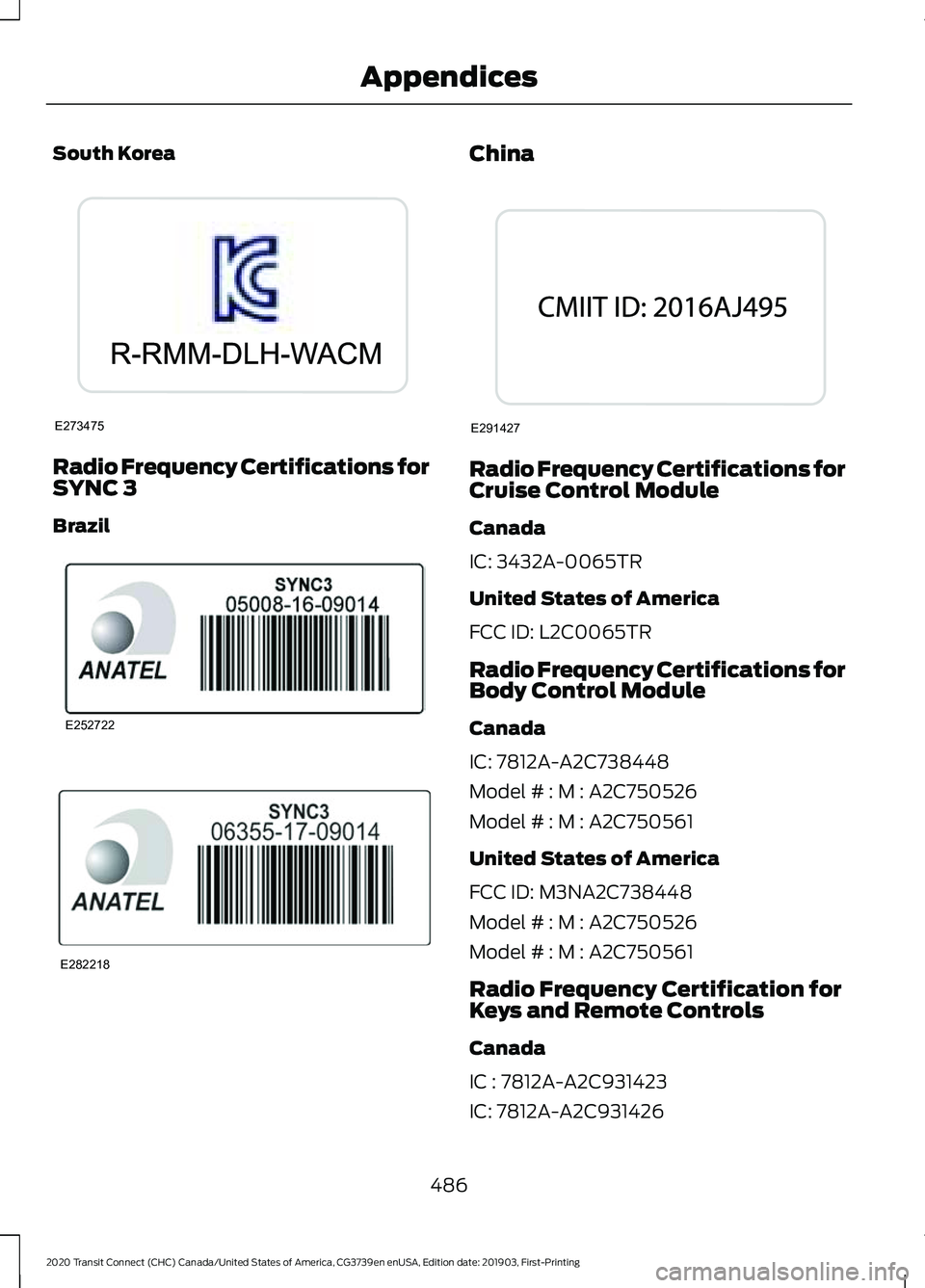
South Korea
Radio Frequency Certifications for
SYNC 3
Brazil China
Radio Frequency Certifications for
Cruise Control Module
Canada
IC: 3432A-0065TR
United States of America
FCC ID: L2C0065TR
Radio Frequency Certifications for
Body Control Module
Canada
IC: 7812A-A2C738448
Model # : M : A2C750526
Model # : M : A2C750561
United States of America
FCC ID: M3NA2C738448
Model # : M : A2C750526
Model # : M : A2C750561
Radio Frequency Certification for
Keys and Remote Controls
Canada
IC : 7812A-A2C931423
IC: 7812A-A2C931426
486
2020 Transit Connect (CHC) Canada/United States of America, CG3739en enUSA, Edition date: 201903, First-Printing AppendicesE273475 E252722 E282218 E291427
Page 493 of 509
9
911 Assist............................................................52
A
A/C See: Climate Control.......................................... 114
About 911 Assist
..............................................52
About This Manual...........................................7
ABS See: Brakes............................................................ 181
ABS driving hints See: Hints on Driving With Anti-Lock
Brakes................................................................ 182
Accessories....................................................425
Accessories See: Replacement Parts
Recommendation............................................ 14
ACC See: Using Adaptive Cruise Control...........204
Active Park Assist.........................................193 Using Active Park Assist.................................. 194
Adjusting the Headlamps.........................287 Horizontal Aim Adjustment........................... 288
Vertical Aim Adjustment................................. 287
Adjusting the Steering Wheel....................78
Airbag Disposal................................................51
Air Conditioning See: Climate Control.......................................... 114
Air Filter See: Changing the Engine Air Filter - 2.0L
Duratec-HE (MI4)/2.0L Flex Fuel, 1.5L
EcoBlue............................................................. 293
See: Changing the Engine Air Filter - 2.5L.................................................................... 294
Alarm See: Anti-Theft Alarm........................................ 76
AM/FM Radio - Vehicles Without: SYNC 3
.......................................................................372
Selecting a Radio Source................................ 372
Anti-Theft Alarm
............................................76
Alarm System........................................................ 76
Arming the Alarm.................................................. 77
Disarming the Alarm............................................ 77
Full Guard and Reduced Guard....................... 76
Triggering the Alarm............................................ 76
Appendices...................................................446 Apps..................................................................397
Using Apps on an Android Device...............398
Using Apps on an iOS Device....................... 398
Using Mobile Navigation on an Android Device............................................................... 398
At a Glance........................................................18
Audible Warnings and Indicators.............96 Airbag Secondary Warning Audible
Warning.............................................................. 96
Automatic Transmission Audible Warning.............................................................. 96
Door Ajar Audible Warning............................... 96
Fasten Seatbelt Audible Warning.................. 97
Headlamps On Audible Warning.................... 97
Key in Ignition Audible Warning...................... 97
Parking Brake On Audible Warning................97
Audio System
................................................367
General Information.......................................... 367
Audio Unit Clock and Date Displays - Vehicles Without: SYNC 3......................373
Adjusting the Clock........................................... 373
Audio Unit - Vehicles With: SYNC 3.......371 Adjusting the Volume........................................ 371
Changing Radio Stations................................. 371
Pausing or Playing Media................................ 372
Seek Down and Previous Track Button................................................................ 372
Seek Up and Next Track Button.................... 371
Sound Settings.................................................... 372
Switching the Audio Unit On and Off..........371
Switching the Screen On and Off................372
Audio Unit - Vehicles Without: SYNC 3
......................................................................368
Adjusting the Volume...................................... 369
Changing Radio Stations................................ 369
Pausing or Playing Media................................. 371
Returning to the Previous Screen................370
Scrolling Through the Menu Options.........370
Seek Down and Previous Track Button............................................................... 370
Seek Up and Next Track Button................... 370
Selecting a Menu Option................................ 370
Selecting Media................................................. 369
Selecting the Radio.......................................... 369
Sound Settings.................................................... 371
Switching the Audio Unit On and Off........368
Switching the Screen On and Off.................371
System Settings.................................................. 371
489
2020 Transit Connect (CHC) Canada/United States of America, CG3739en enUSA, Edition date: 201903, First-Printing Index