steering wheel FORD TRANSIT CONNECT 2020 User Guide
[x] Cancel search | Manufacturer: FORD, Model Year: 2020, Model line: TRANSIT CONNECT, Model: FORD TRANSIT CONNECT 2020Pages: 509, PDF Size: 7.73 MB
Page 67 of 509
CLEARING ALL MYKEYS
When you clear all MyKeys, you remove all
restrictions and return all MyKeys to their
original admin key status.
Switch the ignition on using an admin key.
To clear all MyKeys, use the information display controls on the steering wheel
to select the following: Action
Menu Item
Press the menu button.
Settings
Press the OK button.
MyKey
Press and hold the
OK button until a confirmation message
appears in the information display.
Clear MyKeys
MyKey Information Messages Description
Message
Displays when clearing all MyKeys.
Hold OK to Clear MyKeys
Displays to confirm that all MyKeys have been cleared.
All MyKeys Cleared
CHECKING MYKEY SYSTEM
STATUS
Switch the ignition on.
To find information about the distance traveled using a MyKey and also the number
of admin keys and MyKeys created for your vehicle, use the information display
controls on the steering wheel to select the following: Action
Menu Item
Press the menu button.
Settings
Press the
OK button.
MyKey
Press the
OK button.
MyKey Info
63
2020 Transit Connect (CHC) Canada/United States of America, CG3739en enUSA, Edition date: 201903, First-Printing MyKey
™
Page 72 of 509
If both front doors are closed, you can lock
your vehicle by any method, regardless of
whether the key is in the ignition or not.
Autolock
Autolock locks all the doors and the
liftgate when all of the following occur:
•
All doors are closed.
• The ignition is on.
• Your vehicle is moving at a speed
greater than 4 mph (7 km/h) for more
than two seconds. Autounlock
Autounlock unlocks all the doors when all
of the following occur:
•
The ignition is on, all doors are closed,
and your vehicle is moving at a speed
greater than
4 mph (7 km/h) for more
than two seconds.
• Your vehicle has come to a stop and
you switch the ignition off or to the
accessory position.
• The driver door is opened within 10
minutes of you switching the ignition
off or to the accessory position.
Note: The doors will not autounlock if your
vehicle has been electronically locked after
you switch the ignition off and before you
open the driver door.
Switching Autounlock On or Off
To switch autounlock on or off, use the information display controls on the steering
wheel to select the following: Action
Menu Item
Press the menu button.
Settings
Press the
OK button.
Vehicle Settings
Press the
OK button.
Locks
Press the
OK button.
Autounlock
Emergency Locking with the Key
Note: If the child safety locks are on and
you pull the interior handle, you only switch
off the emergency locking, not the child
safety lock. You can only open the doors
using the external door handle.
Note: When the doors have been unlocked
using this method, the doors must be locked
individually until the central locking function
has been repaired. If the central locking function does not
operate, lock the doors individually using
the key in the position shown.
68
2020 Transit Connect (CHC) Canada/United States of America, CG3739en enUSA, Edition date: 201903, First-Printing Doors and Locks
Page 82 of 509
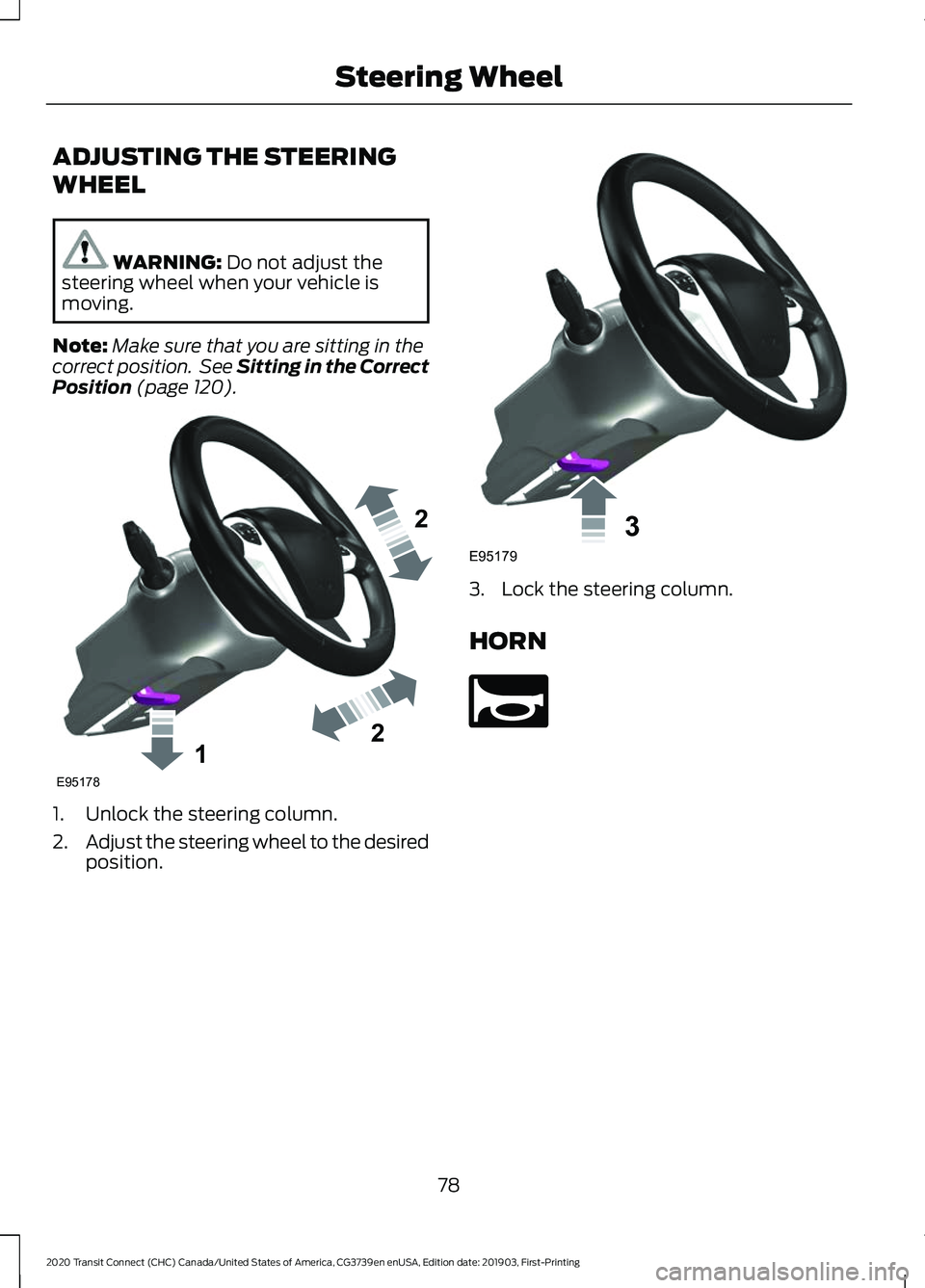
ADJUSTING THE STEERING
WHEEL
WARNING: Do not adjust the
steering wheel when your vehicle is
moving.
Note: Make sure that you are sitting in the
correct position. See Sitting in the Correct
Position
(page 120). 1. Unlock the steering column.
2.
Adjust the steering wheel to the desired
position. 3. Lock the steering column.
HORN
78
2020 Transit Connect (CHC) Canada/United States of America, CG3739en enUSA, Edition date: 201903, First-Printing Steering Wheel122E95178 3E95179 E270945
Page 84 of 509
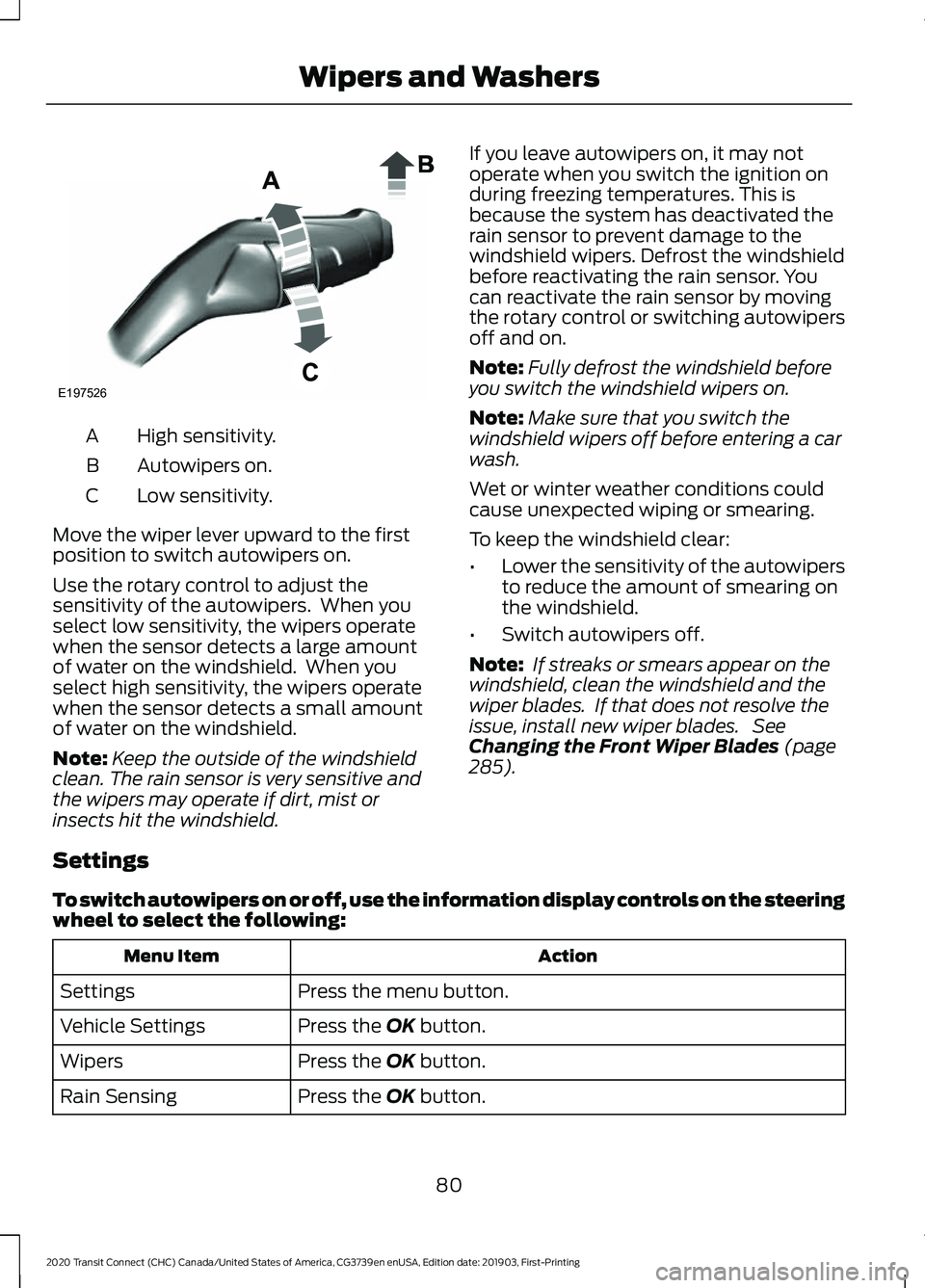
High sensitivity.
A
Autowipers on.
B
Low sensitivity.
C
Move the wiper lever upward to the first
position to switch autowipers on.
Use the rotary control to adjust the
sensitivity of the autowipers. When you
select low sensitivity, the wipers operate
when the sensor detects a large amount
of water on the windshield. When you
select high sensitivity, the wipers operate
when the sensor detects a small amount
of water on the windshield.
Note: Keep the outside of the windshield
clean. The rain sensor is very sensitive and
the wipers may operate if dirt, mist or
insects hit the windshield. If you leave autowipers on, it may not
operate when you switch the ignition on
during freezing temperatures. This is
because the system has deactivated the
rain sensor to prevent damage to the
windshield wipers. Defrost the windshield
before reactivating the rain sensor. You
can reactivate the rain sensor by moving
the rotary control or switching autowipers
off and on.
Note:
Fully defrost the windshield before
you switch the windshield wipers on.
Note: Make sure that you switch the
windshield wipers off before entering a car
wash.
Wet or winter weather conditions could
cause unexpected wiping or smearing.
To keep the windshield clear:
• Lower the sensitivity of the autowipers
to reduce the amount of smearing on
the windshield.
• Switch autowipers off.
Note: If streaks or smears appear on the
windshield, clean the windshield and the
wiper blades. If that does not resolve the
issue, install new wiper blades. See
Changing the Front Wiper Blades (page
285).
Settings
To switch autowipers on or off, use the information display controls on the steering
wheel to select the following: Action
Menu Item
Press the menu button.
Settings
Press the
OK button.
Vehicle Settings
Press the
OK button.
Wipers
Press the
OK button.
Rain Sensing
80
2020 Transit Connect (CHC) Canada/United States of America, CG3739en enUSA, Edition date: 201903, First-Printing Wipers and WashersE197526
Page 89 of 509
WARNING: Inspect and replace
the windshield wiper blades regularly to
make sure the camera sensor has a clear
view. The windshield wiper blades must
be the correct length.
The system is designed to turn the high
beams on if all of the following occur:
• You switched the system on in the
information display.
• You set the lighting control to the
autolamps position.
• The ambient light level is low enough
that high beams are required.
• There is no traffic in front of your
vehicle.
• Your vehicle speed is greater than
approximately
32 mph (51 km/h).
The system is designed to turn the high
beams off if any of the following occur:
• You switch the system off in the
information display.
• You set the lighting control to any
position except autolamps. •
You switch the rear fog lamps on.
• The ambient light level is high enough
that high beams are not required.
• The system detects an approaching
vehicle's headlamps or rear lamps.
• The system detects severe rain, snow
or fog.
• The system detects street lighting.
• The camera has reduced visibility.
• Your vehicle speed falls below
approximately
27 mph (44 km/h).
Note: The deactivation speed is lower on
curves.
Note: High beam reactivation may be
delayed in certain curvy road situations.
Note: Using much larger tires or equipping
vehicle accessories such as snowplows can
modify your vehicle's ride height and
degrade automatic high beam control
performance.
Switching Automatic High Beam Control On or Off
To switch the system on or off, use the information display controls on the steering
wheel to select the following: Action
Menu Item
Press the menu button.
Settings
Press the
OK button.
Vehicle Settings
Press the
OK button.
Lighting
Press the
OK button.
Auto Highbeam
85
2020 Transit Connect (CHC) Canada/United States of America, CG3739en enUSA, Edition date: 201903, First-Printing Lighting
Page 91 of 509
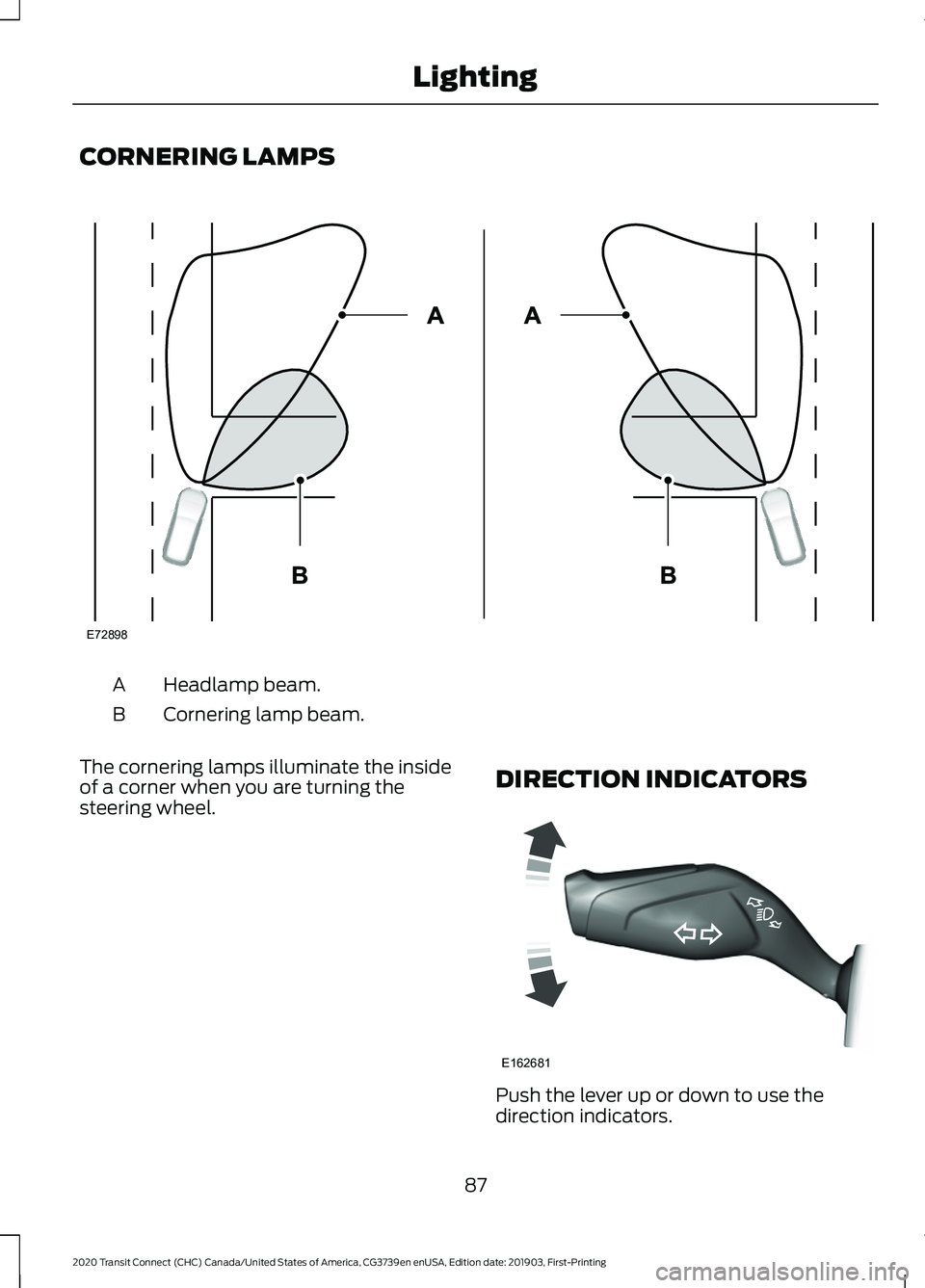
CORNERING LAMPS
Headlamp beam.
A
Cornering lamp beam.
B
The cornering lamps illuminate the inside
of a corner when you are turning the
steering wheel. DIRECTION INDICATORS Push the lever up or down to use the
direction indicators.
87
2020 Transit Connect (CHC) Canada/United States of America, CG3739en enUSA, Edition date: 201903, First-Printing LightingE72898 E162681
Page 124 of 509
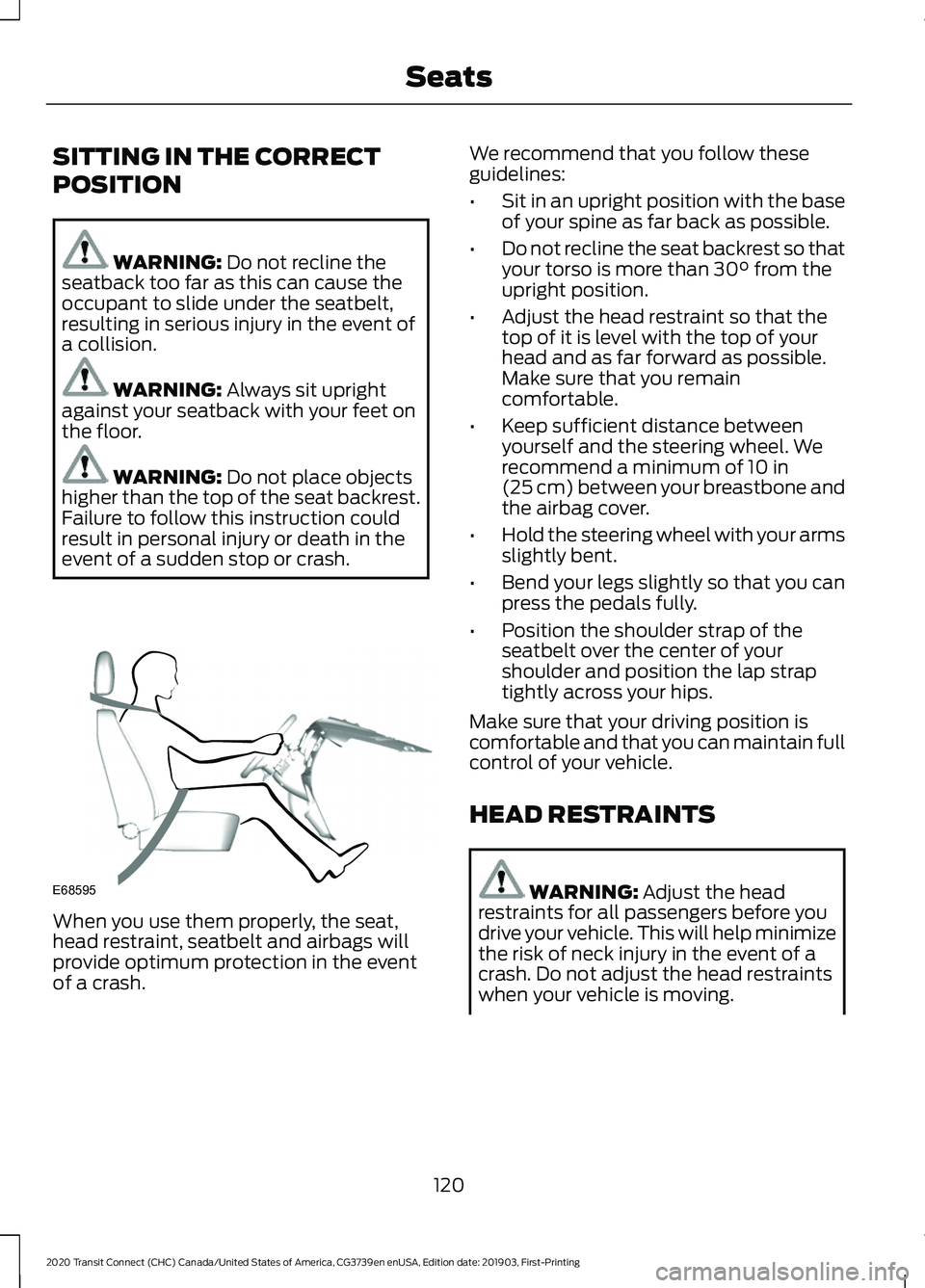
SITTING IN THE CORRECT
POSITION
WARNING: Do not recline the
seatback too far as this can cause the
occupant to slide under the seatbelt,
resulting in serious injury in the event of
a collision. WARNING:
Always sit upright
against your seatback with your feet on
the floor. WARNING:
Do not place objects
higher than the top of the seat backrest.
Failure to follow this instruction could
result in personal injury or death in the
event of a sudden stop or crash. When you use them properly, the seat,
head restraint, seatbelt and airbags will
provide optimum protection in the event
of a crash. We recommend that you follow these
guidelines:
•
Sit in an upright position with the base
of your spine as far back as possible.
• Do not recline the seat backrest so that
your torso is more than
30° from the
upright position.
• Adjust the head restraint so that the
top of it is level with the top of your
head and as far forward as possible.
Make sure that you remain
comfortable.
• Keep sufficient distance between
yourself and the steering wheel. We
recommend a minimum of
10 in
(25 cm) between your breastbone and
the airbag cover.
• Hold the steering wheel with your arms
slightly bent.
• Bend your legs slightly so that you can
press the pedals fully.
• Position the shoulder strap of the
seatbelt over the center of your
shoulder and position the lap strap
tightly across your hips.
Make sure that your driving position is
comfortable and that you can maintain full
control of your vehicle.
HEAD RESTRAINTS WARNING:
Adjust the head
restraints for all passengers before you
drive your vehicle. This will help minimize
the risk of neck injury in the event of a
crash. Do not adjust the head restraints
when your vehicle is moving.
120
2020 Transit Connect (CHC) Canada/United States of America, CG3739en enUSA, Edition date: 201903, First-Printing SeatsE68595
Page 144 of 509
Switching the Ignition On
Turn the key to position II. All electrical
circuits and accessories are operational
and the warning lamps and indicators
illuminate.
Starting the Engine
Turn the key to position
III. Release the
key when the engine starts.
PUSH BUTTON IGNITION
SWITCH
Switching the Ignition On to
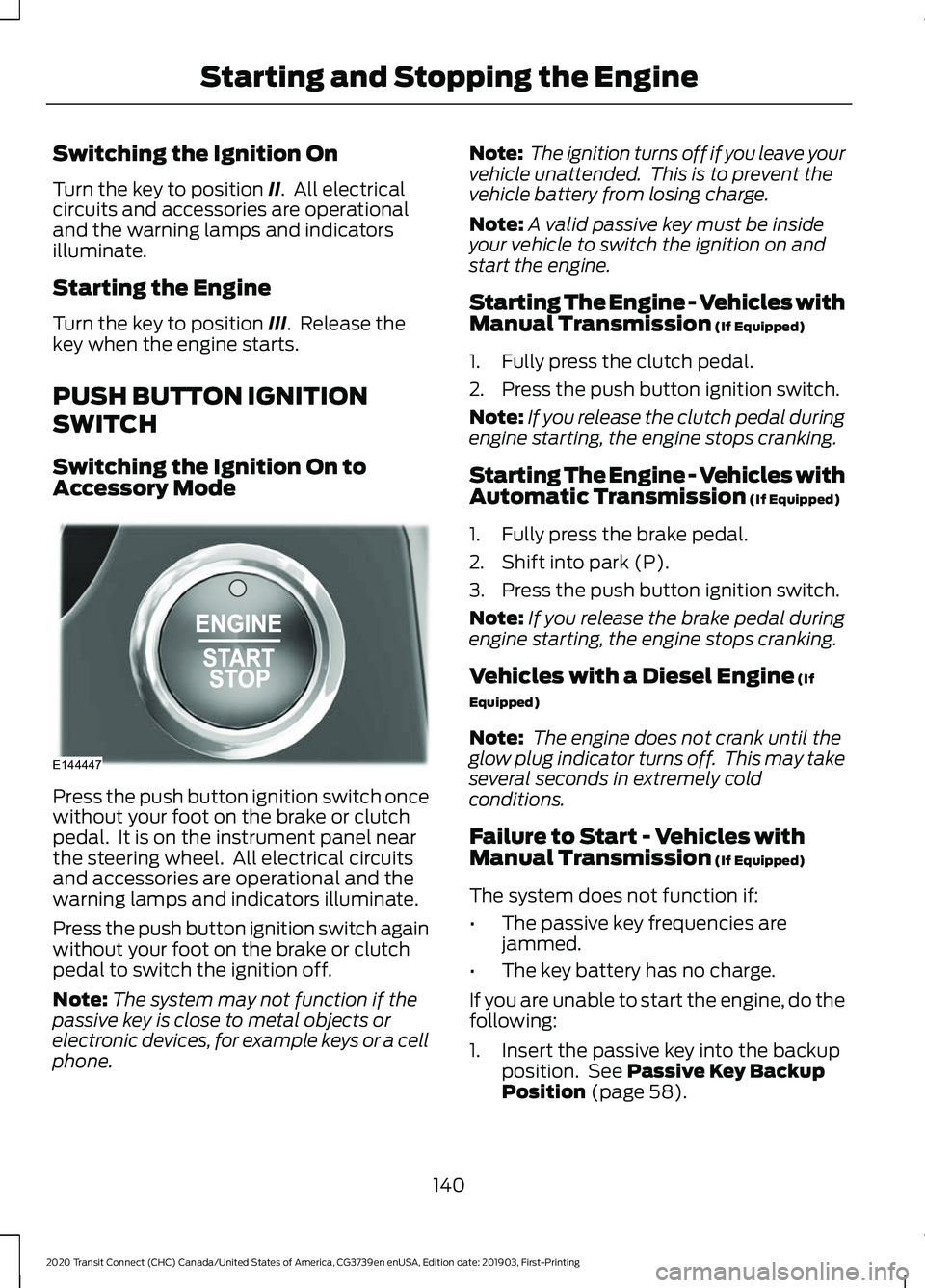
Accessory Mode Press the push button ignition switch once
without your foot on the brake or clutch
pedal. It is on the instrument panel near
the steering wheel. All electrical circuits
and accessories are operational and the
warning lamps and indicators illuminate.
Press the push button ignition switch again
without your foot on the brake or clutch
pedal to switch the ignition off.
Note:
The system may not function if the
passive key is close to metal objects or
electronic devices, for example keys or a cell
phone. Note:
The ignition turns off if you leave your
vehicle unattended. This is to prevent the
vehicle battery from losing charge.
Note: A valid passive key must be inside
your vehicle to switch the ignition on and
start the engine.
Starting The Engine - Vehicles with
Manual Transmission (If Equipped)
1. Fully press the clutch pedal.
2. Press the push button ignition switch.
Note: If you release the clutch pedal during
engine starting, the engine stops cranking.
Starting The Engine - Vehicles with
Automatic Transmission
(If Equipped)
1. Fully press the brake pedal.
2. Shift into park (P).
3. Press the push button ignition switch.
Note: If you release the brake pedal during
engine starting, the engine stops cranking.
Vehicles with a Diesel Engine
(If
Equipped)
Note: The engine does not crank until the
glow plug indicator turns off. This may take
several seconds in extremely cold
conditions.
Failure to Start - Vehicles with
Manual Transmission
(If Equipped)
The system does not function if:
• The passive key frequencies are
jammed.
• The key battery has no charge.
If you are unable to start the engine, do the
following:
1. Insert the passive key into the backup position. See
Passive Key Backup
Position (page 58).
140
2020 Transit Connect (CHC) Canada/United States of America, CG3739en enUSA, Edition date: 201903, First-Printing Starting and Stopping the EngineE144447
Page 148 of 509
Switching the Automatic Engine Shutdown On or Off
To switch the automatic engine shutdown on or off, use the information display
controls on the steering wheel to select the following:
Action
Menu Item
Press the menu button.
Settings
Press the OK button.
Vehicle Settings
Press the
OK button.
30min Max Idle
Note: You cannot permanently switch off
the automatic shutdown. If you switch it
off, it turns on each time you switch the
ignition on.
Stopping the Engine When Your
Vehicle is Stationary
Vehicles with an Ignition Key
1. Shift into park (P).
2. Turn the key to position
0.
3. Apply the parking brake.
Vehicles with a Push Button Ignition
Switch
See
Push Button Ignition Switch (page
140).
Stopping the Engine When Your
Vehicle is Moving WARNING:
Switching off the
engine when your vehicle is still moving
results in a significant decrease in
braking assistance. Higher effort is
required to apply the brakes and to stop
your vehicle. A significant decrease in
steering assistance could also occur. The
steering does not lock, but higher effort could be required to steer your vehicle.
When you switch the ignition off, some
electrical circuits, for example airbags,
also turn off. If you unintentionally switch
the ignition off, shift into neutral (N) and
restart the engine.
Vehicles with an Ignition Key
1. Shift into neutral and use the brakes to
bring your vehicle to a safe stop.
2. Shift into park (P).
3. Turn the key to position
0.
4. Apply the parking brake.
Vehicles with a Push Button Ignition
Switch
See
Push Button Ignition Switch (page
140).
Guarding Against Exhaust Fumes WARNING:
Exhaust leaks may
result in entry of harmful and potentially
lethal fumes into the passenger
compartment. If you smell exhaust
fumes inside your vehicle, have your
vehicle inspected immediately. Do not
drive if you smell exhaust fumes.
144
2020 Transit Connect (CHC) Canada/United States of America, CG3739en enUSA, Edition date: 201903, First-Printing Starting and Stopping the Engine
Page 156 of 509
AUTO-START-STOP
WARNING: Apply the parking
brake, shift into park (P), switch the
ignition off and remove the key before
you leave your vehicle. Failure to follow
this instruction could result in personal
injury or death. WARNING:
Apply the parking
brake, shift into park (P), switch the
ignition off and remove the key before
you open the hood or have any service
or repair work completed. If you do not
switch the ignition off, the engine could
restart at any time. Failure to follow this
instruction could result in personal injury
or death.
Principle of Operation
The system is designed to help reduce fuel
consumption and CO 2 emissions by
stopping the engine when it is idling, for
example at traffic lights. Your vehicle has
an enhanced starter motor that is designed
for an increased number of engine starts.
The system does not stop the engine under
certain conditions, for example:
• If you have opened the driver door.
• If you have unfastened the driver
seatbelt.
• If your vehicle is at high altitude.
• If you have switched the heated
windshield on.
• If you have shifted into manual (M).
• If your vehicle is on a steep grade.
• If the engine is warming up.
• If the outside temperature is too low
or too high. •
If the battery charge is low or the
battery temperature is outside the
optimal operating range.
• To maintain the interior climate or
reduce fogging.
• If you have turned the steering more
than 270 degrees.
The system restarts the engine under
certain conditions, for example:
• If you have opened the driver door.
• If you have unfastened the driver
seatbelt.
• If you switch the heated windshield on.
• If you switch maximum defrost on.
• If you turn the steering wheel.
• If your vehicle starts to roll downhill in
neutral.
• To maintain adequate brake
assistance.
• To maintain the interior climate or
reduce fogging.
Note: The blower motor speed could
change when the system restarts the engine.
Using Auto-Start-Stop
Stopping the Engine
Stop your vehicle and keep your foot on
the brake pedal and the transmission in
drive (D).
Note: The engine stops if you shift into park
(P) or neutral (N) regardless of whether you
have your foot on the brake pedal or not.
Note: Power assist steering turns off when
the engine is off.
Restarting the Engine
• Release the brake pedal.
• Press the accelerator pedal.
• Shift into drive (D), reverse (R) or
manual (M).
152
2020 Transit Connect (CHC) Canada/United States of America, CG3739en enUSA, Edition date: 201903, First-Printing Unique Driving Characteristics