GENESIS G80 2021 Premium Navigation Manual
G80 2021
GENESIS
GENESIS
https://www.carmanualsonline.info/img/46/35613/w960_35613-0.png
GENESIS G80 2021 Premium Navigation Manual
Page 117 of 298
117
Activating Radio
k Display Off
Turns off the screen.
Band
Selects the desired radio band by pressing [FM], [AM] or [SiriusXM].
HD Radio
Sets HD radio for better sound quality.
Enter Station/Channel
Enters station or channel manually.
Station/Channel List
Moves to station/channel list screen.
More Features (SXM only)
Offers featured favorites and shows subscription status information.
Radio Noise Control (FM only)
Selects the radio noise control option for better sound.
Show Radio Text
Shows station information.
Scan FM/AM/SXM Channels
Each channel of good reception is received for 5 seconds.
Save as Preset
Saves the current frequency/channel in a desired preset list.
Delete Presets
Delete frequency/channel saved in preset list.
Program Guide (SXM only)
Offers program information.
Sound settings
Moves to sound setting screen.
Web manual
Displays the QR code for the manual of corresponding function.
Split screen
Displays split screen selection menu.
Page 118 of 298
118
Activating Radio
ac TiV aTing fm or am mode
1. Press [RADIO] button on the head unit. Or press [Radio] on the home screen.
The last listened mode among FM or AM plays.
2. Each pressing on [RADIO] button on the head unit switches the mode in sequence of FM >
AM > SXM > FM. Or press [FM]/[AM] on the radio screen to select a desired mode.
3. Select a radio frequency and listen to the radio.
Page 119 of 298
119
Activating Radio
selecTing a radio frequenc Y
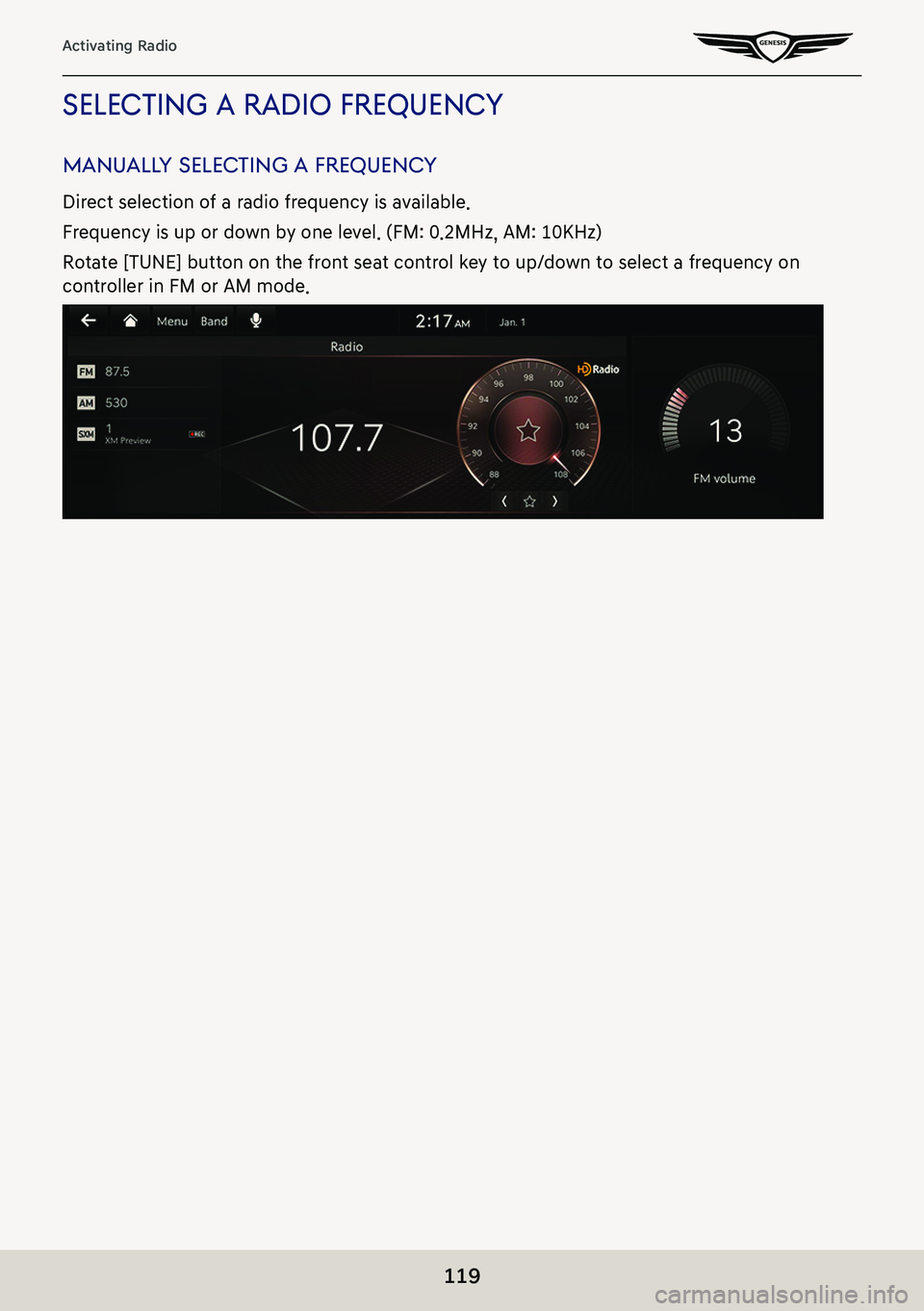
manuallY selecTing a frequenc Y
Direct selection of a radio frequency is available.
Frequency is up or down by one level. (FM: 0.2MHz, AM: 10KHz)
Rotate [TUNE] button on the front seat control key to up/down to select a frequency on
controller in FM or AM mode.
Page 120 of 298
120
Activating Radio
auToma TicallY selec Ting a frequenc Y
Automatic selection of a radio frequency is available.
In FM or AM mode, pressing [Menu] > [Scan FM]/[Scan AM] or releasing after pressing and
holding [S/W] button on steering wheel remote control tunes to stations of good receptions
by increasing/decreasing the frequency.
selecTing frequenc Y wiTh preseT lis T
Listening the radio is available by selecting a station saved in preset list.
In FM or AM mode, press the preset list (specified by the dotted lines) where the desired
station is saved or press [S/W] button on steering wheel remote control to listen the desired
station.
Page 121 of 298
121
Activating Radio
Viewing sTaTion lis T
May play a desired station by searching the list.
1. Press [Menu] > [Station List] on the screen. The list is displayed on the screen.
2. Select a desired station from the list screen.
Page 122 of 298
122
Activating Radio
sa Ving radio frequenc Y in preseT lisT
Saves the current frequency in a desired preset list.
1. Select a frequency desired to save on the frequency display screen.
2. Press [Menu] > [Save as Preset]. Saves the frequency in a desired preset list.
Page 123 of 298
123
Activating Radio
scanning radio frequencY
Each of frequencies of good receptions is received.
Press [Menu] > [Scan FM]/[Scan AM] in FM or AM mode.
,noTe
Press [Menu] > [Stop Scan] during scanning on the radio screen, the radio of the frequency
selected when the scanning stopped is played.
Page 124 of 298
124
Activating Radio
deleTing preseTs
1. Press [Menu] > [Delete Presets] in FM or AM mode.
2. Select the desired item, press [Delete] > [Yes].
䠐[Mark All]: Selects all items.
䠐[Unmark All]: Unmarks all items.
䠐[Cancel]: Exits screen.
Page 125 of 298
125
Activating Radio
radio TexT on/off
If current broadcast includes radio text information, the text information is displayed on the
screen.
1. Press [Menu] > [Show Radio Text] in FM mode.
2. Pressing the [Show Radio Text] again will cancel the function.
sound seTTings
1. Press [Menu] > [Sound settings] in FM or AM mode.
2. For more details, refer to the "Sound settings".
Page 126 of 298
126
Listening to HD Radio™
lisTening To hd radio™
You can turn HD radio on from the menu and listen to HD radio broadcasts.
The HD radio screen is displayed only when a HD radio broadcast is being received.
hd radio™ screen
a HD channel number
䠐HD channel number saved in preset.
䠐Preset tuning: Select the HD channel you want to listen to.
b HD radio reception & channel buttons
Displays main HD radio channels and used to directly select the currently available local
channels.
c Frequency controller
When controller is focused, it moves to center of screen. Turn the controller to search for
frequency and move the red line.
Press the [★] on the screen to save the current frequency as a preset and press again to
delete the preset. (Toggled)
d Broadcast information
Displays detailed information about the current broadcast. (Artist name, Song title, HD
radio channel, Frequency, PTY, etc...)
![GENESIS G80 2021 Premium Navigation Manual 117
Activating Radio
k Display Off
Turns off the screen.
Band
Selects the desired radio band by pressing [FM], [AM] or [SiriusXM].
HD Radio
Sets HD radio for better sound quality.
Enter Station/Channe](/img/46/35613/w960_35613-116.png "GENESIS G80 2021 Premium Navigation Manual 117
Activating Radio
k Display Off
Turns off the screen.
Band
Selects the desired radio band by pressing [FM], [AM] or [SiriusXM].
HD Radio
Sets HD radio for better sound quality.
Enter Station/Channe")
![GENESIS G80 2021 Premium Navigation Manual 118
Activating Radio
ac TiV aTing fm or am mode
1. Press [RADIO] button on the head unit. Or press [Radio] on the home screen.
The last listened mode among FM or AM plays.
2. Each pressing on [RADIO]](/img/46/35613/w960_35613-117.png "GENESIS G80 2021 Premium Navigation Manual 118
Activating Radio
ac TiV aTing fm or am mode
1. Press [RADIO] button on the head unit. Or press [Radio] on the home screen.
The last listened mode among FM or AM plays.
2. Each pressing on [RADIO]")
![GENESIS G80 2021 Premium Navigation Manual 120
Activating Radio
auToma TicallY selec Ting a frequenc Y
Automatic selection of a radio frequency is available.
In FM or AM mode, pressing [Menu] > [Scan FM]/[Scan AM] or releasing after pressing a](/img/46/35613/w960_35613-119.png "GENESIS G80 2021 Premium Navigation Manual 120
Activating Radio
auToma TicallY selec Ting a frequenc Y
Automatic selection of a radio frequency is available.
In FM or AM mode, pressing [Menu] > [Scan FM]/[Scan AM] or releasing after pressing a")
![GENESIS G80 2021 Premium Navigation Manual 121
Activating Radio
Viewing sTaTion lis T
May play a desired station by searching the list.
1. Press [Menu] > [Station List] on the screen. The list is displayed on the screen.
2. Select a desired st](/img/46/35613/w960_35613-120.png "GENESIS G80 2021 Premium Navigation Manual 121
Activating Radio
Viewing sTaTion lis T
May play a desired station by searching the list.
1. Press [Menu] > [Station List] on the screen. The list is displayed on the screen.
2. Select a desired st")

![GENESIS G80 2021 Premium Navigation Manual 123
Activating Radio
scanning radio frequencY
Each of frequencies of good receptions is received.
Press [Menu] > [Scan FM]/[Scan AM] in FM or AM mode.
,noTe
Press [Menu] > [Stop Scan] during scanning](/img/46/35613/w960_35613-122.png "GENESIS G80 2021 Premium Navigation Manual 123
Activating Radio
scanning radio frequencY
Each of frequencies of good receptions is received.
Press [Menu] > [Scan FM]/[Scan AM] in FM or AM mode.
,noTe
Press [Menu] > [Stop Scan] during scanning")
![GENESIS G80 2021 Premium Navigation Manual 124
Activating Radio
deleTing preseTs
1. Press [Menu] > [Delete Presets] in FM or AM mode.
2. Select the desired item, press [Delete] > [Yes].
䠐[Mark All]: Selects all items.
䠐[Unmark All]: Unma](/img/46/35613/w960_35613-123.png "GENESIS G80 2021 Premium Navigation Manual 124
Activating Radio
deleTing preseTs
1. Press [Menu] > [Delete Presets] in FM or AM mode.
2. Select the desired item, press [Delete] > [Yes].
䠐[Mark All]: Selects all items.
䠐[Unmark All]: Unma")
![GENESIS G80 2021 Premium Navigation Manual 125
Activating Radio
radio TexT on/off
If current broadcast includes radio text information, the text information is displayed on the
screen.
1. Press [Menu] > [Show Radio Text] in FM mode.
2. Pressi](/img/46/35613/w960_35613-124.png "GENESIS G80 2021 Premium Navigation Manual 125
Activating Radio
radio TexT on/off
If current broadcast includes radio text information, the text information is displayed on the
screen.
1. Press [Menu] > [Show Radio Text] in FM mode.
2. Pressi")
