Seat GENESIS G90 2017 Owners Manual
[x] Cancel search | Manufacturer: GENESIS, Model Year: 2017, Model line: G90, Model: GENESIS G90 2017Pages: 524, PDF Size: 19.3 MB
Page 243 of 524
Clean Air
When the Engine Start/Stop button
is in the ON position, the clean air
function turns on automatically.
Also, the clean air function turns off
automatically, when the Engine
Start/Stop button is in the OFF posi-
tion.
Automatic Ventilation
The system automatically selects the
outside (fresh) air position when the
climate control system operates over a
certain period of time (approximately
30 minutes) in low temperature with
the recirculated air position selected.
To cancel or reactivate the Automatic Ventilation
When the air conditioning system is
on, select Face Level mode and
press the recirculated air position
button for more than 3 seconds.
When the automatic ventilation is
canceled, the indicator blinks 3
times. When the automatic ventila-
tion is activated, the indicator blinks
6 times.
Sunroof Inside Air Recirculation
The outside (fresh) air position is auto-
matically selected, when the sunroof
is opened while operating the heat-
ing/air conditioning system.
When you select the recirculated air
position, the system maintains the
recirculated air position for 3 minutes
and then automatically converts to the
outside (fresh) air position.
When the sunroof is closed, the air
intake position will return to the origi-
nal position that was selected.
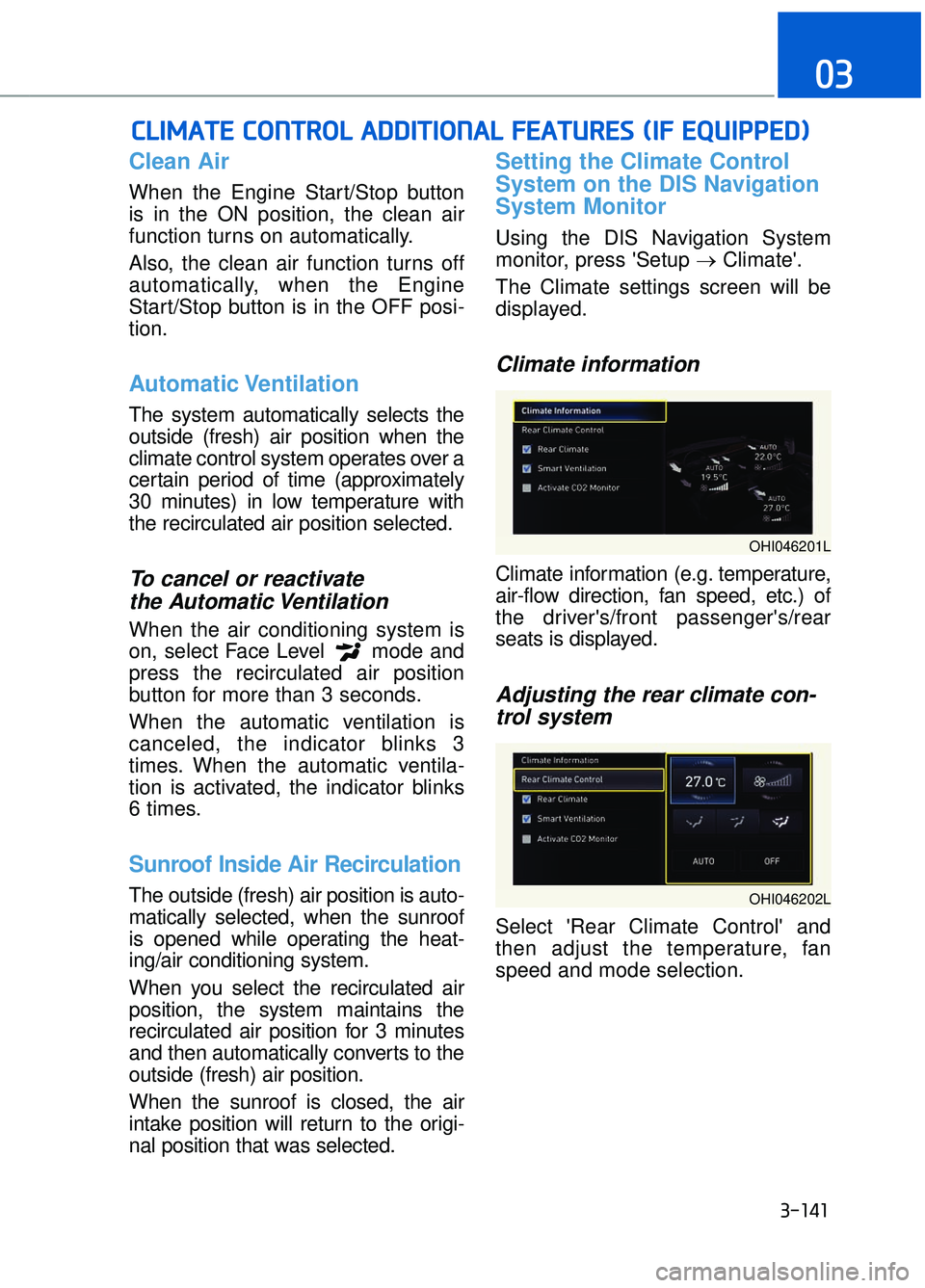
Setting the Climate Control
System on the DIS Navigation
System Monitor
Using the DIS Navigation System
monitor, press 'Setup →Climate'.
The Climate settings screen will be
displayed.
Climate information
Climate information (e.g. temperature,
air-flow direction, fan speed, etc.) of
the driver's/front passenger's/rear
seats is displayed.
Adjusting the rear climate con- trol system
Select 'Rear Climate Control' and
then adjust the temperature, fan
speed and mode selection.
C
C L
LI
IM
M A
AT
TE
E
C
C O
O N
NT
TR
R O
O L
L
A
A D
DD
DI
IT
T I
IO
O N
NA
AL
L
F
F E
E A
A T
TU
U R
RE
ES
S
(
( I
IF
F
E
E Q
Q U
UI
IP
P P
PE
ED
D )
)
3-141
03
OHI046201L
OHI046202L
Page 246 of 524

3-144
Convenient features of your vehicle
Glove Box
The glove box can be locked and
unlocked with the mechanical key
(1).
To open:
Pull the lever (2).
Make sure the glove box is closed
while driving.
Sunglass Holder
To open:
Push and release the cover and the
holder will slowly open. Place your
sunglasses in the compartment door
with the lenses facing out.
To close:
Push back into position.
Make sure the sunglass holder is
closed while driving.
OHI046435
ALWAYS close the glove box
after use.
An open glove box can cause
serious injury to the passenger
in an accident, even if the pas-
senger is wearing a seat belt.
WARNING
OHI046436
Do not keep objects exceptsunglasses inside the sun-
glass holder. Such objects can
be thrown from the holder in
the event of a sudden stop or
an accident, possibly injuring
the passengers in the vehicle.
Do not open the sunglass holder while the vehicle is
moving. The rear view mirror of
the vehicle can be blocked by
an open sunglass holder.
Do not put the glasses forcibly into a sunglass holder. It may
cause personal injury if you try
to open it forcibly when the
glasses are jammed.
WARNING
Page 249 of 524

Cup Holder
You can also store cups or small bev-
erage cans inside.
Front seats
Press the button to open the cover.
Rear seats
Press the button to open the cover Keep your drinks sealed while
driving to prevent spilling your
drink. If liquid spills, it may get
into the vehicle's electrical/elec-
tronic system and damage elec-
trical/electronic parts.
When cleaning spilled liquids, do not dry the cup holder at high
temperature. This may damage
the cup holder.
NOTICE
I IN
N T
TE
ER
R I
IO
O R
R
F
F E
E A
A T
TU
U R
RE
ES
S
3-147
03
Keep cans or bottles out of
direct sun light and do not put
them in a hot vehicle. It may
explode.
WARNING
OHI046439
OHI046440
Avoid abrupt starting and
braking when the cup holder
is in use to prevent spilling
your drink. If hot liquid spills,
you could be burned. Such a
burn to the driver could cause
loss of vehicle control result-
ing in an accident.
Do not place uncovered or unsecured cups, bottles,
cans, etc., in the cup holder
containing hot liquid while the
vehicle is in motion. Injuries
may result in the event of sud-
den stop or collision.
Only use soft cups in the cup holders. Hard objects can
injure you in an accident.
WARNING
Page 266 of 524
Before Entering the Vehicle
• Be sure all windows, outside mir-ror(s), and outside lights are clean
and unobstructed.
Remove frost, snow, or ice.
Visually check the tires for uneven wear and damage.
Check under the vehicle for any sign of leaks.
Be sure there are no obstacles behind you if you intend to back up.
Before Starting
Make sure the hood, the trunk, andthe doors are securely closed and
locked.
Adjust the position of the seat and steering wheel.
Adjust the inside and outside rearview mirrors.
Verify all the lights work.
Fasten your seatbelt. Check that all passengers have fastened their
seatbelts.
Check the gauges and indicators in the instrument panel and the mes-
sages on the instrument display
when the ignition switch is in the
ON position.
Check that any items you are car- rying are stored properly or fas-
tened down securely.
B BE
EF
FO
O R
RE
E
D
D R
RI
IV
V I
IN
N G
G
5-5
05
CALIFORNIA PROPOSITION 65
WARNING
Engine exhaust and a wide vari-
ety of automobile components
including components found in
the interior furnishings in a vehi-
cle, contain or emit harmful
chemicals known to the State of
California to cause cancer and
birth defects and reproductive
harm. In addition, certain fluids
contained in vehicles and certain
products of components contain
or emit chemicals known to the
State of California to cause can-
cer and birth defects or other
reproductive harm.
WARNING
Page 267 of 524
5-6
Driving your vehicleTo reduce the risk of SERIOUS
INJURY or DEATH, take the fol-
lowing precautions:
• ALWAYS wear your seat belt. All passengers must be prop-
erly belted whenever the vehi-
cle is moving. For more infor-
mation, refer to "Seat Belts" in
chapter 2.
Always drive defensively. Assume other drivers or pedes-
trians may be careless and
make mistakes.
Stay focused on the task of driving. Driver distraction can
cause accidents.
Leave plenty of space between you and the vehicle in front of
you.
WARNING
NEVER drink or take drugs and
drive.
Drinking or taking drugs and
driving is dangerous and may
result in an accident and SERI-
OUS INJURY or DEATH.
Drunk driving is the number
one contributor to the highway
death toll each year. Even a
small amount of alcohol will
affect your reflexes, percep-
tions and judgment. Just one
drink can reduce your ability to
respond to changing conditions
and emergencies and your reac-
tion time gets worse with each
additional drink.
Driving while under the influ-
ence of drugs is as dangerous
or more dangerous than driving
under the influence of alcohol.
You are much more likely to
have a serious accident if you
drink or take drugs and drive. If
you are drinking or taking
drugs, don't drive. Do not ride
with a driver who has been
drinking or taking drugs.
Choose a designated driver or
call a taxi.
WARNING
Page 268 of 524
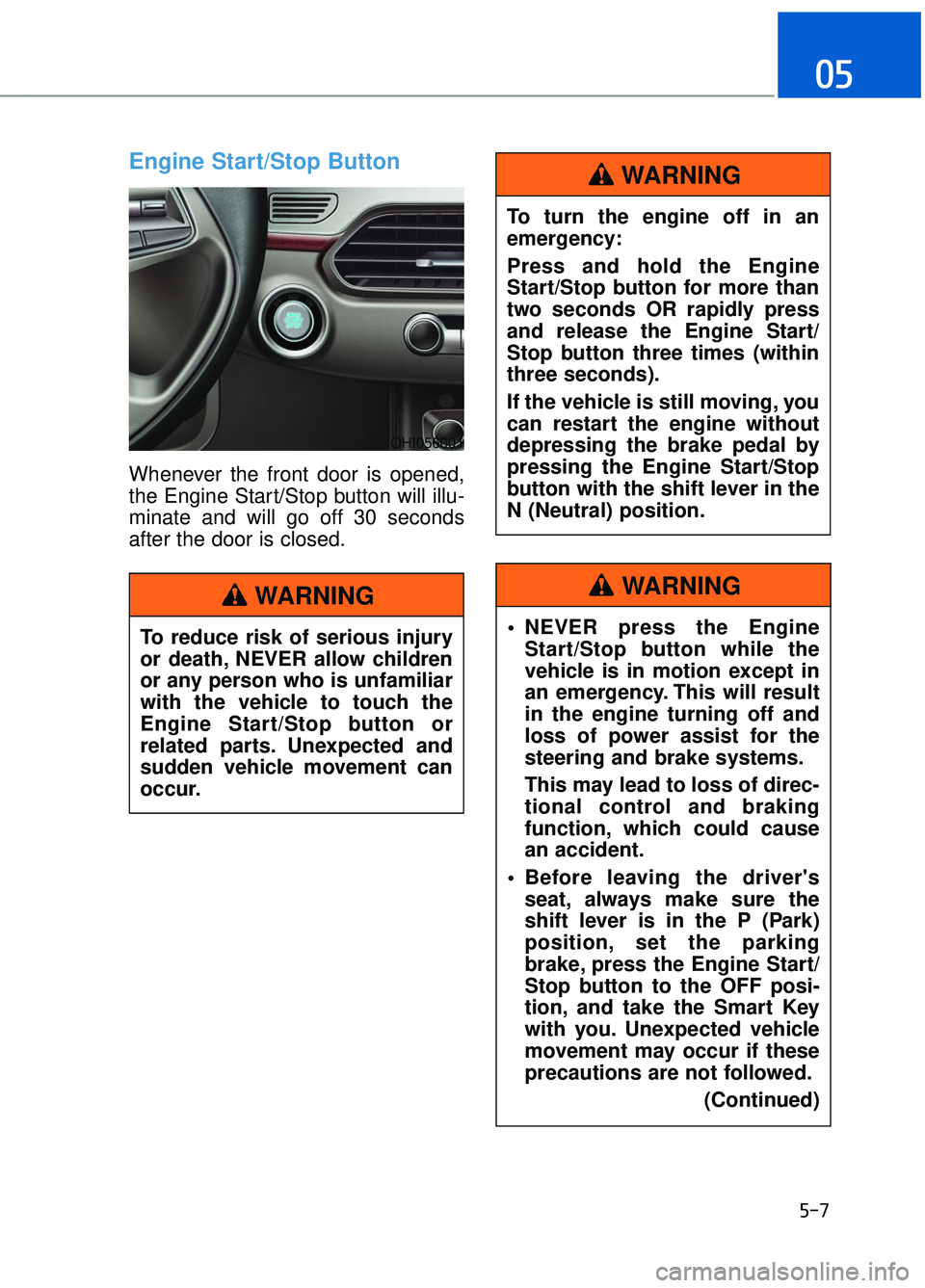
Engine Start/Stop Button
Whenever the front door is opened,
the Engine Start/Stop button will illu-
minate and will go off 30 seconds
after the door is closed.
5-7
05
To reduce risk of serious injury
or death, NEVER allow children
or any person who is unfamiliar
with the vehicle to touch the
Engine Start/Stop button or
related parts. Unexpected and
sudden vehicle movement can
occur.
WARNING
To turn the engine off in an
emergency:
Press and hold the Engine
Start/Stop button for more than
two seconds OR rapidly press
and release the Engine Start/
Stop button three times (within
three seconds).
If the vehicle is still moving, you
can restart the engine without
depressing the brake pedal by
pressing the Engine Start/Stop
button with the shift lever in the
N (Neutral) position.
WARNING
NEVER press the EngineStart/Stop button while the
vehicle is in motion except in
an emergency. This will result
in the engine turning off and
loss of power assist for the
steering and brake systems.
This may lead to loss of direc-
tional control and braking
function, which could cause
an accident.
Before leaving the driver's seat, always make sure the
shift lever is in the P (Park)
position, set the parking
brake, press the Engine Start/
Stop button to the OFF posi-
tion, and take the Smart Key
with you. Unexpected vehicle
movement may occur if these
precautions are not followed.
(Continued)
WARNING
OHI056001
Page 273 of 524

5-12
Driving your vehicle
Transmission ranges
The indicator in the instrument clus-
ter displays the shift lever position
when the ignition switch is in the ON
position.
P (Park)
Always come to a complete stop
before shifting into P (Park).
To shift the gear from R (Reverse), N
(Neutral), D (Drive) or Manual mode
to P (Park), press the [P] button.
If you turn off the engine in D (Drive),
R (Reverse) or Manual mode the
shifting automatically changes to P
(Park).
When you park the vehicle, press the
[P] button while depressing the brake
pedal and then apply the parking
brake.
To reduce the risk of serious
injury or death:
ALWAYS check the surround-
ing areas near your vehicle for
people, especially children,
before shifting a vehicle into
D (Drive) or R (Reverse).
Before leaving the driver's seat, always make sure the
shift lever is in the P (Park)
position, then set the parking
brake, and place the Engine
Start/Stop button in the OFF
position. Unexpected and
sudden vehicle movement
can occur if these precautions
are not followed.
When using the paddle shifter (manual mode), do not use
engine braking (shifting from
a high gear to lower gear) rap-
idly on slippery roads. The
vehicle may slip causing an
accident.
WARNING
Shifting into P (Park) while thevehicle is in motion may
cause you to lose control of
the vehicle.
After the vehicle has stopped, always make sure the shift
lever is in P (Park), apply the
parking brake, and turn the
engine off.
Do not use the P (Park) posi- tion in place of the parking
brake.
WARNING
OHI056011L
Page 281 of 524
5-20
Driving your vehicle
Information - KickdownMechanism
Use the kickdown mechanism for
maximum acceleration. Depress the
accelerator pedal beyond the pressure
point. The automatic transmission will
shift to a lower gear depending on the
engine speed.i
To reduce the risk of SERIOUS
INJURY or DEATH :
ALWAYS wear your seatbelt. In a collision, an unbelted
occupant is significantly more
likely to be seriously injured
or killed than a properly belt-
ed occupant.
Avoid high speeds when cor- nering or turning.
Do not make quick steering wheel movements, such as
sharp lane changes or fast,
sharp turns.
The risk of rollover is greatly increased if you lose control
of your vehicle at highway
speeds.
Loss of control often occurs if two or more wheels drop off
the roadway and the driver
over steers to reenter the
roadway.
In the event your vehicle leaves the roadway, do not
steer sharply. Instead, slow
down before pulling back into
the travel lanes.
Genesis Brand recommends you follow all posted speed
limits.
WARNING
Page 283 of 524
5-22
Driving your vehicle
For safe AWD operation
Before driving
Make sure all passengers arewearing seat belts.
Sit upright and adjust the steering wheel to a position comfortable for
you to drive.
Driving on snow-covered or icy
roads
Start off slowly by applying theaccelerator pedal gently.
Use of snow tires are recommend- ed.
For more information on Snow
Tires refer to "Winter Driving" in
this chapter.
Keep sufficient distance between your vehicle and the vehicle in front
of you.
Use engine braking during deceler- ation.
Avoid speeding, rapid acceleration, sudden brake applications, and
sharp turns to help prevent skids.
Driving in sand or mud
Maintain slow and constant speed.
Keep sufficient distance betweenyour vehicle and the vehicle in front
of you.
Reduce vehicle speed and always check the road condition.
Avoid speeding, rapid acceleration, sudden brake applications, and
sharp turns to prevent getting
stuck. When the vehicle is stuck in snow,
sand or mud, place a nonslip
material under the drive wheels to
provide traction OR
Slowly spin the wheels in forward
and reverse directions which
causes a rocking motion that may
free the vehicle. However, avoid
running the engine continuously
at high rpm, doing so may damage
the AWD system.
Information
• When using Snow Tires, mount
them on the rear wheels.
• If tire chains must be used, use AutoSock (fabric snow chain) and
install the tire chain after reviewing
the instructions provided with the
tire chains.
For more information on Snow Tires
and Tire Chains, refer to "Winter
Driving" in this chapter.
i
NOTICE
Page 288 of 524
5-27
05
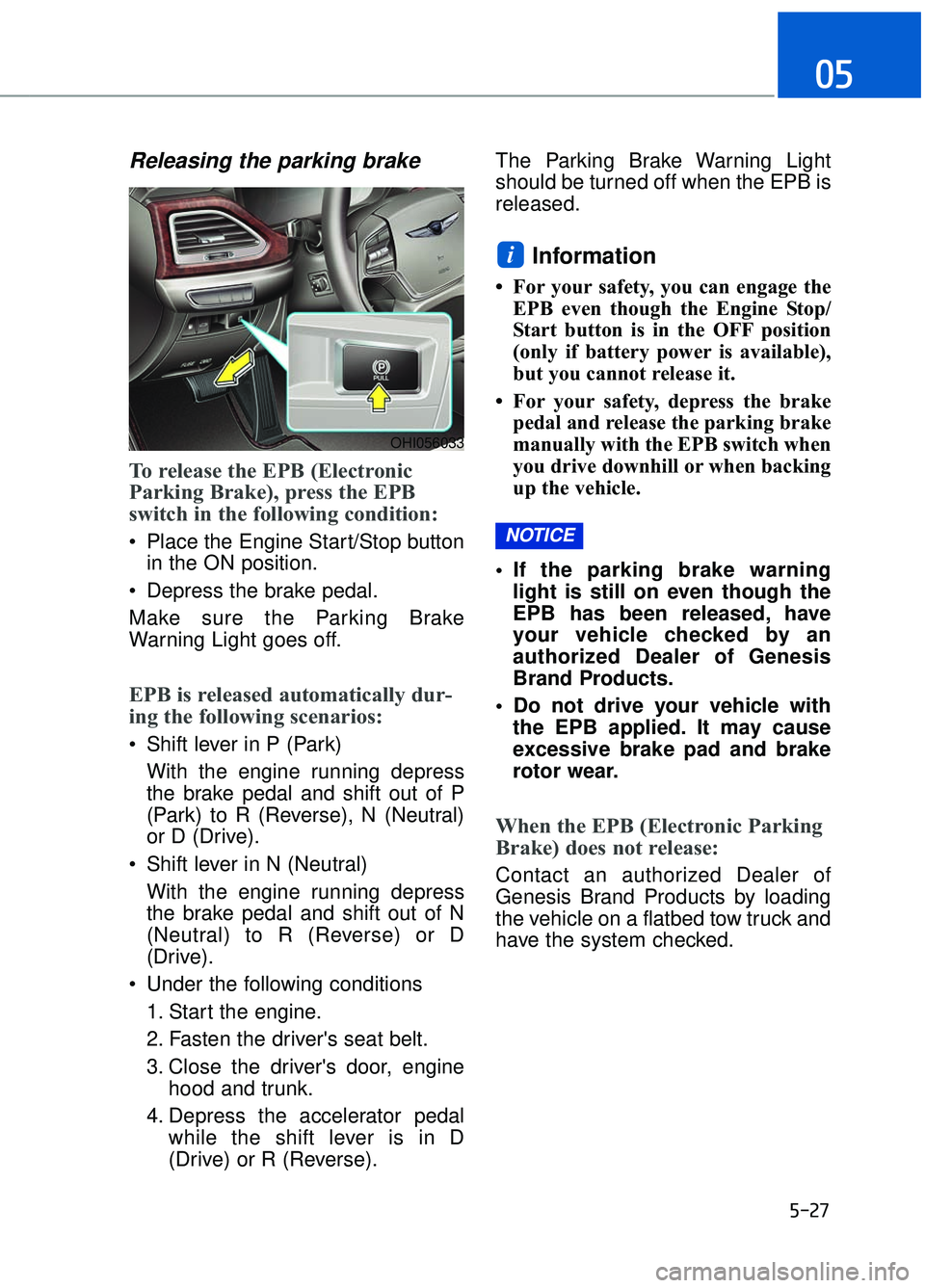
Releasing the parking brake
To release the EPB (Electronic
Parking Brake), press the EPB
switch in the following condition:
Place the Engine Start/Stop buttonin the ON position.
Depress the brake pedal.
Make sure the Parking Brake
Warning Light goes off.
EPB is released automatically dur-
ing the following scenarios:
Shift lever in P (Park) With the engine running depress
the brake pedal and shift out of P
(Park) to R (Reverse), N (Neutral)
or D (Drive).
Shift lever in N (Neutral) With the engine running depress
the brake pedal and shift out of N
(Neutral) to R (Reverse) or D
(Drive).
Under the following conditions 1. Start the engine.
2. Fasten the driver's seat belt.
3. Close the driver's door, engine hood and trunk.
4. Depress the accelerator pedal while the shift lever is in D
(Drive) or R (Reverse). The Parking Brake Warning Light
should be turned off when the EPB is
released.
Information
• For your safety, you can engage the
EPB even though the Engine Stop/
Start button is in the OFF position
(only if battery power is available),
but you cannot release it.
• For your safety, depress the brake pedal and release the parking brake
manually with the EPB switch when
you drive downhill or when backing
up the vehicle.
If the parking brake warning light is still on even though the
EPB has been released, have
your vehicle checked by an
authorized Dealer of Genesis
Brand Products.
Do not drive your vehicle with the EPB applied. It may cause
excessive brake pad and brake
rotor wear.
When the EPB (Electronic Parking
Brake) does not release:
Contact an authorized Dealer of
Genesis Brand Products by loading
the vehicle on a flatbed tow truck and
have the system checked.
NOTICE
i
OHI056033