Seat GENESIS G90 2017 Manual Online
[x] Cancel search | Manufacturer: GENESIS, Model Year: 2017, Model line: G90, Model: GENESIS G90 2017Pages: 524, PDF Size: 19.3 MB
Page 167 of 524
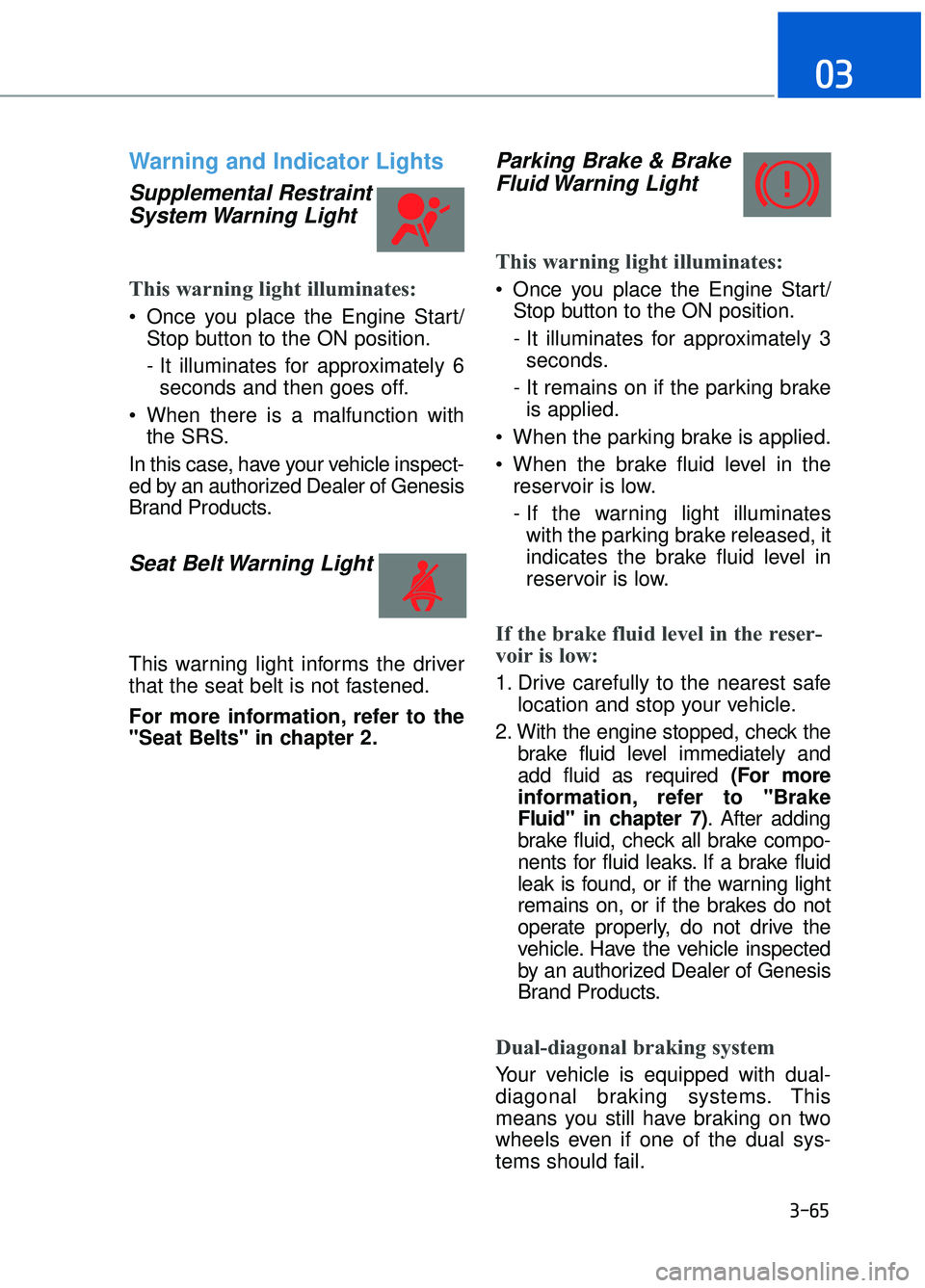
Warning and Indicator Lights
Supplemental RestraintSystem Warning Light
This warning light illuminates:
Once you place the Engine Start/
Stop button to the ON position.
- It illuminates for approximately 6seconds and then goes off.
When there is a malfunction with the SRS.
In this case, have your vehicle inspect-
ed by an authorized Dealer of Genesis
Brand Products.
Seat Belt Warning Light
This warning light informs the driver
that the seat belt is not fastened.
For more information, refer to the
"Seat Belts" in chapter 2.
Parking Brake & Brake Fluid Warning Light
This warning light illuminates:
Once you place the Engine Start/
Stop button to the ON position.
- It illuminates for approximately 3seconds.
- It remains on if the parking brake is applied.
When the parking brake is applied.
When the brake fluid level in the reservoir is low.
- If the warning light illuminateswith the parking brake released, it
indicates the brake fluid level in
reservoir is low.
If the brake fluid level in the reser-
voir is low:
1. Drive carefully to the nearest safe location and stop your vehicle.
2. With the engine stopped, check the brake fluid level immediately and
add fluid as required (For more
information, refer to "Brake
Fluid" in chapter 7) . After adding
brake fluid, check all brake compo-
nents for fluid leaks. If a brake fluid
leak is found, or if the warning light
remains on, or if the brakes do not
operate properly, do not drive the
vehicle. Have the vehicle inspected
by an authorized Dealer of Genesis
Brand Products.
Dual-diagonal braking system
Your vehicle is equipped with dual-
diagonal braking systems. This
means you still have braking on two
wheels even if one of the dual sys-
tems should fail.
3-65
03
Page 173 of 524
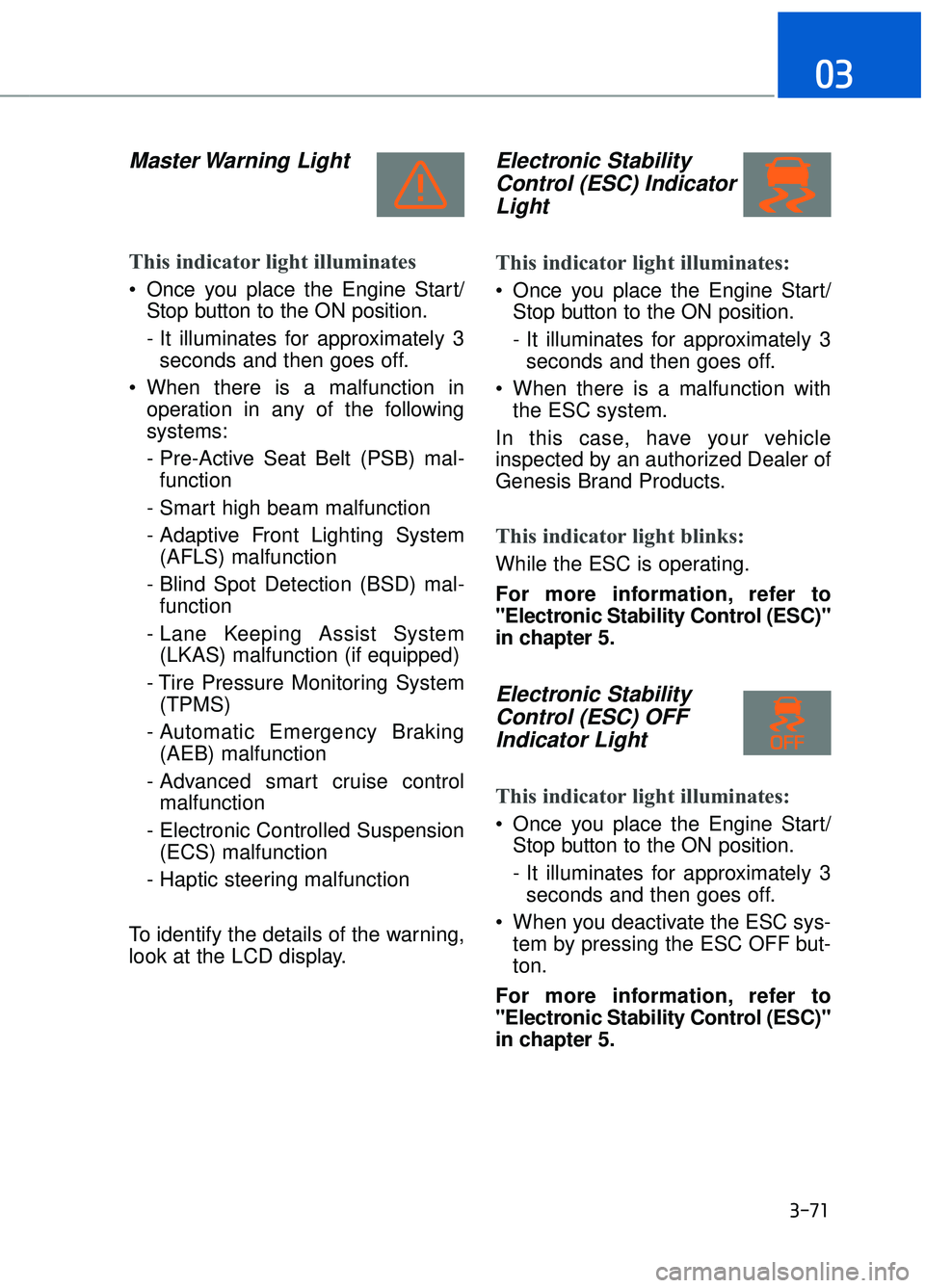
Master Warning Light
This indicator light illuminates
Once you place the Engine Start/Stop button to the ON position.
- It illuminates for approximately 3seconds and then goes off.
When there is a malfunction in operation in any of the following
systems:
- Pre-Active Seat Belt (PSB) mal-function
- Smart high beam malfunction
- Adaptive Front Lighting System (AFLS) malfunction
- Blind Spot Detection (BSD) mal- function
- Lane Keeping Assist System (LKAS) malfunction (if equipped)
- Tire Pressure Monitoring System (TPMS)
- Automatic Emergency Braking (AEB) malfunction
- Advanced smart cruise control malfunction
- Electronic Controlled Suspension (ECS) malfunction
- Haptic steering malfunction
To identify the details of the warning,
look at the LCD display.
Electronic Stability Control (ESC) IndicatorLight
This indicator light illuminates:
Once you place the Engine Start/
Stop button to the ON position.
- It illuminates for approximately 3seconds and then goes off.
When there is a malfunction with the ESC system.
In this case, have your vehicle
inspected by an authorized Dealer of
Genesis Brand Products.
This indicator light blinks:
While the ESC is operating.
For more information, refer to
"Electronic Stability Control (ESC)"
in chapter 5.
Electronic Stability Control (ESC) OFFIndicator Light
This indicator light illuminates:
Once you place the Engine Start/
Stop button to the ON position.
- It illuminates for approximately 3seconds and then goes off.
When you deactivate the ESC sys- tem by pressing the ESC OFF but-
ton.
For more information, refer to
"Electronic Stability Control (ESC)"
in chapter 5.
3-71
03
Page 185 of 524
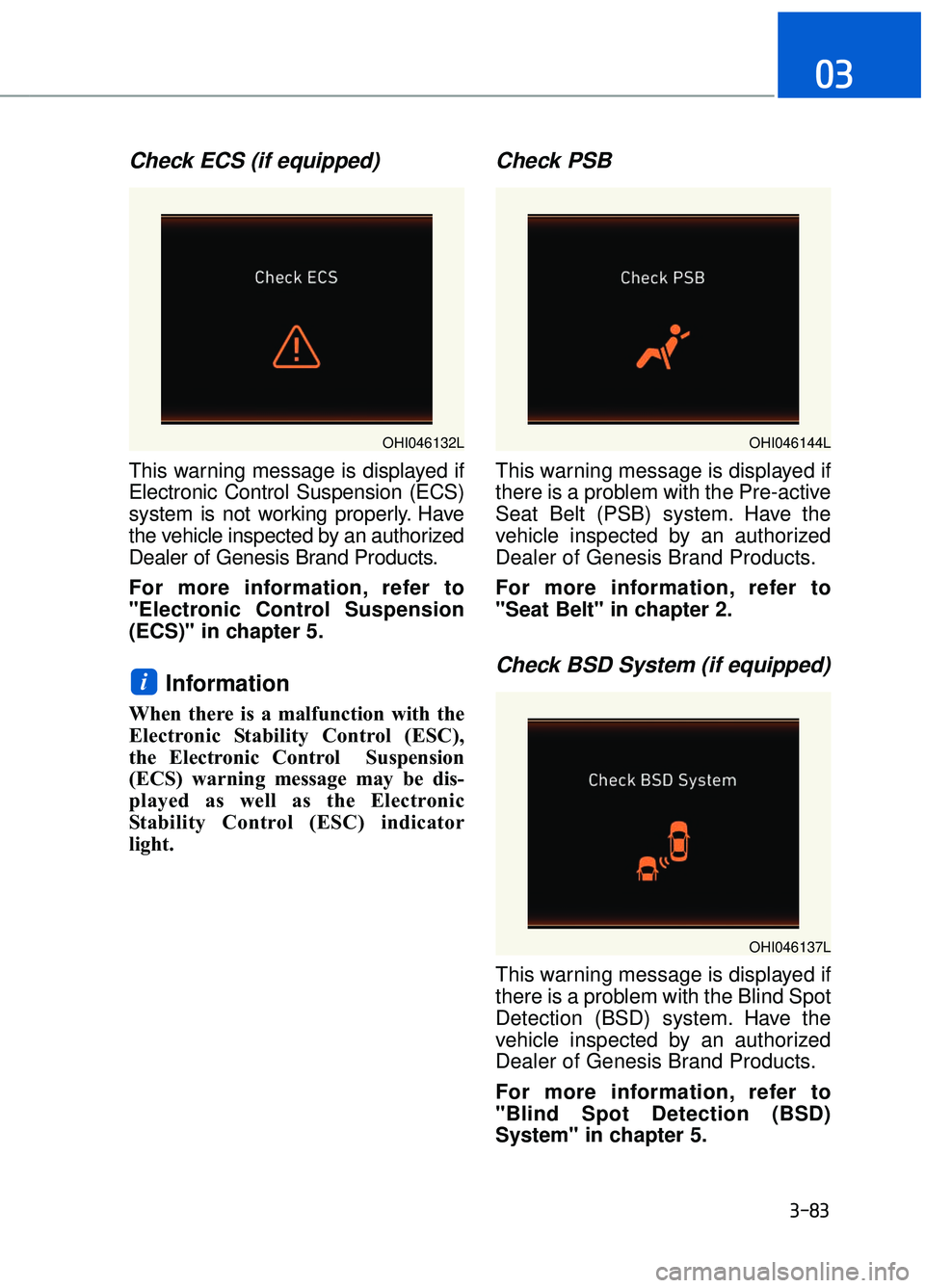
Check ECS (if equipped)
This warning message is displayed if
Electronic Control Suspension (ECS)
system is not working properly. Have
the vehicle inspected by an authorized
Dealer of Genesis Brand Products.
For more information, refer to
"Electronic Control Suspension
(ECS)" in chapter 5.
Information
When there is a malfunction with the
Electronic Stability Control (ESC),
the Electronic Control Suspension
(ECS) warning message may be dis-
played as well as the Electronic
Stability Control (ESC) indicator
light.
Check PSB
This warning message is displayed if
there is a problem with the Pre-active
Seat Belt (PSB) system. Have the
vehicle inspected by an authorized
Dealer of Genesis Brand Products.
For more information, refer to
"Seat Belt" in chapter 2.
Check BSD System (if equipped)
This warning message is displayed if
there is a problem with the Blind Spot
Detection (BSD) system. Have the
vehicle inspected by an authorized
Dealer of Genesis Brand Products.
For more information, refer to
"Blind Spot Detection (BSD)
System" in chapter 5.
i
3-83
03
OHI046137L
OHI046132LOHI046144L
Page 191 of 524
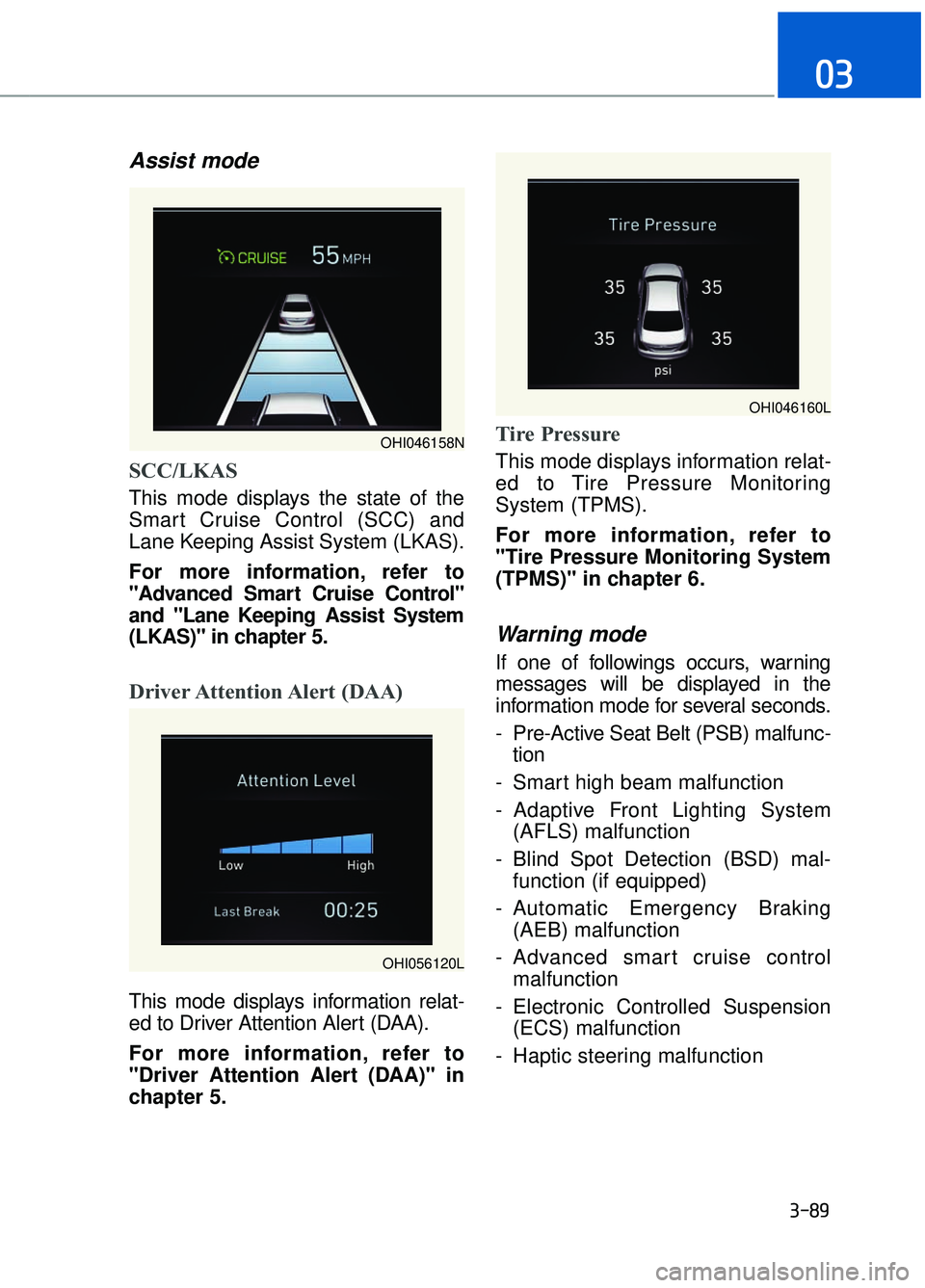
Assist mode
SCC/LKAS
This mode displays the state of the
Smart Cruise Control (SCC) and
Lane Keeping Assist System (LKAS).
For more information, refer to
"Advanced Smart Cruise Control"
and "Lane Keeping Assist System
(LKAS)" in chapter 5.
Driver Attention Alert (DAA)
This mode displays information relat-
ed to Driver Attention Alert (DAA).
For more information, refer to
"Driver Attention Alert (DAA)" in
chapter 5.
Tire Pressure
This mode displays information relat-
ed to Tire Pressure Monitoring
System (TPMS).
For more information, refer to
"Tire Pressure Monitoring System
(TPMS)" in chapter 6.
Warning mode
If one of followings occurs, warning
messages will be displayed in the
information mode for several seconds.
- Pre-Active Seat Belt (PSB) malfunc-tion
- Smart high beam malfunction
- Adaptive Front Lighting System (AFLS) malfunction
- Blind Spot Detection (BSD) mal- function (if equipped)
- Automatic Emergency Braking (AEB) malfunction
- Advanced smart cruise control malfunction
- Electronic Controlled Suspension (ECS) malfunction
- Haptic steering malfunction
3-89
03
OHI046158N
OHI046160L
OHI056120L
Page 195 of 524
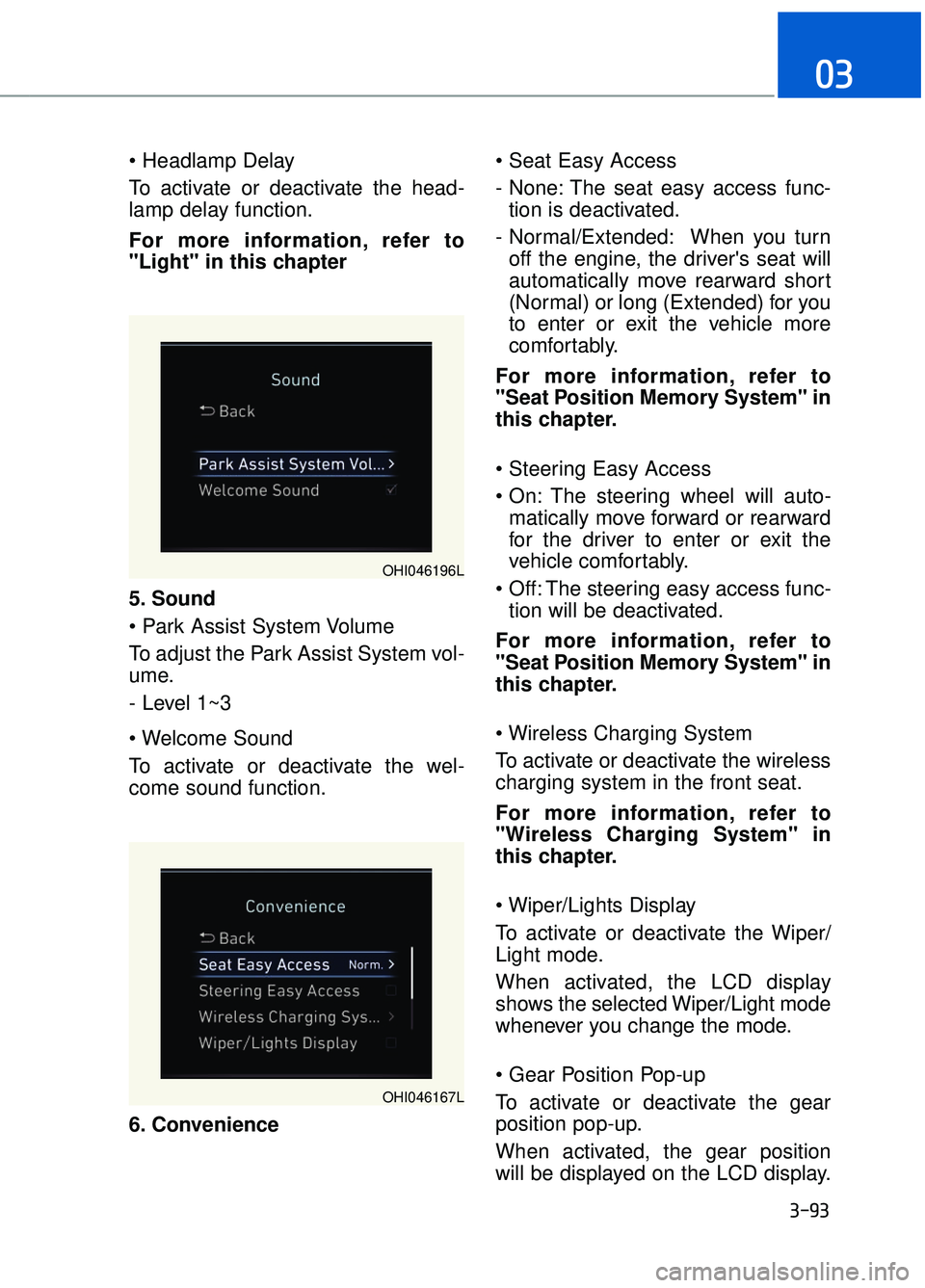
To activate or deactivate the head-
lamp delay function.
For more information, refer to
"Light" in this chapter
5. Sound
To adjust the Park Assist System vol-
ume.
- Level 1~3
To activate or deactivate the wel-
come sound function.
6. Convenience
- None: The seat easy access func-
tion is deactivated.
- Normal/Extended: When you turn off the engine, the driver's seat will
automatically move rearward short
(Normal) or long (Extended) for you
to enter or exit the vehicle more
comfortably.
For more information, refer to
"Seat Position Memory System" in
this chapter.
The steering wheel will auto- matically move forward or rearward
for the driver to enter or exit the
vehicle comfortably.
The steering easy access func- tion will be deactivated.
For more information, refer to
"Seat Position Memory System" in
this chapter.
To activate or deactivate the wireless
charging system in the front seat.
For more information, refer to
"Wireless Charging System" in
this chapter.
To activate or deactivate the Wiper/
Light mode.
When activated, the LCD display
shows the selected Wiper/Light mode
whenever you change the mode.
To activate or deactivate the gear
position pop-up.
When activated, the gear position
will be displayed on the LCD display.
3-93
03
OHI046196L
OHI046167L
Page 200 of 524
3-98
Convenient features of your vehicle
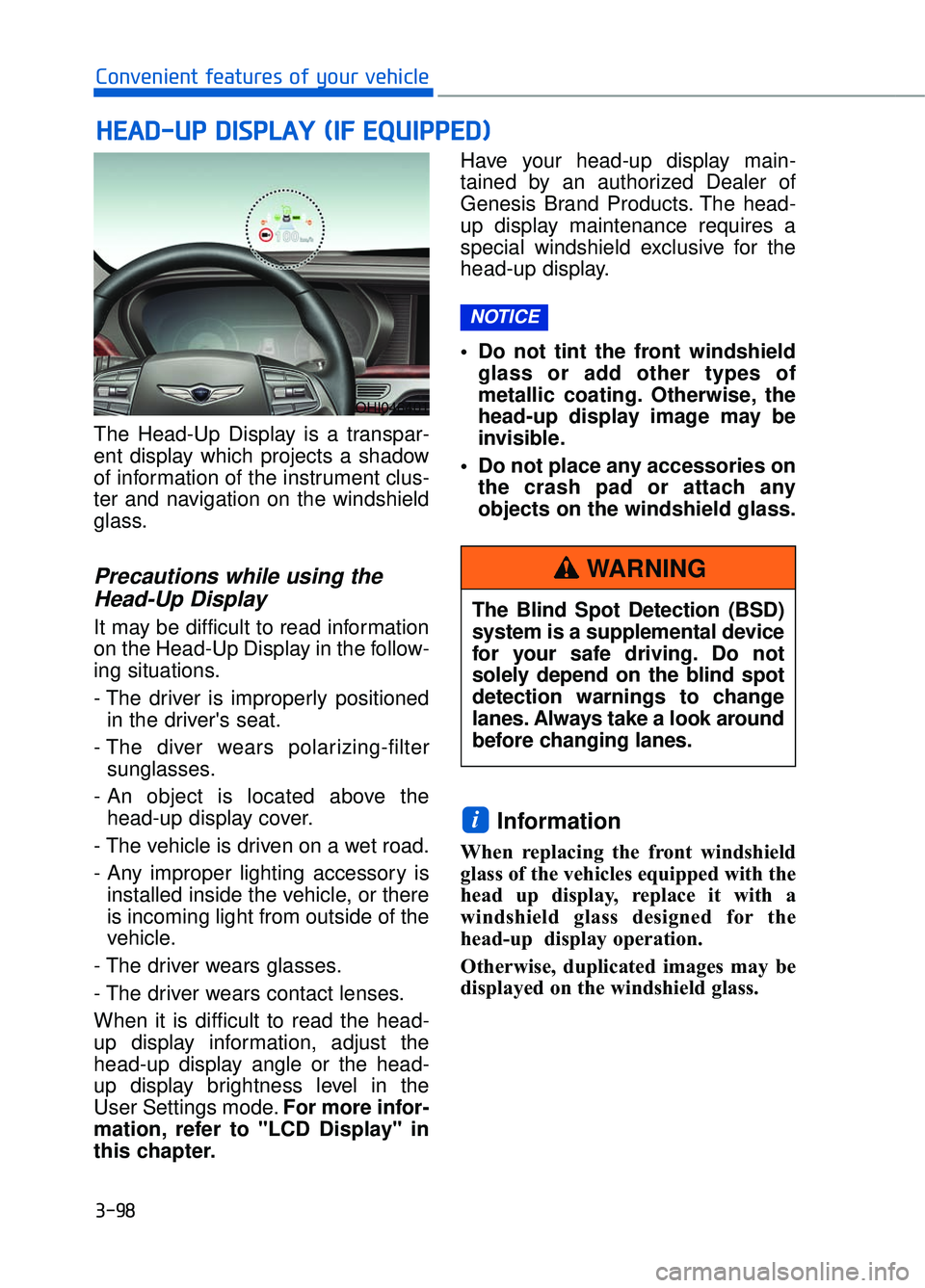
The Head-Up Display is a transpar-
ent display which projects a shadow
of information of the instrument clus-
ter and navigation on the windshield
glass.
Precautions while using the Head-Up Display
It may be difficult to read information
on the Head-Up Display in the follow-
ing situations.
- The driver is improperly positioned
in the driver's seat.
- The diver wears polarizing-filter sunglasses.
- An object is located above the head-up display cover.
- The vehicle is driven on a wet road.
- Any improper lighting accessory is installed inside the vehicle, or there
is incoming light from outside of the
vehicle.
- The driver wears glasses.
- The driver wears contact lenses.
When it is difficult to read the head-
up display information, adjust the
head-up display angle or the head-
up display brightness level in the
User Settings mode. For more infor-
mation, refer to "LCD Display" in
this chapter. Have your head-up display main-
tained by an authorized Dealer of
Genesis Brand Products. The head-
up display maintenance requires a
special windshield exclusive for the
head-up display.
• Do not tint the front windshield
glass or add other types of
metallic coating. Otherwise, the
head-up display image may be
invisible.
Do not place any accessories on the crash pad or attach any
objects on the windshield glass.
Information
When replacing the front windshield
glass of the vehicles equipped with the
head up display, replace it with a
windshield glass designed for the
head-up display operation.
Otherwise, duplicated images may be
displayed on the windshield glass.
i
NOTICE
H HE
EA
A D
D-
-U
U P
P
D
D I
IS
S P
P L
LA
A Y
Y
(
( I
IF
F
E
E Q
Q U
UI
IP
P P
PE
ED
D )
)
OHI046401
The Blind Spot Detection (BSD)
system is a supplemental device
for your safe driving. Do not
solely depend on the blind spot
detection warnings to change
lanes. Always take a look around
before changing lanes.
WARNING
Page 227 of 524

Mode selection
3-125
03
OHI046312
Rear outlet vents (F)
The rear outlet vents are controlled by the rear climate control system.
However, external conditions and manual settings also have influences on the
actual operation of the rear outlet vents by blocking air flows or changing air
flow volumes.
The rear outlet vents may blow slightly cooler air when the heater is operat-
ing due to some heat loss through the air ducts from the front of the vehicle.
To prevent this, the rear outlet vents may not blow any air immediately after a
cold start when the outside temperature is detected to be extremely low in
winter and the engine has not sufficiently warmed up.
Side outlet vents (D)
G90 is equipped with temperature sensors inside the side outlet vents to
accurately measure and control air temperature both in the driver’s seat and
the front passenger’s seat. However, when the side outlet vents are closed,
the temperature sensor will measure air temperature only inside the side out-
let vents. For accurate temperature control, open the side outlet vents.
Page 229 of 524
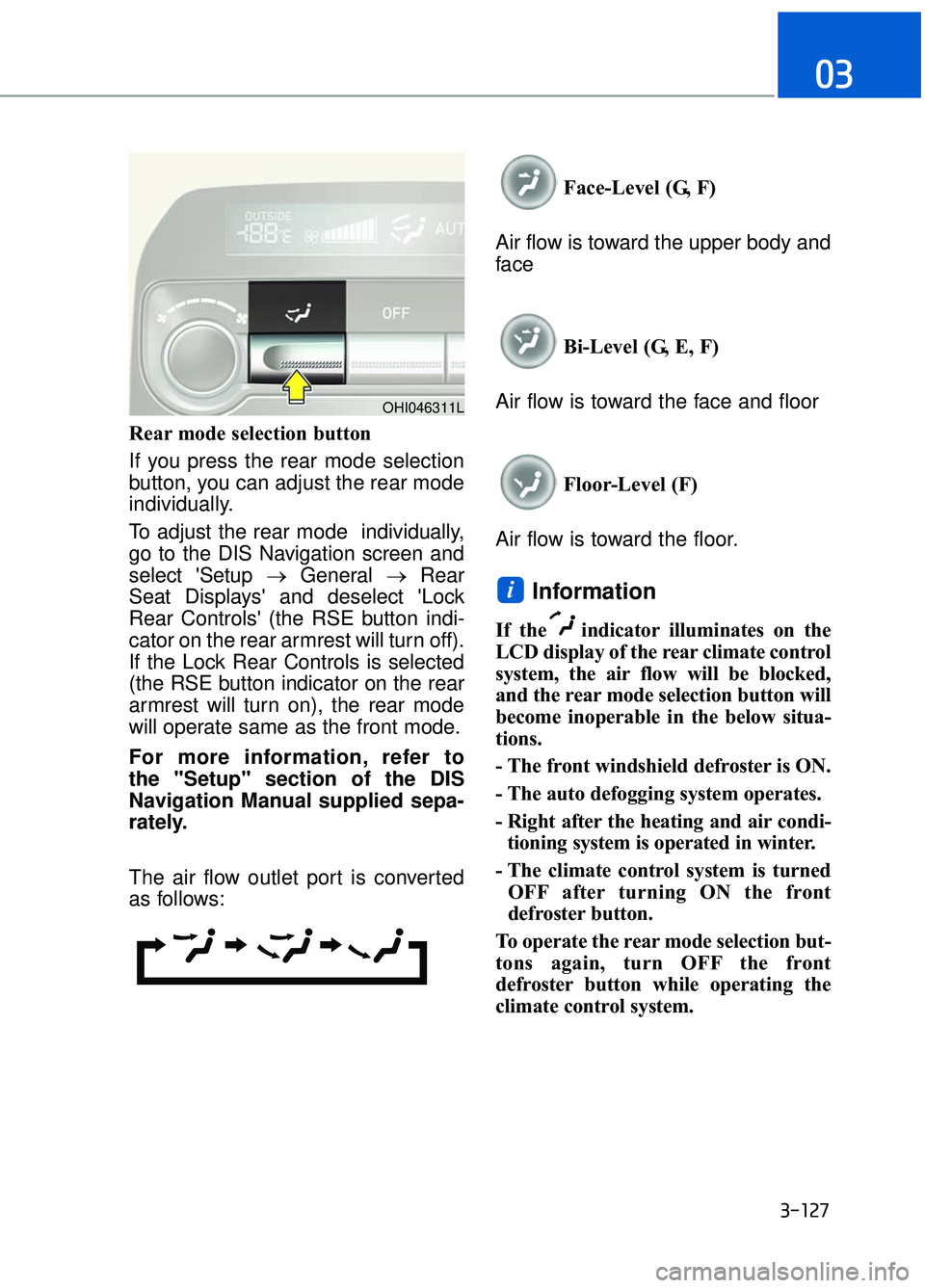
Rear mode selection button
If you press the rear mode selection
button, you can adjust the rear mode
individually.
To adjust the rear mode individually,
go to the DIS Navigation screen and
select 'Setup →General →Rear
Seat Displays' and deselect 'Lock
Rear Controls' (the RSE button indi-
cator on the rear armrest will turn off).
If the Lock Rear Controls is selected
(the RSE button indicator on the rear
armrest will turn on), the rear mode
will operate same as the front mode.
For more information, refer to
the "Setup" section of the DIS
Navigation Manual supplied sepa-
rately.
The air flow outlet port is converted
as follows: Face-Level (G, F)
Air flow is toward the upper body and
face
Bi-Level (G, E, F)
Air flow is toward the face and floor
Floor-Level (F)
Air flow is toward the floor.
Information
If the indicator illuminates on the
LCD display of the rear climate control
system, the air flow will be blocked,
and the rear mode selection button will
become inoperable in the below situa-
tions.
- The front windshield defroster is ON.
- The auto defogging system operates.
- Right after the heating and air condi- tioning system is operated in winter.
- The climate control system is turned OFF after turning ON the front
defroster button.
To operate the rear mode selection but-
tons again, turn OFF the front
defroster button while operating the
climate control system.
i
3-127
03
OHI046311L
Page 232 of 524
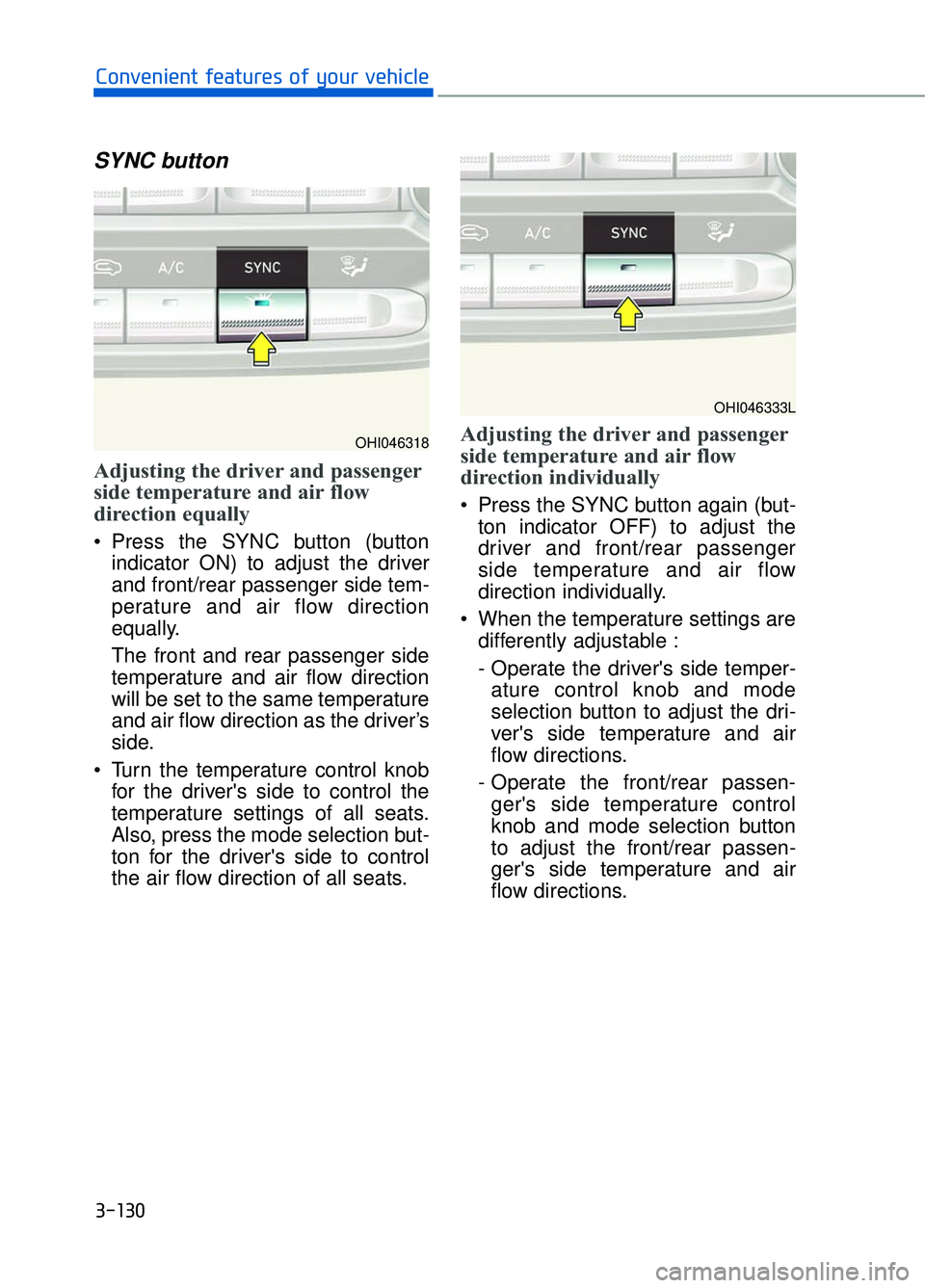
SYNC button
Adjusting the driver and passenger
side temperature and air flow
direction equally
Press the SYNC button (buttonindicator ON) to adjust the driver
and front/rear passenger side tem-
perature and air flow direction
equally.
The front and rear passenger side
temperature and air flow direction
will be set to the same temperature
and air flow direction as the driver’s
side.
Turn the temperature control knob for the driver's side to control the
temperature settings of all seats.
Also, press the mode selection but-
ton for the driver's side to control
the air flow direction of all seats.
Adjusting the driver and passenger
side temperature and air flow
direction individually
Press the SYNC button again (but-ton indicator OFF) to adjust the
driver and front/rear passenger
side temperature and air flow
direction individually.
When the temperature settings are differently adjustable :
- Operate the driver's side temper-ature control knob and mode
selection button to adjust the dri-
ver's side temperature and air
flow directions.
- Operate the front/rear passen- ger's side temperature control
knob and mode selection button
to adjust the front/rear passen-
ger's side temperature and air
flow directions.
3-130
Convenient features of your vehicle
OHI046318
OHI046333L
Page 235 of 524
Fan speed control
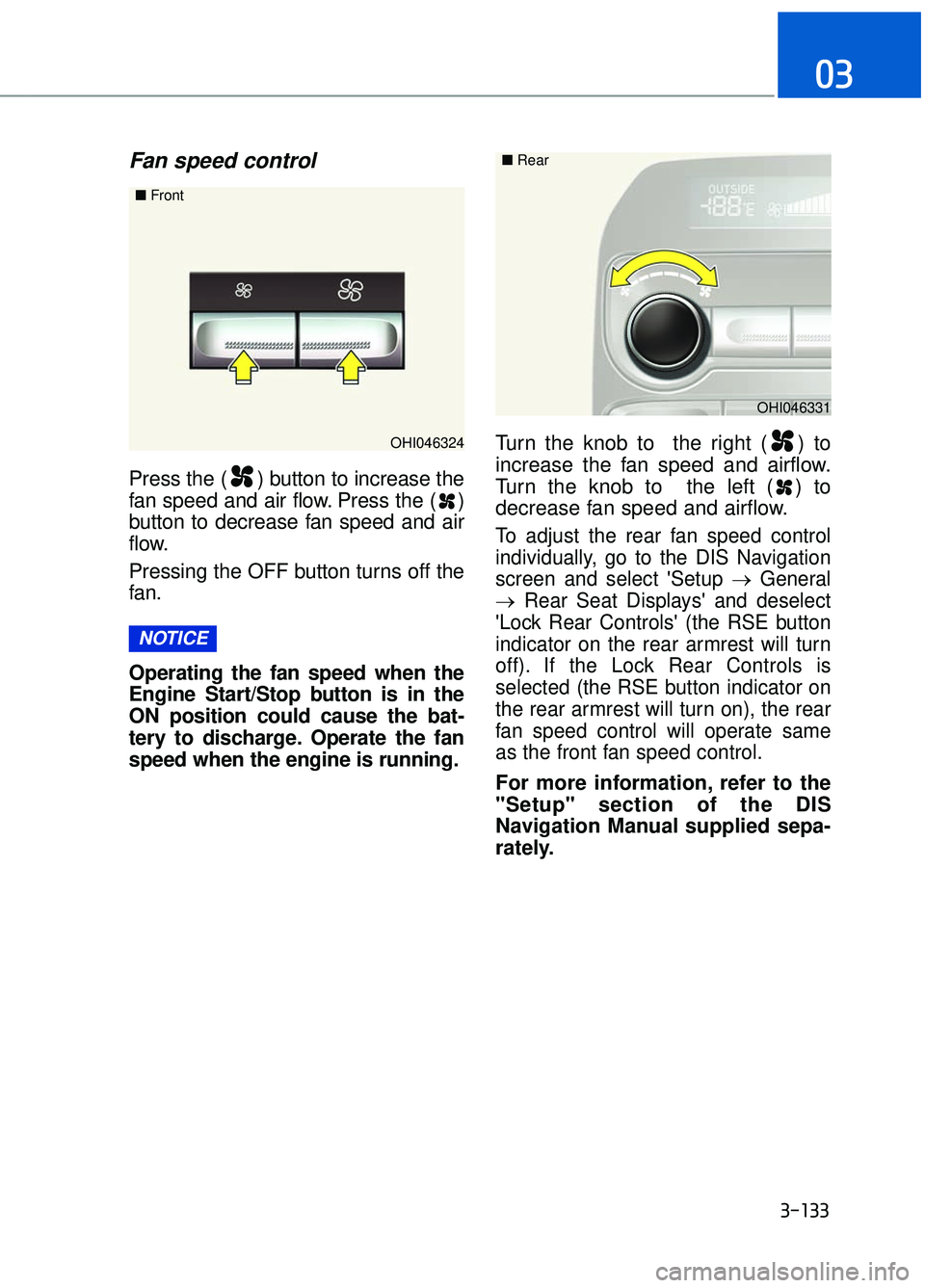
Press the ( ) button to increase the
fan speed and air flow. Press the ( )
button to decrease fan speed and air
flow.
Pressing the OFF button turns off the
fan.
Operating the fan speed when the
Engine Start/Stop button is in the
ON position could cause the bat-
tery to discharge. Operate the fan
speed when the engine is running.Turn the knob to the right ( ) to
increase the fan speed and airflow.
Turn the knob to the left ( ) to
decrease fan speed and airflow.
To adjust the rear fan speed control
individually, go to the DIS Navigation
screen and select 'Setup →
General
→ Rear Seat Displays' and deselect
'Lock Rear Controls' (the RSE button
indicator on the rear armrest will turn
off). If the Lock Rear Controls is
selected (the RSE button indicator on
the rear armrest will turn on), the rear
fan speed control will operate same
as the front fan speed control.
For more information, refer to the
"Setup" section of the DIS
Navigation Manual supplied sepa-
rately.
NOTICE
3-133
03
OHI046324
■
Front
OHI046331
■
Rear