GENESIS GV80 2023 Owners Manual
Manufacturer: GENESIS, Model Year: 2023, Model line: GV80, Model: GENESIS GV80 2023Pages: 650
Page 401 of 650
07
7-45
Safe Exit Assist Settings
Setting features
OJX1079173LOJX1079173L
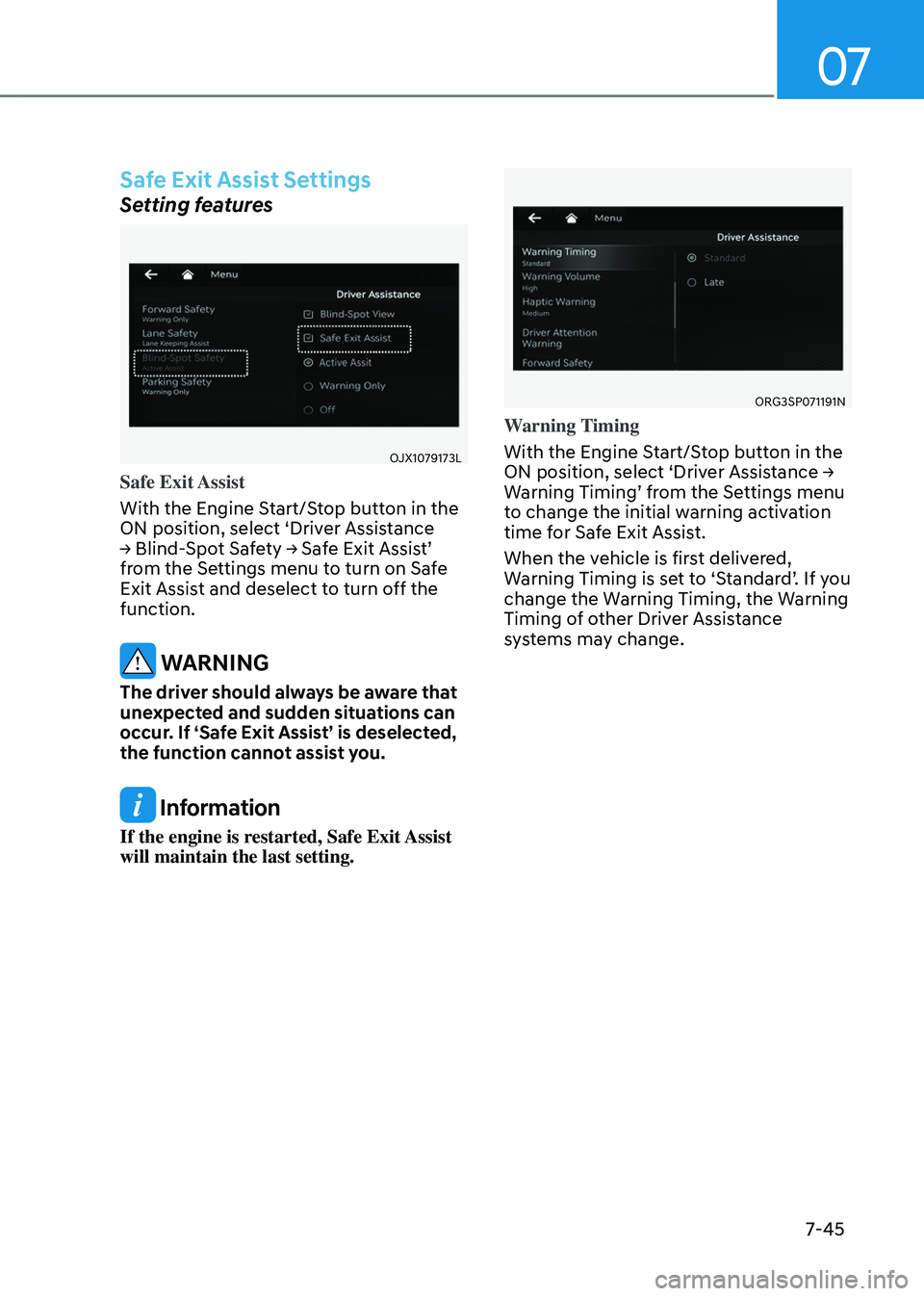
Safe Exit Assist
With the Engine Start/Stop button in the
ON position, select ‘Driver Assistance
→ Blind-Spot Safety → Safe Exit Assist’
from the Settings menu to turn on Safe
Exit Assist and deselect to turn off the
function.
WARNING
The driver should always be aware that
unexpected and sudden situations can
occur. If ‘Safe Exit Assist’ is deselected,
the function cannot assist you.
Information
If the engine is restarted, Safe Exit Assist
will maintain the last setting.
ORG3SP071191NORG3SP071191N
Warning Timing
With the Engine Start/Stop button in the
ON position, select ‘Driver Assistance →
Warning Timing’ from the Settings menu
to change the initial warning activation
time for Safe Exit Assist.
When the vehicle is first delivered,
Warning Timing is set to ‘Standard’. If you
change the Warning Timing, the Warning
Timing of other Driver Assistance
systems may change.
Page 402 of 650
Driver Assistance System
7-46
ORG3SP071192N ORG3SP071192N
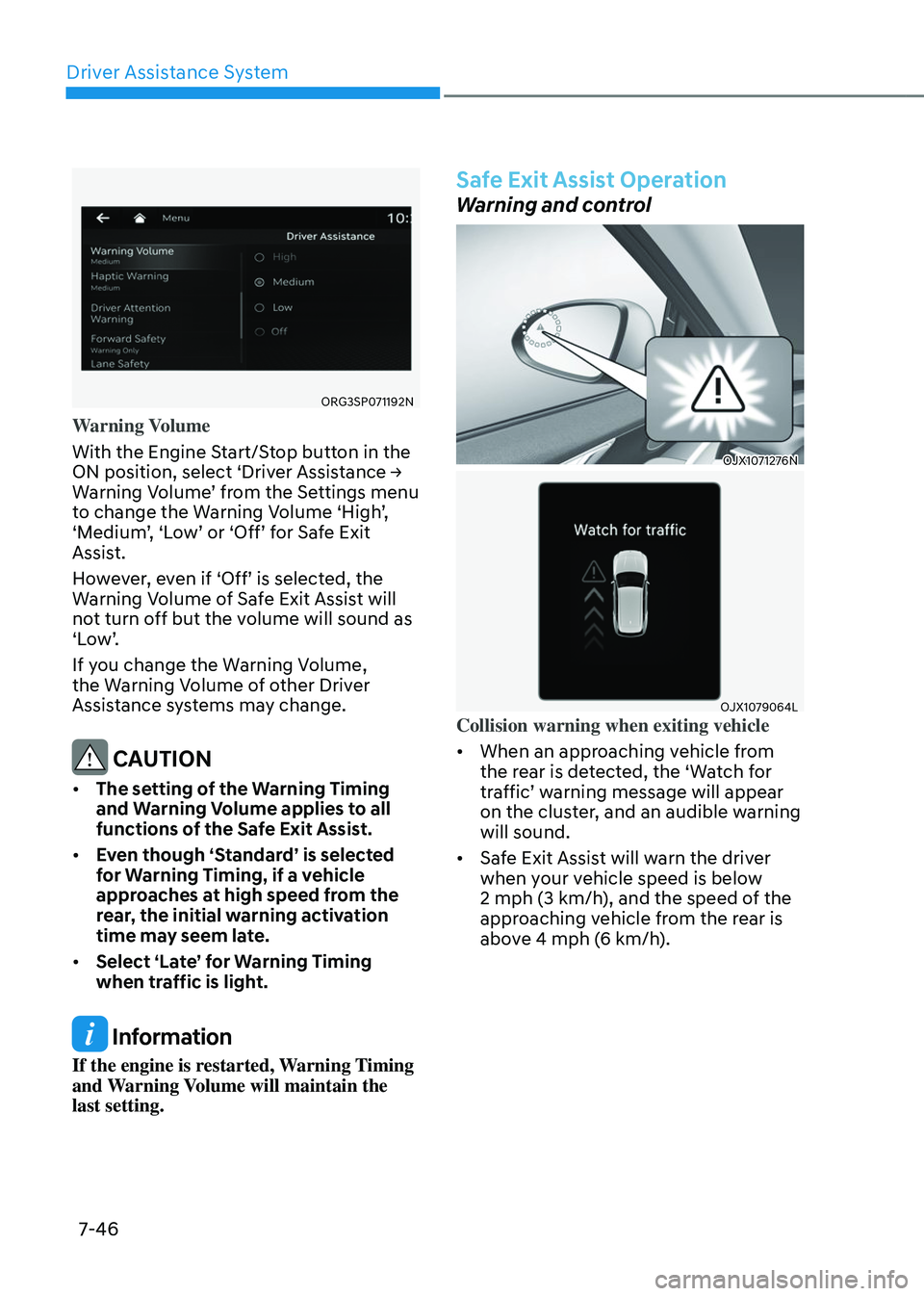
Warning Volume
With the Engine Start/Stop button in the
ON position, select ‘Driver Assistance →
Warning Volume’ from the Settings menu
to change the Warning Volume ‘High’,
‘Medium’, ‘Low’ or ‘Off’ for Safe Exit
Assist.
However, even if ‘Off’ is selected, the
Warning Volume of Safe Exit Assist will
not turn off but the volume will sound as
‘Low’.
If you change the Warning Volume,
the Warning Volume of other Driver
Assistance systems may change.
CAUTION
• The setting of the Warning Timing
and Warning Volume applies to all
functions of the Safe Exit Assist.
• Even though ‘Standard’ is selected
for Warning Timing, if a vehicle
approaches at high speed from the
rear, the initial warning activation
time may seem late.
• Select ‘Late’ for Warning Timing
when traffic is light.
Information
If the engine is restarted, Warning Timing
and Warning Volume will maintain the
last setting.
Safe Exit Assist Operation
Warning and control
OJX1071276N OJX1071276N
OJX1079064LOJX1079064LCollision warning when exiting vehicle
• When an approaching vehicle from
the rear is detected, the ‘Watch for
traffic’ warning message will appear
on the cluster, and an audible warning
will sound.
• Safe Exit Assist will warn the driver
when your vehicle speed is below
2 mph (3 km/h), and the speed of the
approaching vehicle from the rear is
above 4 mph (6 km/h).
Page 403 of 650
07
7-47
OJX1070247LOJX1070247L
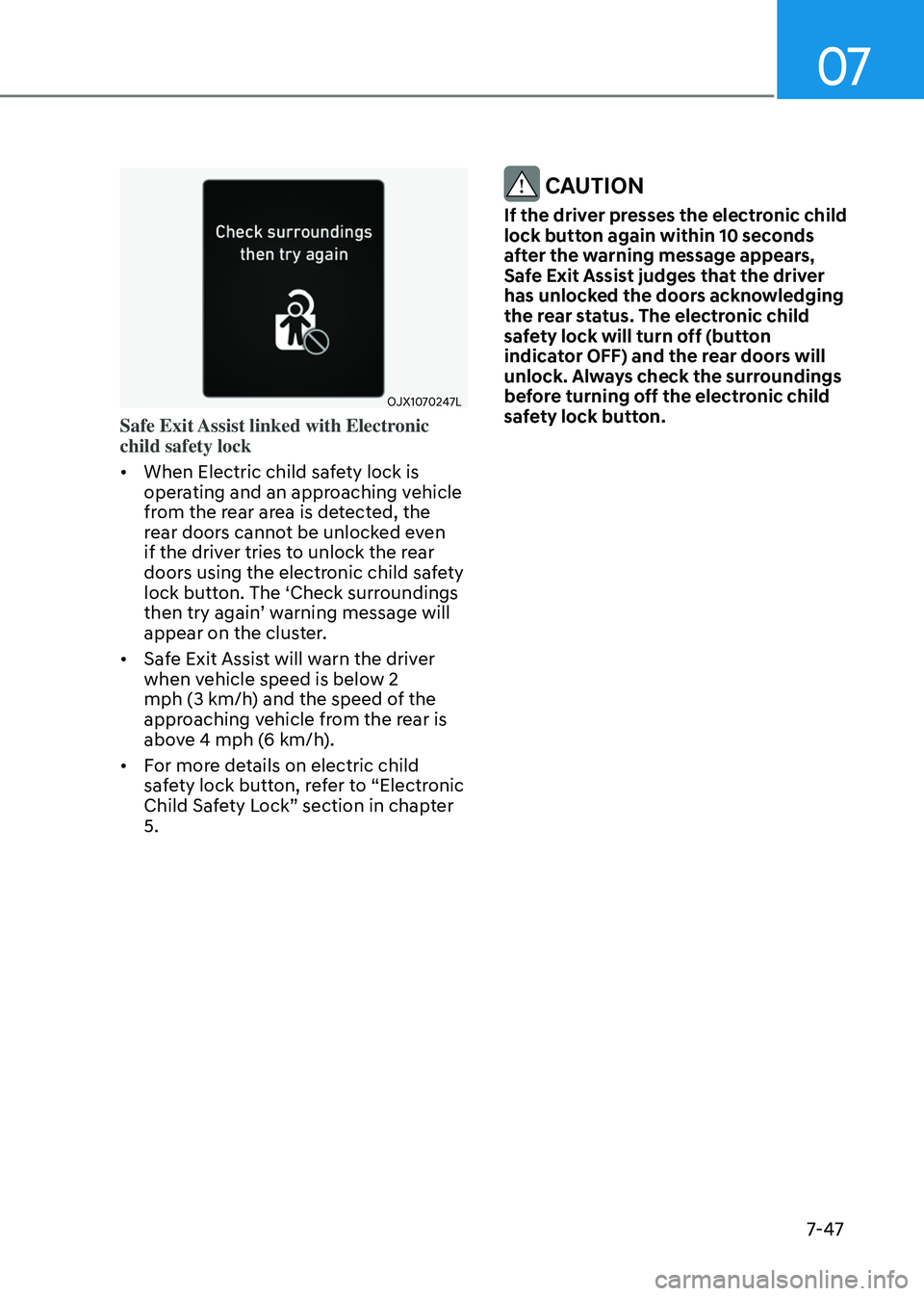
Safe Exit Assist linked with Electronic
child safety lock
• When Electric child safety lock is
operating and an approaching vehicle
from the rear area is detected, the
rear doors cannot be unlocked even
if the driver tries to unlock the rear
doors using the electronic child safety
lock button. The ‘Check surroundings
then try again’ warning message will
appear on the cluster.
• Safe Exit Assist will warn the driver
when vehicle speed is below 2
mph (3 km/h) and the speed of the
approaching vehicle from the rear is
above 4 mph (6 km/h).
• For more details on electric child
safety lock button, refer to “Electronic
Child Safety Lock” section in chapter
5.
CAUTION
If the driver presses the electronic child
lock button again within 10 seconds
after the warning message appears,
Safe Exit Assist judges that the driver
has unlocked the doors acknowledging
the rear status. The electronic child
safety lock will turn off (button
indicator OFF) and the rear doors will
unlock. Always check the surroundings
before turning off the electronic child
safety lock button.
Page 404 of 650
Driver Assistance System
7-48
WARNING
Take the following precautions when
using Safe Exit Assist:
• For your safety, change the Settings
after parking the vehicle at a safe
location.
• If any other system’s warning
message is displayed or audible
warning is generated, Safe Exit
Assist warning message may not be
displayed and audible warning may
not be generated.
• You may not hear the warning sound
of Safe Exit Assist if the surrounding
is noisy.
• Safe Exit Assist does not operate in
all situations or cannot prevent all
collisions.
• Safe Exit Assist may warn the driver
late or may not warn the driver
depending on the road and driving
conditions. Always check vehicle
surroundings.
• The driver and passengers are
responsible for accidents that occur
while exiting the vehicle. Always
check the surroundings before you
exit the vehicle.
• Never deliberately operate Safe Exit
Assist. Doing so may lead to serious
injury or death.
• Safe Exit Assist does not operate if
there is a problem with Blind- Spot
Collision-Avoidance Assist. The
warning message of Blind-Spot
Collision-Avoidance Assist will
appear when:
-Blind-Spot Collision Avoidance
Assist sensor or the sensor
surrounding is polluted or covered
-Blind-Spot Collision Avoidance
Assist fails to warn passengers or
falsely warn passengers
Information
After the engine is turned off, Safe Exit
Assist operates approximately for 3
minutes, but turns off immediately if the
doors are locked.
Safe Exit Assist Malfunction and
Limitations
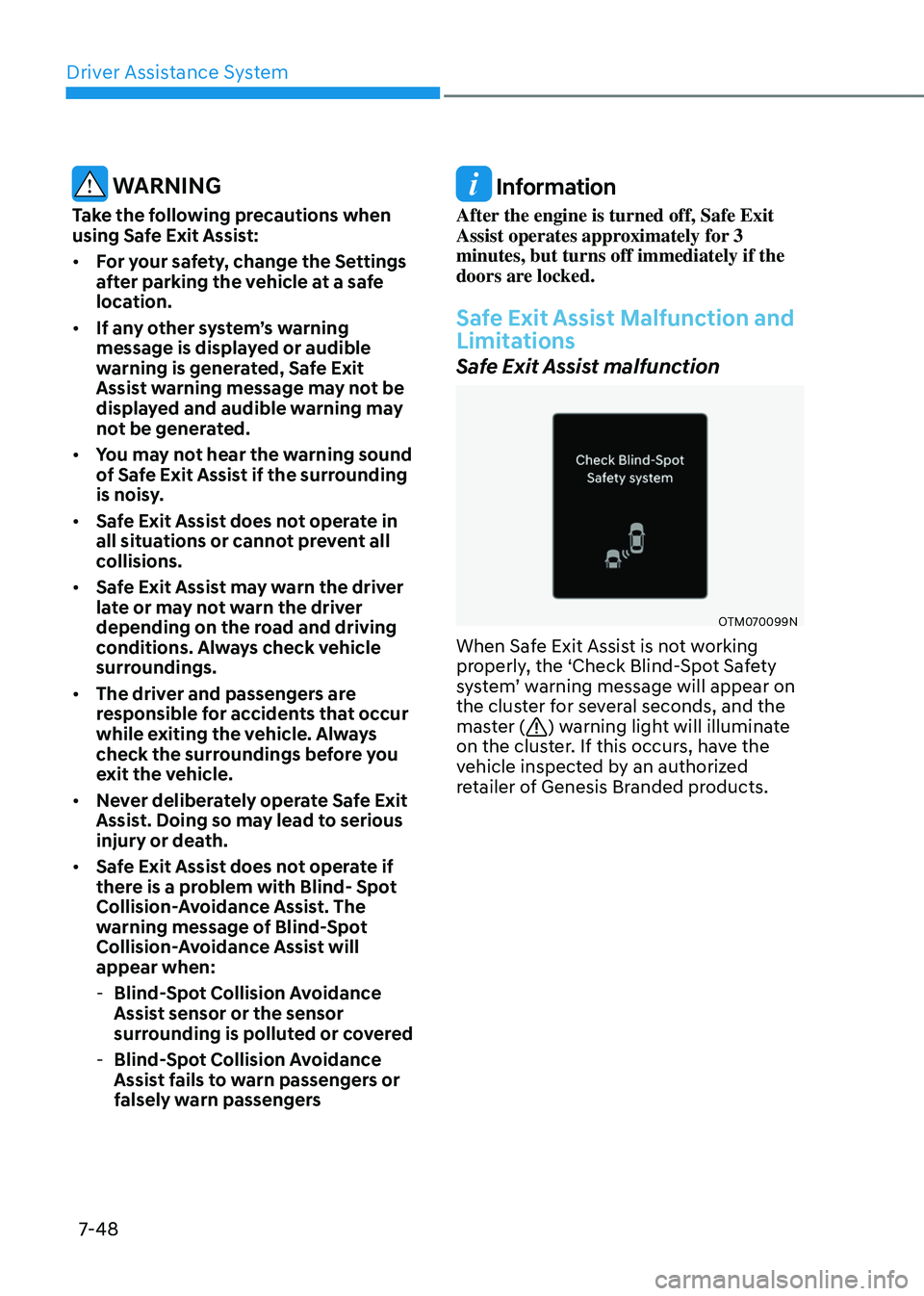
Safe Exit Assist malfunction
OTM070099NOTM070099N
When Safe Exit Assist is not working
properly, the ‘Check Blind-Spot Safety
system’ warning message will appear on
the cluster for several seconds, and the
master (
) warning light will illuminate
on the cluster. If this occurs, have the
vehicle inspected by an authorized
retailer of Genesis Branded products.
Page 405 of 650
07
7-49
OTM070100NOTM070100N
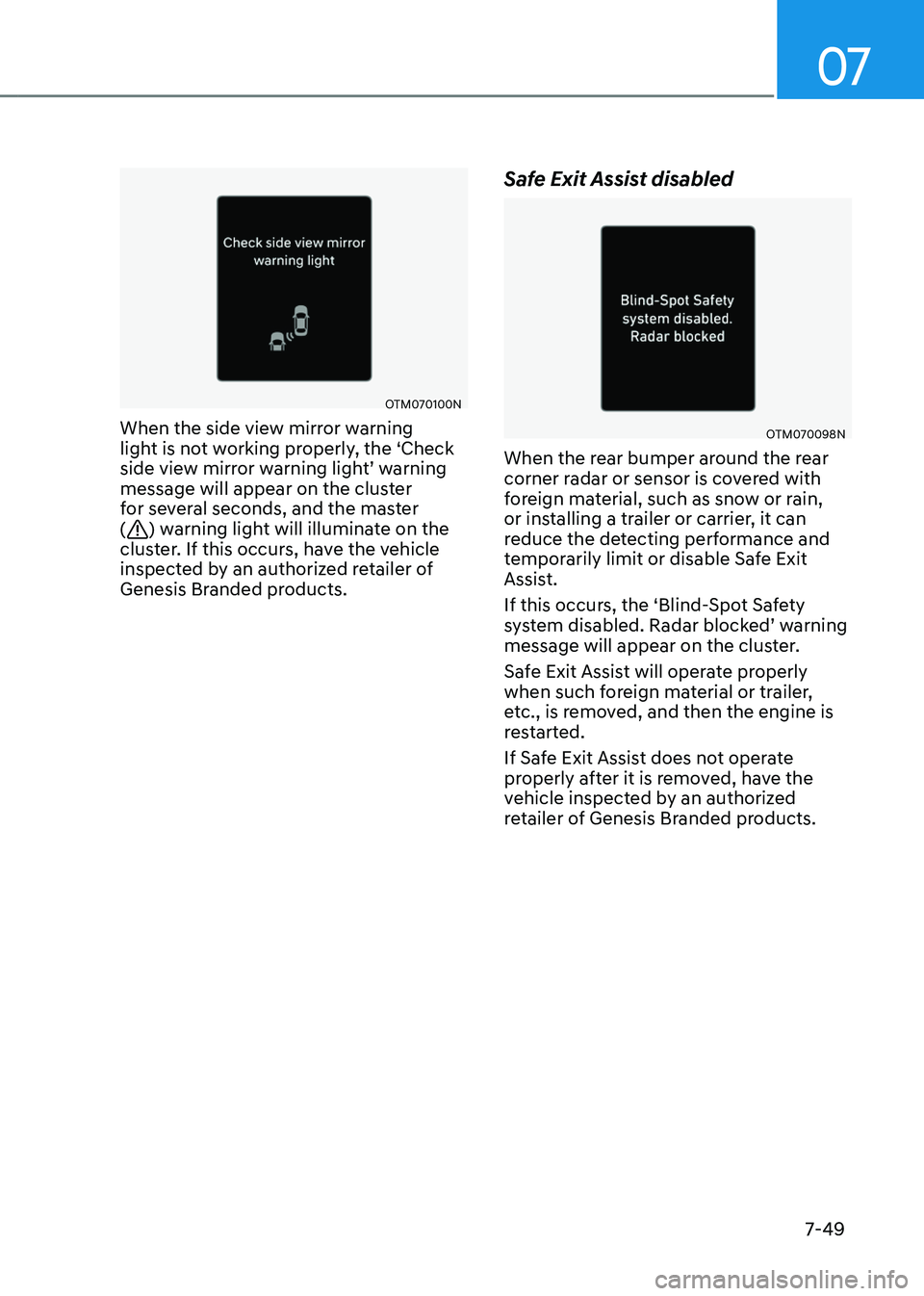
When the side view mirror warning
light is not working properly, the ‘Check
side view mirror warning light’ warning
message will appear on the cluster
for several seconds, and the master
(
) warning light will illuminate on the
cluster. If this occurs, have the vehicle
inspected by an authorized retailer of
Genesis Branded products.
Safe Exit Assist disabled
OTM070098NOTM070098N
When the rear bumper around the rear
corner radar or sensor is covered with
foreign material, such as snow or rain,
or installing a trailer or carrier, it can
reduce the detecting performance and
temporarily limit or disable Safe Exit
Assist.
If this occurs, the ‘Blind-Spot Safety
system disabled. Radar blocked’ warning
message will appear on the cluster.
Safe Exit Assist will operate properly
when such foreign material or trailer,
etc., is removed, and then the engine is
restarted.
If Safe Exit Assist does not operate
properly after it is removed, have the
vehicle inspected by an authorized
retailer of Genesis Branded products.
Page 406 of 650
Driver Assistance System
7-50
WARNING
• Even though the warning message
does not appear on the cluster, Safe
Exit Assist may not properly operate.
• Safe Exit Assist may not properly
operate in an area (for example,
open terrain) where any objects are
not detected right after the engine
is turned on, or when the detecting
sensor is blocked with foreign
material right after the engine is
turned on.
CAUTION
Turn off Safe Exit Assist to install or
remove a trailer, carrier, or another
attachment. Turn on Safe Exit Assist
when finished.
Limitations of Safe Exit Assist
Safe Exit Assist may not operate properly,
or it may operate unexpectedly under the
following circumstances:
• Getting out of the vehicle where trees
or grass are overgrown
• Getting out of the vehicle where the
road is wet
• The approaching vehicle is very fast or
very slow
Information
For more details on the limitations of the
rear corner radar, refer to “Blind- Spot
Collision-Avoidance Assist (BCA)” section
in this chapter.
WARNING
• Safe Exit Assist may not operate
properly if interfered by strong
electromagnetic waves.
• Safe Exit Assist may not operate
for 3 seconds after the vehicle is
started, or the rear corner radars are
initialized.
Page 407 of 650
07
7-51
MANUAL SPEED LIMIT ASSIST (MSLA)
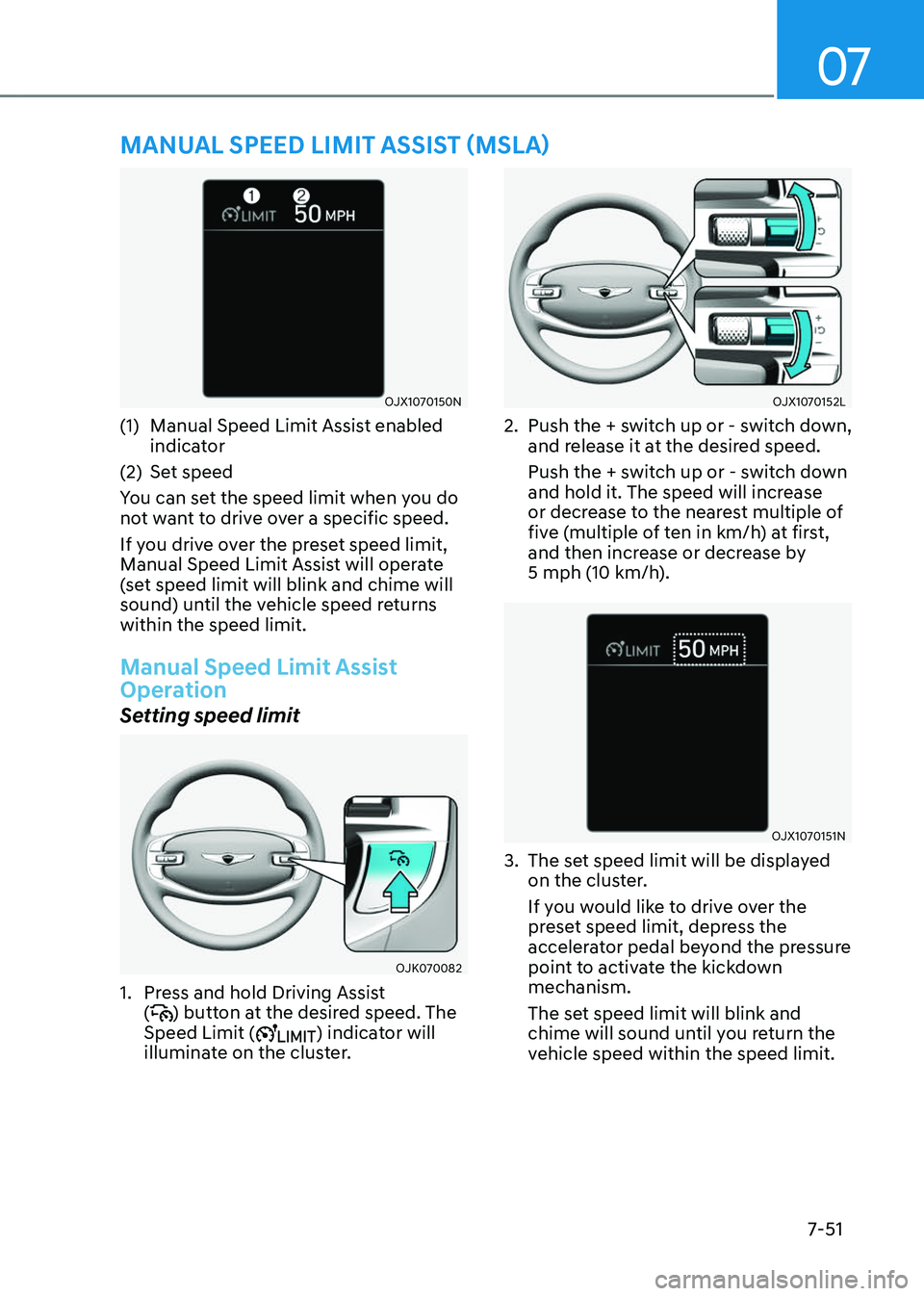
OJX1070150NOJX1070150N
(1) Manual Speed Limit Assist enabled
indicator
(2) Set speed
You can set the speed limit when you do
not want to drive over a specific speed.
If you drive over the preset speed limit,
Manual Speed Limit Assist will operate
(set speed limit will blink and chime will
sound) until the vehicle speed returns
within the speed limit.
Manual Speed Limit Assist
Operation
Setting speed limit
OJK070082OJK070082
1. Press and hold Driving Assist
() button at the desired speed. The
Speed Limit () indicator will
illuminate on the cluster.
OJX1070152LOJX1070152L
2. Push the + switch up or - switch down,
and release it at the desired speed.
Push the + switch up or - switch down
and hold it. The speed will increase
or decrease to the nearest multiple of
five (multiple of ten in km/h) at first,
and then increase or decrease by
5 mph (10 km/h).
OJX1070151NOJX1070151N
3. The set speed limit will be displayed
on the cluster.
If you would like to drive over the
preset speed limit, depress the
accelerator pedal beyond the pressure
point to activate the kickdown
mechanism.
The set speed limit will blink and
chime will sound until you return the
vehicle speed within the speed limit.
Page 408 of 650
Driver Assistance System
7-52
Information
• When the accelerator pedal is not
depressed beyond the pressure point,
vehicle speed will maintain within the
speed limit.
• A clicking sound may be heard from
the kickdown mechanism when the
accelerator pedal is depressed beyond
the pressure point.
Temporarily canceling Manual
Speed Limit Assist
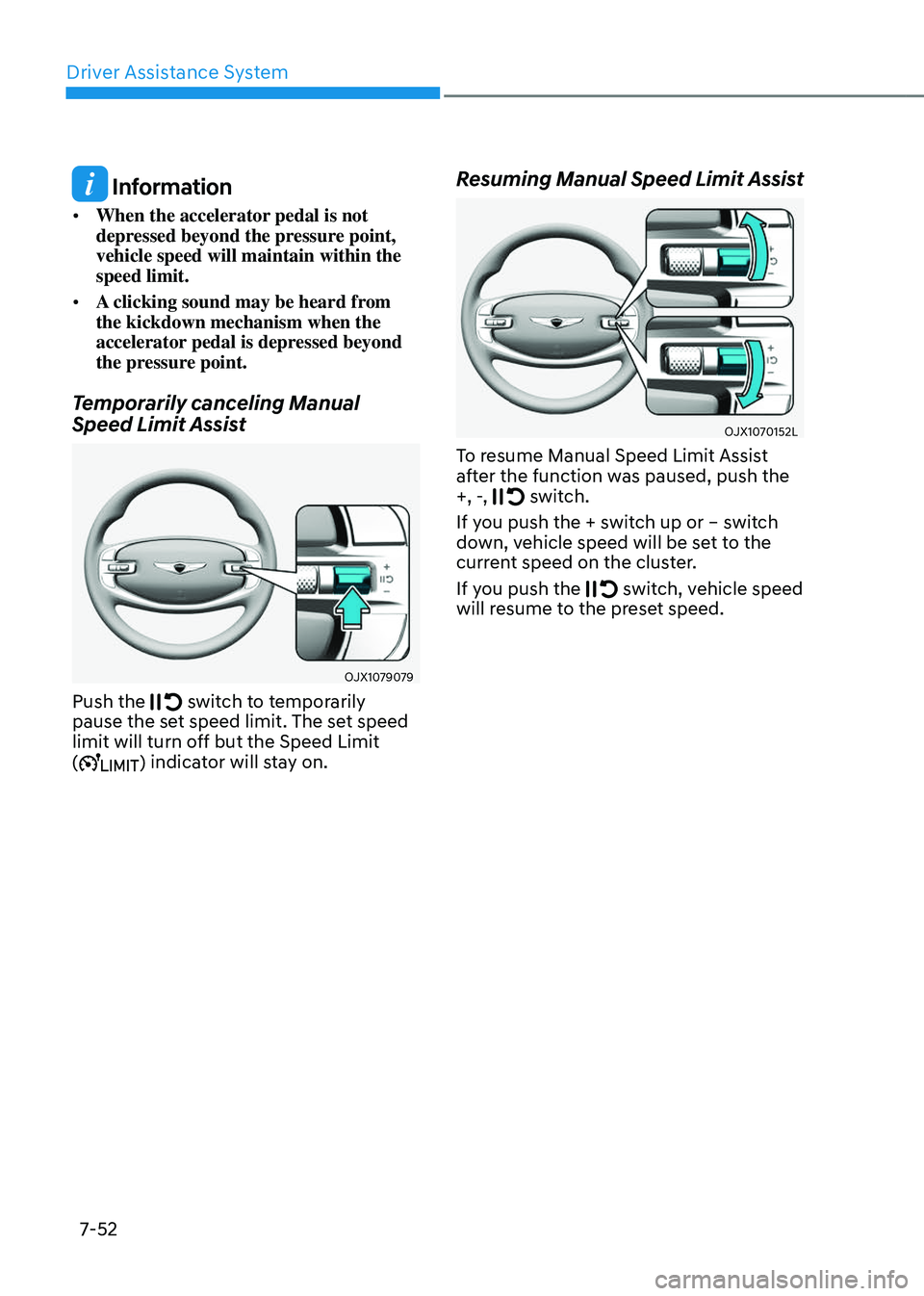
OJX1079079OJX1079079
Push the switch to temporarily pause the set speed limit. The set speed
limit will turn off but the Speed Limit
(
) indicator will stay on.
Resuming Manual Speed Limit Assist
OJX1070152LOJX1070152L
To resume Manual Speed Limit Assist
after the function was paused, push the
+, -,
switch.
If you push the + switch up or – switch
down, vehicle speed will be set to the
current speed on the cluster.
If you push the
switch, vehicle speed will resume to the preset speed.
Page 409 of 650
07
7-53
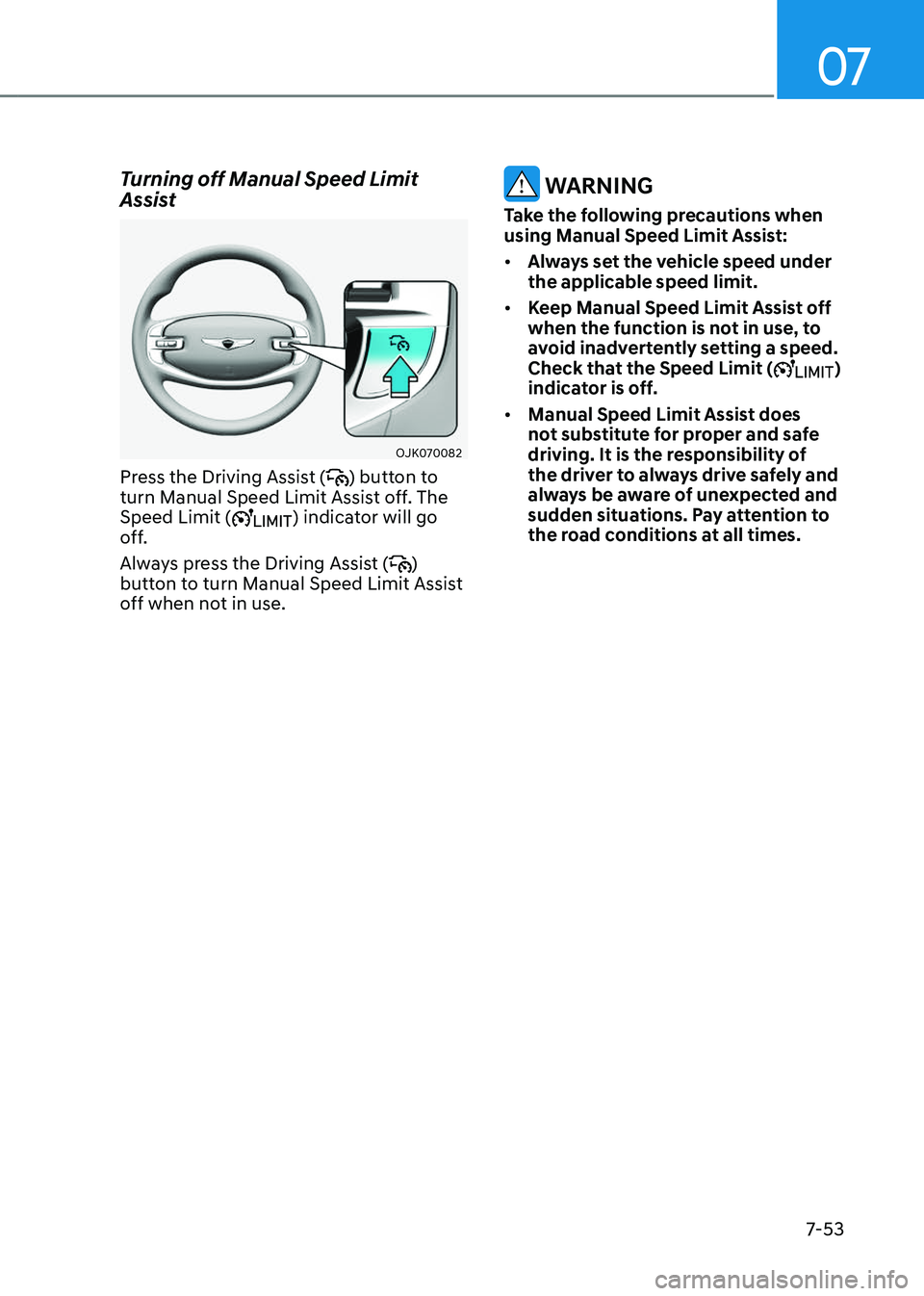
Turning off Manual Speed Limit
Assist
OJK070082OJK070082
Press the Driving Assist () button to
turn Manual Speed Limit Assist off. The
Speed Limit (
) indicator will go
off.
Always press the Driving Assist (
)
button to turn Manual Speed Limit Assist
off when not in use.
WARNING
Take the following precautions when
using Manual Speed Limit Assist:
• Always set the vehicle speed under
the applicable speed limit.
• Keep Manual Speed Limit Assist off
when the function is not in use, to
avoid inadvertently setting a speed.
Check that the Speed Limit (
)
indicator is off.
• Manual Speed Limit Assist does
not substitute for proper and safe
driving. It is the responsibility of
the driver to always drive safely and
always be aware of unexpected and
sudden situations. Pay attention to
the road conditions at all times.
Page 410 of 650
Driver Assistance System
7-54
INTELLIGENT SPEED LIMIT ASSIST (ISLA) (IF EQUIPPED)
Intelligent Speed Limit Assist uses
information from the detected road sign
and navigation system to inform the
driver of the speed limit of the current
road. Also, Intelligent Speed Limit Assist
helps the driver to maintain within the
speed limit of the road.
CAUTION
Intelligent Speed Limit Assist may not
operate properly if the function is used
in other countries.
Detecting sensor
OJX1071178NOJX1071178N[1] : Front view camera
Refer to the picture above for the
detailed location of the detecting sensor.
CAUTION
For more details on the precautions
of the front view camera, refer to
“Forward Collision-Avoidance Assist
(FCA)” section in this chapter.
Information
If the navigation system is available, the
information from the navigation system is
used along with the road sign information
detected by the front view camera.
Intelligent Speed Limit Assist
Settings
Setting features
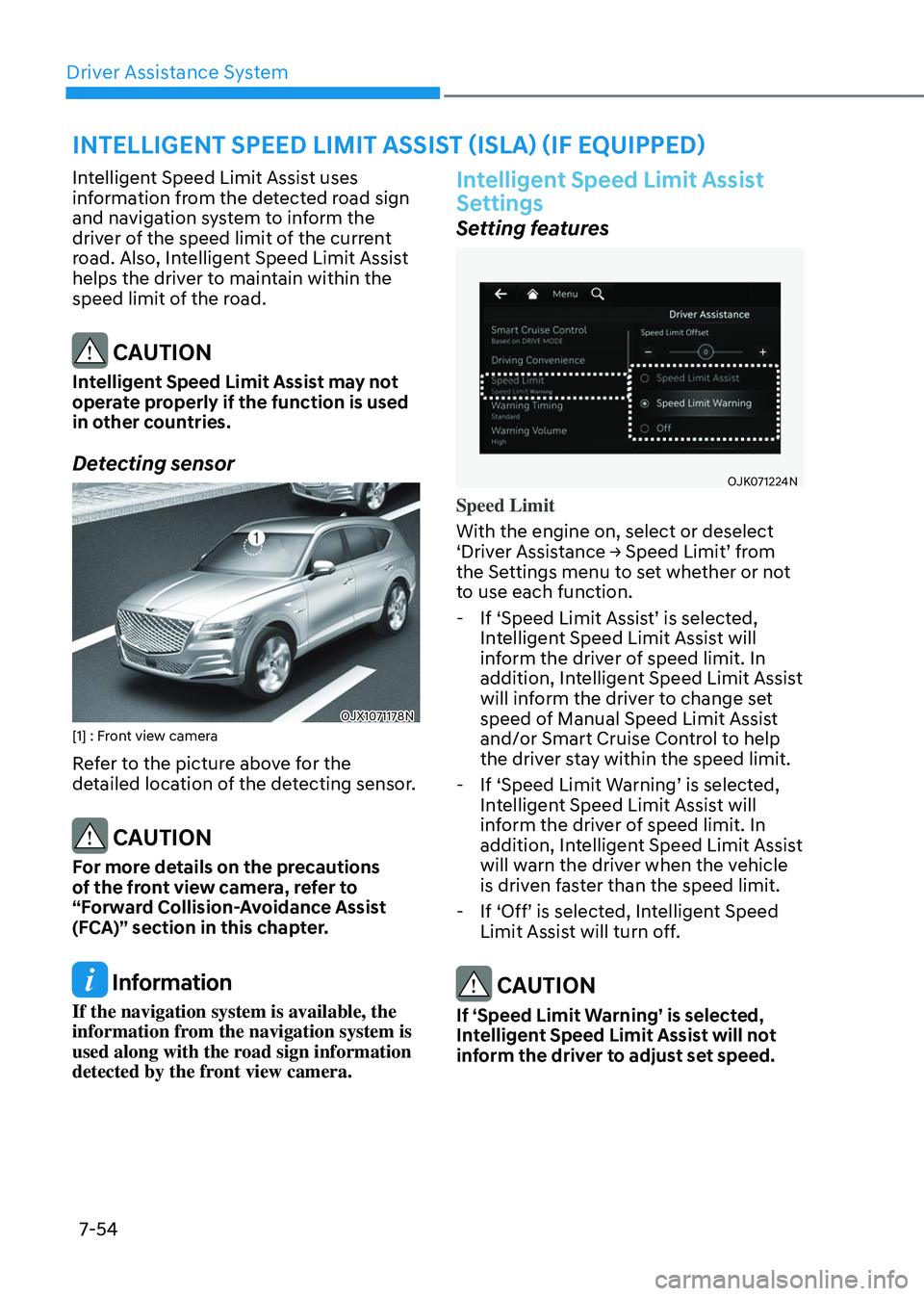
OJK071224NOJK071224N
Speed Limit
With the engine on, select or deselect
‘Driver Assistance → Speed Limit’ from
the Settings menu to set whether or not
to use each function.
-If ‘Speed Limit Assist’ is selected,
Intelligent Speed Limit Assist will
inform the driver of speed limit. In
addition, Intelligent Speed Limit Assist
will inform the driver to change set
speed of Manual Speed Limit Assist
and/or Smart Cruise Control to help
the driver stay within the speed limit.
-If ‘Speed Limit Warning’ is selected,
Intelligent Speed Limit Assist will
inform the driver of speed limit. In
addition, Intelligent Speed Limit Assist
will warn the driver when the vehicle
is driven faster than the speed limit.
-If ‘Off’ is selected, Intelligent Speed
Limit Assist will turn off.
CAUTION
If ‘Speed Limit Warning’ is selected,
Intelligent Speed Limit Assist will not
inform the driver to adjust set speed.