GENESIS GV80 2023 Owners Manual
Manufacturer: GENESIS, Model Year: 2023, Model line: GV80, Model: GENESIS GV80 2023Pages: 650
Page 411 of 650
07
7-55
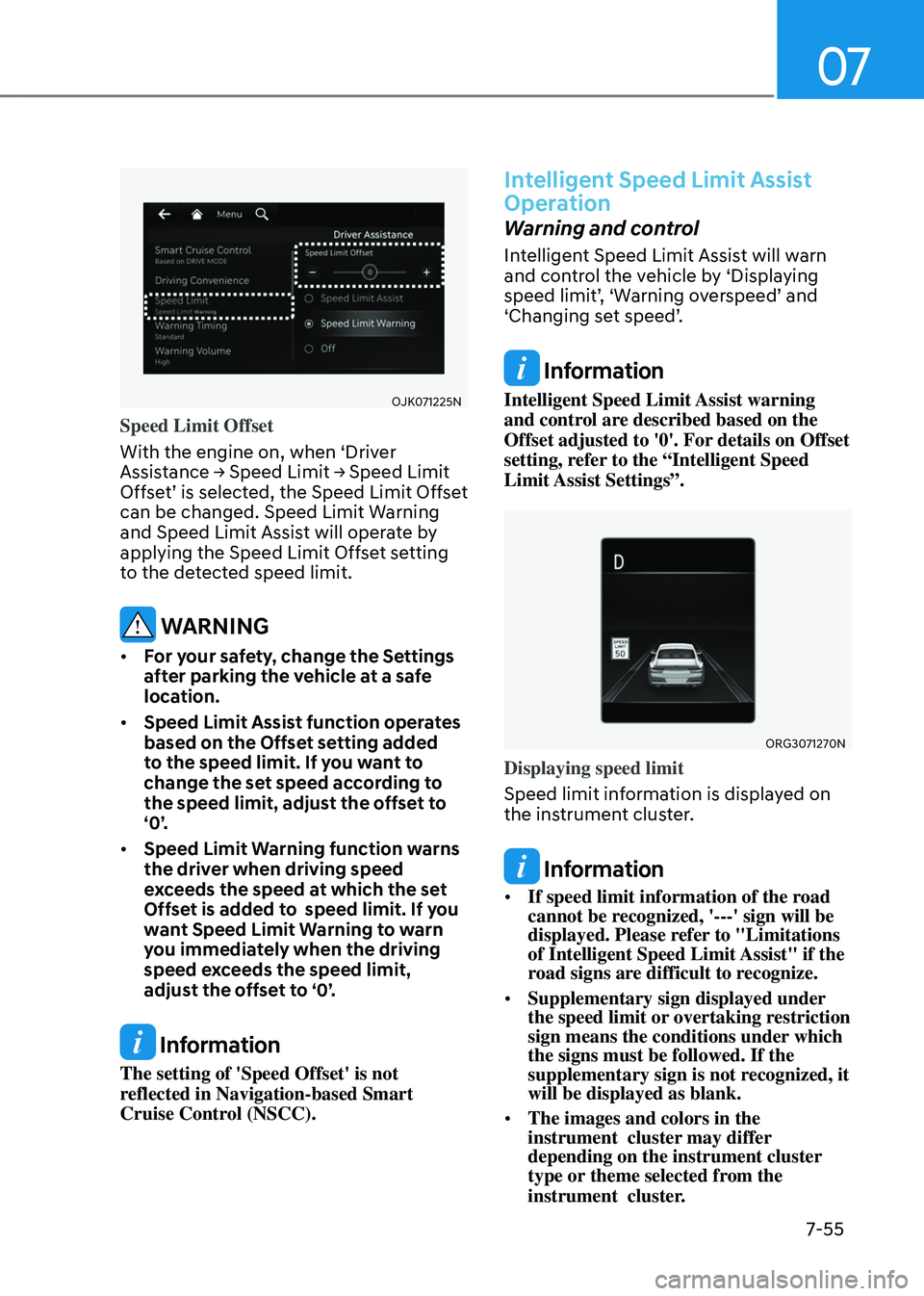
OJK071225N OJK071225N
Speed Limit Offset
With the engine on, when ‘Driver
Assistance → Speed Limit → Speed Limit
Offset’ is selected, the Speed Limit Offset
can be changed. Speed Limit Warning
and Speed Limit Assist will operate by
applying the Speed Limit Offset setting
to the detected speed limit.
WARNING
• For your safety, change the Settings
after parking the vehicle at a safe
location.
• Speed Limit Assist function operates
based on the Offset setting added
to the speed limit. If you want to
change the set speed according to
the speed limit, adjust the offset to
‘0’.
• Speed Limit Warning function warns
the driver when driving speed
exceeds the speed at which the set
Offset is added to speed limit. If you
want Speed Limit Warning to warn
you immediately when the driving
speed exceeds the speed limit,
adjust the offset to ‘0’.
Information
The setting of 'Speed Offset' is not
reflected in Navigation-based Smart
Cruise Control (NSCC).
Intelligent Speed Limit Assist
Operation
Warning and control
Intelligent Speed Limit Assist will warn
and control the vehicle by ‘Displaying
speed limit’, ‘Warning overspeed’ and
‘Changing set speed’.
Information
Intelligent Speed Limit Assist warning
and control are described based on the
Offset adjusted to '0'. For details on Offset
setting, refer to the “Intelligent Speed
Limit Assist Settings”.
ORG3071270N ORG3071270N
Displaying speed limit
Speed limit information is displayed on
the instrument cluster.
Information
• If speed limit information of the road
cannot be recognized, '---' sign will be
displayed. Please refer to "Limitations
of Intelligent Speed Limit Assist" if the
road signs are difficult to recognize.
• Supplementary sign displayed under
the speed limit or overtaking restriction
sign means the conditions under which
the signs must be followed. If the
supplementary sign is not recognized, it
will be displayed as blank.
• The images and colors in the
instrument cluster may differ
depending on the instrument cluster
type or theme selected from the
instrument cluster.
Page 412 of 650
Driver Assistance System
7-56
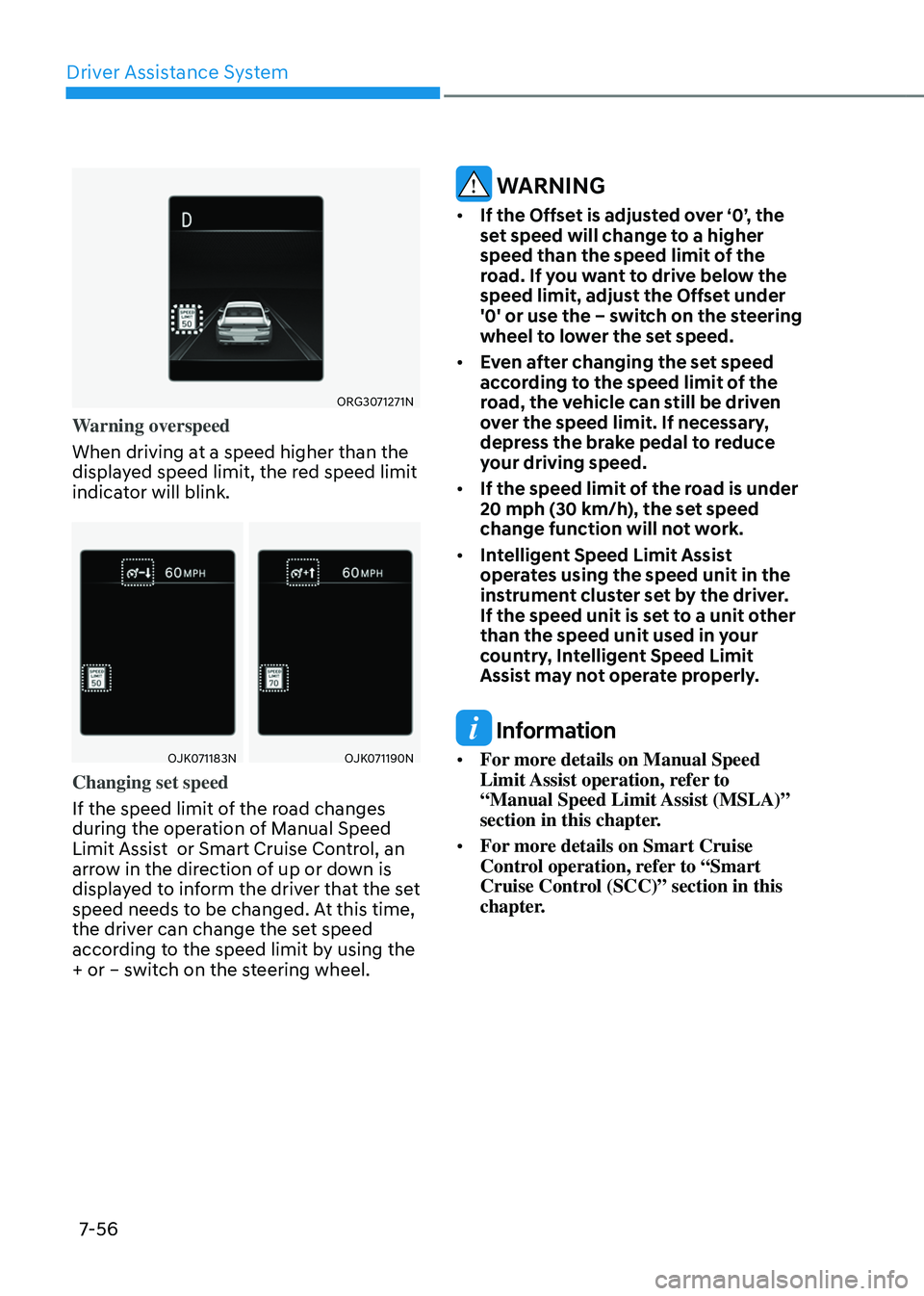
ORG3071271N ORG3071271N
Warning overspeed
When driving at a speed higher than the
displayed speed limit, the red speed limit
indicator will blink.
OJK071183NOJK071183NOJK071190NOJK071190N
Changing set speed
If the speed limit of the road changes
during the operation of Manual Speed
Limit Assist or Smart Cruise Control, an
arrow in the direction of up or down is
displayed to inform the driver that the set
speed needs to be changed. At this time,
the driver can change the set speed
according to the speed limit by using the
+ or – switch on the steering wheel.
WARNING
• If the Offset is adjusted over ‘0’, the
set speed will change to a higher
speed than the speed limit of the
road. If you want to drive below the
speed limit, adjust the Offset under
'0' or use the – switch on the steering
wheel to lower the set speed.
• Even after changing the set speed
according to the speed limit of the
road, the vehicle can still be driven
over the speed limit. If necessary,
depress the brake pedal to reduce
your driving speed.
• If the speed limit of the road is under
20 mph (30 km/h), the set speed
change function will not work.
• Intelligent Speed Limit Assist
operates using the speed unit in the
instrument cluster set by the driver.
If the speed unit is set to a unit other
than the speed unit used in your
country, Intelligent Speed Limit
Assist may not operate properly.
Information
• For more details on Manual Speed
Limit Assist operation, refer to
“Manual Speed Limit Assist (MSLA)”
section in this chapter.
• For more details on Smart Cruise
Control operation, refer to “Smart
Cruise Control (SCC)” section in this
chapter.
Page 413 of 650
07
7-57
Intelligent Speed Limit Assist
Malfunction and Limitations
Intelligent Speed Limit Assist
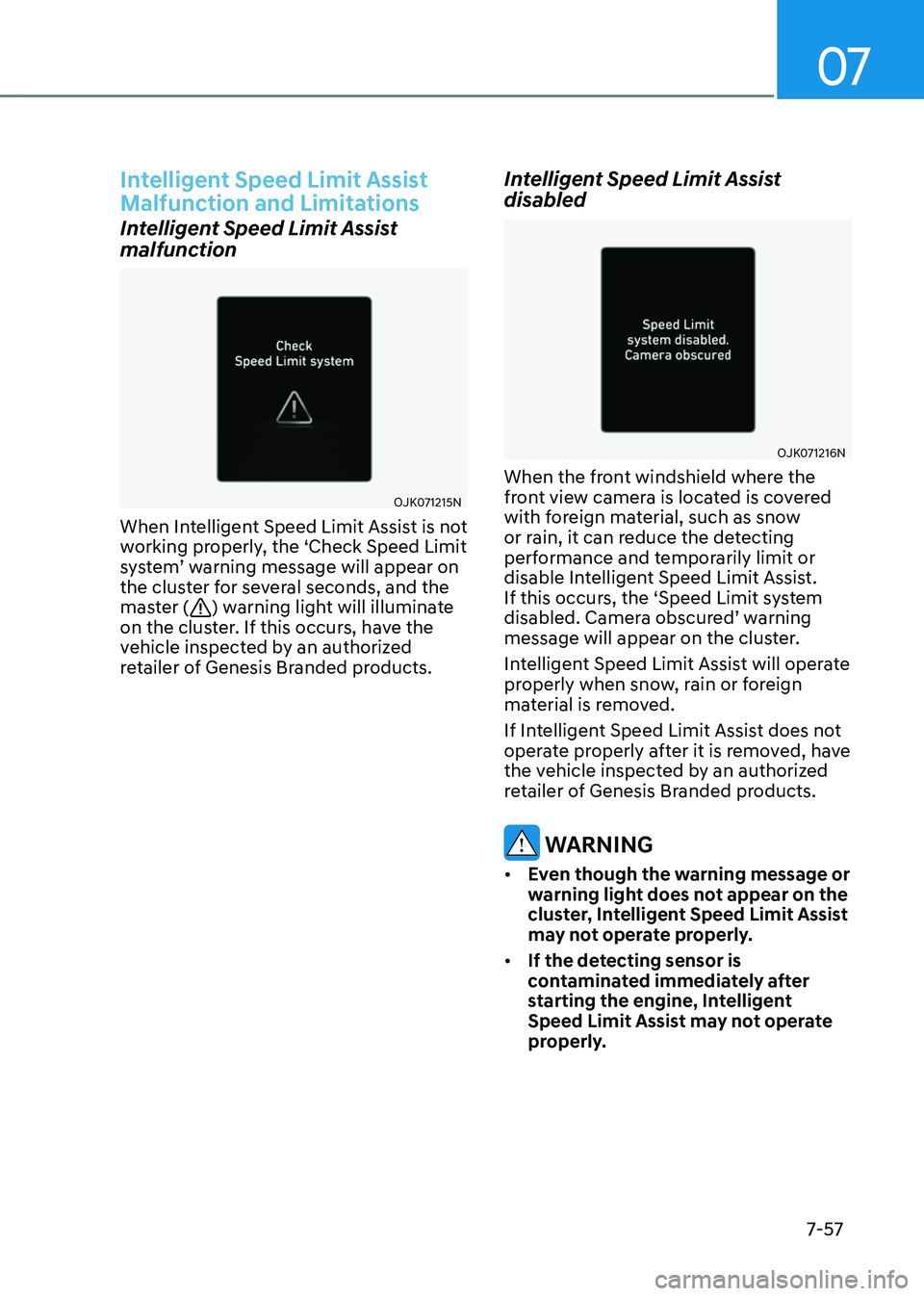
malfunction
OJK071215N OJK071215N
When Intelligent Speed Limit Assist is not
working properly, the ‘Check Speed Limit
system’ warning message will appear on
the cluster for several seconds, and the
master (
) warning light will illuminate
on the cluster. If this occurs, have the
vehicle inspected by an authorized
retailer of Genesis Branded products.
Intelligent Speed Limit Assist
disabled
OJK071216N OJK071216N
When the front windshield where the
front view camera is located is covered
with foreign material, such as snow
or rain, it can reduce the detecting
performance and temporarily limit or
disable Intelligent Speed Limit Assist.
If this occurs, the ‘Speed Limit system
disabled. Camera obscured’ warning
message will appear on the cluster.
Intelligent Speed Limit Assist will operate
properly when snow, rain or foreign
material is removed.
If Intelligent Speed Limit Assist does not
operate properly after it is removed, have
the vehicle inspected by an authorized
retailer of Genesis Branded products.
WARNING
• Even though the warning message or
warning light does not appear on the
cluster, Intelligent Speed Limit Assist
may not operate properly.
• If the detecting sensor is
contaminated immediately after
starting the engine, Intelligent
Speed Limit Assist may not operate
properly.
Page 414 of 650
Driver Assistance System
7-58
Limitations of Intelligent Speed
Limit Assist
Intelligent Speed Limit Assist may not
operate properly, or it may operate
unexpectedly under the following
circumstances:
• The road sign is contaminated or
indistinguishable
-The road sign is difficult to see due
to bad weather, such as rain, snow,
fog, etc.
-The road sign is not clear or is
damaged.
-The road sign is partially obscured
by surrounding objects or shadow
• The road signs do not conform to the
standards below:
-The text or picture on the road sign
is different from the standard
-The road sign is installed between
the main line and the exit road or
between diverging roads
-There is no conditional road signs
on the road sign located on the exit
road
-A sign is attached to another vehicle
• The distance between the vehicle and
the road signs is too far
• The vehicle encounters illuminant
road signs
• Intelligent Speed Limit Assist
incorrectly recognizes numbers or
pictures in the street signals or other
signs as the speed limit
-A road sign near the road you are
driving is detected
• Multiple signs are installed close
together
• The minimum speed limit sign is
misrecognized
• The minimum speed limit sign is on
the road
• The brightness changes suddenly, for
example when entering or exiting a
tunnel or passing under a bridge
• Headlamps are not used or the
brightness of the headlamps are weak
at night or in the tunnel
• Road signs are difficult to recognize
due to the reflection of sunlight, street
lights, or oncoming vehicles
• The navigation information or GPS
information contain errors.
• The driver does not follow the guide
of the navigation.
• The driver is driving on a new road
that is not in the navigation system
yet.
• The field of view of the front view
camera is obstructed by sun glare
• Driving on a road that is sharply
curved or continuously curved
• Driving through speed bumps, or
driving up and down or left to right on
steep inclines
• The vehicle is shaking heavily
• Driving on a newly opened road
Information
For more details on the limitations of the
front view camera, refer to “Forward
Collision-Avoidance Assist (FCA)” section
in this chapter.
WARNING
• Intelligent Speed Limit Assist is a
supplemental function that helps the
driver to comply with the speed limit
on the road, and may not display the
correct speed limit or control the
driving speed properly.
• Always set the vehicle speed to the
speed limit in your country.
Page 415 of 650
07
7-59
DRIVER ATTENTION WARNING (DAW)
Basic function
Driver Attention Warning can help
determine the driver's attention level by
analyzing driving pattern, driving time,
etc. while vehicle is being driven. Driver
Attention Warning will recommend a
break when the driver’s attention level
falls below a certain level.
Leading Vehicle Departure Alert
function
Leading Vehicle Departure Alert function
will inform the driver when a detected
vehicle in front departs from a stop.
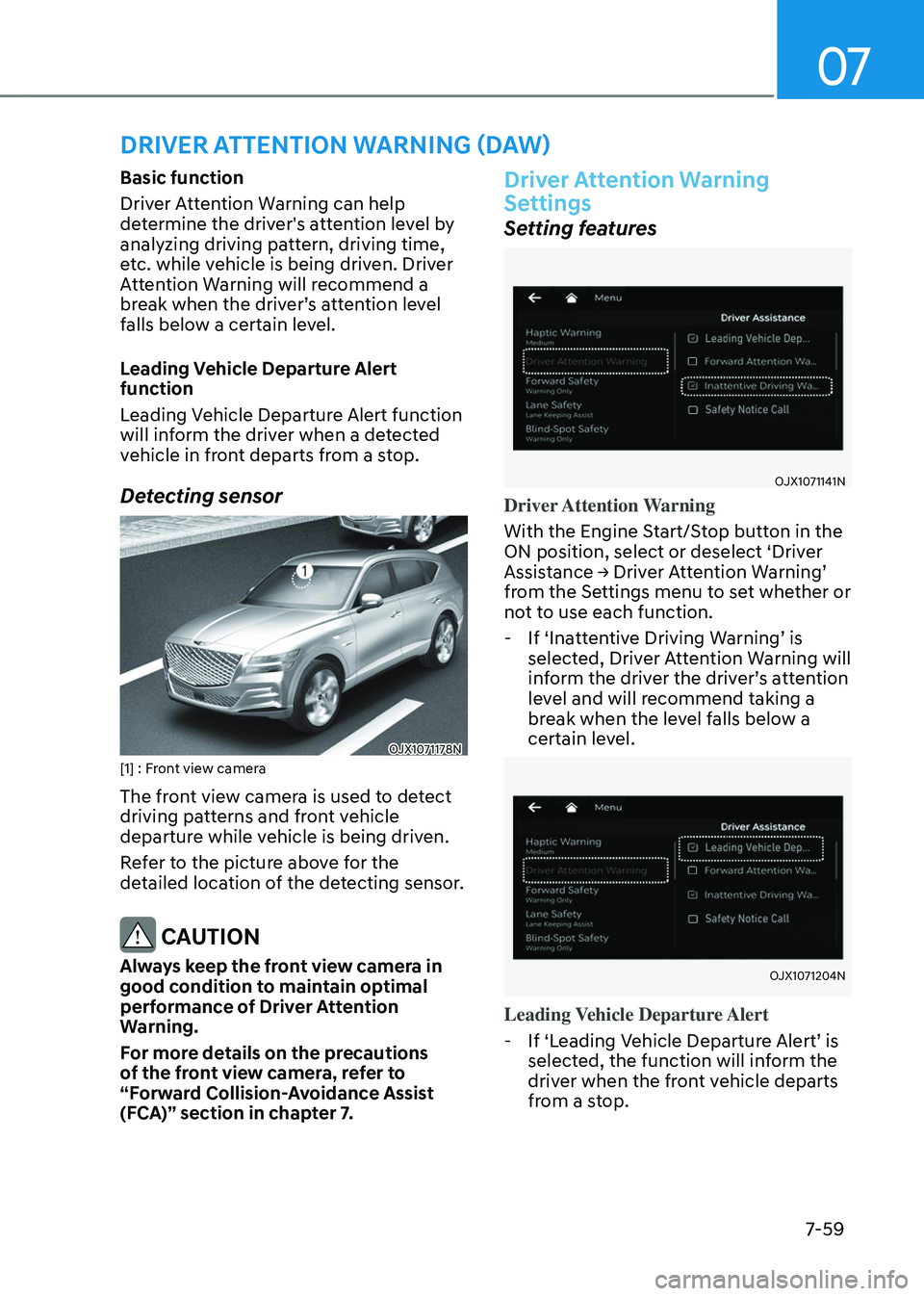
Detecting sensor
OJX1071178NOJX1071178N[1] : Front view camera
The front view camera is used to detect
driving patterns and front vehicle
departure while vehicle is being driven.
Refer to the picture above for the
detailed location of the detecting sensor.
CAUTION
Always keep the front view camera in
good condition to maintain optimal
performance of Driver Attention
Warning.
For more details on the precautions
of the front view camera, refer to
“Forward Collision-Avoidance Assist
(FCA)” section in chapter 7.
Driver Attention Warning
Settings
Setting features
OJX1071141NOJX1071141N
Driver Attention Warning
With the Engine Start/Stop button in the
ON position, select or deselect ‘Driver
Assistance → Driver Attention Warning’
from the Settings menu to set whether or
not to use each function.
-If ‘Inattentive Driving Warning’ is
selected, Driver Attention Warning will
inform the driver the driver’s attention
level and will recommend taking a
break when the level falls below a
certain level.
OJX1071204NOJX1071204N
Leading Vehicle Departure Alert
-If ‘Leading Vehicle Departure Alert’ is
selected, the function will inform the
driver when the front vehicle departs
from a stop.
Page 416 of 650
Driver Assistance System
7-60
ORG3SP071191NORG3SP071191N
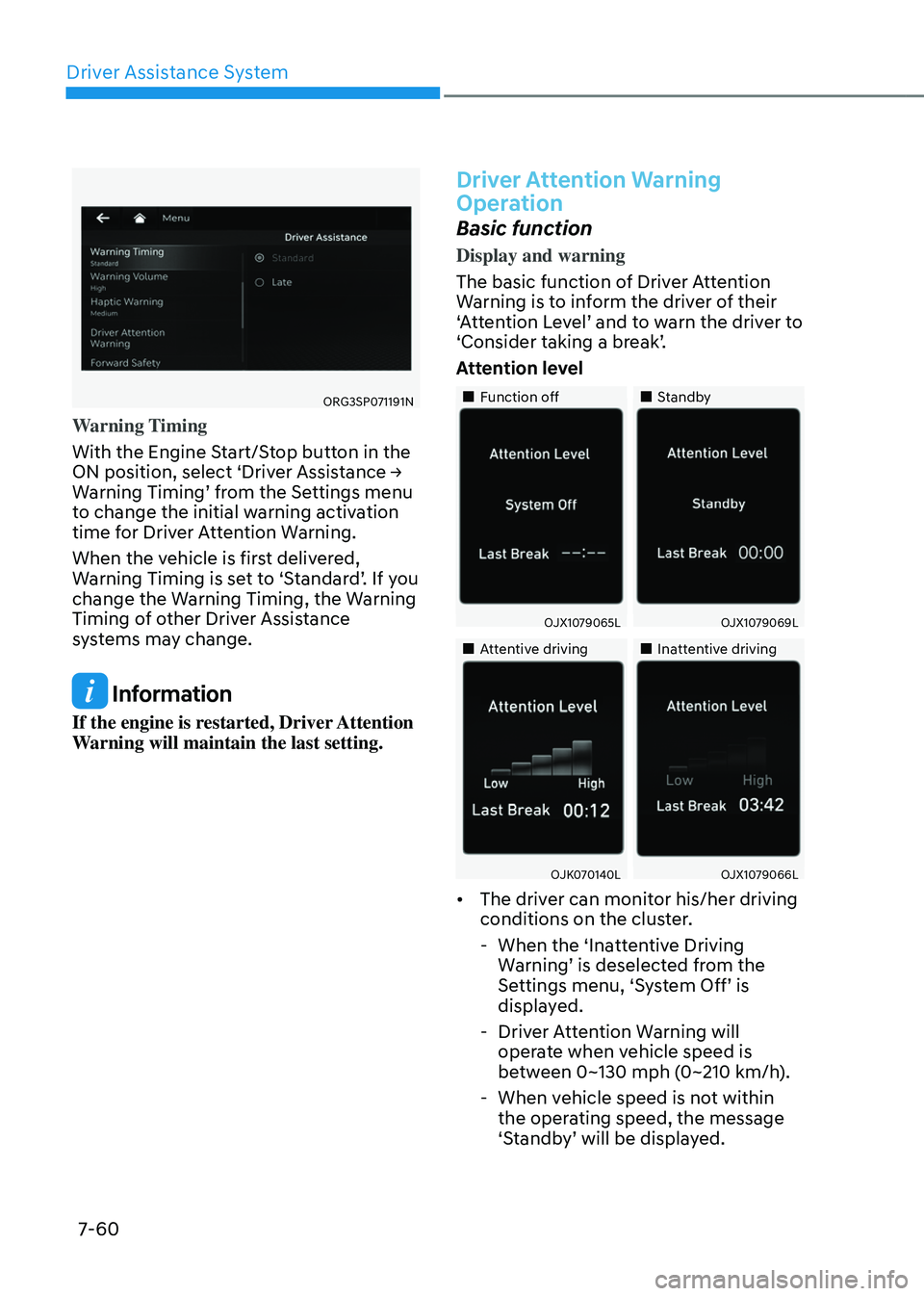
Warning Timing
With the Engine Start/Stop button in the
ON position, select ‘Driver Assistance →
Warning Timing’ from the Settings menu
to change the initial warning activation
time for Driver Attention Warning.
When the vehicle is first delivered,
Warning Timing is set to ‘Standard’. If you
change the Warning Timing, the Warning
Timing of other Driver Assistance
systems may change.
Information
If the engine is restarted, Driver Attention
Warning will maintain the last setting.
Driver Attention Warning
Operation
Basic function
Display and warning
The basic function of Driver Attention
Warning is to inform the driver of their
‘Attention Level’ and to warn the driver to
‘Consider taking a break’.
Attention level
Page 417 of 650
07
7-61
• The driver’s attention level is displayed
on the scale of 1 to 5. The lower the
level is, the more inattentive the driver
is.
• The level decreases when the driver
does not take a break for a certain
period of time.
Taking a break
OJX1079068LOJX1079068L
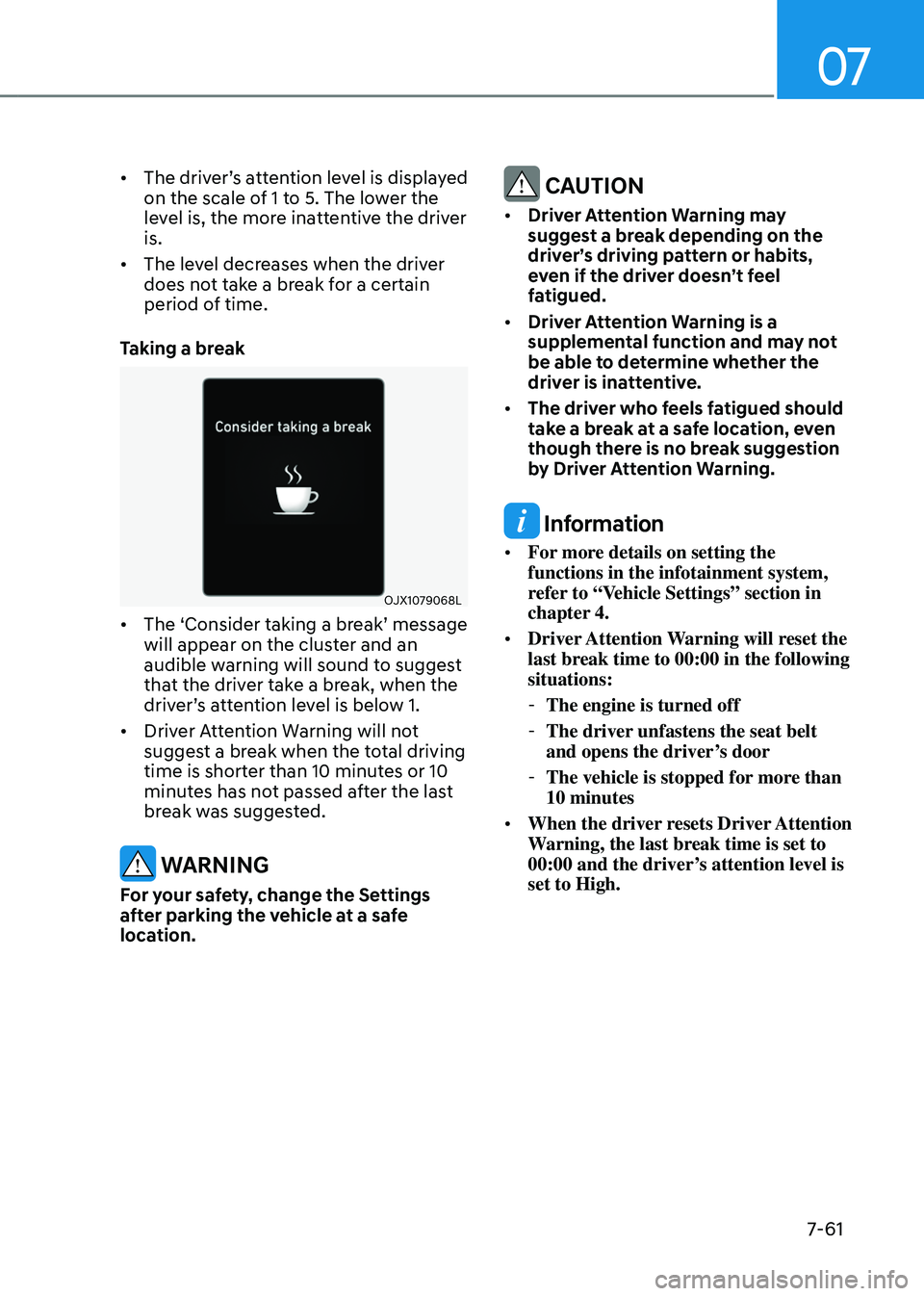
• The ‘Consider taking a break’ message
will appear on the cluster and an
audible warning will sound to suggest
that the driver take a break, when the
driver’s attention level is below 1.
• Driver Attention Warning will not
suggest a break when the total driving
time is shorter than 10 minutes or 10
minutes has not passed after the last
break was suggested.
WARNING
For your safety, change the Settings
after parking the vehicle at a safe
location.
CAUTION
• Driver Attention Warning may
suggest a break depending on the
driver’s driving pattern or habits,
even if the driver doesn’t feel
fatigued.
• Driver Attention Warning is a
supplemental function and may not
be able to determine whether the
driver is inattentive.
• The driver who feels fatigued should
take a break at a safe location, even
though there is no break suggestion
by Driver Attention Warning.
Information
• For more details on setting the
functions in the infotainment system,
refer to “Vehicle Settings” section in
chapter 4.
• Driver Attention Warning will reset the
last break time to 00:00 in the following
situations:
- The engine is turned off
-The driver unfastens the seat belt
and opens the driver’s door
-The vehicle is stopped for more than
10 minutes
• When the driver resets Driver Attention
Warning, the last break time is set to
00:00 and the driver’s attention level is
set to High.
Page 418 of 650
Driver Assistance System
7-62
Leading vehicle departure alert
function
OJX1071071N OJX1071071N
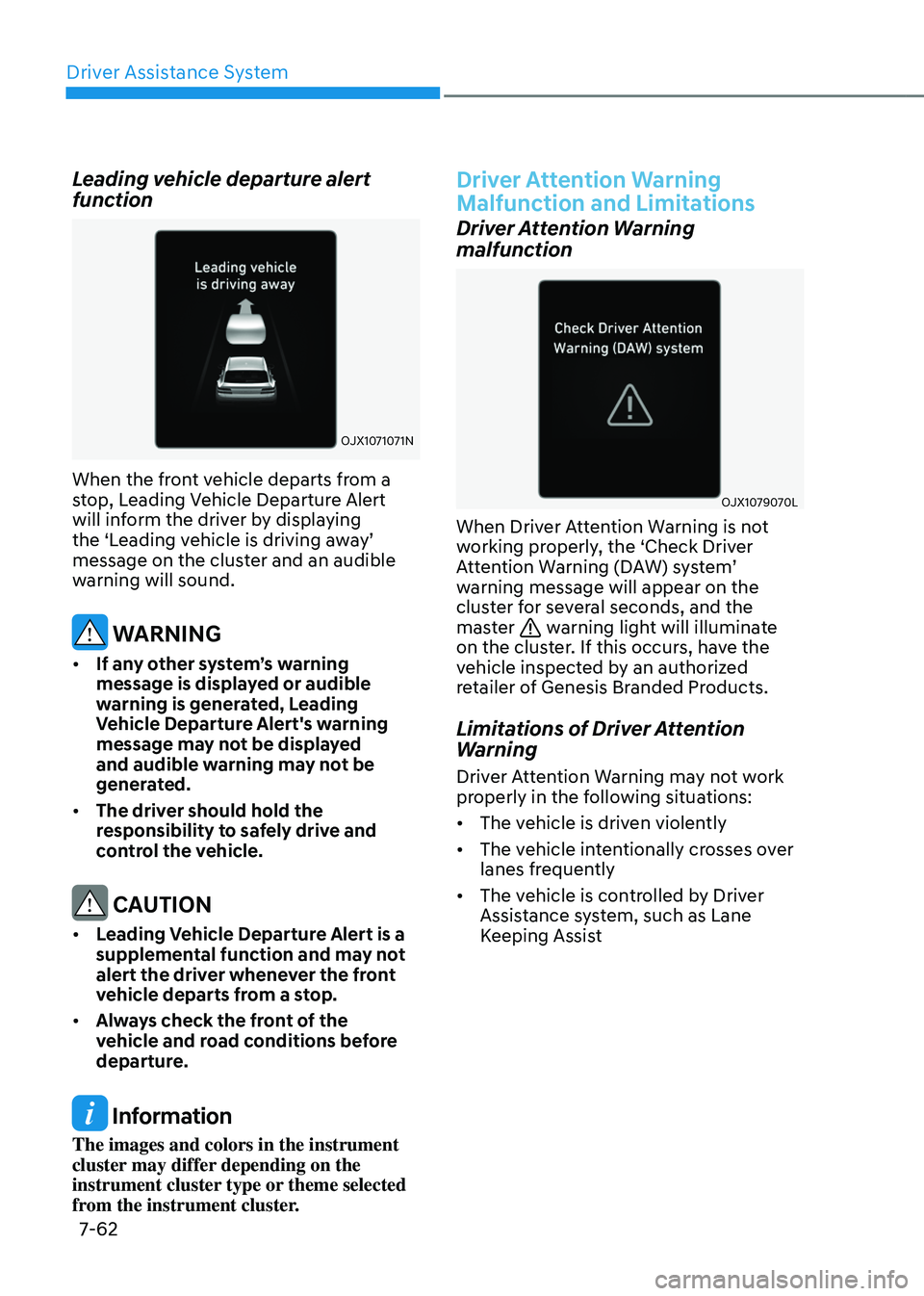
When the front vehicle departs from a
stop, Leading Vehicle Departure Alert
will inform the driver by displaying
the ‘Leading vehicle is driving away’
message on the cluster and an audible
warning will sound.
WARNING
• If any other system’s warning
message is displayed or audible
warning is generated, Leading
Vehicle Departure Alert's warning
message may not be displayed
and audible warning may not be
generated.
• The driver should hold the
responsibility to safely drive and
control the vehicle.
CAUTION
• Leading Vehicle Departure Alert is a
supplemental function and may not
alert the driver whenever the front
vehicle departs from a stop.
• Always check the front of the
vehicle and road conditions before
departure.
Information
The images and colors in the instrument
cluster may differ depending on the
instrument cluster type or theme selected
from the instrument cluster.
Driver Attention Warning
Malfunction and Limitations
Driver Attention Warning
malfunction
OJX1079070LOJX1079070L
When Driver Attention Warning is not
working properly, the ‘Check Driver
Attention Warning (DAW) system’
warning message will appear on the
cluster for several seconds, and the
master
warning light will illuminate
on the cluster. If this occurs, have the
vehicle inspected by an authorized
retailer of Genesis Branded Products.
Limitations of Driver Attention
Warning
Driver Attention Warning may not work
properly in the following situations:
• The vehicle is driven violently
• The vehicle intentionally crosses over
lanes frequently
• The vehicle is controlled by Driver
Assistance system, such as Lane
Keeping Assist
Page 419 of 650
![GENESIS GV80 2023 Owners Manual 07
7-63
Leading Vehicle Departure Alert function
• When the vehicle cuts in
OADAS021OADAS021
OADAS022OADAS022[A] : Your vehicle, [B] : Front vehicle
If a vehicle cuts in front of your
vehicle, Lead](/img/46/58828/w960_58828-418.png "GENESIS GV80 2023 Owners Manual 07
7-63
Leading Vehicle Departure Alert function
• When the vehicle cuts in
OADAS021OADAS021
OADAS022OADAS022[A] : Your vehicle, [B] : Front vehicle
If a vehicle cuts in front of your
vehicle, Lead")
07
7-63
Leading Vehicle Departure Alert function
• When the vehicle cuts in
OADAS021OADAS021
OADAS022OADAS022[A] : Your vehicle, [B] : Front vehicle
If a vehicle cuts in front of your
vehicle, Leading Departure Alert may
not operate properly.
• When the vehicle ahead sharply steers
OADAS034OADAS034[A] : Your vehicle, [B] : Front vehicle
If the vehicle in front makes a sharp
turn, such as to turn left or right or
make a U- turn, etc., Leading Vehicle
Departure Alert may not operate
properly.
• When the vehicle ahead abruptly
departures
OADAS024OADAS024
If the vehicle in front abruptly
departures, Leading Vehicle Departure
Alert may not operate properly.
Page 420 of 650
Driver Assistance System
7-64
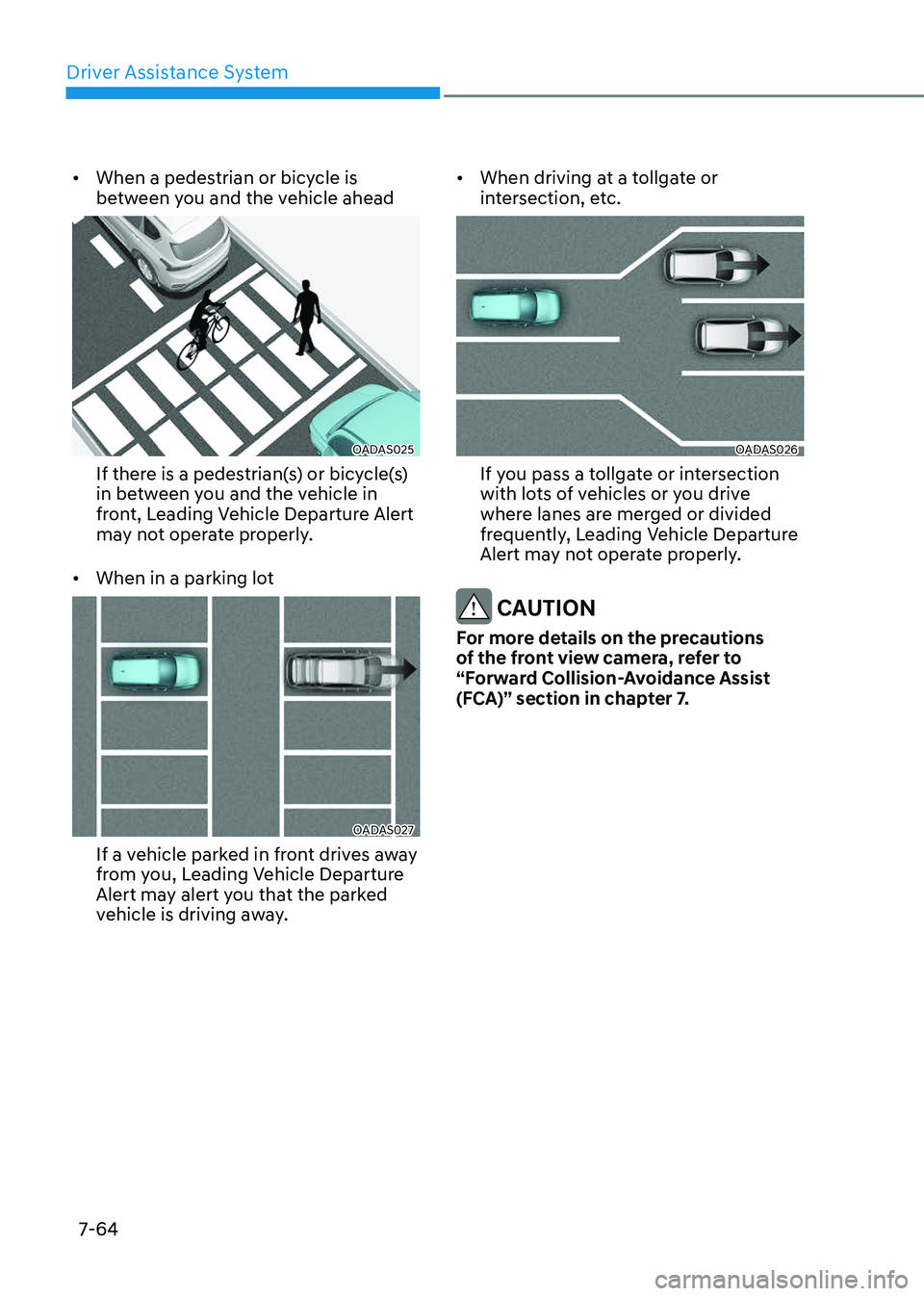
• When a pedestrian or bicycle is
between you and the vehicle ahead
OADAS025OADAS025
If there is a pedestrian(s) or bicycle(s)
in between you and the vehicle in
front, Leading Vehicle Departure Alert
may not operate properly.
• When in a parking lot
OADAS027OADAS027
If a vehicle parked in front drives away
from you, Leading Vehicle Departure
Alert may alert you that the parked
vehicle is driving away.
• When driving at a tollgate or
intersection, etc.
OADAS026OADAS026
If you pass a tollgate or intersection
with lots of vehicles or you drive
where lanes are merged or divided
frequently, Leading Vehicle Departure
Alert may not operate properly.
CAUTION
For more details on the precautions
of the front view camera, refer to
“Forward Collision-Avoidance Assist
(FCA)” section in chapter 7.