GENESIS GV80 2023 Owners Manual
Manufacturer: GENESIS, Model Year: 2023, Model line: GV80, Model: GENESIS GV80 2023Pages: 650
Page 461 of 650
07
7-105
Highway Driving Assist standby
When Smart Cruise Control is
temporarily canceled while Highway
Driving Assist is operating, Highway
Driving Assist will be in the standby state.
At this time, Lane Following Assist will
operate normally.
Information
• Driving Speed Limit helps you drive
below 40 mph (60 km/h). At this time,
the vehicle decelerates due to the
vehicle ahead. After the vehicle has
decelerated, it cannot automatically
accelerate.
• Driving Speed Limit will cancel in the
following circumstances:
-When the driver grabs the steering
wheel again
-When the driver turns on Lane
Following Assist by pressing the button
-When Smart Cruise Control (+, -, ) switch or button is pushed, or the accelerator pedal or the brake
pedal is depressed
Highway Driving Assist
Malfunction and Limitations
Highway Driving Assist malfunction
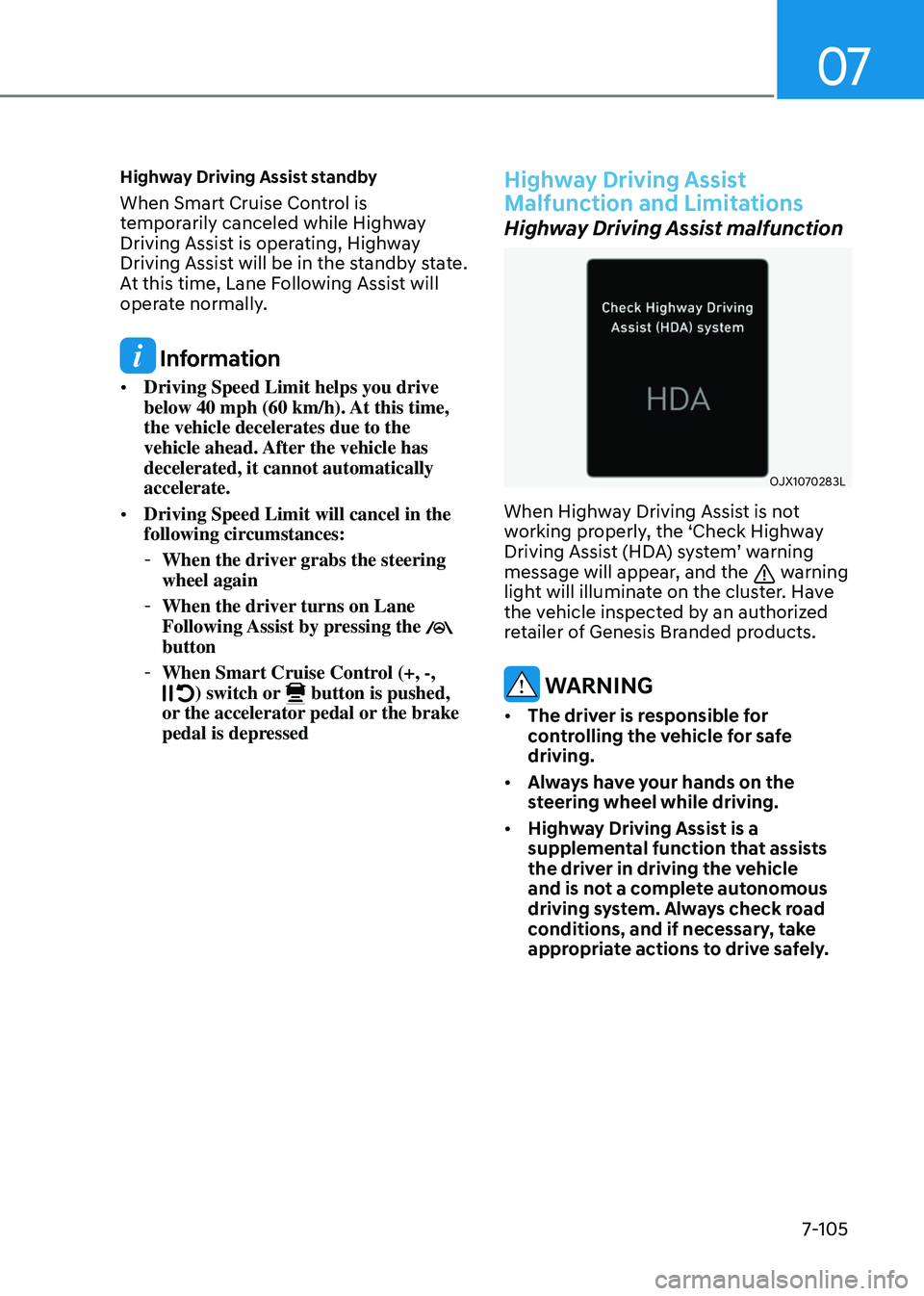
OJX1070283LOJX1070283L
When Highway Driving Assist is not
working properly, the ‘Check Highway
Driving Assist (HDA) system’ warning
message will appear, and the
warning
light will illuminate on the cluster. Have
the vehicle inspected by an authorized
retailer of Genesis Branded products.
WARNING
• The driver is responsible for
controlling the vehicle for safe
driving.
• Always have your hands on the
steering wheel while driving.
• Highway Driving Assist is a
supplemental function that assists
the driver in driving the vehicle
and is not a complete autonomous
driving system. Always check road
conditions, and if necessary, take
appropriate actions to drive safely.
Page 462 of 650
Driver Assistance System
7-106
• Always have your eyes on the road,
and it is the responsibility of the
driver to avoid violating traffic laws.
The vehicle manufacturer is not
responsible for any traffic violation
or accidents caused by the driver.
• Highway Driving Assist may not
be able to recognize all traffic
situations. Highway Driving Assist
may not detect possible collisions
due to limitations of the function.
Always be aware of the limitations
of the function. Obstacles such as
vehicles, motorcycles, bicycles,
pedestrians, guardrails, toll gates,
unspecified objects, structures, etc.
that may collide with the vehicle may
not be detected.
• Highway Driving Assist will turn off
automatically under the following
situations:
-Driving on roads that Highway
Driving Assist does not operate,
such as a rest area, intersection,
junction, etc.
-The navigation does not operate
properly such as when the
navigation is being updated or
restarted
• Highway Driving Assist may
inadvertently operate or turn off
depending on road conditions
(navigation information) and
surroundings.
• Lane Following Assist function may
be temporarily disabled when the
front view camera cannot detect
lanes properly or the hands-off
warning is on.
• You may not hear the warning sound
of Highway Driving Assist if the
surrounding is noisy.
• If the vehicle is driven at high speed
above a certain speed at a curve,
your vehicle may drive to one side or
may depart from the driving lane.
• When you are towing a trailer or
another vehicle, have Highway
Driving Assist turned off due to
safety reasons.
• The hands–off warning message
may appear early or late depending
on how the steering wheel is held or
road conditions. Always have your
hands on the steering wheel while
driving.
• For your safety, please read the
owner's manual before using the
Highway Driving Assist.
• Highway Driving Assist will not
operate when the engine is started,
or when the detecting sensors or
navigation is being initialized.
Page 463 of 650
07
7-107
Limitations of Highway Driving
Assist
Highway Driving Assist may not operate
normally, or may not operate under the
following circumstances:
• The map information and the
actual road is different because the
navigation is not updated
• The map information and the actual
road is different because of real-time
GPS data or map information error
• The infotainment system is overloaded
by simultaneously performing
functions such as route search, video
playback, voice recognition, etc.
• GPS signals are blocked in areas such
as a tunnel
• The driver goes off course or the
route to the destination is changed or
canceled by resetting the navigation
• The vehicle enters a service station or
rest area
• Android Auto or Car Play is operating
• The navigation cannot detect the
current vehicle position (for example,
elevated roads including overpass
adjacent to general roads or nearby
roads exist in a parallel way)
Information
For more details on the limitations of
the front view camera, front radar and
rear corner radar, refer to “Forward
Collision-Avoidance Assist (FCA)” section
in chapter 7.
Information
This device complies with Part 15 of the
FCC rules.
Operation is subject to the following three
conditions:
1. This device may not cause harmful
interference, and
2. This device must accept any
interference received, including
interference that may cause undesired
operation.
3. Changes or modifications not expressly
approved by the party responsible
for compliance could void the user's
authority to operate the device.
Information
Radio frequency radiation exposure
information:
This equipment complies with FCC
radiation exposure limits set forth for an
uncontrolled environment.
This equipment should be installed and
operated with minimum distance of 8 in.
(20 cm) between the radiator (antenna)
and your body.
This transmitter must not be co-located or
operating in conjunction with any other
antenna or transmitter.
Page 464 of 650
Driver Assistance System
7-108
REAR VIEW MONITOR (RVM)
OJX1071117N OJX1071117N
OJX1072106NOJX1072106N
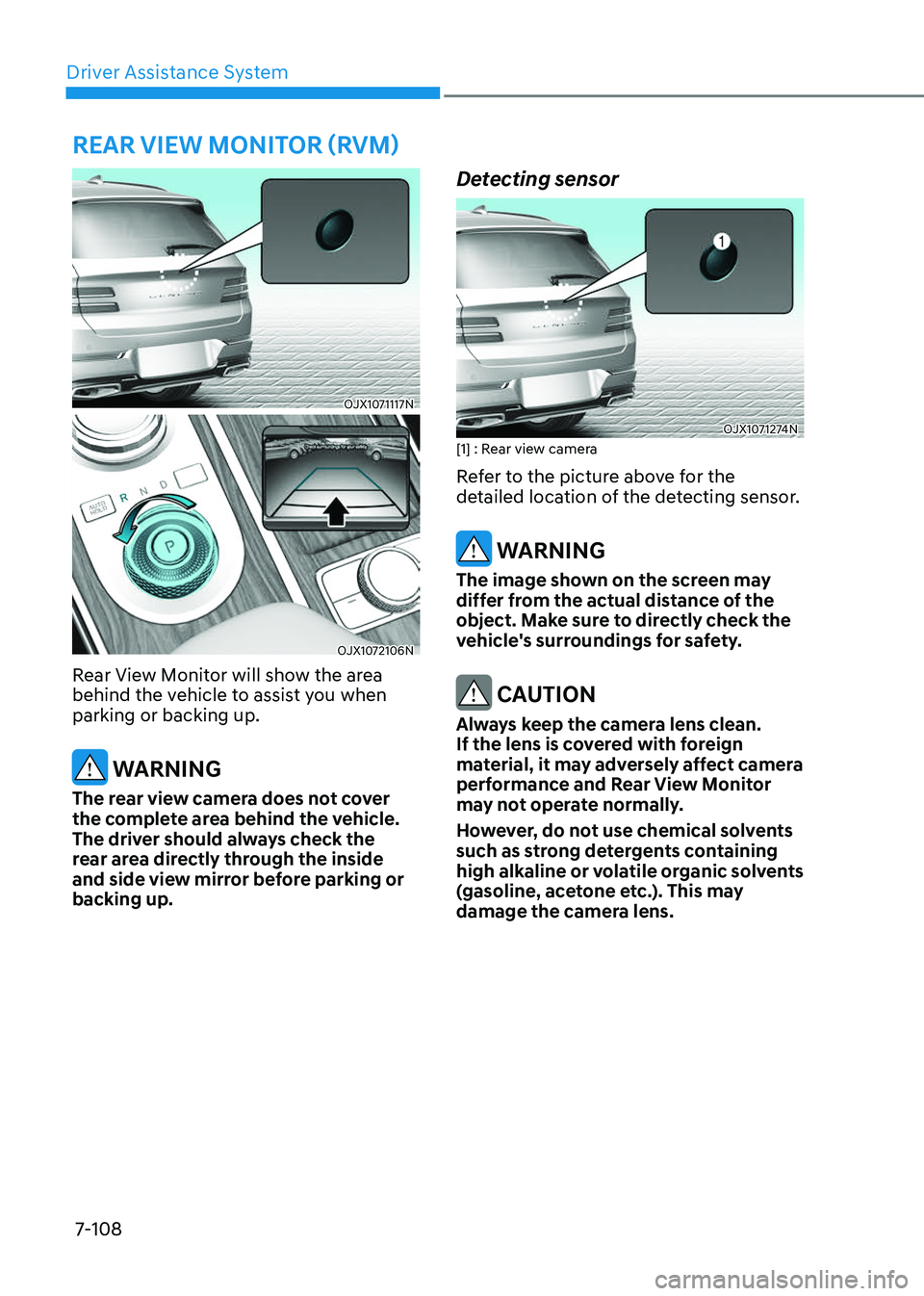
Rear View Monitor will show the area
behind the vehicle to assist you when
parking or backing up.
WARNING
The rear view camera does not cover
the complete area behind the vehicle.
The driver should always check the
rear area directly through the inside
and side view mirror before parking or
backing up.
Detecting sensor
OJX1071274NOJX1071274N[1] : Rear view camera
Refer to the picture above for the
detailed location of the detecting sensor.
WARNING
The image shown on the screen may
differ from the actual distance of the
object. Make sure to directly check the
vehicle's surroundings for safety.
CAUTION
Always keep the camera lens clean.
If the lens is covered with foreign
material, it may adversely affect camera
performance and Rear View Monitor
may not operate normally.
However, do not use chemical solvents
such as strong detergents containing
high alkaline or volatile organic solvents
(gasoline, acetone etc.). This may
damage the camera lens.
PARKING SAFETY
Page 465 of 650
07
7-109
Rear View Monitor Settings
Camera settings
OJX1071236NOJX1071236N
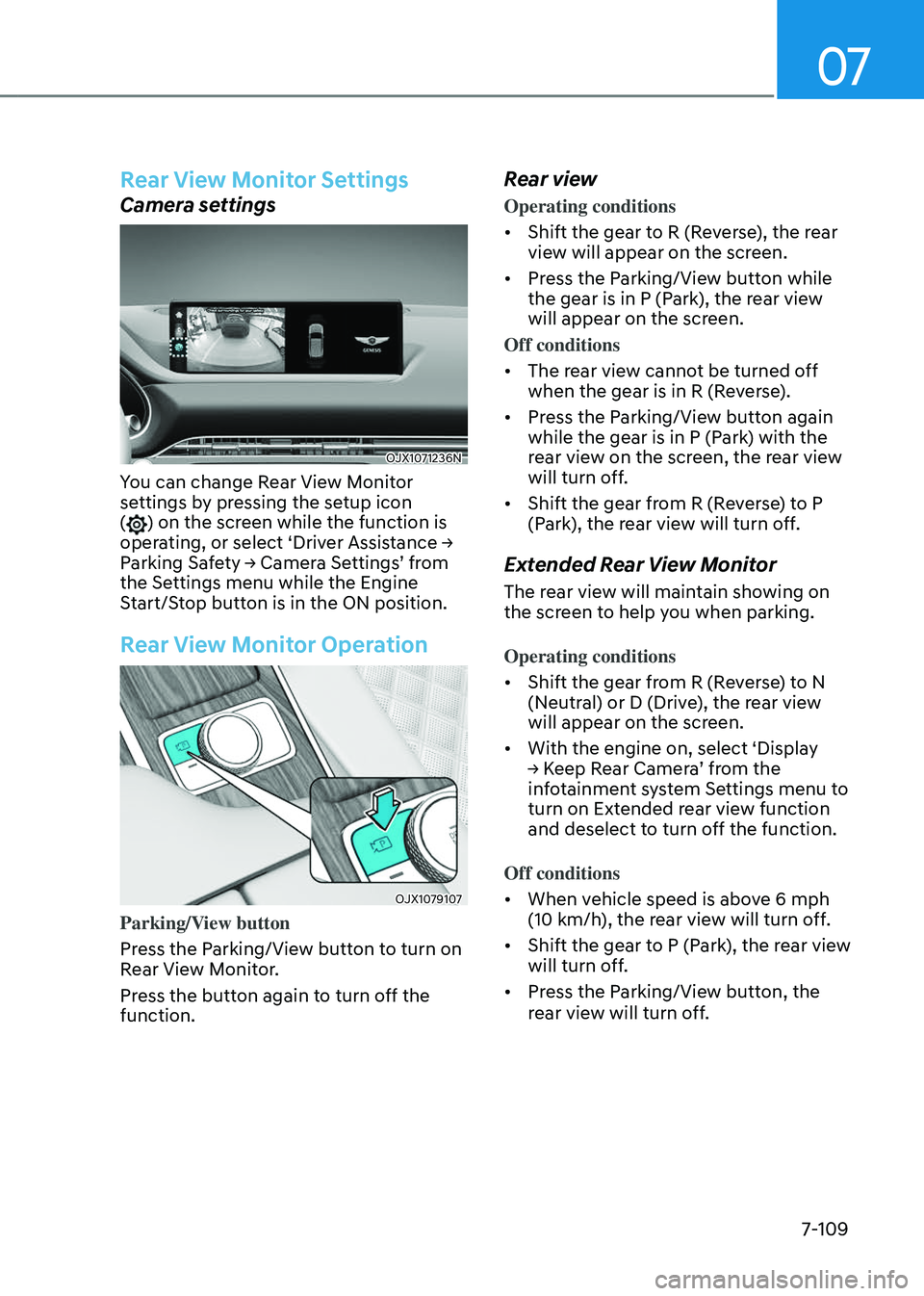
You can change Rear View Monitor
settings by pressing the setup icon
(
) on the screen while the function is
operating, or select ‘Driver Assistance →
Parking Safety → Camera Settings’ from
the Settings menu while the Engine
Start/Stop button is in the ON position.
Rear View Monitor Operation
OJX1079107OJX1079107
Parking/View button
Press the Parking/View button to turn on
Rear View Monitor.
Press the button again to turn off the
function.
Rear view
Operating conditions
• Shift the gear to R (Reverse), the rear
view will appear on the screen.
• Press the Parking/View button while
the gear is in P (Park), the rear view
will appear on the screen.
Off conditions
• The rear view cannot be turned off
when the gear is in R (Reverse).
• Press the Parking/View button again
while the gear is in P (Park) with the
rear view on the screen, the rear view
will turn off.
• Shift the gear from R (Reverse) to P
(Park), the rear view will turn off.
Extended Rear View Monitor
The rear view will maintain showing on
the screen to help you when parking.
Operating conditions
• Shift the gear from R (Reverse) to N
(Neutral) or D (Drive), the rear view
will appear on the screen.
• With the engine on, select ‘Display
→ Keep Rear Camera’ from the
infotainment system Settings menu to
turn on Extended rear view function
and deselect to turn off the function.
Off conditions
• When vehicle speed is above 6 mph
(10 km/h), the rear view will turn off.
• Shift the gear to P (Park), the rear view
will turn off.
• Press the Parking/View button, the
rear view will turn off.
Page 466 of 650
Driver Assistance System
7-110
Rear top view
OJX1071303NOJX1071303N
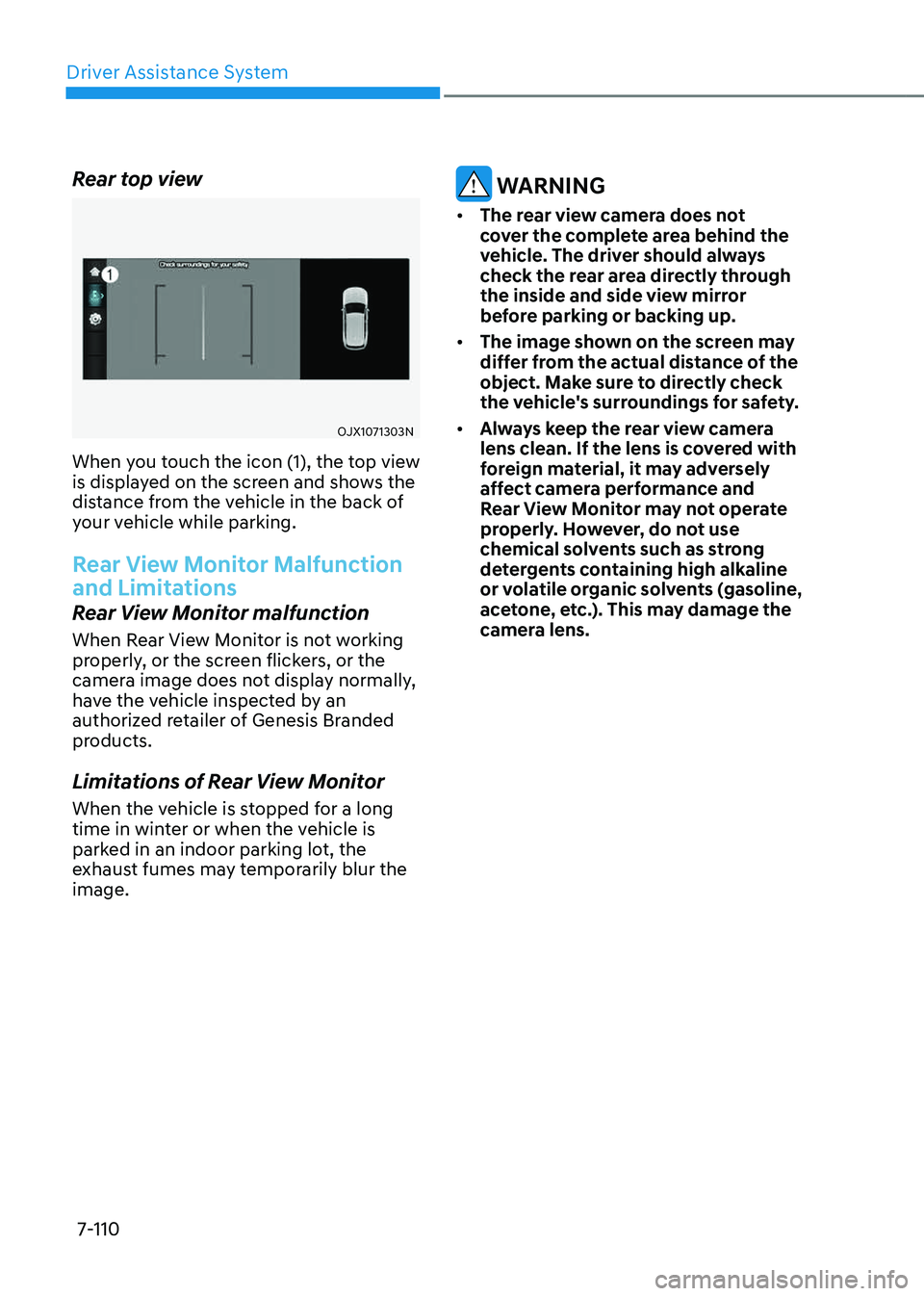
When you touch the icon (1), the top view
is displayed on the screen and shows the
distance from the vehicle in the back of
your vehicle while parking.
Rear View Monitor Malfunction
and Limitations
Rear View Monitor malfunction
When Rear View Monitor is not working
properly, or the screen flickers, or the
camera image does not display normally,
have the vehicle inspected by an
authorized retailer of Genesis Branded
products.
Limitations of Rear View Monitor
When the vehicle is stopped for a long
time in winter or when the vehicle is
parked in an indoor parking lot, the
exhaust fumes may temporarily blur the
image.
WARNING
• The rear view camera does not
cover the complete area behind the
vehicle. The driver should always
check the rear area directly through
the inside and side view mirror
before parking or backing up.
• The image shown on the screen may
differ from the actual distance of the
object. Make sure to directly check
the vehicle's surroundings for safety.
• Always keep the rear view camera
lens clean. If the lens is covered with
foreign material, it may adversely
affect camera performance and
Rear View Monitor may not operate
properly. However, do not use
chemical solvents such as strong
detergents containing high alkaline
or volatile organic solvents (gasoline,
acetone, etc.). This may damage the
camera lens.
Page 467 of 650
07
7-111
SURROUND VIEW MONITOR (SVM) (IF EQUIPPED)
OJX1079175 OJX1079175
OJX1071271NOJX1071271N
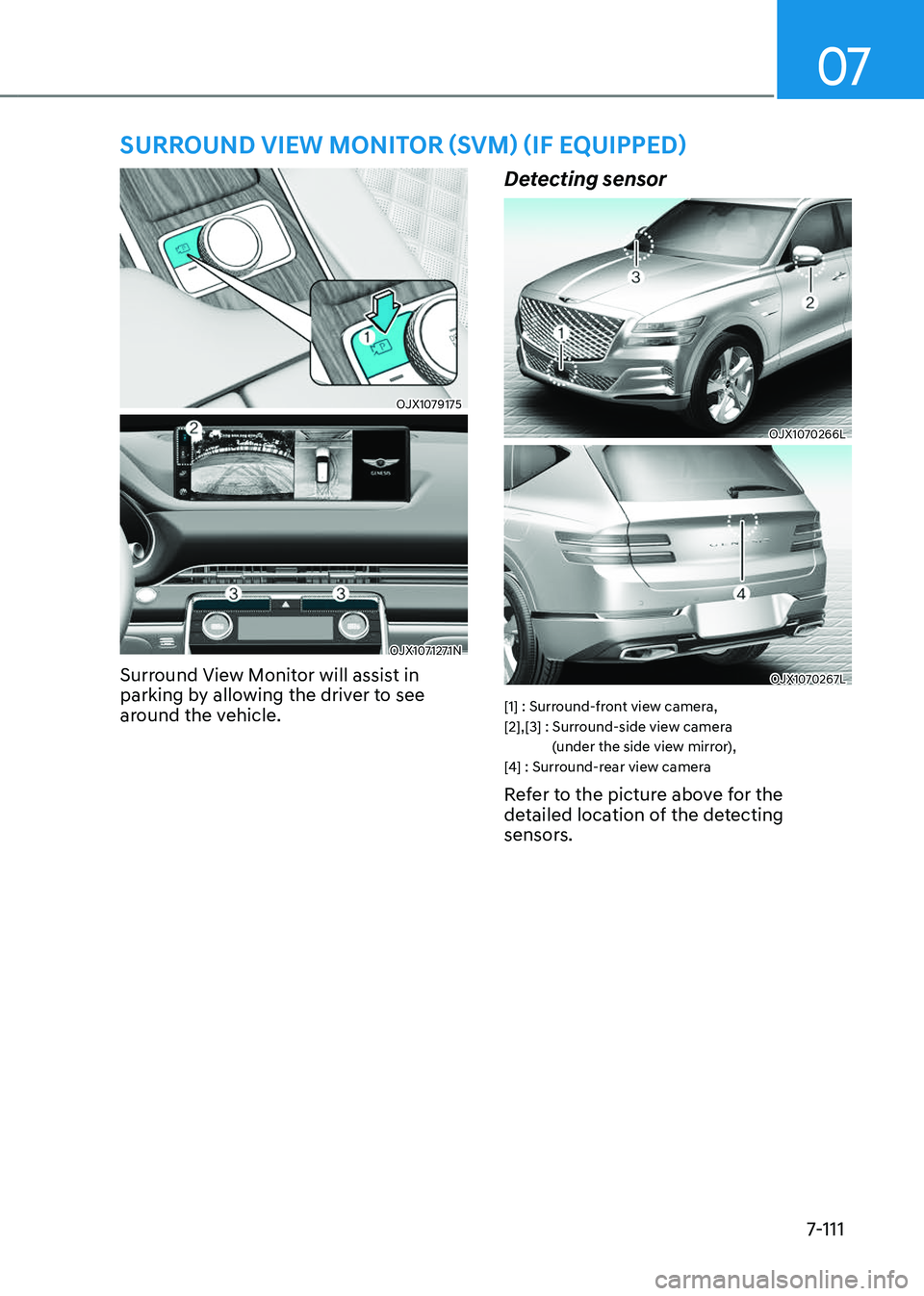
Surround View Monitor will assist in
parking by allowing the driver to see
around the vehicle.
Detecting sensor
OJX1070266L OJX1070266L
OJX1070267LOJX1070267L
[1] : Surround-front view camera,
[2],[3] : Surround-side view camera (under the side view mirror),
[4] : Surround-rear view camera
Refer to the picture above for the
detailed location of the detecting
sensors.
Page 468 of 650
Driver Assistance System
7-112
Surround View Monitor Settings
Camera settings
OJK070126LOJK070126L
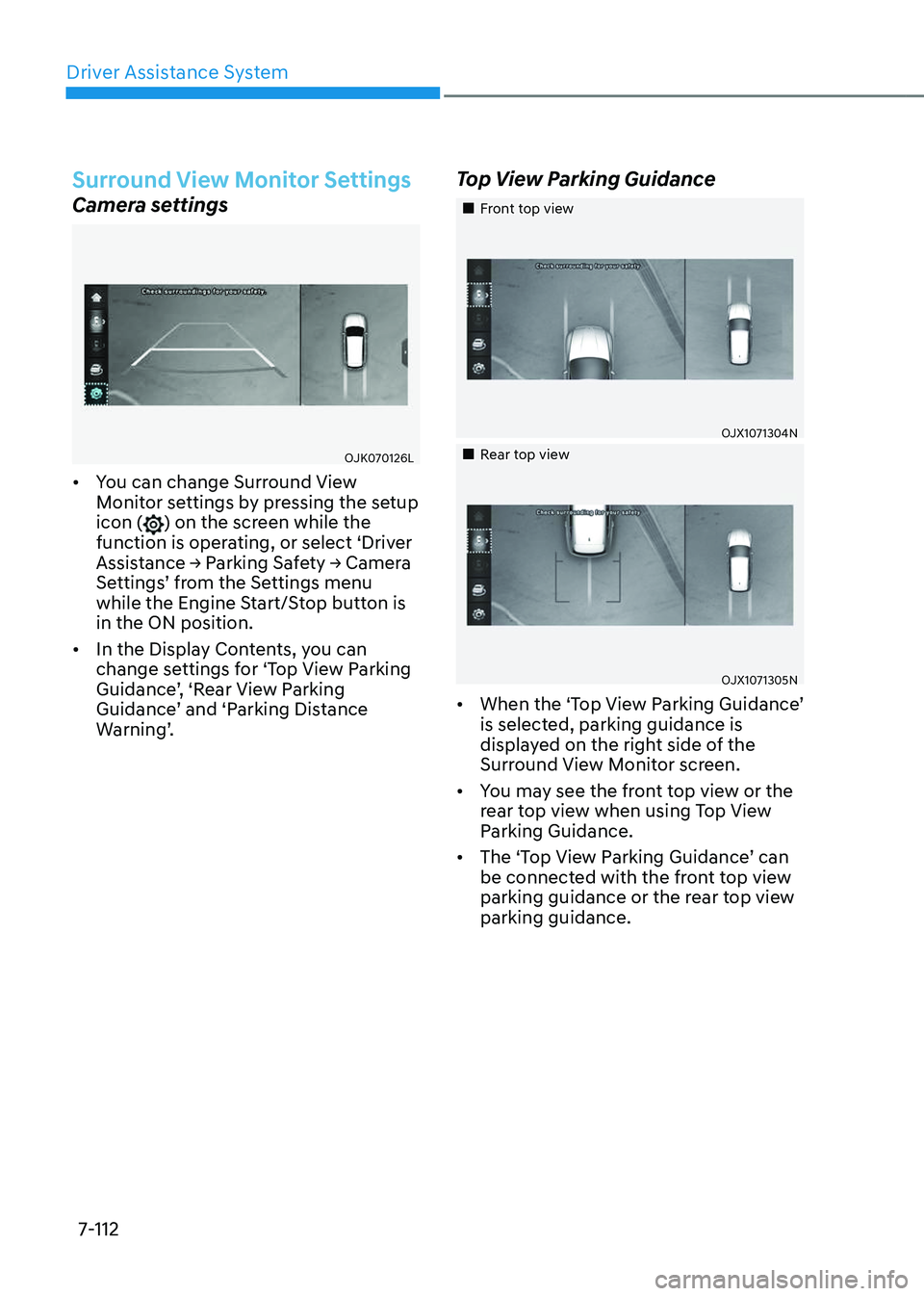
• You can change Surround View
Monitor settings by pressing the setup
icon (
) on the screen while the
function is operating, or select ‘Driver
Assistance → Parking Safety → Camera
Settings’ from the Settings menu
while the Engine Start/Stop button is
in the ON position.
• In the Display Contents, you can
change settings for ‘Top View Parking
Guidance’, ‘Rear View Parking
Guidance’ and ‘Parking Distance
Warning’.
Top View Parking Guidance
Page 469 of 650
07
7-113
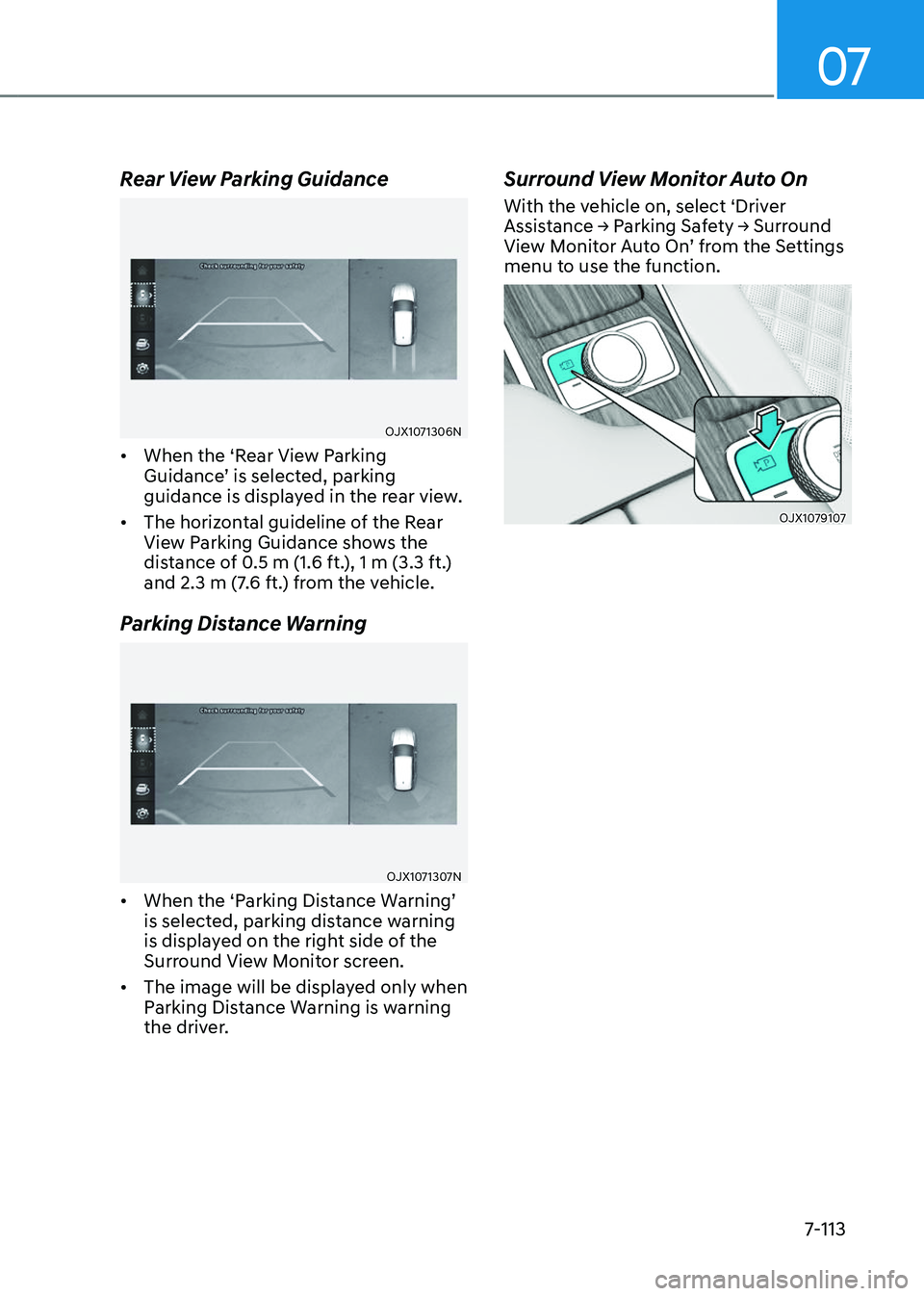
Rear View Parking Guidance
OJX1071306NOJX1071306N
• When the ‘Rear View Parking
Guidance’ is selected, parking
guidance is displayed in the rear view.
• The horizontal guideline of the Rear
View Parking Guidance shows the
distance of 0.5 m (1.6 ft.), 1 m (3.3 ft.)
and 2.3 m (7.6 ft.) from the vehicle.
Parking Distance Warning
OJX1071307NOJX1071307N
• When the ‘Parking Distance Warning’
is selected, parking distance warning
is displayed on the right side of the
Surround View Monitor screen.
• The image will be displayed only when
Parking Distance Warning is warning
the driver.
Surround View Monitor Auto On
With the vehicle on, select ‘Driver
Assistance → Parking Safety → Surround
View Monitor Auto On’ from the Settings
menu to use the function.
OJX1079107 OJX1079107
Page 470 of 650
Driver Assistance System
7-114
Surround View Monitor
Operation
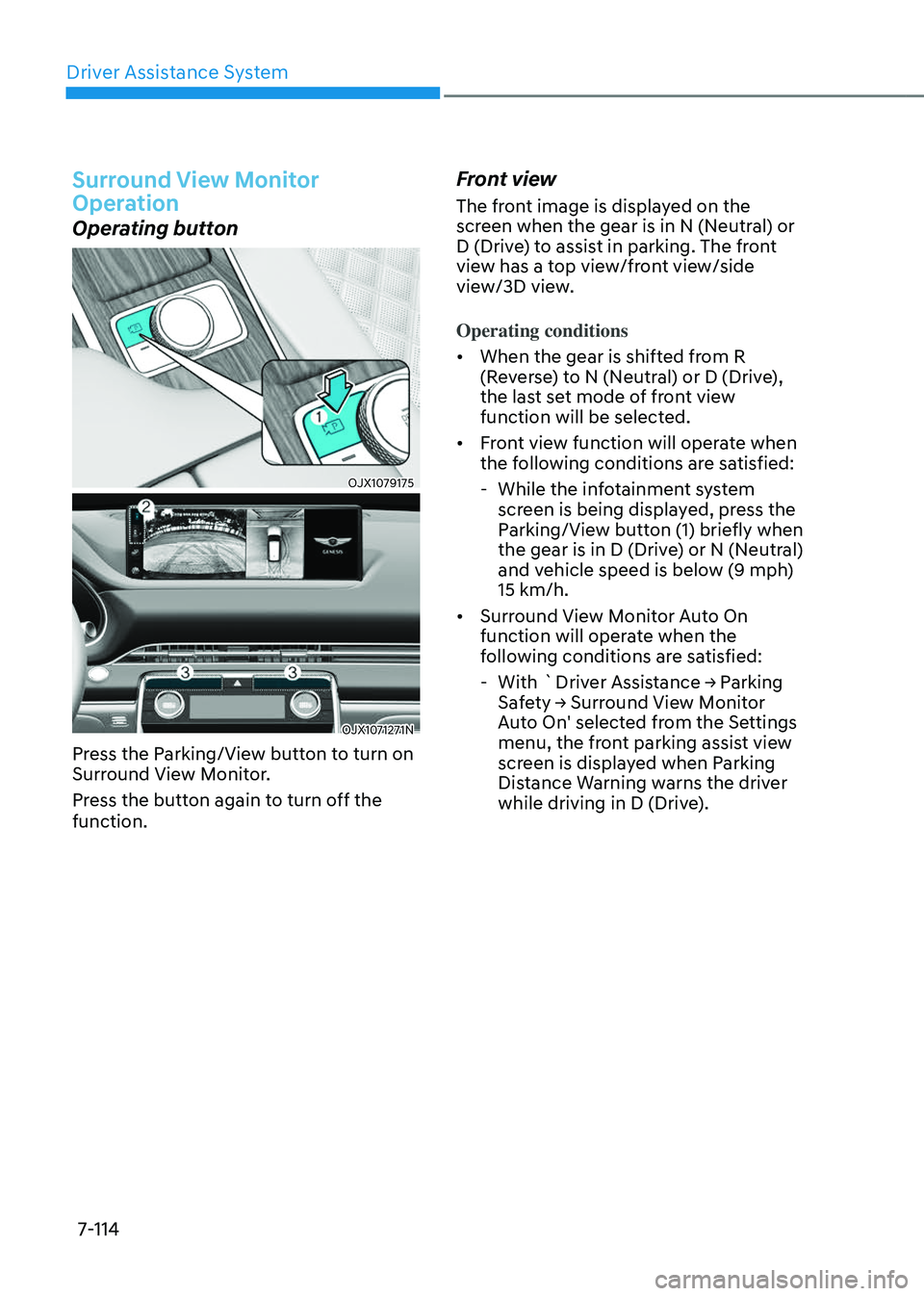
Operating button
OJX1079175OJX1079175
OJX1071271NOJX1071271N
Press the Parking/View button to turn on
Surround View Monitor.
Press the button again to turn off the
function.
Front view
The front image is displayed on the
screen when the gear is in N (Neutral) or
D (Drive) to assist in parking. The front
view has a top view/front view/side
view/3D view.
Operating conditions
• When the gear is shifted from R
(Reverse) to N (Neutral) or D (Drive),
the last set mode of front view
function will be selected.
• Front view function will operate when
the following conditions are satisfied:
-While the infotainment system
screen is being displayed, press the
Parking/View button (1) briefly when
the gear is in D (Drive) or N (Neutral)
and vehicle speed is below (9 mph)
15 km/h.
• Surround View Monitor Auto On
function will operate when the
following conditions are satisfied:
-With `Driver Assistance → Parking
Safety → Surround View Monitor
Auto On' selected from the Settings
menu, the front parking assist view
screen is displayed when Parking
Distance Warning warns the driver
while driving in D (Drive).