display GMC ACADIA 2007 User Guide
[x] Cancel search | Manufacturer: GMC, Model Year: 2007, Model line: ACADIA, Model: GMC ACADIA 2007Pages: 554, PDF Size: 2.76 MB
Page 168 of 554
Warning Lights, Gages, and Indicators..... 214
Instrument Panel Cluster........................... 215
Speedometer and Odometer...................... 216
Tachometer............................................... 216
Safety Belt Reminder Light........................ 216
Passenger Safety Belt Reminder Light....... 217
Airbag Readiness Light............................. 217
Passenger Airbag Status Indicator............. 218
Charging System Light.............................. 220
Voltmeter Gage......................................... 221
Brake System Warning Light..................... 222
Anti-Lock Brake System Warning Light...... 223
StabiliTrak
®Indicator Light......................... 224
Engine Coolant Temperature Warning
Light...................................................... 224
Engine Coolant Temperature Gage............ 225
Tire Pressure Light.................................... 225
Malfunction Indicator Lamp........................ 226
Oil Pressure Light..................................... 229
Security Light............................................ 229
Fog Lamp Light......................................... 230Cruise Control Light.................................. 230
Highbeam On Light................................... 230
Tow/Haul Mode Light................................ 230
Fuel Gage................................................. 231
Driver Information Center (DIC).................. 232
DIC Operation and Displays
(With DIC Buttons)................................. 233
DIC Operation and Displays
(Without DIC Buttons)............................ 239
DIC Warnings and Messages.................... 244
DIC Vehicle Customization
(With DIC Buttons)................................. 255
Audio System(s)......................................... 264
Setting the Time........................................ 266
Radio with CD........................................... 268
Radio with CD and DVD........................... 278
Using an MP3 (Radio with CD or
Six-Disc CD Player)............................... 295
Using an MP3 (Radio with CD and
DVD Player)........................................... 301
Section 3 Instrument Panel
168
Page 171 of 554
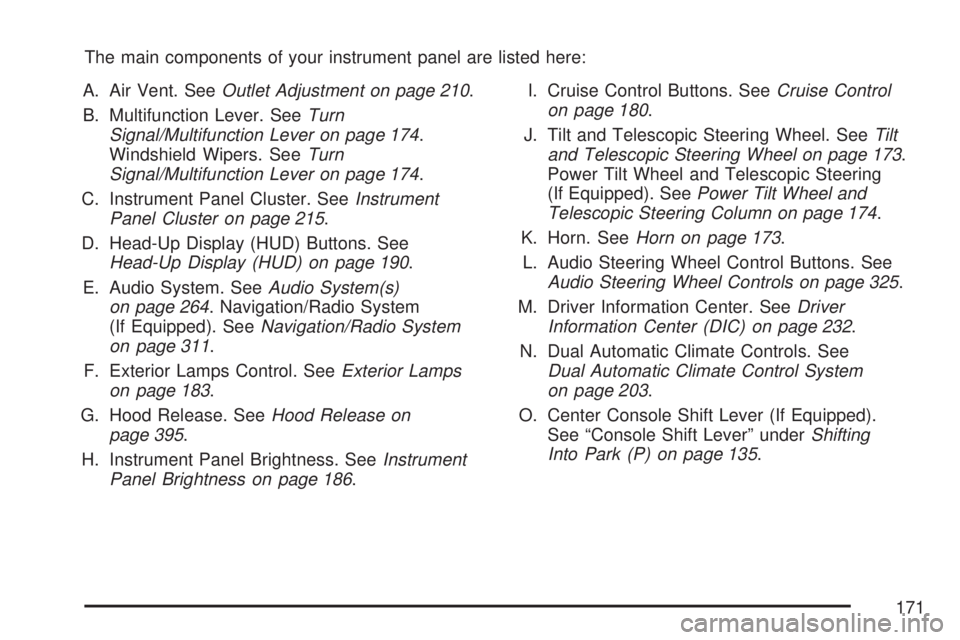
The main components of your instrument panel are listed here:
A. Air Vent. SeeOutlet Adjustment on page 210.
B. Multifunction Lever. SeeTurn
Signal/Multifunction Lever on page 174.
Windshield Wipers. SeeTurn
Signal/Multifunction Lever on page 174.
C. Instrument Panel Cluster. SeeInstrument
Panel Cluster on page 215.
D. Head-Up Display (HUD) Buttons. See
Head-Up Display (HUD) on page 190.
E. Audio System. SeeAudio System(s)
on page 264. Navigation/Radio System
(If Equipped). SeeNavigation/Radio System
on page 311.
F. Exterior Lamps Control. SeeExterior Lamps
on page 183.
G. Hood Release. SeeHood Release on
page 395.
H. Instrument Panel Brightness. SeeInstrument
Panel Brightness on page 186.I. Cruise Control Buttons. SeeCruise Control
on page 180.
J. Tilt and Telescopic Steering Wheel. SeeTilt
and Telescopic Steering Wheel on page 173.
Power Tilt Wheel and Telescopic Steering
(If Equipped). SeePower Tilt Wheel and
Telescopic Steering Column on page 174.
K. Horn. SeeHorn on page 173.
L. Audio Steering Wheel Control Buttons. See
Audio Steering Wheel Controls on page 325.
M. Driver Information Center. SeeDriver
Information Center (DIC) on page 232.
N. Dual Automatic Climate Controls. See
Dual Automatic Climate Control System
on page 203.
O. Center Console Shift Lever (If Equipped).
See “Console Shift Lever” underShifting
Into Park (P) on page 135.
171
Page 177 of 554
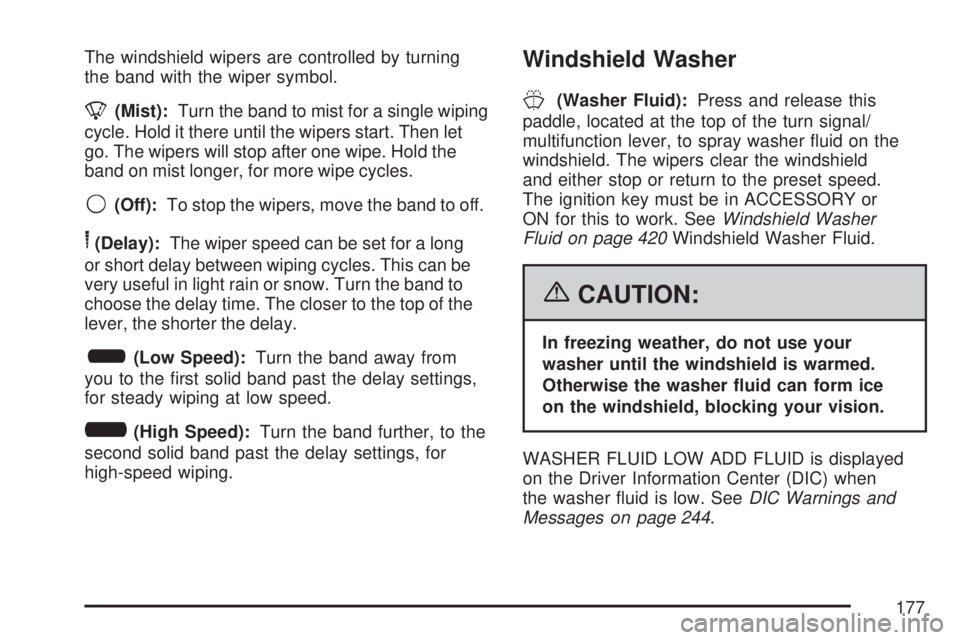
The windshield wipers are controlled by turning
the band with the wiper symbol.
8(Mist):Turn the band to mist for a single wiping
cycle. Hold it there until the wipers start. Then let
go. The wipers will stop after one wipe. Hold the
band on mist longer, for more wipe cycles.
9(Off):To stop the wipers, move the band to off.
6(Delay):The wiper speed can be set for a long
or short delay between wiping cycles. This can be
very useful in light rain or snow. Turn the band to
choose the delay time. The closer to the top of the
lever, the shorter the delay.
6(Low Speed):Turn the band away from
you to the rst solid band past the delay settings,
for steady wiping at low speed.
?(High Speed):Turn the band further, to the
second solid band past the delay settings, for
high-speed wiping.
Windshield Washer
J(Washer Fluid):Press and release this
paddle, located at the top of the turn signal/
multifunction lever, to spray washer uid on the
windshield. The wipers clear the windshield
and either stop or return to the preset speed.
The ignition key must be in ACCESSORY or
ON for this to work. SeeWindshield Washer
Fluid on page 420Windshield Washer Fluid.
{CAUTION:
In freezing weather, do not use your
washer until the windshield is warmed.
Otherwise the washer uid can form ice
on the windshield, blocking your vision.
WASHER FLUID LOW ADD FLUID is displayed
on the Driver Information Center (DIC) when
the washer uid is low. SeeDIC Warnings and
Messages on page 244.
177
Page 178 of 554
Heated Windshield Washer
If your vehicle has the heated windshield washer
uid system it can be used to help clear ice,
snow, tree sap, or bugs from the windshield. This
feature only works with the front wiper system,
not the rear wiper system.
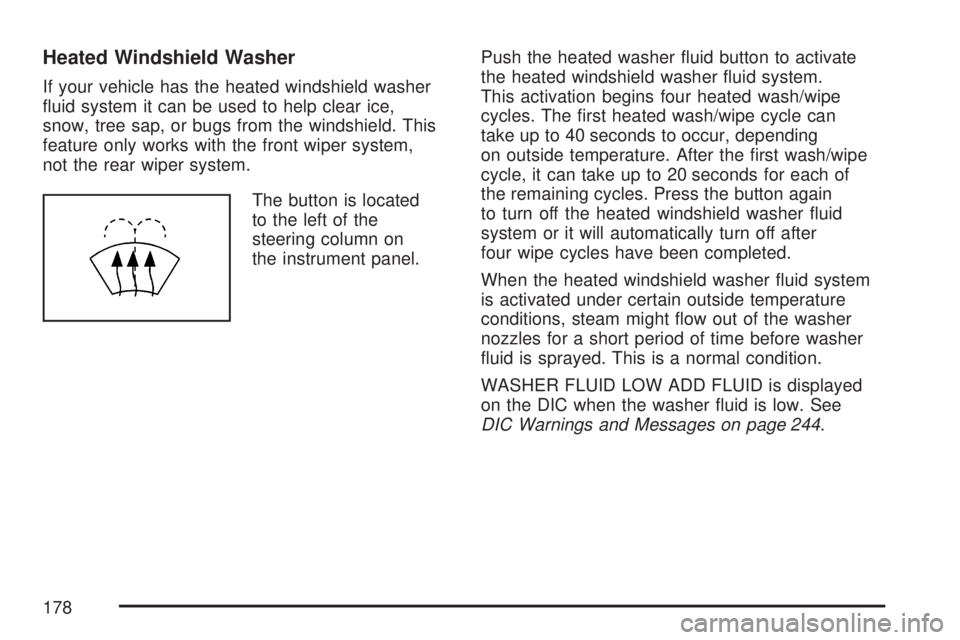
The button is located
to the left of the
steering column on
the instrument panel.Push the heated washer uid button to activate
the heated windshield washer uid system.
This activation begins four heated wash/wipe
cycles. The rst heated wash/wipe cycle can
take up to 40 seconds to occur, depending
on outside temperature. After the rst wash/wipe
cycle, it can take up to 20 seconds for each of
the remaining cycles. Press the button again
to turn off the heated windshield washer uid
system or it will automatically turn off after
four wipe cycles have been completed.
When the heated windshield washer uid system
is activated under certain outside temperature
conditions, steam might ow out of the washer
nozzles for a short period of time before washer
uid is sprayed. This is a normal condition.
WASHER FLUID LOW ADD FLUID is displayed
on the DIC when the washer uid is low. See
DIC Warnings and Messages on page 244.
178
Page 188 of 554
Delayed Exit Lighting
This feature illuminates the interior for a period of
time after the key is removed from the ignition.
The ignition must be off for delayed exit lighting to
work. When the key is removed, interior illumination
will activate and remain on until one of the following
occurs:
The ignition is in ON.
The power door locks are activated.
An illumination period of 20 seconds
has elapsed.
If during the illumination period a door is opened,
the timed illumination period will be canceled
and the interior lamps will remain on because a
door is open.
Parade Dimming
The instrument panel has an added feature called
parade mode. It automatically prohibits the
dimming of the instrument panel displays during
the daylight while the headlamps are on so
that you will still be able to see the displays.
Reading Lamps
The vehicle has reading lamps that also act as the
dome lamp. Press the button to turn them on and off.
Electric Power Management
The vehicle has Electric Power Management (EPM)
that estimates the battery’s temperature and state
of charge. It then adjusts the voltage for best
performance and extended life of the battery.
When the battery’s state of charge is low, the
voltage is raised slightly to quickly put the charge
back in. When the state of charge is high, the
voltage is lowered slightly to prevent overcharging.
If the vehicle has a voltmeter gage or voltage
display on the Driver Information Center (DIC),
you may see the voltage move up or down. This
is normal. If there is a problem, an alert will be
displayed.
The battery can be discharged at idle if the
electrical loads are very high. This is true for all
vehicles. This is because the generator (alternator)
may not be spinning fast enough at idle to
produce all the power that is needed for very
high electrical loads.
188
Page 189 of 554
A high electrical load occurs when several of the
following loads are on: headlamps, high beams,
fog lamps, rear window defogger, climate
control fan at high speed, heated seats, engine
cooling fans, trailer loads, and loads plugged
into accessory power outlets.
EPM works to prevent excessive discharge of
the battery. It does this by balancing the
generator’s output and the vehicle’s electrical
needs. It can increase engine idle speed to
generate more power, whenever needed.
It can temporarily reduce the power demands
of some accessories.
Normally, these actions occur in steps or levels,
without being noticeable. In rare cases at the
highest levels of corrective action, this action
may be noticeable to the driver. If so, a Driver
Information Center (DIC) message might be
displayed, such as Battery Saver Active or Service
Battery Charging System. If this message is
displayed, it is recommended that the driver
reduce the electrical loads as much as possible.
SeeDIC Warnings and Messages on page 244.Battery Run-Down Protection
This vehicle has a feature to help prevent the
battery from being drained, if the interior courtesy
lamps, reading/map lamps, visor vanity lamps
or trunk lamp are accidentally left on. If any
of these lamps are left on, they will automatically
turn off after 10 minutes, if the ignition is off.
The lamps will not come back on again until
one of the following occurs:
The ignition is turned on.
The exterior lamps control is turned off,
then on again.
The headlamps will timeout after 10 minutes,
if they are manually turned on before the
ignition is off.
189
Page 190 of 554
Head-Up Display (HUD)
{CAUTION:
If the HUD image is too bright or too high
in your eld of view, it may take you more
time to see things you need to see when
it is dark outside. Be sure to keep the
HUD image dim and placed low in your
eld of view.
If the vehicle has the Head-Up Display (HUD),
some information concerning the operation of the
vehicle is projected onto the windshield. This
includes the speedometer reading, RPM reading,
transmission position, outside air temperature, the
tap shift gear, and a brief display of the current
radio station, including XM information or CD track.It will also display turn-by-turn navigation
information if the vehicle has a navigation radio.
The images are projected by the HUD lens located
on the driver’s side of the instrument panel.
The tap shift gear will also appear on the HUD if
the vehicle has tap shift and it is active.
The HUD information can be displayed in one of
three languages, English, French, or Spanish.
The speedometer reading and other numerical
values can be displayed in either English or
metric units.
The language selection and the units of
measurement are changed through the trip
computer in the Driver Information Center (DIC).
SeeDIC Vehicle Customization (With DIC Buttons)
on page 255.
190
Page 191 of 554
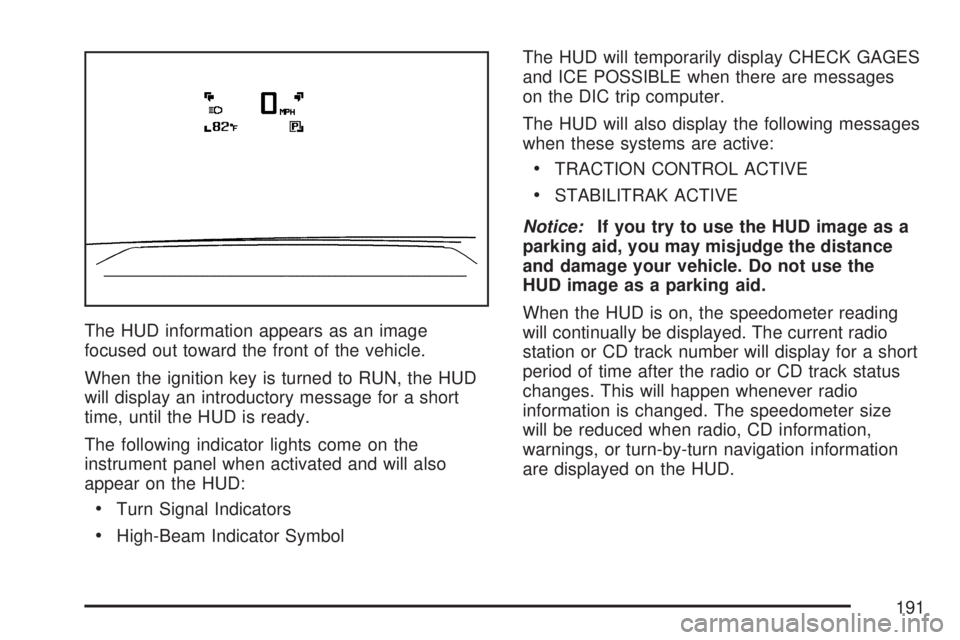
The HUD information appears as an image
focused out toward the front of the vehicle.
When the ignition key is turned to RUN, the HUD
will display an introductory message for a short
time, until the HUD is ready.
The following indicator lights come on the
instrument panel when activated and will also
appear on the HUD:
Turn Signal Indicators
High-Beam Indicator SymbolThe HUD will temporarily display CHECK GAGES
and ICE POSSIBLE when there are messages
on the DIC trip computer.
The HUD will also display the following messages
when these systems are active:
TRACTION CONTROL ACTIVE
STABILITRAK ACTIVE
Notice:If you try to use the HUD image as a
parking aid, you may misjudge the distance
and damage your vehicle. Do not use the
HUD image as a parking aid.
When the HUD is on, the speedometer reading
will continually be displayed. The current radio
station or CD track number will display for a short
period of time after the radio or CD track status
changes. This will happen whenever radio
information is changed. The speedometer size
will be reduced when radio, CD information,
warnings, or turn-by-turn navigation information
are displayed on the HUD.
191
Page 192 of 554
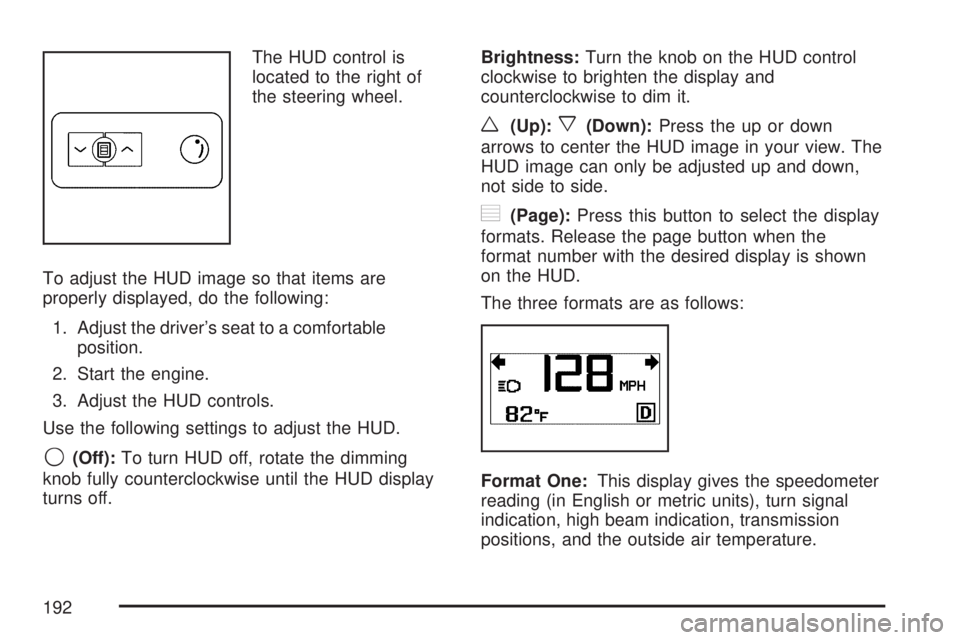
The HUD control is
located to the right of
the steering wheel.
To adjust the HUD image so that items are
properly displayed, do the following:
1. Adjust the driver’s seat to a comfortable
position.
2. Start the engine.
3. Adjust the HUD controls.
Use the following settings to adjust the HUD.
9(Off):To turn HUD off, rotate the dimming
knob fully counterclockwise until the HUD display
turns off.Brightness:Turn the knob on the HUD control
clockwise to brighten the display and
counterclockwise to dim it.
w(Up):x(Down):Press the up or down
arrows to center the HUD image in your view. The
HUD image can only be adjusted up and down,
not side to side.
?(Page):Press this button to select the display
formats. Release the page button when the
format number with the desired display is shown
on the HUD.
The three formats are as follows:
Format One:This display gives the speedometer
reading (in English or metric units), turn signal
indication, high beam indication, transmission
positions, and the outside air temperature.
192
Page 193 of 554
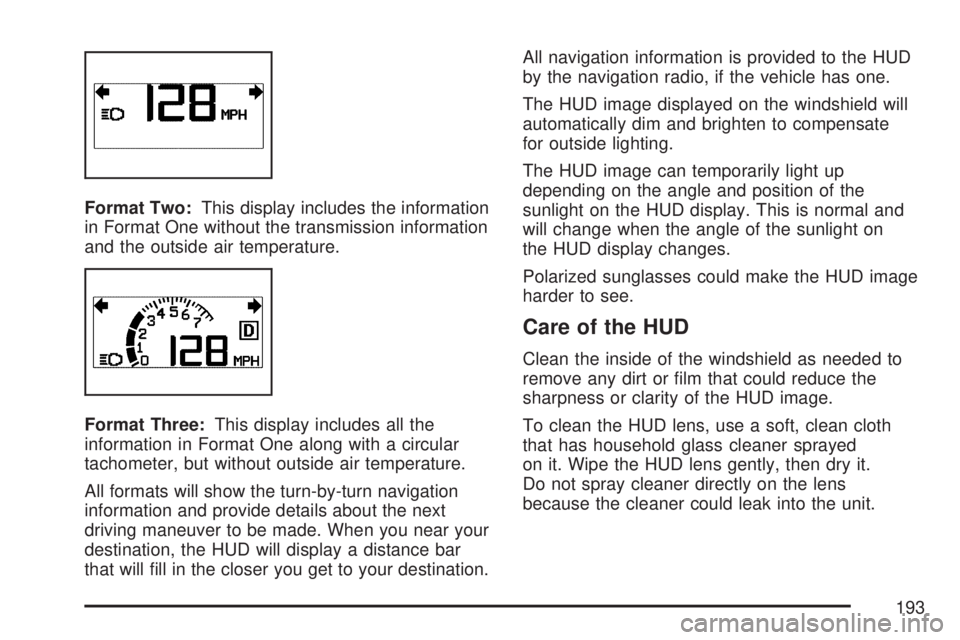
Format Two:This display includes the information
in Format One without the transmission information
and the outside air temperature.
Format Three:This display includes all the
information in Format One along with a circular
tachometer, but without outside air temperature.
All formats will show the turn-by-turn navigation
information and provide details about the next
driving maneuver to be made. When you near your
destination, the HUD will display a distance bar
that will ll in the closer you get to your destination.All navigation information is provided to the HUD
by the navigation radio, if the vehicle has one.
The HUD image displayed on the windshield will
automatically dim and brighten to compensate
for outside lighting.
The HUD image can temporarily light up
depending on the angle and position of the
sunlight on the HUD display. This is normal and
will change when the angle of the sunlight on
the HUD display changes.
Polarized sunglasses could make the HUD image
harder to see.
Care of the HUD
Clean the inside of the windshield as needed to
remove any dirt or lm that could reduce the
sharpness or clarity of the HUD image.
To clean the HUD lens, use a soft, clean cloth
that has household glass cleaner sprayed
on it. Wipe the HUD lens gently, then dry it.
Do not spray cleaner directly on the lens
because the cleaner could leak into the unit.
193