steering GMC ACADIA 2007 User Guide
[x] Cancel search | Manufacturer: GMC, Model Year: 2007, Model line: ACADIA, Model: GMC ACADIA 2007Pages: 554, PDF Size: 2.76 MB
Page 174 of 554

Power Tilt Wheel and Telescopic
Steering Column
If your vehicle has this
feature, the power tilt
wheel control is located
on the left side of the
steering column.
To operate the power tilt feature, push the control
up and the steering wheel will tilt up. Push the
control down and the steering wheel will go down.
Push the control forward and the steering wheel
moves toward the front of the vehicle. Push
the control rearward and the steering wheel moves
toward the rear of the vehicle.
Turn Signal/Multifunction Lever
The lever on the left side of the steering column
includes the following:
GTurn and Lane Change Signals. See
Turn and Lane-Change Signals on page 175.
2Headlamp High/Low-Beam Changer.
SeeHeadlamp High/Low-Beam Changer
on page 176.
Flash-to-Pass. SeeFlash-to-Pass
on page 176.
NWindshield Wipers. SeeWindshield
Wipers on page 176.
174
Page 178 of 554
Heated Windshield Washer
If your vehicle has the heated windshield washer
uid system it can be used to help clear ice,
snow, tree sap, or bugs from the windshield. This
feature only works with the front wiper system,
not the rear wiper system.
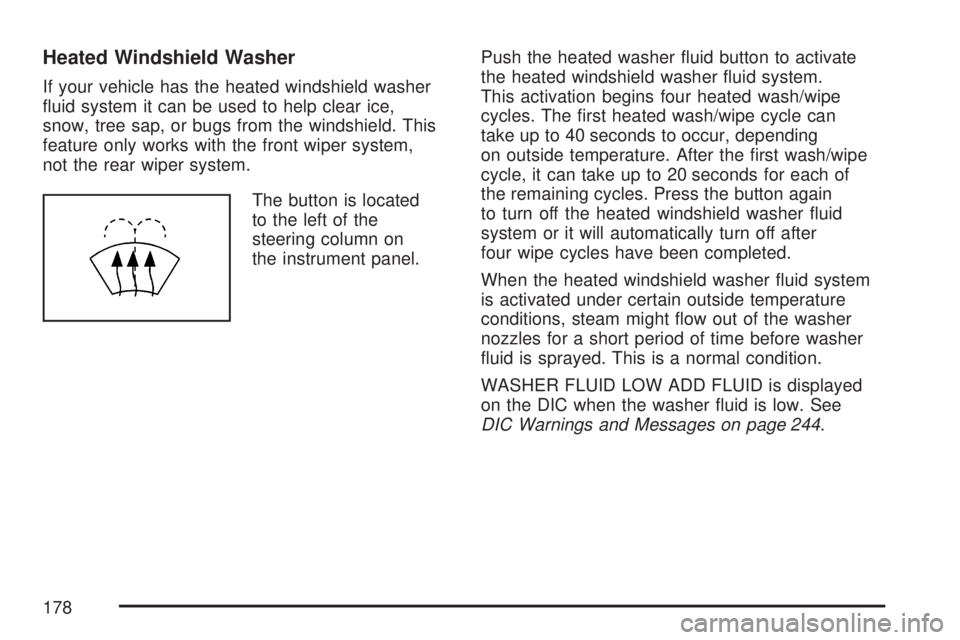
The button is located
to the left of the
steering column on
the instrument panel.Push the heated washer uid button to activate
the heated windshield washer uid system.
This activation begins four heated wash/wipe
cycles. The rst heated wash/wipe cycle can
take up to 40 seconds to occur, depending
on outside temperature. After the rst wash/wipe
cycle, it can take up to 20 seconds for each of
the remaining cycles. Press the button again
to turn off the heated windshield washer uid
system or it will automatically turn off after
four wipe cycles have been completed.
When the heated windshield washer uid system
is activated under certain outside temperature
conditions, steam might ow out of the washer
nozzles for a short period of time before washer
uid is sprayed. This is a normal condition.
WASHER FLUID LOW ADD FLUID is displayed
on the DIC when the washer uid is low. See
DIC Warnings and Messages on page 244.
178
Page 180 of 554
Cruise Control
With cruise control, you can maintain a speed
of about 25 mph (40 km/h) or more without
keeping your foot on the accelerator. This can
really help on long trips. Cruise control does not
work at speeds below about 25 mph (40 km/h).
When you apply your brakes, cruise control
is turned off.
{CAUTION:
Cruise control can be dangerous where
you cannot drive safely at a steady speed.
So, do not use your cruise control on
winding roads or in heavy traffic.
Cruise control can be dangerous on
slippery roads. On such roads, fast
changes in tire traction can cause
excessive wheel slip, and you could
lose control. Do not use cruise control
on slippery roads.The cruise control
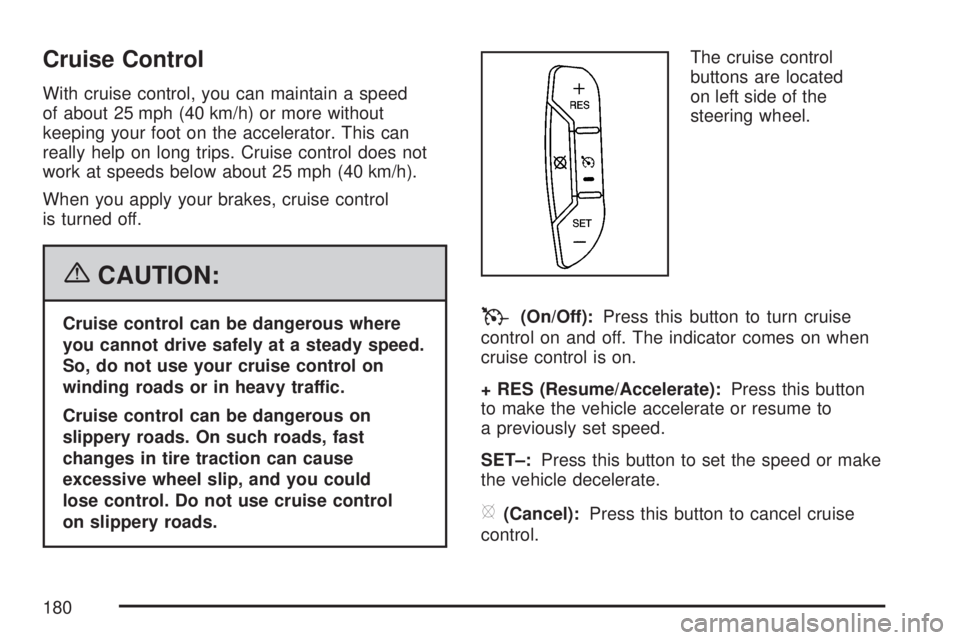
buttons are located
on left side of the
steering wheel.T(On/Off):Press this button to turn cruise
control on and off. The indicator comes on when
cruise control is on.
+ RES (Resume/Accelerate):Press this button
to make the vehicle accelerate or resume to
a previously set speed.
SET–:Press this button to set the speed or make
the vehicle decelerate.
[(Cancel):Press this button to cancel cruise
control.
180
Page 181 of 554
Setting Cruise Control
Cruise control will not work if your parking brake
is set, or if the master cylinder brake uid
level is low.
The cruise control light on the instrument panel
cluster comes on after the cruise control has
been set to the desired speed.
{CAUTION:
If you leave your cruise control on when
you are not using cruise, you might hit a
button and go into cruise when you do not
want to. You could be startled and even
lose control. Keep the cruise control switch
off until you want to use cruise control.
1. Press the cruise control on/off button.
2. Get up to the speed desired.
3. Press and release the SET– button located
on the steering wheel.
4. Take your foot off the accelerator.
Resuming a Set Speed
Suppose you set your cruise control at a desired
speed and then you apply the brake. This
shuts off the cruise control. But you do not need
to reset it.
Once you are driving about 25 mph (40 km/h) or
more, press the +RES button on your steering
wheel. The vehicle will go back to the previously
chosen speed and stay there.
Increasing Speed While Using
Cruise Control
To increase the cruise speed while using cruise
control:
Press and hold the +RES button on the
steering wheel until you reach the desired
speed, then release it.
To increase vehicle speed in small increments,
press the +RES button.
181
Page 182 of 554
Reducing Speed While Using
Cruise Control
To reduce your speed while using cruise control:
Press and hold the SET– button on the
steering wheel until you reach the lower speed
desired, then release it.
To slow down in very small amounts, press
the SET– button on the steering wheel
briey. Each time this is done, the vehicle will
go about 1 mph (1.6 km/h) slower.
Passing Another Vehicle While
Using Cruise Control
Use the accelerator pedal to increase vehicle
speed. When you take your foot off the pedal,
your vehicle will slow down to the previously set
cruise speed.
Using Cruise Control on Hills
How well your cruise control will work on hills
depends upon the vehicle speed, load, and the
steepness of the hills. When going up steep hills,
you might have to step on the accelerator pedal
to maintain the vehicle speed. When going
downhill, you might have to brake or shift to a
lower gear to keep the vehicle speed down.
Of course, applying the brake turns off the cruise
control. Many drivers nd this to be too much
trouble and do not use cruise control on steep hills.
Ending Cruise Control
There are three ways to end cruise control:
Step lightly on the brake pedal.
Press the[(cancel) button on the steering
wheel.
Press theT(on/off) button on the steering
wheel.
Erasing Speed Memory
The cruise control set speed memory is erased by
turning off the cruise control or the ignition.
182
Page 183 of 554

Exterior Lamps
The exterior lamps
control is located on
the instrument panel
to the left of the
steering wheel.
It controls the following systems:
Headlamps
Taillamps
Parking Lamps
License Plate Lamps
Instrument Panel Lights
Fog LampsThe exterior lamps control has four positions:
O(Off):Briey turn the control to this position
to turn off the automatic light control. Briey turn
to this position again to turn automatic light control
on again.
AUTO (Automatic):Turn the control to this
position to automatically turn on the headlamps
at normal brightness, together with the following:
Parking Lamps
Taillamps
License Plate Lamps
Instrument Panel Lights
;(Parking Lamps):Turn the control to this
position to turn on the parking lamps together with
the following:
Taillamps
License Plate Lamps
Instrument Panel Lights
183
Page 186 of 554
Fog Lamps
Use the fog lamps for better vision in foggy or
misty conditions.
-(Fog Lamps):The fog lamps button is located
on the exterior lamps control. The exterior lamps
control is located on the instrument panel to the
left of the steering column.
The ignition must be on for the fog lamps to work.
Press the exterior lamps button to turn the fog
lamps on or off. A light will come on in the
instrument panel cluster when the fog lamps
are in use.
When the headlamps are changed to high-beam,
the fog lamps will turn off. The fog lamps come
back on again when the high-beam headlamps are
turned off.
Some localities have laws that require the
headlamps to be on along with the fog lamps.
Instrument Panel Brightness
D(Instrument Panel Brightness):The knob
with this symbol on it is located next to the exterior
lamps control. Push the knob in all the way until
it pops out and then turn the knob clockwise
to brighten or counterclockwise to dim the lights.
Push the knob back in when nished.
Courtesy Lamps
When a door is opened, the courtesy lamps
automatically come on. They make it easy for you
to enter and leave your vehicle. You can also
manually turn these lamps on by fully turning the
instrument panel brightness control clockwise.
The reading lamps, located on the headliner, can
be turned on or off independent of the automatic
courtesy lamps, when the doors are closed.
186
Page 192 of 554
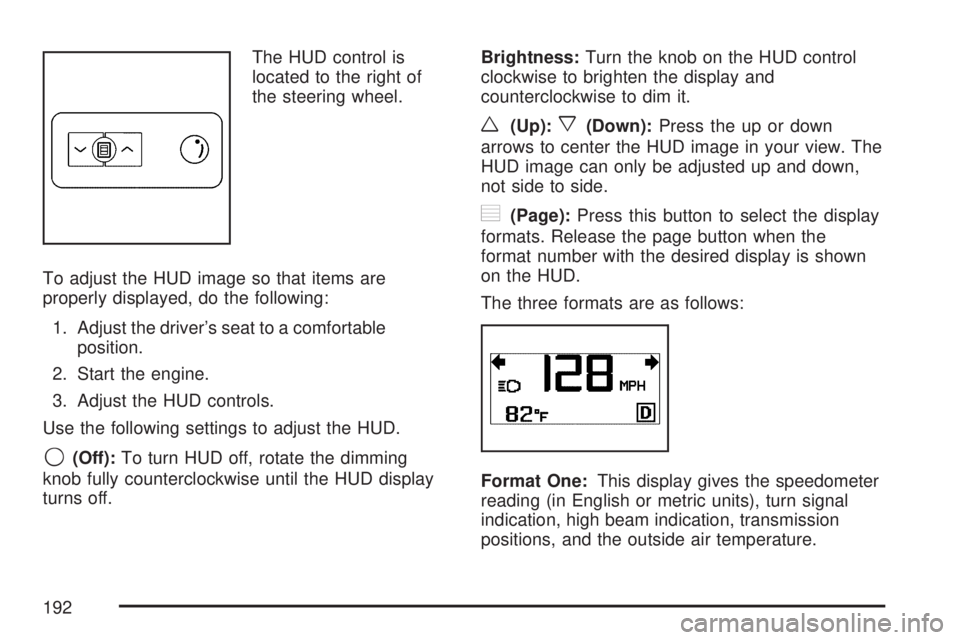
The HUD control is
located to the right of
the steering wheel.
To adjust the HUD image so that items are
properly displayed, do the following:
1. Adjust the driver’s seat to a comfortable
position.
2. Start the engine.
3. Adjust the HUD controls.
Use the following settings to adjust the HUD.
9(Off):To turn HUD off, rotate the dimming
knob fully counterclockwise until the HUD display
turns off.Brightness:Turn the knob on the HUD control
clockwise to brighten the display and
counterclockwise to dim it.
w(Up):x(Down):Press the up or down
arrows to center the HUD image in your view. The
HUD image can only be adjusted up and down,
not side to side.
?(Page):Press this button to select the display
formats. Release the page button when the
format number with the desired display is shown
on the HUD.
The three formats are as follows:
Format One:This display gives the speedometer
reading (in English or metric units), turn signal
indication, high beam indication, transmission
positions, and the outside air temperature.
192
Page 208 of 554
Sensors
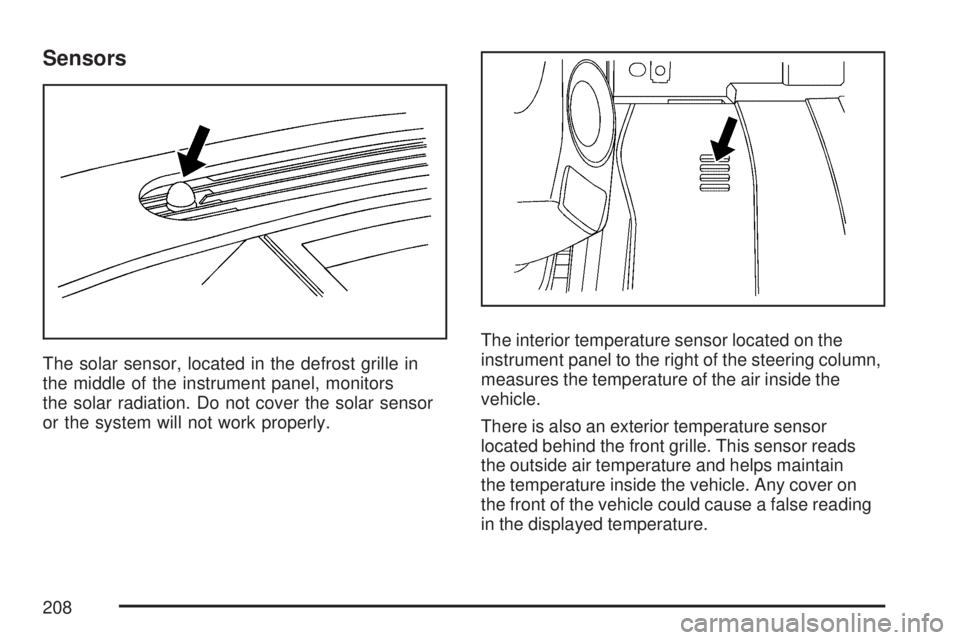
The solar sensor, located in the defrost grille in
the middle of the instrument panel, monitors
the solar radiation. Do not cover the solar sensor
or the system will not work properly.The interior temperature sensor located on the
instrument panel to the right of the steering column,
measures the temperature of the air inside the
vehicle.
There is also an exterior temperature sensor
located behind the front grille. This sensor reads
the outside air temperature and helps maintain
the temperature inside the vehicle. Any cover on
the front of the vehicle could cause a false reading
in the displayed temperature.
208
Page 251 of 554
SERVICE BATTERY CHARGING
SYSTEM
On some vehicles, this message displays if there
is a problem with the battery charging system.
Under certain conditions, the charging system light
may also turn on in the instrument panel cluster.
SeeCharging System Light on page 220.
Driving with this problem could drain the battery.
Turn off all unnecessary accessories. Have
the electrical system checked as soon as possible.
See your dealer/retailer.
SERVICE BRAKE SYSTEM
This message displays along with the brake
system warning light if there is a problem with
the brake system. SeeBrake System Warning
Light on page 222. If this message appears, stop
as soon as possible and turn off the vehicle.
Restart the vehicle and check for the message on
the DIC display. If the message is still displayed
or appears again when you begin driving, the
brake system needs service as soon as possible.
See your dealer/retailer.
SERVICE PARK ASSIST
If your vehicle has the Ultrasonic Rear Parking
Assist (URPA) system, this message displays
if there is a problem with the URPA system.
Do not use this system to help you park. See
Ultrasonic Rear Parking Assist (URPA) on
page 194for more information. See your
dealer/retailer for service.
SERVICE POWER STEERING
This message displays when a problem is
detected with the power steering system. When
this message is displayed, you may notice that
the effort required to steer the vehicle increases
or feels heavier, but you will still be able to
steer the vehicle. Have your vehicle serviced
by your dealer/retailer immediately.
251