instrument panel GMC ACADIA 2007 Owner's Guide
[x] Cancel search | Manufacturer: GMC, Model Year: 2007, Model line: ACADIA, Model: GMC ACADIA 2007Pages: 554, PDF Size: 2.76 MB
Page 169 of 554
XM Radio Messages................................. 309
Navigation/Radio System........................... 311
Rear Seat Entertainment System............... 311
Rear Seat Audio (RSA)............................. 322
Rear Audio Controller (RAC)..................... 324
Theft-Deterrent Feature............................. 325Audio Steering Wheel Controls.................. 325
Radio Reception........................................ 326
Care of Your CDs and DVDs.................... 328
Care of the CD and DVD Player............... 328
Multi-Band Antenna................................... 328
Section 3 Instrument Panel
169
Page 170 of 554
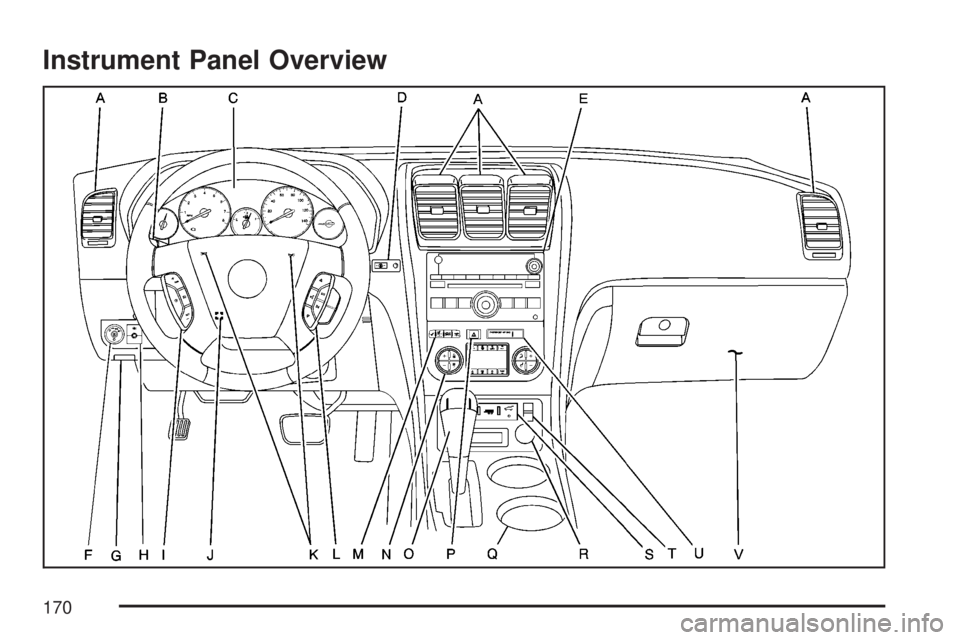
Instrument Panel Overview
170
Page 171 of 554
The main components of your instrument panel are listed here:
A. Air Vent. SeeOutlet Adjustment on page 210.
B. Multifunction Lever. SeeTurn
Signal/Multifunction Lever on page 174.
Windshield Wipers. SeeTurn
Signal/Multifunction Lever on page 174.
C. Instrument Panel Cluster. SeeInstrument
Panel Cluster on page 215.
D. Head-Up Display (HUD) Buttons. See
Head-Up Display (HUD) on page 190.
E. Audio System. SeeAudio System(s)
on page 264. Navigation/Radio System
(If Equipped). SeeNavigation/Radio System
on page 311.
F. Exterior Lamps Control. SeeExterior Lamps
on page 183.
G. Hood Release. SeeHood Release on
page 395.
H. Instrument Panel Brightness. SeeInstrument
Panel Brightness on page 186.I. Cruise Control Buttons. SeeCruise Control
on page 180.
J. Tilt and Telescopic Steering Wheel. SeeTilt
and Telescopic Steering Wheel on page 173.
Power Tilt Wheel and Telescopic Steering
(If Equipped). SeePower Tilt Wheel and
Telescopic Steering Column on page 174.
K. Horn. SeeHorn on page 173.
L. Audio Steering Wheel Control Buttons. See
Audio Steering Wheel Controls on page 325.
M. Driver Information Center. SeeDriver
Information Center (DIC) on page 232.
N. Dual Automatic Climate Controls. See
Dual Automatic Climate Control System
on page 203.
O. Center Console Shift Lever (If Equipped).
See “Console Shift Lever” underShifting
Into Park (P) on page 135.
171
Page 172 of 554
P. Hazard Warning Flasher Button. SeeHazard
Warning Flashers on page 172.
Q. Cupholders. SeeCupholder(s) on page 161.
R. Accessory Power Outlets. SeeAccessory
Power Outlet(s) on page 197.
S. Traction Control System (TCS) Disable
Button (If Equipped). SeeStabiliTrak
®System
on page 337. Tow/Haul Selector Button
(If Equipped). SeeTow/Haul Mode on
page 133. Power Liftgate Button (If Equipped).
SeePower Liftgate on page 110.
T. Heated Seats Button. SeeHeated Seats
on page 12.
U. Passenger Air Bag status Indicator. See
Passenger Sensing System on page 85.
V. Glove Box. SeeGlove Box on page 161.
Hazard Warning Flashers
The hazard warning ashers let you warn others.
They also let police know you have a problem. The
front and rear turn signal lamps will ash on and off.
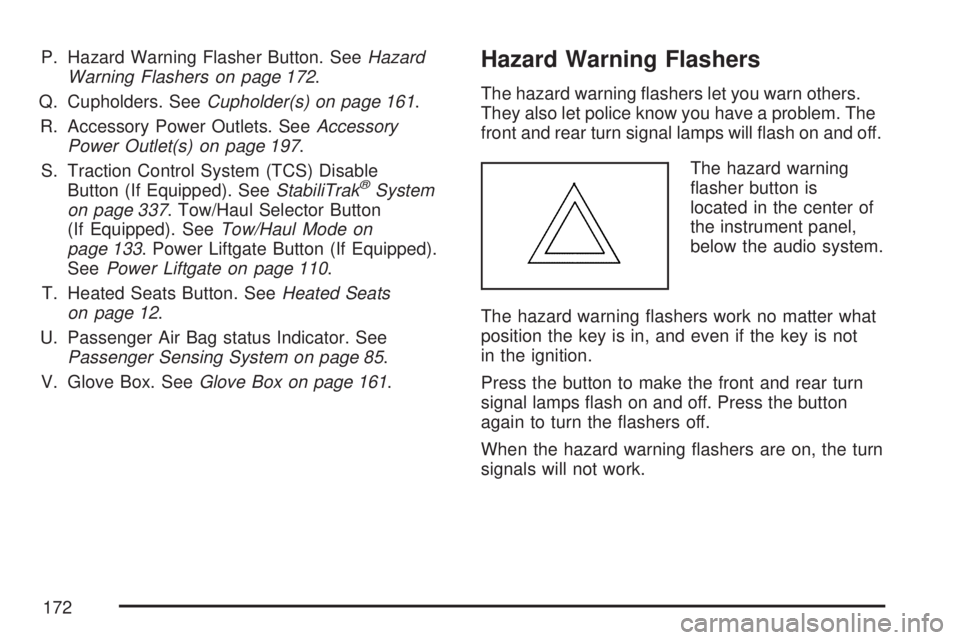
The hazard warning
asher button is
located in the center of
the instrument panel,
below the audio system.
The hazard warning ashers work no matter what
position the key is in, and even if the key is not
in the ignition.
Press the button to make the front and rear turn
signal lamps ash on and off. Press the button
again to turn the ashers off.
When the hazard warning ashers are on, the turn
signals will not work.
172
Page 175 of 554

LQWindshield Washer. SeeWindshield
Washer on page 177.
5ZRear Wiper/Washer. SeeRear Window
Wiper/Washer on page 179.
For information on the headlamps, seeExterior
Lamps on page 183.
Turn and Lane-Change Signals
The turn signal has two upward (for right) and
two downward (for left) positions. These positions
allow you to signal a turn or a lane change.
To signal a turn, move the lever all the way up or
down. When the turn is nished, the lever will
return automatically.
An arrow on the
instrument panel
cluster will ash in
the direction of the
turn or lane change.To signal a lane change, raise or lower the lever
until the arrow starts to ash. Hold it there until you
complete your lane change. The lever will return
by itself when you release it. If you momentarily
press and release the lever, the turn signal
will ash three times.
If the arrow ashes faster than normal as you
signal a turn or a lane change, a signal bulb may
be burned out and other drivers will not see
your turn signal.
If a bulb is burned out, replace it to help avoid an
accident. If the arrows do not go on at all when
you signal a turn, check for burned-out bulbs and
then check the fuse. SeeFuses and Circuit
Breakers on page 490.
Turn Signal On Chime
If you leave either one of your turn signals on and
drive more than 3/4 mile (1.2 km), a chime will
sound to alert you.
175
Page 176 of 554

Headlamp High/Low-Beam Changer
To change the headlamps from low beam to
high beam, push the turn signal/multifunction
lever toward the front of the vehicle.
This light on the
instrument panel
cluster comes on if
the high beam lamps
are turned on while
the ignition is on.
To change the headlamps from high beam to
low beam, pull the turn signal lever toward the
rear of the vehicle.
Flash-to-Pass
With the turn signal lever in the low-beam position,
pull the lever toward you momentarily to switch
to high-beam (to signal that you are going to pass).
If the headlamps are on, they will return to
low-beam when the lever is released.
This feature operates even when the headlamps
are off.
Windshield Wipers
Be sure to clear ice and snow from the wiper
blades before using them. If they are frozen to the
windshield, gently loosen or thaw them. Damaged
wiper blades may not clear the windshield well,
making it harder to see and drive safely. If the
blades do become damaged, install new blades or
blade inserts. For more information, seeWindshield
Wiper Blade Replacement on page 434.
Heavy snow or ice can overload the wiper motor. A
circuit breaker will stop the motor until it cools down.
Clear away snow or ice to prevent an overload.
176
Page 178 of 554
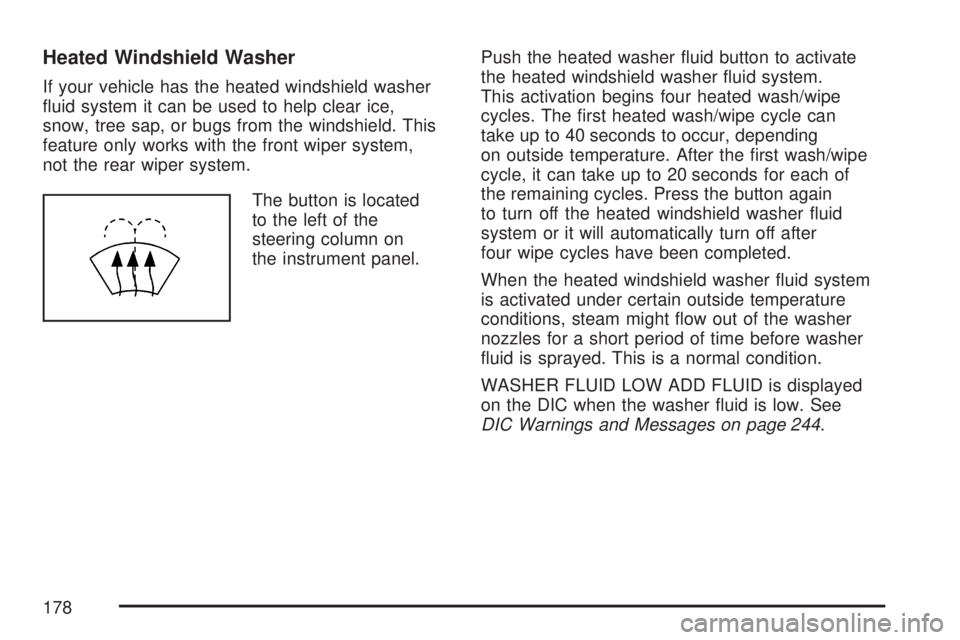
Heated Windshield Washer
If your vehicle has the heated windshield washer
uid system it can be used to help clear ice,
snow, tree sap, or bugs from the windshield. This
feature only works with the front wiper system,
not the rear wiper system.
The button is located
to the left of the
steering column on
the instrument panel.Push the heated washer uid button to activate
the heated windshield washer uid system.
This activation begins four heated wash/wipe
cycles. The rst heated wash/wipe cycle can
take up to 40 seconds to occur, depending
on outside temperature. After the rst wash/wipe
cycle, it can take up to 20 seconds for each of
the remaining cycles. Press the button again
to turn off the heated windshield washer uid
system or it will automatically turn off after
four wipe cycles have been completed.
When the heated windshield washer uid system
is activated under certain outside temperature
conditions, steam might ow out of the washer
nozzles for a short period of time before washer
uid is sprayed. This is a normal condition.
WASHER FLUID LOW ADD FLUID is displayed
on the DIC when the washer uid is low. See
DIC Warnings and Messages on page 244.
178
Page 181 of 554
Setting Cruise Control
Cruise control will not work if your parking brake
is set, or if the master cylinder brake uid
level is low.
The cruise control light on the instrument panel
cluster comes on after the cruise control has
been set to the desired speed.
{CAUTION:
If you leave your cruise control on when
you are not using cruise, you might hit a
button and go into cruise when you do not
want to. You could be startled and even
lose control. Keep the cruise control switch
off until you want to use cruise control.
1. Press the cruise control on/off button.
2. Get up to the speed desired.
3. Press and release the SET– button located
on the steering wheel.
4. Take your foot off the accelerator.
Resuming a Set Speed
Suppose you set your cruise control at a desired
speed and then you apply the brake. This
shuts off the cruise control. But you do not need
to reset it.
Once you are driving about 25 mph (40 km/h) or
more, press the +RES button on your steering
wheel. The vehicle will go back to the previously
chosen speed and stay there.
Increasing Speed While Using
Cruise Control
To increase the cruise speed while using cruise
control:
Press and hold the +RES button on the
steering wheel until you reach the desired
speed, then release it.
To increase vehicle speed in small increments,
press the +RES button.
181
Page 183 of 554

Exterior Lamps
The exterior lamps
control is located on
the instrument panel
to the left of the
steering wheel.
It controls the following systems:
Headlamps
Taillamps
Parking Lamps
License Plate Lamps
Instrument Panel Lights
Fog LampsThe exterior lamps control has four positions:
O(Off):Briey turn the control to this position
to turn off the automatic light control. Briey turn
to this position again to turn automatic light control
on again.
AUTO (Automatic):Turn the control to this
position to automatically turn on the headlamps
at normal brightness, together with the following:
Parking Lamps
Taillamps
License Plate Lamps
Instrument Panel Lights
;(Parking Lamps):Turn the control to this
position to turn on the parking lamps together with
the following:
Taillamps
License Plate Lamps
Instrument Panel Lights
183
Page 184 of 554

2(Headlamps):Turn the control to this position
to turn on the headlamps together with the
following lamps listed below. A warning chime will
sound if you open the driver’s door when the
ignition switch is off and the headlamps are on.
Parking Lamps
Taillamps
License Plate Lamps
Instrument Panel Lights
-(Fog Lamps):Push the fog lamps control in
to turn on the fog lamps.
SeeFog Lamps on page 186.
Delayed Headlamps
The delayed headlamps feature provides a period
of exterior lighting as you leave the area around
your vehicle. The feature is activated when
the headlamps are on due to the automatic
headlamps control feature described previously in
this section, and when the ignition is turned off.
Your headlamps will then remain on until the
exterior lamps control is moved to the parking
lamps position or until the pre-selected delayed
headlamp lighting period has ended.
If you turn off the ignition with the headlamps
switch in the parking lamps or headlamps position,
the delayed headlamps cycle will not occur.
To disable the delayed headlamps feature or
change the time of delay, seeDIC Vehicle
Customization (With DIC Buttons) on page 255.
184