low beam GMC ACADIA 2007 Owner's Manual
[x] Cancel search | Manufacturer: GMC, Model Year: 2007, Model line: ACADIA, Model: GMC ACADIA 2007Pages: 554, PDF Size: 2.76 MB
Page 167 of 554
Instrument Panel Overview........................ 170
Hazard Warning Flashers.......................... 172
Other Warning Devices............................. 173
Horn.......................................................... 173
Tilt and Telescopic Steering Wheel............ 173
Power Tilt Wheel and Telescopic
Steering Column.................................... 174
Turn Signal/Multifunction Lever.................. 174
Turn and Lane-Change Signals................. 175
Headlamp High/Low-Beam Changer.......... 176
Flash-to-Pass............................................ 176
Windshield Wipers..................................... 176
Windshield Washer.................................... 177
Rear Window Wiper/Washer...................... 179
Cruise Control........................................... 180
Exterior Lamps.......................................... 183
Delayed Headlamps.................................. 184
Daytime Running Lamps (DRL)/
Automatic Headlamp System.................. 185
Fog Lamps................................................ 186
Instrument Panel Brightness...................... 186
Courtesy Lamps........................................ 186Entry Lighting............................................ 187
Delayed Entry Lighting.............................. 187
Delayed Exit Lighting................................. 188
Parade Dimming........................................ 188
Reading Lamps......................................... 188
Electric Power Management...................... 188
Battery Run-Down Protection..................... 189
Head-Up Display (HUD)............................ 190
Ultrasonic Rear Parking Assist (URPA)...... 194
Accessory Power Outlet(s)........................ 197
Power Outlet 115 Volt Alternating
Current.................................................. 198
Climate Controls......................................... 199
Climate Control System............................. 199
Dual Automatic Climate Control System.... 203
Outlet Adjustment...................................... 210
Rear Air Conditioning and Heating
System.................................................. 211
Rear Air Conditioning and Heating
System and Electronic Climate
Controls................................................. 212
Section 3 Instrument Panel
167
Page 174 of 554

Power Tilt Wheel and Telescopic
Steering Column
If your vehicle has this
feature, the power tilt
wheel control is located
on the left side of the
steering column.
To operate the power tilt feature, push the control
up and the steering wheel will tilt up. Push the
control down and the steering wheel will go down.
Push the control forward and the steering wheel
moves toward the front of the vehicle. Push
the control rearward and the steering wheel moves
toward the rear of the vehicle.
Turn Signal/Multifunction Lever
The lever on the left side of the steering column
includes the following:
GTurn and Lane Change Signals. See
Turn and Lane-Change Signals on page 175.
2Headlamp High/Low-Beam Changer.
SeeHeadlamp High/Low-Beam Changer
on page 176.
Flash-to-Pass. SeeFlash-to-Pass
on page 176.
NWindshield Wipers. SeeWindshield
Wipers on page 176.
174
Page 176 of 554

Headlamp High/Low-Beam Changer
To change the headlamps from low beam to
high beam, push the turn signal/multifunction
lever toward the front of the vehicle.
This light on the
instrument panel
cluster comes on if
the high beam lamps
are turned on while
the ignition is on.
To change the headlamps from high beam to
low beam, pull the turn signal lever toward the
rear of the vehicle.
Flash-to-Pass
With the turn signal lever in the low-beam position,
pull the lever toward you momentarily to switch
to high-beam (to signal that you are going to pass).
If the headlamps are on, they will return to
low-beam when the lever is released.
This feature operates even when the headlamps
are off.
Windshield Wipers
Be sure to clear ice and snow from the wiper
blades before using them. If they are frozen to the
windshield, gently loosen or thaw them. Damaged
wiper blades may not clear the windshield well,
making it harder to see and drive safely. If the
blades do become damaged, install new blades or
blade inserts. For more information, seeWindshield
Wiper Blade Replacement on page 434.
Heavy snow or ice can overload the wiper motor. A
circuit breaker will stop the motor until it cools down.
Clear away snow or ice to prevent an overload.
176
Page 185 of 554
Daytime Running Lamps (DRL)/
Automatic Headlamp System
Daytime Running Lamps (DRL) can make it easier
for others to see the front of your vehicle during
the day. DRL can be helpful in many different
driving conditions, but they can be especially
helpful in the short periods after dawn and before
sunset. Fully functional daytime running lamps
are required on all vehicles rst sold in Canada.
A light sensor on top of the instrument panel
makes the DRL work, so be sure it is not covered.
The DRL system’s automatic headlamp control
will make the low-beam headlamps come on at a
reduced brightness when the following conditions
are met:
The ignition is in the ON position.
The exterior lamps control is in AUTO.
The engine is running.When the DRL are on, only the low-beam
headlamps, at a reduced level of brightness, will
be on. The headlamps, taillamps, sidemarker,
and other lamps will not be on. The instrument
panel and cluster will also not be lit.
When it is dark enough outside, the low-beam
headlamps will turn off and the headlamps
and parking lamps will turn on. The other lamps
that come on with the headlamps will also
come on.
When it is bright enough outside, the headlamps
will go off and the DRL will come on.
As with any vehicle, you should turn on the
regular headlamp system when it is needed.
185
Page 189 of 554
A high electrical load occurs when several of the
following loads are on: headlamps, high beams,
fog lamps, rear window defogger, climate
control fan at high speed, heated seats, engine
cooling fans, trailer loads, and loads plugged
into accessory power outlets.
EPM works to prevent excessive discharge of
the battery. It does this by balancing the
generator’s output and the vehicle’s electrical
needs. It can increase engine idle speed to
generate more power, whenever needed.
It can temporarily reduce the power demands
of some accessories.
Normally, these actions occur in steps or levels,
without being noticeable. In rare cases at the
highest levels of corrective action, this action
may be noticeable to the driver. If so, a Driver
Information Center (DIC) message might be
displayed, such as Battery Saver Active or Service
Battery Charging System. If this message is
displayed, it is recommended that the driver
reduce the electrical loads as much as possible.
SeeDIC Warnings and Messages on page 244.Battery Run-Down Protection
This vehicle has a feature to help prevent the
battery from being drained, if the interior courtesy
lamps, reading/map lamps, visor vanity lamps
or trunk lamp are accidentally left on. If any
of these lamps are left on, they will automatically
turn off after 10 minutes, if the ignition is off.
The lamps will not come back on again until
one of the following occurs:
The ignition is turned on.
The exterior lamps control is turned off,
then on again.
The headlamps will timeout after 10 minutes,
if they are manually turned on before the
ignition is off.
189
Page 191 of 554
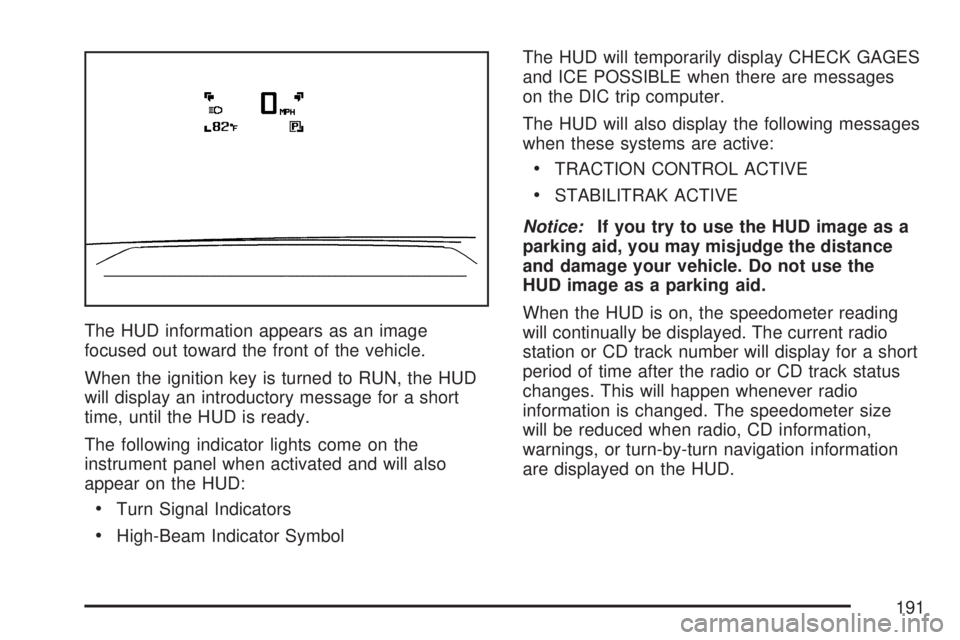
The HUD information appears as an image
focused out toward the front of the vehicle.
When the ignition key is turned to RUN, the HUD
will display an introductory message for a short
time, until the HUD is ready.
The following indicator lights come on the
instrument panel when activated and will also
appear on the HUD:
Turn Signal Indicators
High-Beam Indicator SymbolThe HUD will temporarily display CHECK GAGES
and ICE POSSIBLE when there are messages
on the DIC trip computer.
The HUD will also display the following messages
when these systems are active:
TRACTION CONTROL ACTIVE
STABILITRAK ACTIVE
Notice:If you try to use the HUD image as a
parking aid, you may misjudge the distance
and damage your vehicle. Do not use the
HUD image as a parking aid.
When the HUD is on, the speedometer reading
will continually be displayed. The current radio
station or CD track number will display for a short
period of time after the radio or CD track status
changes. This will happen whenever radio
information is changed. The speedometer size
will be reduced when radio, CD information,
warnings, or turn-by-turn navigation information
are displayed on the HUD.
191
Page 192 of 554
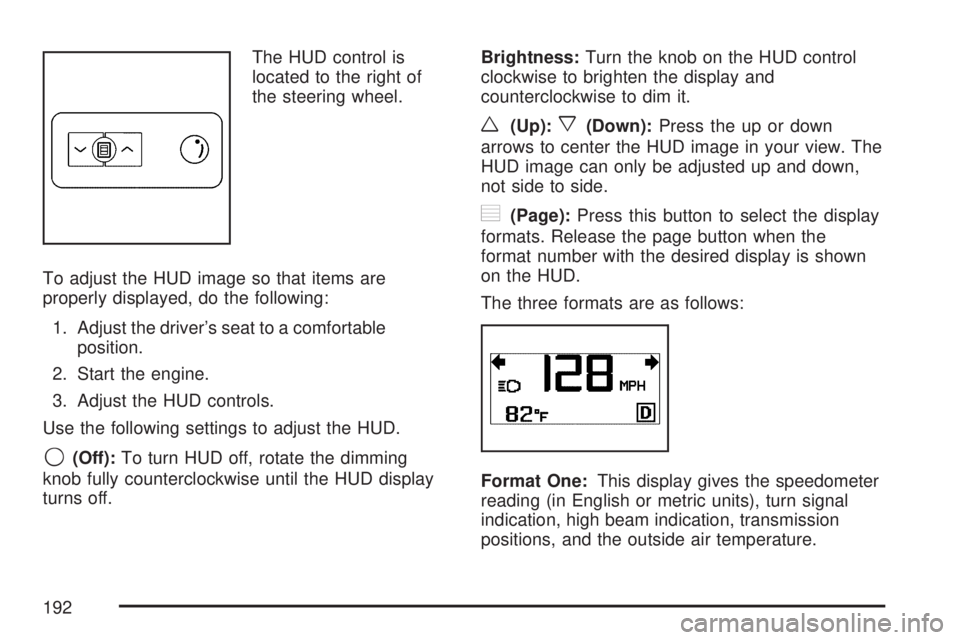
The HUD control is
located to the right of
the steering wheel.
To adjust the HUD image so that items are
properly displayed, do the following:
1. Adjust the driver’s seat to a comfortable
position.
2. Start the engine.
3. Adjust the HUD controls.
Use the following settings to adjust the HUD.
9(Off):To turn HUD off, rotate the dimming
knob fully counterclockwise until the HUD display
turns off.Brightness:Turn the knob on the HUD control
clockwise to brighten the display and
counterclockwise to dim it.
w(Up):x(Down):Press the up or down
arrows to center the HUD image in your view. The
HUD image can only be adjusted up and down,
not side to side.
?(Page):Press this button to select the display
formats. Release the page button when the
format number with the desired display is shown
on the HUD.
The three formats are as follows:
Format One:This display gives the speedometer
reading (in English or metric units), turn signal
indication, high beam indication, transmission
positions, and the outside air temperature.
192
Page 230 of 554
Fog Lamp Light
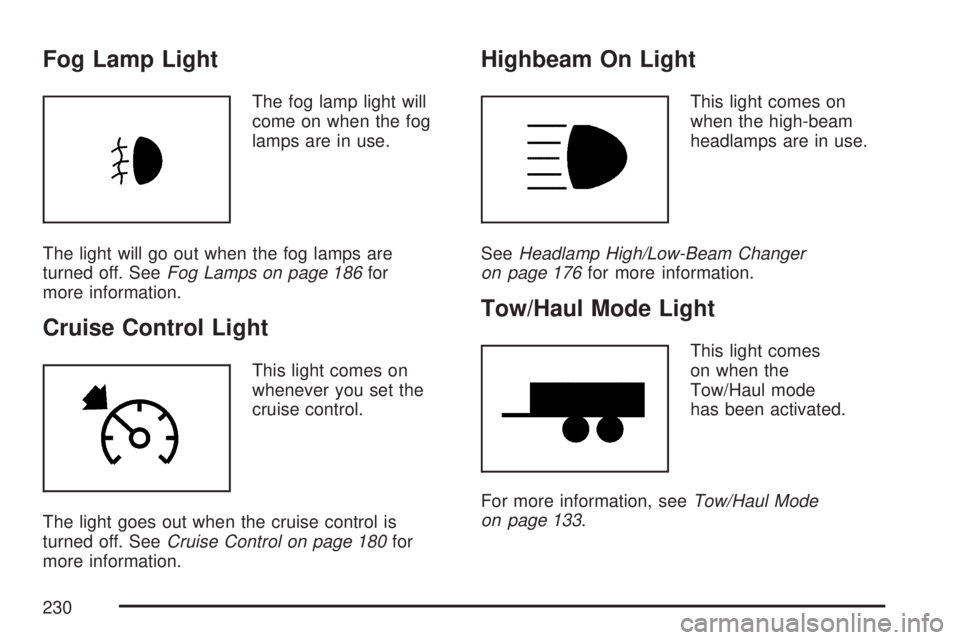
The fog lamp light will
come on when the fog
lamps are in use.
The light will go out when the fog lamps are
turned off. SeeFog Lamps on page 186for
more information.
Cruise Control Light
This light comes on
whenever you set the
cruise control.
The light goes out when the cruise control is
turned off. SeeCruise Control on page 180for
more information.
Highbeam On Light
This light comes on
when the high-beam
headlamps are in use.
SeeHeadlamp High/Low-Beam Changer
on page 176for more information.
Tow/Haul Mode Light
This light comes
on when the
Tow/Haul mode
has been activated.
For more information, seeTow/Haul Mode
on page 133.
230
Page 346 of 554
Driving at Night
Night driving is more dangerous than day driving.
One reason is that some drivers are likely to
be impaired — by alcohol or drugs, with night
vision problems, or by fatigue.
Here are some tips on night driving.
Drive defensively.
Do not drink and drive.
Adjust the inside rearview mirror to reduce the
glare from headlamps behind you.
Since you cannot see as well, slow down and
keep more space between you and other
vehicles.
Slow down, especially on higher speed roads.
Your vehicle’s headlamps can light up only so
much road ahead.
In remote areas, watch for animals.
If you are tired, pull off the road in a safe
place and rest.No one can see as well at night as in the daytime.
But as we get older these differences increase.
A 50-year-old driver might require at least twice as
much light to see the same thing at night as a
20-year-old.
What you do in the daytime can also affect your
night vision. For example, if you spend the
day in bright sunshine you are wise to wear
sunglasses. Your eyes will have less trouble
adjusting to night. But if you are driving, do not
wear sunglasses at night. They might cut down on
glare from headlamps, but they also make a lot
of things invisible.
You can be temporarily blinded by approaching
headlamps. It can take a second or two, or
even several seconds, for your eyes to re-adjust
to the dark. When you are faced with severe glare,
as from a driver who does not lower the high
beams, or a vehicle with misaimed headlamps,
slow down a little. Avoid staring directly into
the approaching headlamps.
346
Page 431 of 554
Rear Drive Module
When to Check Lubricant
Refer to the Maintenance Schedule to determine
how often to check the lubricant. SeeScheduled
Maintenance on page 502.
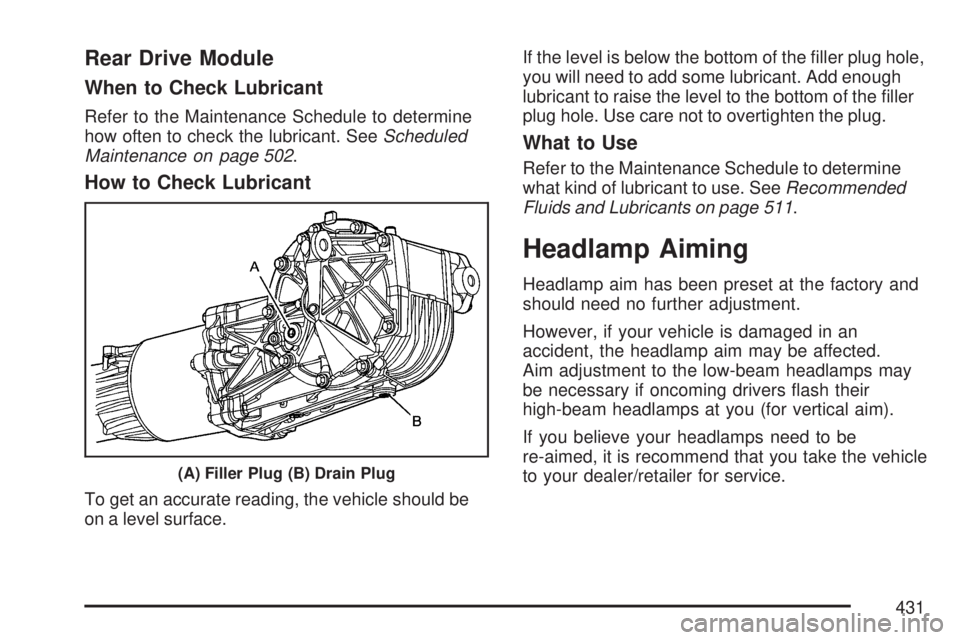
How to Check Lubricant
To get an accurate reading, the vehicle should be
on a level surface.If the level is below the bottom of the ller plug hole,
you will need to add some lubricant. Add enough
lubricant to raise the level to the bottom of the ller
plug hole. Use care not to overtighten the plug.
What to Use
Refer to the Maintenance Schedule to determine
what kind of lubricant to use. SeeRecommended
Fluids and Lubricants on page 511.
Headlamp Aiming
Headlamp aim has been preset at the factory and
should need no further adjustment.
However, if your vehicle is damaged in an
accident, the headlamp aim may be affected.
Aim adjustment to the low-beam headlamps may
be necessary if oncoming drivers ash their
high-beam headlamps at you (for vertical aim).
If you believe your headlamps need to be
re-aimed, it is recommend that you take the vehicle
to your dealer/retailer for service.
(A) Filler Plug (B) Drain Plug
431