lights GMC ACADIA 2008 User Guide
[x] Cancel search | Manufacturer: GMC, Model Year: 2008, Model line: ACADIA, Model: GMC ACADIA 2008Pages: 472, PDF Size: 5.72 MB
Page 157 of 472
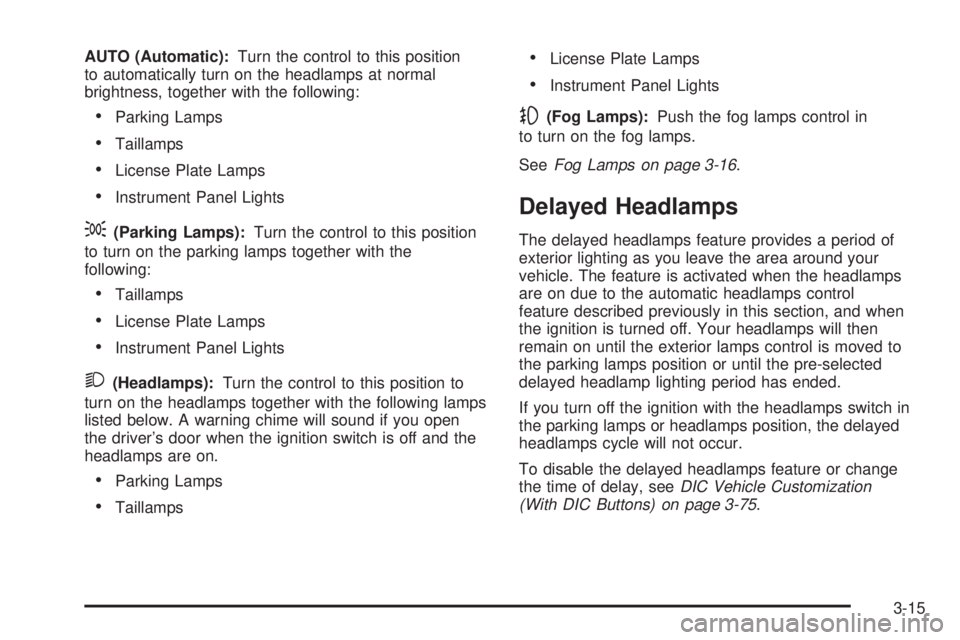
AUTO (Automatic):Turn the control to this position
to automatically turn on the headlamps at normal
brightness, together with the following:
Parking Lamps
Taillamps
License Plate Lamps
Instrument Panel Lights
;(Parking Lamps):Turn the control to this position
to turn on the parking lamps together with the
following:
Taillamps
License Plate Lamps
Instrument Panel Lights
2(Headlamps):Turn the control to this position to
turn on the headlamps together with the following lamps
listed below. A warning chime will sound if you open
the driver’s door when the ignition switch is off and the
headlamps are on.
Parking Lamps
Taillamps
License Plate Lamps
Instrument Panel Lights
-(Fog Lamps):Push the fog lamps control in
to turn on the fog lamps.
SeeFog Lamps on page 3-16.
Delayed Headlamps
The delayed headlamps feature provides a period of
exterior lighting as you leave the area around your
vehicle. The feature is activated when the headlamps
are on due to the automatic headlamps control
feature described previously in this section, and when
the ignition is turned off. Your headlamps will then
remain on until the exterior lamps control is moved to
the parking lamps position or until the pre-selected
delayed headlamp lighting period has ended.
If you turn off the ignition with the headlamps switch in
the parking lamps or headlamps position, the delayed
headlamps cycle will not occur.
To disable the delayed headlamps feature or change
the time of delay, seeDIC Vehicle Customization
(With DIC Buttons) on page 3-75.
3-15
Page 159 of 472
Instrument Panel Brightness
D(Instrument Panel Brightness):The knob with
this symbol on it is located next to the exterior lamps
control. Push the knob in all the way until it extends
out and then turn the knob clockwise to brighten
or counterclockwise to dim the lights. Push the knob
back in when nished.
Courtesy Lamps
When a door is opened, the courtesy lamps automatically
come on. They make it easy for you to enter and leave
your vehicle. You can also manually turn these lamps on
by fully turning the instrument panel brightness control
clockwise.
The reading lamps, located on the headliner above the
rearview mirror, can be turned on or off independent
of the automatic courtesy lamps, when the doors
are closed.
Dome Lamps
The dome lamps automatically come on when a door
is opened, unless the dome lamp override button
is pressed in.
The lamps can also be turned on and off by turning
the instrument panel brightness control clockwise to
the farthest position.
Dome Lamp Override
The dome lamp override button is located next to the
exterior lamps control.
The dome lamp override is used to set the dome lamps
to remain off or come on automatically when a door
is opened.
E(Dome Lamp Override):Press the button in and
the dome lamps remain off when a door is opened.
Press the button again to return it to the extended
position so that the dome lamps come on when a
door is opened.
Entry Lighting
Your vehicle may have courtesy lamps that will come
on and stay on for a set time whenever the unlock
symbol is pressed on the Remote Keyless Entry (RKE)
Transmitter, if the vehicle has one.
If a door is opened, the lamps stay on while it is open
and then turn off automatically about 25 seconds
after the door is closed. If the unlock symbol is pressed
and you do not open a door, the lamps turn off after
about 20 seconds.
3-17
Page 163 of 472
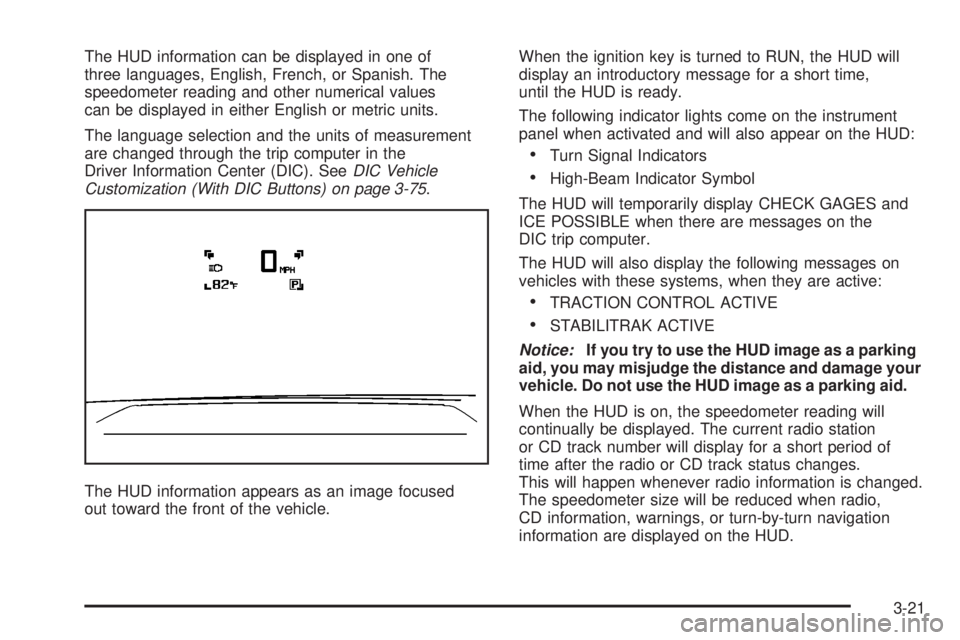
The HUD information can be displayed in one of
three languages, English, French, or Spanish. The
speedometer reading and other numerical values
can be displayed in either English or metric units.
The language selection and the units of measurement
are changed through the trip computer in the
Driver Information Center (DIC). SeeDIC Vehicle
Customization (With DIC Buttons) on page 3-75.
The HUD information appears as an image focused
out toward the front of the vehicle.When the ignition key is turned to RUN, the HUD will
display an introductory message for a short time,
until the HUD is ready.
The following indicator lights come on the instrument
panel when activated and will also appear on the HUD:
Turn Signal Indicators
High-Beam Indicator Symbol
The HUD will temporarily display CHECK GAGES and
ICE POSSIBLE when there are messages on the
DIC trip computer.
The HUD will also display the following messages on
vehicles with these systems, when they are active:
TRACTION CONTROL ACTIVE
STABILITRAK ACTIVE
Notice:If you try to use the HUD image as a parking
aid, you may misjudge the distance and damage your
vehicle. Do not use the HUD image as a parking aid.
When the HUD is on, the speedometer reading will
continually be displayed. The current radio station
or CD track number will display for a short period of
time after the radio or CD track status changes.
This will happen whenever radio information is changed.
The speedometer size will be reduced when radio,
CD information, warnings, or turn-by-turn navigation
information are displayed on the HUD.
3-21
Page 181 of 472
N(Mode):Press the mode button to manually change
the direction of the airow in the vehicle. Repeatedly
press the button until the desired mode appears on the
display. Multiple presses cycles through the delivery
selections.
H(Vent):This mode directs air through the headliner
outlets.
)(Bi-Level):This mode directs air through the oor
outlets as well as the headliner outlets. The rear system
oor outlets are located under the third row seats.
6(Floor):This mode directs air through the oor
outlets. The rear system oor outlets are located under
the third row seats.
Warning Lights, Gages,
and Indicators
This section describes the warning lights and gages
on your vehicle.
Warning lights and gages can signal that something
is wrong before it becomes serious enough to cause
an expensive repair or replacement. Paying attention
to the warning lights and gages could also save you
or others from injury.Warning lights come on when there may be or is
a problem with one of your vehicle’s functions. As the
details show on the next few pages, some warning lights
come on briey when you start the engine just to let
you know they are working. If you are familiar with
this section, you should not be alarmed when this
happens.
Gages can indicate when there may be or is a problem
with one of your vehicle’s functions. Often gages
and warning lights work together to let you know
when there is a problem with your vehicle.
When one of the warning lights comes on and stays
on as you are driving, or when one of the gages shows
there may be a problem, check the section that tells
you what to do about it. Please follow this manual’s
advice. Waiting to do repairs can be costly and even
dangerous. So get to know your vehicle’s warning lights
and gages. They can be a big help.
3-39
Page 187 of 472
If, after several seconds, both status indicator lights
remain on, or if there are no lights at all, there may
be a problem with the lights or the passenger sensing
system. See your dealer/retailer for service.
{CAUTION:
If the airbag readiness light in the instrument
panel cluster ever comes on and stays on,
it means that something may be wrong with
the airbag system. If this ever happens, have
the vehicle serviced promptly, because an
adult-size person sitting in the right front
passenger’s seat may not have the protection
of the airbag(s). SeeAirbag Readiness Light
on page 3-42for more on this, including
important safety information.
Charging System Light
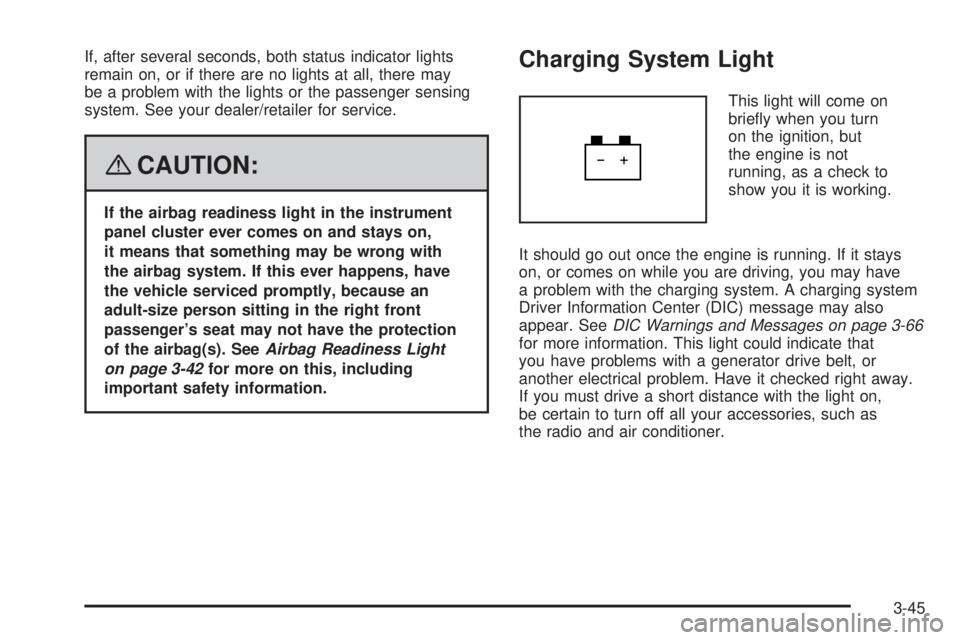
This light will come on
briey when you turn
on the ignition, but
the engine is not
running, as a check to
show you it is working.
It should go out once the engine is running. If it stays
on, or comes on while you are driving, you may have
a problem with the charging system. A charging system
Driver Information Center (DIC) message may also
appear. SeeDIC Warnings and Messages on page 3-66
for more information. This light could indicate that
you have problems with a generator drive belt, or
another electrical problem. Have it checked right away.
If you must drive a short distance with the light on,
be certain to turn off all your accessories, such as
the radio and air conditioner.
3-45
Page 220 of 472
NO CHANGE:No change will be made to this feature.
The current setting will remain.
To select a setting, press the set/reset button while the
desired setting is displayed on the DIC.
REMOTE DOOR LOCK
This feature allows you to select the type of feedback
you will receive when locking the vehicle with the
Remote Keyless Entry (RKE) transmitter. You will not
receive feedback when locking the vehicle with the RKE
transmitter if the doors are open. SeeRemote Keyless
Entry (RKE) System Operation on page 2-5for more
information.
Press the customization button until REMOTE DOOR
LOCK appears on the DIC display. Press the set/reset
button once to access the settings for this feature.
Then press the customization button to scroll through
the following settings:
OFF:There will be no feedback when you press the
lock button on the RKE transmitter.
LIGHTS ONLY:The exterior lamps will ash when you
press the lock button on the RKE transmitter.
HORN ONLY:The horn will sound on the second press
of the lock button on the RKE transmitter.HORN & LIGHTS (default):The exterior lamps will ash
when you press the lock button on the RKE transmitter,
and the horn will sound when the lock button is pressed
again within ve seconds of the previous command.
NO CHANGE:No change will be made to this feature.
The current setting will remain.
To select a setting, press the set/reset button while the
desired setting is displayed on the DIC.
REMOTE DOOR UNLOCK
This feature allows you to select the type of feedback
you will receive when unlocking the vehicle with
the Remote Keyless Entry (RKE) transmitter. You will
not receive feedback when unlocking the vehicle
with the RKE transmitter if the doors are open. See
Remote Keyless Entry (RKE) System Operation
on page 2-5for more information.
Press the customization button until REMOTE DOOR
UNLOCK appears on the DIC display. Press the
set/reset button once to access the settings for this
feature. Then press the customization button to scroll
through the following settings:
LIGHTS OFF:The exterior lamps will not ash when
you press the unlock button on the RKE transmitter.
3-78
Page 221 of 472
LIGHTS ON (default):The exterior lamps will ash
when you press the unlock button on the RKE transmitter.
NO CHANGE:No change will be made to this feature.
The current setting will remain.
To select a setting, press the set/reset button while the
desired setting is displayed on the DIC.
DELAY DOOR LOCK
This feature allows you to select whether or not the
locking of the vehicle’s doors and liftgate will be delayed.
When locking the doors and liftgate with the power
door lock switch and a door or the liftgate is open,
this feature will delay locking the doors and liftgate
until ve seconds after the last door is closed. You will
hear three chimes to signal that the delayed locking
feature is in use. The key must be out of the ignition
for this feature to work. You can temporarily override
delayed locking by pressing the power door lock switch
twice or the lock button on the RKE transmitter twice.
SeeDelayed Locking on page 2-11for more information.
Press the customization button until DELAY DOOR
LOCK appears on the DIC display. Press the set/reset
button once to access the settings for this feature.
Then press the customization button to scroll through
the following settings:
OFF:There will be no delayed locking of the
vehicle’s doors.ON (default):The doors will not lock until ve seconds
after the last door or the liftgate is closed.
NO CHANGE:No change will be made to this feature.
The current setting will remain.
To select a setting, press the set/reset button while the
desired setting is displayed on the DIC.
EXIT LIGHTING
This feature allows you to select the amount of time you
want the exterior lamps to remain on when it is dark
enough outside. This happens after the key is turned
from ON/RUN to LOCK/OFF.
Press the customization button until EXIT LIGHTING
appears on the DIC display. Press the set/reset button
once to access the settings for this feature. Then
press the customization button to scroll through the
following settings:
OFF:The exterior lamps will not turn on.
30 SECONDS (default):The exterior lamps will
stay on for 30 seconds.
1 MINUTE:The exterior lamps will stay on for
one minute.
2 MINUTES:The exterior lamps will stay on for
two minutes.
3-79
Page 222 of 472
NO CHANGE:No change will be made to this feature.
The current setting will remain.
To select a setting, press the set/reset button while
the desired setting is displayed on the DIC.
APPROACH LIGHTING
This feature allows you to select whether or not to
have the exterior lights turn on briey during low
light periods after unlocking the vehicle using the
Remote Keyless Entry (RKE) transmitter.
Press the customization button until APPROACH
LIGHTING appears on the DIC display. Press the
set/reset button once to access the settings for
this feature. Then press the customization button
to scroll through the following settings:
OFF:The exterior lights will not turn on when you
unlock the vehicle with the RKE transmitter.
ON (default):If it is dark enough outside, the exterior
lights will turn on briey when you unlock the vehicle
with the RKE transmitter.
The lights will remain on for 20 seconds or until the
lock button on the RKE transmitter is pressed, or
the vehicle is no longer off. SeeRemote Keyless
Entry (RKE) System Operation on page 2-5for
more information.NO CHANGE:No change will be made to this feature.
The current setting will remain.
To select a setting, press the set/reset button while the
desired setting is displayed on the DIC.
CHIME VOLUME
This feature allows you to select the volume level of
the chime.
Press the customization button until CHIME VOLUME
appears on the DIC display. Press the set/reset
button once to access the settings for this feature.
Then press the customization button to scroll through
the following settings:
NORMAL:The chime volume will be set to a
normal level.
LOUD:The chime volume will be set to a loud level.
NO CHANGE:No change will be made to this feature.
The current setting will remain.
There is no default for chime volume. The volume will
stay at the last known setting.
To select a setting, press the set/reset button while the
desired setting is displayed on the DIC.
3-80
Page 280 of 472
Traction Control Operation
The traction control system is part of the StabiliTrak®
system. Traction control limits wheel spin by reducing
engine power to the wheels (engine speed
management) and by applying brakes to each individual
wheel (brake-traction control) as necessary.
The traction control system is enabled automatically
when you start your vehicle. It will activate and the
StabiliTrak
®light will ash if it senses that any of the
wheels are spinning or beginning to lose traction while
driving. If you turn off traction control, only the
brake-traction control portion of traction control will
work. The engine speed management will be disabled.
In this mode, engine power is not reduced automatically
and the driven wheels can spin more freely. This can
cause the brake-traction control to activate constantly.
Notice:If you allow the wheel(s) of one axle to spin
excessively while the StabiliTrak
®, ABS and brake
warning lights and the SERVICE STABILITRAK
message are displayed, you could damage the
transfer case. The repairs would not be covered by
your warranty. Reduce engine power and do not
spin the wheel(s) excessively while these lights and
this message are displayed.The traction control system may activate on dry or
rough roads or under conditions such as heavy
acceleration while turning or abrupt upshifts/downshifts
of the transmission. When this happens, you may
notice a reduction in acceleration, or may hear a noise
or vibration. This is normal.
If your vehicle is in cruise control when the system
activates, the StabiliTrak
®light will ash and the cruise
control will automatically disengage. When road
conditions allow you to use cruise again, you may
re-engage the cruise control. SeeCruise Control on
page 3-12.
StabiliTrak
®may also turn off automatically if it
determines that a problem exists with the system. If the
problem does not clear itself after restarting the
vehicle, you should see your dealer/retailer for service.
4-8
Page 336 of 472
Engine Coolant
The cooling system in your vehicle is lled with
DEX-COOL®engine coolant. This coolant is designed
to remain in your vehicle for ve years or 150,000 miles
(240 000 km), whichever occurs rst, if you add only
DEX-COOL
®extended life coolant.
The following explains your cooling system and how to
add coolant when it is low. If you have a problem
with engine overheating or if you need to add coolant to
the radiator, seeEngine Overheating on page 5-25.
A 50/50 mixture of clean, drinkable water and
DEX-COOL
®coolant will:
Give freezing protection down to−34°F (−37°C).
Give boiling protection up to 265°F (129°C).
Protect against rust and corrosion.
Help keep the proper engine temperature.
Let the warning lights and gages work as they
should.
Notice:Using coolant other than DEX-COOL
®may
cause premature engine, heater core, or radiator
corrosion. In addition, the engine coolant may
require changing sooner, at the rst maintenance
service after each 30,000 miles (50 000 km) or
24 months, whichever occurs rst. Any repairs
would not be covered by your warranty. Always use
DEX-COOL
®(silicate-free) coolant in your vehicle.
What to Use
Use a mixture of one-half clean, drinkable water and
one-half DEX-COOL®coolant which will not damage
aluminum parts. If you use this coolant mixture, you do
not need to add anything else.
{CAUTION:
Adding only plain water to your cooling
system can be dangerous. Plain water, or
some other liquid such as alcohol, can boil
before the proper coolant mixture will. Your
vehicle’s coolant warning system is set for the
proper coolant mixture. With plain water or the
wrong mixture, your engine could get too hot
but you would not get the overheat warning.
Your engine could catch re and you or others
could be burned. Use a 50/50 mixture of clean,
drinkable water and DEX-COOL
®coolant.
5-22