light GMC ACADIA 2008 Service Manual
[x] Cancel search | Manufacturer: GMC, Model Year: 2008, Model line: ACADIA, Model: GMC ACADIA 2008Pages: 472, PDF Size: 5.72 MB
Page 163 of 472
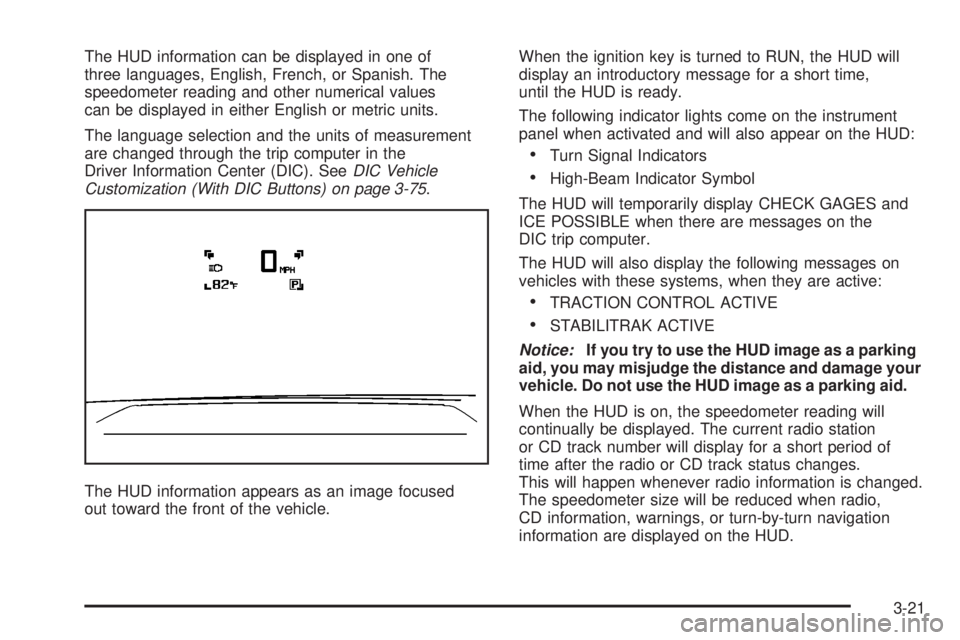
The HUD information can be displayed in one of
three languages, English, French, or Spanish. The
speedometer reading and other numerical values
can be displayed in either English or metric units.
The language selection and the units of measurement
are changed through the trip computer in the
Driver Information Center (DIC). SeeDIC Vehicle
Customization (With DIC Buttons) on page 3-75.
The HUD information appears as an image focused
out toward the front of the vehicle.When the ignition key is turned to RUN, the HUD will
display an introductory message for a short time,
until the HUD is ready.
The following indicator lights come on the instrument
panel when activated and will also appear on the HUD:
Turn Signal Indicators
High-Beam Indicator Symbol
The HUD will temporarily display CHECK GAGES and
ICE POSSIBLE when there are messages on the
DIC trip computer.
The HUD will also display the following messages on
vehicles with these systems, when they are active:
TRACTION CONTROL ACTIVE
STABILITRAK ACTIVE
Notice:If you try to use the HUD image as a parking
aid, you may misjudge the distance and damage your
vehicle. Do not use the HUD image as a parking aid.
When the HUD is on, the speedometer reading will
continually be displayed. The current radio station
or CD track number will display for a short period of
time after the radio or CD track status changes.
This will happen whenever radio information is changed.
The speedometer size will be reduced when radio,
CD information, warnings, or turn-by-turn navigation
information are displayed on the HUD.
3-21
Page 165 of 472
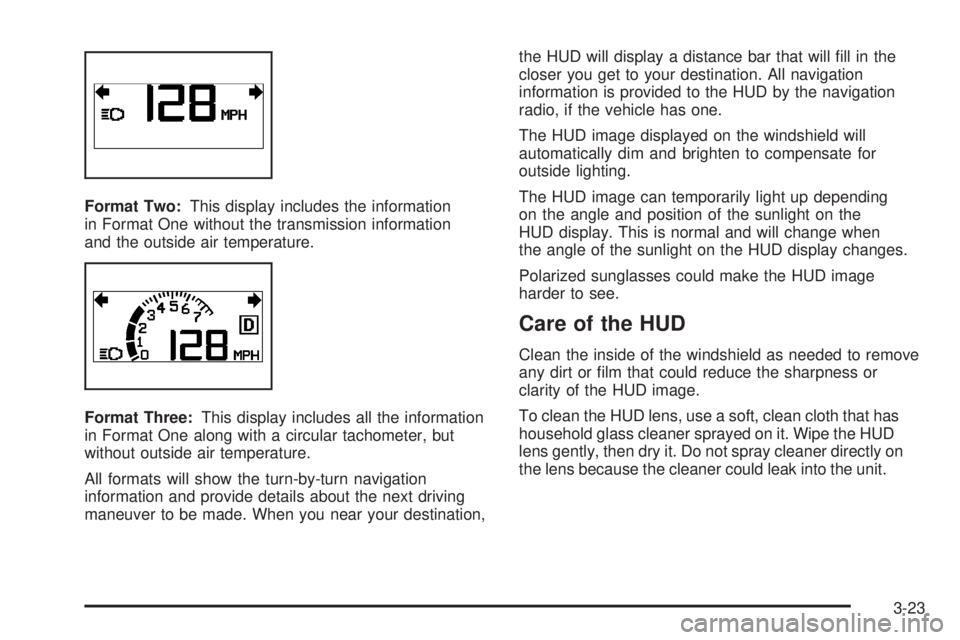
Format Two:This display includes the information
in Format One without the transmission information
and the outside air temperature.
Format Three:This display includes all the information
in Format One along with a circular tachometer, but
without outside air temperature.
All formats will show the turn-by-turn navigation
information and provide details about the next driving
maneuver to be made. When you near your destination,the HUD will display a distance bar that will ll in the
closer you get to your destination. All navigation
information is provided to the HUD by the navigation
radio, if the vehicle has one.
The HUD image displayed on the windshield will
automatically dim and brighten to compensate for
outside lighting.
The HUD image can temporarily light up depending
on the angle and position of the sunlight on the
HUD display. This is normal and will change when
the angle of the sunlight on the HUD display changes.
Polarized sunglasses could make the HUD image
harder to see.
Care of the HUD
Clean the inside of the windshield as needed to remove
any dirt or lm that could reduce the sharpness or
clarity of the HUD image.
To clean the HUD lens, use a soft, clean cloth that has
household glass cleaner sprayed on it. Wipe the HUD
lens gently, then dry it. Do not spray cleaner directly on
the lens because the cleaner could leak into the unit.
3-23
Page 167 of 472
Certain electrical accessories may not be compatible
with the accessory power outlets and could result
in blown vehicle or adapter fuses. If you experience
a problem, see your dealer/retailer for additional
information on the accessory power outlet.
Notice:Adding any electrical equipment to your
vehicle may damage it or keep other components
from working as they should. The repairs would not
be covered by your warranty. Do not use equipment
exceeding maximum amperage rating of 20 amperes.
Check with your dealer/retailer before adding
electrical equipment.
When adding electrical equipment, be sure to follow the
installation instructions included with the equipment.
Notice:Improper use of the power outlet can
cause damage not covered by your warranty.
Do not hang any type of accessory or accessory
bracket from the plug because the power outlets
are designed for accessory power plugs only.Power Outlet 115 Volt Alternating
Current
Your vehicle may have a power outlet that can be
used to plug in electrical equipment that uses a
maximum limit of 150 watts.
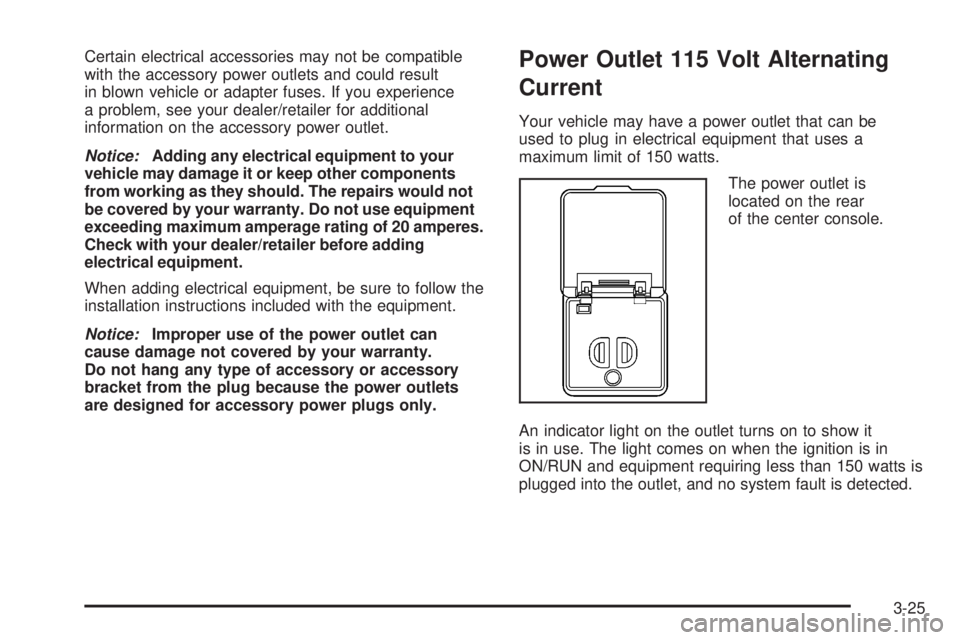
The power outlet is
located on the rear
of the center console.
An indicator light on the outlet turns on to show it
is in use. The light comes on when the ignition is in
ON/RUN and equipment requiring less than 150 watts is
plugged into the outlet, and no system fault is detected.
3-25
Page 168 of 472
The indicator light does not come on when the ignition
is in LOCK/OFF or if no equipment is plugged into
the outlet.
If you try to connect equipment using more than
150 watts or a system fault is detected, a protection
circuit shuts off the power supply and the indicator
light turns off. To reset the circuit, unplug the item
and plug it back in or turn the Remote Accessory Power
(RAP) off and then back on. SeeRetained Accessory
Power (RAP) on page 2-27. The power restarts
when equipment using 150 watts or less is plugged
into the outlet and a system fault is not detected.
The power outlet is not designed for the following
electrical equipment and may not work properly if
these items are plugged into the power outlet:
Equipment with high initial peak wattage such
as: compressor-driven refrigerators and electric
power tools.
Other equipment requiring an extremely stable
power supply such as: microcomputer-controlled
electric blankets, touch sensor lamps, etc.
SeeHigh Voltage Devices and Wiring on page 5-99.
Climate Controls
Climate Control System
With this system you can control the heating, cooling,
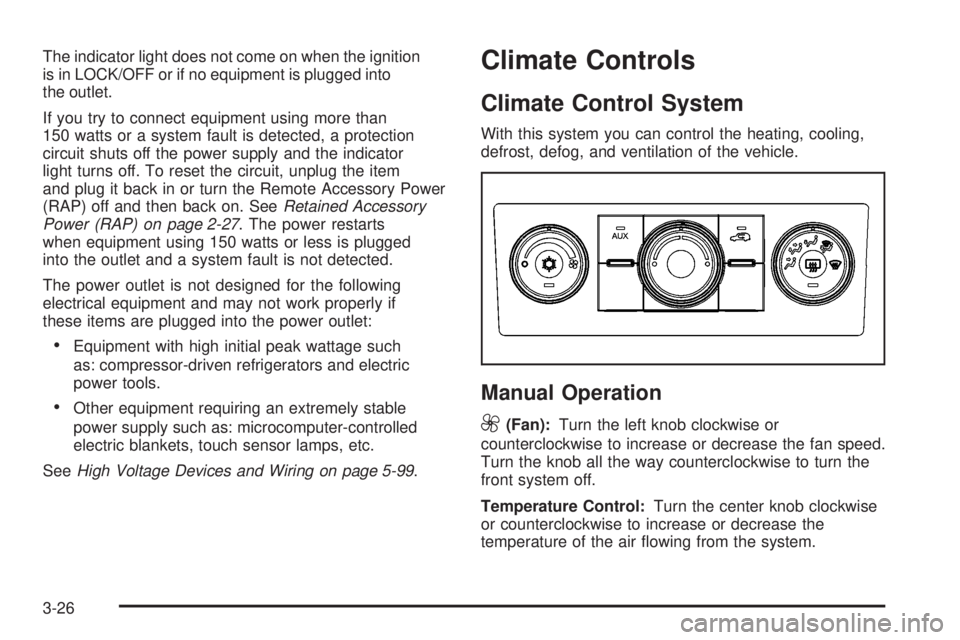
defrost, defog, and ventilation of the vehicle.
Manual Operation
9
(Fan):Turn the left knob clockwise or
counterclockwise to increase or decrease the fan speed.
Turn the knob all the way counterclockwise to turn the
front system off.
Temperature Control:Turn the center knob clockwise
or counterclockwise to increase or decrease the
temperature of the air owing from the system.
3-26
Page 169 of 472
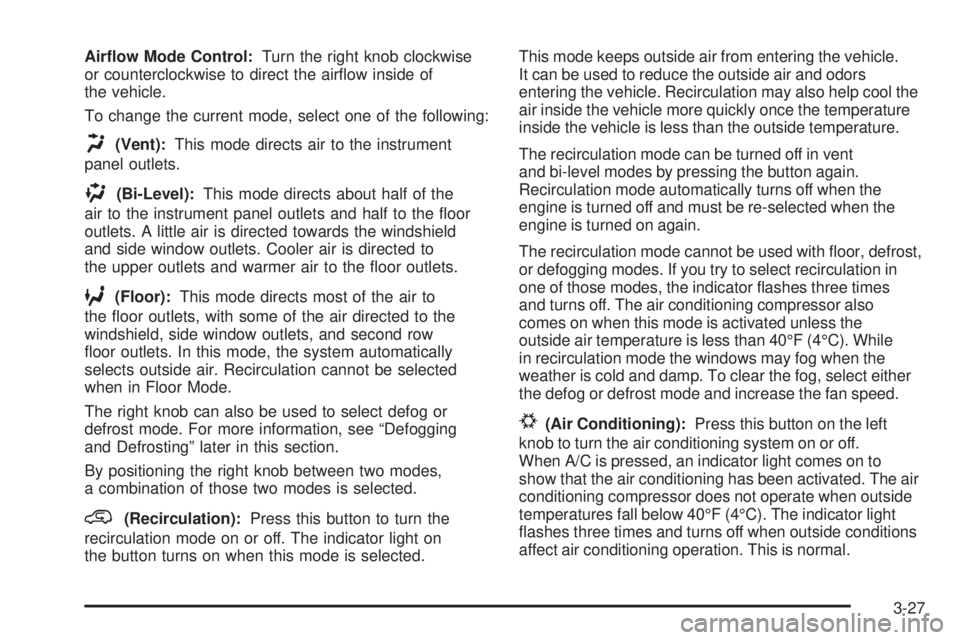
Airow Mode Control:Turn the right knob clockwise
or counterclockwise to direct the airow inside of
the vehicle.
To change the current mode, select one of the following:
H(Vent):This mode directs air to the instrument
panel outlets.
)(Bi-Level):This mode directs about half of the
air to the instrument panel outlets and half to the oor
outlets. A little air is directed towards the windshield
and side window outlets. Cooler air is directed to
the upper outlets and warmer air to the oor outlets.
6(Floor):This mode directs most of the air to
the oor outlets, with some of the air directed to the
windshield, side window outlets, and second row
oor outlets. In this mode, the system automatically
selects outside air. Recirculation cannot be selected
when in Floor Mode.
The right knob can also be used to select defog or
defrost mode. For more information, see “Defogging
and Defrosting” later in this section.
By positioning the right knob between two modes,
a combination of those two modes is selected.
@(Recirculation):Press this button to turn the
recirculation mode on or off. The indicator light on
the button turns on when this mode is selected.This mode keeps outside air from entering the vehicle.
It can be used to reduce the outside air and odors
entering the vehicle. Recirculation may also help cool the
air inside the vehicle more quickly once the temperature
inside the vehicle is less than the outside temperature.
The recirculation mode can be turned off in vent
and bi-level modes by pressing the button again.
Recirculation mode automatically turns off when the
engine is turned off and must be re-selected when the
engine is turned on again.
The recirculation mode cannot be used with oor, defrost,
or defogging modes. If you try to select recirculation in
one of those modes, the indicator ashes three times
and turns off. The air conditioning compressor also
comes on when this mode is activated unless the
outside air temperature is less than 40°F (4°C). While
in recirculation mode the windows may fog when the
weather is cold and damp. To clear the fog, select either
the defog or defrost mode and increase the fan speed.
#(Air Conditioning):Press this button on the left
knob to turn the air conditioning system on or off.
When A/C is pressed, an indicator light comes on to
show that the air conditioning has been activated. The air
conditioning compressor does not operate when outside
temperatures fall below 40°F (4°C). The indicator light
ashes three times and turns off when outside conditions
affect air conditioning operation. This is normal.
3-27
Page 172 of 472
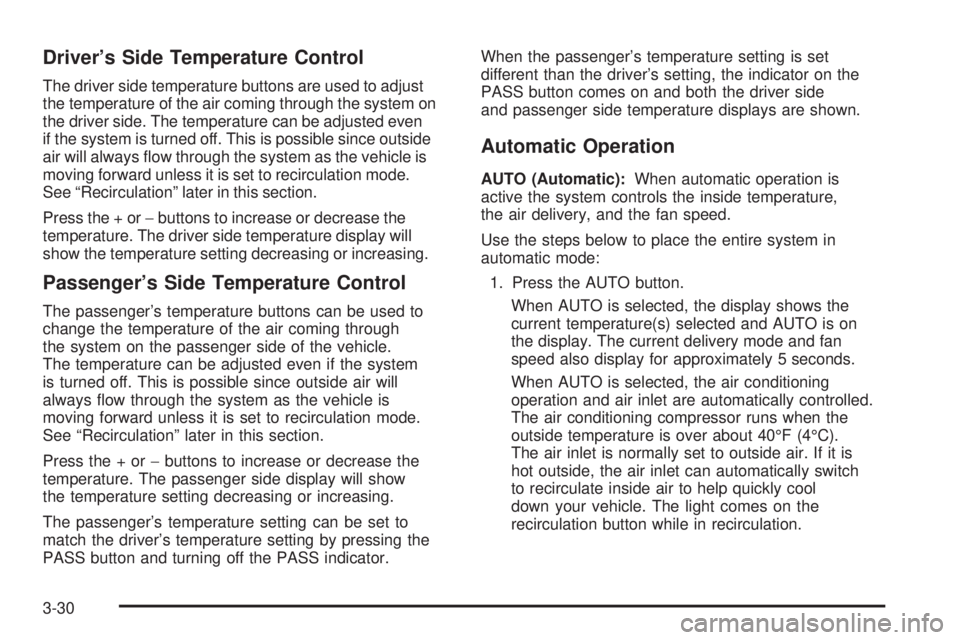
Driver’s Side Temperature Control
The driver side temperature buttons are used to adjust
the temperature of the air coming through the system on
the driver side. The temperature can be adjusted even
if the system is turned off. This is possible since outside
air will always ow through the system as the vehicle is
moving forward unless it is set to recirculation mode.
See “Recirculation” later in this section.
Press the + or−buttons to increase or decrease the
temperature. The driver side temperature display will
show the temperature setting decreasing or increasing.
Passenger’s Side Temperature Control
The passenger’s temperature buttons can be used to
change the temperature of the air coming through
the system on the passenger side of the vehicle.
The temperature can be adjusted even if the system
is turned off. This is possible since outside air will
always ow through the system as the vehicle is
moving forward unless it is set to recirculation mode.
See “Recirculation” later in this section.
Press the + or−buttons to increase or decrease the
temperature. The passenger side display will show
the temperature setting decreasing or increasing.
The passenger’s temperature setting can be set to
match the driver’s temperature setting by pressing the
PASS button and turning off the PASS indicator.When the passenger’s temperature setting is set
different than the driver’s setting, the indicator on the
PASS button comes on and both the driver side
and passenger side temperature displays are shown.
Automatic Operation
AUTO (Automatic):When automatic operation is
active the system controls the inside temperature,
the air delivery, and the fan speed.
Use the steps below to place the entire system in
automatic mode:
1. Press the AUTO button.
When AUTO is selected, the display shows the
current temperature(s) selected and AUTO is on
the display. The current delivery mode and fan
speed also display for approximately 5 seconds.
When AUTO is selected, the air conditioning
operation and air inlet are automatically controlled.
The air conditioning compressor runs when the
outside temperature is over about 40°F (4°C).
The air inlet is normally set to outside air. If it is
hot outside, the air inlet can automatically switch
to recirculate inside air to help quickly cool
down your vehicle. The light comes on the
recirculation button while in recirculation.
3-30
Page 173 of 472
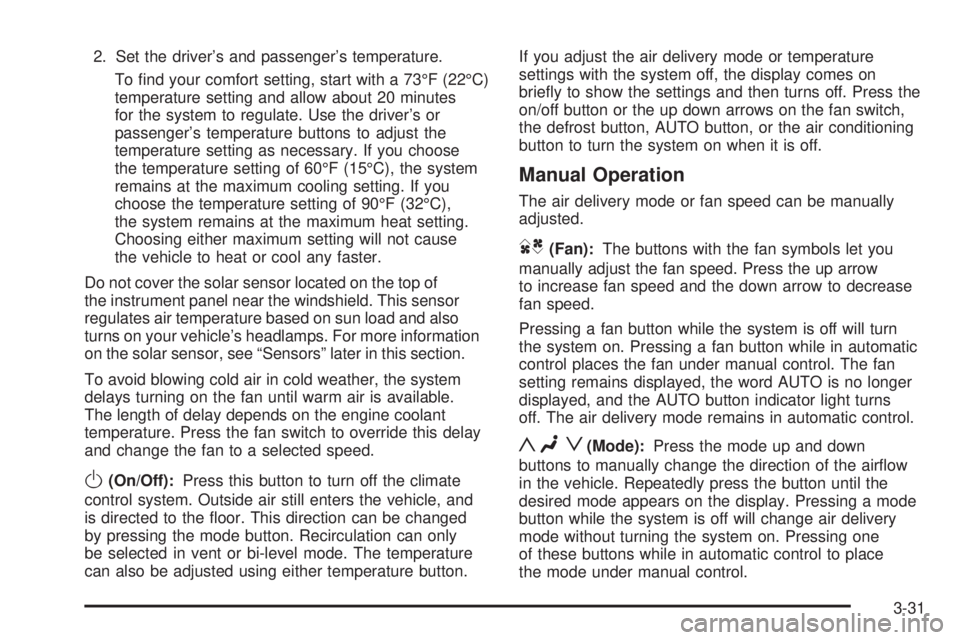
2. Set the driver’s and passenger’s temperature.
To nd your comfort setting, start with a 73°F (22°C)
temperature setting and allow about 20 minutes
for the system to regulate. Use the driver’s or
passenger’s temperature buttons to adjust the
temperature setting as necessary. If you choose
the temperature setting of 60°F (15°C), the system
remains at the maximum cooling setting. If you
choose the temperature setting of 90°F (32°C),
the system remains at the maximum heat setting.
Choosing either maximum setting will not cause
the vehicle to heat or cool any faster.
Do not cover the solar sensor located on the top of
the instrument panel near the windshield. This sensor
regulates air temperature based on sun load and also
turns on your vehicle’s headlamps. For more information
on the solar sensor, see “Sensors” later in this section.
To avoid blowing cold air in cold weather, the system
delays turning on the fan until warm air is available.
The length of delay depends on the engine coolant
temperature. Press the fan switch to override this delay
and change the fan to a selected speed.
O(On/Off):Press this button to turn off the climate
control system. Outside air still enters the vehicle, and
is directed to the oor. This direction can be changed
by pressing the mode button. Recirculation can only
be selected in vent or bi-level mode. The temperature
can also be adjusted using either temperature button.If you adjust the air delivery mode or temperature
settings with the system off, the display comes on
briey to show the settings and then turns off. Press the
on/off button or the up down arrows on the fan switch,
the defrost button, AUTO button, or the air conditioning
button to turn the system on when it is off.
Manual Operation
The air delivery mode or fan speed can be manually
adjusted.
DC(Fan):The buttons with the fan symbols let you
manually adjust the fan speed. Press the up arrow
to increase fan speed and the down arrow to decrease
fan speed.
Pressing a fan button while the system is off will turn
the system on. Pressing a fan button while in automatic
control places the fan under manual control. The fan
setting remains displayed, the word AUTO is no longer
displayed, and the AUTO button indicator light turns
off. The air delivery mode remains in automatic control.
yNz(Mode):Press the mode up and down
buttons to manually change the direction of the airow
in the vehicle. Repeatedly press the button until the
desired mode appears on the display. Pressing a mode
button while the system is off will change air delivery
mode without turning the system on. Pressing one
of these buttons while in automatic control to place
the mode under manual control.
3-31
Page 174 of 472
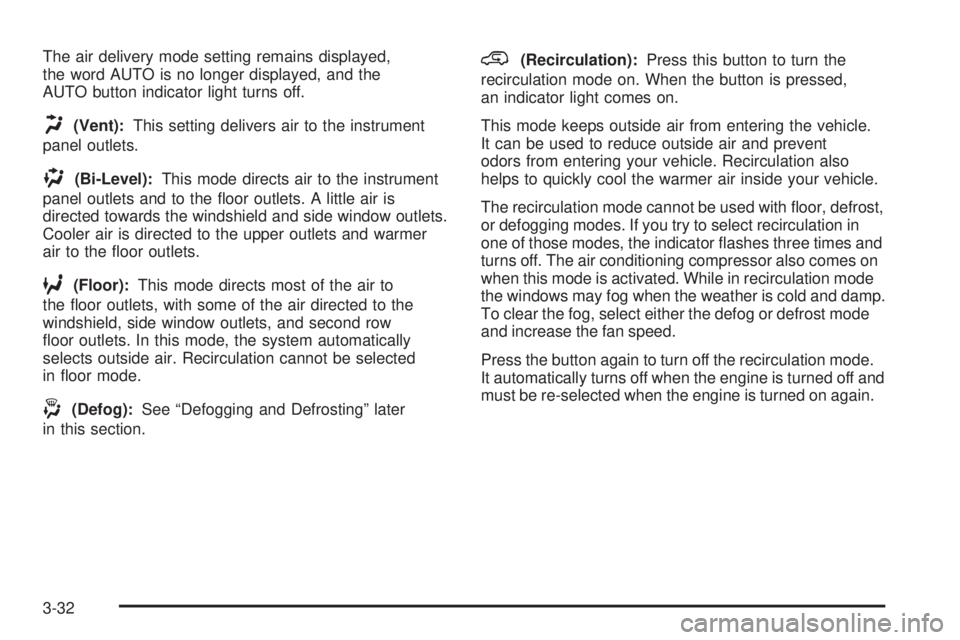
The air delivery mode setting remains displayed,
the word AUTO is no longer displayed, and the
AUTO button indicator light turns off.
H(Vent):This setting delivers air to the instrument
panel outlets.
)(Bi-Level):This mode directs air to the instrument
panel outlets and to the oor outlets. A little air is
directed towards the windshield and side window outlets.
Cooler air is directed to the upper outlets and warmer
air to the oor outlets.
6(Floor):This mode directs most of the air to
the oor outlets, with some of the air directed to the
windshield, side window outlets, and second row
oor outlets. In this mode, the system automatically
selects outside air. Recirculation cannot be selected
in oor mode.
-(Defog):See “Defogging and Defrosting” later
in this section.
@(Recirculation):Press this button to turn the
recirculation mode on. When the button is pressed,
an indicator light comes on.
This mode keeps outside air from entering the vehicle.
It can be used to reduce outside air and prevent
odors from entering your vehicle. Recirculation also
helps to quickly cool the warmer air inside your vehicle.
The recirculation mode cannot be used with oor, defrost,
or defogging modes. If you try to select recirculation in
one of those modes, the indicator ashes three times and
turns off. The air conditioning compressor also comes on
when this mode is activated. While in recirculation mode
the windows may fog when the weather is cold and damp.
To clear the fog, select either the defog or defrost mode
and increase the fan speed.
Press the button again to turn off the recirculation mode.
It automatically turns off when the engine is turned off and
must be re-selected when the engine is turned on again.
3-32
Page 175 of 472
Air Conditioning
#
(Air Conditioning):Press this button to turn the
air conditioning (A/C) compressor on and off. When air
conditioning is selected, an indicator light comes on
to show that the air conditioning has been activated.
The air conditioning compressor does not work
when outside temperatures fall below 40°F (4°C).
Pressing this button when the outside temperature
is too cool makes the air conditioning indicator
ash three times and turn off to let you know the
air conditioning mode is not available. If the air
conditioning is on and the outside temperature
drops below a temperature which is too cool for
air conditioning to be effective, the air conditioning
light turns off to show that the air conditioning mode
has been canceled.
On hot days, open the windows long enough to let
hot inside air escape. This helps to reduce the time
it takes for the vehicle to cool down. It also helps
the system to operate more efficiently.
The air conditioning system removes moisture from the
air, so a small amount of water may drip underneath
your vehicle while idling or after turning off the engine.
This is normal.
Sensors
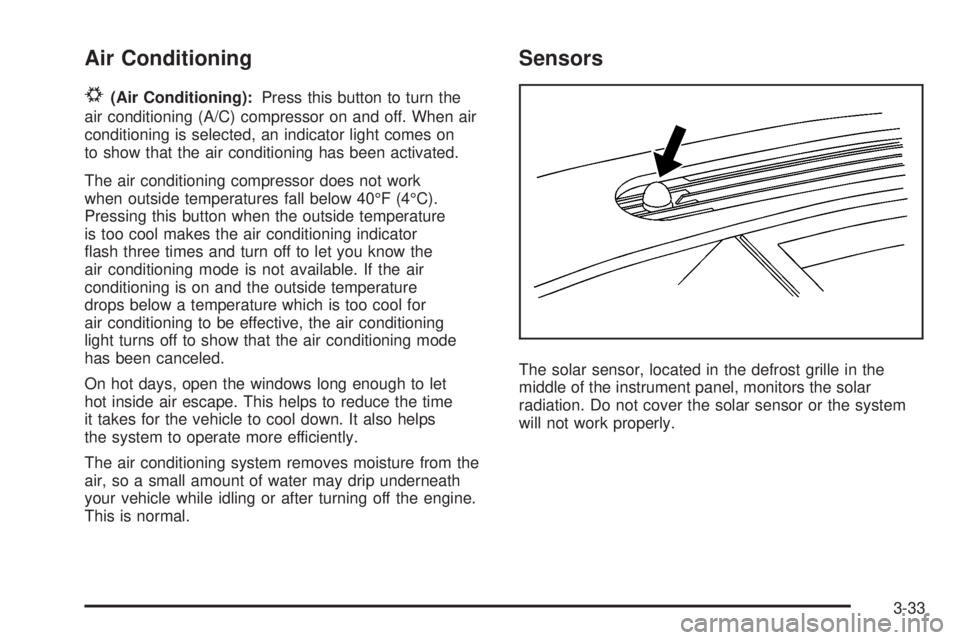
The solar sensor, located in the defrost grille in the
middle of the instrument panel, monitors the solar
radiation. Do not cover the solar sensor or the system
will not work properly.
3-33
Page 180 of 472
Rear Air Conditioning and Heating
System and Electronic Climate
Controls
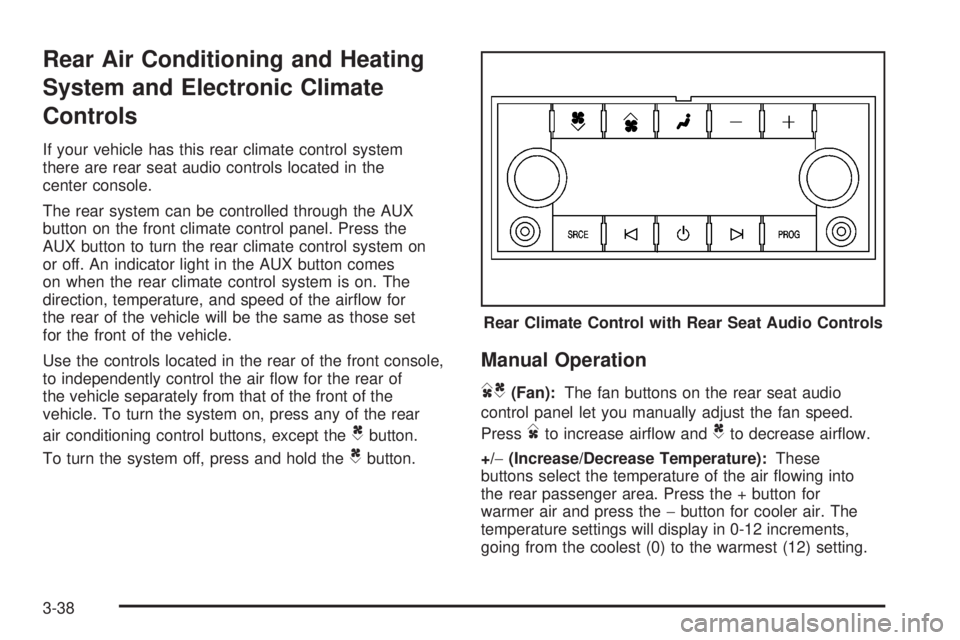
If your vehicle has this rear climate control system
there are rear seat audio controls located in the
center console.
The rear system can be controlled through the AUX
button on the front climate control panel. Press the
AUX button to turn the rear climate control system on
or off. An indicator light in the AUX button comes
on when the rear climate control system is on. The
direction, temperature, and speed of the airow for
the rear of the vehicle will be the same as those set
for the front of the vehicle.
Use the controls located in the rear of the front console,
to independently control the air ow for the rear of
the vehicle separately from that of the front of the
vehicle. To turn the system on, press any of the rear
air conditioning control buttons, except the
Cbutton.
To turn the system off, press and hold the
Cbutton.
Manual Operation
DC(Fan):The fan buttons on the rear seat audio
control panel let you manually adjust the fan speed.
Press
Dto increase airow andCto decrease airow.
+/−(Increase/Decrease Temperature):These
buttons select the temperature of the air owing into
the rear passenger area. Press the + button for
warmer air and press the−button for cooler air. The
temperature settings will display in 0-12 increments,
going from the coolest (0) to the warmest (12) setting.Rear Climate Control with Rear Seat Audio Controls
3-38