radio GMC ACADIA 2008 Owner's Manual
[x] Cancel search | Manufacturer: GMC, Model Year: 2008, Model line: ACADIA, Model: GMC ACADIA 2008Pages: 472, PDF Size: 5.72 MB
Page 86 of 472
See your dealer/retailer if a replacement key or
additional key is needed.
Notice:If you ever lock your keys in your vehicle,
you may have to damage the vehicle to get in.
Be sure you have spare keys.
If you are locked out of your vehicle, call the Roadside
Assistance Center. SeeRoadside Assistance Program
on page 7-6.
Remote Keyless Entry (RKE)
System
Your Remote Keyless Entry (RKE) system operates on
a radio frequency subject to Federal Communications
Commission (FCC) Rules and with Industry Canada.
This device complies with Part 15 of the FCC Rules.
Operation is subject to the following two conditions:
1. This device may not cause interference.
2. This device must accept any interference received,
including interference that may cause undesired
operation of the device.This device complies with RSS-210 of Industry Canada.
Operation is subject to the following two conditions:
1. This device may not cause interference.
2. This device must accept any interference received,
including interference that may cause undesired
operation of the device.
Changes or modications to this system by other than
an authorized service facility could void authorization to
use this equipment.
At times you may notice a decrease in operating range.
This is normal for any RKE system. If the transmitter
does not work or if you have to stand closer to
your vehicle for the transmitter to work, try this:
Check the distance. You may be too far from your
vehicle. You may need to stand closer during
rainy or snowy weather.
Check the location. Other vehicles or objects may
be blocking the signal. Take a few steps to the
left or right, hold the transmitter higher, and
try again.
Check to determine if battery replacement is
necessary. See “Battery Replacement” later in this
section.
If you are still having trouble, see your dealer/retailer
or a qualied technician for service.
2-4
Page 105 of 472
PASS-Key®III+
The PASS-Key®III+ system operates on a radio
frequency subject to Federal Communications
Commission (FCC) Rules and with Industry Canada.
This device complies with Part 15 of the FCC Rules.
Operation is subject to the following two conditions:
1. This device may not cause harmful interference.
2. This device must accept any interference received,
including interference that may cause undesired
operation.
This device complies with RSS-210 of Industry Canada.
Operation is subject to the following two conditions:
1. This device may not cause interference.
2. This device must accept any interference received,
including interference that may cause undesired
operation of the device.
Changes or modications to this system by other than
an authorized service facility could void authorization to
use this equipment.
PASS-Key
®III+ uses a radio frequency transponder in
the key that matches a decoder in your vehicle.
PASS-Key®III+ Operation
Your vehicle has PASS-Key®III+ (Personalized
Automotive Security System) theft-deterrent system.
PASS-Key
®III+ is a passive theft-deterrent system.
The system is automatically armed when the key
is removed from the ignition.
The system is automatically disarmed when the key is
turned to ON/RUN, ACC/ACCESSORY or START
from the LOCK/OFF position.
You do not have to manually arm or disarm the system.
The security light will come on if there is a problem
with arming or disarming the theft-deterrent system.
When the PASS-Key
®III+ system senses that someone
is using the wrong key, it prevents the vehicle from
starting. Anyone using a trial-and-error method to start
the vehicle will be discouraged because of the high
number of electrical key codes.
If the engine does not start and the security light on the
instrument panel comes on when trying to start the
vehicle, there may be a problem with your theft-deterrent
system. Turn the ignition off and try again.
2-23
Page 108 of 472
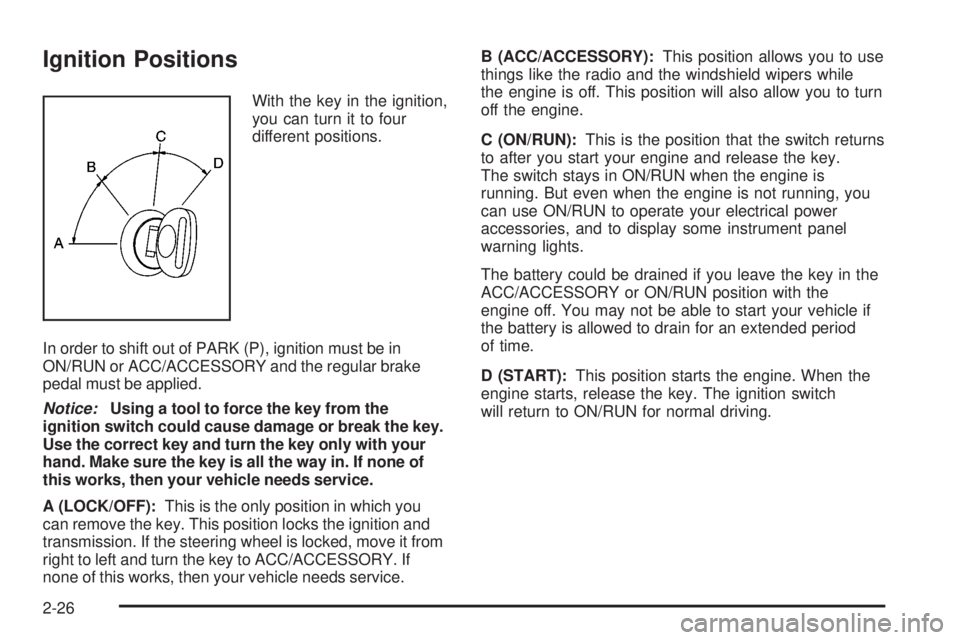
Ignition Positions
With the key in the ignition,
you can turn it to four
different positions.
In order to shift out of PARK (P), ignition must be in
ON/RUN or ACC/ACCESSORY and the regular brake
pedal must be applied.
Notice:Using a tool to force the key from the
ignition switch could cause damage or break the key.
Use the correct key and turn the key only with your
hand. Make sure the key is all the way in. If none of
this works, then your vehicle needs service.
A (LOCK/OFF):This is the only position in which you
can remove the key. This position locks the ignition and
transmission. If the steering wheel is locked, move it from
right to left and turn the key to ACC/ACCESSORY. If
none of this works, then your vehicle needs service.B (ACC/ACCESSORY):This position allows you to use
things like the radio and the windshield wipers while
the engine is off. This position will also allow you to turn
off the engine.
C (ON/RUN):This is the position that the switch returns
to after you start your engine and release the key.
The switch stays in ON/RUN when the engine is
running. But even when the engine is not running, you
can use ON/RUN to operate your electrical power
accessories, and to display some instrument panel
warning lights.
The battery could be drained if you leave the key in the
ACC/ACCESSORY or ON/RUN position with the
engine off. You may not be able to start your vehicle if
the battery is allowed to drain for an extended period
of time.
D (START):This position starts the engine. When the
engine starts, release the key. The ignition switch
will return to ON/RUN for normal driving.
2-26
Page 109 of 472
Key In the Ignition
Never leave your vehicle with the keys inside, as it is an
easy target for joy riders or thieves. If you leave the key in
the ignition and park your vehicle, a chime will sound
when you open the driver’s door. Always remember to
remove your key from the ignition and take it with you.
This will lock your ignition and transmission. Also, always
remember to lock the doors.
The battery could be drained if you leave the key in the
ignition while your vehicle is parked. You may not be able
to start your vehicle after it has been parked for an
extended period of time.
Retained Accessory Power (RAP)
These vehicle accessories can be used for up to
10 minutes after the ignition key is turned off:
Audio System
Power Windows
Sunroof (if equipped)Power to the windows and sunroof will work up to
10 minutes or until a door is opened.
The radio continues to work for 10 minutes or until the
driver’s door is opened.
For an additional 10 minutes of operation, close all the
doors and turn the key to ON/RUN and then back to
LOCK/OFF.
All these features will work when the key is in the
ON/RUN or ACC/ACCESSORY positions.
Starting the Engine
Move your shift lever to PARK (P) or NEUTRAL (N). Your
engine will not start in any other position – this is a safety
feature. To restart when you are already moving, use
NEUTRAL (N) only.
Notice:Do not try to shift to PARK (P) if your vehicle
is moving. If you do, you could damage the
transmission. Shift to PARK (P) only when your
vehicle is stopped.
2-27
Page 132 of 472
OnStar service cannot work unless your vehicle is in a
place where OnStar has an agreement with a wireless
service provider for service in that area. OnStar
service also cannot work unless you are in a place
where the wireless service provider OnStar has hired for
that area has coverage, network capacity and reception
when the service is needed, and technology that is
compatible with the OnStar service. Not all services are
available everywhere, particularly in remote or
enclosed areas, or at all times.
Location information about your vehicle is only available if
the GPS satellite signals are unobstructed and available.
Your vehicle must have a working electrical system
(including adequate battery power) for the OnStar
equipment to operate. There are other problems OnStar
cannot control that may prevent OnStar from providing
OnStar service to you at any particular time or place.
Some examples are damage to important parts of your
vehicle in an accident, hills, tall buildings, tunnels,
weather or wireless phone network congestion.
Your Responsibility
Increase the radio volume if you cannot hear the OnStar
advisor. If the light next to the OnStar buttons is red, this
means that your system is not functioning properly and
should be checked by your dealer/retailer. If the light
appears clear (no light is appearing), your OnStar
subscription has expired. You can always press the
OnStar button to conrm that your OnStar equipment is
active.
Universal Home Remote
System
The Universal Home Remote System provides a way to
replace up to three hand-held Radio-Frequency (RF)
transmitters used to activate devices such as garage
door openers, security systems, and home lighting.
This device complies with Part 15 of the FCC Rules.
Operation is subject to the following two conditions:
1. This device may not cause harmful interference.
2. This device must accept any interference received,
including interference that may cause undesired
operation.
This device complies with RSS-210 of Industry Canada.
Operation is subject to the following two conditions:
1. This device may not cause interference.
2. This device must accept any interference received,
including interference that may cause undesired
operation of the device.
Changes or modications to this system by other than
an authorized service facility could void authorization to
use this equipment.
2-50
Page 133 of 472
Universal Home Remote System
Operation (With One Triangular LED)
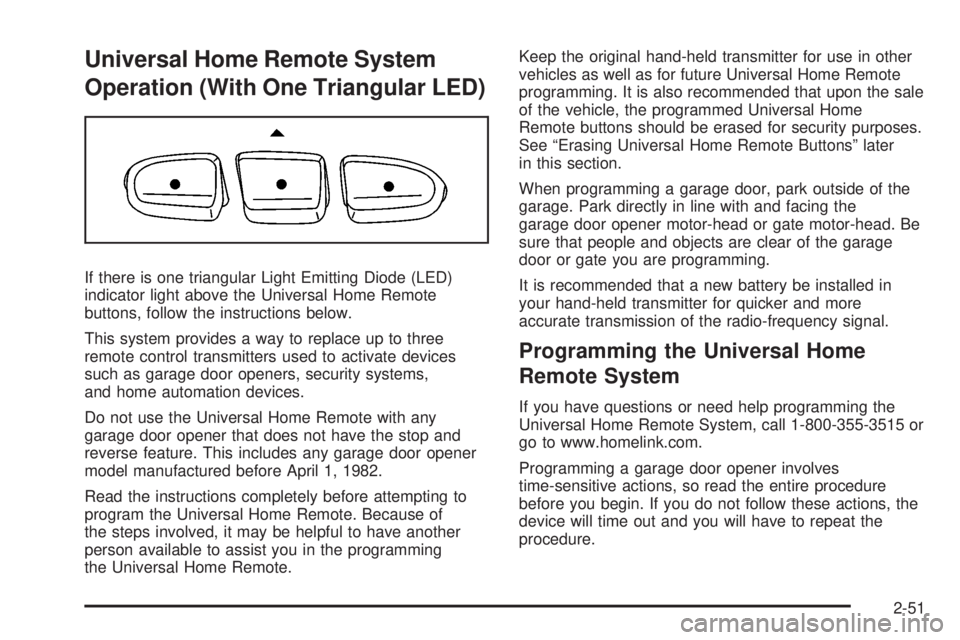
If there is one triangular Light Emitting Diode (LED)
indicator light above the Universal Home Remote
buttons, follow the instructions below.
This system provides a way to replace up to three
remote control transmitters used to activate devices
such as garage door openers, security systems,
and home automation devices.
Do not use the Universal Home Remote with any
garage door opener that does not have the stop and
reverse feature. This includes any garage door opener
model manufactured before April 1, 1982.
Read the instructions completely before attempting to
program the Universal Home Remote. Because of
the steps involved, it may be helpful to have another
person available to assist you in the programming
the Universal Home Remote.Keep the original hand-held transmitter for use in other
vehicles as well as for future Universal Home Remote
programming. It is also recommended that upon the sale
of the vehicle, the programmed Universal Home
Remote buttons should be erased for security purposes.
See “Erasing Universal Home Remote Buttons” later
in this section.
When programming a garage door, park outside of the
garage. Park directly in line with and facing the
garage door opener motor-head or gate motor-head. Be
sure that people and objects are clear of the garage
door or gate you are programming.
It is recommended that a new battery be installed in
your hand-held transmitter for quicker and more
accurate transmission of the radio-frequency signal.
Programming the Universal Home
Remote System
If you have questions or need help programming the
Universal Home Remote System, call 1-800-355-3515 or
go to www.homelink.com.
Programming a garage door opener involves
time-sensitive actions, so read the entire procedure
before you begin. If you do not follow these actions, the
device will time out and you will have to repeat the
procedure.
2-51
Page 136 of 472
Gate Operator and Canadian
Programming
If you have questions or need help programming the
Universal Home Remote System, call 1-800-355-3515 or
go to www.homelink.com.
Canadian radio-frequency laws require transmitter
signals to time out or quit after several seconds of
transmission. This may not be long enough for Universal
Home Remote to pick up the signal during programming.
Similarly, some U.S. gate operators are manufactured to
time out in the same manner.
If you live in Canada, or you are having difficulty
programming a gate operator or garage door opener by
using the “Programming Universal Home Remote”
procedures, regardless of where you live, replace Step 3
under “Programming Universal Home Remote” with the
following:
Continue to press and hold the Universal Home Remote
button while you press and release every two seconds
(cycle) the hand-held transmitter button until the
frequency signal has been successfully accepted by the
Universal Home Remote. The Universal Home Remote
indicator light will ash slowly at rst and then rapidly.
Proceed with Step 4 under “Programming Universal
Home Remote” to complete.
Using Universal Home Remote
Press and hold the appropriate Universal Home Remote
button for at least half of a second. The indicator light
will come on while the signal is being transmitted.
Erasing Universal Home Remote
Buttons
Erase the programmed buttons when you sell or
terminate your lease.
To erase all programmed buttons on the Universal
Home Remote device:
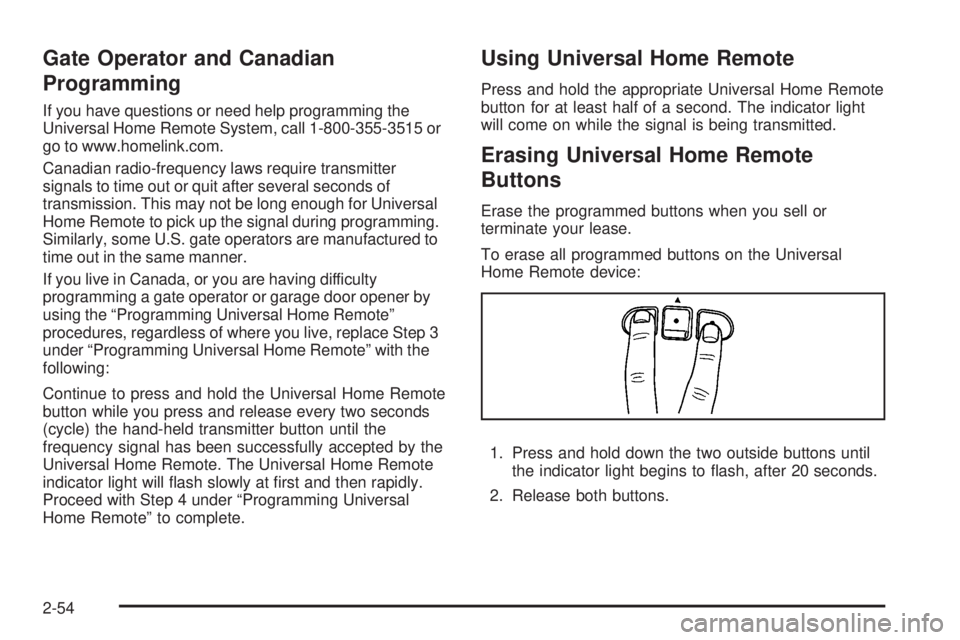
1. Press and hold down the two outside buttons until
the indicator light begins to ash, after 20 seconds.
2. Release both buttons.
2-54
Page 137 of 472
Reprogramming a Single Universal
Home Remote Button
To reprogram any of the three Universal Home Remote
buttons, repeat the programming instructions earlier
in this section, beginning with Step 2.
For help or information on the Universal Home Remote
System, call the customer assistance phone number
underCustomer Assistance Offices on page 7-5.
Storage Areas
Glove Box
To open, lift the handle up. Use the key to lock and
unlock.
Cupholder(s)
There are two cupholders, with removable liners, located
in front of the center console. There are cupholders
located in the second row seat armrest. To access, pull
the armrest down. There are additional cupholders
located on each side of the third row seat and in each
door. There are cupholders located behind the center
console. To access, pull down on the handle.
Instrument Panel Storage
Your vehicle has an instrument panel storage area
located above the radio. To open the cover, press the
button.
2-55
Page 144 of 472
Antilock Brake System
Warning Light...........................................3-48
StabiliTrak
®Indicator Light..............................3-48
Engine Coolant Temperature Warning Light......3-49
Engine Coolant Temperature Gage..................3-49
Tire Pressure Light.......................................3-50
Malfunction Indicator Lamp.............................3-50
Oil Pressure Light.........................................3-54
Security Light...............................................3-54
Fog Lamp Light............................................3-55
Cruise Control Light......................................3-55
Highbeam On Light.......................................3-55
Tow/Haul Mode Light....................................3-55
Fuel Gage...................................................3-56
Driver Information Center (DIC).......................3-57
DIC Operation and Displays
(With DIC Buttons)....................................3-57
DIC Operation and Displays (Without DIC
Buttons)...................................................3-63DIC Warnings and Messages.........................3-66
DIC Vehicle Customization (With DIC Buttons). . . .3-75
Audio System(s).............................................3-84
Setting the Time...........................................3-85
Radio(s) (MP3).............................................3-87
Using an MP3 (Radio with CD and Six-Disc
CD Player).............................................3-104
Using an MP3 (Radio with CD and DVD
Player)...................................................3-108
XM Radio Messages...................................3-113
Navigation/Radio System..............................3-115
Rear Seat Entertainment (RSE) System.........3-115
Rear Seat Audio (RSA)................................3-125
Rear Audio Controller (RAC).........................3-127
Theft-Deterrent Feature................................3-127
Audio Steering Wheel Controls......................3-128
Radio Reception.........................................3-129
Multi-Band Antenna.....................................3-129
Section 3 Instrument Panel
3-2
Page 147 of 472
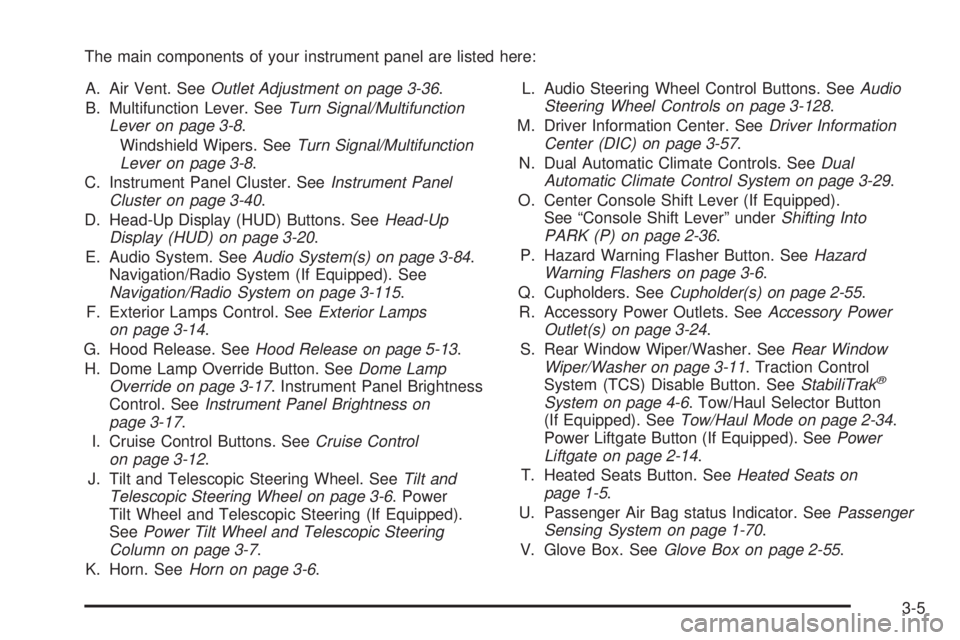
The main components of your instrument panel are listed here:
A. Air Vent. SeeOutlet Adjustment on page 3-36.
B. Multifunction Lever. SeeTurn Signal/Multifunction
Lever on page 3-8.
Windshield Wipers. SeeTurn Signal/Multifunction
Lever on page 3-8.
C. Instrument Panel Cluster. SeeInstrument Panel
Cluster on page 3-40.
D. Head-Up Display (HUD) Buttons. SeeHead-Up
Display (HUD) on page 3-20.
E. Audio System. SeeAudio System(s) on page 3-84.
Navigation/Radio System (If Equipped). See
Navigation/Radio System on page 3-115.
F. Exterior Lamps Control. SeeExterior Lamps
on page 3-14.
G. Hood Release. SeeHood Release on page 5-13.
H. Dome Lamp Override Button. SeeDome Lamp
Override on page 3-17. Instrument Panel Brightness
Control. SeeInstrument Panel Brightness on
page 3-17.
I. Cruise Control Buttons. SeeCruise Control
on page 3-12.
J. Tilt and Telescopic Steering Wheel. SeeTilt and
Telescopic Steering Wheel on page 3-6. Power
Tilt Wheel and Telescopic Steering (If Equipped).
SeePower Tilt Wheel and Telescopic Steering
Column on page 3-7.
K. Horn. SeeHorn on page 3-6.L. Audio Steering Wheel Control Buttons. SeeAudio
Steering Wheel Controls on page 3-128.
M. Driver Information Center. SeeDriver Information
Center (DIC) on page 3-57.
N. Dual Automatic Climate Controls. SeeDual
Automatic Climate Control System on page 3-29.
O. Center Console Shift Lever (If Equipped).
See “Console Shift Lever” underShifting Into
PARK (P) on page 2-36.
P. Hazard Warning Flasher Button. SeeHazard
Warning Flashers on page 3-6.
Q. Cupholders. SeeCupholder(s) on page 2-55.
R. Accessory Power Outlets. SeeAccessory Power
Outlet(s) on page 3-24.
S. Rear Window Wiper/Washer. SeeRear Window
Wiper/Washer on page 3-11. Traction Control
System (TCS) Disable Button. SeeStabiliTrak
®
System on page 4-6. Tow/Haul Selector Button
(If Equipped). SeeTow/Haul Mode on page 2-34.
Power Liftgate Button (If Equipped). SeePower
Liftgate on page 2-14.
T. Heated Seats Button. SeeHeated Seats on
page 1-5.
U. Passenger Air Bag status Indicator. SeePassenger
Sensing System on page 1-70.
V. Glove Box. SeeGlove Box on page 2-55.
3-5