radio GMC ACADIA 2008 User Guide
[x] Cancel search | Manufacturer: GMC, Model Year: 2008, Model line: ACADIA, Model: GMC ACADIA 2008Pages: 472, PDF Size: 5.72 MB
Page 162 of 472
Battery Run-Down Protection
This vehicle has a feature to help prevent the battery
from being drained, if the interior courtesy lamps,
reading/map lamps, visor vanity lamps or trunk lamp
are accidentally left on. If any of these lamps are
left on, they will automatically turn off after 10 minutes,
if the ignition is off. The lamps will not come back
on again until one of the following occurs:
The ignition is turned on.
The exterior lamps control is turned off,
then on again.
The headlamps will timeout after 10 minutes, if they
are manually turned on before the ignition is off.
Head-Up Display (HUD)
{CAUTION:
If the HUD image is too bright or too high in
your eld of view, it may take you more time
to see things you need to see when it is dark
outside. Be sure to keep the HUD image dim
and placed low in your eld of view.
If the vehicle has the Head-Up Display (HUD),
some information concerning the operation of the
vehicle is projected onto the windshield. This includes
the speedometer reading, RPM reading, transmission
position, outside air temperature, the tap shift gear,
and a brief display of the current radio station,
including XM information or CD track. It will also
display turn-by-turn navigation information if the
vehicle has a navigation radio. The images are
projected by the HUD lens located on the driver’s
side of the instrument panel.
The tap shift gear will also appear on the HUD if
the vehicle has tap shift and it is active.
3-20
Page 163 of 472
The HUD information can be displayed in one of
three languages, English, French, or Spanish. The
speedometer reading and other numerical values
can be displayed in either English or metric units.
The language selection and the units of measurement
are changed through the trip computer in the
Driver Information Center (DIC). SeeDIC Vehicle
Customization (With DIC Buttons) on page 3-75.
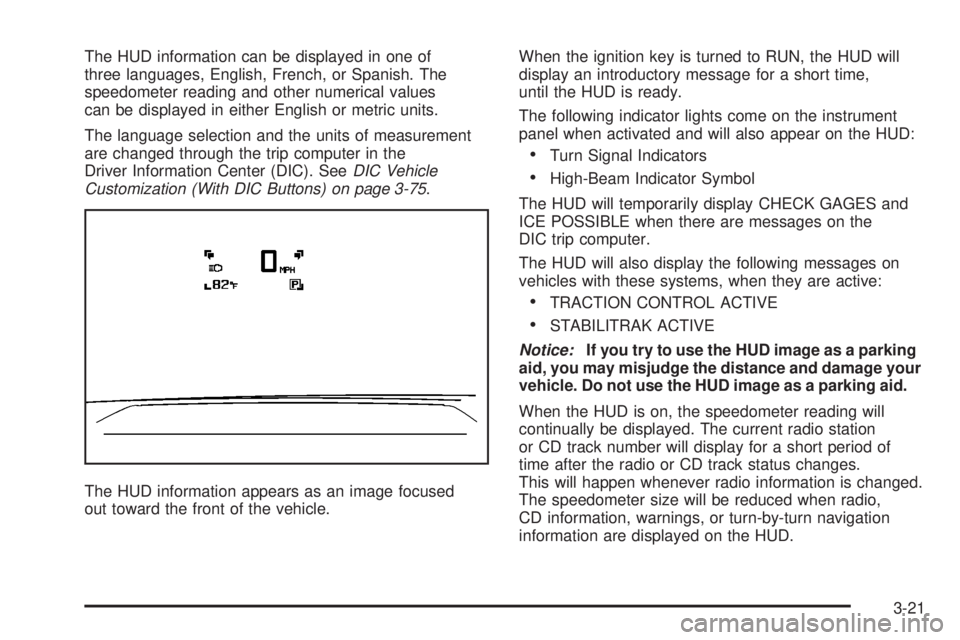
The HUD information appears as an image focused
out toward the front of the vehicle.When the ignition key is turned to RUN, the HUD will
display an introductory message for a short time,
until the HUD is ready.
The following indicator lights come on the instrument
panel when activated and will also appear on the HUD:
Turn Signal Indicators
High-Beam Indicator Symbol
The HUD will temporarily display CHECK GAGES and
ICE POSSIBLE when there are messages on the
DIC trip computer.
The HUD will also display the following messages on
vehicles with these systems, when they are active:
TRACTION CONTROL ACTIVE
STABILITRAK ACTIVE
Notice:If you try to use the HUD image as a parking
aid, you may misjudge the distance and damage your
vehicle. Do not use the HUD image as a parking aid.
When the HUD is on, the speedometer reading will
continually be displayed. The current radio station
or CD track number will display for a short period of
time after the radio or CD track status changes.
This will happen whenever radio information is changed.
The speedometer size will be reduced when radio,
CD information, warnings, or turn-by-turn navigation
information are displayed on the HUD.
3-21
Page 165 of 472
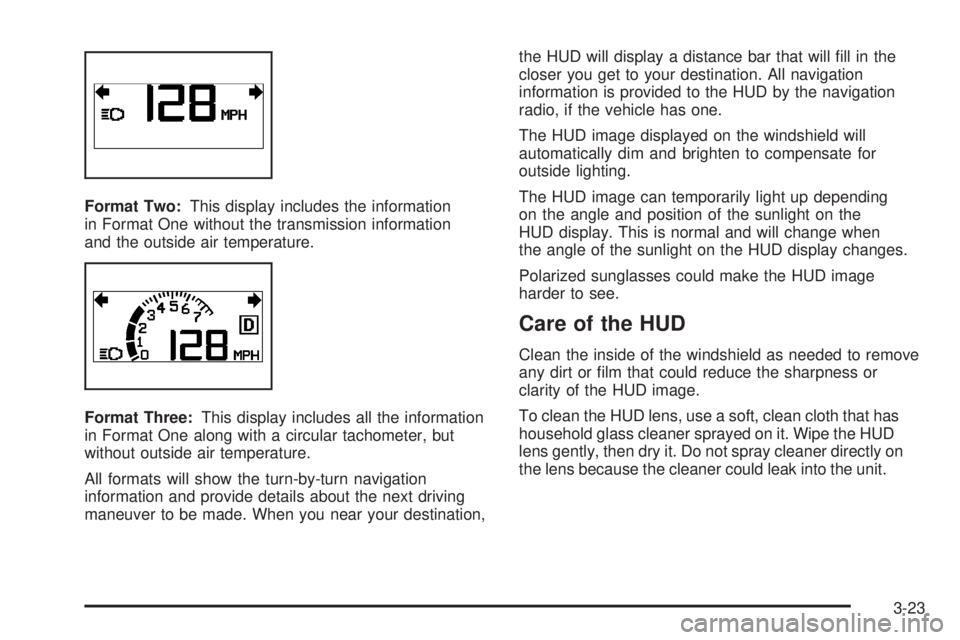
Format Two:This display includes the information
in Format One without the transmission information
and the outside air temperature.
Format Three:This display includes all the information
in Format One along with a circular tachometer, but
without outside air temperature.
All formats will show the turn-by-turn navigation
information and provide details about the next driving
maneuver to be made. When you near your destination,the HUD will display a distance bar that will ll in the
closer you get to your destination. All navigation
information is provided to the HUD by the navigation
radio, if the vehicle has one.
The HUD image displayed on the windshield will
automatically dim and brighten to compensate for
outside lighting.
The HUD image can temporarily light up depending
on the angle and position of the sunlight on the
HUD display. This is normal and will change when
the angle of the sunlight on the HUD display changes.
Polarized sunglasses could make the HUD image
harder to see.
Care of the HUD
Clean the inside of the windshield as needed to remove
any dirt or lm that could reduce the sharpness or
clarity of the HUD image.
To clean the HUD lens, use a soft, clean cloth that has
household glass cleaner sprayed on it. Wipe the HUD
lens gently, then dry it. Do not spray cleaner directly on
the lens because the cleaner could leak into the unit.
3-23
Page 166 of 472
If You Cannot See the HUD Image
When the Ignition Is On
Is anything covering the HUD lens?
Is the HUD dimmer setting bright enough?
Is the HUD image adjusted to the proper height?
Are you wearing polarized sunglasses?
Still no HUD image? Check the fuse in the
instrument panel fuse block. SeeInstrument
Panel Fuse Block on page 5-100.
If the HUD Image Is Not Clear
Is the HUD image too bright?
Are the windshield and HUD lens clean?
If the HUD image is not correct, contact your
dealer/retailer.
Keep in mind that the windshield is part of the
HUD system.
Accessory Power Outlet(s)
The accessory power outlets can be used to connect
electrical equipment such as a cellular phone or
CB radio.
Your vehicle may have four accessory power outlets.
They are located on the instrument panel below
the climate controls, inside the front center console
storage bin, at the rear of the center console, and in
the rear cargo area.
To use the outlets, remove the cover. When not in
use, always cover the outlet with the protective cap.
Notice:Leaving electrical equipment on for
extended periods will drain the battery. Always
turn off electrical equipment when not in use
and do not plug in equipment that exceeds the
maximum amperage rating of 20 amperes.
3-24
Page 187 of 472
If, after several seconds, both status indicator lights
remain on, or if there are no lights at all, there may
be a problem with the lights or the passenger sensing
system. See your dealer/retailer for service.
{CAUTION:
If the airbag readiness light in the instrument
panel cluster ever comes on and stays on,
it means that something may be wrong with
the airbag system. If this ever happens, have
the vehicle serviced promptly, because an
adult-size person sitting in the right front
passenger’s seat may not have the protection
of the airbag(s). SeeAirbag Readiness Light
on page 3-42for more on this, including
important safety information.
Charging System Light
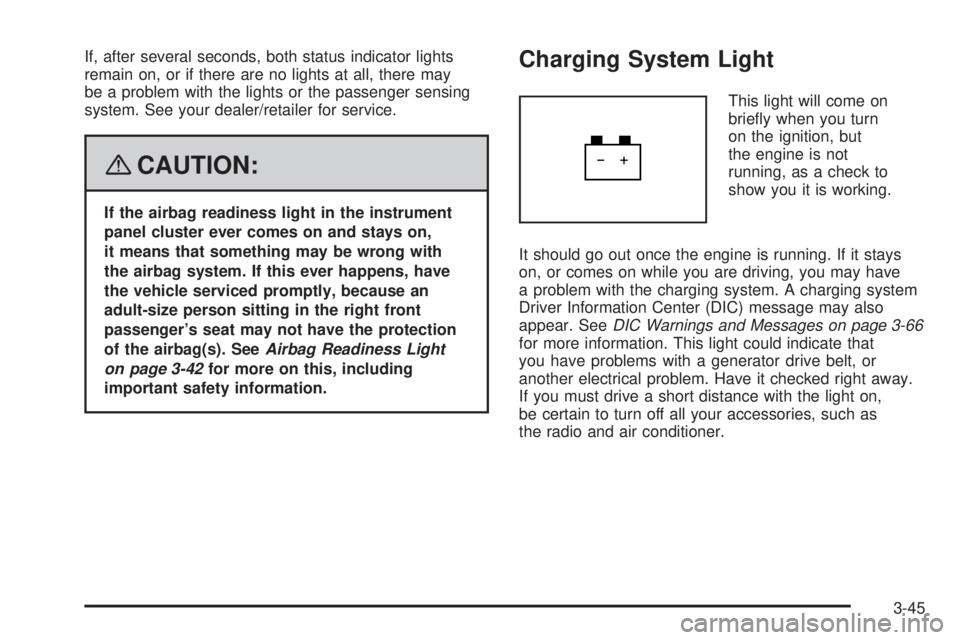
This light will come on
briey when you turn
on the ignition, but
the engine is not
running, as a check to
show you it is working.
It should go out once the engine is running. If it stays
on, or comes on while you are driving, you may have
a problem with the charging system. A charging system
Driver Information Center (DIC) message may also
appear. SeeDIC Warnings and Messages on page 3-66
for more information. This light could indicate that
you have problems with a generator drive belt, or
another electrical problem. Have it checked right away.
If you must drive a short distance with the light on,
be certain to turn off all your accessories, such as
the radio and air conditioner.
3-45
Page 226 of 472
Audio System(s)
Determine which radio your vehicle has and then
read the pages following to familiarize yourself with
its features.
{CAUTION:
This system provides you with far greater
access to audio stations and song listings.
Giving extended attention to entertainment
tasks while driving can cause a crash and
you or others can be injured or killed.
Always keep your eyes on the road and
your mind on the drive — avoid engaging
in extended searching while driving.
Keeping your mind on the drive is important for
safe driving. SeeDefensive Driving on page 4-2.
Here are some ways in which you can help avoid
distraction while driving.While your vehicle is parked:
Familiarize yourself with all of its controls.
Familiarize yourself with its operation.
Set up your audio system by presetting your
favorite radio stations, setting the tone, and
adjusting the speakers. Then, when driving
conditions permit, you can tune to your favorite
radio stations using the presets and steering
wheel controls if the vehicle has them.
Notice:Before adding any sound equipment to
your vehicle, such as an audio system, CD player,
CB radio, mobile telephone, or two-way radio,
make sure that it can be added by checking with
your dealer/retailer. Also, check federal rules
covering mobile radio and telephone units. If sound
equipment can be added, it is very important to
do it properly. Added sound equipment may
interfere with the operation of your vehicle’s engine,
radio, or other systems, and even damage them.
Your vehicle’s systems may interfere with the
operation of sound equipment that has been added.
Your vehicle has a feature called Retained Accessory
Power (RAP). With RAP, the audio system can be
played even after the ignition is turned off. SeeRetained
Accessory Power (RAP) on page 2-27for more
information.
3-84
Page 227 of 472
Setting the Time
MP3 Radios with a Single CD or a
Single CD and DVD Player
If your vehicle has a radio with a single CD or a CD
and DVD player, it has a
H(clock) button for setting
the time and date.
1. Turn the ignition key to ACC (accessory) or RUN.
Press the power knob, located in the center of
the radio, to turn the radio on.
2. Press the clock button and the HR, MIN, MM,
DD, YYYY (hour, minute, month, day, and year)
displays.
3. Press the pushbutton located under any one of
the labels that you want to change. Every time
the pushbutton is pressed again, the time or
the date if selected, increases by one.
Another way to increase the time or date,
is to press the right
¨SEEK arrow or
the
\FWD (forward) button.
To decrease the time or date, press the
left
©SEEK arrow orsREV (reverse) button,
or turn the
fknob, located on the upper right
side of the radio, to adjust the selected setting.
Changing the Time and Date
Default Settings
To change the time default setting from 12 hour to
24 hour or to change the date default setting from
month/day/year to day/month/year, follow these
instructions:
1. Press the clock button and then the pushbutton
located under the forward arrow that is
currently displayed on the radio screen until
the time 12H (hour) and 24H (hour), and the
date MM/DD (month and day) and DD/MM (day
and month) displays.
2. Press the pushbutton located under the
desired option.
3. Press the clock button again to apply the
selected default, or let the screen time out.
3-85
Page 228 of 472
MP3 Radio with a Six-Disc CD Player
If your vehicle has a radio with a six-disc CD player,
the radio has a MENU button instead of the
H(clock)
button to set the time and date.
To set the time and date, follow these instructions:
1. Press the MENU button.
2. Once the clock option displays, press the pushbutton
located under that label. The HR, MIN, MM, DD,
YYYY displays.
3. Press the pushbutton located under any one of
the labels that you want to change. Every time
the pushbutton is pressed again, the time or
the date if selected, increases by one.
Another way to increase the time or date,
is to press the right
¨SEEK arrow or
the
\FWD (forward) button.
To decrease the time or date, press the
left SEEK arrow or the REV (reverse) button.
You can also turn the tune knob, located on
the upper right side of the radio, to adjust
the selected setting.
Changing the Time and Date
Default Settings
To change the time default setting from 12 hour to
24 hour or to change the date default setting from
month/day/year to day/month/year, follow these
instructions:
1. Press the MENU button. Once the clock option
displays, press the pushbutton located under
the forward arrow that is currently displayed
on the radio screen until the 12H (hour) and
24H (hour), and the date MM/DD (month and
day) and DD/MM (day and month) displays.
2. Press the pushbutton located under the
desired option.
3. Press the MENU button again to apply the
selected default, or let the screen time out.
3-86
Page 229 of 472
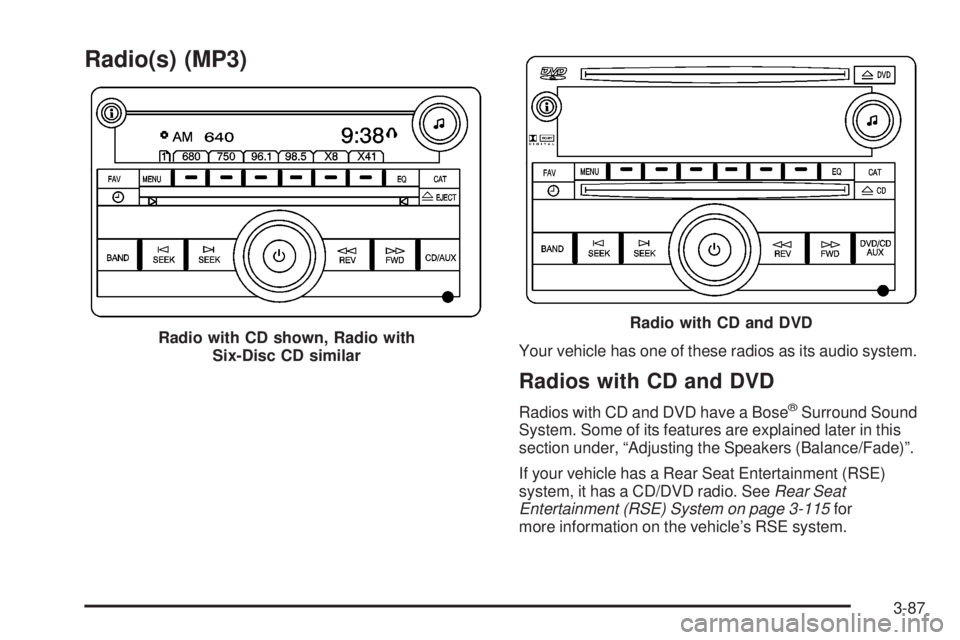
Radio(s) (MP3)
Your vehicle has one of these radios as its audio system.
Radios with CD and DVD
Radios with CD and DVD have a Bose®Surround Sound
System. Some of its features are explained later in this
section under, “Adjusting the Speakers (Balance/Fade)”.
If your vehicle has a Rear Seat Entertainment (RSE)
system, it has a CD/DVD radio. SeeRear Seat
Entertainment (RSE) System on page 3-115for
more information on the vehicle’s RSE system. Radio with CD shown, Radio with
Six-Disc CD similar
Radio with CD and DVD
3-87
Page 230 of 472
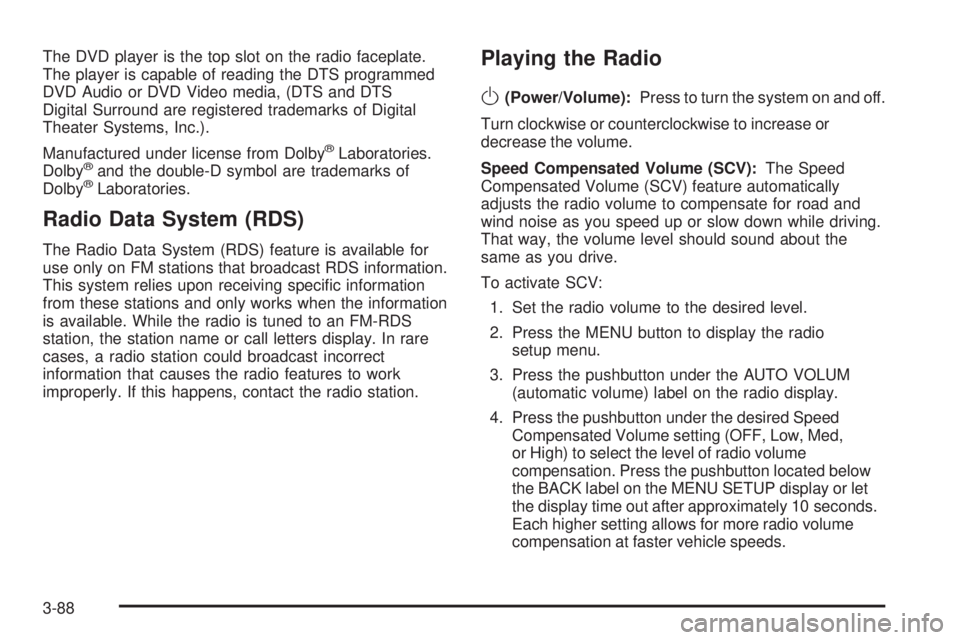
The DVD player is the top slot on the radio faceplate.
The player is capable of reading the DTS programmed
DVD Audio or DVD Video media, (DTS and DTS
Digital Surround are registered trademarks of Digital
Theater Systems, Inc.).
Manufactured under license from Dolby
®Laboratories.
Dolby®and the double-D symbol are trademarks of
Dolby®Laboratories.
Radio Data System (RDS)
The Radio Data System (RDS) feature is available for
use only on FM stations that broadcast RDS information.
This system relies upon receiving specic information
from these stations and only works when the information
is available. While the radio is tuned to an FM-RDS
station, the station name or call letters display. In rare
cases, a radio station could broadcast incorrect
information that causes the radio features to work
improperly. If this happens, contact the radio station.
Playing the Radio
O
(Power/Volume):Press to turn the system on and off.
Turn clockwise or counterclockwise to increase or
decrease the volume.
Speed Compensated Volume (SCV):The Speed
Compensated Volume (SCV) feature automatically
adjusts the radio volume to compensate for road and
wind noise as you speed up or slow down while driving.
That way, the volume level should sound about the
same as you drive.
To activate SCV:
1. Set the radio volume to the desired level.
2. Press the MENU button to display the radio
setup menu.
3. Press the pushbutton under the AUTO VOLUM
(automatic volume) label on the radio display.
4. Press the pushbutton under the desired Speed
Compensated Volume setting (OFF, Low, Med,
or High) to select the level of radio volume
compensation. Press the pushbutton located below
the BACK label on the MENU SETUP display or let
the display time out after approximately 10 seconds.
Each higher setting allows for more radio volume
compensation at faster vehicle speeds.
3-88