door lock GMC ACADIA 2009 User Guide
[x] Cancel search | Manufacturer: GMC, Model Year: 2009, Model line: ACADIA, Model: GMC ACADIA 2009Pages: 420, PDF Size: 2.23 MB
Page 76 of 420
Liftgate
{CAUTION
Exhaust gases may enter the
vehicle if it is driven with the
liftgate, trunk/hatch open, or with
any objects that pass through the
seal between the body and the
trunk/hatch or liftgate. Engine
exhaust contains Carbon
Monoxide (CO) which cannot be
seen or smelled. It can cause
unconsciousness and even death.
If the vehicle must be driven with
the liftgate, or trunk/hatch open:
Close all of the windows.
Fully open the air outlets on
or under the instrument
panel.
(Continued)
CAUTION (Continued)
Adjust the Climate Control
system to a setting that
brings in only outside air and
set the fan speed to the
highest setting. See Climate
Control System in the Index.
If the vehicle is equipped with
a power liftgate, disable the
power liftgate function.
For more information about
carbon monoxide, seeEngine
Exhaust on page 2-30.
If the vehicle has a power liftgate,
seePower Liftgate on page 2-11.
To unlock the liftgate, use the power
door lock switch or press the door
unlock button on the Remote
Keyless Entry (RKE) transmitter
twice. SeeRemote Keyless Entry
(RKE) System Operation on
page 2-3.To open the liftgate, press the
touchpad on the underside of the
liftgate handle. The vehicle must be
in P (Park) to open the liftgate.
To close the liftgate, use the pull cup
or pull strap as an aid.
The liftgate has an electric latch. If
the battery is disconnected or
has low voltage, the liftgate will not
open. The liftgate will resume
operation when the battery is
reconnected and charged.
If the battery is properly connected
and has adequate voltage, and
the liftgate still will not function, the
vehicle should be taken to a
dealership/retailer for service.
2-10 Features and Controls
Page 79 of 420
warning message in the Driver
Information Center (DIC) will indicate
that the liftgate is open. After
removing the obstructions, manually
open the liftgate to the full open
position or close the liftgate to the
fully closed and latched position. The
liftgate will now resume normal
power operation.
Your vehicle has pinch sensors
located on the side edges of
the liftgate. If an object is caught
between the liftgate and the
body and presses against this
sensor, the liftgate will reverse
direction and open fully. The liftgate
will remain open until it is activated
again or closed manually. Do
not force the liftgate open or closed
during a power cycle.Manual Operation of Power
Liftgate
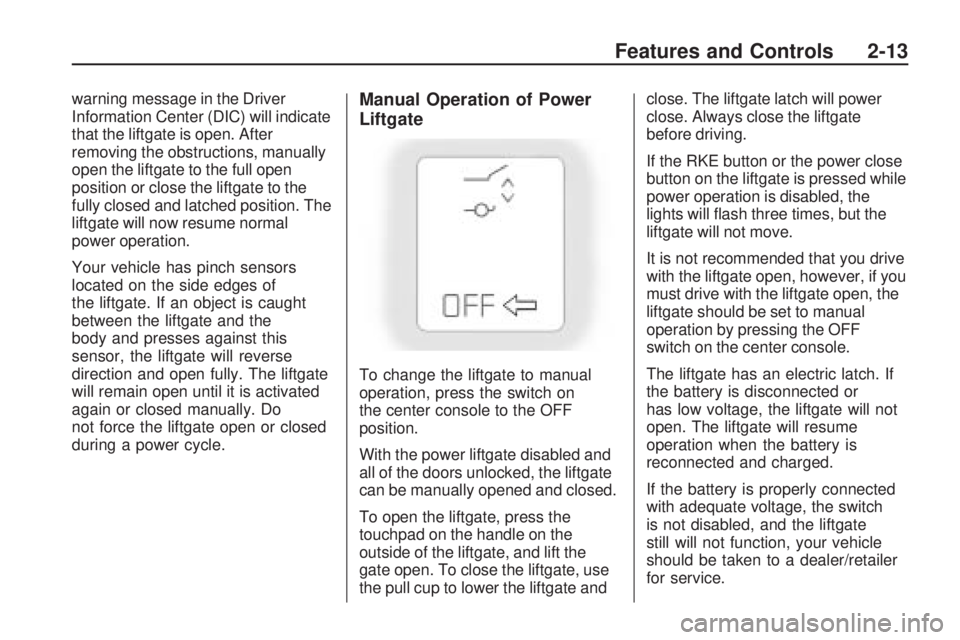
To change the liftgate to manual
operation, press the switch on
the center console to the OFF
position.
With the power liftgate disabled and
all of the doors unlocked, the liftgate
can be manually opened and closed.
To open the liftgate, press the
touchpad on the handle on the
outside of the liftgate, and lift the
gate open. To close the liftgate, use
the pull cup to lower the liftgate andclose. The liftgate latch will power
close. Always close the liftgate
before driving.
If the RKE button or the power close
button on the liftgate is pressed while
power operation is disabled, the
lights will ash three times, but the
liftgate will not move.
It is not recommended that you drive
with the liftgate open, however, if you
must drive with the liftgate open, the
liftgate should be set to manual
operation by pressing the OFF
switch on the center console.
The liftgate has an electric latch. If
the battery is disconnected or
has low voltage, the liftgate will not
open. The liftgate will resume
operation when the battery is
reconnected and charged.
If the battery is properly connected
with adequate voltage, the switch
is not disabled, and the liftgate
still will not function, your vehicle
should be taken to a dealer/retailer
for service.
Features and Controls 2-13
Page 81 of 420
The power window controls are
located on each of the side doors.
The driver door also has switches
that control the passenger and rear
windows. The power windows
work when the ignition has been
turned to ACC/ACCESSORY,
ON/RUN or when Retained
Accessory Power (RAP) is active.
SeeRetained Accessory Power
(RAP) on page 2-21.
Press the switch to lower the
window. Pull up on the front edge of
the switch to raise the window.
Express-Down Windows
Windows that have the
express-down feature allow the
windows to be lowered without
holding the switch. Press the
window switch fully and release it to
activate the express-down feature.
The express mode can be canceled
at any time by briey pressing, or
pulling the switch.
Express-Up Window
Windows that have the express-up
feature allow the windows to be
raised all the way without holding
the switch up. Pull the switch up fully
and release it to activate the
express-up feature. The express-up
mode can be canceled at any
time by briey pressing, or pulling
the switch.
Programming the Power
Windows
If the battery on the vehicle has
been recharged, disconnected, or
replaced, windows with the
express-up feature need to be
reprogrammed for this feature to
work. To program the window:
1. Close all doors with the ignition
in the ACC/ACCESSORY,
ON/RUN position, or when
Retained Accessory
Power (RAP) is active. See
Retained Accessory Power
(RAP) on page 2-21.2. Press and continue to hold the
window switch until the window
is fully open.
3. Pull up and hold the window
switch to close the window.
Continue to hold it briey after
the window is fully closed.
4. Repeat for each window that
has the express-up feature.
Anti-Pinch Feature
The anti-pinch feature is on windows
with the express-up feature. If an
object is in the way of the window as
it is express-closing, or in certain
weather conditions like severe icing,
the window will stop and open to
a factory preset position. The
window functions normally once the
obstruction is removed.
Window Lockout
o(Window Lockout):The
window lockout switch is located
with the power window switches on
the driver door armrest. This
feature prevents the rear passenger
Features and Controls 2-15
Page 82 of 420
windows from operating the
windows, except from the driver
position. Press the switch to turn the
lockout feature on or off. An
indicator light will come on to show
the lockout feature is on.
Sun Visors
Pull the sun visor down to block
glare. Detach the sun visor from the
center mount and slide it along
the rod from side-to-side to cover
the driver or passenger side of
the front window. Swing the
sun visor to the side to cover the
side window. It can be moved along
the rod from side-to-side in this
position also.
Lighted Visor Vanity Mirror
The vehicle has lighted visor vanity
mirrors on both the driver and
passenger sun visors. Pull the sun
visor down and lift the mirror
cover to turn the lamps on.
Theft-Deterrent
Systems
Vehicle theft is big business,
especially in some cities. This
vehicle has theft-deterrent features,
however, they do not make it
impossible to steal.
Content Theft-Deterrent
This vehicle may have a content
theft-deterrent alarm system.
To activate the theft-deterrent
system, do one of the following:
PressQon the Remote Keyless
Entry (RKE) transmitter or the
power door lock switch when any
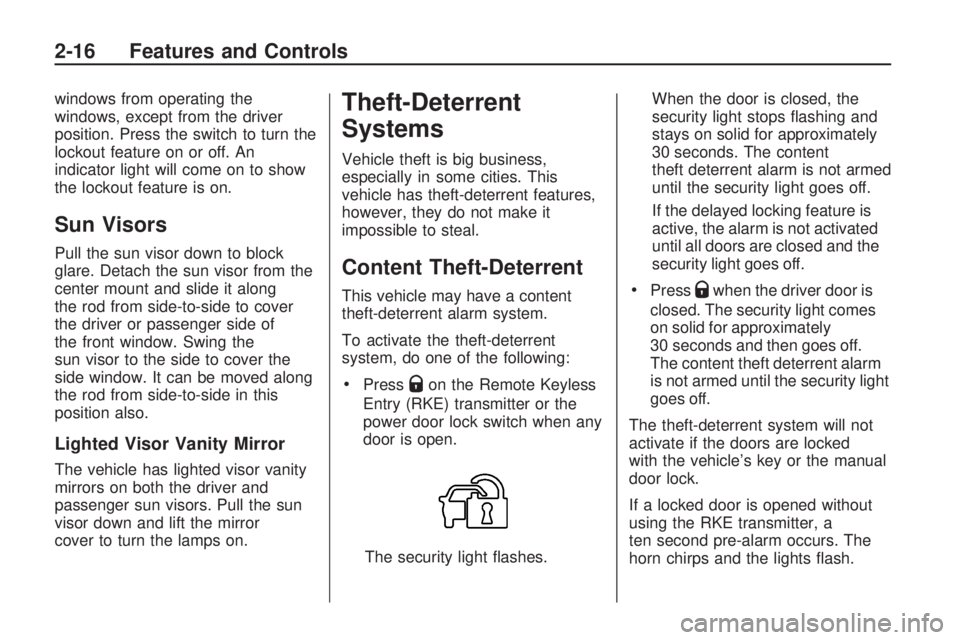
door is open.
The security light ashes.When the door is closed, the
security light stops ashing and
stays on solid for approximately
30 seconds. The content
theft deterrent alarm is not armed
until the security light goes off.
If the delayed locking feature is
active, the alarm is not activated
until all doors are closed and the
security light goes off.
PressQwhen the driver door is
closed. The security light comes
on solid for approximately
30 seconds and then goes off.
The content theft deterrent alarm
is not armed until the security light
goes off.
The theft-deterrent system will not
activate if the doors are locked
with the vehicle’s key or the manual
door lock.
If a locked door is opened without
using the RKE transmitter, a
ten second pre-alarm occurs. The
horn chirps and the lights ash.
2-16 Features and Controls
Page 83 of 420
If the key is not placed in the
ignition and turned to START or the
door is not unlocked by pressing
Qduring the ten second pre-alarm,
the alarm goes off. The headlamps
ash and the horn sounds for
about two minutes, then turns off to
save the battery power.
The vehicle can be started with the
correct ignition key if the alarm
has been set off.
To avoid setting off the alarm by
accident:
Lock the vehicle with the door
key after the doors are closed.
Unlock the door with the RKE
transmitter. Unlocking a door
any other way sets off the alarm
if the system has been armed.
Press
Kor place the key in
the ignition and turn it to START to
turn off the alarm.
Testing the Alarm
To test the alarm:
1. From inside the vehicle, lower
the driver side window and
open the driver door.
2. Press
Q.
3. Get out of the vehicle, close the
door and wait for the security
light to go out.
4. Then reach in through the
window, unlock the door with
the manual door lock and open
the door. This should set off
the alarm.
If the alarm does not sound when it
should, but the vehicle’s headlamps
ash, check to see if the horn
works. The horn fuse may be blown.
To replace the fuse, seeFuses
and Circuit Breakers on page 5-90.
If the alarm does not sound or the
vehicle’s headlamps do not ash,
see your dealer/retailer for service.
PASS-Key®III+ Electronic
Immobilizer
The PASS-Key III+ system operates
on a radio frequency subject to
Federal Communications
Commission (FCC) Rules and with
Industry Canada.
This device complies with Part 15
of the FCC Rules. Operation is
subject to the following
two conditions:
1. This device may not cause
harmful interference.
2. This device must accept any
interference received, including
interference that may cause
undesired operation.
Features and Controls 2-17
Page 87 of 420
Notice:Using a tool to force the
key to turn in the ignition could
cause damage to the switch or
break the key. Use the correct key,
make sure it is all the way in, and
turn it only with your hand. If the
key cannot be turned by hand, see
your dealer/retailer.
((LOCK/OFF):This position
locks the ignition and transmission.
The key can be removed in
LOCK/OFF.
The shift lever must be in P (Park)
to turn the ignition switch to
LOCK/OFF.
The steering can bind with the
wheels turned off center. If
this happens, move the steering
wheel from right to left while turning
the key to ACC/ACCESSORY. If
this doesn’t work, then the vehicle
needs service.
ACC (ACC/ACCESSORY):This is
the position in which you can
operate the electrical accessories or
items plugged into the accessorypower outlets. This position unlocks
the ignition and steering wheel.
Use this position if the vehicle must
be pushed or towed.
R(ON/RUN):This position can be
used to operate the electrical
accessories and to display some
instrument panel warning and
indicator lights. The switch stays in
this position when the engine is
running. The transmission is also
unlocked in this position. If you leave
the key in the ACC/ACCESSORY or
ON/RUN position with the engine off,
the battery could be drained. You
may not be able to start the vehicle if
the battery is allowed to drain for an
extended period of time.
/(START):This is the position
that starts the engine. When
the engine starts, release the key.
The ignition switch will return to
ON/RUN for driving.
Retained Accessory
Power (RAP)
These vehicle accessories can be
used for up to 10 minutes after
the ignition key is turned off:
Audio System
Power Windows
Sunroof (if equipped)
Power to the windows and sunroof
will work up to 10 minutes or
until a door is opened.
The radio continues to work for
10 minutes or until the driver’s door
is opened.
For an additional 10 minutes of
operation, close all the doors and
turn the key to ON/RUN and
then back to LOCK/OFF.
All these features will work when
the key is in the ON/RUN or
ACC/ACCESSORY positions.
Features and Controls 2-21
Page 99 of 420
Outside Power Foldaway
Mirrors
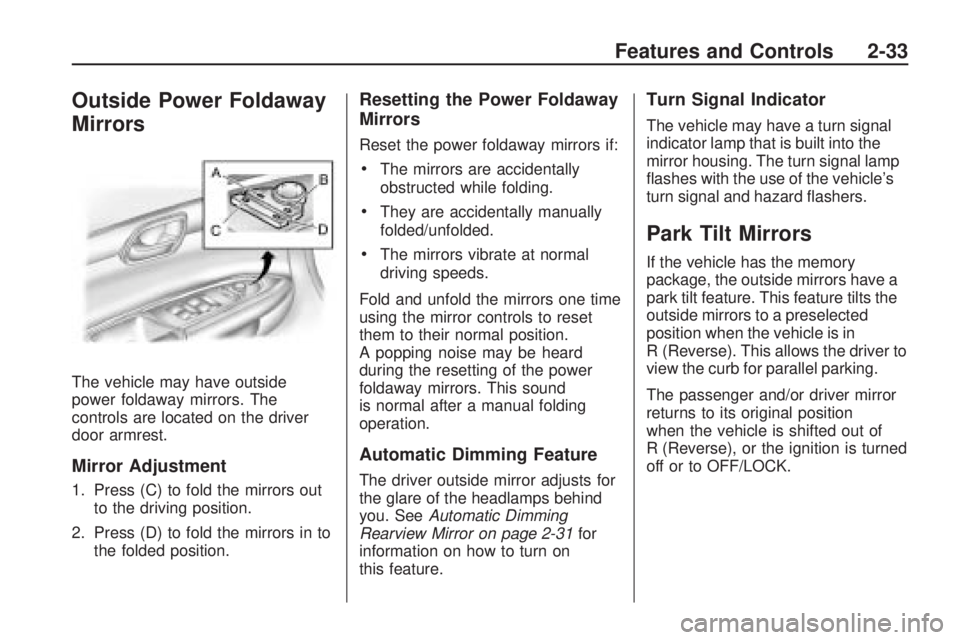
The vehicle may have outside
power foldaway mirrors. The
controls are located on the driver
door armrest.
Mirror Adjustment
1. Press (C) to fold the mirrors out
to the driving position.
2. Press (D) to fold the mirrors in to
the folded position.
Resetting the Power Foldaway
Mirrors
Reset the power foldaway mirrors if:
The mirrors are accidentally
obstructed while folding.
They are accidentally manually
folded/unfolded.
The mirrors vibrate at normal
driving speeds.
Fold and unfold the mirrors one time
using the mirror controls to reset
them to their normal position.
A popping noise may be heard
during the resetting of the power
foldaway mirrors. This sound
is normal after a manual folding
operation.
Automatic Dimming Feature
The driver outside mirror adjusts for
the glare of the headlamps behind
you. SeeAutomatic Dimming
Rearview Mirror on page 2-31for
information on how to turn on
this feature.
Turn Signal Indicator
The vehicle may have a turn signal
indicator lamp that is built into the
mirror housing. The turn signal lamp
ashes with the use of the vehicle’s
turn signal and hazard ashers.
Park Tilt Mirrors
If the vehicle has the memory
package, the outside mirrors have a
park tilt feature. This feature tilts the
outside mirrors to a preselected
position when the vehicle is in
R (Reverse). This allows the driver to
view the curb for parallel parking.
The passenger and/or driver mirror
returns to its original position
when the vehicle is shifted out of
R (Reverse), or the ignition is turned
off or to OFF/LOCK.
Features and Controls 2-33
Page 107 of 420
A fast ash may indicate that the
display has been on for the
maximum allowable time during a
reverse cycle, or the display
has reached an Over
Temperature limit.
The fast ash conditions are
used to protect the video device
from high temperature
conditions. Once conditions
return to normal the device will
reset and the green indicator will
stop ashing.
During any of these fault conditions,
the display will be blank and the
indicator will continue to ash as long
as the vehicle is in R (Reverse) or
until the conditions return to normal.
Briey pressing
zwhen the left
indicator light is ashing will turn off
the video display along with the
left indicator light.
OnStar®System
OnStar uses several innovative
technologies and live advisors to
provide a wide range of safety,
security, information, and
convenience services. If the airbags
deploy, the system is designed to
make an automatic call to OnStar
Emergency advisors who can
request emergency services be sent
to your location. If the keys are
locked in the vehicle, call OnStar at
1-888-4-ONSTAR to have a signal
sent to unlock the doors. OnStar
Hands-Free Calling, including 30 trial
minutes good for 60 days, is
available on most vehicles. OnStar
Turn-by-Turn Navigation service,
with one trial route, is available on
most vehicles. Press the OnStar
button to have an OnStar advisor
contact Roadside Service.OnStar service is provided subject
to the OnStar Terms and Conditions
included in the OnStar Subscriber
glove box literature.
Some services such as Remote
Door Unlock or Stolen Vehicle
Location Assistance may not be
available until the owner of the
vehicle registers with OnStar. After
the rst prepaid year, contact
OnStar to select a monthly or annual
subscription payment plan. If a
payment plan is not selected, the
OnStar system and all services,
including airbag notication
and emergency services, may be
deactivated and no longer available.
For more information visit
onstar.com (U.S.) or onstar.ca
(Canada), or press the OnStar
button to speak with an advisor.
Not all OnStar services are available
on all vehicles. To check if this
vehicle is able to provide the
services described below, or for a
full description of OnStar services
and system limitations, see the
Features and Controls 2-41
Page 108 of 420
OnStar Owner’s Guide in the glove
box or visit onstar.com (U.S.) or
onstar.ca (Canada), contact
OnStar at 1-888-4-ONSTAR
(1-888-466-7827) or TTY
1-877-248-2080, or press the
OnStar button to speak with an
OnStar advisor 24 hours a day,
7 days a week.
OnStar Services Available
with the Safe & Sound Plan
Automatic Notication of
Airbag Deployment
Advanced Automatic Crash
Notication (AACN) (If equipped)
Link to Emergency Services
Roadside Assistance
Stolen Vehicle Location
Assistance
Remote Door Unlock/Vehicle
Alert
OnStar Vehicle Diagnostic Email
GM Goodwrench On Demand
Diagnostics
OnStar Hands-Free Calling with
30 trial minutes
OnStar Virtual Advisor
(U.S. Only)
OnStar Services Included with
Directions & Connections Plan
All Safe and Sound Plan Services
OnStar Turn-by-Turn Navigation
(If equipped) or Driving
Directions - Advisor delivered
RideAssist
Information and Convenience
Services
OnStar Hands-Free Calling
OnStar Hands-Free Calling allows
eligible OnStar subscribers to
make and receive calls using voice
commands. Hands-Free Calling
is fully integrated into the vehicle,
and can be used with OnStar
Pre-Paid Minute Packages. Most
vehicles include 30 trial minutes
good for 60 days. Hands-Free
Calling can also be linked to aVerizon Wireless service plan in the
U.S. or a Bell Mobility service
plan in Canada, depending on
eligibility. To nd out more, refer to
the OnStar Owner’s Guide in
the vehicle’s glove box, visit
onstar.com or onstar.ca, or speak
with an OnStar advisor by pressing
the OnStar button or calling
1-888-4-ONSTAR (1-888-466-7827).
OnStar Turn-by-Turn
Navigation
Vehicles with the OnStar
Turn-by-Turn Navigation system can
provide voice-guided driving
directions. Press the OnStar button
to have an OnStar advisor locate
a business or address and download
driving directions to the vehicle.
Voice-guided directions to the
desired destination will play through
the audio system speakers. See
the OnStar Owner’s Guide for more
information.
2-42 Features and Controls
Page 115 of 420
Reprogramming a Single
Universal Home Remote
Button
To reprogram any of the three
Universal Home Remote buttons,
repeat the programming instructions
earlier in this section, beginning
with Step 2.
For help or information on the
Universal Home Remote System,
call the customer assistance phone
number underCustomer Assistance
Offices on page 7-5.
Storage Areas
Glove Box
Lift the glovebox handle up to open
it. Use the key to lock and unlock
the glovebox.
Cupholders
There are two cupholders, with
removable liners, located in front of
the center console. There are
cupholders located in the second
row seat armrest. To access,
pull the armrest down. There are
additional cupholders located
on each side of the third row seat
and in each door. There are
cupholders located behind the
center console. To access,
pull down on the handle.
Instrument Panel Storage
This vehicle has an instrument
panel storage area located above
the radio. To open the cover,
press the button.
Center Console Storage
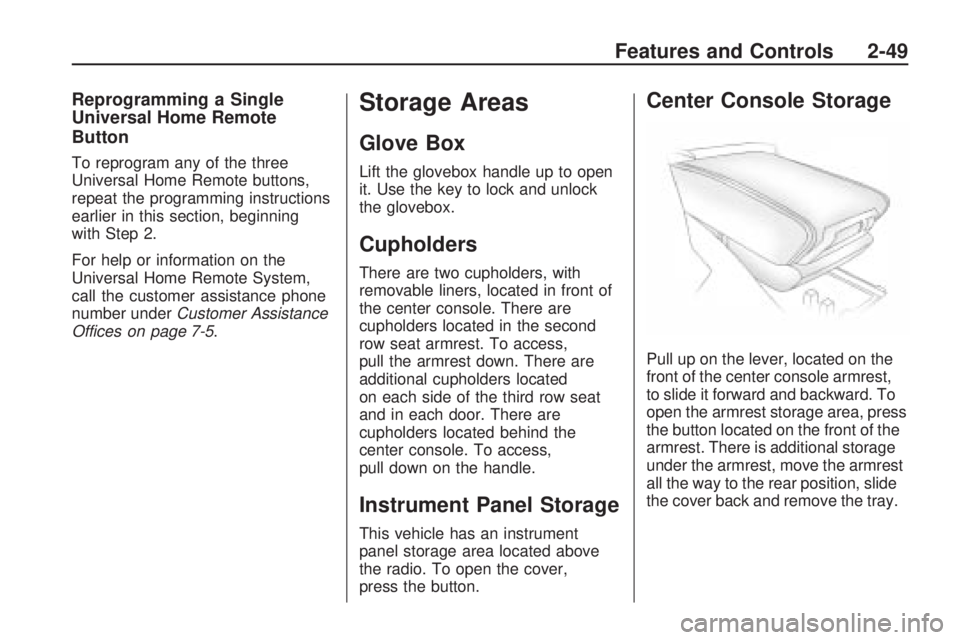
Pull up on the lever, located on the
front of the center console armrest,
to slide it forward and backward. To
open the armrest storage area, press
the button located on the front of the
armrest. There is additional storage
under the armrest, move the armrest
all the way to the rear position, slide
the cover back and remove the tray.
Features and Controls 2-49