lights GMC ACADIA 2009 User Guide
[x] Cancel search | Manufacturer: GMC, Model Year: 2009, Model line: ACADIA, Model: GMC ACADIA 2009Pages: 420, PDF Size: 2.23 MB
Page 121 of 420
Instrument Panel
Instrument Panel
Overview
Instrument Panel
Overview...........................3-4
Hazard Warning Flashers. . .3-5
Horn...................................3-5
Tilt and Telescopic
Steering Wheel.................3-6
Turn Signal/Multifunction
Lever................................3-6
Turn and Lane-Change
Signals.............................3-6
Headlamp High/
Low-Beam Changer..........3-7
Flash-to-Pass......................3-7
Windshield Wipers..............3-7
Windshield Washer.............3-8
Rear Window Wiper/
Washer.............................3-9
Cruise Control....................3-9
Exterior Lamps..................3-11
Delayed Headlamps..........3-12
Daytime Running
Lamps (DRL)/Automatic
Headlamp System
...........3-13
Fog Lamps.......................3-13
Instrument Panel
Brightness.......................3-14
Courtesy Lamps................3-14
Dome Lamps....................3-14
Dome Lamp Override........3-14
Entry Lighting....................3-14
Delayed Entry Lighting......3-15
Delayed Exit Lighting........3-15
Parade Dimming...............3-15
Reading Lamps.................3-15
Electric Power
Management...................3-15
Battery Run-Down
Protection........................3-16
Head-Up Display (HUD). . . .3-17
Accessory Power
Outlet(s)..........................3-20
Power Outlet 115 Volt
Alternating Current..........3-21
Climate Controls
Climate Control System. . . .3-22
Dual Automatic Climate
Control System................3-25
Outlet Adjustment.............3-30
Rear Air Conditioning and
Heating System...............3-31
Rear Air Conditioning and
Heating System and
Electronic Climate
Controls
..........................3-32
Warning Lights, Gages,
and Indicators
Warning Lights, Gages,
and Indicators.................3-33
Instrument Panel Cluster. . .3-34
Speedometer and
Odometer........................3-35
Tachometer.......................3-35
Safety Belt Reminders......3-35
Airbag Readiness Light.....3-36
Passenger Airbag Status
Indicator..........................3-36
Charging System Light......3-37
Voltmeter Gage.................3-38
Instrument Panel 3-1
Page 131 of 420
Reducing Speed While Using
Cruise Control
There are two ways to reduce the
vehicle speed while using cruise
control:
Press and hold the SET– button
on the steering wheel until the
lower speed desired is reached,
then release it.
To slow down in very small
amounts, press the SET– button
briey. Each time this is done,
the vehicle goes about 1 mph
(1.6 km/h) slower.
Passing Another Vehicle While
Using Cruise Control
Use the accelerator pedal to
increase vehicle speed. When you
take your foot off the pedal, the
vehicle will slow down to the
previously set cruise speed.Using Cruise Control on Hills
How well the cruise control will work
on hills depends upon the vehicle
speed, load, and the steepness
of the hills. When going up steep
hills, you might have to step on the
accelerator pedal to maintain the
vehicle speed. When going downhill,
you might have to brake or shift
to a lower gear to keep the vehicle
speed down. When the brakes
are applied the cruise control
is disengaged.
Ending Cruise Control
There are three ways to end cruise
control:
Step lightly on the brake pedal.
Press the[button.
Press theTbutton.
Erasing Speed Memory
The cruise control set speed memory
is erased when the cruise control or
the ignition is turned off.
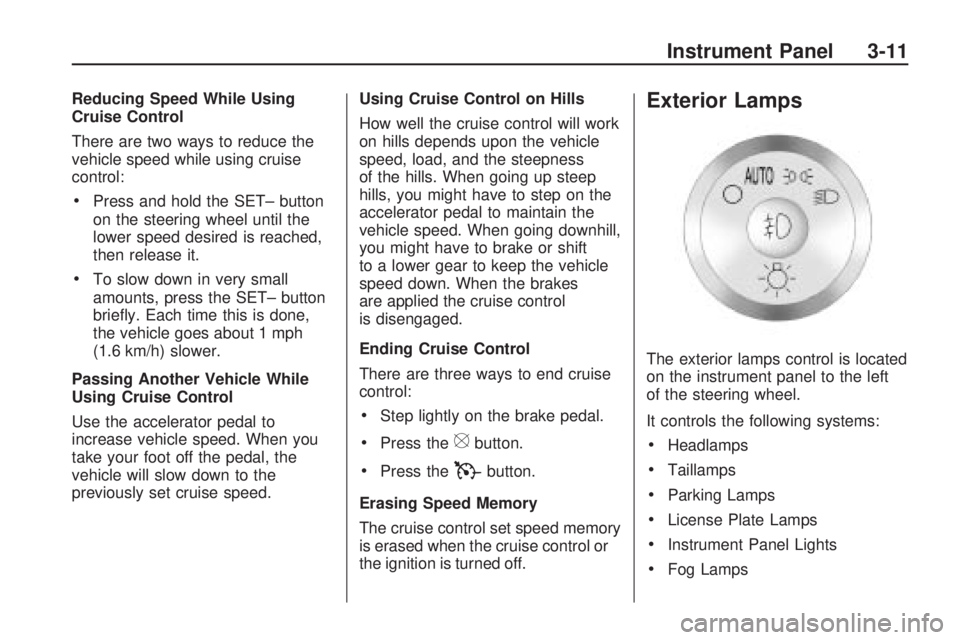
Exterior Lamps
The exterior lamps control is located
on the instrument panel to the left
of the steering wheel.
It controls the following systems:
Headlamps
Taillamps
Parking Lamps
License Plate Lamps
Instrument Panel Lights
Fog Lamps
Instrument Panel 3-11
Page 132 of 420
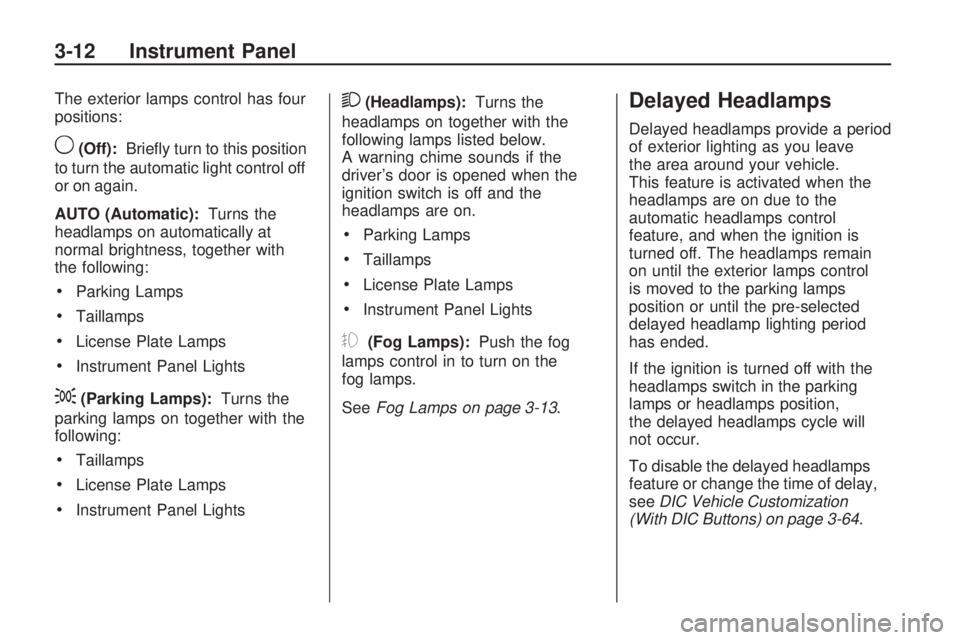
The exterior lamps control has four
positions:
9(Off):Briey turn to this position
to turn the automatic light control off
or on again.
AUTO (Automatic):Turns the
headlamps on automatically at
normal brightness, together with
the following:
Parking Lamps
Taillamps
License Plate Lamps
Instrument Panel Lights
;(Parking Lamps):Turns the
parking lamps on together with the
following:
Taillamps
License Plate Lamps
Instrument Panel Lights
2(Headlamps):Turns the
headlamps on together with the
following lamps listed below.
A warning chime sounds if the
driver’s door is opened when the
ignition switch is off and the
headlamps are on.
Parking Lamps
Taillamps
License Plate Lamps
Instrument Panel Lights
#(Fog Lamps):Push the fog
lamps control in to turn on the
fog lamps.
SeeFog Lamps on page 3-13.
Delayed Headlamps
Delayed headlamps provide a period
of exterior lighting as you leave
the area around your vehicle.
This feature is activated when the
headlamps are on due to the
automatic headlamps control
feature, and when the ignition is
turned off. The headlamps remain
on until the exterior lamps control
is moved to the parking lamps
position or until the pre-selected
delayed headlamp lighting period
has ended.
If the ignition is turned off with the
headlamps switch in the parking
lamps or headlamps position,
the delayed headlamps cycle will
not occur.
To disable the delayed headlamps
feature or change the time of delay,
seeDIC Vehicle Customization
(With DIC Buttons) on page 3-64.
3-12 Instrument Panel
Page 133 of 420
Daytime Running
Lamps (DRL)/Automatic
Headlamp System
Daytime Running Lamps (DRL) can
make it easier for others to see
the front of your vehicle during the
day. Fully functional daytime
running lamps are required on all
vehicles rst sold in Canada.
The DRL system makes either the
low-beam headlamps come on at a
reduced brightness or the DRL lights,
for vehicles with High Intensity
Discharge (HID) headlamps when
the following conditions are met:
The ignition is in the ON/RUN
position.
The exterior lamps control is
in AUTO.
The engine is running.When the DRL are on, the regular
headlamps, taillamps, sidemarker,
and other lamps will not be on.
The instrument panel and cluster will
also not be lit.
For vehicles with HID headlamps, if
the DRL are on and the left or
right turn signal lamp is turned on,
the left or right DRL will go off.
The headlamps automatically
change from DRL to the regular
headlamps depending on the
darkness of the surroundings.
The other lamps that come on with
the headlamps will also come on.
When it is bright enough outside,
the headlamps will go off and
the DRL will come on.
The regular headlamp system
should be turned on when needed.
Do not cover the light sensor on
top of the instrument panel because
it works with the DRL.
Fog Lamps
Use the fog lamps for better vision
in foggy or misty conditions.
The fog lamps button is located on
the exterior lamps control to the
left of the steering column.
#(Fog Lamps):Press the exterior
lamps button to turn the fog lamps
on or off. A light comes on in the
instrument panel cluster when the
fog lamps are in use. The ignition
must be on for the fog lamps
to work.
When the headlamps are changed
to high-beam, the fog lamps will
turn off. The fog lamps come back
on again when the high-beam
headlamps are turned off.
Some localities have laws that
require the headlamps to be
on along with the fog lamps.
Instrument Panel 3-13
Page 134 of 420
Instrument Panel
Brightness
D
(Instrument Panel
Brightness):The knob with this
symbol on it is located next to
the exterior lamps control to the left
of the steering wheel. Push the
knob in all the way until it extends
out and then turn the knob clockwise
or counterclockwise to brighten or
dim the lights. Push the knob back
in when nished.
Courtesy Lamps
When a door is opened, the
courtesy lamps automatically come
on. They make it easier when
entering and exiting the vehicle.
The lamps can also be turned
on manually by fully turning the
instrument panel brightness control
clockwise.The reading lamps, located on the
headliner above the rearview
mirror, can be turned on or off
independent of the automatic
courtesy lamps, when the doors
are closed.
Dome Lamps
The dome lamps automatically
come on when a door is opened,
unless the dome lamp override
button is pressed in.
The lamps can also be turned on
and off by turning the instrument
panel brightness control clockwise to
the farthest position.
Dome Lamp Override
The dome lamp override button is
located next to the exterior lamps
control.
The dome lamp override sets the
dome lamps to remain off or come on
automatically when a door is opened.
E(Dome Lamp Override):Press
the button in and the dome lamps
remain off when a door is opened.
Press the button again to return it to
the extended position so that the
dome lamps come on when a door
is opened.
Entry Lighting
For vehicles with courtesy lamps,
they come on and stay on for a set
time whenever the unlock symbol
is pressed on the Remote Keyless
Entry (RKE) Transmitter, if the
vehicle has one.
If a door is opened, the lamps stay
on while it is open and then turn
off automatically about 25 seconds
after the door is closed. If the
unlock symbol is pressed and no
door is opened, the lamps turn
off after about 20 seconds.
Entry lighting includes a feature
called theater dimming. With theater
dimming, the lamps do not turn off at
the end of the delay time. Instead,
3-14 Instrument Panel
Page 137 of 420
Head-Up Display (HUD)
{CAUTION
If the HUD image is too bright or
too high in your eld of view, it
may take you more time to see
things you need to see when it is
dark outside. Be sure to keep the
HUD image dim and placed low in
your eld of view.
For vehicles with the Head-Up
Display (HUD), some information
concerning the operation of the
vehicle is projected onto the
windshield. This includes the
speedometer reading, RPM reading,
transmission position, outside air
temperature, the tap shift gear, and
a brief display of the current
radio station, including XM
information or CD track. It will also
display turn-by-turn navigationinformation if the vehicle has a
navigation radio. The images are
projected by the HUD lens located
on the driver’s side of the
instrument panel.
The tap shift gear will also appear
on the HUD if the vehicle has
tap shift and it is active.
The HUD information can be
displayed in one of three languages,
English, French, or Spanish.
The speedometer reading and other
numerical values can be displayed
in either English or metric units.
The language selection and
the units of measurement are
changed through the trip computer
in the Driver Information Center
(DIC). SeeDIC Vehicle
Customization (With DIC Buttons)
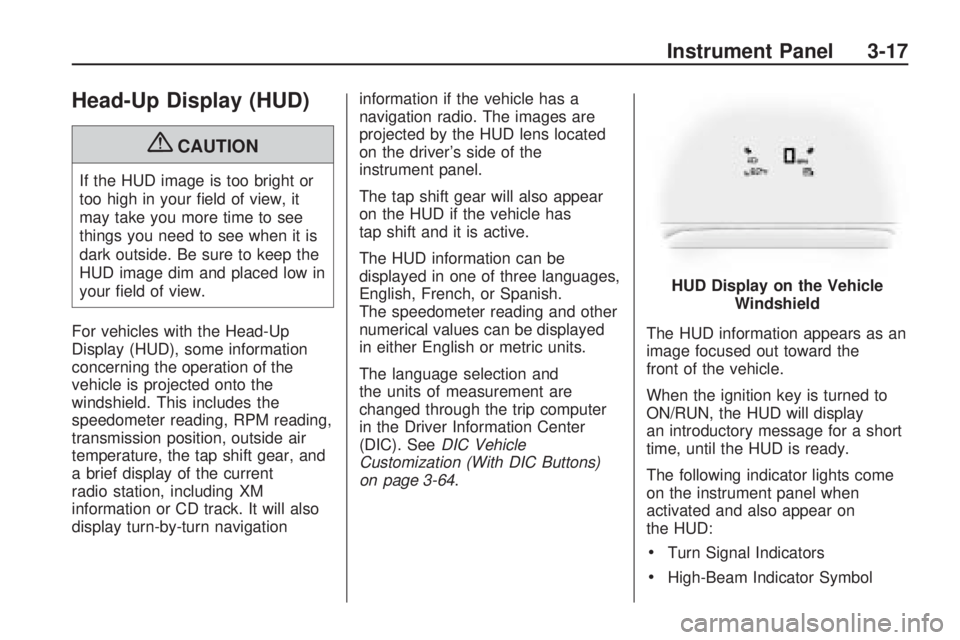
on page 3-64.The HUD information appears as an
image focused out toward the
front of the vehicle.
When the ignition key is turned to
ON/RUN, the HUD will display
an introductory message for a short
time, until the HUD is ready.
The following indicator lights come
on the instrument panel when
activated and also appear on
the HUD:
Turn Signal Indicators
High-Beam Indicator SymbolHUD Display on the Vehicle
Windshield
Instrument Panel 3-17
Page 153 of 420
H(Vent):Air is directed through
the overhead outlets.
)(Bi-Level):Air is directed
through the rear oor outlets, as
well as the overhead outlets.
6(Floor):Air is directed through
the oor outlets. The rear system
oor outlets are located under
the third row seats.
Warning Lights,
Gages, and Indicators
Warning lights and gages can
signal that something is wrong
before it becomes serious enough
to cause an expensive repair or
replacement. Paying attention to the
warning lights and gages could
prevent injury.
Warning lights come on when there
may be or is a problem with one
of the vehicle’s functions. Some
warning lights come on briey when
the engine is started to indicate
they are working.Gages can indicate when there may
be or is a problem with one of the
vehicle’s functions. Often gages and
warning lights work together to
indicate a problem with the vehicle.
When one of the warning lights
comes on and stays on while
driving, or when one of the gages
shows there may be a problem,
check the section that explains what
to do. Follow this manual’s advice.
Waiting to do repairs can be
costly and even dangerous.
Instrument Panel 3-33
Page 157 of 420
vehicle from a distance, if equipped,
you may not see the system
check. Then, after several more
seconds, the status indicator
will light either ON or OFF, or either
the on or off symbol to let you
know the status of the right front
passenger frontal airbag.
If the word ON or the on symbol is
lit on the passenger airbag status
indicator, it means that the right front
passenger frontal airbag is enabled
(may inate).
If the word OFF or the off symbol is
lit on the passenger airbag status
indicator, it means that the
passenger sensing system has
turned off the right front passenger
frontal airbag.
If, after several seconds, both status
indicator lights remain on, or if
there are no lights at all, there may
be a problem with the lights or
the passenger sensing system.
See your dealer/retailer for service.{CAUTION
If the airbag readiness light ever
comes on and stays on, it means
that something may be wrong with
the airbag system. To help avoid
injury to yourself or others, have
the vehicle serviced right away.
SeeAirbag Readiness Light on
page 3-36for more information,
including important safety
information.
Charging System Light
The charging system light comes on
briey when the ignition is turned
on, but the engine is not running,
as a check to show the light is
working. It should go out when the
engine is started.If the light stays on, or comes on
while driving, there may be a
problem with the electrical charging
system. Have it checked by your
dealer/retailer. Driving while this light
is on could drain the battery.
When this light comes on, the Driver
Information Center (DIC) will also
display the SERVICE BATTERY
CHARGING SYSTEM message.
SeeDIC Warnings and Messages
on page 3-56for more information.
If a short distance must be driven
with the light on, be sure to turn off
all accessories, such as the radio
and air conditioner.
Instrument Panel 3-37
Page 187 of 420
Press the customization button until
REMOTE DOOR LOCK appears
on the DIC display. Press the
set/reset button once to access the
settings for this feature. Then
press the customization button to
scroll through the following settings:
OFF:There will be no feedback
when you press the lock button on
the RKE transmitter.
LIGHTS ONLY:The exterior lamps
will ash when you press the
lock button on the RKE transmitter.
HORN ONLY:The horn will
sound on the second press of the
lock button on the RKE transmitter.
HORN & LIGHTS (default):The
exterior lamps will ash when
you press the lock button on the
RKE transmitter, and the horn
will sound when the lock button is
pressed again within ve seconds of
the previous command.NO CHANGE:No change will be
made to this feature. The current
setting will remain.
To select a setting, press the
set/reset button while the desired
setting is displayed on the DIC.
REMOTE DOOR UNLOCK
This feature allows you to select the
type of feedback you will receive
when unlocking the vehicle with the
Remote Keyless Entry (RKE)
transmitter. You will not receive
feedback when unlocking the vehicle
with the RKE transmitter if the
doors are open. SeeRemote
Keyless Entry (RKE) System
Operation on page 2-3for more
information.
Press the customization button
until REMOTE DOOR UNLOCK
appears on the DIC display.
Press the set/reset button once to
access the settings for this feature.Then press the customization button
to scroll through the following
settings:
LIGHTS OFF:The exterior lamps
will not ash when you press
the unlock button on the RKE
transmitter.
LIGHTS ON (default):The exterior
lamps will ash when you press
the unlock button on the RKE
transmitter.
NO CHANGE:No change will be
made to this feature. The current
setting will remain.
To select a setting, press the
set/reset button while the desired
setting is displayed on the DIC.
DELAY DOOR LOCK
This feature allows you to select
whether or not the locking of
the vehicle’s doors and liftgate will
be delayed. When locking the
doors and liftgate with the power
door lock switch and a door or
the liftgate is open, this feature will
Instrument Panel 3-67
Page 188 of 420
delay locking the doors and liftgate
until ve seconds after the last
door is closed. You will hear
three chimes to signal that the
delayed locking feature is in use.
The key must be out of the ignition
for this feature to work. You can
temporarily override delayed locking
by pressing the power door lock
switch twice or the lock button
on the RKE transmitter twice.
SeeDelayed Locking on page 2-8
for more information.
Press the customization button until
DELAY DOOR LOCK appears
on the DIC display. Press the
set/reset button once to access the
settings for this feature. Then
press the customization button to
scroll through the following settings:
OFF:There will be no delayed
locking of the vehicle’s doors.
ON (default):The doors will not
lock until ve seconds after the last
door or the liftgate is closed.NO CHANGE:No change will be
made to this feature. The current
setting will remain.
To select a setting, press the
set/reset button while the desired
setting is displayed on the DIC.
EXIT LIGHTING
This feature allows you to select the
amount of time you want the exterior
lamps to remain on when it is dark
enough outside. This happens after
the key is turned from ON/RUN to
LOCK/OFF.
Press the customization button until
EXIT LIGHTING appears on the
DIC display. Press the set/reset
button once to access the settings
for this feature. Then press the
customization button to scroll
through the following settings:
OFF:The exterior lamps will not
turn on.
30 SECONDS (default):The
exterior lamps will stay on for
30 seconds.1 MINUTE:The exterior lamps will
stay on for one minute.
2 MINUTES:The exterior lamps will
stay on for two minutes.
NO CHANGE:No change will be
made to this feature. The current
setting will remain.
To select a setting, press the
set/reset button while the desired
setting is displayed on the DIC.
APPROACH LIGHTING
This feature allows you to select
whether or not to have the exterior
lights turn on briey during low
light periods after unlocking
the vehicle using the Remote
Keyless Entry (RKE) transmitter.
Press the customization button until
APPROACH LIGHTING appears
on the DIC display. Press the
set/reset button once to access the
settings for this feature.
3-68 Instrument Panel