ignition GMC ACADIA 2009 Owner's Guide
[x] Cancel search | Manufacturer: GMC, Model Year: 2009, Model line: ACADIA, Model: GMC ACADIA 2009Pages: 420, PDF Size: 2.23 MB
Page 94 of 420
3. Turn the ignition key to
LOCK/OFF.
4. Remove the key and take it with
you. If you can leave the vehicle
with the ignition key in your
hand, the vehicle is in P (Park).
Leaving the Vehicle with the
Engine Running
{CAUTION
It can be dangerous to leave the
vehicle with the engine running.
The vehicle could move suddenly
if the shift lever is not fully in
P (Park) with the parking brake
rmly set. And, if you leave the
vehicle with the engine running, it
could overheat and even catch
re. You or others could be
injured. Do not leave the vehicle
with the engine running.If you have to leave the vehicle with
the engine running, be sure the
vehicle is in P (Park) and the parking
brake is rmly set before you
leave it. After you have moved the
shift lever into P (Park), hold
the regular brake pedal down. Then,
see if you can move the shift
lever away from P (Park) without
rst pushing the button.
If you can, it means that the shift
lever was not fully locked in
P (Park).
Torque Lock
Torque lock is when the weight of
the vehicle puts too much force
on the parking pawl in the
transmission. This happens when
parking on a hill and shifting
the transmission into P (Park) is not
done properly and then it is
difficult to shift out of P (Park). To
prevent torque lock, set the parking
brake and then shift into P (Park).
To nd out how, see “Shifting
Into Park” listed previously.
If torque lock does occur, your
vehicle may need to be pushed
uphill by another vehicle to relieve
the parking pawl pressure, so
you can shift out of P (Park).
2-28 Features and Controls
Page 95 of 420
Shifting Out of Park
The vehicle is equipped with an
electronic shift lock release system.
The shift lock release is designed to:
Prevent ignition key removal
unless the shift lever is in P (Park)
with the shift lever button fully
released, and
Prevent movement of the shift
lever out of P (Park), unless the
ignition is in ON/RUN or ACC/
ACCESSORY and the regular
brake pedal is applied.
The shift lock release is always
functional except in the case of an
uncharged or low voltage (less
than 9 volt) battery.If the vehicle has an uncharged
battery or a battery with low voltage,
try charging or jump starting the
battery. SeeJump Starting on
page 5-28for more information.
To shift out of P (Park):
1. Apply the brake pedal.
2. Press the shift lever button.
3. Move the shift lever to the
desired position.
If you still are unable to shift out of
P (Park):
1. Fully release the shift lever
button.
2. While holding down the brake
pedal, press the shift lever
button again.
3. Move the shift lever to the
desired position.
If you still cannot move the shift
lever from P (Park), see your
dealer/retailer.
Parking Over Things
That Burn
{CAUTION
Things that can burn could touch
hot exhaust parts under the
vehicle and ignite. Do not park
over papers, leaves, dry grass, or
other things that can burn.
Features and Controls 2-29
Page 98 of 420
Automatic Dimming Mirror
Operation
Automatic dimming reduces the
glare from the headlamps of
the vehicle behind you. The dimming
feature comes on and the indicator
light illuminates each time the
ignition is turned to start.
Cleaning the Mirror
Do not spray glass cleaner directly
on the mirror. Use a soft towel
dampened with water.
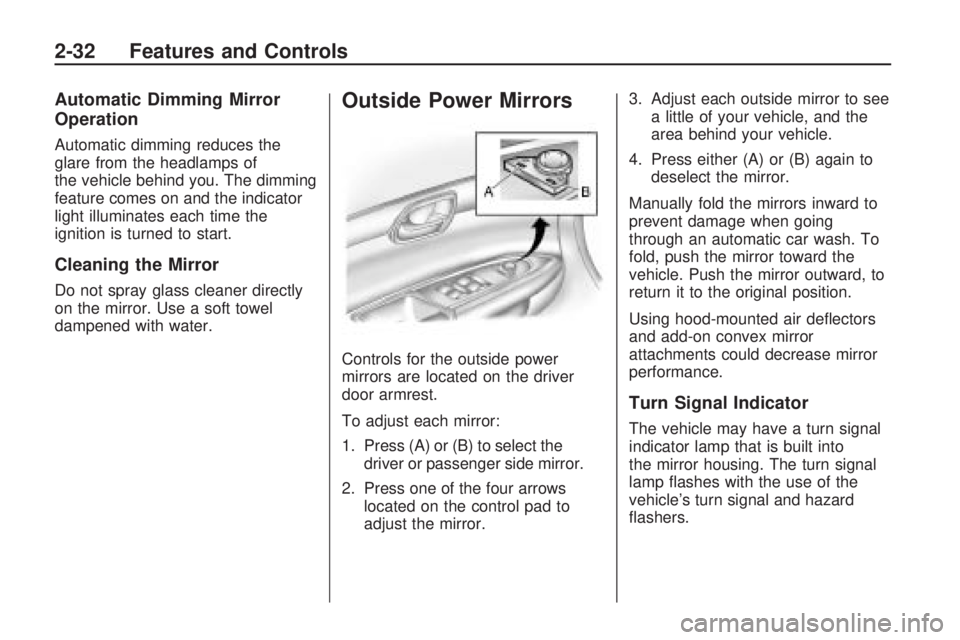
Outside Power Mirrors
Controls for the outside power
mirrors are located on the driver
door armrest.
To adjust each mirror:
1. Press (A) or (B) to select the
driver or passenger side mirror.
2. Press one of the four arrows
located on the control pad to
adjust the mirror.3. Adjust each outside mirror to see
a little of your vehicle, and the
area behind your vehicle.
4. Press either (A) or (B) again to
deselect the mirror.
Manually fold the mirrors inward to
prevent damage when going
through an automatic car wash. To
fold, push the mirror toward the
vehicle. Push the mirror outward, to
return it to the original position.
Using hood-mounted air deectors
and add-on convex mirror
attachments could decrease mirror
performance.
Turn Signal Indicator
The vehicle may have a turn signal
indicator lamp that is built into
the mirror housing. The turn signal
lamp ashes with the use of the
vehicle’s turn signal and hazard
ashers.
2-32 Features and Controls
Page 99 of 420
Outside Power Foldaway
Mirrors
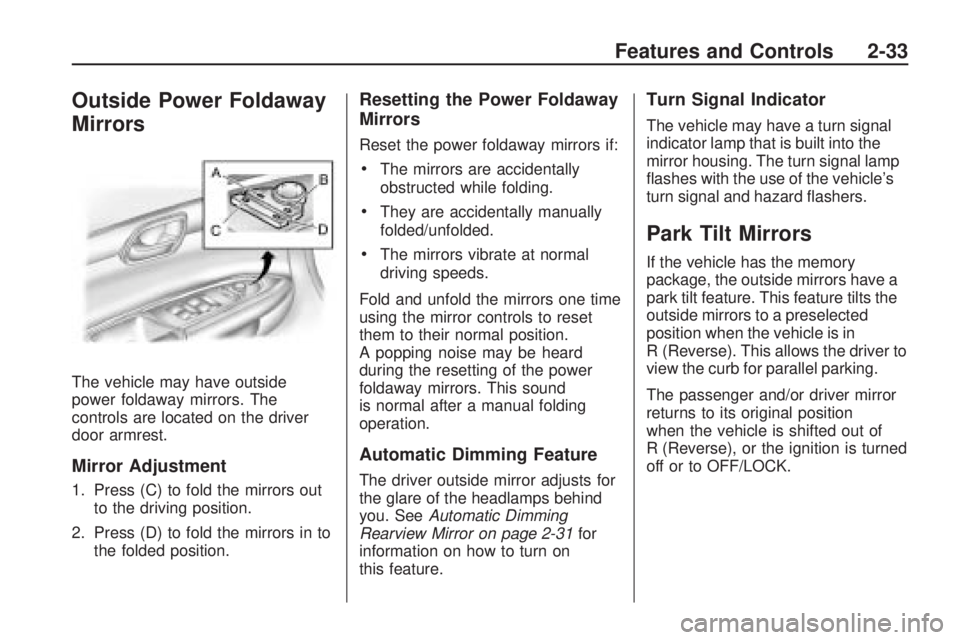
The vehicle may have outside
power foldaway mirrors. The
controls are located on the driver
door armrest.
Mirror Adjustment
1. Press (C) to fold the mirrors out
to the driving position.
2. Press (D) to fold the mirrors in to
the folded position.
Resetting the Power Foldaway
Mirrors
Reset the power foldaway mirrors if:
The mirrors are accidentally
obstructed while folding.
They are accidentally manually
folded/unfolded.
The mirrors vibrate at normal
driving speeds.
Fold and unfold the mirrors one time
using the mirror controls to reset
them to their normal position.
A popping noise may be heard
during the resetting of the power
foldaway mirrors. This sound
is normal after a manual folding
operation.
Automatic Dimming Feature
The driver outside mirror adjusts for
the glare of the headlamps behind
you. SeeAutomatic Dimming
Rearview Mirror on page 2-31for
information on how to turn on
this feature.
Turn Signal Indicator
The vehicle may have a turn signal
indicator lamp that is built into the
mirror housing. The turn signal lamp
ashes with the use of the vehicle’s
turn signal and hazard ashers.
Park Tilt Mirrors
If the vehicle has the memory
package, the outside mirrors have a
park tilt feature. This feature tilts the
outside mirrors to a preselected
position when the vehicle is in
R (Reverse). This allows the driver to
view the curb for parallel parking.
The passenger and/or driver mirror
returns to its original position
when the vehicle is shifted out of
R (Reverse), or the ignition is turned
off or to OFF/LOCK.
Features and Controls 2-33
Page 119 of 420
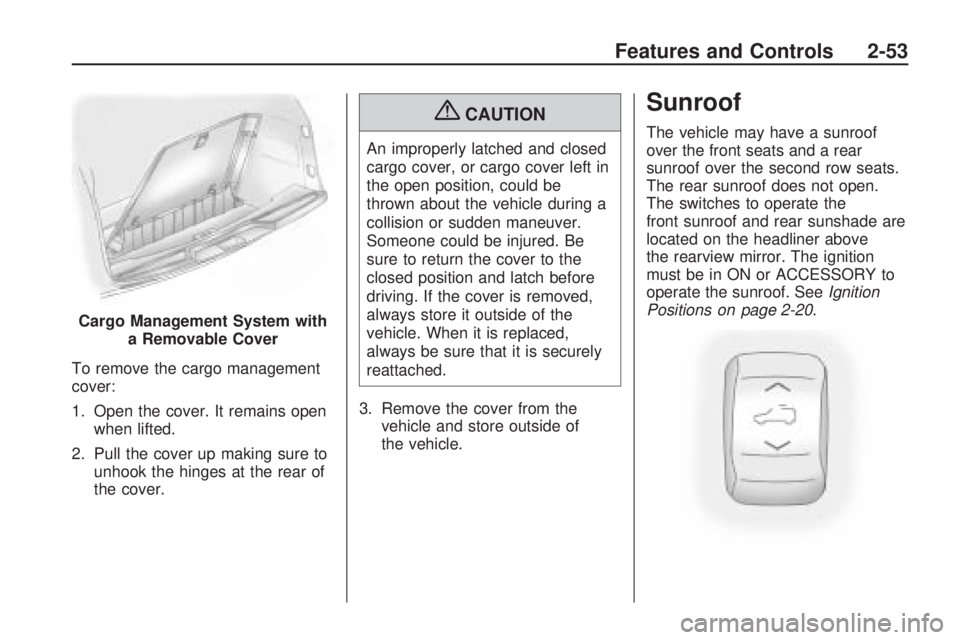
To remove the cargo management
cover:
1. Open the cover. It remains open
when lifted.
2. Pull the cover up making sure to
unhook the hinges at the rear of
the cover.
{CAUTION
An improperly latched and closed
cargo cover, or cargo cover left in
the open position, could be
thrown about the vehicle during a
collision or sudden maneuver.
Someone could be injured. Be
sure to return the cover to the
closed position and latch before
driving. If the cover is removed,
always store it outside of the
vehicle. When it is replaced,
always be sure that it is securely
reattached.
3. Remove the cover from the
vehicle and store outside of
the vehicle.
Sunroof
The vehicle may have a sunroof
over the front seats and a rear
sunroof over the second row seats.
The rear sunroof does not open.
The switches to operate the
front sunroof and rear sunshade are
located on the headliner above
the rearview mirror. The ignition
must be in ON or ACCESSORY to
operate the sunroof. SeeIgnition
Positions on page 2-20.
Cargo Management System with
a Removable Cover
Features and Controls 2-53
Page 128 of 420
Clear ice and snow from the wiper
blades before using them. If the
blades are frozen to the windshield,
gently loosen or thaw them.
If they become damaged, install
new blades or blade inserts.
SeeWindshield Wiper Blade
Replacement on page 5-34.
Heavy snow or ice can overload the
wipers. A circuit breaker stops
them until the motor cools.
Windshield Washer
J
(Washer Fluid):Press the
button located at the end of the turn
signal/multifunction lever, to spray
washer uid on the windshield.
The wipers clear the windshield and
either stop or return to the preset
speed. The ignition key must
be in ACC/ACCESSORY or
ON/RUN for this to work. See
Windshield Washer Fluid on
page 5-24Windshield Washer Fluid.
{CAUTION
In freezing weather, do not use
your washer until the windshield is
warmed. Otherwise the washer
uid can form ice on the
windshield, blocking your vision.
WASHER FLUID LOW ADD
FLUID is displayed on the Driver
Information Center (DIC) when
the washer uid is low. See
DIC Warnings and Messages on
page 3-56.
Heated Windshield Washer
For vehicles with the heated
windshield washer uid system,
it can be used to help clear
ice, snow, tree sap, or bugs from
the windshield. This feature
only works with the front wiper
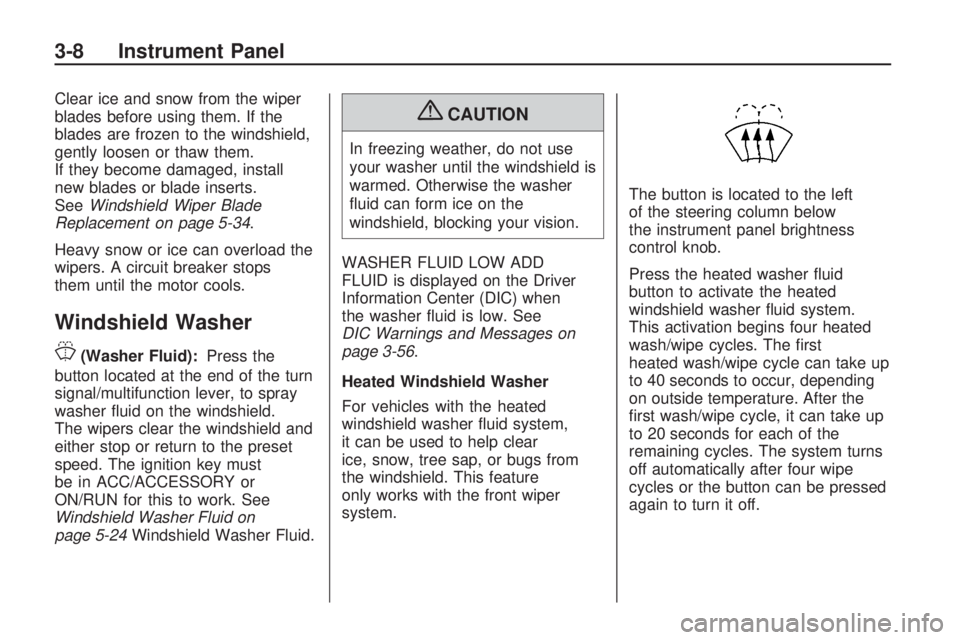
system.The button is located to the left
of the steering column below
the instrument panel brightness
control knob.
Press the heated washer uid
button to activate the heated
windshield washer uid system.
This activation begins four heated
wash/wipe cycles. The rst
heated wash/wipe cycle can take up
to 40 seconds to occur, depending
on outside temperature. After the
rst wash/wipe cycle, it can take up
to 20 seconds for each of the
remaining cycles. The system turns
off automatically after four wipe
cycles or the button can be pressed
again to turn it off.
3-8 Instrument Panel
Page 131 of 420
Reducing Speed While Using
Cruise Control
There are two ways to reduce the
vehicle speed while using cruise
control:
Press and hold the SET– button
on the steering wheel until the
lower speed desired is reached,
then release it.
To slow down in very small
amounts, press the SET– button
briey. Each time this is done,
the vehicle goes about 1 mph
(1.6 km/h) slower.
Passing Another Vehicle While
Using Cruise Control
Use the accelerator pedal to
increase vehicle speed. When you
take your foot off the pedal, the
vehicle will slow down to the
previously set cruise speed.Using Cruise Control on Hills
How well the cruise control will work
on hills depends upon the vehicle
speed, load, and the steepness
of the hills. When going up steep
hills, you might have to step on the
accelerator pedal to maintain the
vehicle speed. When going downhill,
you might have to brake or shift
to a lower gear to keep the vehicle
speed down. When the brakes
are applied the cruise control
is disengaged.
Ending Cruise Control
There are three ways to end cruise
control:
Step lightly on the brake pedal.
Press the[button.
Press theTbutton.
Erasing Speed Memory
The cruise control set speed memory
is erased when the cruise control or
the ignition is turned off.
Exterior Lamps
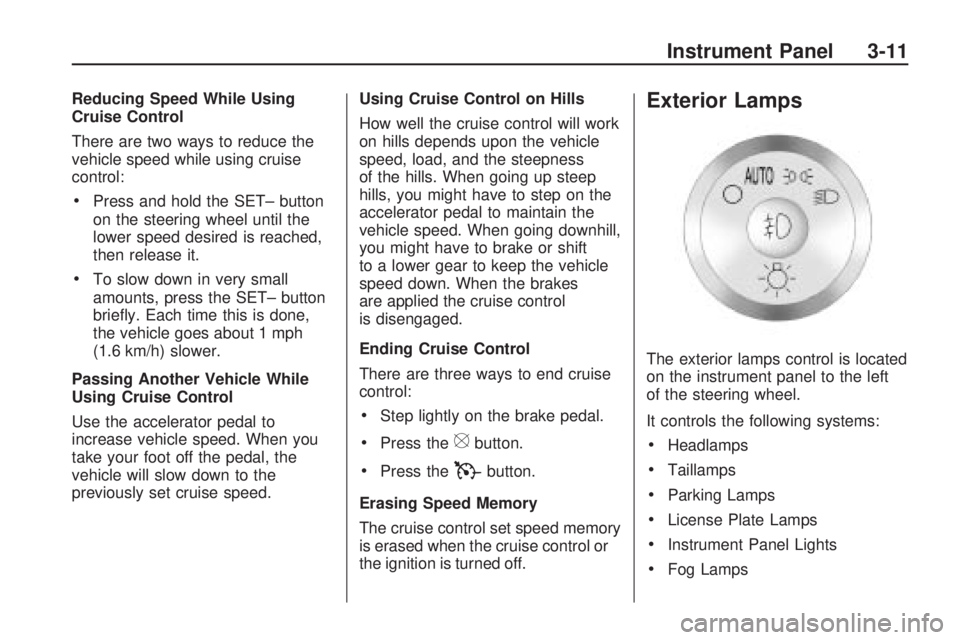
The exterior lamps control is located
on the instrument panel to the left
of the steering wheel.
It controls the following systems:
Headlamps
Taillamps
Parking Lamps
License Plate Lamps
Instrument Panel Lights
Fog Lamps
Instrument Panel 3-11
Page 132 of 420
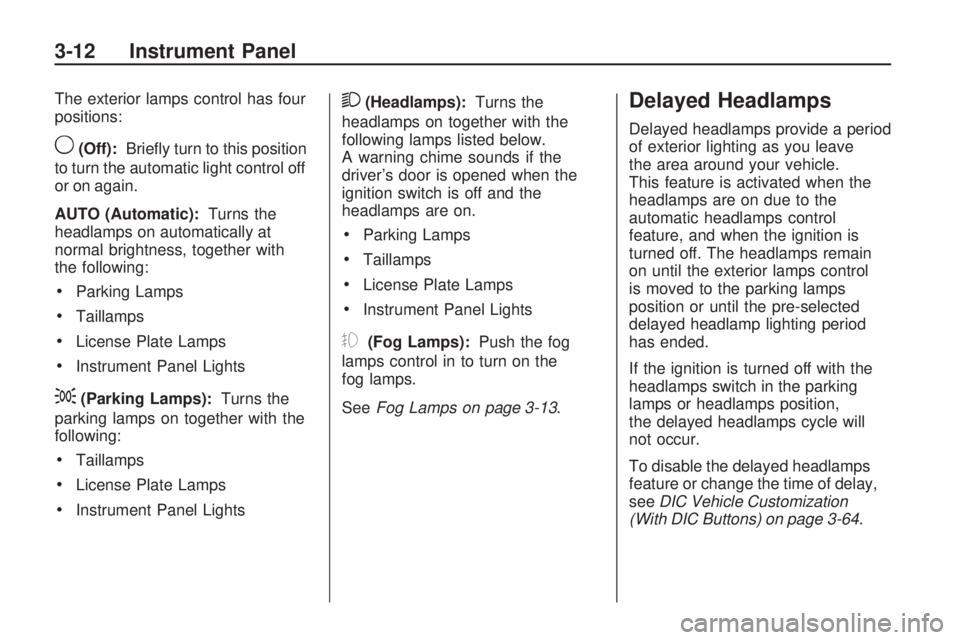
The exterior lamps control has four
positions:
9(Off):Briey turn to this position
to turn the automatic light control off
or on again.
AUTO (Automatic):Turns the
headlamps on automatically at
normal brightness, together with
the following:
Parking Lamps
Taillamps
License Plate Lamps
Instrument Panel Lights
;(Parking Lamps):Turns the
parking lamps on together with the
following:
Taillamps
License Plate Lamps
Instrument Panel Lights
2(Headlamps):Turns the
headlamps on together with the
following lamps listed below.
A warning chime sounds if the
driver’s door is opened when the
ignition switch is off and the
headlamps are on.
Parking Lamps
Taillamps
License Plate Lamps
Instrument Panel Lights
#(Fog Lamps):Push the fog
lamps control in to turn on the
fog lamps.
SeeFog Lamps on page 3-13.
Delayed Headlamps
Delayed headlamps provide a period
of exterior lighting as you leave
the area around your vehicle.
This feature is activated when the
headlamps are on due to the
automatic headlamps control
feature, and when the ignition is
turned off. The headlamps remain
on until the exterior lamps control
is moved to the parking lamps
position or until the pre-selected
delayed headlamp lighting period
has ended.
If the ignition is turned off with the
headlamps switch in the parking
lamps or headlamps position,
the delayed headlamps cycle will
not occur.
To disable the delayed headlamps
feature or change the time of delay,
seeDIC Vehicle Customization
(With DIC Buttons) on page 3-64.
3-12 Instrument Panel
Page 133 of 420
Daytime Running
Lamps (DRL)/Automatic
Headlamp System
Daytime Running Lamps (DRL) can
make it easier for others to see
the front of your vehicle during the
day. Fully functional daytime
running lamps are required on all
vehicles rst sold in Canada.
The DRL system makes either the
low-beam headlamps come on at a
reduced brightness or the DRL lights,
for vehicles with High Intensity
Discharge (HID) headlamps when
the following conditions are met:
The ignition is in the ON/RUN
position.
The exterior lamps control is
in AUTO.
The engine is running.When the DRL are on, the regular
headlamps, taillamps, sidemarker,
and other lamps will not be on.
The instrument panel and cluster will
also not be lit.
For vehicles with HID headlamps, if
the DRL are on and the left or
right turn signal lamp is turned on,
the left or right DRL will go off.
The headlamps automatically
change from DRL to the regular
headlamps depending on the
darkness of the surroundings.
The other lamps that come on with
the headlamps will also come on.
When it is bright enough outside,
the headlamps will go off and
the DRL will come on.
The regular headlamp system
should be turned on when needed.
Do not cover the light sensor on
top of the instrument panel because
it works with the DRL.
Fog Lamps
Use the fog lamps for better vision
in foggy or misty conditions.
The fog lamps button is located on
the exterior lamps control to the
left of the steering column.
#(Fog Lamps):Press the exterior
lamps button to turn the fog lamps
on or off. A light comes on in the
instrument panel cluster when the
fog lamps are in use. The ignition
must be on for the fog lamps
to work.
When the headlamps are changed
to high-beam, the fog lamps will
turn off. The fog lamps come back
on again when the high-beam
headlamps are turned off.
Some localities have laws that
require the headlamps to be
on along with the fog lamps.
Instrument Panel 3-13
Page 135 of 420
they slowly dim after the delay time
until they go out. The delay time is
canceled if the ignition key is turned
to ON/RUN or the power door lock
switch is pressed. The lamps will dim
right away.
When the ignition is on, illuminated
entry is inactive, which means
the courtesy lamps will not come on
unless a door is opened.
Delayed Entry Lighting
Delayed entry lighting illuminates the
interior for a period of time after
all the doors have been closed.
The ignition must be off for delayed
entry lighting to work. Immediately
after all the doors have been closed,
the delayed entry lighting feature
will continue to work until one of the
following occurs:
The ignition is in ON/RUN.
The doors are locked.
An illumination period of
25 seconds has elapsed.If during the illumination period a
door is opened, the timed
illumination period will be canceled
and the interior lamps will remain
on because a door is open.
Delayed Exit Lighting
This feature illuminates the interior
for a period of time after the key
is removed from the ignition.
The ignition must be off for delayed
exit lighting to work. When the
key is removed, interior illumination
will activate and remain on until
one of the following occurs:
The ignition is in ON/RUN.
The power door locks are
activated.
An illumination period of
20 seconds has elapsed.
If during the illumination period a
door is opened, the timed
illumination period will be canceled
and the interior lamps will remain
on because a door is open.
Parade Dimming
Parade mode automatically prohibits
the dimming of the instrument panel
displays during the daylight while the
headlamps are on so that the
displays are still able to be seen.
Reading Lamps
The vehicle has reading lamps that
also act as the dome lamp. Press
the button to turn them on and off.
Electric Power
Management
The vehicle has Electric Power
Management (EPM) that estimates
the battery’s temperature and
state of charge. It then adjusts the
voltage for best performance
and extended life of the battery.
When the battery’s state of charge
is low, the voltage is raised
slightly to quickly bring the charge
back up. When the state of charge
is high, the voltage is lowered
slightly to prevent overcharging.
Instrument Panel 3-15