ECU GMC ACADIA 2009 Owner's Guide
[x] Cancel search | Manufacturer: GMC, Model Year: 2009, Model line: ACADIA, Model: GMC ACADIA 2009Pages: 420, PDF Size: 2.23 MB
Page 110 of 420
Your Responsibility
Increase the volume of the radio if
the OnStar advisor cannot be heard.
If the light next to the OnStar
buttons is red, the system may not
be functioning properly. Press
the OnStar button and request a
vehicle diagnostic. If the light
appears clear (no light is appearing),
your OnStar subscription has
expired and all services have been
deactivated. Press the OnStar
button to conrm that the OnStar
equipment is active.Universal Home
Remote System
The Universal Home Remote
System provides a way to replace
up to three hand-held
Radio-Frequency (RF) transmitters
used to activate devices such
as garage door openers, security
systems, and home lighting.
This device complies with Part 15 of
the FCC Rules. Operation
is subject to the following
two conditions:
1. This device may not cause
harmful interference.
2. This device must accept any
interference received, including
interference that may cause
undesired operation.This device complies with RSS-210
of Industry Canada. Operation
is subject to the following
two conditions:
1. This device may not cause
interference.
2. This device must accept any
interference received, including
interference that may cause
undesired operation of the device.
Changes or modications to this
system by other than an authorized
service facility could void
authorization to use this equipment.
2-44 Features and Controls
Page 111 of 420
Universal Home Remote
System Operation
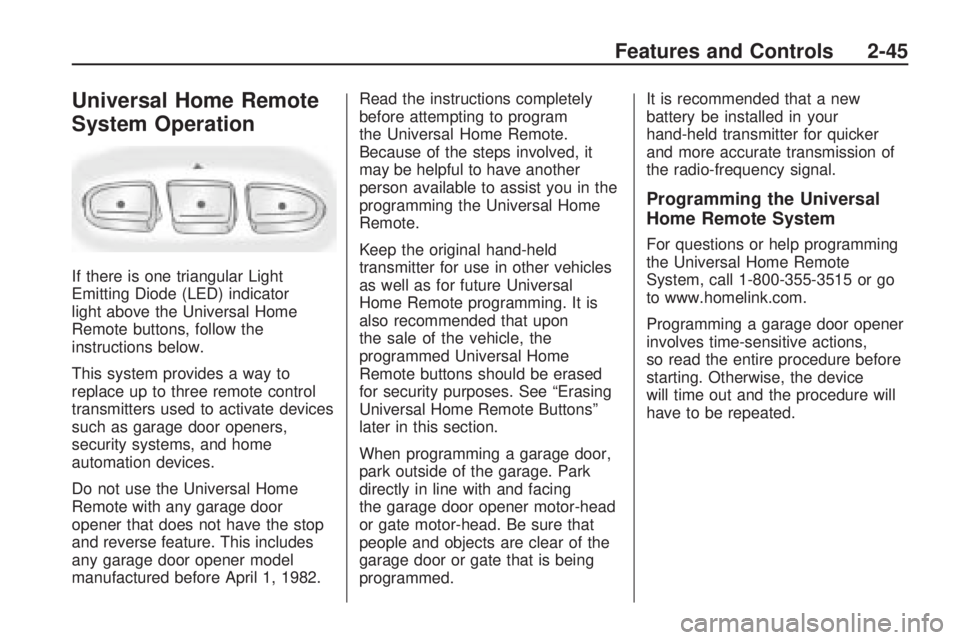
If there is one triangular Light
Emitting Diode (LED) indicator
light above the Universal Home
Remote buttons, follow the
instructions below.
This system provides a way to
replace up to three remote control
transmitters used to activate devices
such as garage door openers,
security systems, and home
automation devices.
Do not use the Universal Home
Remote with any garage door
opener that does not have the stop
and reverse feature. This includes
any garage door opener model
manufactured before April 1, 1982.Read the instructions completely
before attempting to program
the Universal Home Remote.
Because of the steps involved, it
may be helpful to have another
person available to assist you in the
programming the Universal Home
Remote.
Keep the original hand-held
transmitter for use in other vehicles
as well as for future Universal
Home Remote programming. It is
also recommended that upon
the sale of the vehicle, the
programmed Universal Home
Remote buttons should be erased
for security purposes. See “Erasing
Universal Home Remote Buttons”
later in this section.
When programming a garage door,
park outside of the garage. Park
directly in line with and facing
the garage door opener motor-head
or gate motor-head. Be sure that
people and objects are clear of the
garage door or gate that is being
programmed.It is recommended that a new
battery be installed in your
hand-held transmitter for quicker
and more accurate transmission of
the radio-frequency signal.
Programming the Universal
Home Remote System
For questions or help programming
the Universal Home Remote
System, call 1-800-355-3515 or go
to www.homelink.com.
Programming a garage door opener
involves time-sensitive actions,
so read the entire procedure before
starting. Otherwise, the device
will time out and the procedure will
have to be repeated.
Features and Controls 2-45
Page 116 of 420
Second Row Center
Console
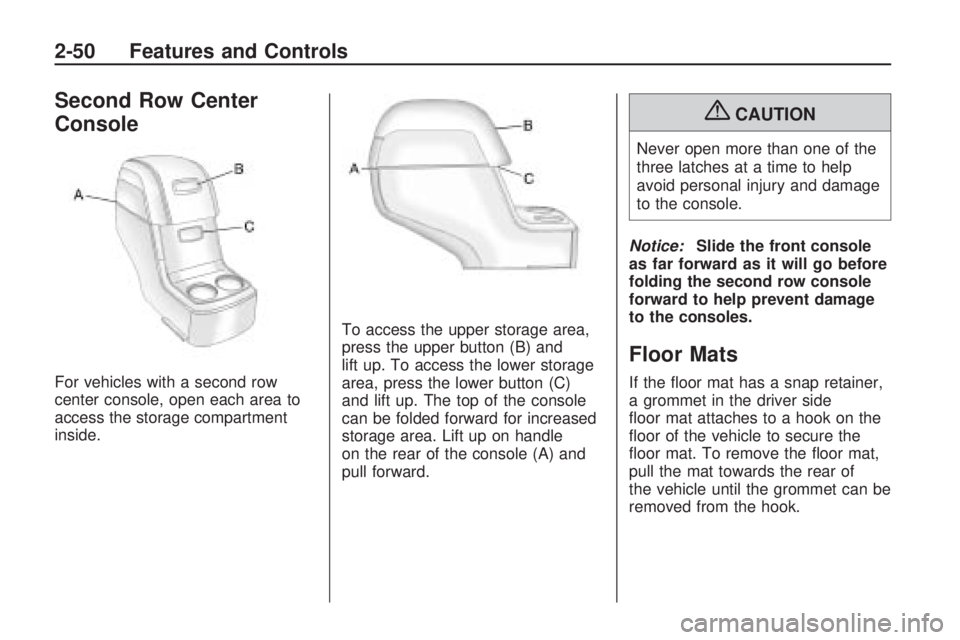
For vehicles with a second row
center console, open each area to
access the storage compartment
inside.To access the upper storage area,
press the upper button (B) and
lift up. To access the lower storage
area, press the lower button (C)
and lift up. The top of the console
can be folded forward for increased
storage area. Lift up on handle
on the rear of the console (A) and
pull forward.
{CAUTION
Never open more than one of the
three latches at a time to help
avoid personal injury and damage
to the console.
Notice:Slide the front console
as far forward as it will go before
folding the second row console
forward to help prevent damage
to the consoles.
Floor Mats
If the oor mat has a snap retainer,
a grommet in the driver side
oor mat attaches to a hook on the
oor of the vehicle to secure the
oor mat. To remove the oor mat,
pull the mat towards the rear of
the vehicle until the grommet can be
removed from the hook.
2-50 Features and Controls
Page 117 of 420
If the oor mat has a knob retainer,
a grommet in the oor mat
attaches to a knob on the oor of
the vehicle to secure the oor
mat. To remove the oor mat, turn
the knob till it is aligned with the
slot in the oor mat grommet
and pull the oor mat up. To
reinstall, center the slot in the oor
mat grommet with the knob on
the oor and set the mat in place.
Then turn the knob until it is
perpendicular to the slot in the
grommet to lock the mat in place.Luggage Carrier
{CAUTION
If something is carried on top of
the vehicle that is longer or wider
than the luggage carrier — like
paneling, plywood, or a
mattress — the wind can catch it
while the vehicle is being driven.
This can cause a driver to lose
control. The item being carried
could be violently torn off, and this
could cause a collision, and
damage the vehicle. Items may
be carried inside. Never carry
something longer or wider than
the luggage carrier on top of the
vehicle.
If you have the luggage carrier, you
can load things on top of your
vehicle. Crossrails are not standard
on this vehicle and must be
purchased at your dealer/retailer.Notice:Loading cargo on the
luggage carrier that weighs more
than 200 lbs (91 kg) or hangs
over the rear or sides of the
vehicle can damage the vehicle.
Load cargo so that it rests as
far forward as possible and
against the side rails, making
sure to fasten it securely.
Do not exceed the maximum vehicle
capacity when loading your
vehicle. For more information on
vehicle capacity and loading,
seeLoading the Vehicle on
page 4-16.
To prevent damage or loss of cargo
as you are driving, check to make
sure the cargo is still securely
fastened.
Rear Seat Armrest
Vehicles with a rear seat armrest,
have two cupholders. Pull the
armrest down from the rear
seatback to access the cupholders.
Features and Controls 2-51
Page 118 of 420
Convenience Net
Use the convenience net, located in
the rear, to store small loads as
far forward as possible. The
net should not be used to store
heavy loads.
Cargo Cover
For vehicles with a cargo cover, it
can be used to cover items in
the rear of the vehicle. To install the
cover, place the loops on each
corner of the cover on the four
hooks in the rear of the vehicle. The
cover should be stored securely
when not in use.
Cargo Tie Downs
Four cargo tie-downs are located in
the rear compartment of the
vehicle. The tie-downs can be used
to secure small loads.
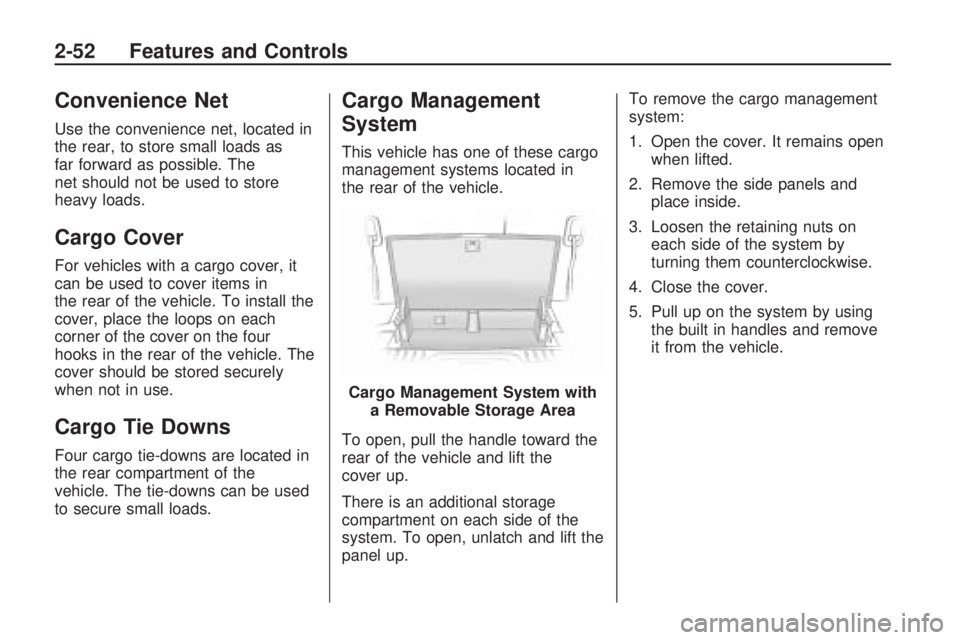
Cargo Management
System
This vehicle has one of these cargo
management systems located in
the rear of the vehicle.
To open, pull the handle toward the
rear of the vehicle and lift the
cover up.
There is an additional storage
compartment on each side of the
system. To open, unlatch and lift the
panel up.To remove the cargo management
system:
1. Open the cover. It remains open
when lifted.
2. Remove the side panels and
place inside.
3. Loosen the retaining nuts on
each side of the system by
turning them counterclockwise.
4. Close the cover.
5. Pull up on the system by using
the built in handles and remove
it from the vehicle.
Cargo Management System with
a Removable Storage Area
2-52 Features and Controls
Page 119 of 420
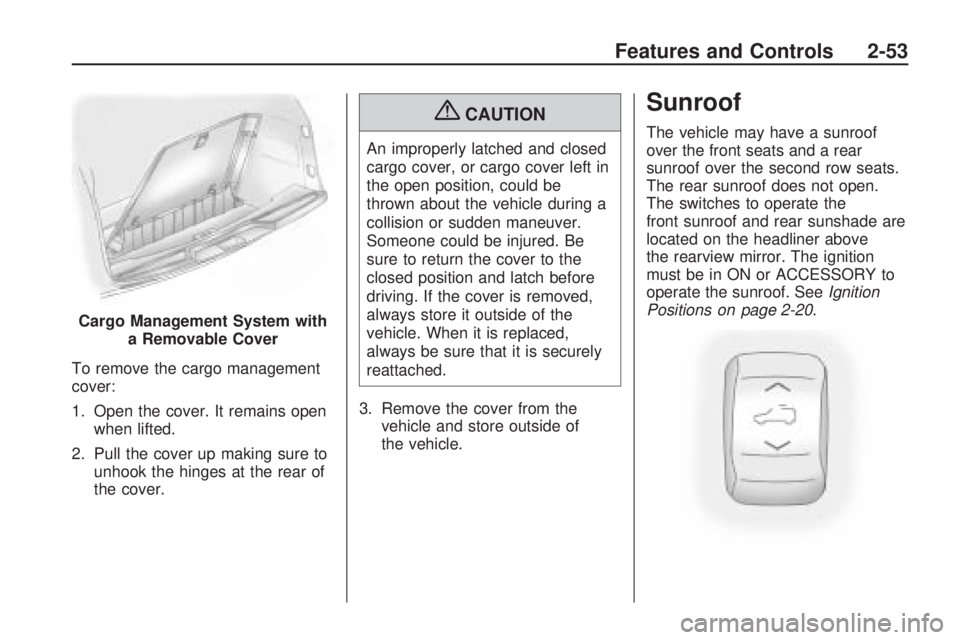
To remove the cargo management
cover:
1. Open the cover. It remains open
when lifted.
2. Pull the cover up making sure to
unhook the hinges at the rear of
the cover.
{CAUTION
An improperly latched and closed
cargo cover, or cargo cover left in
the open position, could be
thrown about the vehicle during a
collision or sudden maneuver.
Someone could be injured. Be
sure to return the cover to the
closed position and latch before
driving. If the cover is removed,
always store it outside of the
vehicle. When it is replaced,
always be sure that it is securely
reattached.
3. Remove the cover from the
vehicle and store outside of
the vehicle.
Sunroof
The vehicle may have a sunroof
over the front seats and a rear
sunroof over the second row seats.
The rear sunroof does not open.
The switches to operate the
front sunroof and rear sunshade are
located on the headliner above
the rearview mirror. The ignition
must be in ON or ACCESSORY to
operate the sunroof. SeeIgnition
Positions on page 2-20.
Cargo Management System with
a Removable Cover
Features and Controls 2-53
Page 122 of 420
Brake System Warning
Light................................3-38
Antilock Brake System
(ABS) Warning Light.......3-39
StabiliTrak®Indicator
Light................................3-39
Engine Coolant
Temperature
Warning Light
..................3-40
Engine Coolant
Temperature Gage..........3-40
Tire Pressure Light...........3-41
Malfunction
Indicator Lamp................3-41
Oil Pressure Light.............3-44
Security Light....................3-44
Fog Lamp Light................3-44
Cruise Control Light..........3-44
Highbeam On Light...........3-45
Tow/Haul Mode Light........3-45
Fuel Gage........................3-45
Driver Information
Center (DIC)
Driver Information
Center (DIC)...................3-46
DIC Operation
and Displays
(With DIC Buttons)
..........3-46
DIC Operation
and Displays
(Without DIC Buttons)
.....3-51
DIC Compass...................3-54
DIC Warnings and
Messages........................3-56
DIC Vehicle
Customization
(With DIC Buttons)
..........3-64
Audio System(s)
Audio System(s)................3-72
Setting the Clock..............3-73
Radio(s)............................3-74
Using an MP3
(Radio with CD)..............3-89
Using an MP3
(Radio with CD and
DVD Player)
....................3-93
XM Radio Messages.........3-98
Navigation/Radio System. . .3-99
Bluetooth®........................3-99
Rear Seat Entertainment
(RSE) System................3-109
Rear Seat Audio (RSA). . .3-118
Rear Audio
Controller (RAC)............3-120
Theft-Deterrent Feature. . .3-120
Audio Steering Wheel
Controls.........................3-121
Radio Reception..............3-121
Multi-Band Antenna.........3-122
3-2 Instrument Panel
Page 164 of 420
Oil Pressure Light
{CAUTION
Do not keep driving if the oil
pressure is low. The engine can
become so hot that it catches re.
Someone could be burned. Check
the oil as soon as possible and
have the vehicle serviced.
Notice:Lack of proper engine oil
maintenance can damage the
engine. The repairs would not be
covered by the vehicle warranty.
Always follow the maintenance
schedule in this manual for
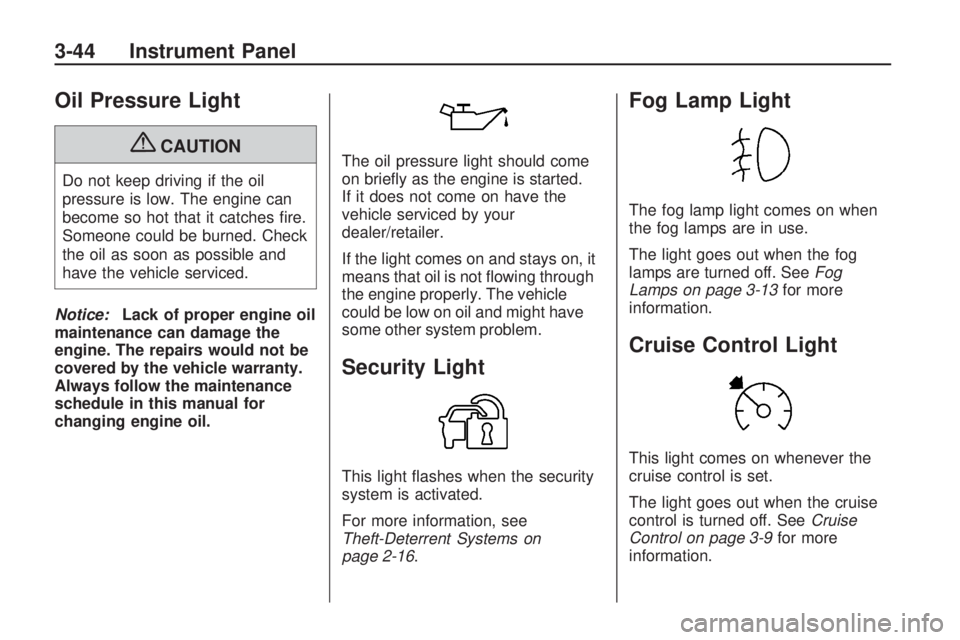
changing engine oil.The oil pressure light should come
on briey as the engine is started.
If it does not come on have the
vehicle serviced by your
dealer/retailer.
If the light comes on and stays on, it
means that oil is not owing through
the engine properly. The vehicle
could be low on oil and might have
some other system problem.
Security Light
This light ashes when the security
system is activated.
For more information, see
Theft-Deterrent Systems on
page 2-16.
Fog Lamp Light
The fog lamp light comes on when
the fog lamps are in use.
The light goes out when the fog
lamps are turned off. SeeFog
Lamps on page 3-13for more
information.
Cruise Control Light
This light comes on whenever the
cruise control is set.
The light goes out when the cruise
control is turned off. SeeCruise
Control on page 3-9for more
information.
3-44 Instrument Panel
Page 219 of 420
CAT Not Found:There are no
channels available for the selected
category. The system is working
properly.
XM Theftlocked:The XM™
receiver in your vehicle could have
previously been in another
vehicle. For security purposes,
XM™ receivers cannot be swapped
between vehicles. If this message
is received after having your
vehicle serviced, check with your
dealer/retailer.
XM Radio ID:If tuned to channel 0,
this message alternates with the
XM™ Radio 8 digit radio ID label.
This label is needed to activate
the service.
Unknown:If this message is
received when tuned to channel 0,
there could be a receiver fault.
Consult with your dealer/retailer.Check XM Receivr:If this message
does not clear within a short
period of time, the receiver could
have a fault. Consult with your
dealer/retailer.
XM Not Available:If this message
does not clear within a short
period of time, the receiver could
have a fault. Consult with your
dealer/retailer.
Navigation/Radio System
For vehicles with a navigation
radio system, see the separate
Navigation System manual.
Bluetooth®
Vehicles with a Bluetooth system
can use a Bluetooth capable
cell phone with a Hands Free Prole
to make and receive phone calls.
The system can be used while
the key is in ON/RUN or
ACC/ACCESSORY position.
The range of the Bluetooth systemcan be up to 30 ft. (9.1 m). Not all
phones support all functions,
and not all phones are guaranteed
to work with the in-vehicle
Bluetooth system. See
gm.com/bluetooth for more
information on compatible phones.
Voice Recognition
The Bluetooth system uses voice
recognition to interpret voice
commands to dial phone numbers
and name tags.
Noise:Keep interior noise levels to
a minimum. The system may not
recognize voice commands if there
is too much background noise.
When to Speak:A short tone
sounds after the system responds
indicating when it is waiting for
a voice command. Wait until
the tone and then speak.
How to Speak:Speak clearly in a
calm and natural voice.
Instrument Panel 3-99
Page 262 of 420
If you put things inside your
vehicle — like suitcases, tools,
packages, or anything else, they
will go as fast as the vehicle
goes. If you have to stop or turn
quickly, or if there is a crash,
they will keep going.{CAUTION
Things you put inside your
vehicle can strike and injure
people in a sudden stop or
turn, or in a crash.
Put things in the cargo
area of your vehicle. Try to
spread the weight evenly.
Never stack heavier
things, like suitcases,
inside the vehicle so that
some of them are above
the tops of the seats.
Do not leave an unsecured
child restraint in your
vehicle.
When you carry something
inside the vehicle, secure it
whenever you can.
Do not leave a seat folded
down unless you need to.
Towing
Towing Your Vehicle
To avoid damage, the disabled
vehicle should be towed with all
four wheels off the ground. Consult
your dealer/retailer or a professional
towing service if the disabled vehicle
must be towed. SeeRoadside
Assistance Program on page 7-6.
To tow the vehicle behind another
vehicle for recreational purposes
(such as behind a motorhome),
see “Recreational Vehicle Towing”
following.
4-20 Driving Your Vehicle