maintenance GMC ACADIA 2011 Owner's Guide
[x] Cancel search | Manufacturer: GMC, Model Year: 2011, Model line: ACADIA, Model: GMC ACADIA 2011Pages: 478, PDF Size: 5.52 MB
Page 333 of 478
Black plate (5,1)GMC Acadia/Acadia Denali Owner Manual - 2011
Vehicle Care 10-5
To order the proper service manual,
seeService Publications Ordering
Information on page 13‑15.
This vehicle has an airbag system.
Before attempting to do your own
service work, see Servicing the
Airbag-Equipped Vehicle on
page 3‑45.
Keep a record with all parts receipts
and list the mileage and the date
of any service work performed.
See Maintenance Records on
page 11‑10.Hood
To open the hood, do the following:
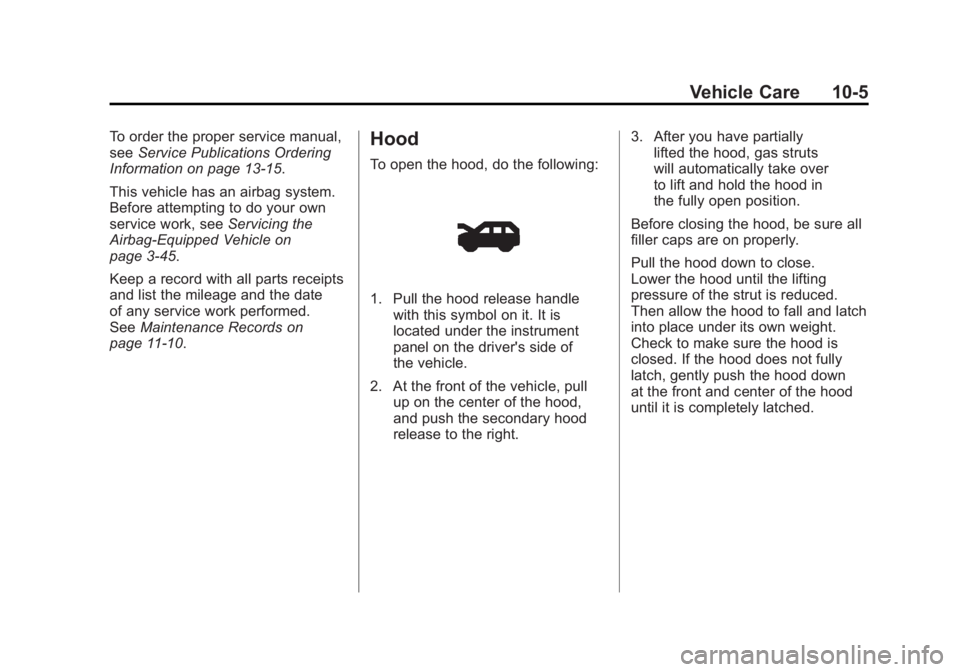
1. Pull the hood release handle
with this symbol on it. It is
located under the instrument
panel on the driver's side of
the vehicle.
2. At the front of the vehicle, pull up on the center of the hood,
and push the secondary hood
release to the right. 3. After you have partially
lifted the hood, gas struts
will automatically take over
to lift and hold the hood in
the fully open position.
Before closing the hood, be sure all
filler caps are on properly.
Pull the hood down to close.
Lower the hood until the lifting
pressure of the strut is reduced.
Then allow the hood to fall and latch
into place under its own weight.
Check to make sure the hood is
closed. If the hood does not fully
latch, gently push the hood down
at the front and center of the hood
until it is completely latched.
Page 341 of 478
Black plate (13,1)GMC Acadia/Acadia Denali Owner Manual - 2011
Vehicle Care 10-13
Automatic Transmission
Fluid
It is not necessary to check
the transmission fluid level.
A transmission fluid leak is the
only reason for fluid loss. If a leak
occurs, take the vehicle to the
dealer and have it repaired as
soon as possible.
Change the fluid at the intervals
listed inScheduled Maintenance on
page 11‑2, and be sure to use
the transmission fluid listed in
Recommended Fluids and
Lubricants on page 11‑7.
Notice: Use of the incorrect
automatic transmission fluid
may damage the vehicle, and the
damages may not be covered by
the vehicle warranty. Always use
the automatic transmission fluid
listed in Recommended Fluids
and Lubricants on page 11‑7. The transmission fluid will not
reach the end of the dipstick unless
the transmission is at operating
temperature. If you need to check
the transmission fluid level, please
take the vehicle to your dealer.
Engine Air Cleaner/Filter
When to Inspect the Engine Air
Cleaner/Filter
Inspect the air cleaner/filter at
the scheduled maintenance
intervals and replace it at the first
oil change after each 80 000 km
(50,000 mi) interval. See
Scheduled
Maintenance on page 11‑2 for more
information. If driving in dusty/dirty
conditions, inspect the filter at each
engine oil change.
See Engine Compartment Overview
on page 10‑6 for the location of the
engine air cleaner/filter.
How to Inspect the Engine Air
Cleaner/Filter
To inspect the air cleaner/filter,
remove the filter from the vehicle
and lightly shake the filter (away
from vehicle) to release loose dust
and dirt. If the filter remains covered
with dirt, a new filter is required.
To inspect or replace the engine air
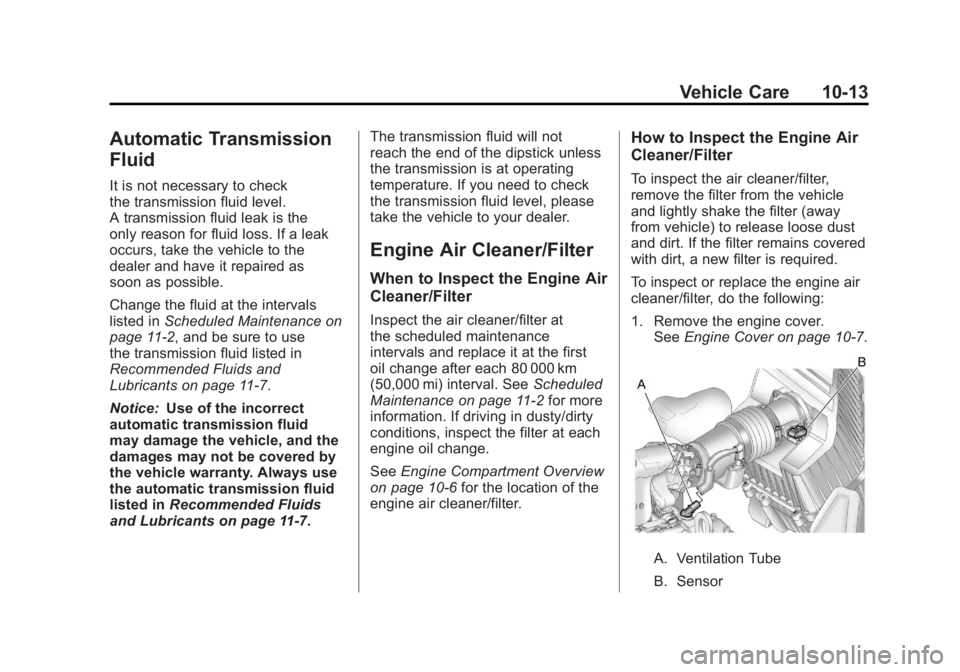
cleaner/filter, do the following:
1. Remove the engine cover. See Engine Cover on page 10‑7.
A. Ventilation Tube
B. Sensor
Page 357 of 478
Black plate (29,1)GMC Acadia/Acadia Denali Owner Manual - 2011
Vehicle Care 10-29
.To check the P (Park)
mechanism's holding ability:
With the engine running, shift
to P (Park). Then release the
parking brake followed by the
regular brake.
Contact your dealer if service is
required.
Wiper Blade Replacement
Windshield wiper blades should
be inspected for wear or cracking.
See Scheduled Maintenance on
page 11‑2 for more information.
Replacement blades come in
different types and are removed in
different ways. To replace the wiper
blade assembly:
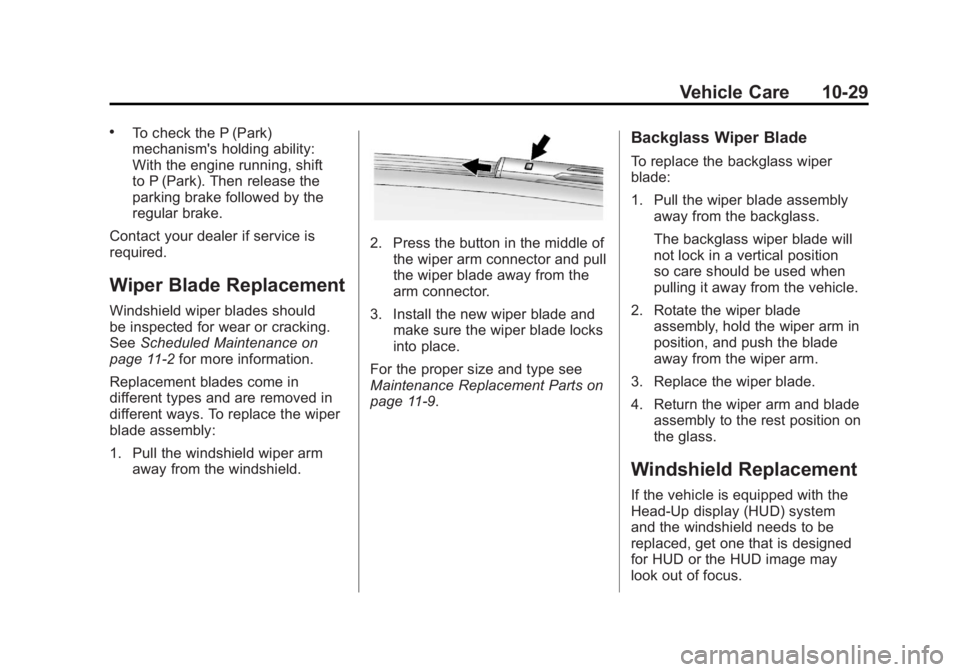
1. Pull the windshield wiper arm away from the windshield.
2. Press the button in the middle ofthe wiper arm connector and pull
the wiper blade away from the
arm connector.
3. Install the new wiper blade and make sure the wiper blade locks
into place.
For the proper size and type see
Maintenance Replacement Parts on
page 11‑9.
Backglass Wiper Blade
To replace the backglass wiper
blade:
1. Pull the wiper blade assembly away from the backglass.
The backglass wiper blade will
not lock in a vertical position
so care should be used when
pulling it away from the vehicle.
2. Rotate the wiper blade assembly, hold the wiper arm in
position, and push the blade
away from the wiper arm.
3. Replace the wiper blade.
4. Return the wiper arm and blade assembly to the rest position on
the glass.
Windshield Replacement
If the vehicle is equipped with the
Head‐Up display (HUD) system
and the windshield needs to be
replaced, get one that is designed
for HUD or the HUD image may
look out of focus.
Page 375 of 478
Black plate (47,1)GMC Acadia/Acadia Denali Owner Manual - 2011
Vehicle Care 10-47
Tire Pressure Monitor
System
The Tire Pressure Monitor System
(TPMS) uses radio and sensor
technology to check tire pressure
levels. The TPMS sensors monitor
the air pressure in your tires and
transmit tire pressure readings to
a receiver located in the vehicle.
Each tire, including the spare
(if provided), should be checked
monthly when cold and inflated to
the inflation pressure recommended
by the vehicle manufacturer on
the vehicle placard or tire inflation
pressure label. (If your vehicle has
tires of a different size than the size
indicated on the vehicle placard or
tire inflation pressure label, you
should determine the proper tire
inflation pressure for those tires.)
As an added safety feature, your
vehicle has been equipped with a
tire pressure monitoring system
(TPMS) that illuminates a low tirepressure telltale when one or
more of your tires is significantly
under‐inflated.
Accordingly, when the low tire
pressure telltale illuminates, you
should stop and check your tires as
soon as possible, and inflate them
to the proper pressure. Driving on
a significantly under‐inflated tire
causes the tire to overheat and can
lead to tire failure. Under‐inflation
also reduces fuel efficiency and
tire tread life, and may affect the
vehicle's handling and stopping
ability.
Please note that the TPMS is
not a substitute for proper tire
maintenance, and it is the driver's
responsibility to maintain correct
tire pressure, even if under‐inflation
has not reached the level to trigger
illumination of the TPMS low tire
pressure telltale.
Your vehicle has also been
equipped with a TPMS malfunction
indicator to indicate when the
system is not operating properly.The TPMS malfunction indicator is
combined with the low tire pressure
telltale. When the system detects a
malfunction, the telltale will flash for
approximately one minute and then
remain continuously illuminated.
This sequence will continue upon
subsequent vehicle start‐ups as
long as the malfunction exists.
When the malfunction indicator
is illuminated, the system may
not be able to detect or signal low
tire pressure as intended. TPMS
malfunctions may occur for a variety
of reasons, including the installation
of replacement or alternate tires or
wheels on the vehicle that prevent
the TPMS from functioning properly.
Always check the TPMS malfunction
telltale after replacing one or more
tires or wheels on your vehicle to
ensure that the replacement or
alternate tires and wheels allow
the TPMS to continue to function
properly.
See
Tire Pressure Monitor
Operation on page 10‑48 for
additional information.
Page 377 of 478
Black plate (49,1)GMC Acadia/Acadia Denali Owner Manual - 2011
Vehicle Care 10-49
The TPMS can warn about a
low tire pressure condition but
it does not replace normal tire
maintenance. SeeTire Inspection
on page 10‑51, Tire Rotation on
page 10‑52 andTires on
page 10‑38.
Notice: Tire sealant materials
are not all the same.
A non-approved tire sealant
could damage the TPMS sensors.
TPMS sensor damage caused by
using an incorrect tire sealant
is not covered by the vehicle
warranty. Always use only
the GM-approved tire sealant
available through your dealer
or included in the vehicle.
Factory-installed Tire Inflator Kits
use a GM approved liquid tire
sealant. Using non-approved tire
sealants could damage the TPMS
sensors. See Tire Sealant and
Compressor Kit on page 10‑63 for
information regarding the inflator
kit materials and instructions.TPMS Malfunction Light and
Message
The TPMS will not function properly
if one or more of the TPMS sensors
are missing or inoperable. When
the system detects a malfunction,
the low tire warning light flashes for
about one minute and then stays
on for the remainder of the ignition
cycle. A DIC warning message also
displays. The malfunction light and
DIC warning message come on at
each ignition cycle until the problem
is corrected. Some of the conditions
that can cause these to come
on are:
.One of the road tires has been
replaced with the spare tire.
The spare tire does not have a
TPMS sensor. The malfunction
light and DIC message should
go off after the road tire is
replaced and the sensor
matching process is performed
successfully. See "TPMS Sensor
Matching Process" later in this
section.
.The TPMS sensor matching
process was not done or
not completed successfully
after rotating the tires.
The malfunction light and the
DIC message should go off
after successfully completing
the sensor matching process.
See "TPMS Sensor Matching
Process" later in this section
.One or more TPMS sensors
are missing or damaged.
The malfunction light and
the DIC message should go
off when the TPMS sensors
are installed and the sensor
matching process is performed
successfully. See your dealer
for service.
Page 380 of 478
Black plate (52,1)GMC Acadia/Acadia Denali Owner Manual - 2011
10-52 Vehicle Care
Tire Rotation
Tires should be rotated every
12 000 km (7,500 miles).
SeeScheduled Maintenance on
page 11‑2.
The purpose of a regular tire
rotation is to achieve a uniform
wear for all tires on the vehicle.
This will ensure that the vehicle
continues to perform most like
it did when the tires were new.
The first rotation is the most
important. See Scheduled
Maintenance on page 11‑2.
Any time you notice unusual
wear, rotate the tires as soon
as possible and check wheel
alignment. Also check for
damaged tires or wheels.
See When It Is Time for New
Tires on page 10‑53 andWheel
Replacement on page 10‑59.
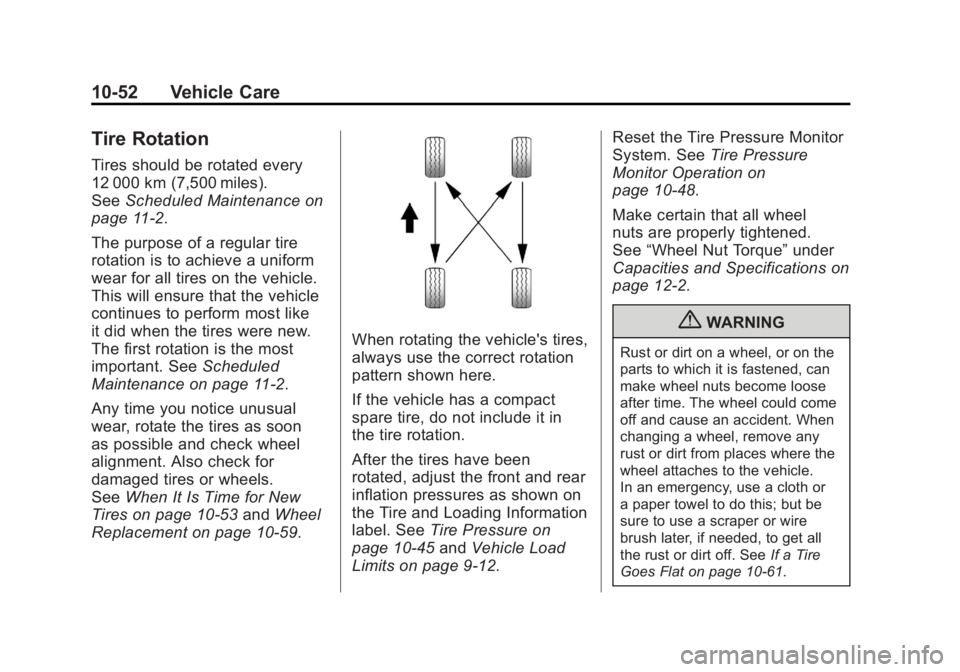
When rotating the vehicle's tires,
always use the correct rotation
pattern shown here.
If the vehicle has a compact
spare tire, do not include it in
the tire rotation.
After the tires have been
rotated, adjust the front and rear
inflation pressures as shown on
the Tire and Loading Information
label. See Tire Pressure on
page 10‑45 andVehicle Load
Limits on page 9‑12. Reset the Tire Pressure Monitor
System. See
Tire Pressure
Monitor Operation on
page 10‑48.
Make certain that all wheel
nuts are properly tightened.
See “Wheel Nut Torque” under
Capacities and Specifications on
page 12‑2.
{WARNING
Rust or dirt on a wheel, or on the
parts to which it is fastened, can
make wheel nuts become loose
after time. The wheel could come
off and cause an accident. When
changing a wheel, remove any
rust or dirt from places where the
wheel attaches to the vehicle.
In an emergency, use a cloth or
a paper towel to do this; but be
sure to use a scraper or wire
brush later, if needed, to get all
the rust or dirt off. See If a Tire
Goes Flat on page 10‑61.
Page 381 of 478
Black plate (53,1)GMC Acadia/Acadia Denali Owner Manual - 2011
Vehicle Care 10-53
Lightly coat the center of the
wheel hub with wheel bearing
grease after a wheel change or
tire rotation to prevent corrosion
or rust build-up. Do not get
grease on the flat wheel
mounting surface or on the
wheel nuts or bolts.
Make sure the spare tire, if
the vehicle has one, is stored
securely. Push, pull, and then
try to rotate or turn the tire.
If it moves, tighten the cable.
SeeTire Changing on
page 10‑71.When It Is Time for New
Tires
Factors such as maintenance,
temperatures, driving speeds,
vehicle loading, and road conditions
affect the wear rate of the tires.
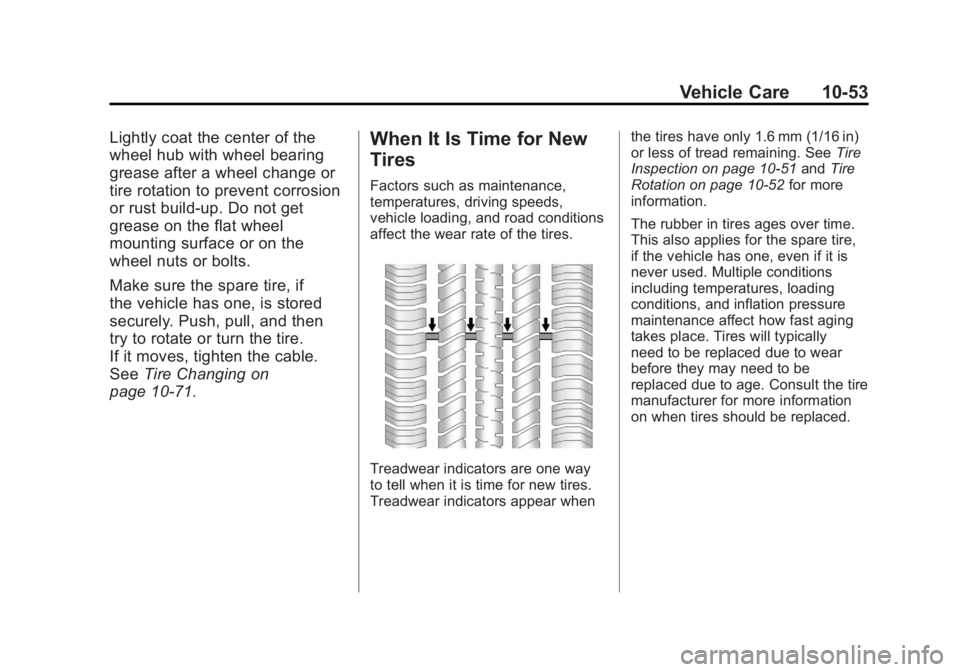
Treadwear indicators are one way
to tell when it is time for new tires.
Treadwear indicators appear when the tires have only 1.6 mm (1/16 in)
or less of tread remaining. See
Tire
Inspection on page 10‑51 andTire
Rotation on page 10‑52 for more
information.
The rubber in tires ages over time.
This also applies for the spare tire,
if the vehicle has one, even if it is
never used. Multiple conditions
including temperatures, loading
conditions, and inflation pressure
maintenance affect how fast aging
takes place. Tires will typically
need to be replaced due to wear
before they may need to be
replaced due to age. Consult the tire
manufacturer for more information
on when tires should be replaced.
Page 389 of 478
Black plate (61,1)GMC Acadia/Acadia Denali Owner Manual - 2011
Vehicle Care 10-61
If a Tire Goes Flat
It is unusual for a tire to blowout,
especially if the tires are maintained
properly. See Tires. If air goes out of
a tire, it is much more likely to leak
out slowly. But if there is ever a
blowout, here are a few tips about
what to expect and what to do:
If a front tire fails, the flat tire
creates a drag that pulls the vehicle
toward that side. Take your foot
off the accelerator pedal and grip
the steering wheel firmly. Steer to
maintain lane position, and then
gently brake to a stop, well off the
road, if possible.AA rear blowout, particularly on a
curve, acts much like a skid and
may require the same correction
as used in a skid. Stop pressing
the accelerator pedal and steer to
straighten the vehicle. It may be
very bumpy and noisy. Gently
brake to a stop, well off the road,
if possible.
{WARNING
Driving on a flat tire will cause
permanent damage to the tire.
Re-inflating a tire after it has
been driven on while severely
underinflated or flat may cause
a blowout and a serious crash.
Never attempt to re-inflate a tire
that has been driven on while
severely underinflated or flat.
Have your dealer or an authorized
tire service center repair or
replace the flat tire as soon
as possible.
{WARNING
Lifting a vehicle and getting
under it to do maintenance or
repairs is dangerous without the
appropriate safety equipment and
training. If a jack is provided with
the vehicle, it is designed only for
changing a flat tire. If it is used for
anything else, you or others could
be badly injured or killed if the
vehicle slips off the jack. If a jack
is provided with the vehicle, only
use it for changing a flat tire.
If a tire goes flat, avoid further tire
and wheel damage by driving slowly
to a level place, well off the road,
if possible. Turn on the hazard
warning flashers. See Hazard
Warning Flashers on page 6‑3.
Page 422 of 478
Black plate (94,1)GMC Acadia/Acadia Denali Owner Manual - 2011
10-94 Vehicle Care
Tires
Use a stiff brush with tire cleaner to
clean the tires.
Notice:Using petroleum-based
tire dressing products on the
vehicle may damage the paint
finish and/or tires. When applying
a tire dressing, always wipe off
any overspray from all painted
surfaces on the vehicle.
Sheet Metal Damage
If the vehicle is damaged and
requires sheet metal repair or
replacement, make sure the body
repair shop applies anti-corrosion
material to parts repaired or
replaced to restore corrosion
protection.
Original manufacturer replacement
parts will provide the corrosion
protection while maintaining the
vehicle warranty.
Finish Damage
Any stone chips, fractures, or deep
scratches in the finish should be
repaired right away. Bare metal will
corrode quickly and may develop
into major repair expense.
Minor chips and scratches can be
repaired with touch-up materials
available from your dealer. Larger
areas of finish damage can be
corrected in your dealer's body
and paint shop.
Underbody Maintenance
Chemicals used for ice and snow
removal and dust control can collect
on the underbody. If these are not
removed, corrosion and rust can
develop on the underbody parts
such as fuel lines, frame, floor pan,
and exhaust system even though
they have corrosion protection. At least every spring, flush these
materials from the underbody
with plain water. Clean any areas
where mud and debris can collect.
Dirt packed in close areas of the
frame should be loosened before
being flushed. Your dealer or an
underbody car washing system
can do this.
Chemical Paint Spotting
Some weather and atmospheric
conditions can create a chemical
fallout. Airborne pollutants can fall
upon and attack painted surfaces
on the vehicle. This damage can
take two forms: blotchy, ring-shaped
discolorations, and small, irregular
dark spots etched into the paint
surface.
Page 429 of 478
Black plate (1,1)GMC Acadia/Acadia Denali Owner Manual - 2011
Service and Maintenance 11-1
Service and
Maintenance
General Information
General Information . . . . . . . . . . 11-1
Scheduled Maintenance
Scheduled Maintenance . . . . . 11-2
Recommended Fluids,
Lubricants, and Parts
Recommended Fluids andLubricants . . . . . . . . . . . . . . . . . . 11-7
Maintenance Replacement Parts . . . . . . . . . . . . . . . . . . . . . . . 11-9
Maintenance Records
Maintenance Records . . . . . . 11-10
General Information
Notice: Maintenance
intervals, checks, inspections,
recommended fluids, and
lubricants are necessary to
keep this vehicle in good
working condition. Damage
caused by failure to follow
scheduled maintenance might
not be covered by the vehicle
warranty.
As the vehicle owner, you are
responsible for the scheduled
maintenance in this section.
We recommend having your
dealer perform these services.
Proper vehicle maintenance helps
to keep the vehicle in good working
condition, improves fuel economy,
and reduces vehicle emissions for
better air quality. Because of all the different ways
people use vehicles, maintenance
needs vary. The vehicle might need
more frequent checks and services.
Please read the information under
Scheduled Maintenance. To keep
the vehicle in good condition, see
your dealer.
The maintenance schedule is for
vehicles that:
.Carry passengers and cargo
within recommended limits on
the Tire and Loading Information
label. See
Vehicle Load Limits
on page 9‑12.
.Are driven on reasonable road
surfaces within legal driving
limits.
.Use the recommended fuel.
See Recommended Fuel on
page 9‑42.