park assist GMC ACADIA 2011 Owner's Manual
[x] Cancel search | Manufacturer: GMC, Model Year: 2011, Model line: ACADIA, Model: GMC ACADIA 2011Pages: 478, PDF Size: 5.52 MB
Page 158 of 478
Black plate (26,1)GMC Acadia/Acadia Denali Owner Manual - 2011
5-26 Instruments and Controls
T(Vehicle Information):Press
this button to display the oil life,
park assist on vehicles with this
feature, units, tire pressure readings
on vehicles with this feature, and
compass calibration and zone
setting on vehicles with this feature.
3(Trip/Fuel): Press this
button to display the odometer, trip
odometers, fuel range, average
economy, timer, fuel used, and
average speed.
Vehicle Information Menu
Items
T(Vehicle Information): Press
this button to scroll through the
following menu items:
OIL LIFE
Press the vehicle information
button until OIL LIFE REMAINING
displays. This display shows an
estimate of the oil's remaining
useful life. If you see 99% OIL LIFE
REMAINING on the display, that
means 99% of the current oil life
remains. The engine oil life system will alert you to change the oil on
a schedule consistent with your
driving conditions.
When the remaining oil life is low,
the CHANGE ENGINE OIL SOON
message will appear on the display.
See
“CHANGE ENGINE OIL SOON”
under Engine Oil Messages on
page 5‑40. You should change the
oil as soon as you can. See Engine
Oil on page 10‑8. In addition to the
engine oil life system monitoring the
oil life, additional maintenance is
recommended in the Maintenance
Schedule in this manual. See
Scheduled Maintenance on
page 11‑2 for more information.
Remember, you must reset the
OIL LIFE display yourself after each
oil change. It will not reset itself.
Also, be careful not to reset the
OIL LIFE display accidentally at any
time other than when the oil has just
been changed. It cannot be reset
accurately until the next oil change.
To reset the engine oil life system,
see Engine Oil Life System on
page 10‑11. PARK ASSIST
If your vehicle has the Ultrasonic
Rear Parking Assist (URPA) system,
press the vehicle information button
until PARK ASSIST displays.
This display allows the system
to be turned on or off. Once in this
display, press the set/reset button to
select between ON or OFF. If you
choose ON, the system will be
turned on. If you choose OFF, the
system will be turned off. The URPA
system automatically turns back on
after each vehicle start. When the
URPA system is turned off and the
vehicle is shifted out of P (Park), the
DIC will display the PARK ASSIST
OFF message as a reminder that
the system has been turned off.
See
Object Detection System
Messages on page 5‑42 and
Ultrasonic Parking Assist on
page 9‑35 for more information.
Page 162 of 478
Black plate (30,1)GMC Acadia/Acadia Denali Owner Manual - 2011
5-30 Instruments and Controls
Driver Information
Center (DIC) (Without
DIC Buttons)
If your vehicle does not have DIC
buttons, the information below
explains the operation of this
system.
The DIC has different displays
which can be accessed by pressing
the trip odometer reset stem
located on the instrument panel
cluster. Pressing the trip odometer
reset stem will also turn off,
or acknowledge, DIC messages.
The DIC displays trip and vehicle
system information, and warning
messages if a system problem is
detected.If your vehicle does not have
DIC buttons, you can use the trip
odometer reset stem to view the
following displays: odometer, trip
odometers, oil life, park assist menu
for vehicles with the Ultrasonic
Rear Parking Assist (URPA) system,
units, and display language.
If your vehicle has DIC buttons,
you can use the trip odometer reset
stem to view the following displays:
odometer and trip odometers.
Trip Odometer Reset Stem
Menu Items
ODOMETER
Press the trip odometer reset
stem until ODOMETER displays.
This display shows the distance the
vehicle has been driven in either
kilometers (km) or miles (mi).
To switch between English and
metric measurements, see
“UNITS”
later in this section. TRIP A or TRIP B
Press the trip odometer reset stem
until TRIP A or TRIP B displays. This
display shows the current distance
traveled in either kilometers (km)
or miles (mi) since the last reset
for each trip odometer. Both trip
odometers can be used at the
same time.
Each trip odometer can be reset
to zero separately by pressing and
holding the trip odometer reset stem
while the desired trip odometer is
displayed.
The trip odometer has a feature
called the retroactive reset. This can
be used to set the trip odometer to
the number of kilometers (miles)
driven since the ignition was last
turned on. This can be used if the
trip odometer is not reset at the
beginning of the trip.
Page 164 of 478
Black plate (32,1)GMC Acadia/Acadia Denali Owner Manual - 2011
5-32 Instruments and Controls
PARK ASSIST
To access this display, the vehicle
must be in P (Park). If your vehicle
has the Ultrasonic Rear Parking
Assist (URPA) system, press the
trip odometer reset stem until PARK
ASSIST displays. This display
allows the system to be turned on or
off. Once in this display, press and
hold the trip odometer reset stem to
select between ON or OFF. If you
choose ON, the system will be
turned on. If you choose OFF, the
system will be turned off. The URPA
system automatically turns back on
after each vehicle start. When the
URPA system is turned off and the
vehicle is shifted out of P (Park), the
DIC will display the PARK ASSIST
OFF message as a reminder that
the system has been turned off.
SeeObject Detection System
Messages on page 5‑42 and
Ultrasonic Parking Assist on
page 9‑35 for more information. UNITS
To access this display, the vehicle
must be in P (Park). Press the trip
odometer reset stem until UNITS
displays. This display allows you to
select between Metric or English
units of measurement. Once in this
display, press and hold the trip
odometer reset stem to select
between METRIC or ENGLISH
units. All of the vehicle information
will then be displayed in the unit of
measurement selected.
DISPLAY LANGUAGE
To access this display, the vehicle
must be in P (Park). This display
allows you to select the language
in which the DIC messages will
appear. To select a language:
1. Press the trip odometer reset
stem until DISPLAY LANGUAGE
displays.
2. Continue to press and hold the trip odometer reset stem to scroll
through all of the available
languages.
The available languages are
ENGLISH (default), FRANCAIS
(French), ESPANOL (Spanish),
and NO CHANGE.
3. Once the desired language is displayed, release the trip
odometer reset stem to set
your choice.
Page 174 of 478
Black plate (42,1)GMC Acadia/Acadia Denali Owner Manual - 2011
5-42 Instruments and Controls
TURN SIGNAL ON
This message displays and a chime
sounds if a turn signal is left on for
1.2 km (0.75 mile). Move the turn
signal/multifunction lever to the off
position.
Object Detection System
Messages
PARK ASST (Assist)
BLOCKED SEE OWNERS
MANUAL
If your vehicle has the Ultrasonic
Rear Parking Assist (URPA) system,
this message displays if there is
something interfering with the park
assist system. SeeUltrasonic
Parking Assist on page 9‑35 for
more information.
PARK ASSIST OFF
If your vehicle has the Ultrasonic
Rear Parking Assist (URPA) system,
after the vehicle has been started
and shifted out of P (Park), this
message displays to remind the
driver that the URPA system has
been turned off or to notify the
driver that the system has turned
itself off. Press the set/reset button
or the trip odometer reset stem
to acknowledge this message
and clear it from the DIC display.
For more information see Ultrasonic
Parking Assist on page 9‑35.
SERVICE PARK ASSIST
If your vehicle has the Ultrasonic
Rear Parking Assist (URPA) system,
this message displays if there is
a problem with the URPA system.
Do not use this system to help you
park. See Ultrasonic Parking Assist
on page 9‑35 for more information.
See your dealer for service.
Ride Control System
Messages
SERVICE STABILITRAK
This message displays if there
is a problem with the StabiliTrak®
system. If this message appears, try
to reset the system. Stop; turn off
the engine for at least 15 seconds;
then start the engine again. If this
message still comes on, it means
there is a problem. See your dealer
for service. The vehicle is safe to
drive, however, you do not have the
benefit of StabiliTrak, so reduce
your speed and drive accordingly.
Page 187 of 478
Black plate (55,1)GMC Acadia/Acadia Denali Owner Manual - 2011
Instruments and Controls 5-55
Exiting the Feature
Settings Menu
The feature settings menu will be
exited when any of the following
occurs:
.The vehicle is shifted out of
P (Park).
.The vehicle is no longer in
ON/RUN.
.The trip/fuel or vehicle
information DIC buttons are
pressed.
.The end of the feature settings
menu is reached and exited.
.A 40 second time period has
elapsed with no selection made.
Universal Remote
System
SeeRadio Frequency Statement on
page 13‑20 for information
regarding Part 15 of the Federal
Communications Commission
(FCC) rules and Industry Canada
Standards RSS-210/220/310.
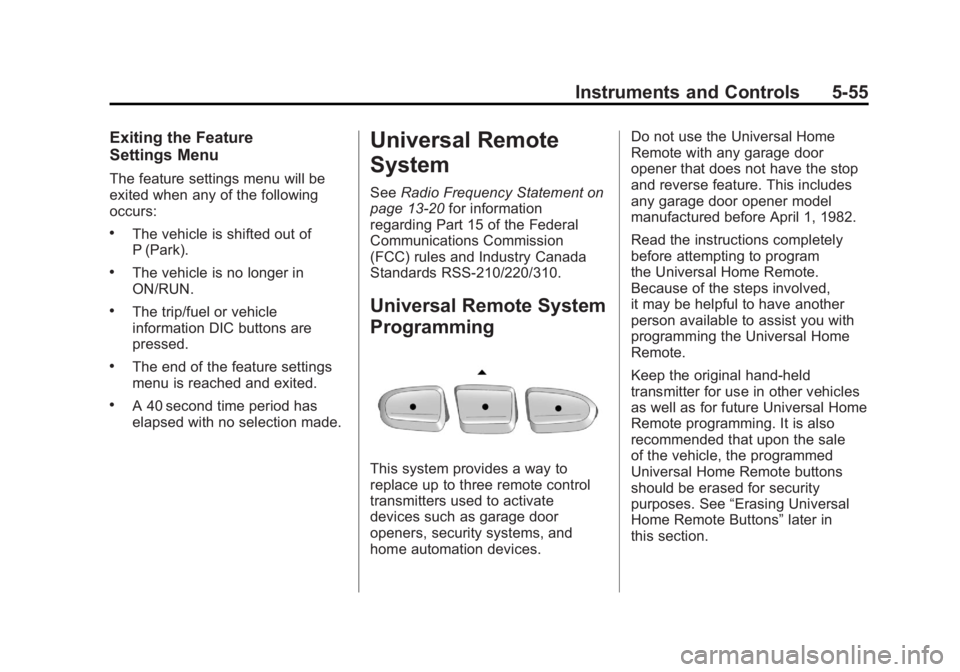
Universal Remote System
Programming
This system provides a way to
replace up to three remote control
transmitters used to activate
devices such as garage door
openers, security systems, and
home automation devices. Do not use the Universal Home
Remote with any garage door
opener that does not have the stop
and reverse feature. This includes
any garage door opener model
manufactured before April 1, 1982.
Read the instructions completely
before attempting to program
the Universal Home Remote.
Because of the steps involved,
it may be helpful to have another
person available to assist you with
programming the Universal Home
Remote.
Keep the original hand-held
transmitter for use in other vehicles
as well as for future Universal Home
Remote programming. It is also
recommended that upon the sale
of the vehicle, the programmed
Universal Home Remote buttons
should be erased for security
purposes. See
“Erasing Universal
Home Remote Buttons” later in
this section.
Page 273 of 478
Black plate (1,1)GMC Acadia/Acadia Denali Owner Manual - 2011
Driving and Operating 9-1
Driving and
Operating
Driving Information
Defensive Driving . . . . . . . . . . . . . 9-2
Drunk Driving . . . . . . . . . . . . . . . . . 9-2
Control of a Vehicle . . . . . . . . . . . 9-3
Braking . . . . . . . . . . . . . . . . . . . . . . . 9-3
Steering . . . . . . . . . . . . . . . . . . . . . . . 9-4
Off-Road Recovery . . . . . . . . . . . . 9-5
Loss of Control . . . . . . . . . . . . . . . . 9-6
Driving on Wet Roads . . . . . . . . . 9-7
Highway Hypnosis . . . . . . . . . . . . 9-8
Hill and Mountain Roads . . . . . . 9-8
Winter Driving . . . . . . . . . . . . . . . . . 9-9
If the Vehicle is Stuck . . . . . . . . 9-11
Vehicle Load Limits . . . . . . . . . . 9-12
Starting and Operating
New Vehicle Break-In . . . . . . . . 9-17
Ignition Positions . . . . . . . . . . . . 9-18
Starting the Engine . . . . . . . . . . 9-19
Engine Heater . . . . . . . . . . . . . . . 9-20
Retained AccessoryPower (RAP) . . . . . . . . . . . . . . . 9-21 Shifting Into Park . . . . . . . . . . . . 9-21
Shifting Out of Park . . . . . . . . . . 9-23
Parking Over Things
That Burn . . . . . . . . . . . . . . . . . . 9-23
Engine Exhaust
Engine Exhaust . . . . . . . . . . . . . . 9-24
Running the Vehicle WhileParked . . . . . . . . . . . . . . . . . . . . . 9-24
Automatic Transmission
Automatic Transmission . . . . . 9-25
Manual Mode . . . . . . . . . . . . . . . . 9-27
Tow/Haul Mode . . . . . . . . . . . . . . 9-28
Drive Systems
All-Wheel Drive . . . . . . . . . . . . . . 9-28
Brakes
Antilock BrakeSystem (ABS) . . . . . . . . . . . . . . 9-29
Parking Brake . . . . . . . . . . . . . . . 9-30
Brake Assist . . . . . . . . . . . . . . . . . 9-30
Ride Control Systems
StabiliTrak®System . . . . . . . . . 9-31
Cruise Control
Cruise Control . . . . . . . . . . . . . . . 9-33
Object Detection Systems
Ultrasonic Parking Assist . . . . 9-35
Rear Vision Camera (RVC) . . . . . . . . . . . . . 9-37
Fuel
Fuel . . . . . . . . . . . . . . . . . . . . . . . . . 9-42
Recommended Fuel . . . . . . . . . 9-42
Gasoline Specifications (U.S.and Canada Only) . . . . . . . . . . 9-42
California Fuel Requirements . . . . . . . . . . . . . . 9-43
Fuels in Foreign Countries . . . 9-43
Fuel Additives . . . . . . . . . . . . . . . 9-43
Filling the Tank . . . . . . . . . . . . . . 9-44
Filling a Portable Fuel Container . . . . . . . . . . . . . . . . . . . 9-46
Towing
General TowingInformation . . . . . . . . . . . . . . . . . 9-46
Driving Characteristics and Towing Tips . . . . . . . . . . . . . . . . 9-47
Trailer Towing . . . . . . . . . . . . . . . . 9-52
Towing Equipment . . . . . . . . . . . 9-54
Conversions and Add-Ons
Add-On Electrical Equipment . . . . . . . . . . . . . . . . . 9-56
Page 276 of 478
Black plate (4,1)GMC Acadia/Acadia Denali Owner Manual - 2011
9-4 Driving and Operating
If the engine ever stops while
the vehicle is being driven, brake
normally but do not pump the
brakes. If the brakes are pumped,
the pedal could get harder to push
down. If the engine stops, there will
still be some power brake assist but
it will be used when the brake is
applied. Once the power assist is
used up, it can take longer to stop
and the brake pedal will be harder
to push.
Adding non‐dealer accessories
can affect vehicle performance.
SeeAccessories and Modifications
on page 10‑3.Steering
Power Steering
If power steering assist is lost
because the engine stops or
the power steering system is not
functioning, the vehicle can be
steered but it will take more effort.
Variable Effort Steering
The vehicle has a steering system
that continuously adjusts the effort
felt when steering at all vehicle
speeds. It provides ease when
parking, yet a firm, solid feel at
highway speeds.
Steering Tips
It is important to take curves at a
reasonable speed.
Traction in a curve depends on
the condition of the tires and the
road surface, the angle at which the
curve is banked, and vehicle speed.
While in a curve, speed is the one
factor that can be controlled.
If there is a need to reduce speed,
do it before entering the curve, while
the front wheels are straight.
Try to adjust the speed so you can
drive through the curve. Maintain a
reasonable, steady speed. Wait to
accelerate until out of the curve,
and then accelerate gently into
the straightaway.
Page 280 of 478
Black plate (8,1)GMC Acadia/Acadia Denali Owner Manual - 2011
9-8 Driving and Operating
Highway Hypnosis
Always be alert and pay attention
to your surroundings while driving.
If you become tired or sleepy, find
a safe place to park the vehicle
and rest.
Other driving tips include:
.Keep the vehicle well ventilated.
.Keep interior temperature cool.
.Keep your eyes moving—scan
the road ahead and to the sides.
.Check the rearview mirror and
vehicle instruments often.
Hill and Mountain Roads
Driving on steep hills or through
mountains is different than driving
on flat or rolling terrain. Tips for
driving in these conditions include:
.Keep the vehicle serviced and in
good shape.
.Check all fluid levels and brakes,
tires, cooling system, and
transmission.
.Shift to a lower gear when going
down steep or long hills.
{WARNING
If you do not shift down, the
brakes could get so hot that they
would not work well. You would
then have poor braking or even
none going down a hill. You could
crash. Shift down to let the engine
assist the brakes on a steep
downhill slope.
{WARNING
Coasting downhill in N (Neutral)
or with the ignition off is
dangerous. The brakes will
have to do all the work of slowing
down and they could get so hot
(Continued)
Page 290 of 478
Black plate (18,1)GMC Acadia/Acadia Denali Owner Manual - 2011
9-18 Driving and Operating
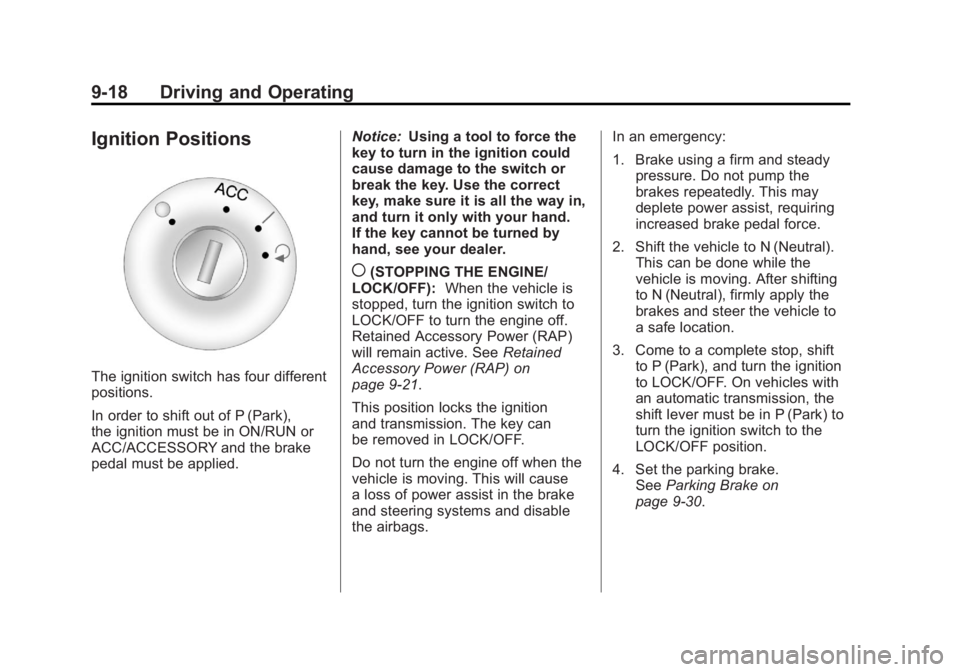
Ignition Positions
The ignition switch has four different
positions.
In order to shift out of P (Park),
the ignition must be in ON/RUN or
ACC/ACCESSORY and the brake
pedal must be applied.Notice:
Using a tool to force the
key to turn in the ignition could
cause damage to the switch or
break the key. Use the correct
key, make sure it is all the way in,
and turn it only with your hand.
If the key cannot be turned by
hand, see your dealer.
((STOPPING THE ENGINE/
LOCK/OFF): When the vehicle is
stopped, turn the ignition switch to
LOCK/OFF to turn the engine off.
Retained Accessory Power (RAP)
will remain active. See Retained
Accessory Power (RAP) on
page 9‑21.
This position locks the ignition
and transmission. The key can
be removed in LOCK/OFF.
Do not turn the engine off when the
vehicle is moving. This will cause
a loss of power assist in the brake
and steering systems and disable
the airbags. In an emergency:
1. Brake using a firm and steady
pressure. Do not pump the
brakes repeatedly. This may
deplete power assist, requiring
increased brake pedal force.
2. Shift the vehicle to N (Neutral). This can be done while the
vehicle is moving. After shifting
to N (Neutral), firmly apply the
brakes and steer the vehicle to
a safe location.
3. Come to a complete stop, shift to P (Park), and turn the ignition
to LOCK/OFF. On vehicles with
an automatic transmission, the
shift lever must be in P (Park) to
turn the ignition switch to the
LOCK/OFF position.
4. Set the parking brake. See Parking Brake on
page 9‑30.
Page 291 of 478
Black plate (19,1)GMC Acadia/Acadia Denali Owner Manual - 2011
Driving and Operating 9-19
The steering can bind with the
wheels turned off center. If this
happens, move the steering wheel
from right to left while turning the
key to ACC/ACCESSORY. If this
doesn't work, then the vehicle
needs service.
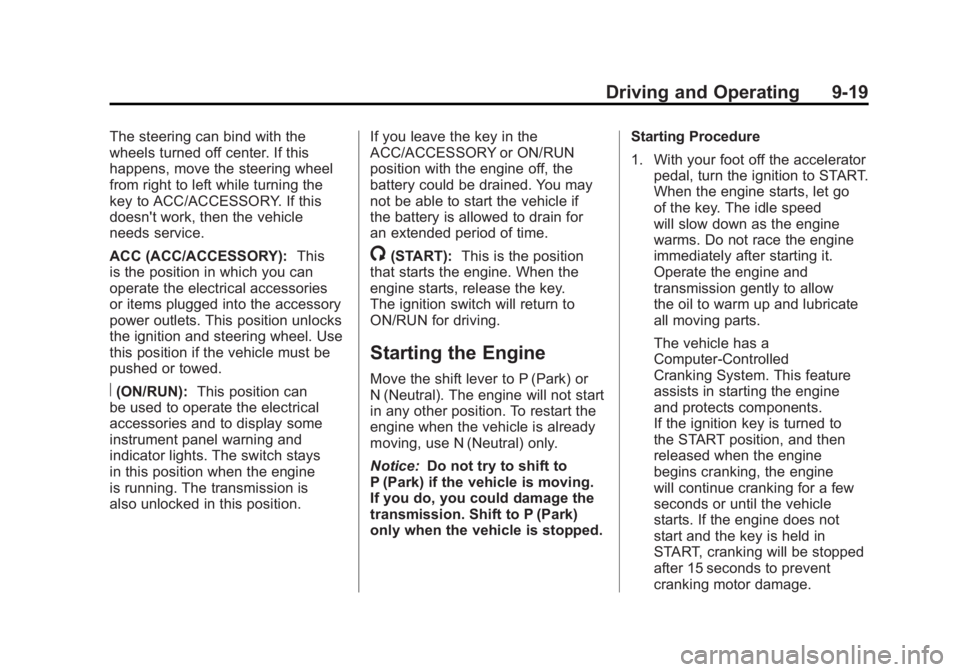
ACC (ACC/ACCESSORY):This
is the position in which you can
operate the electrical accessories
or items plugged into the accessory
power outlets. This position unlocks
the ignition and steering wheel. Use
this position if the vehicle must be
pushed or towed.
R(ON/RUN): This position can
be used to operate the electrical
accessories and to display some
instrument panel warning and
indicator lights. The switch stays
in this position when the engine
is running. The transmission is
also unlocked in this position. If you leave the key in the
ACC/ACCESSORY or ON/RUN
position with the engine off, the
battery could be drained. You may
not be able to start the vehicle if
the battery is allowed to drain for
an extended period of time.
/(START):
This is the position
that starts the engine. When the
engine starts, release the key.
The ignition switch will return to
ON/RUN for driving.
Starting the Engine
Move the shift lever to P (Park) or
N (Neutral). The engine will not start
in any other position. To restart the
engine when the vehicle is already
moving, use N (Neutral) only.
Notice: Do not try to shift to
P (Park) if the vehicle is moving.
If you do, you could damage the
transmission. Shift to P (Park)
only when the vehicle is stopped. Starting Procedure
1. With your foot off the accelerator
pedal, turn the ignition to START.
When the engine starts, let go
of the key. The idle speed
will slow down as the engine
warms. Do not race the engine
immediately after starting it.
Operate the engine and
transmission gently to allow
the oil to warm up and lubricate
all moving parts.
The vehicle has a
Computer-Controlled
Cranking System. This feature
assists in starting the engine
and protects components.
If the ignition key is turned to
the START position, and then
released when the engine
begins cranking, the engine
will continue cranking for a few
seconds or until the vehicle
starts. If the engine does not
start and the key is held in
START, cranking will be stopped
after 15 seconds to prevent
cranking motor damage.