mirror controls GMC ACADIA 2014 User Guide
[x] Cancel search | Manufacturer: GMC, Model Year: 2014, Model line: ACADIA, Model: GMC ACADIA 2014Pages: 414, PDF Size: 4.21 MB
Page 151 of 414

Black plate (37,1)GMC Acadia/Acadia Denali Owner Manual (GMNA-Localizing-U.S./Canada/
Mexico-6014315) - 2014 - crc - 8/15/13
Instruments and Controls 5-37
LANE DEPARTURE SYS
UNAVAILABLE
This message displays when
attempting to activate the Lane
Departure Warning (LDW) system
when it is temporarily unavailable.
The LDW system does not need
service.
This message could be due to the
camera being blocked. Cleaning the
outside of the windshield behind the
rearview mirror may correct the
issue.
PARK ASST BLOCKED SEE
OWNERS MANUAL
This message displays if there is
something interfering with the park
assist system. SeeUltrasonic
Parking Assist on page 9-34.
PARK ASSIST OFF
After the vehicle has been started,
this message displays to remind the
driver that the URPA system has been turned off. To turn the URPA
system back on, see
Ultrasonic
Parking Assist on page 9-34.
REAR CROSS TRAFFIC
ALERT SYSTEM OFF
If the vehicle has the Rear Cross
Traffic Alert (RCTA) system, this
message displays when the RCTA
system has been turned off. See
Rear Vision Camera (RVC) on
page 9-37 andDriver Information
Center (DIC) on page 5-23.
SERVICE FRONT CAMERA
If this message remains on after
continued driving, the vehicle needs
service. Do not use the Lane
Departure Warning (LDW) and
Forward Collision Alert (FCA)
features. Take the vehicle to your
dealer.
SERVICE PARK ASSIST
This message displays if there is a
problem with the Ultrasonic Rear
Parking Assist (URPA) system. Do
not use this system to help you park. See
Ultrasonic Parking Assist
on page 9-34 for more information.
See your dealer for service.
SERVICE SIDE DETECTION
SYSTEM
If your vehicle has the Side Blind
Zone Alert (SBZA) system and this
message displays, both SBZA
displays will remain on indicating
there is a problem with the SBZA
system. If these displays remain on
after continued driving, the system
needs service. See your dealer. See
Side Blind Zone Alert (SBZA) on
page 9-35.
SIDE BLIND ZONE ALERT
SYSTEM OFF
If your vehicle has the Side Blind
Zone Alert (SBZA) system, this
message displays when the SBZA
system has been turned off. See
Side Blind Zone Alert (SBZA) on
page 9-35 andDriver Information
Center (DIC) on page 5-23.
Page 160 of 414
Black plate (46,1)GMC Acadia/Acadia Denali Owner Manual (GMNA-Localizing-U.S./Canada/
Mexico-6014315) - 2014 - crc - 8/15/13
5-46 Instruments and Controls
or the vehicle is no longer off. See
Remote Keyless Entry (RKE)
System Operation on page 2-2.
NO CHANGE:No change will be
made to this feature. The current
setting will remain.
To select a setting, press the set/
reset button while the desired
setting is displayed on the DIC.
CHIME VOLUME
This feature allows you to select the
volume level of the chime.
Press the customization button until
CHIME VOLUME appears on the
DIC display. Press the set/reset
button once to access the settings
for this feature. Then press the
customization button to scroll
through the following settings:
NORMAL: The chime volume will
be set to a normal level.
LOUD: The chime volume will be
set to a loud level. NO CHANGE:
No change will be
made to this feature. The current
setting will remain.
There is no default for chime
volume. The volume will stay at the
last known setting.
To select a setting, press the set/
reset button while the desired
setting is displayed on the DIC.
PARK TILT MIRRORS
If your vehicle has this feature, it
allows you to select whether or not
the outside mirror(s) will
automatically tilt down when the
vehicle is shifted into R (Reverse).
See Park Tilt Mirrors on page 2-17.
Press the customization button until
PARK TILT MIRRORS appears on
the DIC display. Press the set/reset
button once to access the settings
for this feature. Then press the
customization button to scroll
through the following settings:
OFF (default): Neither outside
mirror will be tilted down when the
vehicle is shifted into R (Reverse). DRIVER MIRROR:
The driver
outside mirror will be tilted down
when the vehicle is shifted into
R (Reverse).
PASSENGER MIRROR: The
passenger outside mirror will be
tilted down when the vehicle is
shifted into R (Reverse).
BOTH MIRRORS: The driver and
passenger outside mirrors will be
tilted down when the vehicle is
shifted into R (Reverse).
NO CHANGE: No change will be
made to this feature. The current
setting will remain.
To select a setting, press the set/
reset button while the desired
setting is displayed on the DIC.
EASY EXIT SEAT
If your vehicle has this feature, it
allows you to select your preference
for the automatic easy exit seat
feature. See Memory Seats on
page 3-6.
Page 161 of 414
Black plate (47,1)GMC Acadia/Acadia Denali Owner Manual (GMNA-Localizing-U.S./Canada/
Mexico-6014315) - 2014 - crc - 8/15/13
Instruments and Controls 5-47
Press the customization button until
EASY EXIT SEAT appears on the
DIC display. Press the set/reset
button once to access the settings
for this feature. Then press the
customization button to scroll
through the following settings:
OFF (default):No automatic seat
exit recall will occur.
ON: The driver seat will move back
when the key is removed from the
ignition. The steering column will
also move up and forward on
vehicles with the power tilt and
telescopic steering feature. See
Steering Wheel Adjustment on
page 5-2.
The automatic easy exit seat
movement will only occur one time
after the key is removed from the
ignition. If the automatic movement
has already occurred, and you put
the key back in the ignition and
remove it again, the seat and
steering column will stay in the original exit position, unless a
memory recall took place prior to
removing the key again.
NO CHANGE:
No change will be
made to this feature. The current
setting will remain.
To select a setting, press the set/
reset button while the desired
setting is displayed on the DIC.
MEMORY SEAT RECALL
If your vehicle has this feature, it
allows you to select your preference
for the remote memory seat recall
feature. See Memory Seats on
page 3-6.
Press the customization button until
MEMORY SEAT RECALL appears
on the DIC display. Press the set/
reset button once to access the
settings for this feature. Then press
the customization button to scroll
through the following settings:
OFF (default): No remote memory
seat recall will occur. ON:
The driver seat and outside
mirrors will automatically move to
the stored driving position when the
unlock button on the Remote
Keyless Entry (RKE) transmitter is
pressed. The steering column will
also move on vehicles with the
power tilt and telescopic steering
feature. See Steering Wheel
Adjustment on page 5-2. See
“Memory Remote Recall” under
Memory Seats on page 3-6 for
information on matching transmitters
to driver positions.
NO CHANGE: No change will be
made to this feature. The current
setting will remain.
To select a setting, press the set/
reset button while the desired
setting is displayed on the DIC.
REMOTE START
If your vehicle has this feature, it
allows you to turn the remote start
off or on. The remote start feature
allows you to start the engine from
outside of the vehicle using the
Page 207 of 414
Black plate (3,1)GMC Acadia/Acadia Denali Owner Manual (GMNA-Localizing-U.S./Canada/
Mexico-6014315) - 2014 - crc - 8/15/13
Climate Controls 8-3
Using recirculation for long periods
of time could cause the air inside
the vehicle to become too dry. To
prevent this from happening, after
the inside of the vehicle has cooled,
turn the recirculation mode off.
The air conditioning system
removes moisture from the air, so
water might drip under the vehicle
while idling or after turning off the
engine. This is normal.
@(Recirculation):Press to turn
the recirculation mode on or off. An
indicator light comes on when
recirculation is on. When the engine
is turned off, the recirculation mode
automatically turns off and must be
re-selected when the engine is
turned on again.
This mode recirculates and helps to
quickly cool the air inside the
vehicle. It can be used to prevent
outside air and odors from entering
the vehicle.
The recirculation mode cannot be
used with floor, defrost, or defogging
modes. If recirculation is selected in these modes, the indicator flashes
three times and turns off. The air
conditioning also comes on when
this mode is activated unless the
outside air temperature is less than
4°C (40°F). While in recirculation
mode the windows can fog when
the weather is cold and damp. To
clear the fog, select either the defog
or defrost mode and increase the
fan speed.
REAR (Rear Climate Control):
Press to turn the rear heating and
air conditioning on or off. See
Rear
Climate Control System on page 8-9
or Rear Climate Control System
(with Rear Seat Audio) on
page 8-10.
Rear Window Defogger
The rear window defogger uses a
warming grid to remove fog from the
rear window.
1(Rear Window Defogger):
Press to turn the rear window
defogger on or off. The rear window
defogger stays on for about
10 minutes, before automatically turning off. The defogger will also
turn off when the engine is
turned off.
Do not drive the vehicle until all
windows are clear.
For vehicles with heated outside
rearview mirrors, fog or frost is
cleared from the surface of the
mirror when
1is pressed.
{Caution
Using a razor blade or sharp
object on the inside rear window
can damage the antenna or
defogger. Repairs would not be
covered by the vehicle warranty.
Do not stick anything to the rear
window.
Page 211 of 414
Black plate (7,1)GMC Acadia/Acadia Denali Owner Manual (GMNA-Localizing-U.S./Canada/
Mexico-6014315) - 2014 - crc - 8/15/13
Climate Controls 8-7
On hot days, open the windows
briefly to let hot inside air escape.
This helps reduce the time it takes
for the interior of the vehicle to
cool down.
The air conditioning system
removes moisture from the air, so
water might drip under the vehicle
while idling or after turning off the
engine. This is normal.
@(Recirculation):Press to turn
the recirculation mode on or off. An
indicator light comes on when
recirculation is on. When the engine
is turned off, the recirculation mode
automatically turns off and must be
re-selected when the engine is
turned on again.
This mode recirculates and helps to
quickly cool the air inside the
vehicle. It can be used to prevent
outside air and odors from entering
the vehicle.
The recirculation mode cannot be
used with floor, defog, or defrosting
modes. If recirculation is selected in
these modes, the indicator flashes three times and turns off. The air
conditioning compressor also comes
on when this mode is activated.
While in recirculation mode the
windows can fog when the weather
is cold and damp. To clear the fog,
select either the defog or defrost
mode and increase the fan speed.
REAR:
Press to turn the rear
heating and air conditioning on or
off. See Rear Climate Control
System on page 8-9 orRear
Climate Control System (with Rear
Seat Audio) on page 8-10.
Rear Window Defogger
The rear window defogger uses a
warming grid to remove fog from the
rear window.
R
1(Rear Window Defogger):
Press to turn the rear window
defogger on or off. The rear window
defogger stays on for about
10 minutes, before turning off. The
defogger also turns off when the engine is turned off. Do not drive the
vehicle until all the windows are
clear.
If equipped with heated outside
rearview mirrors, fog or frost is
cleared from the surface of the
mirror when the rear window defog
button is pressed.
{Caution
Using a razor blade or sharp
object on the inside rear window
can damage the antenna or
defogger. Repairs would not be
covered by the vehicle warranty.
Do not stick anything to the rear
window.
Sensors
The solar sensor in the defrost grille
in the middle of the instrument
panel, monitors the solar heat. Do
not cover the solar sensor or the
system will not work properly.
Page 406 of 414
Black plate (4,1)GMC Acadia/Acadia Denali Owner Manual (GMNA-Localizing-U.S./Canada/
Mexico-6014315) - 2014 - crc - 8/15/13
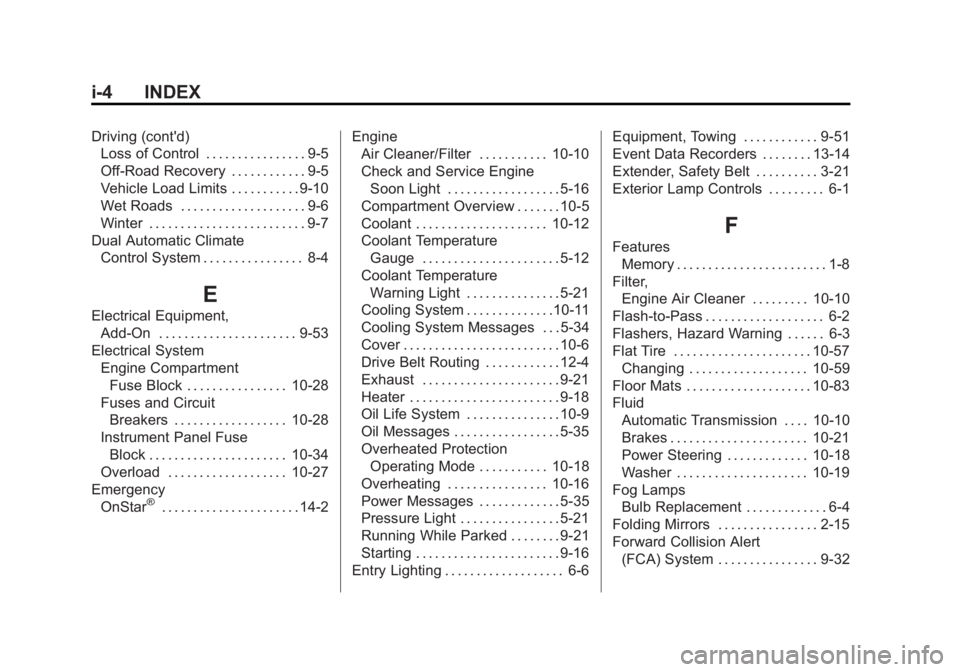
i-4 INDEX
Driving (cont'd)Loss of Control . . . . . . . . . . . . . . . . 9-5
Off-Road Recovery . . . . . . . . . . . . 9-5
Vehicle Load Limits . . . . . . . . . . . 9-10
Wet Roads . . . . . . . . . . . . . . . . . . . . 9-6
Winter . . . . . . . . . . . . . . . . . . . . . . . . . 9-7
Dual Automatic Climate Control System . . . . . . . . . . . . . . . . 8-4
E
Electrical Equipment,Add-On . . . . . . . . . . . . . . . . . . . . . . 9-53
Electrical System Engine CompartmentFuse Block . . . . . . . . . . . . . . . . 10-28
Fuses and Circuit
Breakers . . . . . . . . . . . . . . . . . . 10-28
Instrument Panel Fuse Block . . . . . . . . . . . . . . . . . . . . . . 10-34
Overload . . . . . . . . . . . . . . . . . . . 10-27
Emergency OnStar
®. . . . . . . . . . . . . . . . . . . . . . 14-2 Engine
Air Cleaner/Filter . . . . . . . . . . . 10-10
Check and Service Engine
Soon Light . . . . . . . . . . . . . . . . . . 5-16
Compartment Overview . . . . . . . 10-5
Coolant . . . . . . . . . . . . . . . . . . . . . 10-12
Coolant Temperature Gauge . . . . . . . . . . . . . . . . . . . . . . 5-12
Coolant Temperature Warning Light . . . . . . . . . . . . . . . 5-21
Cooling System . . . . . . . . . . . . . .10-11
Cooling System Messages . . . 5-34
Cover . . . . . . . . . . . . . . . . . . . . . . . . . 10-6
Drive Belt Routing . . . . . . . . . . . . 12-4
Exhaust . . . . . . . . . . . . . . . . . . . . . . 9-21
Heater . . . . . . . . . . . . . . . . . . . . . . . . 9-18
Oil Life System . . . . . . . . . . . . . . . 10-9
Oil Messages . . . . . . . . . . . . . . . . . 5-35
Overheated Protection
Operating Mode . . . . . . . . . . . 10-18
Overheating . . . . . . . . . . . . . . . . 10-16
Power Messages . . . . . . . . . . . . . 5-35
Pressure Light . . . . . . . . . . . . . . . . 5-21
Running While Parked . . . . . . . . 9-21
Starting . . . . . . . . . . . . . . . . . . . . . . . 9-16
Entry Lighting . . . . . . . . . . . . . . . . . . . 6-6 Equipment, Towing . . . . . . . . . . . . 9-51
Event Data Recorders . . . . . . . . 13-14
Extender, Safety Belt . . . . . . . . . . 3-21
Exterior Lamp Controls . . . . . . . . . 6-1
F
Features
Memory . . . . . . . . . . . . . . . . . . . . . . . . 1-8
Filter,
Engine Air Cleaner . . . . . . . . . 10-10
Flash-to-Pass . . . . . . . . . . . . . . . . . . . 6-2
Flashers, Hazard Warning . . . . . . 6-3
Flat Tire . . . . . . . . . . . . . . . . . . . . . . 10-57 Changing . . . . . . . . . . . . . . . . . . . 10-59
Floor Mats . . . . . . . . . . . . . . . . . . . . 10-83
Fluid Automatic Transmission . . . . 10-10
Brakes . . . . . . . . . . . . . . . . . . . . . . 10-21
Power Steering . . . . . . . . . . . . . 10-18
Washer . . . . . . . . . . . . . . . . . . . . . 10-19
Fog Lamps Bulb Replacement . . . . . . . . . . . . . 6-4
Folding Mirrors . . . . . . . . . . . . . . . . 2-15
Forward Collision Alert
(FCA) System . . . . . . . . . . . . . . . . 9-32
Page 408 of 414
Black plate (6,1)GMC Acadia/Acadia Denali Owner Manual (GMNA-Localizing-U.S./Canada/
Mexico-6014315) - 2014 - crc - 8/15/13
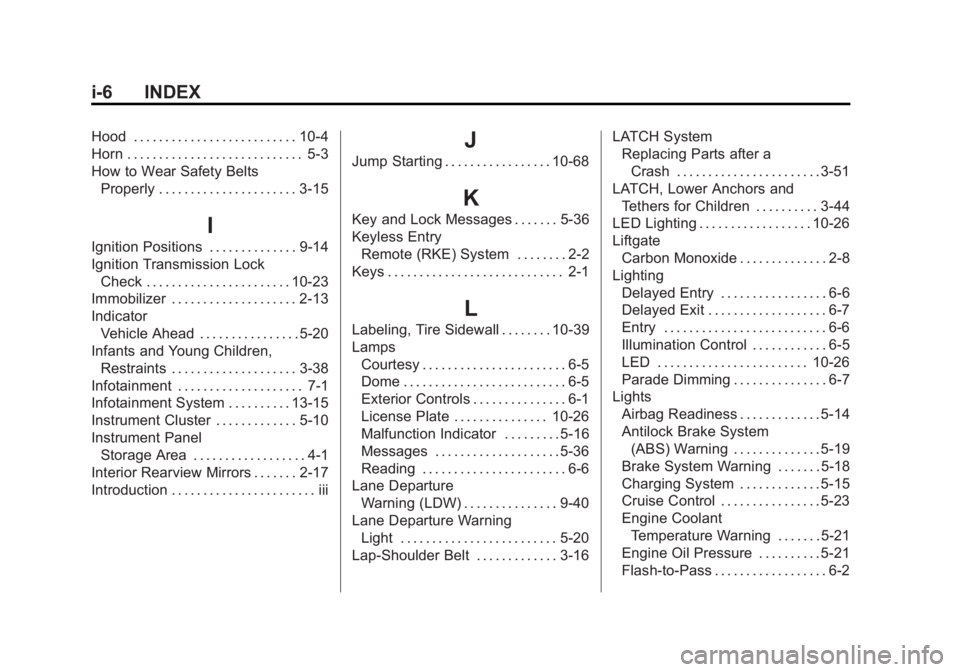
i-6 INDEX
Hood . . . . . . . . . . . . . . . . . . . . . . . . . . 10-4
Horn . . . . . . . . . . . . . . . . . . . . . . . . . . . . 5-3
How to Wear Safety BeltsProperly . . . . . . . . . . . . . . . . . . . . . . 3-15
I
Ignition Positions . . . . . . . . . . . . . . 9-14
Ignition Transmission LockCheck . . . . . . . . . . . . . . . . . . . . . . . 10-23
Immobilizer . . . . . . . . . . . . . . . . . . . . 2-13
Indicator Vehicle Ahead . . . . . . . . . . . . . . . . 5-20
Infants and Young Children,
Restraints . . . . . . . . . . . . . . . . . . . . 3-38
Infotainment . . . . . . . . . . . . . . . . . . . . 7-1
Infotainment System . . . . . . . . . . 13-15
Instrument Cluster . . . . . . . . . . . . . 5-10
Instrument Panel Storage Area . . . . . . . . . . . . . . . . . . 4-1
Interior Rearview Mirrors . . . . . . . 2-17
Introduction . . . . . . . . . . . . . . . . . . . . . . . iii
J
Jump Starting . . . . . . . . . . . . . . . . . 10-68
K
Key and Lock Messages . . . . . . . 5-36
Keyless Entry Remote (RKE) System . . . . . . . . 2-2
Keys . . . . . . . . . . . . . . . . . . . . . . . . . . . . 2-1
L
Labeling, Tire Sidewall . . . . . . . . 10-39
Lamps Courtesy . . . . . . . . . . . . . . . . . . . . . . . 6-5
Dome . . . . . . . . . . . . . . . . . . . . . . . . . . 6-5
Exterior Controls . . . . . . . . . . . . . . . 6-1
License Plate . . . . . . . . . . . . . . . 10-26
Malfunction Indicator . . . . . . . . . 5-16
Messages . . . . . . . . . . . . . . . . . . . . 5-36
Reading . . . . . . . . . . . . . . . . . . . . . . . 6-6
Lane Departure
Warning (LDW) . . . . . . . . . . . . . . . 9-40
Lane Departure Warning Light . . . . . . . . . . . . . . . . . . . . . . . . . 5-20
Lap-Shoulder Belt . . . . . . . . . . . . . 3-16 LATCH System
Replacing Parts after a
Crash . . . . . . . . . . . . . . . . . . . . . . . 3-51
LATCH, Lower Anchors and Tethers for Children . . . . . . . . . . 3-44
LED Lighting . . . . . . . . . . . . . . . . . . 10-26
Liftgate Carbon Monoxide . . . . . . . . . . . . . . 2-8
Lighting Delayed Entry . . . . . . . . . . . . . . . . . 6-6
Delayed Exit . . . . . . . . . . . . . . . . . . . 6-7
Entry . . . . . . . . . . . . . . . . . . . . . . . . . . 6-6
Illumination Control . . . . . . . . . . . . 6-5
LED . . . . . . . . . . . . . . . . . . . . . . . . 10-26
Parade Dimming . . . . . . . . . . . . . . . 6-7
Lights
Airbag Readiness . . . . . . . . . . . . . 5-14
Antilock Brake System(ABS) Warning . . . . . . . . . . . . . . 5-19
Brake System Warning . . . . . . . 5-18
Charging System . . . . . . . . . . . . . 5-15
Cruise Control . . . . . . . . . . . . . . . . 5-23
Engine Coolant Temperature Warning . . . . . . . 5-21
Engine Oil Pressure . . . . . . . . . . 5-21
Flash-to-Pass . . . . . . . . . . . . . . . . . . 6-2