transmission GMC CANYON 2005 Owner's Guide
[x] Cancel search | Manufacturer: GMC, Model Year: 2005, Model line: CANYON, Model: GMC CANYON 2005Pages: 420, PDF Size: 2.73 MB
Page 139 of 420
Increasing Speed While Using Cruise
Control
There are two ways to go to a higher speed:
Use the accelerator pedal to get to the higher
speed. Press the set button at the end of the lever,
then release the button and the accelerator pedal.
You’ll now cruise at the higher speed. If the
accelerator pedal is held longer than 60 seconds,
cruise control will turn off.
Move the cruise switch from on to
resume/accelerate. Hold it there until you get up to
the speed you want, and then release the switch.
To increase your speed in very small amounts,
move the switch briey to resume/accelerate.
Each time you do this, your vehicle will go about
1 mph (1.6 km/h) faster.
Reducing Speed While Using Cruise
Control
Press and hold the set button until you reach the
lower speed you want, then release it.
To slow down in very small amounts, briey press
the set button. Each time you do this, you’ll go
about 1 mph (1.6 km/h) slower.
Passing Another Vehicle While Using
Cruise Control
Use the accelerator pedal to increase your speed.
When you take your foot off the pedal, your vehicle will
slow down to the cruise control speed you set earlier.
Using Cruise Control on Hills
How well your cruise control will work on hills depends
upon your speed, load and the steepness of the
hills. When going up steep hills, you may want to step
on the accelerator pedal to maintain your speed.
When going downhill, you may have to brake or shift to
a lower gear to keep your speed down. Of course,
applying the brake takes you out of cruise control.
Many drivers nd this to be too much trouble and don’t
use cruise control on steep hills.
Ending Cruise Control
To turn off the cruise control, do one of the following:
Step lightly on the brake pedal.
Move the cruise control switch to off.
Lightly tap or press the clutch, if you have a
manual transmission.
Erasing Speed Memory
When you turn off the cruise control or the ignition,
your cruise control set speed memory is erased.
3-13
Page 141 of 420
Headlamps on Reminder
If a door is open, a reminder chime will sound when
your headlamps or parking lamps are manually turned
on and your key is out of the ignition. To turn off
the chime, turn the headlamp switch to off and then
back on. In the automatic mode, the headlamps turn off
once the ignition is in LOCK.
Daytime Running Lamps (DRL)
Daytime Running Lamps (DRL) can make it easier for
others to see the front of your vehicle during the
day. DRL can be helpful in many different driving
conditions, but they can be especially helpful in the short
periods after dawn and before sunset. Fully functional
daytime running lamps are required on all vehicles
rst sold in Canada.
The DRL system will come on when the following
conditions are met:
The ignition is on.
The exterior lamps control is in AUTO.
The transmission is not in PARK (P) if you have an
automatic transmission or the parking brake is not
set if you have a manual transmission.
The light sensor determines it is daytime.When the DRL are on, only your DRL lamps will be on.
The taillamps, sidemarkers and other lamps will not
be on. The instrument panel will not be lit up either.
When it begins to get dark, the automatic headlamp
system will switch from DRL to the headlamps.
As with any vehicle, you should turn on the regular
headlamp system when you need it.
Automatic Headlamp System
When it is dark enough outside, your automatic
headlamp system will turn on your headlamps at the
normal brightness along with other lamps such as
the taillamps, sidemarker, parking lamps, roof marker
lamps and the instrument panel lights. The radio
lights will also be dim.
Your vehicle has a light sensor located on the top of the
instrument panel. Be sure it is not covered, or the
system will be on whenever the ignition is on.
The system may also turn on your headlamps when
driving through a parking garage, heavy overcast
weather or a tunnel. This is normal.
3-15
Page 149 of 420
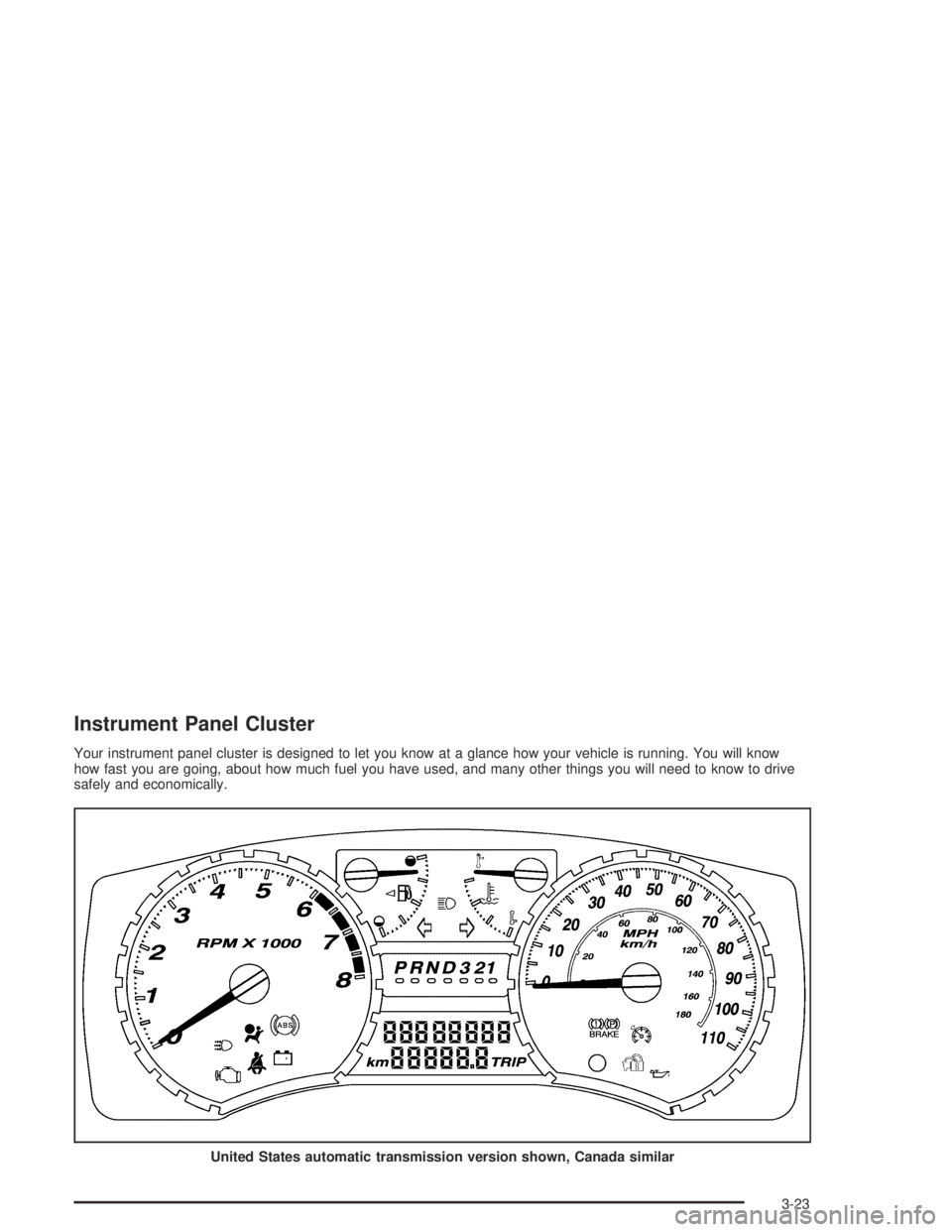
Instrument Panel Cluster
Your instrument panel cluster is designed to let you know at a glance how your vehicle is running. You will know
how fast you are going, about how much fuel you have used, and many other things you will need to know to drive
safely and economically.
United States automatic transmission version shown, Canada similar
3-23
Page 154 of 420

Up-Shift Light
(Manual Transmission)
This light appears when
you need to shift to the
next higher gear on
a manual transmission
vehicle.
Shifting when the indicator light is on will help you get
the best fuel economy. See “Up-Shift Light” under
Manual Transmission Operation on page 2-24for
more information.
Brake System Warning Light
Your vehicle’s hydraulic brake system is divided into
two parts. If one part is not working, the other part can
still work and stop you. For good braking, though,
you need both parts working well.
If the warning light comes on, there could be a brake
problem. Have your brake system inspected right away.
This light should come on briey when you turn the
ignition key to ON. If it does not come on then,
have it xed so it will be ready to warn you if there is
a problem.
United StatesCanada
3-28
Page 157 of 420
Notice:If you keep driving your vehicle with this
light on, after awhile, your emission controls
may not work as well, your fuel economy may not
be as good, and your engine may not run as
smoothly. This could lead to costly repairs that may
not be covered by your warranty.
Notice:Modications made to the engine,
transmission, exhaust, intake, or fuel system of
your vehicle or the replacement of the original tires
with other than those of the same Tire Performance
Criteria (TPC) can affect your vehicle’s emission
controls and may cause this light to come on.
Modications to these systems could lead to costly
repairs not covered by your warranty. This may
also result in a failure to pass a required Emission
Inspection/Maintenance test.This light should come on, as a check to show you it is
working, when the ignition is on and the engine is
not running. If the light does not come on, have it
repaired. This light will also come on during a
malfunction in one of two ways:
Light Flashing— A misre condition has been
detected. A misre increases vehicle emissions
and may damage the emission control system on
your vehicle. Diagnosis and service may be
required.
Light On Steady— An emission control system
malfunction has been detected on your vehicle.
Diagnosis and service may be required.
3-31
Page 165 of 420
The following are the available modes:
Lock 1 (default):On vehicles with an automatic
transmission, this mode locks all of the doors when the
vehicle is shifted out of PARK (P) and unlocks all of
the doors when the vehicle is shifted into PARK (P).
On vehicles with a manual transmission, this mode locks
all of the doors when the vehicle speed is greater
than 15 mph (24 km/h) and unlocks all of the doors
when the key is removed from the ignition.
Lock 2:On vehicles with an automatic transmission,
this mode locks all of the doors when the vehicle
is shifted out of PARK (P) and unlocks the driver’s door
when the vehicle is shifted into PARK (P).
On vehicles with a manual transmission, this mode
locks all of the doors when the vehicle speed is greater
than 15 mph (24 km/h) and unlocks the driver’s door
when the key is removed from the ignition.
Lock 3:On vehicles with an automatic transmission,
this mode locks all of the doors when the vehicle
is shifted out of PARK (P). The doors will not
automatically unlock.
On vehicles with a manual transmission, this mode
locks all of the doors when the vehicle speed is
greater than 15 mph (24 km/h). The doors will not
automatically unlock.Remote Keyless Entry Feedback
This feature allows you to program your remote keyless
entry feedback to a preferred setting.
To set your choice for this feature, perform the
following steps:
1. With the engine off, turn the key to LOCK.
2. Press and hold the lock and unlock buttons on the
remote keyless entry transmitter at the same time.
Hold both buttons until the DIC display shows
the current remote keyless entry feedback mode.
3. To view the next available mode, press and hold
the reset stem for approximately two seconds.
Release the reset stem and press and hold again to
view each mode.
4. Once the desired mode is shown on the DIC
display, briey press the reset stem to set your
choice. The DIC display will then clear.
3-39
Page 211 of 420
Traction Control System (TCS)
Your vehicle may have a Traction Control System (TCS)
that limits wheel spin. This is especially useful in
slippery road conditions. The system operates only if it
senses that one or both of the rear wheels are
spinning or beginning to lose traction. When this
happens, the system reduces engine power and may
also upshift the transmission to limit wheel spin.
You may feel or hear the system working, but this
is normal.
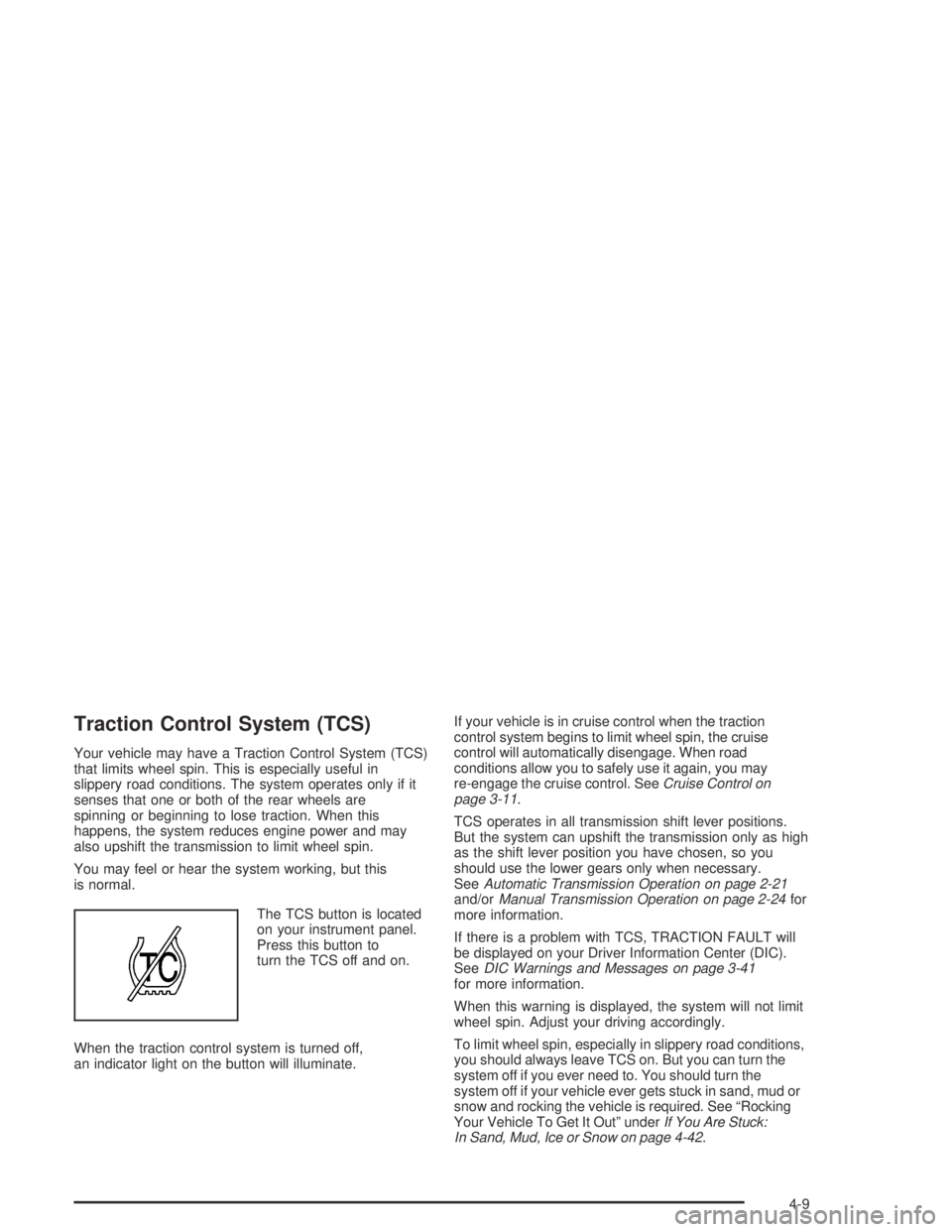
The TCS button is located
on your instrument panel.
Press this button to
turn the TCS off and on.
When the traction control system is turned off,
an indicator light on the button will illuminate.If your vehicle is in cruise control when the traction
control system begins to limit wheel spin, the cruise
control will automatically disengage. When road
conditions allow you to safely use it again, you may
re-engage the cruise control. SeeCruise Control on
page 3-11.
TCS operates in all transmission shift lever positions.
But the system can upshift the transmission only as high
as the shift lever position you have chosen, so you
should use the lower gears only when necessary.
SeeAutomatic Transmission Operation on page 2-21
and/orManual Transmission Operation on page 2-24for
more information.
If there is a problem with TCS, TRACTION FAULT will
be displayed on your Driver Information Center (DIC).
SeeDIC Warnings and Messages on page 3-41
for more information.
When this warning is displayed, the system will not limit
wheel spin. Adjust your driving accordingly.
To limit wheel spin, especially in slippery road conditions,
you should always leave TCS on. But you can turn the
system off if you ever need to. You should turn the
system off if your vehicle ever gets stuck in sand, mud or
snow and rocking the vehicle is required. See “Rocking
Your Vehicle To Get It Out” underIf You Are Stuck:
In Sand, Mud, Ice or Snow on page 4-42.
4-9
Page 223 of 420
Ease up on your speed as you approach the top
of the hill.
Attach a ag to the vehicle to make you more
visible to approaching traffic on trails or hills.
Sound the horn as you approach the top of the hill
to let opposing traffic know you are there.
Use your headlamps even during the day.
They make you more visible to oncoming traffic.
{CAUTION:
Driving to the top (crest) of a hill at full speed
can cause an accident. There could be a
drop-off, embankment, cliff, or even another
vehicle. You could be seriously injured or
killed. As you near the top of a hill, slow down
and stay alert.
Q:What should I do if my vehicle stalls, or is about
to stall, and I cannot make it up the hill?
A:If this happens, there are some things you should
do, and there are some things you must not do.
First, here is what youshoulddo:
Push the brake pedal to stop the vehicle and keep it
from rolling backwards. Also, apply the parking brake.
If your engine is still running, shift the transmission to
REVERSE (R), release the parking brake, and slowly
back down the hill in REVERSE (R).
If your engine has stopped running, you will need to
restart it. With the brake pedal pressed and the
parking brake still applied, shift the transmission to
PARK (P) (or shift to NEUTRAL if your vehicle has a
manual transmission) and restart the engine. Then,
shift to REVERSE (R), release the parking brake,
and slowly back down the hill as straight as possible
in REVERSE (R).
As you are backing down the hill, put your left hand
on the steering wheel at the 12 o’clock position. This
way, you will be able to tell if your wheels are straight
and maneuver as you back down. It is best that you
back down the hill with your wheels straight rather
than in the left or right direction. Turning the wheel
too far to the left or right will increase the possibility
of a rollover.
4-21
Page 224 of 420
Here are some things youmust notdo if you stall, or
are about to stall, when going up a hill.
Never attempt to prevent a stall by shifting into
NEUTRAL (N) (or pressing the clutch, if you have a
manual transmission) to rev-up the engine and
regain forward momentum. This will not work. Your
vehicle will roll backwards very quickly and you
could go out of control.
Instead, apply the regular brake to stop the vehicle.
Then apply the parking brake. Shift to
REVERSE (R), release the parking brake, and
slowly back straight down.
Never attempt to turn around if you are about to
stall when going up a hill. If the hill is steep
enough to stall your vehicle, it is steep enough to
cause you to roll over if you turn around. If you
cannot make it up the hill, you must back straight
down the hill.
Q:Suppose, after stalling, I try to back down the hill
and decide I just cannot do it. What should I do?
A:Set the parking brake, put your transmission in
PARK (P) (or the manual transmission in
FIRST (1)) and turn off the engine. Leave the
vehicle and go get some help. Exit on the uphill
side and stay clear of the path the vehicle would
take if it rolled downhill.
Driving Downhill
When off-roading takes you downhill, you will want to
consider a number of things:
How steep is the downhill? Will I be able to maintain
vehicle control?
What is the surface like? Smooth? Rough?
Slippery? Hard-packed dirt? Gravel?
Are there hidden surface obstacles? Ruts? Logs?
Boulders?
What is at the bottom of the hill? Is there a hidden
creek bank or even a river bottom with large
rocks?
If you decide you can go down a hill safely, then try to
keep your vehicle headed straight down, and use a
low gear. This way, engine drag can help your brakes
and they will not have to do all the work. Descend
slowly, keeping your vehicle under control at all times.
4-22
Page 225 of 420
{CAUTION:
Heavy braking when going down a hill can
cause your brakes to overheat and fade.
This could cause loss of control and a serious
accident. Apply the brakes lightly when
descending a hill and use a low gear to keep
vehicle speed under control.
Q:Are there some things I should not do when
driving down a hill?
A:Yes! These are important because if you ignore
them you could lose control and have a serious
accident.
When driving downhill, avoid turns that take you
across the incline of the hill. A hill that is not too
steep to drive down may be too steep to drive
across. You could roll over if you do not drive
straight down.
Never go downhill with the transmission in
NEUTRAL (N), or with the clutch pedal pressed
down with a manual transmission. This is called
“free-wheeling.” Your brakes will have to do all the
work and could overheat and fade.
Q:Am I likely to stall when going downhill?
A:It is much more likely to happen going uphill. But if
it happens going downhill, here is what to do.
1. Stop your vehicle by applying the regular brakes.
Apply the parking brake.
2. Shift to PARK (P) (or to NEUTRAL with the manual
transmission) and, while still braking, restart the
engine.
3. Shift back to a low gear, release the parking brake,
and drive straight down.
4. If the engine will not start, get out and get help.
4-23