light GMC CANYON 2006 Owner's Guide
[x] Cancel search | Manufacturer: GMC, Model Year: 2006, Model line: CANYON, Model: GMC CANYON 2006Pages: 434, PDF Size: 2.64 MB
Page 113 of 434
Shifting to NEUTRAL
Use NEUTRAL when you plan to tow your vehicle. See
Recreational Vehicle Towing on page 4-50for towing
instructions. To shift the transfer case into NEUTRAL,
do the following:
1. Set the parking brake.
2. Start the vehicle.
3. Press the regular brake pedal and shift the
transmission in NEUTRAL (N), or press in the
clutch for vehicles with a manual transmission.
4. Shift the transfer case to Two-Wheel High.
5. Press and hold the Two-Wheel High and Four-Wheel
Low buttons at the same time for 10 seconds.
The NEUTRAL (N) light will come on when the
transfer case shift to NEUTRAL (N) is complete.
6. Press and hold the regular brake pedal and shift the
transmission to REVERSE (R) for one second, then
shift the transmission to DRIVE (D) for one second,
or FIRST (1) for vehicles with manual transmissions,
and let out the clutch to insure the transfer case is in
NEUTRAL. If the vehicle is not in NEUTRAL, repeat
this procedure starting at Step 3.
7. Place the transmission shift lever in PARK (P), or
FIRST (1) for vehicles that have a manual
transmission.
8. Turn the ignition to LOCK.
Shifting Out of NEUTRAL
After towing your vehicle, you will have to shift out of
NEUTRAL in order to drive. To shift out of NEUTRAL,
do the following:
1. Set the parking brake and apply the regular brake
pedal.
2. Start a vehicle with an automatic transmission in
PARK (P). Use FIRST (1) for vehicles with a
manual transmission.
3. Shift the transmission to NEUTRAL (N), or press
the clutch pedal for vehicles with a manual
transmission.
4. Press the button for the desired transfer case shift
position (Two-Wheel High, Four-Wheel High, or
Four-Wheel Low).
5. After the transfer case has shifted out of NEUTRAL,
the indicator light will go out.
6. Release the parking brake.
7. Shift the transmission to the desired position.
2-27
Page 114 of 434
Parking Brake
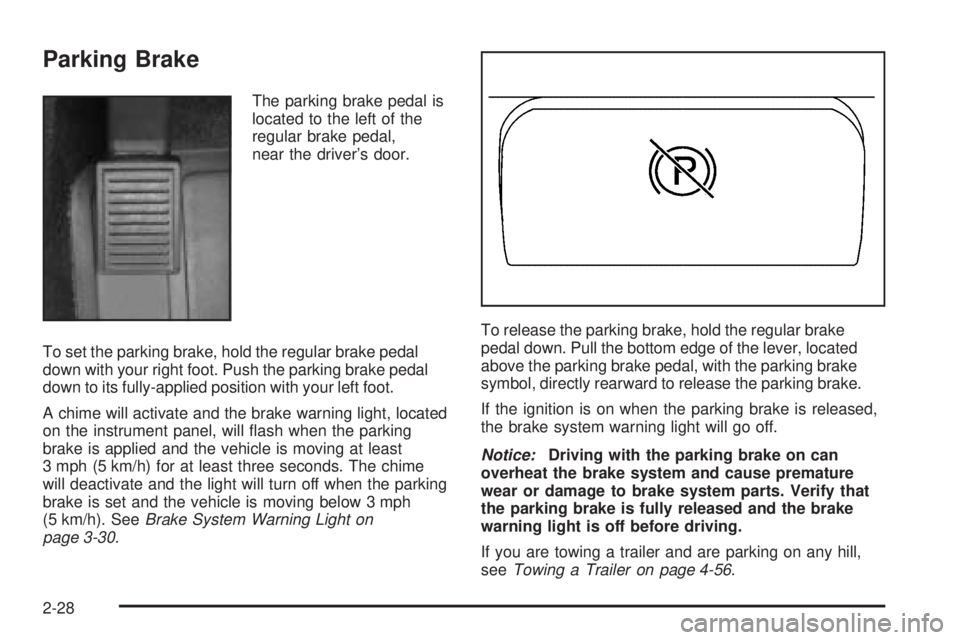
The parking brake pedal is
located to the left of the
regular brake pedal,
near the driver’s door.
To set the parking brake, hold the regular brake pedal
down with your right foot. Push the parking brake pedal
down to its fully-applied position with your left foot.
A chime will activate and the brake warning light, located
on the instrument panel, will ash when the parking
brake is applied and the vehicle is moving at least
3 mph (5 km/h) for at least three seconds. The chime
will deactivate and the light will turn off when the parking
brake is set and the vehicle is moving below 3 mph
(5 km/h). SeeBrake System Warning Light on
page 3-30.To release the parking brake, hold the regular brake
pedal down. Pull the bottom edge of the lever, located
above the parking brake pedal, with the parking brake
symbol, directly rearward to release the parking brake.
If the ignition is on when the parking brake is released,
the brake system warning light will go off.
Notice:Driving with the parking brake on can
overheat the brake system and cause premature
wear or damage to brake system parts. Verify that
the parking brake is fully released and the brake
warning light is off before driving.
If you are towing a trailer and are parking on any hill,
seeTowing a Trailer on page 4-56.
2-28
Page 121 of 434

Automatic Dimming Rearview Mirror
with Compass and Temperature
Display
The vehicle may have an automatic dimming rearview
mirror with a compass, temperature display, and
map lamps.
Mirror Operation
The mirror automatically changes to reduce glare from
headlamps behind you. A time delay feature prevents
rapid changing from the day to night positions while
driving under lights and through traffic.
P(On/Off):The automatic dimming feature is
automatically activated when the vehicle is started.
The automatic dimming feature is turned on or off by
pressing this button located on the lower part of
the mirror. Press and hold the button for up to three
seconds to turn this feature on or off.
T(Indicator Light):This light will turn on when the
automatic dimming feature is active.
Map Lamps
The mirror has map lamps located at the bottom of the
mirror. To manually turn the lamps on or off, press
the button next to each lamp.
Compass Operation
The mirror has an eight-point compass display in the
bottom of the mirror face.
When the ignition and the compass feature are on,
the compass will show two character boxes for
approximately two seconds. After two seconds, the
mirror will display the current compass heading.
For example, NE is displayed for north-east.
Compass Calibration
If after two seconds the display does not show a
compass heading, there may be a strong magnetic eld
interfering with the compass. Such interference may
be caused by a magnetic antenna mount, note
pad holder or similar object. If the letter C appears in
the compass window, the compass needs calibration.
The mirror compass can be calibrated by driving
the vehicle in circles at 5 mph (8 km/h) or less until the
display reads a direction.
The compass can be placed in calibration mode by
pressing and holding the left map light button until a C
appears on the compass display.
2-35
Page 122 of 434

Compass Variance
Compass variance is the difference between earth’s
magnetic north and true geographic north. If the mirror
is not adjusted for compass variance, your compass
could give false readings.
The mirror is set in zone eight upon leaving the factory.
It will be necessary to adjust the compass to
compensate for compass variance if you live outside
zone eight. Under certain circumstances, such as a long
distance, cross-country trip, it will be necessary to
adjust the compass variance.
To adjust for compass variance, do the following:
1. Find your current location and variance zone
number on the zone map that follows.
2. Press and hold the left map light button until a zone
number appears on the display.
3. Once the zone number appears on the display,
press the on/off button quickly until you reach
the correct zone number. Stop pressing the button
and the mirror will return to normal operation.
If C appears in the compass window, the compass
may need calibration. See “Compass Calibration”
listed previously.
2-36
Page 129 of 434
Instrument Panel Overview...............................3-4
Hazard Warning Flashers................................3-6
Other Warning Devices...................................3-6
Horn.............................................................3-6
Tilt Wheel.....................................................3-7
Turn Signal/Multifunction Lever.........................3-7
Turn and Lane-Change Signals........................3-8
Headlamp High/Low-Beam Changer..................3-9
Flash-to-Pass.................................................3-9
Windshield Wipers........................................3-10
Windshield Washer.......................................3-10
Cruise Control..............................................3-11
Exterior Lamps.............................................3-14
Headlamps on Reminder................................3-15
Daytime Running Lamps (DRL).......................3-15
Automatic Headlamp System..........................3-15
Fog Lamps..................................................3-16
Exterior Cargo Lamps....................................3-17
Interior Lamps..............................................3-17
Instrument Panel Brightness...........................3-17
Dome Lamp.................................................3-17
Dome Lamp Override....................................3-17
Exit Lighting.................................................3-18
Battery Run-Down Protection..........................3-18
Accessory Power Outlet(s).............................3-18
Ashtray(s) and Cigarette Lighter......................3-19Climate Controls............................................3-19
Climate Control System.................................3-19
Outlet Adjustment.........................................3-21
Warning Lights, Gages, and Indicators............3-22
Instrument Panel Cluster................................3-23
Speedometer and Odometer...........................3-24
Trip Odometer..............................................3-24
Tachometer.................................................3-24
Safety Belt Reminder Light.............................3-25
Passenger Safety Belt Reminder Light.............3-25
Airbag Readiness Light..................................3-26
Passenger Airbag Status Indicator...................3-27
Battery Warning Light....................................3-29
Up-Shift Light (Manual Transmission)...............3-30
Brake System Warning Light..........................3-30
Anti-Lock Brake System Warning Light.............3-31
Engine Coolant Temperature Gage..................3-32
Malfunction Indicator Lamp.............................3-32
Oil Pressure Light.........................................3-36
Security Light...............................................3-37
Cruise Control Light......................................3-37
Highbeam On Light.......................................3-37
Daytime Running Lamps (DRL) Indicator Light.....3-38
Fuel Gage...................................................3-38
Section 3 Instrument Panel
3-1
Page 133 of 434
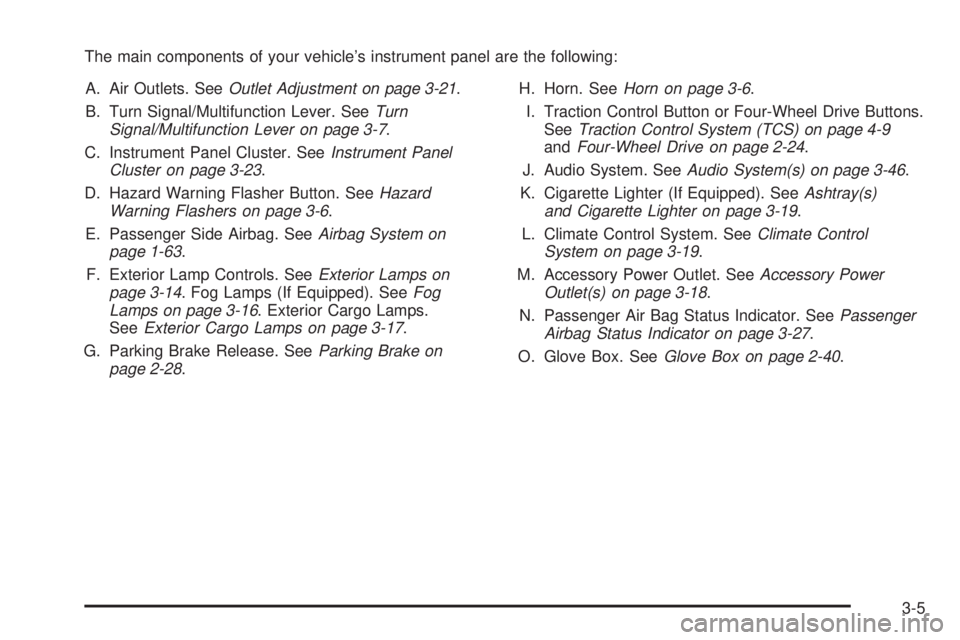
The main components of your vehicle’s instrument panel are the following:
A. Air Outlets. SeeOutlet Adjustment on page 3-21.
B. Turn Signal/Multifunction Lever. SeeTurn
Signal/Multifunction Lever on page 3-7.
C. Instrument Panel Cluster. SeeInstrument Panel
Cluster on page 3-23.
D. Hazard Warning Flasher Button. SeeHazard
Warning Flashers on page 3-6.
E. Passenger Side Airbag. SeeAirbag System on
page 1-63.
F. Exterior Lamp Controls. SeeExterior Lamps on
page 3-14. Fog Lamps (If Equipped). SeeFog
Lamps on page 3-16. Exterior Cargo Lamps.
SeeExterior Cargo Lamps on page 3-17.
G. Parking Brake Release. SeeParking Brake on
page 2-28.H. Horn. SeeHorn on page 3-6.
I. Traction Control Button or Four-Wheel Drive Buttons.
SeeTraction Control System (TCS) on page 4-9
andFour-Wheel Drive on page 2-24.
J. Audio System. SeeAudio System(s) on page 3-46.
K. Cigarette Lighter (If Equipped). SeeAshtray(s)
and Cigarette Lighter on page 3-19.
L. Climate Control System. SeeClimate Control
System on page 3-19.
M. Accessory Power Outlet. SeeAccessory Power
Outlet(s) on page 3-18.
N. Passenger Air Bag Status Indicator. SeePassenger
Airbag Status Indicator on page 3-27.
O. Glove Box. SeeGlove Box on page 2-40.
3-5
Page 137 of 434
Headlamp High/Low-Beam Changer
53(Headlamp High/Low Beam Changer):To
change the headlamps from low to high beam, push the
lever toward the instrument panel. To return to
low-beam headlamps, pull the multifunction lever toward
you. Then release it.
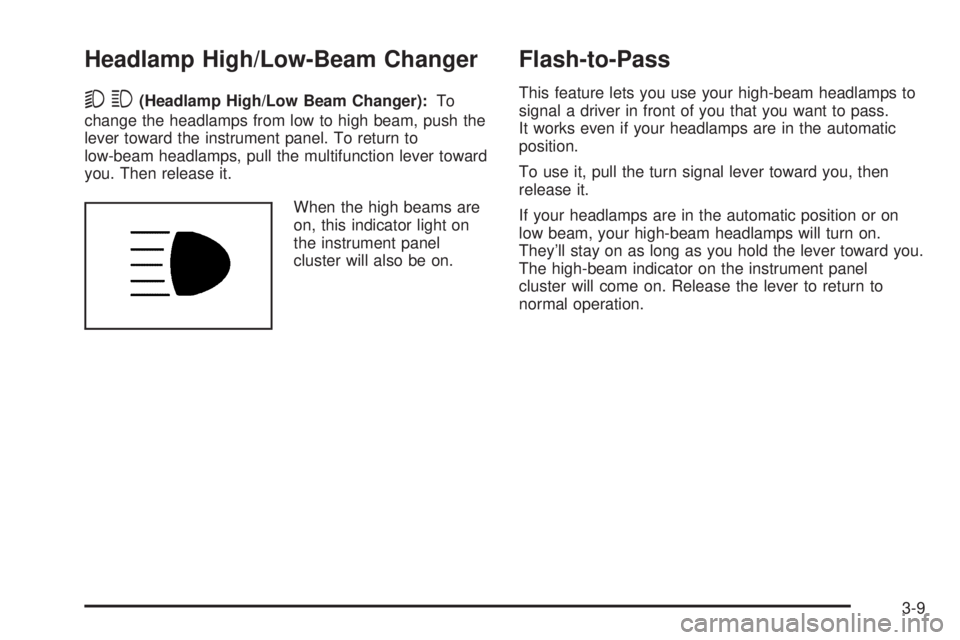
When the high beams are
on, this indicator light on
the instrument panel
cluster will also be on.
Flash-to-Pass
This feature lets you use your high-beam headlamps to
signal a driver in front of you that you want to pass.
It works even if your headlamps are in the automatic
position.
To use it, pull the turn signal lever toward you, then
release it.
If your headlamps are in the automatic position or on
low beam, your high-beam headlamps will turn on.
They’ll stay on as long as you hold the lever toward you.
The high-beam indicator on the instrument panel
cluster will come on. Release the lever to return to
normal operation.
3-9
Page 138 of 434
Windshield Wipers
You control the windshield wipers by turning the band
with the wiper symbol on it.
The windshield wipers work in all ignition positions,
except off. This includes the Retained Access Power
mode. SeeRetained Accessory Power (RAP) on
page 2-17.
8(Mist):For a single wiping cycle, turn the band to
mist. Hold it there until the wipers start. Then let go. The
wipers will stop after one wipe. If you want more
wipes, hold the band on mist longer.
N(Delay):You can set the wiper speed for a long or
short delay between wipes. This can be very useful
in light rain or snow. Turn the band to choose the delay
time. The closer to the top of the lever, the shorter
the delay.
6(Low Speed):For steady wiping at low speed,
turn the band away from you to the rst solid position
past the delay settings.
1(High Speed):For high-speed wiping, turn the
band to the second solid position past the delay settings.
9(Off):To stop the wipers, move the band to off.Be sure to clear ice and snow from the wiper blades
before using them. If they’re frozen to the windshield,
carefully loosen or thaw them. If your blades do become
worn or damaged, get new blades or blade inserts.
Windshield Washer
{CAUTION:
In freezing weather, do not use your washer
until the windshield is warmed. Otherwise the
washer uid can form ice on the windshield,
blocking your vision.
QL(Washer Fluid):There is a paddle marked with
the windshield washer symbol at the top of the
multifunction lever. To spray washer uid on the
windshield, push the paddle. The wipers will clear the
window and then either stop or return to your preset
speed.
3-10
Page 141 of 434
Increasing Speed While Using Cruise
Control
There are two ways to go to a higher speed:
Use the accelerator pedal to get to the higher
speed. Press the set button at the end of the lever,
then release the button and the accelerator
pedal. You’ll now cruise at the higher speed. If the
accelerator pedal is held longer than 60 seconds,
cruise control will turn off.
Move the cruise switch from on to
resume/accelerate. Hold it there until you get up to
the speed you want, and then release the switch.
To increase your speed in very small amounts,
move the switch briey to resume/accelerate.
Reducing Speed While Using Cruise
Control
Press and hold the set button until you reach the
lower speed you want, then release it.
To slow down in very small amounts, briey press
the set button.
Passing Another Vehicle While Using
Cruise Control
Use the accelerator pedal to increase your speed.
When you take your foot off the pedal, your vehicle will
slow down to the cruise control speed you set earlier.
Using Cruise Control on Hills
How well your cruise control will work on hills depends
upon your speed, load and the steepness of the
hills. When going up steep hills, you may want to step
on the accelerator pedal to maintain your speed.
When going downhill, you may have to brake or shift to
a lower gear to keep your speed down. Of course,
applying the brake takes you out of cruise control.
Many drivers nd this to be too much trouble and don’t
use cruise control on steep hills.
Ending Cruise Control
To turn off the cruise control, do one of the following:
Step lightly on the brake pedal.
Move the cruise control switch to off.
Lightly tap or press the clutch, if you have a manual
transmission.
Erasing Speed Memory
When you turn off the cruise control or the ignition, your
cruise control set speed memory is erased.
3-13
Page 142 of 434
Exterior Lamps
The control on the driver’s side of your instrument panel
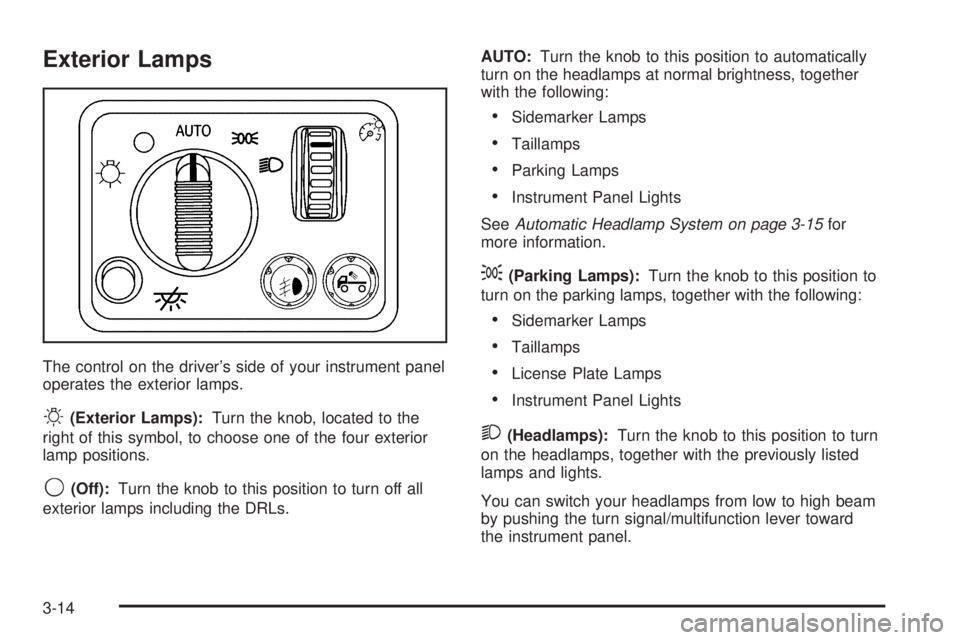
operates the exterior lamps.
O(Exterior Lamps):Turn the knob, located to the
right of this symbol, to choose one of the four exterior
lamp positions.
9(Off):Turn the knob to this position to turn off all
exterior lamps including the DRLs.AUTO:Turn the knob to this position to automatically
turn on the headlamps at normal brightness, together
with the following:
Sidemarker Lamps
Taillamps
Parking Lamps
Instrument Panel Lights
SeeAutomatic Headlamp System on page 3-15for
more information.
;(Parking Lamps):Turn the knob to this position to
turn on the parking lamps, together with the following:
Sidemarker Lamps
Taillamps
License Plate Lamps
Instrument Panel Lights
2(Headlamps):Turn the knob to this position to turn
on the headlamps, together with the previously listed
lamps and lights.
You can switch your headlamps from low to high beam
by pushing the turn signal/multifunction lever toward
the instrument panel.
3-14