instrument panel GMC CANYON 2008 Get To Know Guide
[x] Cancel search | Manufacturer: GMC, Model Year: 2008, Model line: CANYON, Model: GMC CANYON 2008Pages: 20, PDF Size: 0.26 MB
Page 1 of 20
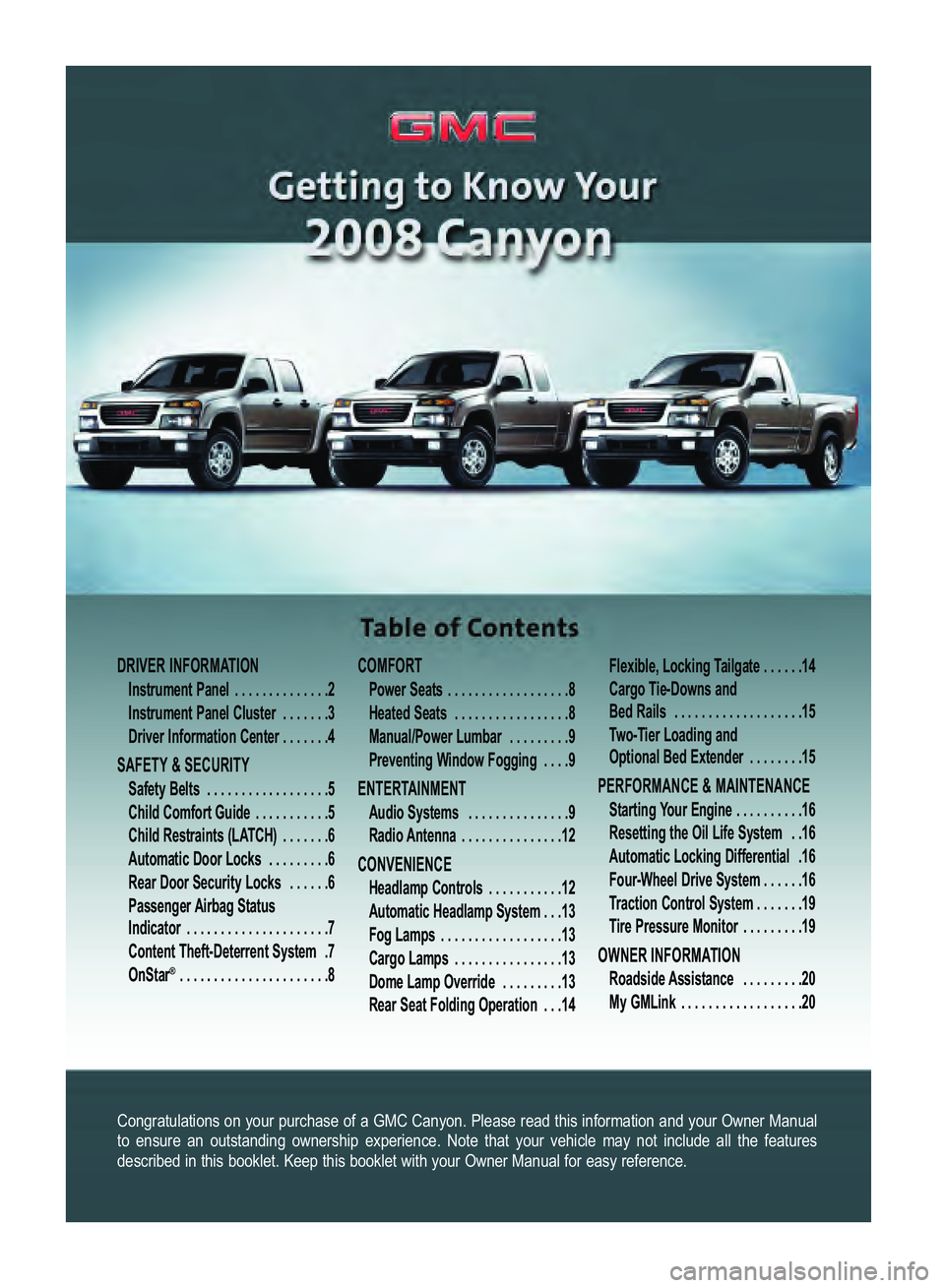
Congratulations on your purchase of a GMC Canyon. Please read this information and your Owner Manual
to ensure an outstanding ownership experience. Note that your vehicle may not include all the featuresdescribed in this booklet. Keep this booklet with your Owner Manual for easy reference.
DRIVER INFORMATION
Instrument Panel . . . . . . . . . . . . . .2
Instrument Panel Cluster . . . . . . .3
Driver Information Center . . . . . . .4
SAFETY & SECURITY
Safety Belts . . . . . . . . . . . . . . . . . .5
Child Comfort Guide . . . . . . . . . . .5Child Restraints (LATCH) . . . . . . .6
Automatic Door Locks . . . . . . . . .6
Rear Door Security Locks . . . . . .6
Passenger Airbag Status
Indicator . . . . . . . . . . . . . . . . . . . . .7
Content TheftDeterrent System .7
OnStar
® . . . . . . . . . . . . . . . . . . . . . .8
COMFORT
Power Seats . . . . . . . . . . . . . . . . . .8
Heated Seats . . . . . . . . . . . . . . . . .8
Manual/Power Lumbar . . . . . . . . .9
Preventing Window Fogging . . . .9
ENTERTAINMENT
Audio Systems . . . . . . . . . . . . . . .9
Radio Antenna . . . . . . . . . . . . . . .12
CONVENIENCE
Headlamp Controls . . . . . . . . . . .12
Automatic Headlamp System . . .13
Fog Lamps . . . . . . . . . . . . . . . . . .13
Cargo Lamps . . . . . . . . . . . . . . . .13
Dome Lamp Override . . . . . . . . .13
Rear Seat Folding Operation . . .14Flexible, Locking Tailgate . . . . . .14
Cargo TieDowns and
Bed Rails . . . . . . . . . . . . . . . . . . .15
TwoTier Loading and
Optional Bed Extender . . . . . . . .15
PERFORMANCE & MAINTENANCE
Starting Your Engine . . . . . . . . . .16
Resetting the Oil Life System . .16
Automatic Locking Differential .16
FourWheel Drive System . . . . . .16
Traction Control System . . . . . . .19
Tire Pressure Monitor . . . . . . . . .19
OWNER INFORMATION
Roadside Assistance . . . . . . . . .20
My GMLink . . . . . . . . . . . . . . . . . .20
Canyon 2008 A 4/3/07 12:36 PM Page 1
Page 2 of 20
Getting to Know Your Canyon2
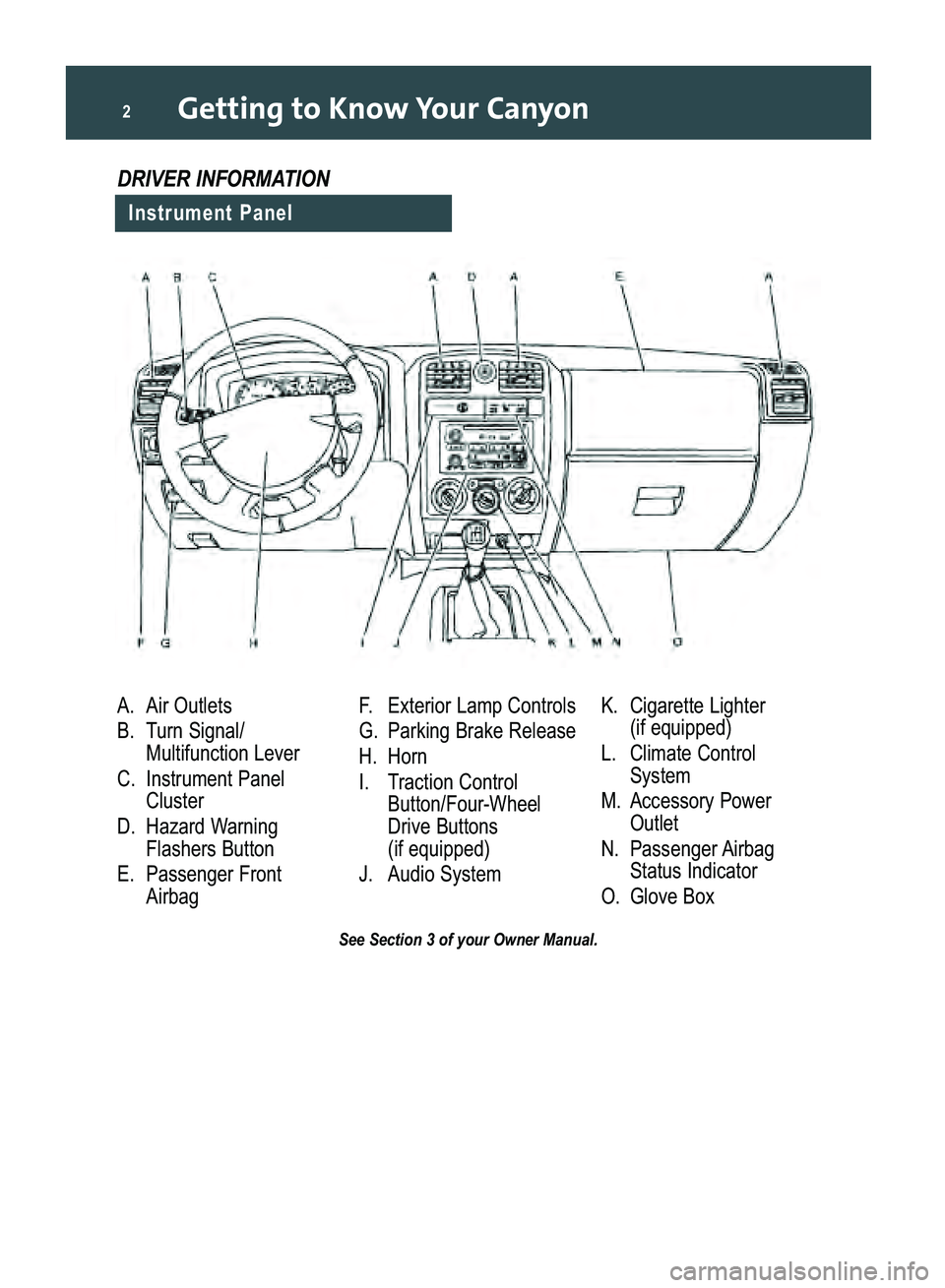
A. Air Outlets
B. Turn Signal/
Multifunction Lever
C.Instrument Panel
Cluster
D. Hazard Warning
Flashers Button
E.Passenger Front
AirbagF. Exterior Lamp Controls
G. Parking Brake Release
H. Horn I.Traction Control
Button/FourWheel
Drive Buttons
(if equipped)
J.Audio System K. Cigarette Lighter
(if equipped)
L. Climate Control
System
M.Accessory Power
Outlet
N. Passenger Airbag
Status Indicator
O. Glove Box
See Section 3 of your Owner Manual.
Instrument Panel
DRIVER INFORMATION
Canyon 2008 A 4/3/07 12:36 PM Page 2
Page 3 of 20
3
See Section 3 of your Owner Manual.
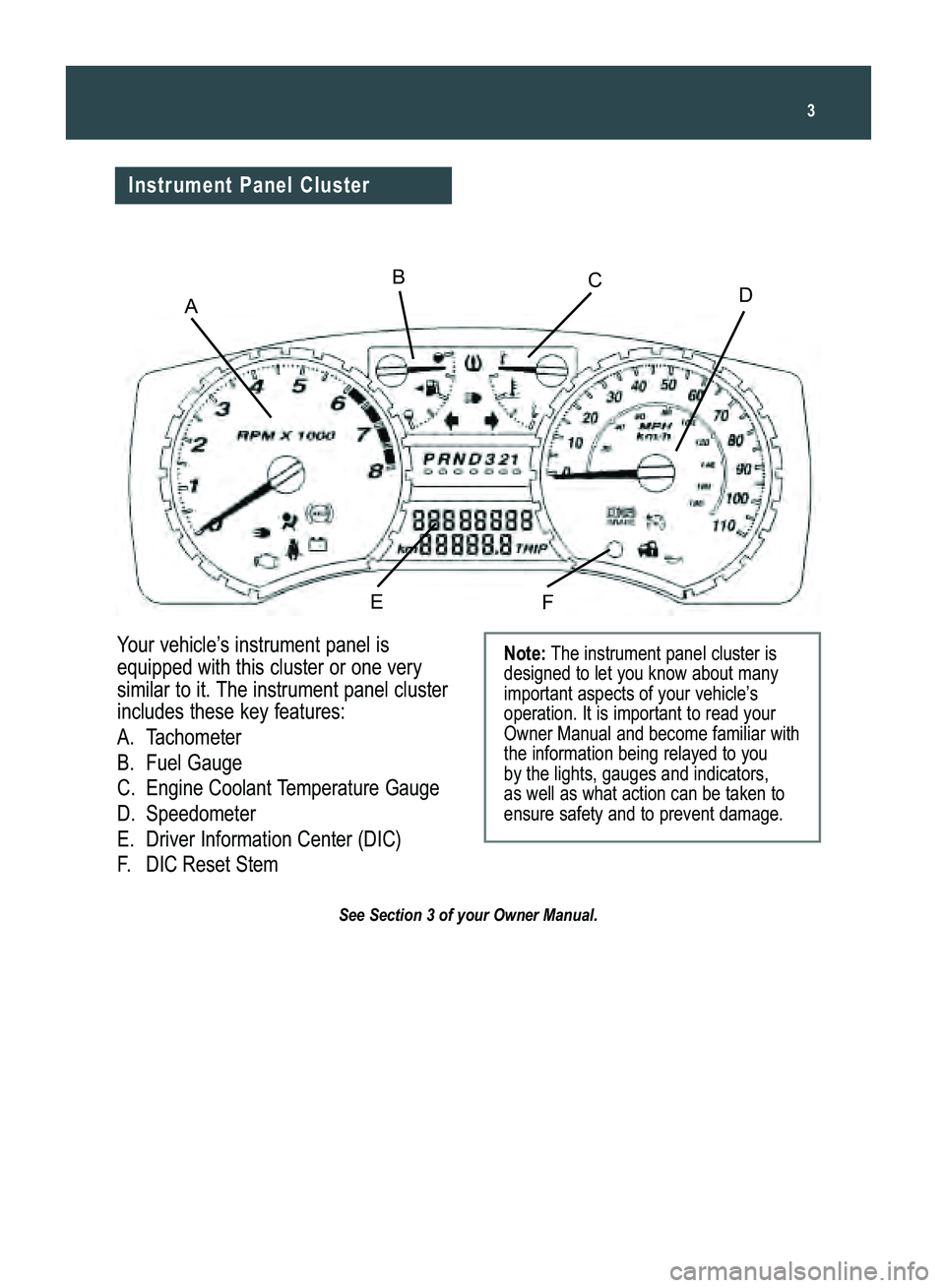
Your vehicle’s instrument panel is
equipped with this cluster or one verysimilar to it. The instrument panel cluster
includes these key features:
A.Tachometer
B. Fuel Gauge
C. Engine Coolant Temperature GaugeD.Speedometer
E. Driver Information Center (DIC)F.DICReset StemNote:The instrument panel cluster is
designed to let you know about many
important aspects of your vehicle’s
operation. It is important to read yourOwner Manual and become familiar withthe information being relayed to you
by the lights, gauges and indicators,
as well as what action can be taken toensure safety and to prevent damage.
Instrument Panel Cluster
ADBC
EF
Canyon 2008 A 4/3/07 12:36 PM Page 3
Page 4 of 20
Getting to Know Your Canyon4
Driver Information Center
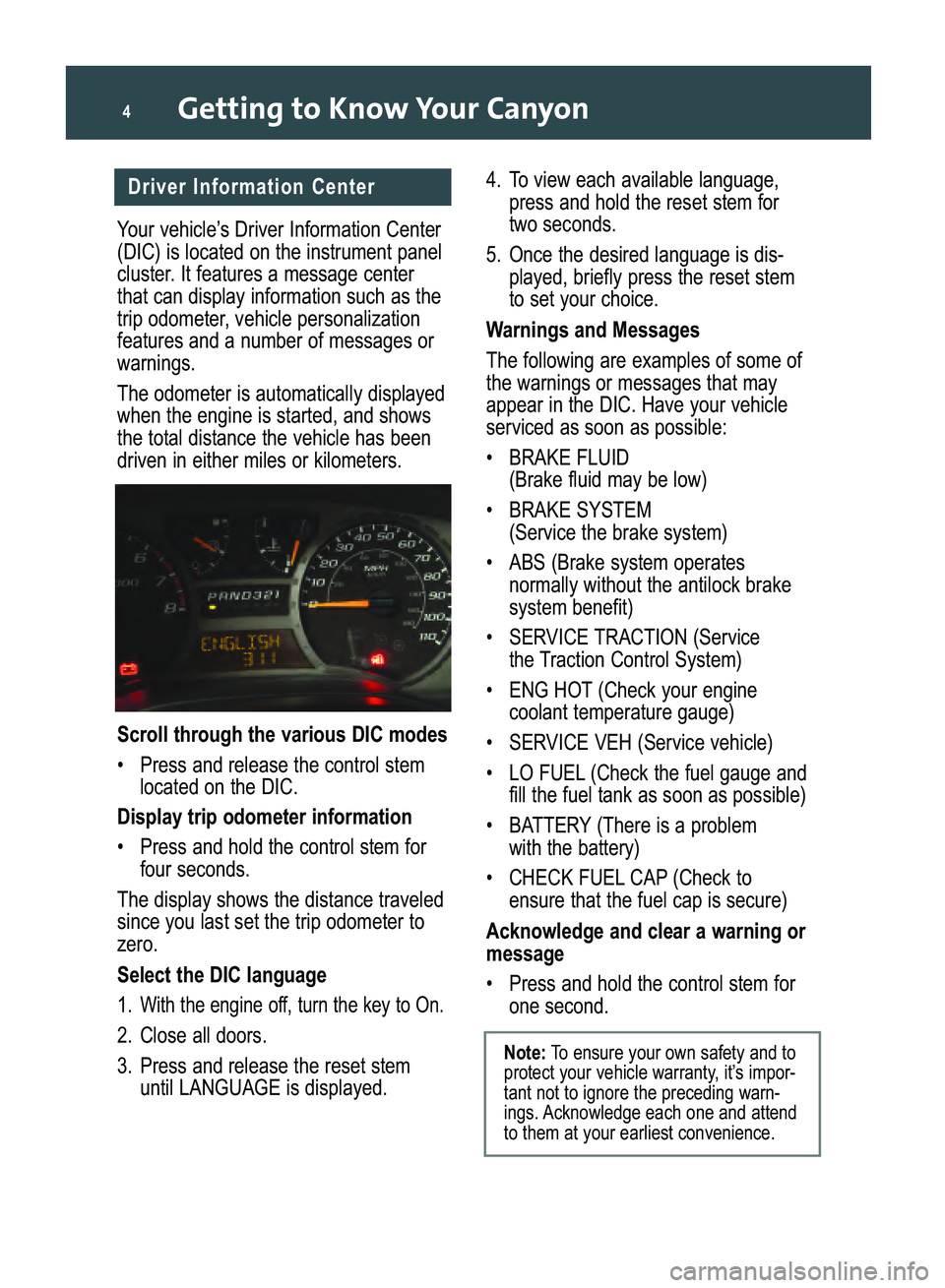
Your vehicle’s Driver Information Center
(DIC) is located on the instrument panel
cluster. It features a message center
that can display information such as the
trip odometer, vehicle personalizationfeatures and a number of messages orwarnings.
The odometer is automatically displayed
when the engine is started, and showsthe total distance the vehicle has beendriven in either miles or kilometers.
Scroll through the various DIC modes
•Press and release the control stem
located on the DIC.
Display trip odometer information
•Press and hold the control stem for
four seconds.
The display shows the distance traveled
since you last set the trip odometer tozero.
Select the DIC language
1.With the engine off, turn the key to On.
2. Close all doors.
3. Press and release the reset stem
until LANGUAGE is displayed.
4. To view each available language,
press and hold the reset stem for
two seconds.
5. Once the desired language is dis
played, briefly press the reset stem to set your choice.
Warnings and Messages
The following are examples of some of
the warnings or messages that mayappear in the DIC. Have your vehicleserviced as soon as possible:
• BRAKE FLUID
(Brake fluid may be low)
• BRAKE SYSTEM
(Service the brake system)
• ABS (Brake system operates
normally without the antilock brakesystem benefit)
•SERVICE TRACTION (Service
the Traction Control System)
• ENG HOT (Check your engine
coolant temperature gauge)
• SERVICE VEH (Service vehicle)
Acknowledge and clear a warning or
message
• Press and hold the control stem for
one second.
Note:To ensure your own safety and to
protect your vehicle warranty, it’s impor
tant not to ignore the preceding warn
ings. Acknowledge each one and attendto them at your earliest convenience.
Canyon 2008 A 4/3/07 12:36 PM Page 4
Page 7 of 20
7
Engage the rear door security locks
1. Open a rear door and insert your
ignition key into the lock.
2. On the driver’s side rear door, turn
the key clockwise to engage the rear
door security lock (turn it counterclockwise on the opposite side reardoor).
3. Close the door.
Open the rear door when the security
lock is on
• Unlock and open the door from
outside the vehicle.
Return the rear doors to normal use
• On the driver’s side rear door, insert
the key and turn the lock counterclockwise (turn it clockwise on theopposite side rear door).
See Section 2 of your Owner Manual.
Passenger Airbag Status
Indicator
Your vehicle is equipped with a
Passenger Sensing System located inthe front passenger seat for the front
passenger frontal airbag, and a passenger airbag status indicator located onthe center of the instrument panel.
See Sections 1 and 3 of your Owner Manual.
Note:It is recommended that children
not be placed in the front passengerseat, even with the Passenger Sensing
System. All children should be securedin a rear seat, including an infant ridingin a rearfacing infant seat, a child ridingin a forwardfacing child seat or an olderchild riding in a booster seat.
Content TheftDeterrent System
(if equipped)
If your vehicle has the Remote Keyless
Entry (RKE) system, it also has a content theftdeterrent alarm system.
The content theft
deterrent system isarmed when youlock the doors withthe RKE transmitterand all the doorsare closed. If thelock button on the RKE transmitter ispressed with a door open, the horn willchirp several times. Close the door to
arm the system. The security light will
flash when the system is armed.
The system will not be armed if the
doors are locked with a key, the manualdoor lock or the power door lock switch.
Alarm System
If a locked door is not opened using the
RKE transmitter or by OnStar, the horn
will chirp for several seconds and then
the alarm will sound. The alarm will flashthe front turn signal lamps and soundthe horn for two minutes.
To prevent the alarm from sounding,
unlock the doors using the RKE trans
mitter. To turn off the alarm, press theunlock button on the RKE transmitter or
start the engine using the correct key.
PASSlock®
Your vehicle also is equipped with the
PASSlock theftdeterrent system thatrequires the correct key be used to startthe engine. If the correct key is not usedor the ignition lock cylinder is tamperedwith, the fuel system is disabled and theengine will not start.
See Section 2 of your Owner Manual.
Canyon 2008 A 4/3/07 12:36 PM Page 7
Page 12 of 20

Getting to Know Your Canyon12
TheftLock
When TheftLock is activated, your radio
will not operate if it is stolen. This feature works by learning a portion of your
vehicle’s VIN (Vehicle IdentificationNumber). If the radio is installed on a
different vehicle, it will not operate andLOC or LOCKED (depending on radio
equipped) will appear on the display.
A blinking red light indicates that the
system is armed.
XM®Satellite Radio (if equipped)
XM Satellite Radio offers more than 170
channels of digitalquality sound thatgoes wherever you go — coast to coast.
XM displays song title, artist and entertainment genre.
For more information, visit XM on the
Internet at www.XMradio.com or call
1800852XMXM (9696).
Access XM Satellite Radio on
equipped vehicles
• Press the BAND button until XM1 or
XM2 appears on the display.
See Section 3 of your Owner Manual.
Radio Antenna
The fixed mast radio antenna is
designed to withstand most car washes.Check occasionally to make sure the
mast is still tightened to the fender. Iftightening is required, tighten it by hand,and then use the special tool (located inthe glove box) to turn it onequarter turn.
See Section 3 of your Owner Manual.
CONVENIENCE
Headlamp Controls
The exterior lamps control is located on
the instrument panel to the left of thesteering wheel.
Turn off all exterior lamps, including
the Daytime Running Lamps
• Turn the knob to the OFF position
().
Activate the Automatic Headlamp
System that illuminates all exterior
lamps and the instrument panel/radiolights when they are needed
• If not already in the AUTO position,
turn the knob to AUTO.
Manually illuminate the parking
lamps, exterior tail/sidemarker lampsand instrument panel/radio lights
•Turn the knob to this position ( ).
Activate the headlamps, exterior tail/
sidemarker lamps and instrumentpanel/radio lights
• Turn the knob to this position ( ).
See Section 3 of your Owner Manual.
Canyon 2008 A 4/3/07 12:36 PM Page 12
Page 13 of 20
13
Automatic Headlamp System
During daytime driving, your vehicle’s
Automatic Headlamp System may temporarily switch the headlamps andinstrument panel lights, including the
radio display, to the nighttime mode.This occurs when encountering darkerconditions, such as under a bridge orinside a parking garage.
When you start the vehicle at night, the
automatic headlamps may not come onimmediately. The system uses a light
sensor located on top of the instrument
panel. To ensure proper headlamp system operation, avoid placing objects or
stickers on or near the sensor.
See Section 3 of your Owner Manual.
Fog Lamps (if equipped)
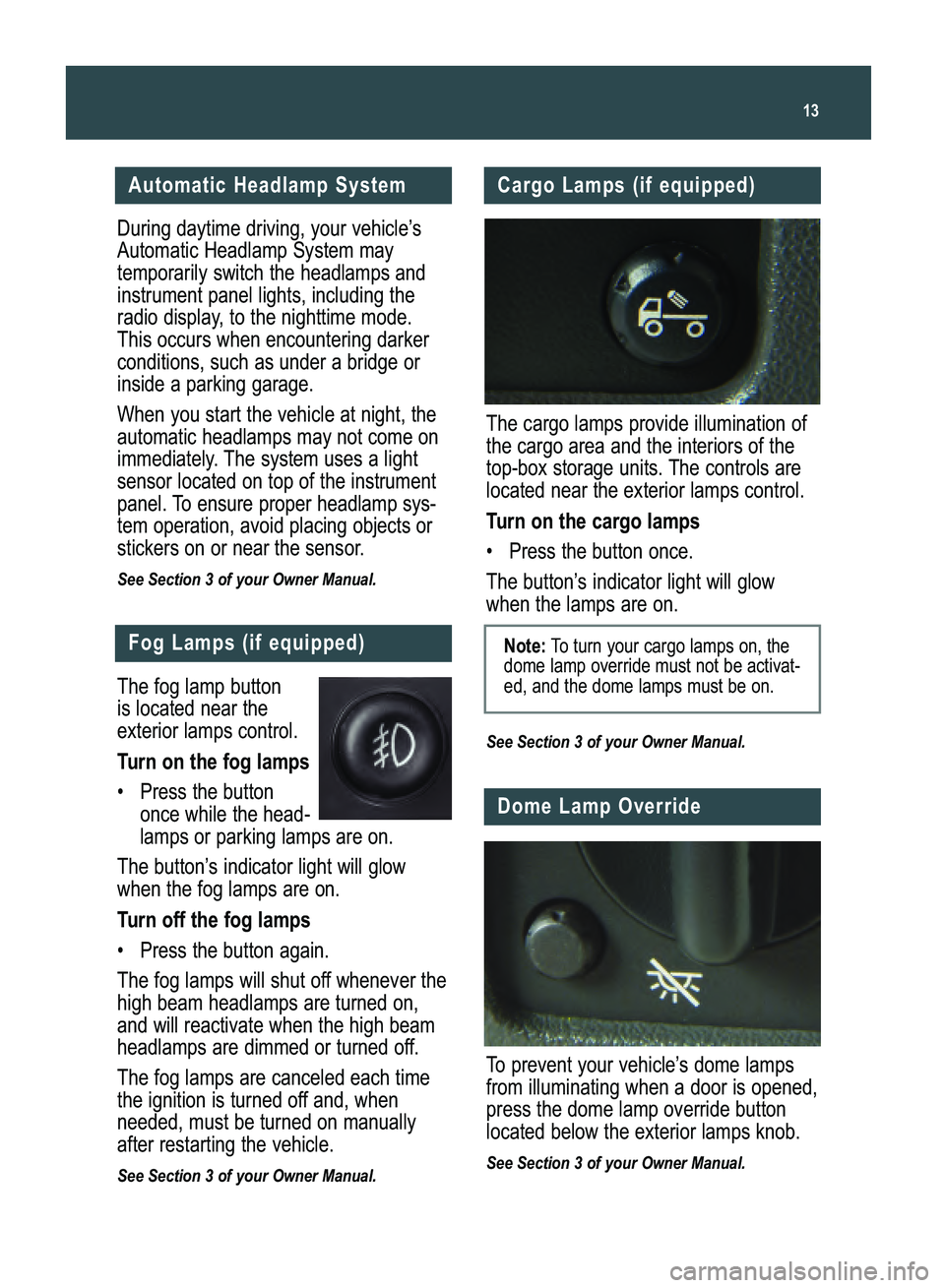
The fog lamp button
is located near theexterior lamps control.
Turn on the fog lamps
• Press the button
once while the head
lamps or parking lamps are on.
The button’s indicator light will glow
when the fog lamps are on.
Turn off the fog lamps
• Press the button again.
The fog lamps will shut off whenever the
high beam headlamps are turned on,and will reactivate when the high beamheadlamps are dimmed or turned off.
The fog lamps are canceled each time
the ignition is turned off and, whenneeded, must be turned on manuallyafter restarting the vehicle.
See Section 3 of your Owner Manual.
Cargo Lamps (if equipped)
The cargo lamps provide illumination of
the cargo area and the interiors of the
topbox storage units. The controls arelocated near the exterior lamps control.
Turn on the cargo lamps
• Press the button once.
The button’s indicator light will glow
when the lamps are on.
See Section 3 of your Owner Manual.
Note: To turn your cargo lamps on, the
dome lamp override must not be activated, and the dome lamps must be on.
Dome Lamp Override
To prevent your vehicle’s dome lamps
from illuminating when a door is opened,
press the dome lamp override buttonlocated below the exterior lamps knob.
See Section 3 of your Owner Manual.
Canyon 2008 A 4/3/07 12:36 PM Page 13
Page 16 of 20

Getting to Know Your Canyon16
With fourwheel drive, you can send
power to all four wheels for extra trac
tion. The controls are located on theinstrument panel, to the right of thesteering wheel.
FourWheel Drive Modes
2
(2HI): This setting is used for most
street and highway driving conditions.The front axle is not engaged in thismode.
FourWheel Drive System
(if equipped)
PERFORMANCE & MAINTENANCE
Starting Your Engine
With your foot off the accelerator pedal,
turn the ignition key to Start. When the
engine starts, let go of the key. Avoid
holding your key in the Start position
for longer than 15 seconds at a time.Excessive starter operation can drainyour battery much sooner and excessive
heat can damage your starter motor. Ifmore than one try to start the engine is
necessary, wait about 15 secondsbetween the first and second attempts.
See Section 2 of your Owner Manual.
Automatic Locking Differential
(if equipped)
Your axle may be equipped with an
automatic locking differential feature thathelps increase traction when traveling atspeeds less than 20 mph.
Once engaged, both rear wheels will
“lock” and rotate at the same speed,improving vehicle traction. If one wheelhas poor traction, such as when on ice,snow or mud, power will be transferredto the wheel with better traction.
Resetting the Oil Life System
The Oil Life System calculates engine
oil life based on vehicle use and dis
plays CHANGE OIL on the Driver
Information Center when it’s necessaryto change the engine oil and filter. The
Oil Life System should be reset onlyfollowing an oil change.
To reset the Oil Life System:
1. Turn on the ignition, with the
engineoff.
2. Press and release the control stem
on the instrument cluster until OILLIFE is displayed.
3. Once the alternating OIL LIFE and
RESETmessages appear, press and
hold the control stem until several
beeps sound. This confirms that theOil Life System has been reset.
4.Turn off the ignition.
See Sections 3 and 5 of your Owner Manual.
Note: The Oil Life System does not
replace the need to follow the maintenance schedule in the Owner Manual.
It also does not measure how much oilis in the engine.
Canyon 2008 A 4/3/07 12:36 PM Page 16
Page 19 of 20
19
Traction Control System
(2WD models)
If the Traction Control System (TCS)
detects wheelspin at one or both rearwheels, the system will reduce enginepower and/or upshift the transmission
to help limit wheelspin. When the TCS is working, during which the Driver
Information Center displays LO TRAC,you may notice reduced engine performance.
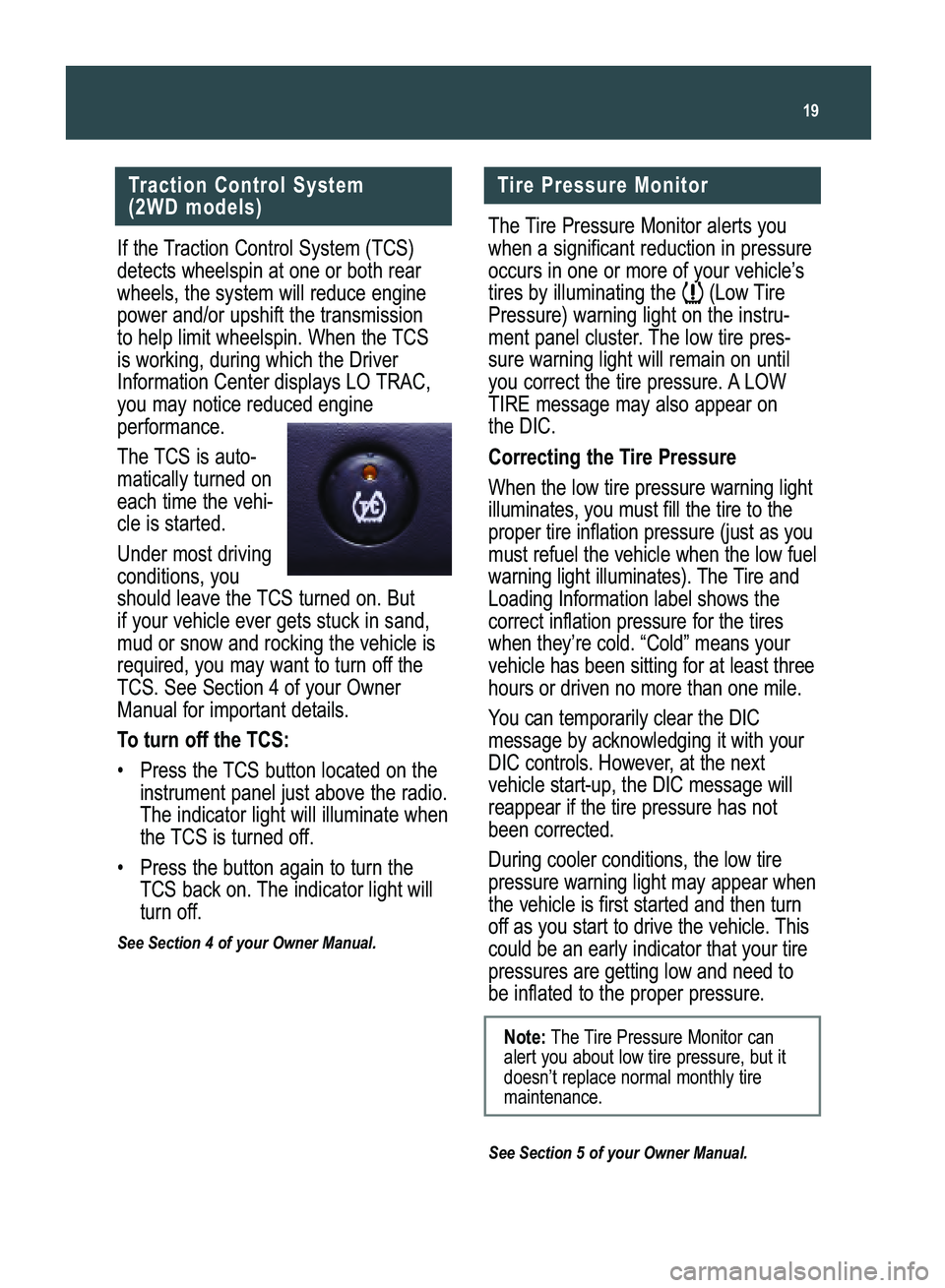
The TCS is auto
matically turned on
each time the vehicle is started.
Under most driving
conditions, youshould leave the TCS turned on. But
if your vehicle ever gets stuck in sand,
mud or snow and rocking the vehicle is
required, you may want to turn off theTCS. See Section 4 of your OwnerManual for important details.
To turn off the TCS:
•Press the TCS button located on the
instrument panel just above the radio.
The indicator light will illuminate when
the TCS is turned off.
• Press the button again to turn the
TCS back on. The indicator light will
turn off.
See Section 4 of your Owner Manual.
Tire Pressure Monitor
The Tire Pressure Monitor alerts you
when a significant reduction in pressure
occurs in one or more of your vehicle’s
tires by illuminating the (Low Tire
Pressure) warning light on the instru
ment panel cluster. The low tire pres
sure warning light will remain on until
you correct the tire pressure. A LOWTIRE message may also appear on
the DIC.
Correcting the Tire Pressure
When the low tire pressure warning light
illuminates, you must fill the tire to theproper tire inflation pressure (just as youmust refuel the vehicle when the low fuel
warning light illuminates). The Tire andLoading Information label shows thecorrect inflation pressure for the tireswhen they’re cold. “Cold” means yourvehicle has been sitting for at least three
hours or driven no more than one mile.
You can temporarily clear the DIC
message by acknowledging it with yourDIC controls. However, at the next
vehicle startup, the DIC message will
reappear if the tire pressure has notbeen corrected.
During cooler conditions, the low tire
pressure warning light may appear whenthe vehicle is first started and then turn
off as you start to drive the vehicle. Thiscould be an early indicator that your tirepressures are getting low and need to
be inflated to the proper pressure.
See Section 5 of your Owner Manual.
Note:The Tire Pressure Monitor can
alert you about low tire pressure, but itdoesn’t replace normal monthly tiremaintenance.
Canyon 2008 A 4/3/07 12:36 PM Page 19