air condition GMC CANYON 2008 User Guide
[x] Cancel search | Manufacturer: GMC, Model Year: 2008, Model line: CANYON, Model: GMC CANYON 2008Pages: 428, PDF Size: 5.82 MB
Page 166 of 428
Malfunction Indicator Lamp
Check Engine Light
A computer system called OBD II (On-Board
Diagnostics-Second Generation) monitors operation
of the fuel, ignition, and emission control systems.
It makes sure that emissions are at acceptable levels
for the life of the vehicle, helping to produce a cleaner
environment.
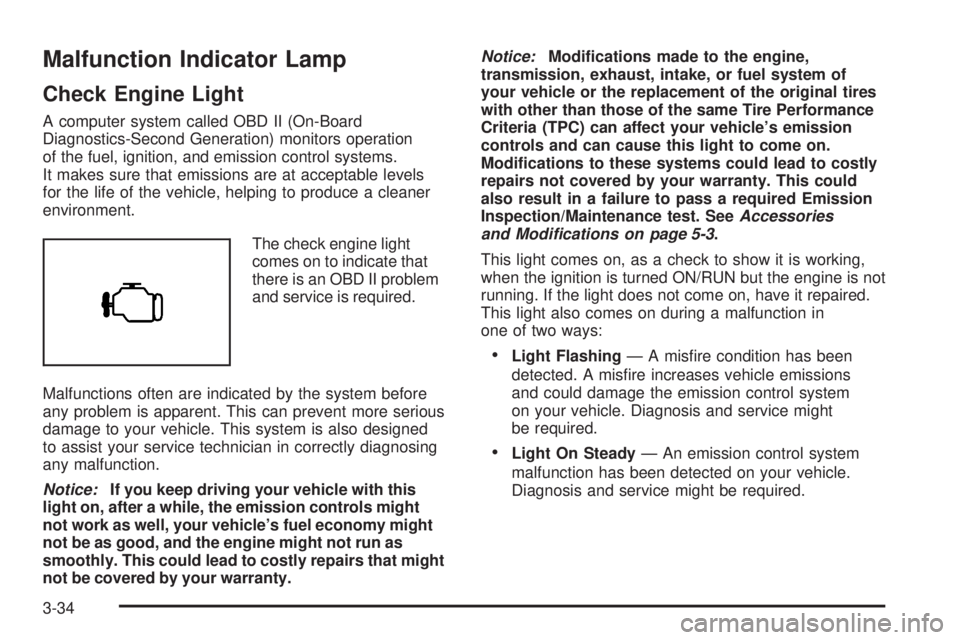
The check engine light
comes on to indicate that
there is an OBD II problem
and service is required.
Malfunctions often are indicated by the system before
any problem is apparent. This can prevent more serious
damage to your vehicle. This system is also designed
to assist your service technician in correctly diagnosing
any malfunction.
Notice:If you keep driving your vehicle with this
light on, after a while, the emission controls might
not work as well, your vehicle’s fuel economy might
not be as good, and the engine might not run as
smoothly. This could lead to costly repairs that might
not be covered by your warranty.Notice:Modications made to the engine,
transmission, exhaust, intake, or fuel system of
your vehicle or the replacement of the original tires
with other than those of the same Tire Performance
Criteria (TPC) can affect your vehicle’s emission
controls and can cause this light to come on.
Modications to these systems could lead to costly
repairs not covered by your warranty. This could
also result in a failure to pass a required Emission
Inspection/Maintenance test. SeeAccessories
and Modifications on page 5-3.
This light comes on, as a check to show it is working,
when the ignition is turned ON/RUN but the engine is not
running. If the light does not come on, have it repaired.
This light also comes on during a malfunction in
one of two ways:
Light Flashing— A misre condition has been
detected. A misre increases vehicle emissions
and could damage the emission control system
on your vehicle. Diagnosis and service might
be required.
Light On Steady— An emission control system
malfunction has been detected on your vehicle.
Diagnosis and service might be required.
3-34
Page 174 of 428
DIC Warnings and Messages
Messages are displayed on the DIC to notify the
driver that the status of the vehicle has changed
and that some action may be needed by the driver
to correct the condition. Multiple messages may appear
one after another. The messages are displayed for
several seconds each.
Some messages may not require immediate action, but
you should press and release the trip odometer reset
stem to acknowledge that you received the messages
and to clear them from the display. Each message must
be acknowledged individually.
Some messages cannot be cleared from the DIC
display because they are more urgent. These messages
require action before they can be cleared. You should
take any messages that appear on the display seriously
and remember that clearing the messages only makes
the messages disappear, not correct the problem.
The following are the possible messages that can be
displayed and some information about them.
AC (Air Conditioning) OFF
This message displays when the engine coolant
temperature is too high and the air conditioning in your
vehicle needs to be turned off. SeeEngine Overheating
on page 5-29andClimate Control System on page 3-20
for more information. This message displays along with
the ENG HOT message.
ABS (Antilock Brake System) FAULT
This message displays if there is a problem with the
Antilock Brake System (ABS). Check the ABS as soon as
possible and have your vehicle serviced by your dealer/
retailer. SeeBrakes on page 5-38andAntilock Brake
System Warning Light on page 3-32for more information.
Press and release the reset stem to acknowledge the
message and clear it from the display.
BRAKES
This message displays if there is a problem with the
brakes. Check the brakes as soon as possible and have
your vehicle serviced by your dealer/retailer. SeeBrakes
on page 5-38andBrake System Warning Light on
page 3-31for more information. Press and release the
reset stem to acknowledge the message and clear it from
the display.
CHANGE OIL
This message displays when the oil needs to be
changed. Check the oil in your vehicle as soon as
possible and have your vehicle serviced by your dealer/
retailer. SeeEngine Oil on page 5-15andScheduled
Maintenance on page 6-4for more information. Press
and release the reset stem to acknowledge the message
and clear it from the display.
3-42
Page 213 of 428
Off-Road Driving
This off-road guide is for vehicles that have four-wheel
drive. Also, seeBraking on page 4-3andAntilock Brake
System (ABS) on page 4-4. If your vehicle does not have
four-wheel drive, you should not drive off-road unless you
are on a level, solid surface.
The airbag system is designed to work properly under a
wide range of conditions, including off-road usage.
Observe safe driving speeds, especially on rough terrain.
As always, wear your safety belt.
Off-road driving can be great fun. But it does have some
denite hazards. The greatest of these is the terrain itself.
“Off-roading” means you have left the great North
American road system behind. Traffic lanes are not
marked. Curves are not banked. There are no road
signs. Surfaces can be slippery, rough, uphill, or downhill.
In short, you have gone right back to nature.
Off-road driving involves some new skills. And that is
why it is very important that you read this guide. You will
nd many driving tips and suggestions. These will help
make your off-road driving safer and more enjoyable.
Before You Go Off-Roading
There are some things to do before you go out. For
example, be sure to have all necessary maintenance
and service work done. Check to make sure all
underbody shields, if the vehicle has them, are properly
attached. Be sure you read all the information about
your four-wheel-drive vehicle in this manual. Is there
enough fuel? Is the spare tire fully inated? Are the uid
levels up where they should be? What are the local laws
that apply to off-roading where you will be driving? If you
do not know, you should check with law enforcement
people in the area. Will you be on someone’s private
land? If so, be sure to get the necessary permission.
4-11
Page 226 of 428
Driving at Night
Night driving is more dangerous than day driving
because some drivers are likely to be impaired — by
alcohol or drugs, with night vision problems, or by fatigue.
Night driving tips include:
Drive defensively.
Do not drink and drive.
Reduce headlamp glare by adjusting the inside
rearview mirror.
Slow down and keep more space between you and
other vehicles because your headlamps can only
light up so much road ahead.
Watch for animals.
When tired, pull off the road.
Do not wear sunglasses.
Avoid staring directly into approaching headlamps.
Keep the windshield and all glass on your vehicle
clean — inside and out.
Keep your eyes moving, especially during turns or
curves.
No one can see as well at night as in the daytime.
But, as we get older, these differences increase.
A 50-year-old driver might need at least twice as much
light to see the same thing at night as a 20-year-old.
Driving in Rain and on Wet Roads
Rain and wet roads can reduce vehicle traction and
affect your ability to stop and accelerate. Always drive
slower in these types of driving conditions and avoid
driving through large puddles and deep-standing or
owing water.
{CAUTION:
Wet brakes can cause crashes. They might not
work as well in a quick stop and could cause
pulling to one side. You could lose control of
the vehicle.
After driving through a large puddle of water
or a car/vehicle wash, lightly apply the brake
pedal until the brakes work normally.
Flowing or rushing water creates strong
forces. Driving through owing water could
cause your vehicle to be carried away. If this
happens, you and other vehicle occupants
could drown. Do not ignore police warnings
and be very cautious about trying to drive
through owing water.
4-24
Page 232 of 428
Then, shut the engine off and close the window
almost all the way to preserve the heat. Start the
engine again and repeat this only when you feel
really uncomfortable from the cold. But do it as little
as possible. Preserve the fuel as long as you can.
To help keep warm, you can get out of the vehicle
and do some fairly vigorous exercises every half hour
or so until help comes.
If Your Vehicle is Stuck in Sand,
Mud, Ice, or Snow
Slowly and cautiously spin the wheels to free your
vehicle when stuck in sand, mud, ice, or snow. See
Rocking Your Vehicle to Get It Out on page 4-30.
If your vehicle has a traction system, it can often help to
free a stuck vehicle. Refer to your vehicle’s traction
system in the Index. If the stuck condition is too severe
for the traction system to free the vehicle, turn the
traction system off and use the rocking method.
{CAUTION:
If you let your vehicle’s tires spin at high
speed, they can explode, and you or others
could be injured. The vehicle can overheat,
causing an engine compartment re or other
damage. Spin the wheels as little as possible
and avoid going above 35 mph (55 km/h) as
shown on the speedometer.
For information about using tire chains on your vehicle,
seeTire Chains on page 5-78.
Rocking Your Vehicle to Get It Out
First, turn the steering wheel left and right to clear the
area around the front wheels. For four-wheel drive
vehicles, shift into 4HI. For vehicles with traction control,
turn the system off. SeeTraction Control System (TCS)
on page 4-5. Then shift back and forth between
REVERSE (R) and a forward gear, or with a manual
transmission, between FIRST (1) or SECOND (2) and
REVERSE (R), spinning the wheels as little as possible.
4-30
Page 266 of 428
California Fuel
If your vehicle is certied to meet California Emissions
Standards, it is designed to operate on fuels that
meet California specications. See the underhood
emission control label. If this fuel is not available
in states adopting California emissions standards,
your vehicle will operate satisfactorily on fuels meeting
federal specications, but emission control system
performance might be affected. The malfunction
indicator lamp could turn on and your vehicle might fail
a smog-check test. SeeMalfunction Indicator Lamp
on page 3-34. If this occurs, return to your authorized
dealer/retailer for diagnosis. If it is determined that
the condition is caused by the type of fuel used,
repairs might not be covered by your warranty.
Additives
To provide cleaner air, all gasolines in the United States
are now required to contain additives that help prevent
engine and fuel system deposits from forming, allowing
the emission control system to work properly. In most
cases, you should not have to add anything to the fuel.
However, some gasolines contain only the minimum
amount of additive required to meet U.S. Environmental
Protection Agency regulations. To help keep fuel injectors
and intake valves clean, or if your vehicle experiences
problems due to dirty injectors or valves, look for gasoline
that is advertised as TOP TIER Detergent Gasoline.
Also, your dealer/retailer has additives that will help
correct and prevent most deposit-related problems.
Gasolines containing oxygenates, such as ethers and
ethanol, and reformulated gasolines might be available in
your area. We recommend that you use these gasolines,
if they comply with the specications described earlier.
However, E85 (85% ethanol) and other fuels containing
more than 10% ethanol must not be used in vehicles that
were not designed for those fuels.
5-6
Page 280 of 428
When to Inspect the Engine
Air Cleaner/Filter
Inspect the air cleaner/lter at the MaintenanceII
intervals and replace it at the rst oil change after
each 50,000 mile (80 000 km) interval. SeeScheduled
Maintenance on page 6-4for more information.
If you are driving in dusty/dirty conditions, inspect the
lter at each engine oil change.
How to Inspect the Engine
Air Cleaner/Filter
To inspect or replace the engine air cleaner/lter,
do the following:
1. Unfasten the clips that hold the cover on and
remove the cover.
2. Lift out the engine air cleaner/lter.
3. Inspect or replace the air lter. SeeNormal
Maintenance Replacement Parts on page 6-14
to determine which lter to use.
4. Reinstall the engine air cleaner/lter cover.
Fasten the clips to hold the cover in place.
{CAUTION:
Operating the engine with the air cleaner/lter
off can cause you or others to be burned.
The air cleaner not only cleans the air; it helps
to stop ames if the engine backres. If it
is not there and the engine backres, you
could be burned. Do not drive with it off, and
be careful working on the engine with the
air cleaner/lter off.
Notice:If the air cleaner/lter is off, a backre
can cause a damaging engine re. And, dirt
can easily get into your engine, which will damage
it. Always have the air cleaner/lter in place
when you are driving.
5-20
Page 289 of 428
Radiator Pressure Cap
Notice:If the pressure cap is not tightly installed,
coolant loss and possible engine damage may occur.
Be sure the cap is properly and tightly secured.
SeeEngine Compartment Overview on page 5-12for
more information on location.
Engine Overheating
A coolant temperature gage is on the instrument panel.
SeeEngine Coolant Temperature Gage on page 3-33.
The air conditioning might stop working if the engine
is too hot. This is normal and helps cool the engine.
If Steam Is Coming From Your Engine
{CAUTION:
Steam from an overheated engine can burn
you badly, even if you just open the hood.
Stay away from the engine if you see or hear
steam coming from it. Just turn it off and
get everyone away from the vehicle until it
cools down. Wait until there is no sign of
steam or coolant before you open the hood.
If you keep driving when your engine is
overheated, the liquids in it can catch re.
You or others could be badly burned. Stop
your engine if it overheats, and get out of
the vehicle until the engine is cool.
Notice:If your engine catches re because you
keep driving with no coolant, your vehicle can
be badly damaged. The costly repairs would
not be covered by your warranty.
5-29
Page 290 of 428
If No Steam Is Coming From
Your Engine
If you get an engine overheat warning but see or
hear no steam, the problem may not be too serious.
Sometimes the engine can get a little too hot when you:
Climb a long hill on a hot day.
Stop after high-speed driving.
Idle for long periods in traffic.
Tow a trailer. See “Driving on Grades” under
Towing a Trailer on page 4-44.
If you get the overheat warning with no sign of steam,
try this for a minute or so:
1. In heavy traffic, let the engine idle in NEUTRAL
while stopped. If it is safe to do so, pull off the
road, shift to PARK (P) or NEUTRAL and let
the engine idle.
2. Turn off the air conditioning.
3. Turn on your heater to full hot at the highest fan
speed and open the windows as necessary.If you no longer have the overheat warning, you can
drive. Just to be safe, drive slower for about 10 minutes.
If the warning does not come back on, you can drive
normally.
If the warning continues, pull over, stop, and park your
vehicle right away.
If there is still no sign of steam, idle the engine for
three minutes while you are parked. Push down
the accelerator until the engine speed is about twice
as fast as normal idle speed for at least three minutes
while you are parked. If you still have the warning,
turn off the engine and get everyone out of the vehicle
until it cools down.
You may decide not to lift the hood but to get service
help right away.
5-30
Page 296 of 428
Engine Fan Noise
This vehicle has a clutched engine cooling fan.
When the clutch is engaged, the fan spins faster
to provide more air to cool the engine. In most
everyday driving conditions, the clutch is not engaged.
This improves fuel economy and reduces fan noise.
Under heavy vehicle loading, trailer towing and/or high
outside temperatures, the fan speed increases when
the clutch engages. So you may hear an increase in
fan noise. This is normal and should not be mistaken
as the transmission slipping or making extra shifts.
It is merely the cooling system functioning properly.
The fan will slow down when additional cooling is
not required and the clutch disengages.
You may also hear this fan noise when you start the
engine. It will go away as the fan clutch disengages.
Power Steering Fluid
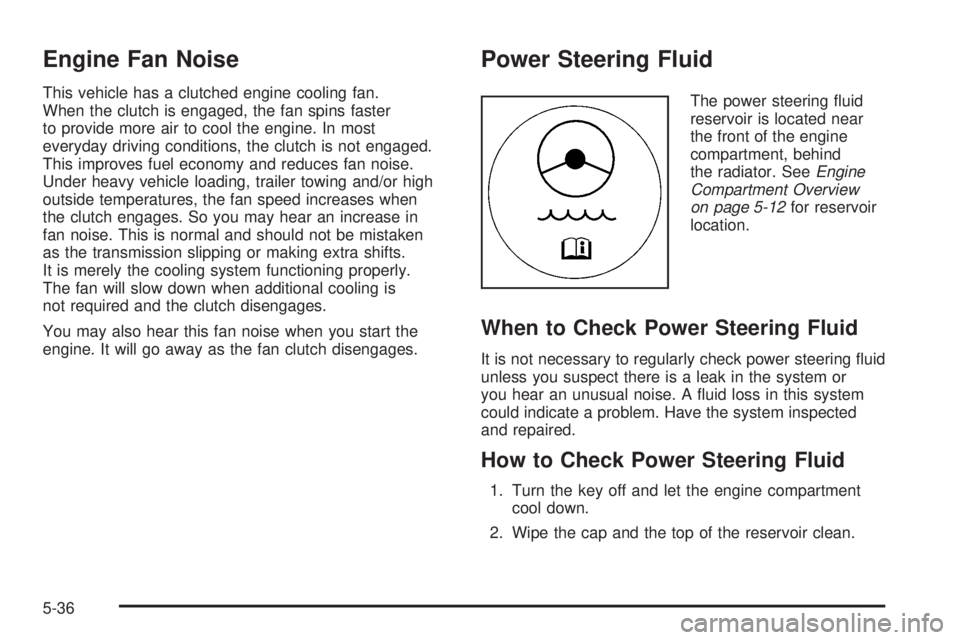
The power steering uid
reservoir is located near
the front of the engine
compartment, behind
the radiator. SeeEngine
Compartment Overview
on page 5-12for reservoir
location.
When to Check Power Steering Fluid
It is not necessary to regularly check power steering uid
unless you suspect there is a leak in the system or
you hear an unusual noise. A uid loss in this system
could indicate a problem. Have the system inspected
and repaired.
How to Check Power Steering Fluid
1. Turn the key off and let the engine compartment
cool down.
2. Wipe the cap and the top of the reservoir clean.
5-36