towing GMC CANYON 2008 Owner's Guide
[x] Cancel search | Manufacturer: GMC, Model Year: 2008, Model line: CANYON, Model: GMC CANYON 2008Pages: 428, PDF Size: 5.82 MB
Page 259 of 428
White: Ground
Light Green: Back-up Lamps
Red: Battery Feed
Dark Blue: Trailer Brake
If you are charging a remote (non-vehicle) battery, turn
on the headlamps to boost the vehicle system voltage
to properly charge the battery.
Trailer Brake Control Wiring Harness
The wires for the trailer brake control are taped to a
wiring harness under the instrument panel. The trailer
brake control harness will contain the following
labeled wires:
Dark Blue Wire (#47): Trailer Brake
Red Wire (#242): Batt ‘‘+’’
Light Blue Wire (#20): Brake Lights
Black Wire (#2050): Brake Ground
Trailer Recommendations
You must subtract your hitch load from the CWR for
your vehicle. Weigh your vehicle with your trailer
attached, so that you won’t go over the GVWR or
the GAWR.
You’ll get the best performance if you spread out the
weight of your load the right way, and if you choose the
correct hitch and trailer brakes.
For more information, seeTowing a Trailer on page 4-44
later in this section.
4-57
Page 290 of 428
If No Steam Is Coming From
Your Engine
If you get an engine overheat warning but see or
hear no steam, the problem may not be too serious.
Sometimes the engine can get a little too hot when you:
Climb a long hill on a hot day.
Stop after high-speed driving.
Idle for long periods in traffic.
Tow a trailer. See “Driving on Grades” under
Towing a Trailer on page 4-44.
If you get the overheat warning with no sign of steam,
try this for a minute or so:
1. In heavy traffic, let the engine idle in NEUTRAL
while stopped. If it is safe to do so, pull off the
road, shift to PARK (P) or NEUTRAL and let
the engine idle.
2. Turn off the air conditioning.
3. Turn on your heater to full hot at the highest fan
speed and open the windows as necessary.If you no longer have the overheat warning, you can
drive. Just to be safe, drive slower for about 10 minutes.
If the warning does not come back on, you can drive
normally.
If the warning continues, pull over, stop, and park your
vehicle right away.
If there is still no sign of steam, idle the engine for
three minutes while you are parked. Push down
the accelerator until the engine speed is about twice
as fast as normal idle speed for at least three minutes
while you are parked. If you still have the warning,
turn off the engine and get everyone out of the vehicle
until it cools down.
You may decide not to lift the hood but to get service
help right away.
5-30
Page 296 of 428
Engine Fan Noise
This vehicle has a clutched engine cooling fan.
When the clutch is engaged, the fan spins faster
to provide more air to cool the engine. In most
everyday driving conditions, the clutch is not engaged.
This improves fuel economy and reduces fan noise.
Under heavy vehicle loading, trailer towing and/or high
outside temperatures, the fan speed increases when
the clutch engages. So you may hear an increase in
fan noise. This is normal and should not be mistaken
as the transmission slipping or making extra shifts.
It is merely the cooling system functioning properly.
The fan will slow down when additional cooling is
not required and the clutch disengages.
You may also hear this fan noise when you start the
engine. It will go away as the fan clutch disengages.
Power Steering Fluid
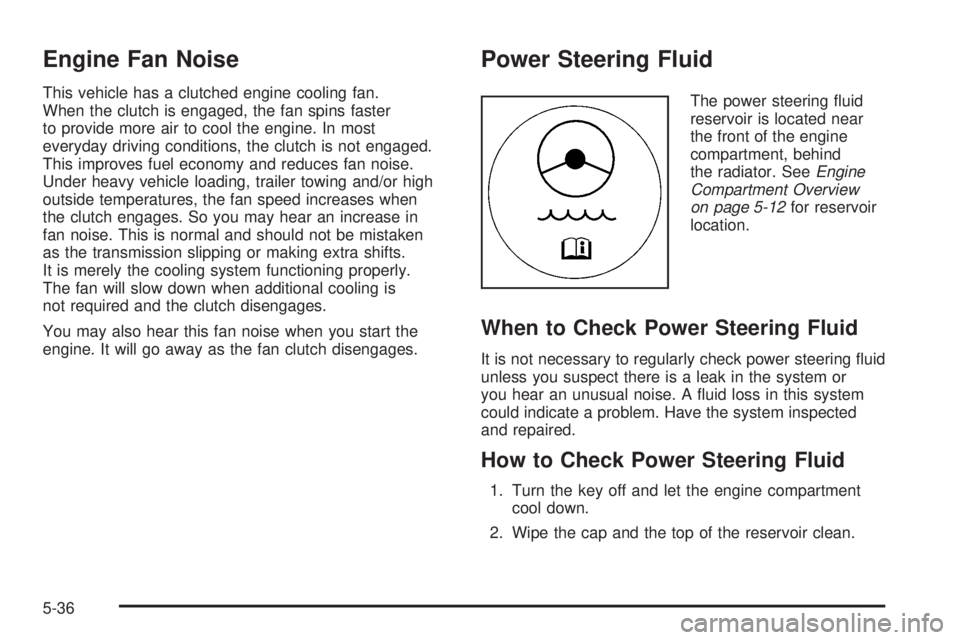
The power steering uid
reservoir is located near
the front of the engine
compartment, behind
the radiator. SeeEngine
Compartment Overview
on page 5-12for reservoir
location.
When to Check Power Steering Fluid
It is not necessary to regularly check power steering uid
unless you suspect there is a leak in the system or
you hear an unusual noise. A uid loss in this system
could indicate a problem. Have the system inspected
and repaired.
How to Check Power Steering Fluid
1. Turn the key off and let the engine compartment
cool down.
2. Wipe the cap and the top of the reservoir clean.
5-36
Page 358 of 428
Spare Tire
Compact Spare Tire
Your vehicle may have a compact spare tire. Although
the compact spare tire was fully inated when your
vehicle was new, it can lose air over time. Check the
ination pressure regularly. It should be 60 psi (420 kPa).
Notice:If your vehicle has four-wheel drive and
the compact spare tire is installed on your vehicle,
do not drive in four-wheel drive until you can
have your at tire repaired and/or replaced. You
could damage your vehicle, and the repair costs
would not be covered by your warranty. Never use
four-wheel drive when the compact spare tire is
installed on your vehicle.
After installing the compact spare on your vehicle,
you should stop as soon as possible and make sure
your vehicle’s spare tire is correctly inated. The
compact spare is made to perform well at speeds up
to 62 mph (100 km/h) for distances up to 500 miles
(804 km). For heavy payloads or towing, and for low
traction or four-wheel-drive conditions, repair or replace
the full-size tire. Of course, it is best to replace your
vehicle’s spare with a full-size tire as soon as you can.
The spare tire will last longer and be in good shape
in case you need it again.Notice:When the compact spare is installed,
do not take your vehicle through an automatic car
wash with guide rails. The compact spare can
get caught on the rails. That can damage the tire
and wheel, and maybe other parts of your vehicle.
Do not use your compact spare on other vehicles.
And do not mix your compact spare tire or wheel with
other wheels or tires. They will not t. Keep your
spare tire and its wheel together.
Notice:Tire chains will not t your compact spare.
Using them can damage your vehicle and can
damage the chains too. Do not use tire chains
on your compact spare.
Full-Size Spare Tire
Your vehicle may have a full-size spare tire, which,
when new, was fully inated. A spare tire may lose
air over time, so check its ination pressure regularly.
SeeInflation - Tire Pressure on page 5-62and
Loading Your Vehicle on page 4-32for information
regarding proper tire ination and loading your vehicle.
For instruction on how to remove, install, or store a
spare tire, seeRemoving the Flat Tire and Installing
the Spare Tire on page 5-84andStoring a Flat or
Spare Tire and Tools on page 5-94.
5-98
Page 359 of 428
Your vehicle may have a different size spare tire than
the road tires originally installed on your vehicle.
This spare was developed for use on your vehicle,
so it is all right to drive on it. If your vehicle has
four-wheel drive and the different size spare tire
is installed, keep the vehicle in two-wheel drive.
Notice:If your vehicle has four-wheel drive and
the different size spare tire is installed on your
vehicle, do not drive in four-wheel drive until you
can have your at tire repaired and/or replaced.
You could damage your vehicle, and the repair
costs would not be covered by your warranty.
Never use four-wheel drive when the different size
spare tire is installed on your vehicle.
After installing the spare tire on your vehicle, you should
stop as soon as possible and make sure the spare is
correctly inated. The spare tire is made to perform well
at speeds up to 62 mph (100 km/h) for distances up
to 500 miles (804 km). For heavy payloads or towing,
and for low traction or four-wheel-drive conditions, repair
or replace the full-size tire. Have the damaged or at
road tire repaired or replaced as soon as you can
and installed back onto your vehicle. This way, the
spare tire will be available in case you need it again.
Do not mix tires and wheels of different sizes, because
they will not t. Keep your spare tire and its wheel
together.Appearance Care
Interior Cleaning
Your vehicle’s interior will continue to look its best if it
is cleaned often. Although not always visible, dust
and dirt can accumulate on your upholstery. Dirt can
damage carpet, fabric, leather, and plastic surfaces.
Regular vacuuming is recommended to remove particles
from your upholstery. It is important to keep your
upholstery from becoming and remaining heavily soiled.
Soils should be removed as quickly as possible.
Your vehicle’s interior may experience extremes of
heat that could cause stains to set rapidly.
Lighter colored interiors may require more frequent
cleaning. Use care because newspapers and garments
that transfer color to your home furnishings may
also transfer color to your vehicle’s interior.
5-99
Page 386 of 428
(g)A fluid loss in any vehicle system could indicate a
problem. Have the system inspected and repaired and
the fluid level checked. Add fluid if needed.
(h)Change automatic transmission fluid and filter if the
vehicle is mainly driven under one or more of these
conditions:
In heavy city traffic where the outside temperature
regularly reaches 90°F (32°C) or higher.
In hilly or mountainous terrain.
When doing frequent trailer towing.
Uses such as found in taxi, police, or delivery
service.
(i)Drain, flush, and refill cooling system. This service
can be complex; you should have your dealer/retailer
perform this service. See Engine Coolant on page 5-26
for what to use. Inspect hoses. Clean radiator,
condenser, pressure cap, and filler neck. Pressure test
the cooling system and pressure cap.(j)If you drive regularly under dusty conditions, inspect
the filter at each engine oil change.
(k)Visually inspect belt for fraying, excessive cracks, or
obvious damage. Replace belt if necessary.
Owner Checks and Services
These owner checks and services should be performed
at the intervals specied to help ensure the safety,
dependability, and emission control performance of your
vehicle. Your dealer/retailer can assist you with these
checks and services.
Be sure any necessary repairs are completed at once.
Whenever any uids or lubricants are added to your
vehicle, make sure they are the proper ones, as shown
inRecommended Fluids and Lubricants on page 6-12.
6-8
Page 405 of 428
Towing and Road Service Exclusions
Specically excluded from Roadside Assistance
coverage are towing or services for vehicles operated
on a non-public roadway or highway, nes, impound
towing caused by a violation of local, Municipal, State,
Provincial, or Federal law, and mounting, dismounting or
changing of snow tires, chains, or other traction devices.
Roadside Assistance is not part of or included in the
coverage provided by the New Vehicle Limited Warranty.
GMC and General Motors of Canada Limited reserve
the right to make any changes or discontinue the
Roadside Assistance program at any time without
notication.
Scheduling Service Appointments
When your vehicle requires warranty service, contact
your dealer/retailer and request an appointment. By
scheduling a service appointment and advising your
service consultant of your transportation needs, your
dealer/retailer can help minimize your inconvenience.
If your vehicle cannot be scheduled into the service
department immediately, keep driving it until it can be
scheduled for service, unless, of course, the problem is
safety-related. If it is, please call your dealership/retailer,
let them know this, and ask for instructions.If the dealer/retailer requests that you simply drop the
vehicle off for service, you are urged to do so as early
in the work day as possible to allow for the same
day repair.
Courtesy Transportation
To enhance your ownership experience, we and our
participating dealers are proud to offer Courtesy
Transportation, a customer support program for vehicles
with the Bumper to Bumper (Base Warranty Coverage
period in Canada) and extended powertrain warranty in
both the U.S. and Canada.
Several courtesy transportation options are available to
assist in reducing your inconvenience when warranty
repairs are required.
Courtesy Transportation is not a part of the New Vehicle
Limited Warranty. A separate booklet entitled “Warranty
and Owner Assistance Information” furnished with each
new vehicle provides detailed warranty coverage
information.
7-9
Page 408 of 428
Repair Facility
GM also recommends that you choose a collision repair
facility that meets your needs before you ever need
collision repairs. Your dealer/retailer may have a
collision repair center with GM-trained technicians and
state of the art equipment, or be able to recommend a
collision repair center that has GM-trained technicians
and comparable equipment.
Insuring Your Vehicle
Protect your investment in your GM vehicle with
comprehensive and collision insurance coverage. There
are signicant differences in the quality of coverage
afforded by various insurance policy terms. Many
insurance policies provide reduced protection to your
GM vehicle by limiting compensation for damage repairs
by using aftermarket collision parts. Some insurance
companies will not specify aftermarket collision parts.
When purchasing insurance, we recommend that you
assure your vehicle will be repaired with GM original
equipment collision parts. If such insurance coverage
is not available from your current insurance carrier,
consider switching to another insurance carrier.
If your vehicle is leased, the leasing company may
require you to have insurance that assures repairs with
Genuine GM Original Equipment Manufacturer (OEM)
parts or Genuine Manufacturer replacement parts. Read
your lease carefully, as you may be charged at the end
of your lease for poor quality repairs.
If a Crash Occurs
Here is what to do if you are involved in a crash.
Try to relax and then check to make sure you are
all right. If you are uninjured, make sure that no one
else in your vehicle, or the other vehicle, is injured.
If there has been an injury, call emergency services
for help. Do not leave the scene of a crash until all
matters have been taken care of. Move your vehicle
only if its position puts you in danger or you are
instructed to move it by a police officer.
Give only the necessary and requested information
to police and other parties involved in the crash. Do
not discuss your personal condition, mental frame of
mind, or anything unrelated to the crash. This will
help guard against post-crash legal action.
If you need roadside assistance, call GM Roadside
Assistance. SeeRoadside Assistance Program on
page 7-7for more information.
If your vehicle cannot be driven, know where the
towing service will be taking it. Get a card from the
tow truck operator or write down the driver’s name,
the service’s name, and the phone number.
Remove any valuables from your vehicle before it is
towed away. Make sure this includes your insurance
information and registration if you keep these items
in your vehicle.
7-12
Page 424 of 428
Privacy..........................................................7-16
Event Data Recorders..................................7-16
Navigation System.......................................7-17
OnStar.......................................................7-17
Radio Frequency Identication.......................7-17
Programmable Automatic Door Locks.................. 2-8
R
Radiator Pressure Cap....................................5-29
Radio Frequency Identication (RFID), Privacy......7-17
Radios..........................................................3-46
Radio(s)........................................................3-48
Radios
Reception...................................................3-69
Setting the Time..........................................3-47
Theft-Deterrent............................................3-69
Rear Axle......................................................5-46
Limited-Slip.................................................. 4-6
Rear Door Security Locks.................................. 2-9
Rear Doors...................................................... 2-9
Rear Seat Operation.................................1-9, 1-10
Rear Storage Area..........................................2-51
Rearview Mirror, Automatic Dimming..................2-40
Rearview Mirror, Automatic Dimming with
Compass and Temperature Display................2-43
Rearview Mirror, Automatic Dimming with OnStar
®,
Compass and Temperature Display..................2-40Rearview Mirror with OnStar
®...........................2-39
Rearview Mirrors.............................................2-39
Reclining Seatbacks.......................................... 1-5
Recommended Fluids and Lubricants.................6-12
Recovery Hooks.............................................4-31
Recreational Vehicle Towing.............................4-38
Remote Keyless Entry (RKE) System.................. 2-4
Remote Keyless Entry (RKE) System,
Operation..................................................... 2-5
Removing the Flat Tire and Installing
the Spare Tire.............................................5-84
Removing the Spare Tire and Tools...................5-81
Replacement Bulbs.........................................5-53
Replacement Parts, Maintenance......................6-14
Reporting Safety Defects
Canadian Government..................................7-14
General Motors...........................................7-14
United States Government............................7-14
Restraint System Check
Checking the Restraint Systems....................1-75
Replacing Restraint System Parts
After a Crash..........................................1-76
Retained Accessory Power (RAP)......................2-21
Roadside
Assistance Program....................................... 7-7
Rocking Your Vehicle to Get it Out....................4-30
Routing, Engine Drive Belt...............................6-15
Running the Engine While Parked.....................2-38
10
Page 427 of 428
Tires (cont.)
Wheel Replacement.....................................5-76
When It Is Time for New Tires......................5-71
Towing
Recreational Vehicle.....................................4-38
Towing a Trailer..........................................4-44
Your Vehicle...............................................4-38
Traction
Control System (TCS).................................... 4-5
Control System Warning Light.......................3-32
Limited-Slip Rear Axle.................................... 4-6
Trailer
Recommendations.......................................4-57
Transmission
Fluid, Automatic...........................................5-21
Fluid, Manual..............................................5-23
Up-Shift Light..............................................3-30
Transmission Operation, Automatic....................2-23
Transmission Operation, Manual........................2-26
Trip Odometer................................................3-25
Truck-Camper Loading Information....................4-38
Turn and Lane-Change Signals.......................... 3-8
Turn Signal/Multifunction Lever........................... 3-7U
Uniform Tire Quality Grading............................5-74
Up-Shift Light.................................................3-30
Using this Manual............................................... iii
V
Vehicle
Control........................................................ 4-3
Damage Warnings........................................... iv
Loading......................................................4-32
Parking Your...............................................2-37
Symbols......................................................... iv
Vehicle Data Recording and Privacy..................7-16
Vehicle Identication
Number (VIN)............................................5-109
Service Parts Identication Label..................5-109
Ventilation Adjustment......................................3-22
Visors...........................................................2-14
13