warning light GMC CANYON 2008 Owner's Manual
[x] Cancel search | Manufacturer: GMC, Model Year: 2008, Model line: CANYON, Model: GMC CANYON 2008Pages: 428, PDF Size: 5.82 MB
Page 1 of 428
Seats and Restraint Systems........................... 1-1
Front Seats
............................................... 1-2
Rear Seats
............................................... 1-9
Safety Belts
.............................................1-12
Child Restraints
.......................................1-33
Airbag System
.........................................1-60
Restraint System Check
............................1-75
Features and Controls..................................... 2-1
Keys
........................................................ 2-3
Doors and Locks
....................................... 2-7
Windows
.................................................2-12
Theft-Deterrent Systems
............................2-15
Starting and Operating Your Vehicle
...........2-19
Mirrors
....................................................2-39
OnStar
®System
......................................2-47
Storage Areas
.........................................2-50
Sunroof
..................................................2-52
Instrument Panel............................................. 3-1
Instrument Panel Overview
.......................... 3-4
Climate Controls
......................................3-20
Warning Lights, Gages, and Indicators
........3-23
Driver Information Center (DIC)
..................3-38
Audio System(s)
.......................................3-46Driving Your Vehicle....................................... 4-1
Your Driving, the Road, and Your Vehicle
..... 4-2
Towing
...................................................4-38
Service and Appearance Care.......................... 5-1
Service
..................................................... 5-3
Fuel
......................................................... 5-5
Checking Things Under the Hood
...............5-10
Rear Axle
...............................................5-46
Four-Wheel Drive
.....................................5-47
Front Axle
...............................................5-48
Headlamp Aiming
.....................................5-49
Bulb Replacement
....................................5-49
Windshield Wiper Blade Replacement
.........5-54
Tires
......................................................5-56
Appearance Care
.....................................5-99
Vehicle Identication
...............................5-109
Electrical System
....................................5-110
Capacities and Specications
...................5-116
Maintenance Schedule..................................... 6-1
Maintenance Schedule
................................ 6-2
Customer Assistance Information.................... 7-1
Customer Assistance and Information
........... 7-2
Reporting Safety Defects
...........................7-14
Vehicle Data Recording and Privacy
...........7-16
Index................................................................ 1
2008 GMC Canyon Owner ManualM
Page 100 of 428
If you have an automatic transmission, the ignition
switch cannot be turned to LOCK/OFF unless the shift
lever is in PARK (P).
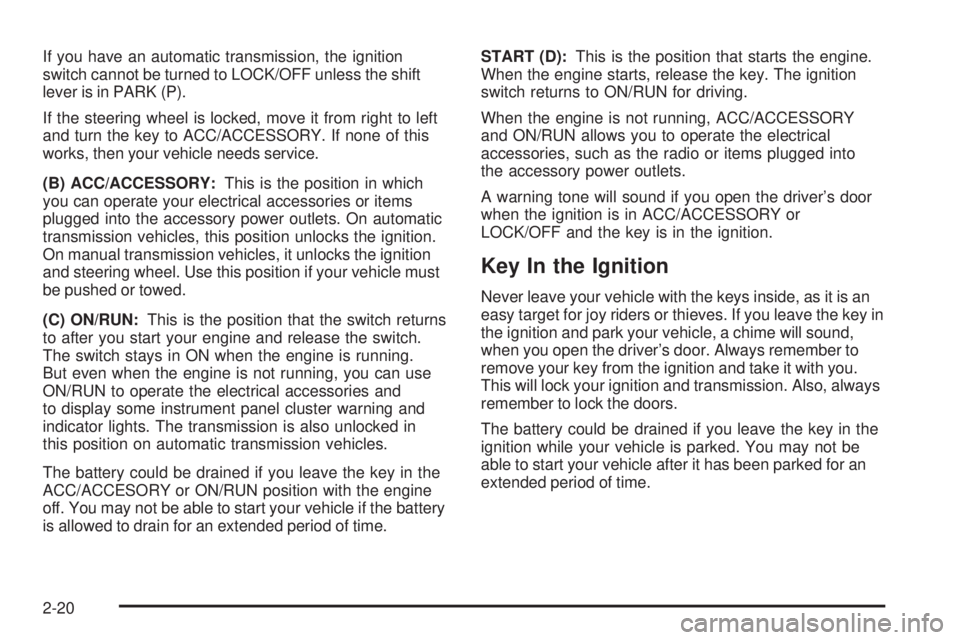
If the steering wheel is locked, move it from right to left
and turn the key to ACC/ACCESSORY. If none of this
works, then your vehicle needs service.
(B) ACC/ACCESSORY:This is the position in which
you can operate your electrical accessories or items
plugged into the accessory power outlets. On automatic
transmission vehicles, this position unlocks the ignition.
On manual transmission vehicles, it unlocks the ignition
and steering wheel. Use this position if your vehicle must
be pushed or towed.
(C) ON/RUN:This is the position that the switch returns
to after you start your engine and release the switch.
The switch stays in ON when the engine is running.
But even when the engine is not running, you can use
ON/RUN to operate the electrical accessories and
to display some instrument panel cluster warning and
indicator lights. The transmission is also unlocked in
this position on automatic transmission vehicles.
The battery could be drained if you leave the key in the
ACC/ACCESORY or ON/RUN position with the engine
off. You may not be able to start your vehicle if the battery
is allowed to drain for an extended period of time.START (D):This is the position that starts the engine.
When the engine starts, release the key. The ignition
switch returns to ON/RUN for driving.
When the engine is not running, ACC/ACCESSORY
and ON/RUN allows you to operate the electrical
accessories, such as the radio or items plugged into
the accessory power outlets.
A warning tone will sound if you open the driver’s door
when the ignition is in ACC/ACCESSORY or
LOCK/OFF and the key is in the ignition.
Key In the Ignition
Never leave your vehicle with the keys inside, as it is an
easy target for joy riders or thieves. If you leave the key in
the ignition and park your vehicle, a chime will sound,
when you open the driver’s door. Always remember to
remove your key from the ignition and take it with you.
This will lock your ignition and transmission. Also, always
remember to lock the doors.
The battery could be drained if you leave the key in the
ignition while your vehicle is parked. You may not be
able to start your vehicle after it has been parked for an
extended period of time.
2-20
Page 112 of 428
7. Turn the engine off by turning the key to ACC.
8. Place the transmission shift lever in PARK (P), or
FIRST (1) for vehicles that have a manual
transmission.
9. Turn the ignition to LOCK.
Shifting Out of NEUTRAL
After towing your vehicle, you will have to shift out of
NEUTRAL in order to drive. To shift out of NEUTRAL, do
the following:
1. Set the parking brake and apply the regular
brake pedal.
2. Start a vehicle with an automatic transmission in
PARK (P). Use FIRST (1) for vehicles with a
manual transmission.
3. Shift the transmission to NEUTRAL (N), or press
the clutch pedal for vehicles with a manual
transmission.
4. Press the button for the desired transfer case shift
position (Two-Wheel High, Four-Wheel High, or
Four-Wheel Low).
5. After the transfer case has shifted out of NEUTRAL,
the indicator light will go out.
6. Release the parking brake.
7. Shift the transmission to the desired position.
Parking Brake
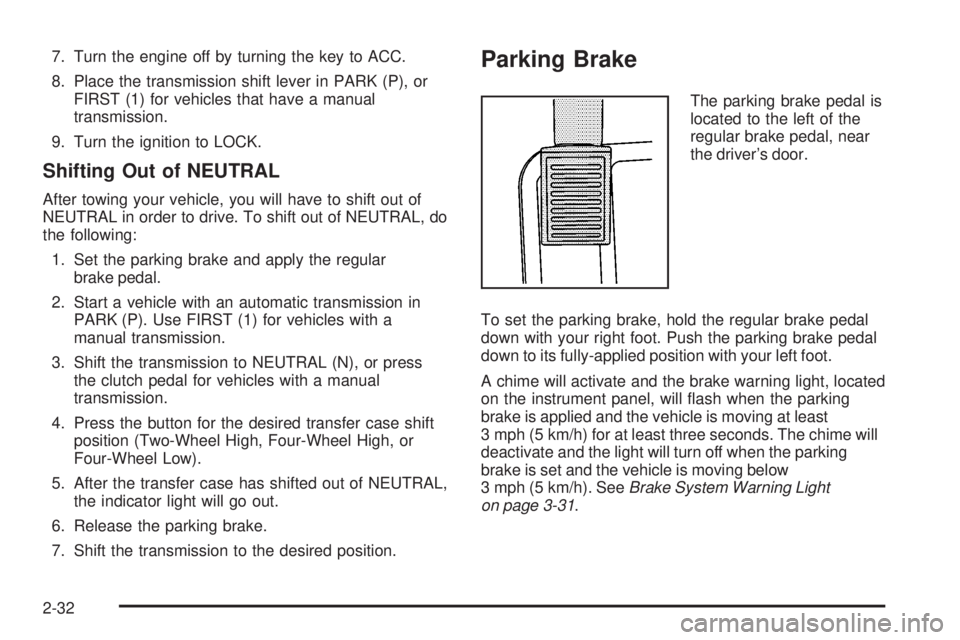
The parking brake pedal is
located to the left of the
regular brake pedal, near
the driver’s door.
To set the parking brake, hold the regular brake pedal
down with your right foot. Push the parking brake pedal
down to its fully-applied position with your left foot.
A chime will activate and the brake warning light, located
on the instrument panel, will ash when the parking
brake is applied and the vehicle is moving at least
3 mph (5 km/h) for at least three seconds. The chime will
deactivate and the light will turn off when the parking
brake is set and the vehicle is moving below
3 mph (5 km/h). SeeBrake System Warning Light
on page 3-31.
2-32
Page 113 of 428
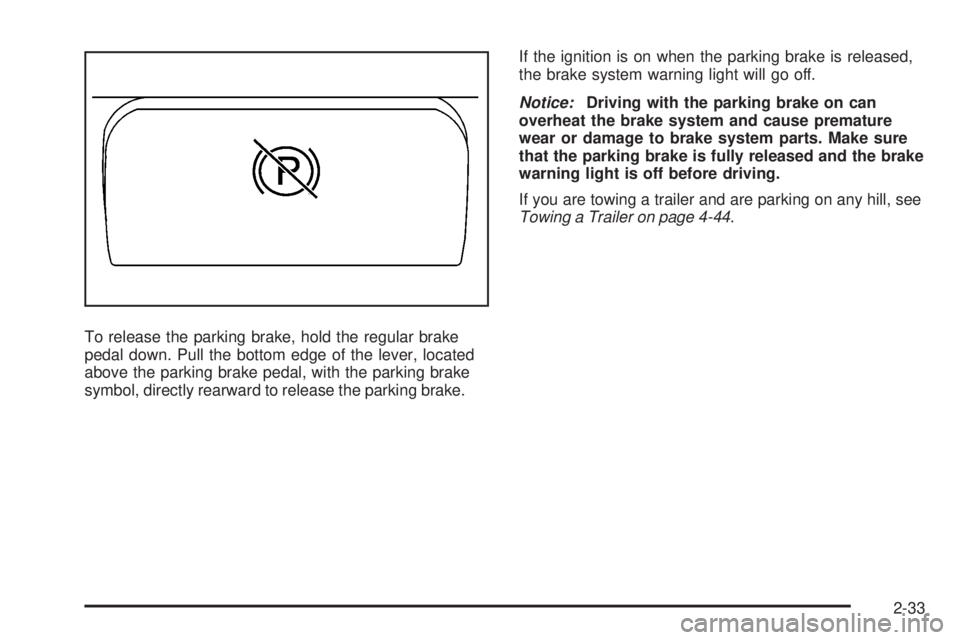
To release the parking brake, hold the regular brake
pedal down. Pull the bottom edge of the lever, located
above the parking brake pedal, with the parking brake
symbol, directly rearward to release the parking brake.If the ignition is on when the parking brake is released,
the brake system warning light will go off.
Notice:Driving with the parking brake on can
overheat the brake system and cause premature
wear or damage to brake system parts. Make sure
that the parking brake is fully released and the brake
warning light is off before driving.
If you are towing a trailer and are parking on any hill, see
Towing a Trailer on page 4-44.
2-33
Page 133 of 428
Instrument Panel Overview...............................3-4
Hazard Warning Flashers................................3-6
Other Warning Devices...................................3-6
Horn.............................................................3-6
Tilt Wheel.....................................................3-7
Turn Signal/Multifunction Lever.........................3-7
Turn and Lane-Change Signals........................3-8
Headlamp High/Low-Beam Changer..................3-8
Flash-to-Pass.................................................3-9
Windshield Wipers..........................................3-9
Windshield Washer.......................................3-10
Cruise Control..............................................3-10
Exterior Lamps.............................................3-13
Headlamps on Reminder................................3-14
Daytime Running Lamps (DRL).......................3-14
Automatic Headlamp System..........................3-15
Fog Lamps..................................................3-16
Exterior Cargo Lamps....................................3-16
Interior Lamps..............................................3-16
Instrument Panel Brightness...........................3-17Dome Lamp.................................................3-17
Dome Lamp Override....................................3-17
Exit Lighting.................................................3-17
Electric Power Management...........................3-18
Battery Run-Down Protection..........................3-18
Accessory Power Outlet(s).............................3-18
Ashtray(s) and Cigarette Lighter......................3-19
Climate Controls............................................3-20
Climate Control System.................................3-20
Outlet Adjustment.........................................3-22
Warning Lights, Gages, and Indicators............3-23
Instrument Panel Cluster................................3-24
Speedometer and Odometer...........................3-25
Trip Odometer.............................................
.3-25
Tachometer.................................................3-25
Safety Belt Reminders...................................3-26
Airbag Readiness Light..................................3-27
Passenger Airbag Status Indicator...................3-28
Charging System Light..................................3-30
Section 3 Instrument Panel
3-1
Page 134 of 428
Up-Shift Light...............................................3-30
Brake System Warning Light..........................3-31
Antilock Brake System Warning Light...............3-32
Traction Control System (TCS)
Warning Light...........................................3-32
Engine Coolant Temperature Gage..................3-33
Tire Pressure Light.......................................3-33
Malfunction Indicator Lamp.............................3-34
Oil Pressure Light.........................................3-36
Security Light...............................................3-37
Cruise Control Light......................................3-37
Highbeam On Light.......................................3-37
Fuel Gage...................................................3-38Driver Information Center (DIC).......................3-38
DIC Operation and Displays...........................3-38
DIC Warnings and Messages.........................3-42
Audio System(s).............................................3-46
Setting the Time...........................................3-47
Radio(s)......................................................3-48
Using an MP3..............................................3-64
XM Radio Messages.....................................3-68
Theft-Deterrent Feature..................................3-69
Radio Reception...........................................3-69
Fixed Mast Antenna......................................3-70
XM™ Satellite Radio Antenna System..............3-70
Chime Level Adjustment................................3-70
Section 3 Instrument Panel
3-2
Page 137 of 428
The main components of your vehicle’s instrument panel are the following:
A. Air Outlets. SeeOutlet Adjustment on page 3-22.
B. Turn Signal/Multifunction Lever. SeeTurn
Signal/Multifunction Lever on page 3-7.
C. Instrument Panel Cluster. SeeInstrument Panel
Cluster on page 3-24.
D. Hazard Warning Flasher Button. SeeHazard
Warning Flashers on page 3-6.
E. Passenger Side Airbag. SeeAirbag System on
page 1-60.
F. Exterior Lamp Controls. SeeExterior Lamps on
page 3-13. Fog Lamps (If Equipped). SeeFog
Lamps on page 3-16. Exterior Cargo Lamps.
SeeExterior Cargo Lamps on page 3-16.
G. Parking Brake Release. SeeParking Brake on
page 2-32.H. Horn. SeeHorn on page 3-6.
I. Traction Control Button or Four-Wheel Drive Buttons.
SeeTraction Control System (TCS) on page 4-5
andFour-Wheel Drive on page 2-28.
J. Audio System. SeeAudio System(s) on page 3-46.
K. Cigarette Lighter (If Equipped). SeeAshtray(s)
and Cigarette Lighter on page 3-19.
L. Climate Control System. SeeClimate Control
System on page 3-20.
M. Accessory Power Outlet. SeeAccessory Power
Outlet(s) on page 3-18.
N. Passenger Air Bag Status Indicator. SeePassenger
Airbag Status Indicator on page 3-28.
O. Glove Box. SeeGlove Box on page 2-50.
3-5
Page 140 of 428
Turn and Lane-Change Signals
The turn signal has two upward (for right) and two
downward (for left) positions. These positions allow
you to signal a turn or a lane change.
To signal a turn, move the lever all the way up or down.
When the turn is nished, the lever will automatically
return to the off position.
To signal a lane change, raise or lower the lever until
the arrow starts to ash. Hold it there until the change is
completed. The lever will return by itself when released.
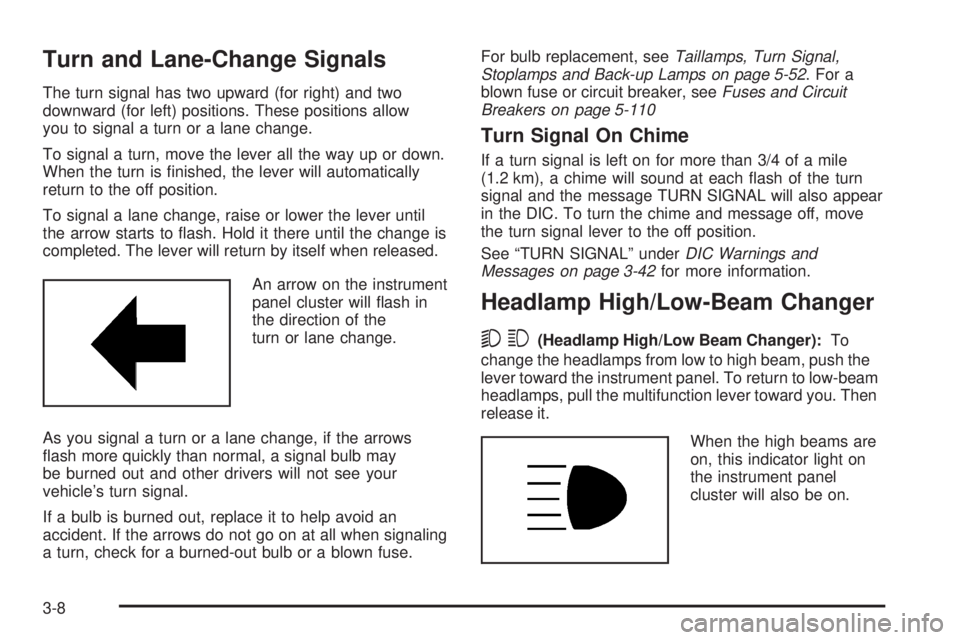
An arrow on the instrument
panel cluster will ash in
the direction of the
turn or lane change.
As you signal a turn or a lane change, if the arrows
ash more quickly than normal, a signal bulb may
be burned out and other drivers will not see your
vehicle’s turn signal.
If a bulb is burned out, replace it to help avoid an
accident. If the arrows do not go on at all when signaling
a turn, check for a burned-out bulb or a blown fuse.For bulb replacement, seeTaillamps, Turn Signal,
Stoplamps and Back-up Lamps on page 5-52. For a
blown fuse or circuit breaker, seeFuses and Circuit
Breakers on page 5-110
Turn Signal On Chime
If a turn signal is left on for more than 3/4 of a mile
(1.2 km), a chime will sound at each ash of the turn
signal and the message TURN SIGNAL will also appear
in the DIC. To turn the chime and message off, move
the turn signal lever to the off position.
See “TURN SIGNAL” underDIC Warnings and
Messages on page 3-42for more information.
Headlamp High/Low-Beam Changer
53(Headlamp High/Low Beam Changer):To
change the headlamps from low to high beam, push the
lever toward the instrument panel. To return to low-beam
headlamps, pull the multifunction lever toward you. Then
release it.
When the high beams are
on, this indicator light on
the instrument panel
cluster will also be on.
3-8
Page 155 of 428
Warning Lights, Gages, and
Indicators
This part describes the warning lights and gages
that may be on your vehicle. The pictures will help
you locate them.
Warning lights and gages can signal that something
is wrong before it becomes serious enough to cause
an expensive repair or replacement. Paying attention
to your warning lights and gages could also save you
or others from injury.
Warning lights come on when there may be or is a
problem with one of your vehicle’s functions. As you
will see in the details on the next few pages, some
warning lights come on briey when you start the engine
just to let you know they are working. If you are familiar
with this section, you should not be alarmed when this
happens.Gages can indicate when there may be or is a problem
with one of your vehicle’s functions. Often gages and
warning lights work together to let you know when there
is a problem with your vehicle.
When one of the warning lights comes on and stays on
when you are driving, or when one of the gages shows
there may be a problem, check the section that tells you
what to do about it. Please follow this manual’s advice.
Waiting to do repairs can be costly — and even
dangerous. So please get to know your warning
lights and gages. They are a big help.
Your vehicle has a DIC that works along with the
warning lights and gages. SeeDriver Information
Center (DIC) on page 3-38for more information.
3-23
Page 159 of 428
Airbag Readiness Light
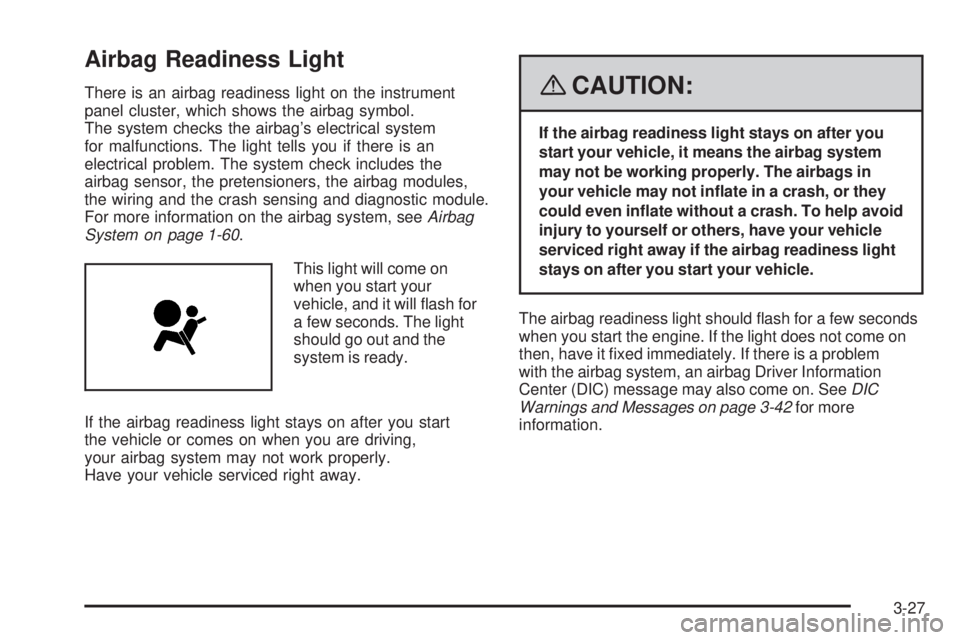
There is an airbag readiness light on the instrument
panel cluster, which shows the airbag symbol.
The system checks the airbag’s electrical system
for malfunctions. The light tells you if there is an
electrical problem. The system check includes the
airbag sensor, the pretensioners, the airbag modules,
the wiring and the crash sensing and diagnostic module.
For more information on the airbag system, seeAirbag
System on page 1-60.
This light will come on
when you start your
vehicle, and it will ash for
a few seconds. The light
should go out and the
system is ready.
If the airbag readiness light stays on after you start
the vehicle or comes on when you are driving,
your airbag system may not work properly.
Have your vehicle serviced right away.{CAUTION:
If the airbag readiness light stays on after you
start your vehicle, it means the airbag system
may not be working properly. The airbags in
your vehicle may not inate in a crash, or they
could even inate without a crash. To help avoid
injury to yourself or others, have your vehicle
serviced right away if the airbag readiness light
stays on after you start your vehicle.
The airbag readiness light should ash for a few seconds
when you start the engine. If the light does not come on
then, have it xed immediately. If there is a problem
with the airbag system, an airbag Driver Information
Center (DIC) message may also come on. SeeDIC
Warnings and Messages on page 3-42for more
information.
3-27