brake light GMC CANYON 2010 Owner's Manual
[x] Cancel search | Manufacturer: GMC, Model Year: 2010, Model line: CANYON, Model: GMC CANYON 2010Pages: 448, PDF Size: 2.62 MB
Page 5 of 448
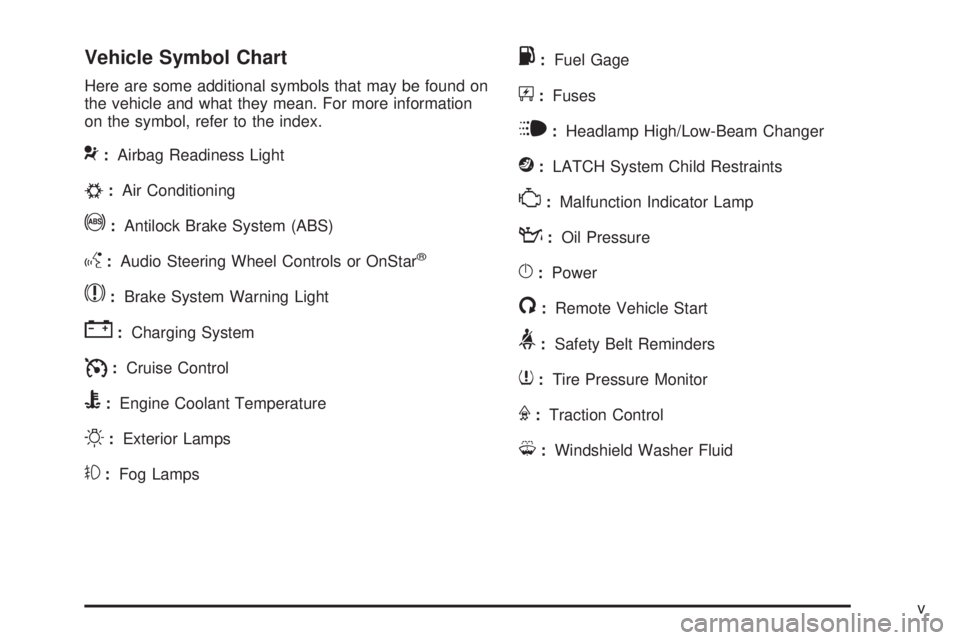
Vehicle Symbol Chart
Here are some additional symbols that may be found on
the vehicle and what they mean. For more information
on the symbol, refer to the index.
9:Airbag Readiness Light
#:Air Conditioning
!:Antilock Brake System (ABS)
g:Audio Steering Wheel Controls or OnStar®
$:Brake System Warning Light
":Charging System
I:Cruise Control
B:Engine Coolant Temperature
O:Exterior Lamps
#:Fog Lamps
.:Fuel Gage
+:Fuses
i:Headlamp High/Low-Beam Changer
j:LATCH System Child Restraints
*:Malfunction Indicator Lamp
::Oil Pressure
}:Power
/:Remote Vehicle Start
>:Safety Belt Reminders
7:Tire Pressure Monitor
F:Traction Control
M:Windshield Washer Fluid
v
Page 9 of 448
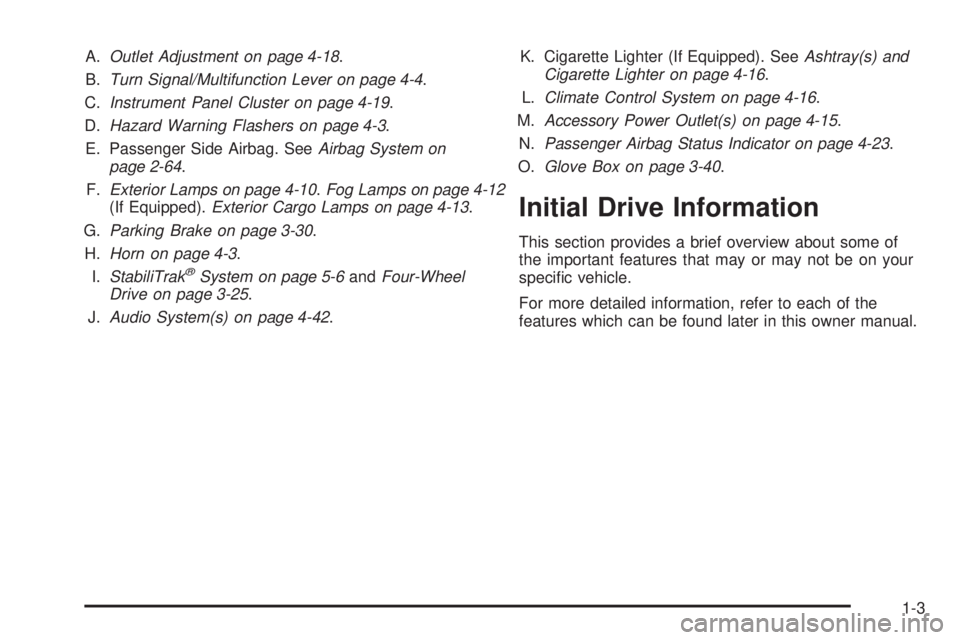
A.Outlet Adjustment on page 4-18.
B.Turn Signal/Multifunction Lever on page 4-4.
C.Instrument Panel Cluster on page 4-19.
D.Hazard Warning Flashers on page 4-3.
E. Passenger Side Airbag. SeeAirbag System on
page 2-64.
F.Exterior Lamps on page 4-10.Fog Lamps on page 4-12
(If Equipped).Exterior Cargo Lamps on page 4-13.
G.Parking Brake on page 3-30.
H.Horn on page 4-3.
I.StabiliTrak
®System on page 5-6andFour-Wheel
Drive on page 3-25.
J.Audio System(s) on page 4-42.K. Cigarette Lighter (If Equipped). SeeAshtray(s) and
Cigarette Lighter on page 4-16.
L.Climate Control System on page 4-16.
M.Accessory Power Outlet(s) on page 4-15.
N.Passenger Airbag Status Indicator on page 4-23.
O.Glove Box on page 3-40.
Initial Drive Information
This section provides a brief overview about some of
the important features that may or may not be on your
specific vehicle.
For more detailed information, refer to each of the
features which can be found later in this owner manual.
1-3
Page 126 of 448
3. After the engine has started, turn the key to
LOCK/OFF, and remove the key.
4. Insert the second current driver’s key in the ignition
and start the engine within ten seconds of removing
the previous key. If the engine does not start see
your dealer/retailer for service.
5. After the engine has started, turn the key to
LOCK/OFF, and remove the key. Insert the key to
be programmed and turn it to ON/RUN within
ten seconds of removing the previous key.
The security light turns off once the key has been
programmed.
6. Repeat the Steps 1 through 5 if additional keys are
to be programmed.
If the security light comes on and stays on while driving,
the engine will restart if you turn it off. However, the
theft-deterrent system is not working properly and must
be serviced by your dealer/retailer. The vehicle is
not protected by the theft-deterrent system at this time.
In an emergency, contact Roadside Assistance.
SeeRoadside Assistance Program on page 8-7.
Do not leave the key or device that disarms or
deactivates the theft deterrent system in the vehicle.Starting and Operating
Your Vehicle
New Vehicle Break-In
Notice:The vehicle does not need an elaborate
break-in. But it will perform better in the long run
if you follow these guidelines:
Keep your speed at 55 mph (88 km/h) or less for
the rst 500 miles (805 km).
Do not drive at any one constant speed, fast or
slow, for the rst 500 miles (805 km). Do not
make full-throttle starts. Avoid downshifting to
brake or slow the vehicle.
Avoid making hard stops for the rst 200 miles
(322 km) or so. During this time the new brake
linings are not yet broken in. Hard stops with
new linings can mean premature wear and
earlier replacement. Follow this breaking-in
guideline every time you get new brake linings.
Do not tow a trailer during break-in. SeeTowing
a Trailer on page 5-48for the trailer towing
capabilities of the vehicle and more information.
Following break-in, engine speed and load can
be gradually increased.
3-16
Page 127 of 448
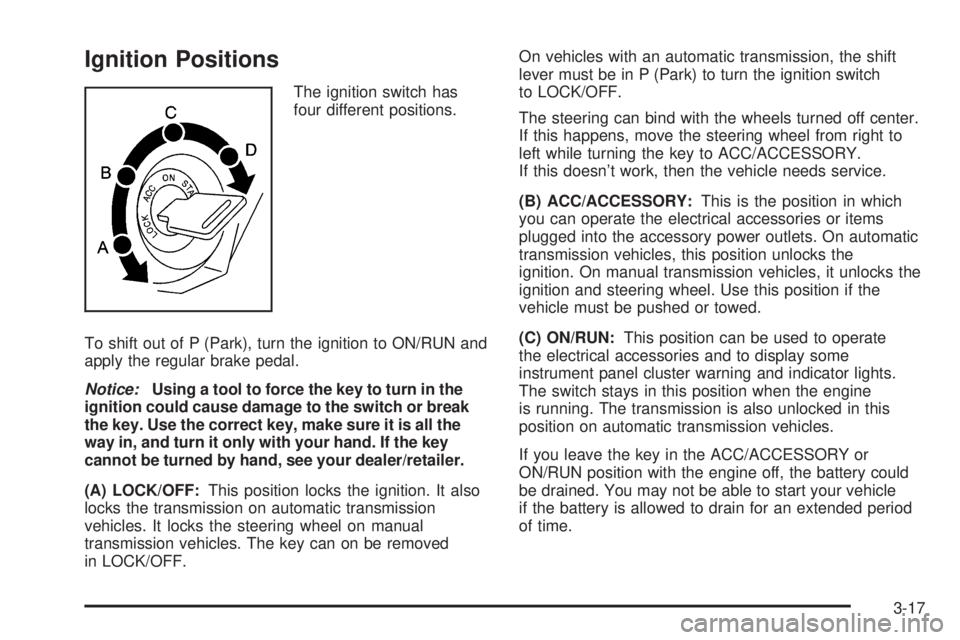
Ignition Positions
The ignition switch has
four different positions.
To shift out of P (Park), turn the ignition to ON/RUN and
apply the regular brake pedal.
Notice:Using a tool to force the key to turn in the
ignition could cause damage to the switch or break
the key. Use the correct key, make sure it is all the
way in, and turn it only with your hand. If the key
cannot be turned by hand, see your dealer/retailer.
(A) LOCK/OFF:This position locks the ignition. It also
locks the transmission on automatic transmission
vehicles. It locks the steering wheel on manual
transmission vehicles. The key can on be removed
in LOCK/OFF.On vehicles with an automatic transmission, the shift
lever must be in P (Park) to turn the ignition switch
to LOCK/OFF.
The steering can bind with the wheels turned off center.
If this happens, move the steering wheel from right to
left while turning the key to ACC/ACCESSORY.
If this doesn’t work, then the vehicle needs service.
(B) ACC/ACCESSORY:This is the position in which
you can operate the electrical accessories or items
plugged into the accessory power outlets. On automatic
transmission vehicles, this position unlocks the
ignition. On manual transmission vehicles, it unlocks the
ignition and steering wheel. Use this position if the
vehicle must be pushed or towed.
(C) ON/RUN:This position can be used to operate
the electrical accessories and to display some
instrument panel cluster warning and indicator lights.
The switch stays in this position when the engine
is running. The transmission is also unlocked in this
position on automatic transmission vehicles.
If you leave the key in the ACC/ACCESSORY or
ON/RUN position with the engine off, the battery could
be drained. You may not be able to start your vehicle
if the battery is allowed to drain for an extended period
of time.
3-17
Page 134 of 448
3 (Third), 4 (Fourth) and 5 (Fifth):Shift into 3 (Third),
4 (Fourth) and 5 (Fifth) the same way you do for
2 (Second). Slowly let up on the clutch pedal as you
press the accelerator pedal.
To stop, let up on the accelerator pedal and press the
brake pedal. Just before the vehicle stops, press the
clutch pedal and the brake pedal, and shift to Neutral.
Neutral:Use this position when you start or idle the
engine.
R (Reverse):To back up, press the clutch pedal.
After the vehicle stops, shift into R (Reverse). Slowly let
up on the clutch pedal as you press the accelerator
pedal. If it is hard to shift, let the shift lever return
to Neutral and release the clutch pedal. Then press
the clutch again and shift into R (Reverse). Do not
attempt to shift into 5 (Fifth) prior to shifting into
R (Reverse). The transmission has a lock out feature
which prevents a 5 (Fifth) gear to R (Reverse) gear shift.
Notice:Shifting to R (Reverse) while the vehicle
is moving forward could damage the transmission.
The repairs would not be covered by the vehicle
warranty. Shift to R (Reverse) only after the vehicle
is stopped.
Use R (Reverse), along with the parking brake, for
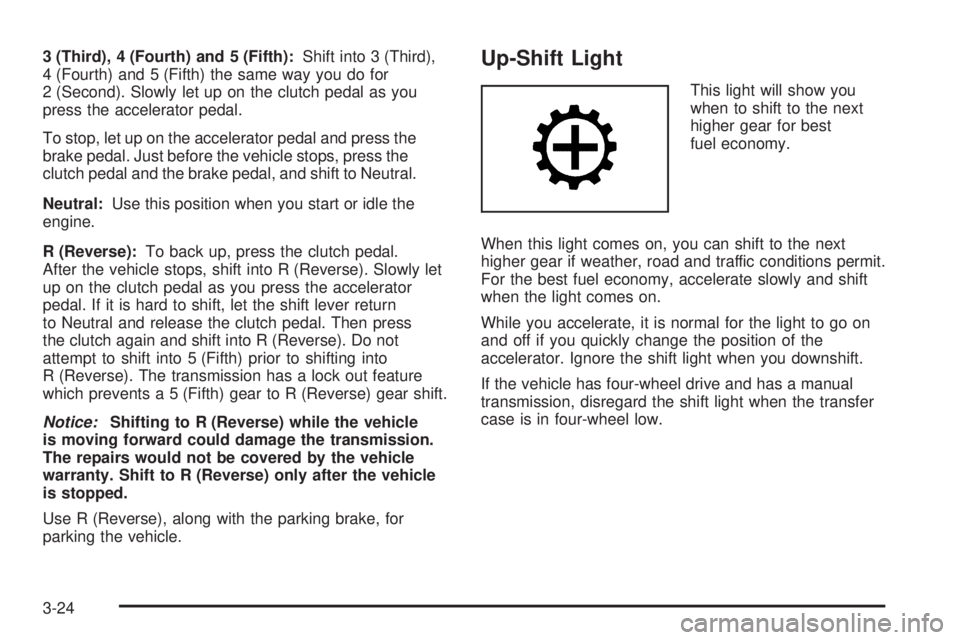
parking the vehicle.Up-Shift Light
This light will show you
when to shift to the next
higher gear for best
fuel economy.
When this light comes on, you can shift to the next
higher gear if weather, road and traffic conditions permit.
For the best fuel economy, accelerate slowly and shift
when the light comes on.
While you accelerate, it is normal for the light to go on
and off if you quickly change the position of the
accelerator. Ignore the shift light when you downshift.
If the vehicle has four-wheel drive and has a manual
transmission, disregard the shift light when the transfer
case is in four-wheel low.
3-24
Page 138 of 448
Shifting from Two-Wheel High or
Four-Wheel High to Four-Wheel Low
To shift from Two-Wheel High or Four-Wheel High to
Four-Wheel Low, the vehicle must be stopped or moving
less than 3 mph (5 km/h) with the transmission in
N (Neutral) for an automatic transmission or the clutch
pedal pressed for a manual transmission. The preferred
method for shifting into Four-Wheel Low is to have
your vehicle moving 1 to 2 mph (1.6 to 3.2 km/h).
Press and release the Four-Wheel Low button.
You must wait for the Four-Wheel Low indicator light
to stop flashing and stay on before shifting the
transmission into gear or releasing the clutch pedal.
If the Four-Wheel Low button is pressed when the
vehicle is in gear and/or moving faster than 3 mph
(5 km/h), the four-wheel low indicator light will flash for
30 seconds and not complete the shift.
Shifting from Four-Wheel Low to
Two-Wheel High or Four-Wheel High
To shift from Four-Wheel Low to Two-Wheel High or
Four-Wheel High, the vehicle must be stopped or
moving less than 3 mph (5 km/h) with the transmission
in N (Neutral) for an automatic transmission or the
clutch pedal pressed for a manual transmission.The preferred method for shifting out of four-wheel
low is to have your vehicle moving 1 to 2 mph
(1.6 to 3.2 km/h).
Press and release the Four-Wheel High or Two-Wheel
High button. You must wait for the Four-Wheel High
or Two-Wheel High indicator light to stop flashing and
stay on before shifting the transmission into gear or
releasing the clutch pedal.
If the Four-Wheel High or Two-Wheel High button is
pressed when the vehicle is in gear and/or moving
faster than 3 mph (5 km/h), the Four-Wheel High or
Two Wheel High indicator light will flash for 30 seconds
but not complete the shift.
Shifting to Neutral
Use N (Neutral) when you plan to tow the vehicle.
SeeRecreational Vehicle Towing on page 5-41for towing
instructions. To shift the transfer case into N (Neutral)
do the following:
1. Set the parking brake.
2. Start the vehicle.
3. Press the regular brake pedal and shift the
transmission in N (Neutral), or press in the clutch
for vehicles with a manual transmission.
3-28
Page 139 of 448
4. Shift the transfer case to Two-Wheel High.
5. Press and hold the Two-Wheel High and
Four-Wheel Low buttons at the same time for
10 seconds. The N (Neutral) light will come on when
the transfer case shift to N (Neutral) is complete.
6. Press and hold the regular brake pedal and shift
the transmission to R (Reverse) for one second,
then shift the transmission to D (Drive) for
one second, or 1 (First) for vehicles with manual
transmissions, and let out the clutch to insure
the transfer case is in N (Neutral). If the transfer
case is not in N (Neutral), repeat this procedure
starting at Step 3.
7. Turn the engine off by turning the key to
ACC/ACCESSORY.
8. Place the transmission shift lever in P (Park),
or 1 (First) for vehicles that have a manual
transmission.
9. Turn the ignition to LOCK/OFF.Shifting Out of Neutral
After towing the vehicle, you will have to shift out of
N (Neutral) in order to drive. To shift out of N (Neutral),
do the following:
1. Set the parking brake and apply the regular brake
pedal.
2. Start a vehicle with an automatic transmission in
P (Park). Use 1 (First) for vehicles with a manual
transmission.
3. Shift the transmission to N (Neutral), or press the
clutch pedal for vehicles with a manual
transmission.
4. Press the button for the desired transfer case shift
position (Two-Wheel High, Four-Wheel High, or
Four-Wheel Low).
5. After the transfer case has shifted out of N (Neutral),
the indicator light will go out.
6. Release the parking brake.
7. Shift the transmission to the desired position.
3-29
Page 140 of 448
Parking Brake
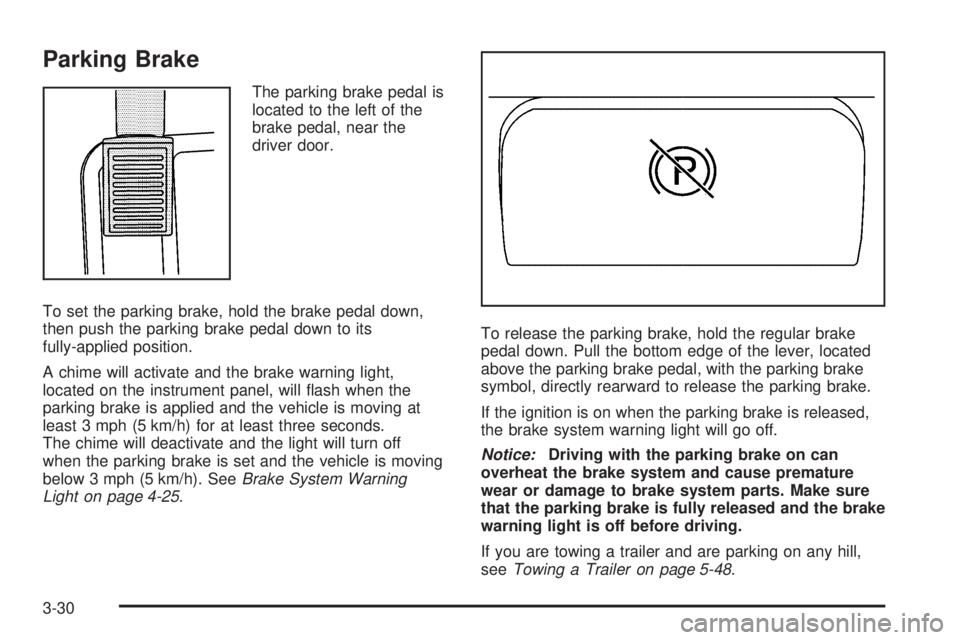
The parking brake pedal is
located to the left of the
brake pedal, near the
driver door.
To set the parking brake, hold the brake pedal down,
then push the parking brake pedal down to its
fully-applied position.
A chime will activate and the brake warning light,
located on the instrument panel, will flash when the
parking brake is applied and the vehicle is moving at
least 3 mph (5 km/h) for at least three seconds.
The chime will deactivate and the light will turn off
when the parking brake is set and the vehicle is moving
below 3 mph (5 km/h). SeeBrake System Warning
Light on page 4-25.To release the parking brake, hold the regular brake
pedal down. Pull the bottom edge of the lever, located
above the parking brake pedal, with the parking brake
symbol, directly rearward to release the parking brake.
If the ignition is on when the parking brake is released,
the brake system warning light will go off.
Notice:Driving with the parking brake on can
overheat the brake system and cause premature
wear or damage to brake system parts. Make sure
that the parking brake is fully released and the brake
warning light is off before driving.
If you are towing a trailer and are parking on any hill,
seeTowing a Trailer on page 5-48.
3-30
Page 153 of 448
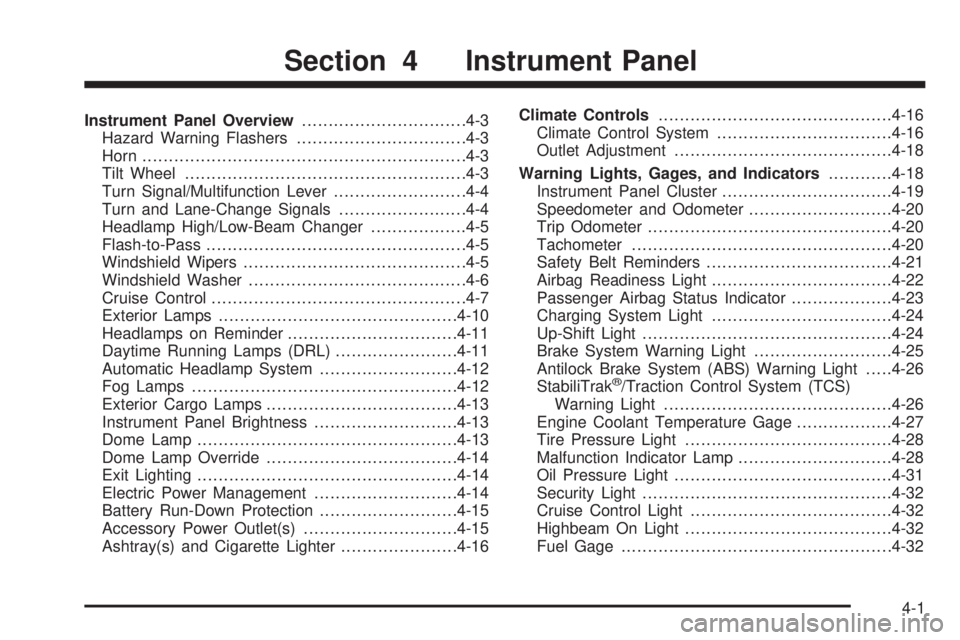
Instrument Panel Overview...............................4-3
Hazard Warning Flashers................................4-3
Horn .............................................................4-3
Tilt Wheel.....................................................4-3
Turn Signal/Multifunction Lever.........................4-4
Turn and Lane-Change Signals........................4-4
Headlamp High/Low-Beam Changer..................4-5
Flash-to-Pass.................................................4-5
Windshield Wipers..........................................4-5
Windshield Washer.........................................4-6
Cruise Control................................................4-7
Exterior Lamps.............................................4-10
Headlamps on Reminder................................4-11
Daytime Running Lamps (DRL).......................4-11
Automatic Headlamp System..........................4-12
Fog Lamps ..................................................4-12
Exterior Cargo Lamps....................................4-13
Instrument Panel Brightness...........................4-13
Dome Lamp .................................................4-13
Dome Lamp Override....................................4-14
Exit Lighting.................................................4-14
Electric Power Management...........................4-14
Battery Run-Down Protection..........................4-15
Accessory Power Outlet(s).............................4-15
Ashtray(s) and Cigarette Lighter......................4-16Climate Controls............................................4-16
Climate Control System.................................4-16
Outlet Adjustment.........................................4-18
Warning Lights, Gages, and Indicators............4-18
Instrument Panel Cluster................................4-19
Speedometer and Odometer...........................4-20
Trip Odometer..............................................4-20
Tachometer.................................................4-20
Safety Belt Reminders...................................4-21
Airbag Readiness Light.................................
.4-22
Passenger Airbag Status Indicator...................4-23
Charging System Light..................................4-24
Up-Shift Light...............................................4-24
Brake System Warning Light..........................4-25
Antilock Brake System (ABS) Warning Light.....4-26
StabiliTrak
®/Traction Control System (TCS)
Warning Light...........................................4-26
Engine Coolant Temperature Gage..................4-27
Tire Pressure Light.......................................4-28
Malfunction Indicator Lamp.............................4-28
Oil Pressure Light.........................................4-31
Security Light...............................................4-32
Cruise Control Light......................................4-32
Highbeam On Light.......................................4-32
Fuel Gage...................................................4-32
Section 4 Instrument Panel
4-1
Page 160 of 448
Setting Cruise Control
{WARNING:
If you leave your cruise control on when you are
not using cruise, you might hit a button and go
into cruise when you do not want to. You could be
startled and even lose control. Keep the cruise
control switch off until you want to use cruise
control.
1. Move the cruise control lever to on.
2. Get up to the speed desired.
3. Press
rTat the end of the lever and release it.
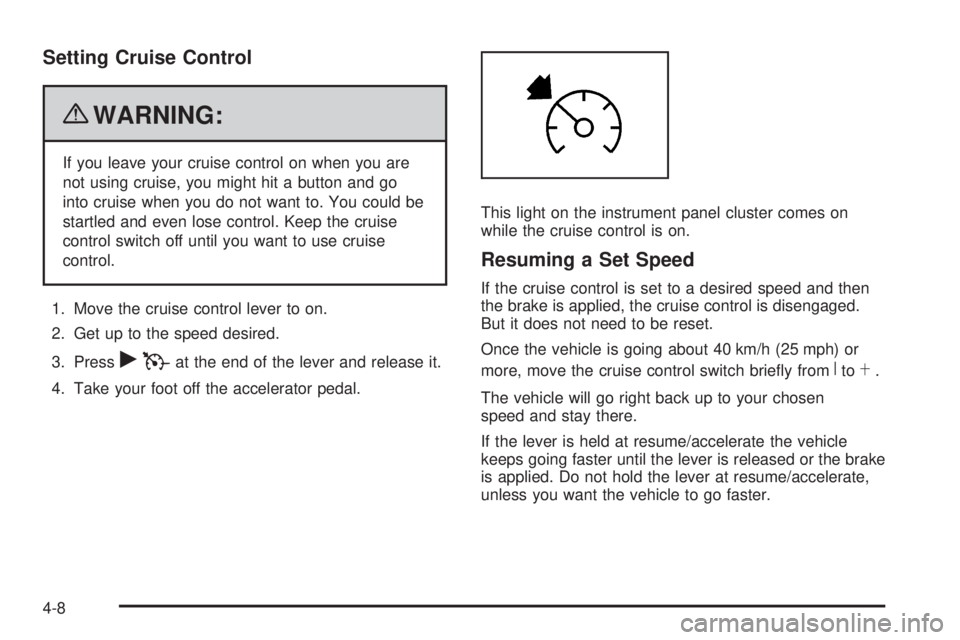
4. Take your foot off the accelerator pedal.This light on the instrument panel cluster comes on
while the cruise control is on.
Resuming a Set Speed
If the cruise control is set to a desired speed and then
the brake is applied, the cruise control is disengaged.
But it does not need to be reset.
Once the vehicle is going about 40 km/h (25 mph) or
more, move the cruise control switch briefly from
RtoS.
The vehicle will go right back up to your chosen
speed and stay there.
If the lever is held at resume/accelerate the vehicle
keeps going faster until the lever is released or the brake
is applied. Do not hold the lever at resume/accelerate,
unless you want the vehicle to go faster.
4-8