lock GMC CANYON 2010 Owner's Manual
[x] Cancel search | Manufacturer: GMC, Model Year: 2010, Model line: CANYON, Model: GMC CANYON 2010Pages: 448, PDF Size: 2.62 MB
Page 1 of 448
In Brief........................................................... 1-1
Instrument Panel
........................................ 1-2
Initial Drive Information
............................... 1-3
Vehicle Features
......................................1-15
Performance and Maintenance
...................1-17
Seats and Restraint System............................. 2-1
Front Seats
............................................... 2-2
Rear Seats
..............................................2-10
Safety Belts
.............................................2-13
Child Restraints
.......................................2-35
Airbag System
.........................................2-64
Restraint System Check
............................2-81
Features and Controls..................................... 3-1
Keys
........................................................ 3-2
Doors and Locks
....................................... 3-5
Windows
.................................................3-10
Theft-Deterrent Systems
............................3-13
Starting and Operating Your Vehicle
...........3-16
Mirrors
....................................................3-36
Storage Areas
.........................................3-40
Sunroof
..................................................3-42Instrument Panel............................................. 4-1
Instrument Panel Overview
.......................... 4-3
Climate Controls
......................................4-16
Warning Lights, Gages, and Indicators
........4-18
Driver Information Center (DIC)
..................4-33
Audio System(s)
.......................................4-42
Driving Your Vehicle....................................... 5-1
Your Driving, the Road, and the Vehicle
....... 5-2
Towing
...................................................5-41
Service and Appearance Care.......................... 6-1
Service
..................................................... 6-3
Fuel
......................................................... 6-5
Checking Things Under the Hood
...............6-10
Rear Axle
...............................................6-47
Four-Wheel Drive
.....................................6-48
Front Axle
...............................................6-49
Headlamp Aiming
.....................................6-50
Bulb Replacement
....................................
6-50
Windshield Wiper Blade Replacement
.........6-55
Tires
......................................................6-57
2010 GMC Canyon Owner ManualM
Page 5 of 448
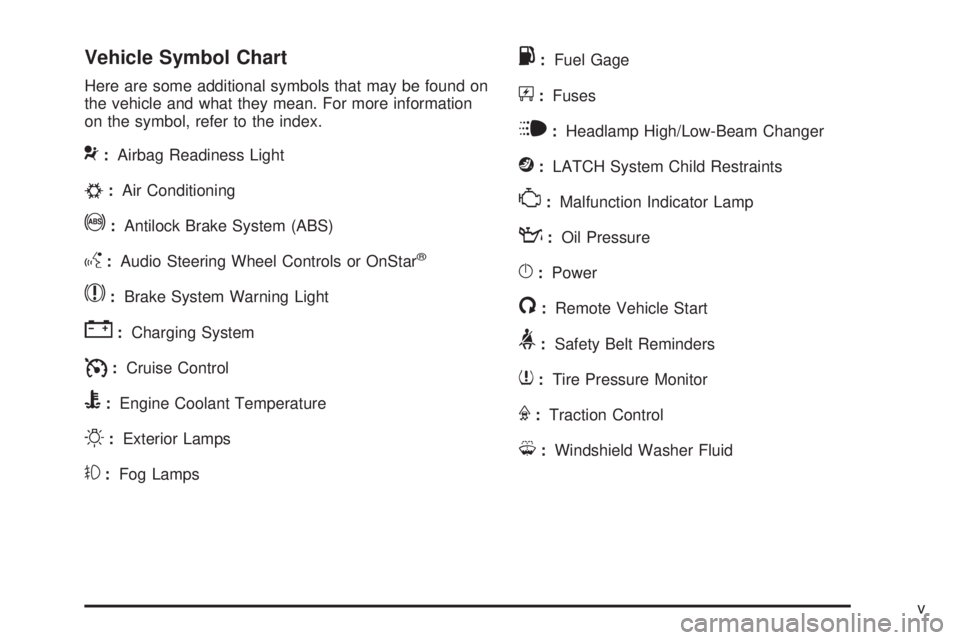
Vehicle Symbol Chart
Here are some additional symbols that may be found on
the vehicle and what they mean. For more information
on the symbol, refer to the index.
9:Airbag Readiness Light
#:Air Conditioning
!:Antilock Brake System (ABS)
g:Audio Steering Wheel Controls or OnStar®
$:Brake System Warning Light
":Charging System
I:Cruise Control
B:Engine Coolant Temperature
O:Exterior Lamps
#:Fog Lamps
.:Fuel Gage
+:Fuses
i:Headlamp High/Low-Beam Changer
j:LATCH System Child Restraints
*:Malfunction Indicator Lamp
::Oil Pressure
}:Power
/:Remote Vehicle Start
>:Safety Belt Reminders
7:Tire Pressure Monitor
F:Traction Control
M:Windshield Washer Fluid
v
Page 7 of 448
Instrument Panel..............................................1-2
Initial Drive Information....................................1-3
Remote Keyless Entry (RKE) System................1-4
Door Locks....................................................1-4
Tailgate........................................................1-5
Windows.......................................................1-6
Seat Adjustment.............................................1-7
Heated Seats.................................................1-9
Head Restraint Adjustment...............................1-9
Safety Belt...................................................1-10
Sensing System for Passenger Airbag.............1-10
Mirror Adjustment.........................................1-11
Steering Wheel Adjustment............................1-12
Interior Lighting............................................1-12
Exterior Lighting...........................................1-13
Windshield Wiper/Washer...............................1-14
Climate Controls...........................................1-14Vehicle Features.............................................1-15
Radio(s)......................................................1-15
Satellite Radio..............................................1-16
Driver Information Center (DIC).......................1-16
Cruise Control..............................................1-17
Power Outlets..............................................1-17
Performance and Maintenance.........................1-17
Traction Control System (TCS).......................1-17
StabiliTrak
®..................................................1-18
Tire Pressure Monitor....................................1-18
Engine Oil Life System..................................1-19
Driving for Better Fuel Economy.....................1-19
Roadside Assistance Program........................1-20
OnStar
®......................................................1-20
Section 1 In Brief
1-1
Page 10 of 448
Remote Keyless Entry (RKE)
System
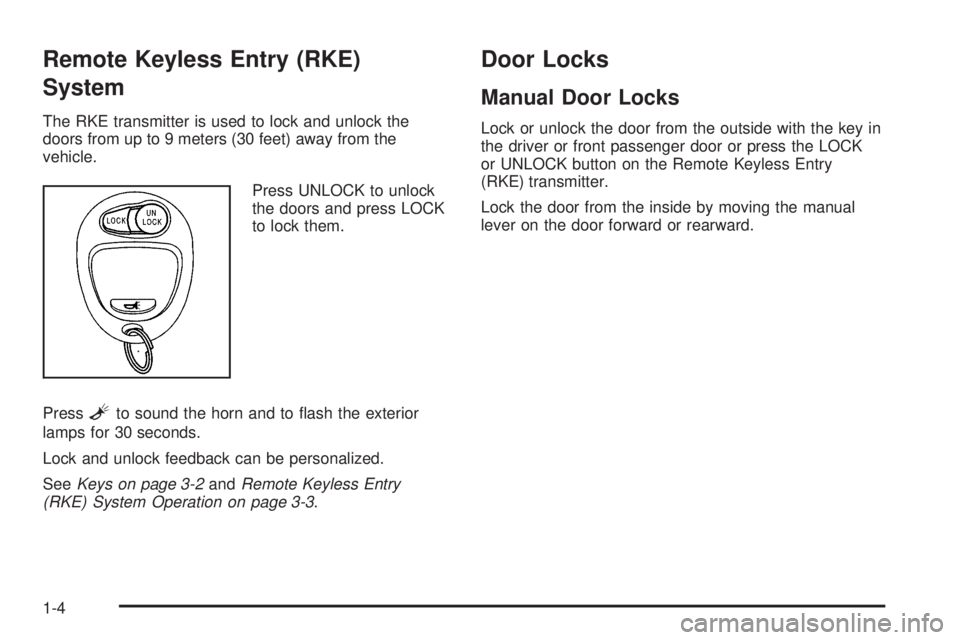
The RKE transmitter is used to lock and unlock the
doors from up to 9 meters (30 feet) away from the
vehicle.
Press UNLOCK to unlock
the doors and press LOCK
to lock them.
Press
Lto sound the horn and to flash the exterior
lamps for 30 seconds.
Lock and unlock feedback can be personalized.
SeeKeys on page 3-2andRemote Keyless Entry
(RKE) System Operation on page 3-3.
Door Locks
Manual Door Locks
Lock or unlock the door from the outside with the key in
the driver or front passenger door or press the LOCK
or UNLOCK button on the Remote Keyless Entry
(RKE) transmitter.
Lock the door from the inside by moving the manual
lever on the door forward or rearward.
1-4
Page 11 of 448
Power Door Locks
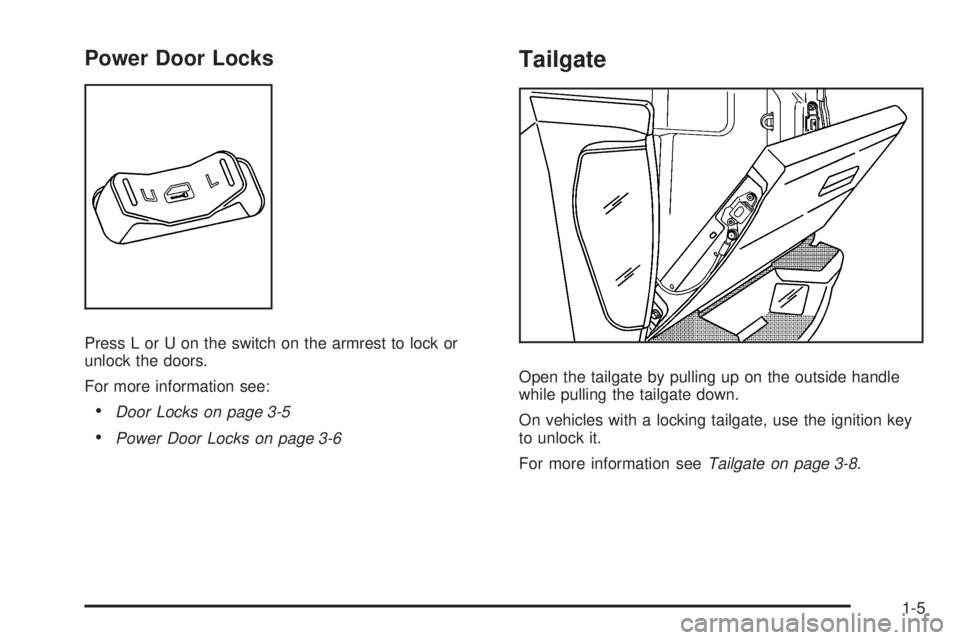
Press L or U on the switch on the armrest to lock or
unlock the doors.
For more information see:
•Door Locks on page 3-5
•Power Door Locks on page 3-6
Tailgate
Open the tailgate by pulling up on the outside handle
while pulling the tailgate down.
On vehicles with a locking tailgate, use the ignition key
to unlock it.
For more information seeTailgate on page 3-8.
1-5
Page 13 of 448
Seat Adjustment
Manual Seats
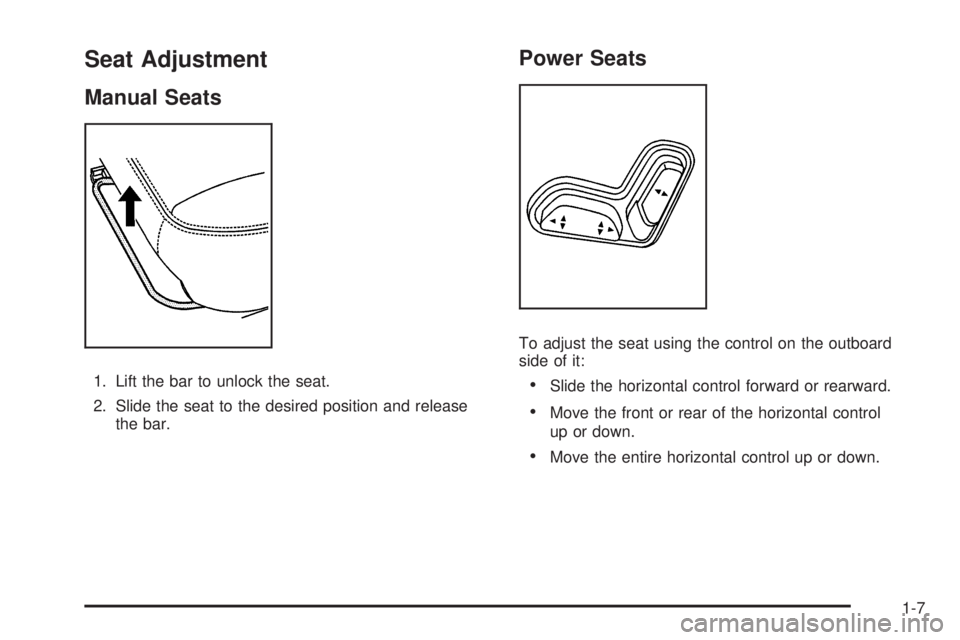
1. Lift the bar to unlock the seat.
2. Slide the seat to the desired position and release
the bar.
Power Seats
To adjust the seat using the control on the outboard
side of it:
•Slide the horizontal control forward or rearward.
•Move the front or rear of the horizontal control
up or down.
•Move the entire horizontal control up or down.
1-7
Page 18 of 448
Steering Wheel Adjustment
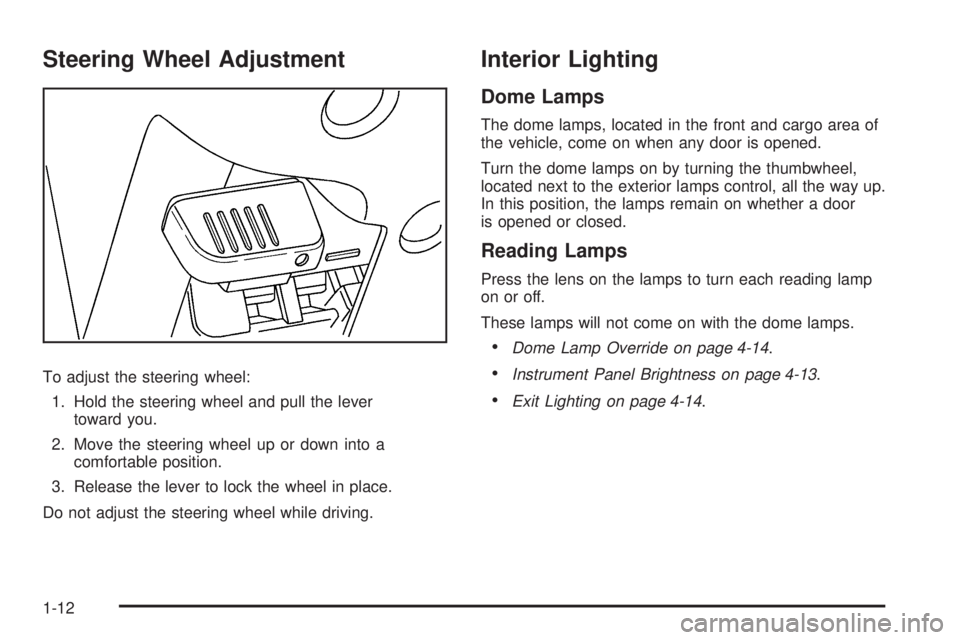
To adjust the steering wheel:
1. Hold the steering wheel and pull the lever
toward you.
2. Move the steering wheel up or down into a
comfortable position.
3. Release the lever to lock the wheel in place.
Do not adjust the steering wheel while driving.
Interior Lighting
Dome Lamps
The dome lamps, located in the front and cargo area of
the vehicle, come on when any door is opened.
Turn the dome lamps on by turning the thumbwheel,
located next to the exterior lamps control, all the way up.
In this position, the lamps remain on whether a door
is opened or closed.
Reading Lamps
Press the lens on the lamps to turn each reading lamp
on or off.
These lamps will not come on with the dome lamps.
•Dome Lamp Override on page 4-14.
•Instrument Panel Brightness on page 4-13.
•Exit Lighting on page 4-14.
1-12
Page 21 of 448
Vehicle Features
Radio(s)
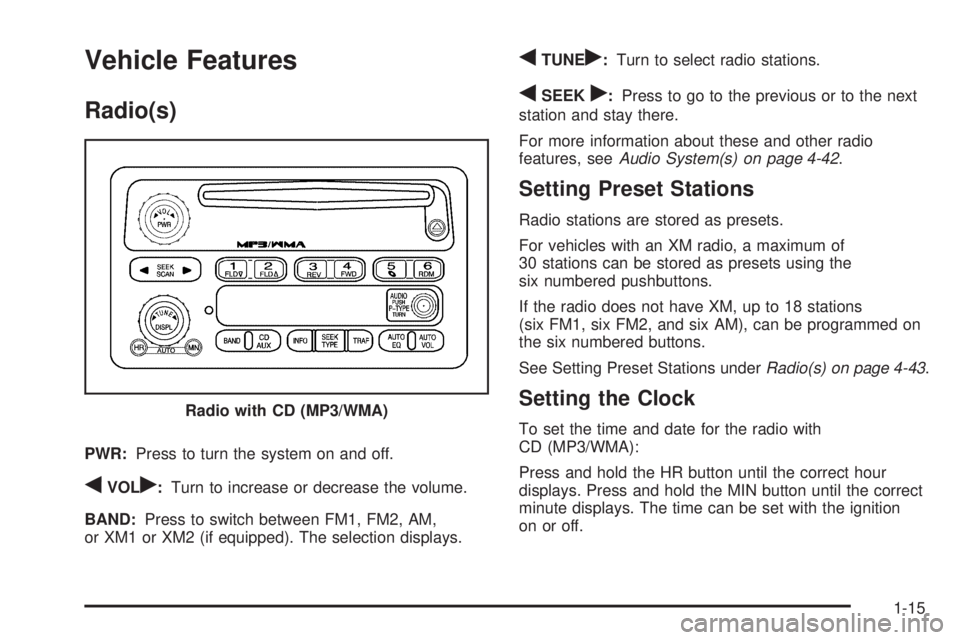
PWR:Press to turn the system on and off.
qVOLr:Turn to increase or decrease the volume.
BAND:Press to switch between FM1, FM2, AM,
or XM1 or XM2 (if equipped). The selection displays.
qTUNEr:Turn to select radio stations.
qSEEKr:Press to go to the previous or to the next
station and stay there.
For more information about these and other radio
features, seeAudio System(s) on page 4-42.
Setting Preset Stations
Radio stations are stored as presets.
For vehicles with an XM radio, a maximum of
30 stations can be stored as presets using the
six numbered pushbuttons.
If the radio does not have XM, up to 18 stations
(six FM1, six FM2, and six AM), can be programmed on
the six numbered buttons.
See Setting Preset Stations underRadio(s) on page 4-43.
Setting the Clock
To set the time and date for the radio with
CD (MP3/WMA):
Press and hold the HR button until the correct hour
displays. Press and hold the MIN button until the correct
minute displays. The time can be set with the ignition
on or off. Radio with CD (MP3/WMA)
1-15
Page 22 of 448
To synchronize the time with an FM station broadcasting
Radio Data System (RDS) information, press and
hold the HR and MIN buttons at the same time until
RDS TIME displays. To accept this time, press and hold
the HR and MIN buttons, at the same time, for another
two seconds. If the time is not available from the station,
NO UPDAT (update) displays.
RDS time is broadcast once a minute. After tuning to an
RDS broadcast station, it could take a few minutes
for the time to update.
For detailed instructions on setting the clock for your
specific audio system, seeSetting the Clock on
page 4-43.
Satellite Radio
XM is a satellite radio service that is based in the 48
contiguous United States and 10 Canadian provinces.
XM satellite radio has a wide variety of programming
and commercial-free music, coast-to-coast, and in
digital-quality sound.
A fee is required to receive the XM service.
For more information, refer to:
•www.xmradio.com or call 1-800-929-2100 (U.S.)
•www.xmradio.ca or call 1-877-438-9677 (Canada)See “XM Satellite Radio Service” underRadio(s) on
page 4-43andXM Radio Messages on page 4-60.
Driver Information Center (DIC)
The DIC is located on the instrument panel cluster. It
displays the status of many vehicle systems and enables
some features to be personalized.
Use the trip reset stem located on the instrument panel
cluster to scroll through the available functions. For
more information, seeDIC Operation and Displays on
page 4-33.
Vehicle Personalization
Some vehicle features can be personalized through the
DIC. These features include:
•Language: English, Spanish, or French
•Automatic Door Locks
•RKE Feedback
For more information, seeDIC Operation and Displays
on page 4-33.
1-16
Page 25 of 448
Engine Oil Life System
The engine oil life system calculates engine oil life
based on vehicle use and displays a DIC message when
it is necessary to change the engine oil and filter.
Resetting the Oil Life System
1. Turn the ignition to ON/RUN, with the engine off.
2. Press and release the stem in the lower center
of the instrument cluster until the OIL LIFE
message is displayed.
3. Once the alternating OIL LIFE and RESET
messages appear, press and hold the stem
until several beeps sound. This confirms that the oil
life system has been reset.
4. Turn the key to LOCK/OFF.
SeeEngine Oil Life System on page 6-18.
Driving for Better Fuel Economy
Driving habits can affect fuel mileage. Here are some
driving tips to get the best fuel economy possible.
•Avoid fast starts and accelerate smoothly.
•Brake gradually and avoid abrupt stops.
•Avoid idling the engine for long periods of time.
•When road and weather conditions are appropriate,
use cruise control, if equipped.
•Always follow posted speed limits or drive more
slowly when conditions require.
•Keep vehicle tires properly inflated.
•Combine several trips into a single trip.
•Replace the vehicle’s tires with the same
TPC Spec number molded into the tire’s sidewall
near the size.
•Follow recommended scheduled maintenance.
1-19