Additional services GMC CANYON 2021 User Guide
[x] Cancel search | Manufacturer: GMC, Model Year: 2021, Model line: CANYON, Model: GMC CANYON 2021Pages: 359, PDF Size: 7.37 MB
Page 340 of 359
GMC Canyon/Canyon Denali Owner Manual (GMNA-Localizing-U.S./Canada-
14430430) - 2021 - CRC - 9/9/20
OnStar 339
OnStar
OnStar Overview
OnStar Overview . . . . . . . . . . . . . . . . . . . . . . 339
OnStar Services
Emergency . . . . . . . . . . . . . . . . . . . . . . . . . . . . 340
Security . . . . . . . . . . . . . . . . . . . . . . . . . . . . . . . 340
OnStar Additional Information
OnStar Additional Information . . . . . . . . 340
OnStar Overview
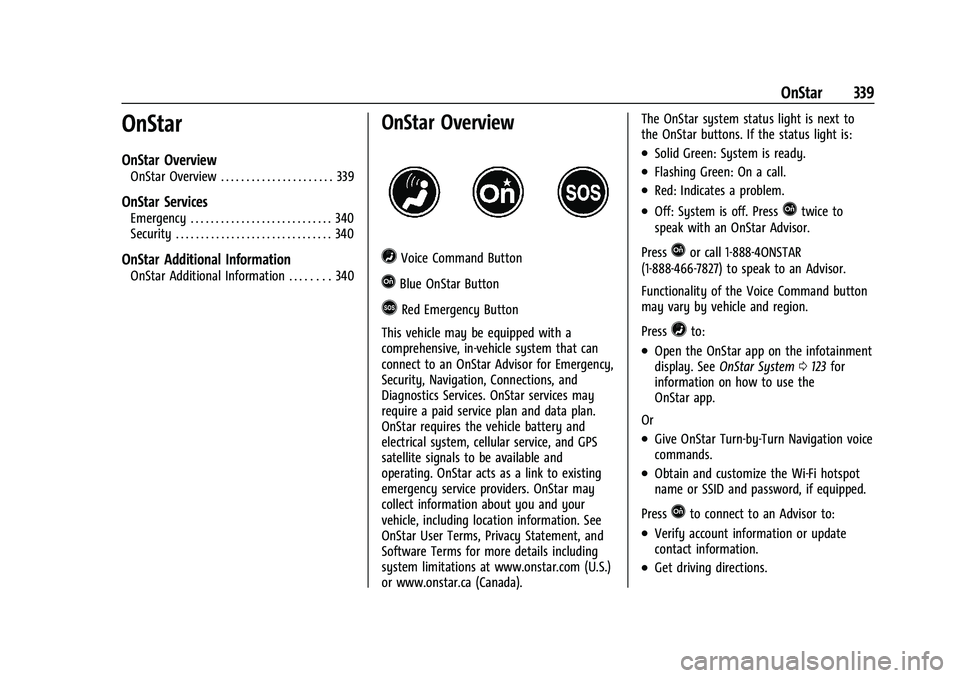
=Voice Command Button
QBlue OnStar Button
>Red Emergency Button
This vehicle may be equipped with a
comprehensive, in-vehicle system that can
connect to an OnStar Advisor for Emergency,
Security, Navigation, Connections, and
Diagnostics Services. OnStar services may
require a paid service plan and data plan.
OnStar requires the vehicle battery and
electrical system, cellular service, and GPS
satellite signals to be available and
operating. OnStar acts as a link to existing
emergency service providers. OnStar may
collect information about you and your
vehicle, including location information. See
OnStar User Terms, Privacy Statement, and
Software Terms for more details including
system limitations at www.onstar.com (U.S.)
or www.onstar.ca (Canada). The OnStar system status light is next to
the OnStar buttons. If the status light is:
.Solid Green: System is ready.
.Flashing Green: On a call.
.Red: Indicates a problem.
.Off: System is off. PressQtwice to
speak with an OnStar Advisor.
Press
Qor call 1-888-4ONSTAR
(1-888-466-7827) to speak to an Advisor.
Functionality of the Voice Command button
may vary by vehicle and region.
Press
=to:
.Open the OnStar app on the infotainment
display. See OnStar System 0123 for
information on how to use the
OnStar app.
Or
.Give OnStar Turn-by-Turn Navigation voice
commands.
.Obtain and customize the Wi-Fi hotspot
name or SSID and password, if equipped.
Press
Qto connect to an Advisor to:
.Verify account information or update
contact information.
.Get driving directions.
Page 341 of 359
GMC Canyon/Canyon Denali Owner Manual (GMNA-Localizing-U.S./Canada-
14430430) - 2021 - CRC - 9/9/20
340 OnStar
.Receive a Diagnostic check of the vehicle's
key operating systems.
.Receive Roadside Assistance.
.Manage Wi-Fi Settings, if equipped.
Press
>to get a priority connection to an
OnStar Advisor available 24/7 to:
.Get help for an emergency.
.Be a Good Samaritan or respond to an
AMBER Alert.
.Get assistance in severe weather or other
crisis situations and find evacuation
routes.
OnStar Services
Emergency
Emergency Services require an active safety
and security plan. With Automatic Crash
Response, built-in sensors can automatically
alert a specially trained OnStar Advisor who
is immediately connected in to the vehicle
to help.
Press
>for a priority connection to an
OnStar Advisor who can contact emergency
service providers, direct them to your exact
location, and relay important information. With OnStar Crisis Assist, specially trained
Advisors are available 24 hours a day, 7 days
a week, to provide a central point of
contact, assistance, and information during a
crisis.
With Roadside Assistance, Advisors can
locate a nearby service provider to help with
a flat tire, a battery jump, or an empty
gas tank.
Security
If equipped, OnStar provides these services:
.With Stolen Vehicle Assistance, OnStar
Advisors can use GPS to pinpoint the
vehicle and help authorities quickly
recover it.
.With Remote Ignition Block, if equipped,
OnStar can block the engine from being
restarted.
.With Stolen Vehicle Slowdown,
if equipped, OnStar can work with law
enforcement to gradually slow the
vehicle down.
Theft Alarm Notification
If equipped, if the doors are locked and the
vehicle alarm sounds, a notification by text,
e-mail, or phone call will be sent. If the
vehicle is stolen, an OnStar Advisor can work
with authorities to recover the vehicle.
OnStar Additional
Information
In-Vehicle Audio Messages
Audio messages may play important
information at the following times:
.Prior to vehicle purchase. PressQto set
up an account.
.After change in ownership and at
90 days.
Transferring Service
PressQto request account transfer
eligibility information. The Advisor can
cancel or change account information.
Selling/Transferring the Vehicle
Call 1-888-4ONSTAR (1-888-466-7827)
immediately to terminate your OnStar or
connected services if the vehicle is disposed
of, sold, transferred, or if the lease ends.
Page 354 of 359
GMC Canyon/Canyon Denali Owner Manual (GMNA-Localizing-U.S./Canada-
14430430) - 2021 - CRC - 9/9/20
Index 353
Mirrors (cont'd)Heated . . . . . . . . . . . . . . . . . . . . . . . . . . . . . . . . . 16
Manual . . . . . . . . . . . . . . . . . . . . . . . . . . . . . . . . . 16
Manual Rearview . . . . . . . . . . . . . . . . . . . . . . . . 17
Power . . . . . . . . . . . . . . . . . . . . . . . . . . . . . . . . . . 16
Mirrors, Interior Rearview . . . . . . . . . . . . . . . . . . 17
Monitor System, Tire Pressure . . . . . . . . . . . 273
Multi-band Antenna . . . . . . . . . . . . . . . . . . . . . . 119
N
Navigation Connected Services . . . . . . . . . . . . . . . . . . . . 344
Destination . . . . . . . . . . . . . . . . . . . . . . . . . . . . 128
Using the System . . . . . . . . . . . . . . . . . . . . . . 124
Navigation Symbols . . . . . . . . . . . . . . . . . . . . . . 127
New Vehicle Break-In . . . . . . . . . . . . . . . . . . . . .185
O
Odometer . . . . . . . . . . . . . . . . . . . . . . . . . . . . . . . . 84 Trip . . . . . . . . . . . . . . . . . . . . . . . . . . . . . . . . . . . . . 84
Off-Road . . . . . . . . . . . . . . . . . . . . . . . . . . . . . . . . . .174 Driving . . . . . . . . . . . . . . . . . . . . . . . . . . . . . . . . 174
Recovery . . . . . . . . . . . . . . . . . . . . . . . . . . . . . . . . 173
Oil Engine . . . . . . . . . . . . . . . . . . . . . . . . . . . . . . . . . 240
Engine Oil Life System . . . . . . . . . . . . . . . . . 242
Pressure Light . . . . . . . . . . . . . . . . . . . . . . . . . . 92
Older Children, Restraints . . . . . . . . . . . . . . . . . 44
Online Owner Center . . . . . . . . . . . . . . . . . . . . 329 OnStar . . . . . . . . . . . . . . . . . . . . . . . . . . . . . . . . . . . 338
OnStar Additional Information . . . . . . . . . . . 340
OnStar Emergency . . . . . . . . . . . . . . . . . . . . . . . 340
OnStar Overview . . . . . . . . . . . . . . . . . . . . . . . . . 339
OnStar Security . . . . . . . . . . . . . . . . . . . . . . . . . . 340
OnStar System . . . . . . . . . . . . . . . . . . . . . . 123, 134
Operation
Fog Lamps . . . . . . . . . . . . . . . . . . . . . . . . . . . . . 105
Outlets Power . . . . . . . . . . . . . . . . . . . . . . . . . . . . . . . . . . 78
Overheating, Engine . . . . . . . . . . . . . . . . . . . . . 247
Overview . . . . . . . . . . . . . . . . . . . . . . . . . . . . . . . . .110
Instrument Panel . . . . . . . . . . . . . . . . . . . . . . . . 4
P
ParkShifting Into . . . . . . . . . . . . . . . . . . . . . . . . . . . 190
Shifting Out of . . . . . . . . . . . . . . . . . . . . . . . . . 191
Park Assist . . . . . . . . . . . . . . . . . . . . . . . . . . . . . . . 209
Parking Brake . . . . . . . . . . . . . . . . . . . . . . . . . . . . . . . . . . 203
Brake and P (Park) Mechanism
Check . . . . . . . . . . . . . . . . . . . . . . . . . . . . . . . . 253
Over Things That Burn . . . . . . . . . . . . . . . . . . 191
Parking or Backing Assistance Systems . . . . . . . . . . . . . . . . . . . . 209
Passenger Airbag Status Indicator . . . . . . . . . 86
Passenger Compartment Air Filter . . . . . . . 169 Passenger Sensing System . . . . . . . . . . . . . . . . 39
Perchlorate Materials Requirements,
California . . . . . . . . . . . . . . . . . . . . . . . . . . . . . . 234
Personalization Vehicle . . . . . . . . . . . . . . . . . . . . . . . . . . . . . . . . . 99
Phone Apple CarPlay and Android Auto . . . . . . . 146
Bluetooth . . . . . . . . . . . . . . . . . . . . . . . . . . 141, 142
Port USB . . . . . . . . . . . . . . . . . . . . . . . . . . . . . . . . . . . . . 119
Positioning
Vehicle . . . . . . . . . . . . . . . . . . . . . . . . . . . . . . . . 135
Power Door Locks . . . . . . . . . . . . . . . . . . . . . . . . . . . . . . . 12
Mirrors . . . . . . . . . . . . . . . . . . . . . . . . . . . . . . . . . 16
Outlets . . . . . . . . . . . . . . . . . . . . . . . . . . . . . . . . . 78
Protection, Battery . . . . . . . . . . . . . . . . . . . . . 107
Retained Accessory (RAP) . . . . . . . . . . . . . . 190
Seat Adjustment . . . . . . . . . . . . . . . . . . . . . . . . 23
Windows . . . . . . . . . . . . . . . . . . . . . . . . . . . . . . . 18
Pregnancy, Using Seat Belts . . . . . . . . . . . . . . .33
Privacy
Vehicle Data Recording . . . . . . . . . . . . . . . . 336
Problems with Route Guidance . . . . . . . . . . . 135
Program Courtesy Transportation . . . . . . . . . . . . . . . 332
Prohibited Fuels . . . . . . . . . . . . . . . . . . . . . . . . . .214