lock GMC ENVOY XL 2005 Service Manual
[x] Cancel search | Manufacturer: GMC, Model Year: 2005, Model line: ENVOY XL, Model: GMC ENVOY XL 2005Pages: 480, PDF Size: 11.77 MB
Page 118 of 480

Manual Rearview Mirror with
OnStar
®, Compass, and
Temperature Display
The vehicle may have a manual rearview mirror with
OnStar®and an eight-point compass and temperature
display located in the upper right.
Control buttons for the OnStar
®system are at the
bottom of the mirror. See your GM dealer for more
information about the OnStar
®system. Also, see
OnStar®System on page 2-47for more information
about the services OnStar®provides.
When cleaning the mirror, use a paper towel or similar
material dampened with glass cleaner. Do not spray
glass cleaner directly on the mirror as that may cause
the liquid cleaner to enter the mirror housing.
Mirror Operation
While sitting in a comfortable position, adjust the
rearview mirror so you can see clearly behind your
vehicle. Grip it in the center and move it up or down
and side to side. The day/night control, located at
the bottom of the mirror, adjusts the mirror to reduce
headlamp glare from behind during evening or dark
conditions. Push the control for daytime use; pull it
for night use.
Temperature and Compass Display
O
(On/Off):Press this button to turn the compass and
temperature display on or off. The compass display,
can show a maximum of two characters. For example,
NE is displayed for north-east.
When the ignition and the compass/temperature
feature are on, character boxes will appear for about
two seconds. After two seconds, the mirror will display
the direction the vehicle is facing and the outside
temperature.
To set the temperature in Fahrenheit or Celsius, do the
following:
1. Press and hold the on/off button until either a
ashing F or C appears.
2. Press the button again to change the display
to the desired unit of measurement. After about
four seconds of inactivity, the new unit will be
locked in and the compass/temperature display
will return.
Compass Calibration
When on, the compass automatically calibrates
as the vehicle is driven. If, after two seconds,
the display does not show a compass direction,
N for North, for example, there may be a strong
magnetic eld interfering with the compass.
2-44
Page 120 of 480

Outside Manual Mirrors
If the vehicle has the manual outside mirrors, adjust
each outside mirror so that a little of the vehicle and the
area behind it can be seen while sitting in a comfortable,
driving position.
Both mirrors can be manually folded inward by pulling
them towards the vehicle. Push the mirrors away
from the vehicle, to the normal position, before driving.
Outside Power Mirrors
The vehicle may have this feature.
The control is located
on the driver’s door.Turn the knob counterclockwise or clockwise to adjust
the driver’s or passenger’s mirror so that you can see
a little of the side of your vehicle. After adjusting
the position of the mirrors, turn the knob to the center
position so that the mirrors cannot move.
If the travel position in any direction of the mirror is
reached, it will enter a ratcheting mode. This action is
harmless. It is a warning that the mirror can go no
further. To stop this action, back the mirror up by
moving the knob in the opposite direction.
Outside Curb View Assist Mirror
If the vehicle has this feature, the passenger’s outside
mirror will adjust to a preset tilt position while the vehicle
is in REVERSE (R) gear. Curb view assist may be
useful when you are parallel parking. The mirror
will return to normal position when the vehicle is shifted
out of REVERSE (R) gear. Automatic mirror movement
in either direction will follow a short delay.
You may be able to turn this feature on or off through
the Driver Information Center (DIC). SeeDIC Vehicle
Customization on page 3-56.
2-46
Page 122 of 480
Safe and Sound Plan
Advanced Automatic Collision Notication
Automatic Notication of Airbag Deployment
Emergency Services
Roadside Assistance
Stolen Vehicle Tracking
AccidentAssist
Remote Door Unlock/Vehicle Alert
Remote Diagnostics
Information and Convenience Services
Online Concierge
Directions and Connections Plan
All Safe and Sound Plan Services
Driving Directions
RideAssist
Information and Convenience Services
OnStar®Personal Calling
As an OnStar®subscriber, the Personal Calling
capability is an available hands-free wireless phone
that is integrated into the vehicle. Calls can be placed
nationwide using simple voice commands with no
additional contracts and no additional roaming charges.
To nd out more about OnStar
®Personal Calling,
refer to the OnStar®user’s guide in the vehicle’s glove
box, visit www.onstar.com or www.onstarcanada.com;
or speak to an OnStar
®advisor by pressing the OnStar®
button or calling 1-888-4-ONSTAR (1-888-466-7827).
OnStar®Virtual Advisor
Virtual Advisor is a feature of OnStar®Personal Calling
that uses minutes to access up-to-date weather and
traffic reports for your area, news and sports updates,
stock quotes, entertainment, and more. Customize
your information prole at www.myonstar.com. See the
OnStar
®user’s guide for more information.
2-48
Page 123 of 480
OnStar®Steering Wheel Controls
A steering wheel control can be used to interact with the
OnStar®personal calling feature.
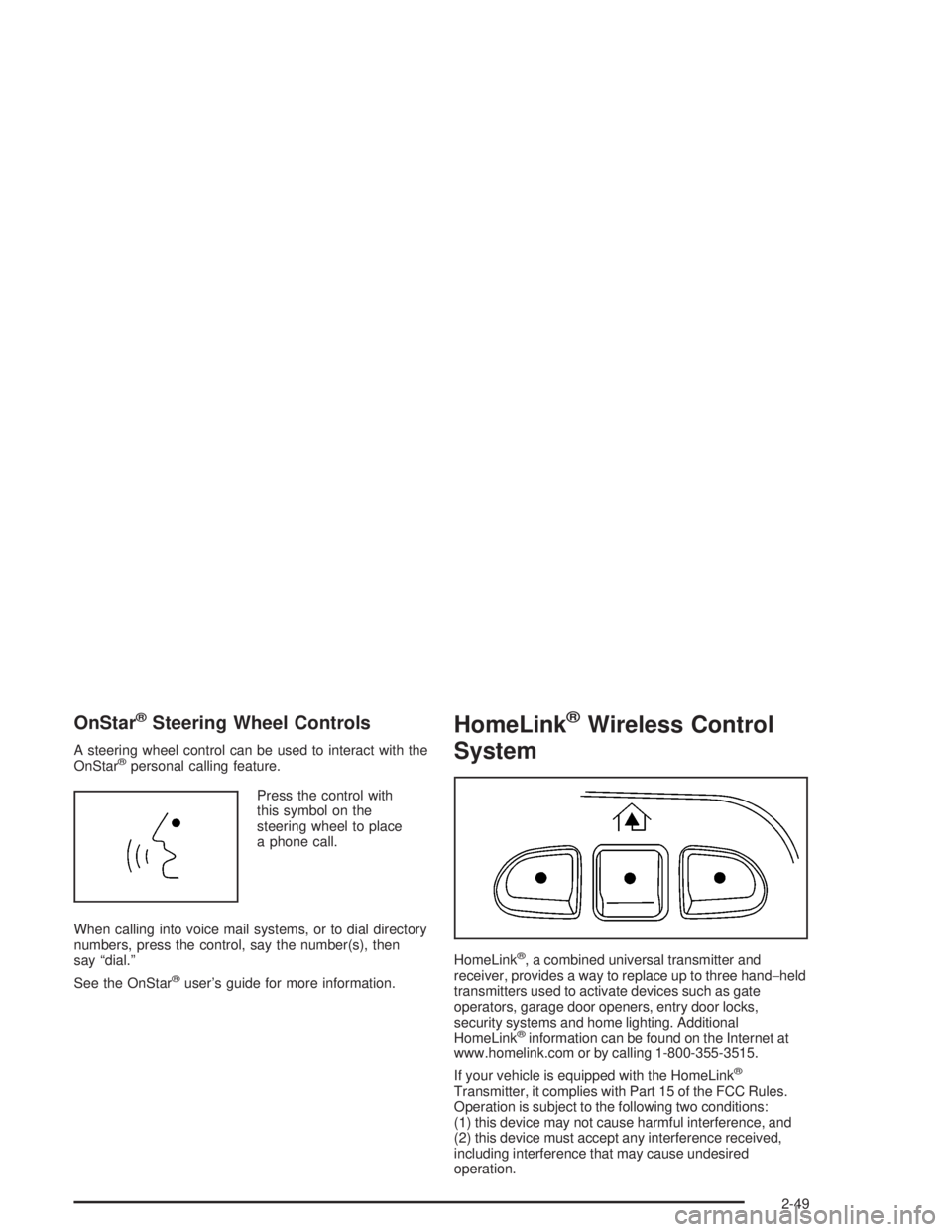
Press the control with
this symbol on the
steering wheel to place
a phone call.
When calling into voice mail systems, or to dial directory
numbers, press the control, say the number(s), then
say “dial.”
See the OnStar
®user’s guide for more information.
HomeLink®Wireless Control
System
HomeLink®, a combined universal transmitter and
receiver, provides a way to replace up to three hand−held
transmitters used to activate devices such as gate
operators, garage door openers, entry door locks,
security systems and home lighting. Additional
HomeLink
®information can be found on the Internet at
www.homelink.com or by calling 1-800-355-3515.
If your vehicle is equipped with the HomeLink
®
Transmitter, it complies with Part 15 of the FCC Rules.
Operation is subject to the following two conditions:
(1) this device may not cause harmful interference, and
(2) this device must accept any interference received,
including interference that may cause undesired
operation.
2-49
Page 129 of 480

A luggage carrier allows you to load things on top of
your vehicle. The luggage carrier has side rails attached
to the roof, sliding crossrails (if equipped) and places
to use for tying things down. These let you load
some other things on top of your vehicle, as long as
they are not wider or longer than the luggage carrier.
To slide the crossrails to where you want them, pull
up on the lever on each side of the crossrail. This will
release the crossrail and allow you to slide it. When
the crossrail is where you want it, press down on
the levers to lock it into place.
Notice:Loading cargo on the luggage carrier
that weighs more than 220 lbs (100 kg) or hangs
over the rear or sides of the vehicle may damage
your vehicle. Load cargo so that it rests on the
slats as far forward as possible and against the
side rails, making sure to fasten it securely.Don’t exceed the maximum vehicle capacity when
loading your vehicle. For more information on vehicle
capacity and loading, seeLoading Your Vehicle on
page 4-43.
To prevent damage or loss of cargo as you’re driving,
check now and then to make sure the luggage carrier
is locked and cargo is still securely fastened.
When the luggage carrier is not in use, place the
crossrails at the following positions for wind noise
reduction. Place one crossrail at the rear most point of
the vehicle and the other crossrail above the opening
of the rear door.
2-55
Page 130 of 480
Rear Compartment Storage
Panel/Cover
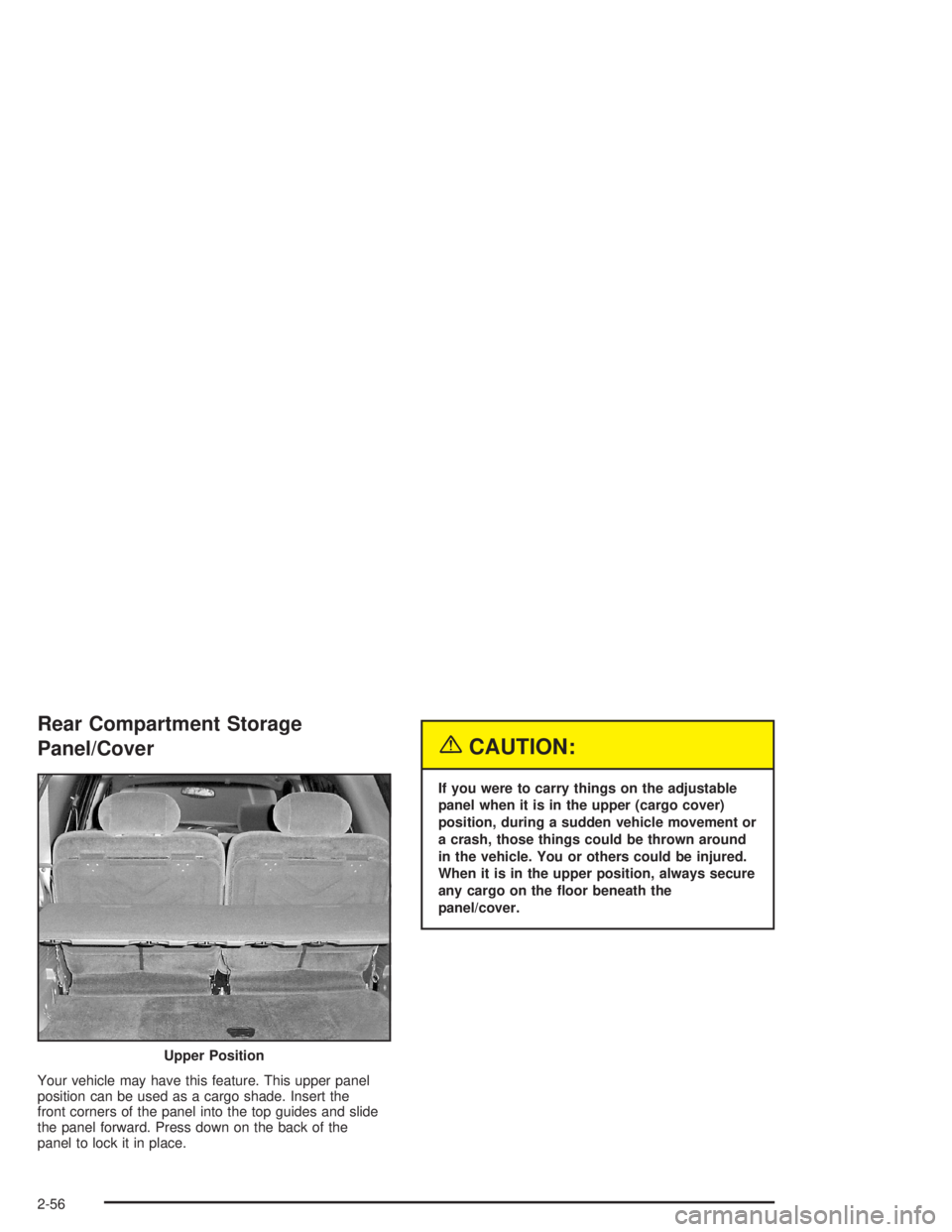
Your vehicle may have this feature. This upper panel
position can be used as a cargo shade. Insert the
front corners of the panel into the top guides and slide
the panel forward. Press down on the back of the
panel to lock it in place.
{CAUTION:
If you were to carry things on the adjustable
panel when it is in the upper (cargo cover)
position, during a sudden vehicle movement or
a crash, those things could be thrown around
in the vehicle. You or others could be injured.
When it is in the upper position, always secure
any cargo on the oor beneath the
panel/cover.
Upper Position
2-56
Page 131 of 480
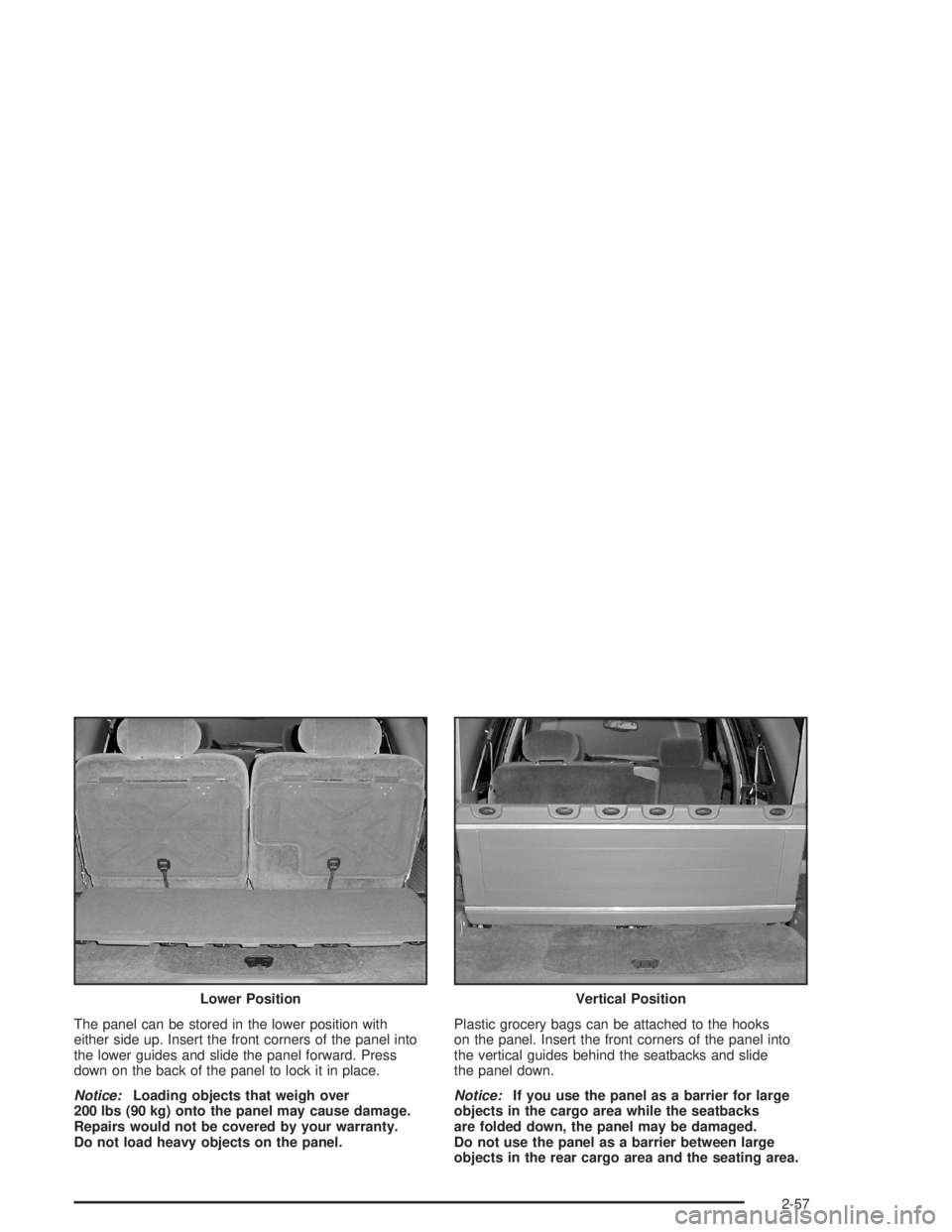
The panel can be stored in the lower position with
either side up. Insert the front corners of the panel into
the lower guides and slide the panel forward. Press
down on the back of the panel to lock it in place.
Notice:Loading objects that weigh over
200 lbs (90 kg) onto the panel may cause damage.
Repairs would not be covered by your warranty.
Do not load heavy objects on the panel.Plastic grocery bags can be attached to the hooks
on the panel. Insert the front corners of the panel into
the vertical guides behind the seatbacks and slide
the panel down.
Notice:If you use the panel as a barrier for large
objects in the cargo area while the seatbacks
are folded down, the panel may be damaged.
Do not use the panel as a barrier between large
objects in the rear cargo area and the seating area. Lower Position
Vertical Position
2-57
Page 134 of 480
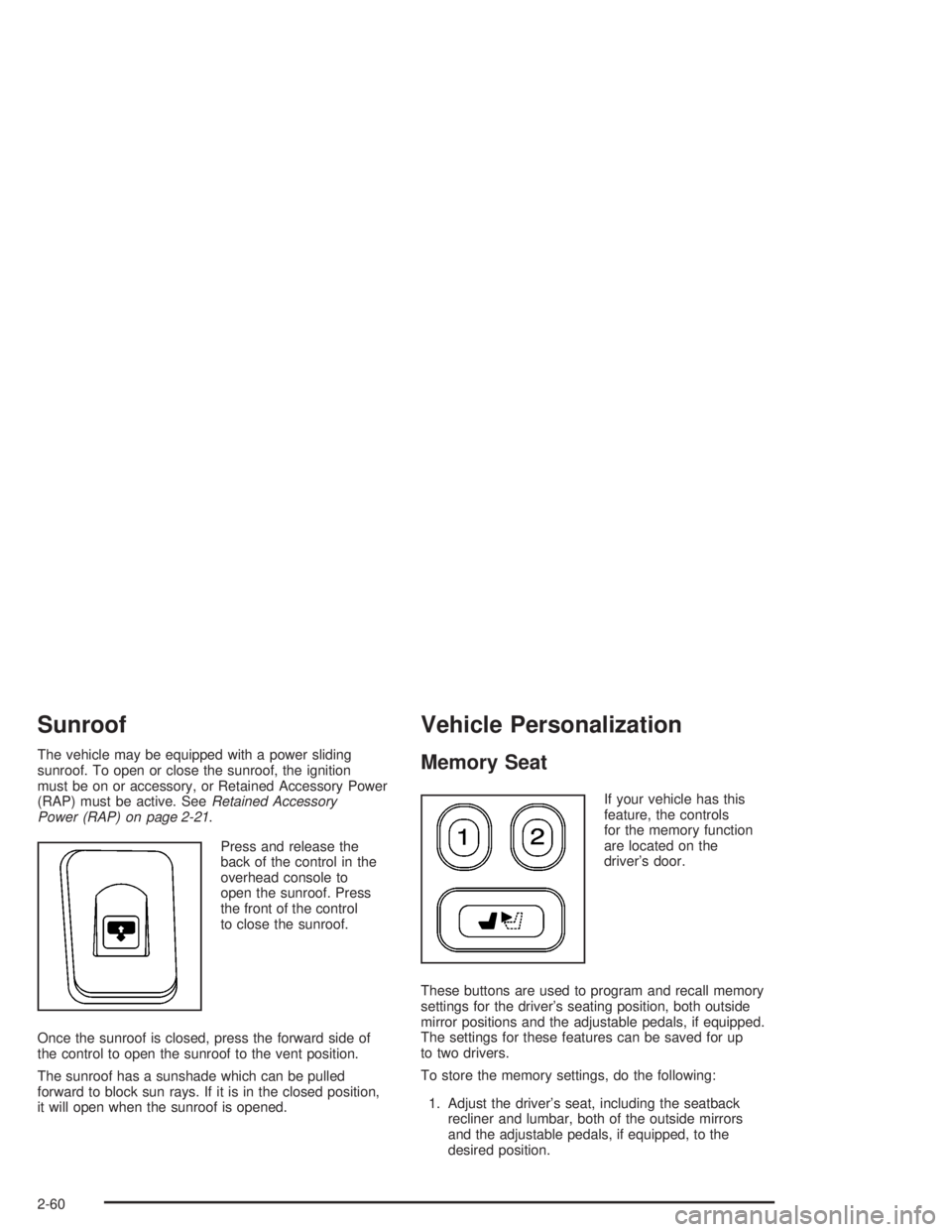
Sunroof
The vehicle may be equipped with a power sliding
sunroof. To open or close the sunroof, the ignition
must be on or accessory, or Retained Accessory Power
(RAP) must be active. SeeRetained Accessory
Power (RAP) on page 2-21.
Press and release the
back of the control in the
overhead console to
open the sunroof. Press
the front of the control
to close the sunroof.
Once the sunroof is closed, press the forward side of
the control to open the sunroof to the vent position.
The sunroof has a sunshade which can be pulled
forward to block sun rays. If it is in the closed position,
it will open when the sunroof is opened.
Vehicle Personalization
Memory Seat
If your vehicle has this
feature, the controls
for the memory function
are located on the
driver’s door.
These buttons are used to program and recall memory
settings for the driver’s seating position, both outside
mirror positions and the adjustable pedals, if equipped.
The settings for these features can be saved for up
to two drivers.
To store the memory settings, do the following:
1. Adjust the driver’s seat, including the seatback
recliner and lumbar, both of the outside mirrors
and the adjustable pedals, if equipped, to the
desired position.
2-60
Page 137 of 480
Instrument Panel Overview...............................3-4
Hazard Warning Flashers................................3-6
Other Warning Devices...................................3-6
Horn.............................................................3-6
Tilt Wheel.....................................................3-6
Turn Signal/Multifunction Lever.........................3-7
Turn and Lane-Change Signals........................3-7
Headlamp High/Low-Beam Changer..................3-8
Flash-to-Pass.................................................3-8
Windshield Wipers..........................................3-9
Rainsense™ Wipers.......................................3-9
Windshield Washer.......................................3-10
Headlamp Washer........................................3-11
Cruise Control..............................................3-11
Headlamps..................................................3-14
Headlamps on Reminder................................3-15
Daytime Running Lamps (DRL).......................3-15
Automatic Headlamp System..........................3-16
Fog Lamps..................................................3-17
Instrument Panel Brightness...........................3-17
Dome Lamps...............................................3-17
Dome Lamp Override....................................3-18
Entry Lighting...............................................3-18
Exit Lighting.................................................3-18
Reading Lamps............................................3-18Battery Run-Down Protection..........................3-19
Accessory Power Outlets...............................3-19
Ashtrays and Cigarette Lighter........................3-20
Climate Controls............................................3-20
Dual Climate Control System..........................3-20
Dual Automatic Climate Control System...........3-23
Outlet Adjustment.........................................3-27
Rear Climate Control System.........................3-28
Warning Lights, Gages, and Indicators............3-31
Instrument Panel Cluster................................3-32
Speedometer and Odometer...........................3-33
Trip Odometer..............................................3-33
Tachometer.................................................3-33
Safety Belt Reminder Light.............................3-34
Passenger Safety Belt Reminder Light.............3-34
Airbag Readiness Light..................................3-35
Passenger Airbag Status Indicator...................3-36
Charging System Light..................................3-37
Voltmeter Gage............................................3-38
Brake System Warning Light..........................3-38
Anti-Lock Brake System
Warning Light...........................................3-40
Engine Coolant Temperature Gage..................3-40
Malfunction Indicator Lamp.............................3-41
Section 3 Instrument Panel
3-1
Page 142 of 480

Hazard Warning Flashers
Your hazard warning ashers let you warn others.
They also let police know you have a problem. Your
front and rear turn signal lamps will ash on and off.
The hazard warning
asher button is located
on top of the steering
column.
Your hazard warning ashers work no matter what
position your key is in, and even if the key is not in
the ignition.
Press the button to make the front and rear turn signal
lamps ash on and off. Press the button again to
turn the ashers off.
When the hazard warning ashers are on, your turn
signals will not work.
Other Warning Devices
If you carry reective triangles, you can set them up
at the side of the road about 300 feet (100 m) behind
your vehicle.
Horn
To sound the horn, press the horn symbols on the
steering wheel pad.
Tilt Wheel
You should adjust the
steering wheel before you
drive. The tilt lever is
located to the left of the
steering column, under the
turn signal lever.
You can raise it to the highest level to give your legs
more room when you enter and exit the vehicle.
To tilt the wheel, hold the steering wheel and pull
the lever toward you. Move the steering wheel to
a comfortable level, then release the lever to lock the
wheel in place.
3-6