light GMC SAVANA 2003 User Guide
[x] Cancel search | Manufacturer: GMC, Model Year: 2003, Model line: SAVANA, Model: GMC SAVANA 2003Pages: 392, PDF Size: 2.34 MB
Page 108 of 392

FIRST (1):This position gives you even more power but
lower fuel economy than SECOND (2). You can use it on
very steep hills, or in deep snow or mud. If the shift lever
is put in FIRST (1), the transmission won’t shift intofirst
gear until the vehicle is going slowly enough.
Notice:If your wheels won’t turn, don’t try to drive.
This might happen if you were stuck in very deep
sand or mud or were up against a solid object.
You could damage your transmission. Also, if you
stop when going uphill, don’t hold your vehicle there
with only the accelerator pedal. This could overheat
and damage the transmission. Use your brakes
or shift into PARK (P) to hold your vehicle in
position on a hill.
All-Wheel Drive
If your vehicle has all-wheel drive, your engine’s driving
power is sent to all four wheels for extra traction
when needed.
This is like four-wheel drive, but there is no separate
lever or switch to engage or disengage the front axle.
It is fully automatic, and adjusts itself as needed for
road conditions.
You may experience a brief vehicle vibration upon
acceleration when driving in slippery conditions.
This is normal and is an indication that the all-wheel
drive system is functioning properly.
Parking Brake
To set the parking brake, hold the regular brake pedal
down with your right foot. Push down the parking
brake pedal with your left foot.
If the ignition is on, the brake system warning light will
come on.
To release the parking brake, hold the regular brake
pedal down. Pull the handle, located just above
the parking brake pedal, marked BRAKE RELEASE to
release the parking brake.
If the ignition is on when the parking brake is released,
the brake system warning light will go off.
Notice:Driving with the parking brake on can
cause your rear brakes to overheat. You may have to
replace them, and you could also damage other parts
of your vehicle. Always check to be sure your parking
brake is fully released before you drive.
If you are towing a trailer and are parking on any hill,
seeTowing a Trailer on page 4-31. That section shows
what to dofirst to keep the trailer from moving.
2-26
2003 - Savana OM
Page 117 of 392
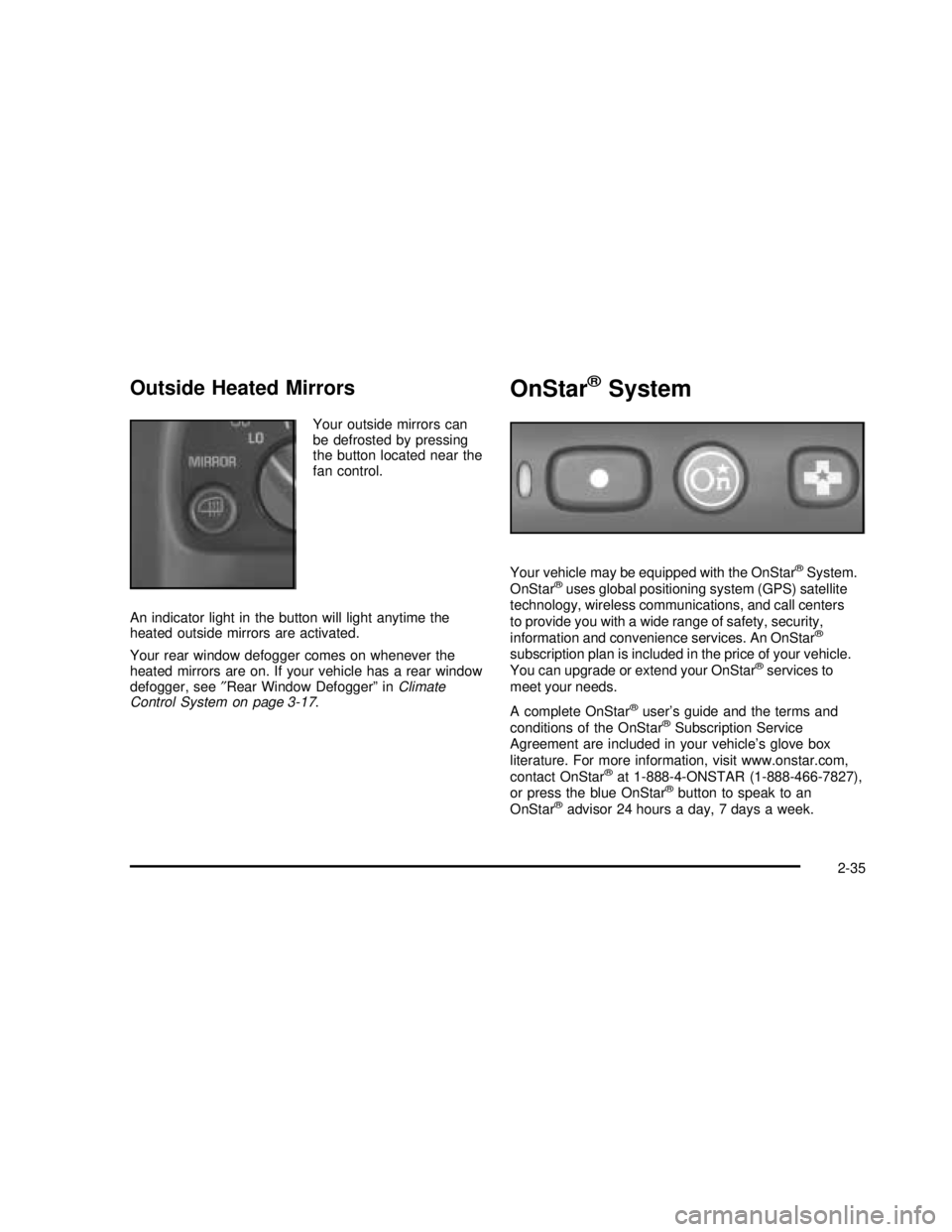
Outside Heated Mirrors
Your outside mirrors can
be defrosted by pressing
the button located near the
fan control.
An indicator light in the button will light anytime the
heated outside mirrors are activated.
Your rear window defogger comes on whenever the
heated mirrors are on. If your vehicle has a rear window
defogger, see″Rear Window Defogger”inClimate
Control System on page 3-17.
OnStar®System
Your vehicle may be equipped with the OnStar®System.
OnStar®uses global positioning system (GPS) satellite
technology, wireless communications, and call centers
to provide you with a wide range of safety, security,
information and convenience services. An OnStar
®
subscription plan is included in the price of your vehicle.
You can upgrade or extend your OnStar®services to
meet your needs.
A complete OnStar
®user’s guide and the terms and
conditions of the OnStar®Subscription Service
Agreement are included in your vehicle’s glove box
literature. For more information, visit www.onstar.com,
contact OnStar
®at 1-888-4-ONSTAR (1-888-466-7827),
or press the blue OnStar®button to speak to an
OnStar®advisor 24 hours a day, 7 days a week.
2-35
2003 - Savana OM
Page 119 of 392

Instrument Panel Overview...............................3-2
Hazard Warning Flashers................................3-4
Other Warning Devices...................................3-5
Horn .............................................................3-5
Tilt Wheel.....................................................3-5
Turn Signal/Multifunction Lever.........................3-6
Exterior Lamps.............................................3-12
Interior Lamps..............................................3-14
Accessory Power Outlets...............................3-16
Ashtrays and Cigarette Lighter........................3-16
Climate Controls............................................3-17
Climate Control System.................................3-17
Rear Heating System....................................3-18
Rear Air Conditioning and Heating System.......3-19
Warning Lights, Gages and Indicators.............3-23
Instrument Panel Cluster................................3-24
Speedometer...............................................3-25
Safety Belt Reminder Light.............................3-26
Air Bag Readiness Light................................3-27
Air Bag Off Light..........................................3-28
Charging System Light..................................3-29
Voltmeter Gage............................................3-30
Brake System Warning Light..........................3-31
Anti-Lock Brake System Warning Light.............3-32
Engine Coolant Temperature Gage..................3-32
Low Coolant Warning Light............................3-33
Malfunction Indicator Lamp
.............................3-33Oil Pressure Gage........................................3-36
Change Engine Oil Light................................3-37
Security Light...............................................3-38
Cruise Control Light......................................3-38
Daytime Running Lamps Indicator Light...........3-39
Tow/Haul Mode Light....................................3-39
Check Gages Warning Light...........................3-39
Fuel Gage...................................................3-40
Audio System(s).............................................3-41
Setting the Time for Radios without Radio
Data Systems (RDS)..................................3-41
Setting the Time for Radios with Radio
Data Systems (RDS)..................................3-41
AM-FM Radio...............................................3-42
Radio with CD..............................................3-45
Radio with Cassette and CD..........................3-49
Radio with Six-Disc CD.................................3-60
Rear Seat Audio (RSA).................................3-71
Theft-Deterrent Feature (Non-RDS Radios).......3-73
Theft-Deterrent Feature (RDS Radios).............3-73
Understanding Radio Reception......................3-74
Care of Your Cassette Tape Player.................3-74
Care of Your CDs.........................................3-76
Care of Your CD Player................................3-76
Fixed Mast Antenna......................................3-76
Chime Level Adjustment................................3-76
Section 3 Instrument Panel
3-1
2003 - Savana OM
Page 121 of 392

The main components of your instrument panel are the following:
A. Air Outlets
B. Turn Signal/Multifunction Lever
C. Instrument Panel Cluster
D. Shift Lever
E. Climate Control System
F. Audio SystemG. Headlamp and Parking Lamp Controls
H. Tow/Haul Mode Button
I. Rear Heating System (If Equipped)
J. Accessory Power Outlets/Cigarette Lighter
K. Storage Compartment
3-3
2003 - Savana OM
Page 125 of 392

If a bulb is burned out, replace it to help avoid an
accident. If the arrows don’t go on at all when you
signal a turn, check for burned-out bulbs or a blown
fuse. SeeFuses and Circuit Breakers on page 5-92.
Turn Signal On Chime
If your turn signal is left on for more than 3/4 of a mile
(1.2 km), a chime will sound at eachflash of the
turn signal. To turn off the chime, move the turn signal
lever to the off position.
Headlamp High/Low Beam Changer
23
(Headlamp High/Low Beam Changer):
To change the headlamps from low to high beam,
pull the mutlifunction lever all the way toward you.
Then release it.
When the high beams
are on, this light on the
instrument panel cluster
also will be on.
Flash-To-Pass Feature
This feature allows you to use your high-beam
headlamps to signal a driver in front of you that you
want to pass. It works even if your headlamps are off.
To use it, pull the turn signal lever toward you, but not so
far that you hear it click.
If your headlamps are off or on low-beam, your
high-beam headlamps will turn on and stay on as long
as you hold the lever toward you and the high-beam
indicator on the instrument panel will come on. Release
the lever to turn the high-beam headlamps off.
3-7
2003 - Savana OM
Page 126 of 392
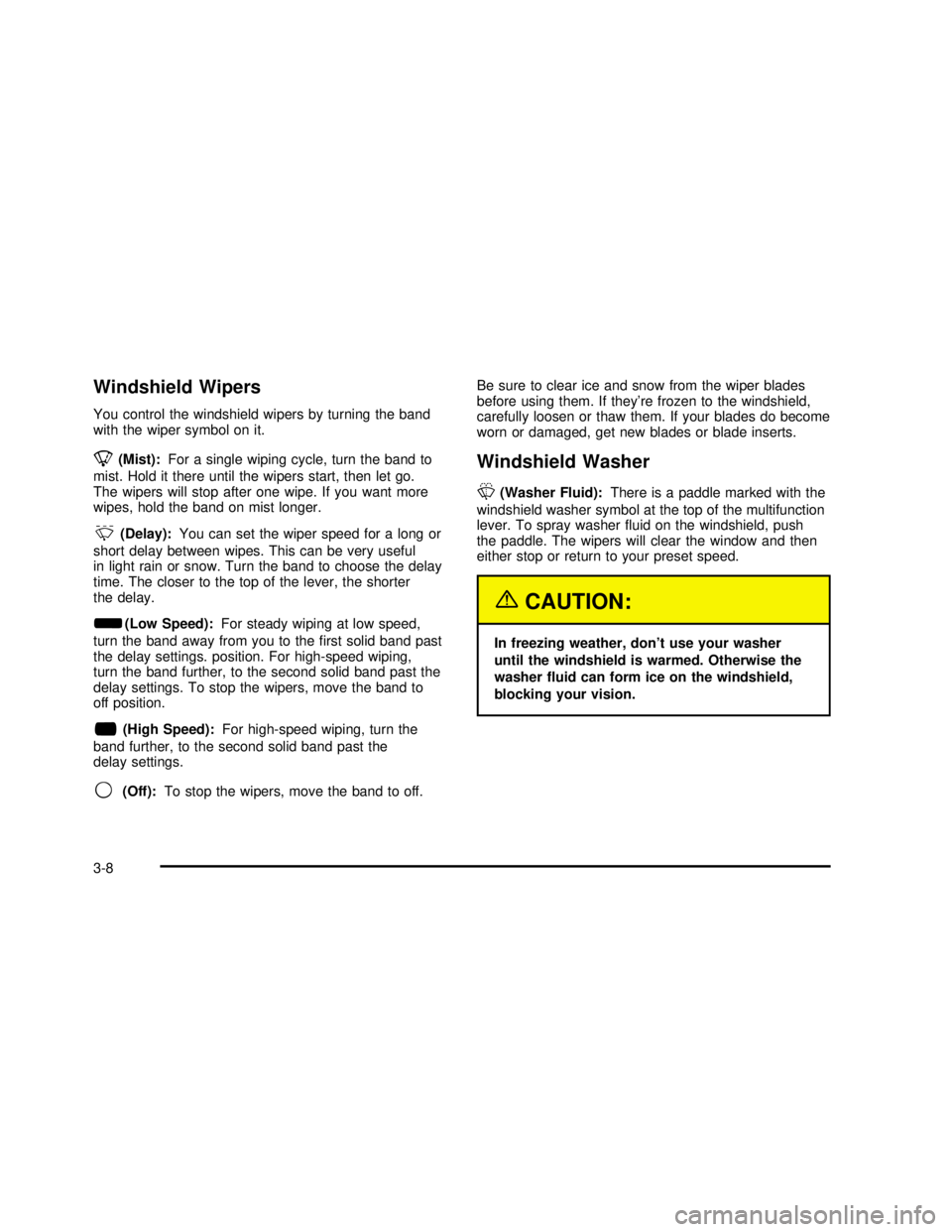
Windshield Wipers
You control the windshield wipers by turning the band
with the wiper symbol on it.
8(Mist):For a single wiping cycle, turn the band to
mist. Hold it there until the wipers start, then let go.
The wipers will stop after one wipe. If you want more
wipes, hold the band on mist longer.
&(Delay):You can set the wiper speed for a long or
short delay between wipes. This can be very useful
in light rain or snow. Turn the band to choose the delay
time. The closer to the top of the lever, the shorter
the delay.
d(Low Speed):For steady wiping at low speed,
turn the band away from you to thefirst solid band past
the delay settings. position. For high-speed wiping,
turn the band further, to the second solid band past the
delay settings. To stop the wipers, move the band to
off position.
a(High Speed):For high-speed wiping, turn the
band further, to the second solid band past the
delay settings.
9(Off):To stop the wipers, move the band to off.Be sure to clear ice and snow from the wiper blades
before using them. If they’re frozen to the windshield,
carefully loosen or thaw them. If your blades do become
worn or damaged, get new blades or blade inserts.
Windshield Washer
L
(Washer Fluid):There is a paddle marked with the
windshield washer symbol at the top of the multifunction
lever. To spray washerfluid on the windshield, push
the paddle. The wipers will clear the window and then
either stop or return to your preset speed.
{CAUTION:
In freezing weather, don’t use your washer
until the windshield is warmed. Otherwise the
washer fluid can form ice on the windshield,
blocking your vision.
3-8
2003 - Savana OM
Page 128 of 392

Setting Cruise Control
{CAUTION:
If you leave your cruise control on when you’re
not using cruise, you might hit a button and go
into cruise when you don’t want to. You could
be startled and even lose control. Keep the
cruise control switch off until you want to use
cruise control.
1. Move the cruise control switch to on.
2. Get up to the speed you want.
3. Press in the set button at the end of the lever and
release it.
4. Take your foot off the accelerator pedal.
The CRUISE light on the instrument panel will illuminate
when the cruise control is engaged.
Resuming a Set Speed
Suppose you set your cruise control at a desired
speed and then you apply the brake. This, of course,
disengages the cruise control. But you don’t need
to reset it.Once you’re going about 25 mph (40 km/h) or more,
you can move the cruise control switch from on to
resume/accelerate briefly.
You’ll go right back up to your chosen speed and
stay there.
If you hold the switch at resume/accelerate briefly, the
vehicle will keep going faster until you release the switch
or apply the brake. So unless you want to go faster,
don’t hold the switch at resume/accelerate.
Increasing Speed While Using Cruise
Control
There are two ways to go to a higher speed:
•Use the accelerator pedal to get to the higher
speed. Press the set button at the end of the lever,
then release the button and the accelerator
pedal. You’ll now cruise at the higher speed.
•Move the cruise switch from on to
resume/accelerate. Hold it there until you get
up to the speed you want, and then release the
switch. To increase your speed in very small
amounts, move the switch to resume/accelerate
briefly. Each time you do this, your vehicle
will go about 1 mph (1.6 km/h) faster.
3-10
2003 - Savana OM
Page 129 of 392

Reducing Speed While Using Cruise
Control
•
Press and hold the set button at the end of the
lever until you reach the lower speed you want,
then release it.
•To slow down in very small amounts, press the
set button briefly. Each time you do this, you’ll
go about 1 mph (1.6 km/h) slower.
Passing Another Vehicle While Using
Cruise Control
Use the accelerator pedal to increase your speed.
When you take your foot off the pedal, your vehicle will
slow down to the cruise control speed you set earlier.
Using Cruise Control on Hills
How well your cruise control will work on hills depends
upon your speed, load and the steepness of the
hills. When going up steep hills, you may want to
step on the accelerator pedal to maintain your speed.
When going downhill, you may have to brake or shift
to a lower gear to keep your speed down. Of course,
applying the brake takes you out of cruise control.
Many driversfind this to be too much trouble and
don’t use cruise control on steep hills.
Ending Cruise Control
There are two ways to turn off the cruise control:
•Step lightly on the brake pedal,
•or move the cruise control switch to off.
Erasing Speed Memory
When you turn off the cruise control or the ignition,
your cruise control set speed memory is erased.
3-11
2003 - Savana OM
Page 130 of 392
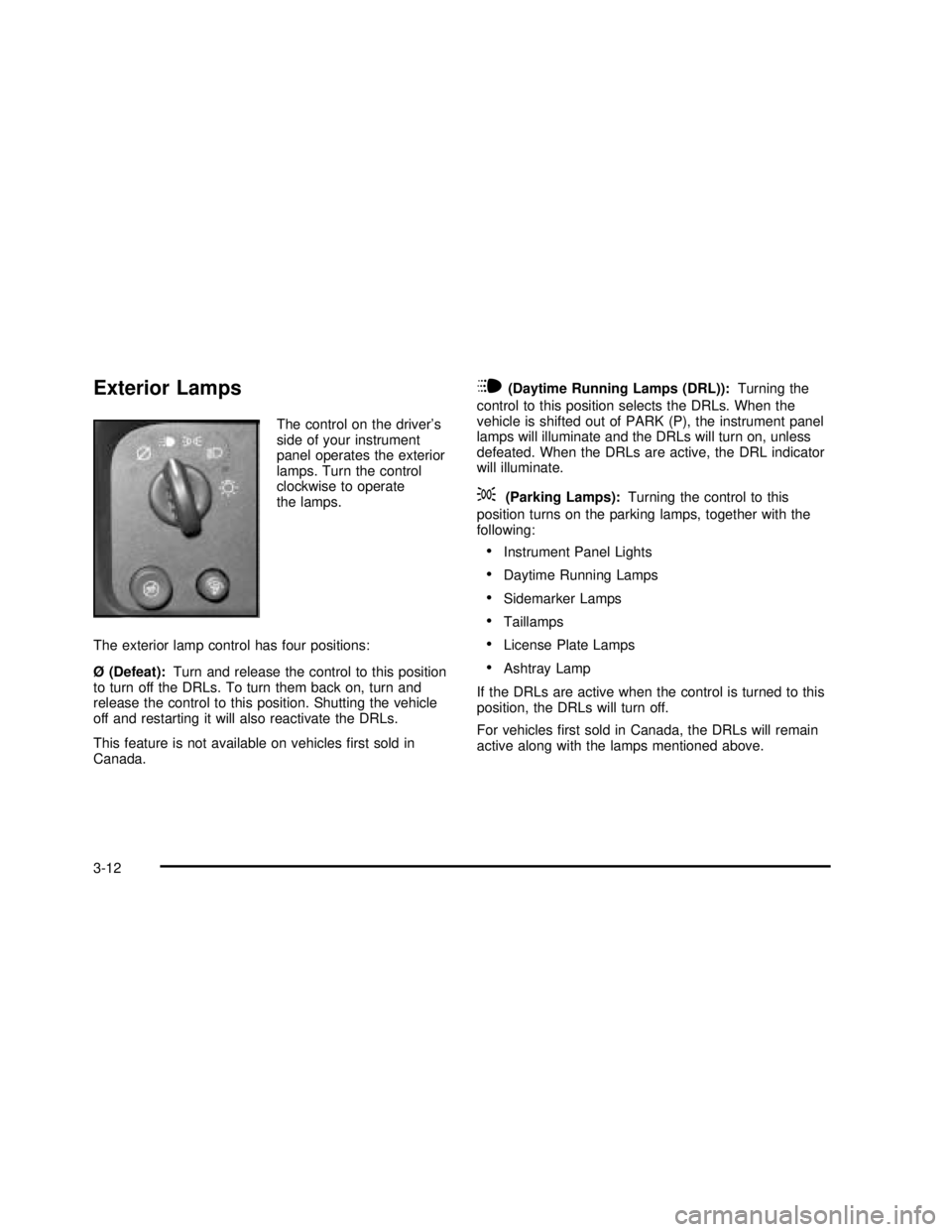
Exterior Lamps
The control on the driver’s
side of your instrument
panel operates the exterior
lamps. Turn the control
clockwise to operate
the lamps.
The exterior lamp control has four positions:
Ø (Defeat):Turn and release the control to this position
to turn off the DRLs. To turn them back on, turn and
release the control to this position. Shutting the vehicle
off and restarting it will also reactivate the DRLs.
This feature is not available on vehiclesfirst sold in
Canada.
i(Daytime Running Lamps (DRL)):Turning the
control to this position selects the DRLs. When the
vehicle is shifted out of PARK (P), the instrument panel
lamps will illuminate and the DRLs will turn on, unless
defeated. When the DRLs are active, the DRL indicator
will illuminate.
;(Parking Lamps):Turning the control to this
position turns on the parking lamps, together with the
following:
•Instrument Panel Lights
•Daytime Running Lamps
•Sidemarker Lamps
•Taillamps
•License Plate Lamps
•Ashtray Lamp
If the DRLs are active when the control is turned to this
position, the DRLs will turn off.
For vehiclesfirst sold in Canada, the DRLs will remain
active along with the lamps mentioned above.
3-12
2003 - Savana OM
Page 133 of 392

To turn the lamps off press the button. The dome lamps
will remain off when a door is open. To return the lamps
to automatic operation, press the button again. The dome
lamps will come on when you open a door. This will
override the illuminated entry feature unless you use
your keyless entry transmitter to unlock the vehicle.
Exit Lighting
With exit lighting, the interior lamps will come on for a
period of forty seconds when you remove the key
from the ignition. The lights will not come on if the
dome override button is pressed in.
Entry Lighting
Your vehicle is equipped with an illuminated entry
feature.
When a door is opened, the dome lamps will come on
if the dome override button is in the out position. If
the dome override button is pressed in, the lamps will
not come on. When the door is closed, the interior lamps
will remain on for a period offifteen seconds or until
the vehicle is started.
Reading Lamps
To turn on the reading lamps, press the button located
next to each lamp. To turn them off, press the button
again.
Dome Lamps
The dome lamps will come on when you open a door.
You can use the dome override button, located below the
exterior lamps control, to set the dome lamps to come on
automatically when the doors are opened, or remain off.
To turn the lamps off, press the button into the in position.
With the button in this position, the dome lamps will
remain off when the doors are open. To return the lamps
to automatic operation, press the button again and return
it to the out position. With the button in this position, the
dome lamps will come on when you open a door.
Battery Run-Down Protection
This feature shuts off the exterior and interior lamps if
they are left on after the ignition is turned off. All exterior
lamps will shut off after ten minutes. Interior cargo
lamps will shut down after twenty minutes and all other
interior lamps after ten minutes.
3-15
2003 - Savana OM