air condition GMC SIERRA 1500 2012 Owner's Guide
[x] Cancel search | Manufacturer: GMC, Model Year: 2012, Model line: SIERRA 1500, Model: GMC SIERRA 1500 2012Pages: 556, PDF Size: 7.88 MB
Page 275 of 556
Black plate (9,1)GMC Sierra Owner Manual - 2012 - CRC - 11/15/11
Climate Controls 8-9
This mode recirculates and helps
to quickly cool the air inside the
vehicle. It can be used to help
prevent outside air and odors from
entering the vehicle.
The recirculation mode cannot be
used with floor, defog, or defrost
modes. If recirculation is selected
with one of those modes, the
indicator light flashes three times
and then turns off. The air
conditioning compressor also comes
on when this mode is activated.
While in recirculation mode, the
windows may fog when the weather
is cold and damp. To clear the fog,
select either the defog or defrost
mode and increase the fan speed.
The recirculation mode can be
turned off by pressing the outside
air button, or by turning off the
ignition.
;(Outside Air):Press to turn the
outside air mode on. An indicator
light on the button comes on to
show that outside is on. When
selected, air from outside the vehicle circulates throughout the
vehicle. The recirculation mode
cannot be used with the outside
air mode.
Rear Window Defogger
The rear window defogger uses a
warming grid to remove fog from the
rear window.
1(Rear Window Defogger):
For
vehicles with this feature, press
to turn the defogger on or off.
It automatically turns off several
minutes after it has been activated.
The defogger can also be turned off
by turning the engine off. Do not
drive the vehicle until all windows
are clear.
Notice: Do not use a razor blade
or sharp object to clear the inside
rear window. Do not adhere
anything to the defogger grid
lines in the rear glass. These
actions may damage the rear
defogger. Repairs would not be
covered by your warranty. Heated Mirror:
For vehicles with
heated outside rearview mirrors, the
mirrors heat to help clear fog or frost
from the surface of the mirror when
the rear window defog button is
pressed. See Power Mirrors on
page 2‑15.
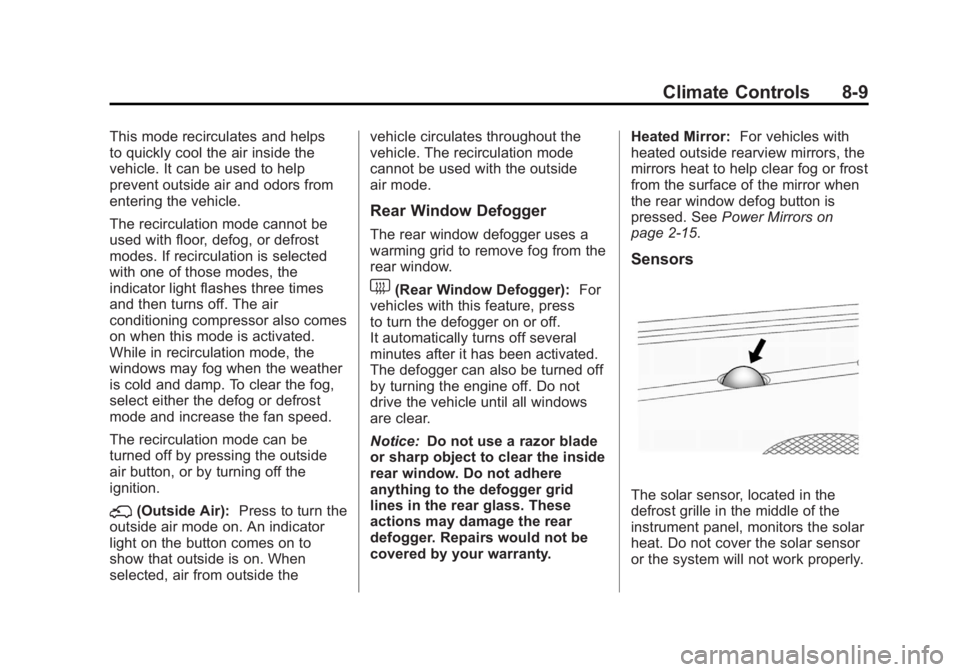
Sensors
The solar sensor, located in the
defrost grille in the middle of the
instrument panel, monitors the solar
heat. Do not cover the solar sensor
or the system will not work properly.
Page 290 of 556
Black plate (14,1)GMC Sierra Owner Manual - 2012 - CRC - 11/15/11
9-14 Driving and Operating
Blizzard Conditions
Being stuck in snow can be a
serious situation. Stay with the
vehicle unless there is help nearby.
If possible, use theRoadside
Assistance Program (U.S. and
Canada) on page 13‑7 orRoadside
Assistance Program (Mexico) on
page 13‑9. To get help and keep
everyone in the vehicle safe:
.Turn on the hazard warning
flashers.
.Tie a red cloth to an outside
mirror.
{WARNING
Snow can trap engine exhaust
under the vehicle. This may
cause exhaust gases to get
inside. Engine exhaust contains
carbon monoxide (CO) which
cannot be seen or smelled. It can
cause unconsciousness and even
death.
(Continued)
WARNING (Continued)
If the vehicle is stuck in the snow:
.Clear away snow from around
the base of your vehicle,
especially any that is blocking
the exhaust pipe.
.Check again from time to
time to be sure snow does
not collect there.
.Open a window about 5 cm
(2 in) on the side of the
vehicle that is away from the
wind to bring in fresh air.
.Fully open the air outlets on
or under the instrument
panel.
.Adjust the climate control
system to a setting that
circulates the air inside the
vehicle and set the fan speed
to the highest setting. See
“Climate Control Systems” in
the Index.
(Continued)
WARNING (Continued)
For more information about
carbon monoxide, see Engine
Exhaust on page 9‑33.
Run the engine for short periods
only as needed to keep warm, but
be careful.
To save fuel, run the engine for only
short periods as needed to warm
the vehicle and then shut the engine
off and close the window most of
the way to save heat. Repeat this
until help arrives but only when you
feel really uncomfortable from the
cold. Moving about to keep warm
also helps.
Page 306 of 556
Black plate (30,1)GMC Sierra Owner Manual - 2012 - CRC - 11/15/11
9-30 Driving and Operating
Engine Coolant Heater
The engine heater can provide
easier starting and better fuel
economy during engine warm-up
in cold weather conditions at or
below−18°C (0°F). Vehicles with an
engine heater should be plugged in
at least four hours before starting.
An internal thermostat in the
plug-end of the cord may exist
which will prevent engine coolant
heater operation at temperatures
above −18°C (0°F).
If the vehicle has a diesel engine,
see the Duramax Diesel supplement
for more information.
To Use the Engine Coolant
Heater
1. Turn off the engine.
2. Open the hood and unwrap the electrical cord. The cord
is secured to the Engine
Compartment Fuse Block with
a clip. Carefully remove the wire tie which bundles the
electrical plug. Do not cut the
electrical cord.
3. Plug the cord into a normal, grounded 110-volt AC outlet.
{WARNING
Plugging the cord into an
ungrounded outlet could cause an
electrical shock. Also, the wrong
kind of extension cord could
overheat and cause a fire. You
could be seriously injured. Plug
the cord into a properly grounded
three-prong 110-volt AC outlet.
If the cord will not reach, use a
heavy-duty three-prong extension
cord rated for at least 15 amps.
4. Before starting the engine, be sure to unplug and store the
cord as it was before to keep
it away from moving engine
parts. If you do not, it could be
damaged. The length of time the heater should
remain plugged in depends on
several factors. Ask a dealer in the
area where you will be parking the
vehicle for the best advice on this.
Shifting Into Park
{WARNING
It can be dangerous to get out of
the vehicle if the shift lever is not
fully in P (Park) with the parking
brake firmly set. The vehicle can
roll. If you have left the engine
running, the vehicle can move
suddenly. You or others could be
injured. To be sure the vehicle will
not move, even when you are on
fairly level ground, use the steps
that follow. With four-wheel
drive, if the transfer case is in
N (Neutral), the vehicle will be
free to roll, even if the shift lever
is in P (Park). So, be sure the
transfer case is in a drive
(Continued)
Page 312 of 556
Black plate (36,1)GMC Sierra Owner Manual - 2012 - CRC - 11/15/11
9-36 Driving and Operating
{WARNING
If you have Four-Wheel Drive, the
vehicle will be free to roll—even
if the shift lever is in P (Park) —if
the transfer case is in Neutral. So,
be sure the transfer case is in a
drive gear, Two-Wheel Drive High
or Four-Wheel Drive High or
Four-Wheel Drive Low —not in
Neutral. See Shifting Into Park on
page 9‑30.
R (Reverse): Use this gear to
back up.
Notice: Shifting to R (Reverse)
while the vehicle is moving
forward could damage the
transmission. The repairs would
not be covered by the vehicle
warranty. Shift to R (Reverse) only
after the vehicle is stopped.
To rock the vehicle back and forth to
get out of snow, ice, or sand without
damaging the transmission, see If
the Vehicle Is Stuck on page 9‑15. N (Neutral):
In this position, the
engine does not connect with the
wheels. To restart when you are
already moving, use N (Neutral)
only. Also, use N (Neutral) when the
vehicle is being towed.
{WARNING
Shifting into a drive gear while the
engine is running at high speed is
dangerous. Unless your foot is
firmly on the brake pedal, the
vehicle could move very rapidly.
You could lose control and hit
people or objects. Do not shift
into a drive gear while the engine
is running at high speed.
Notice: Shifting out of P (Park)
or N (Neutral) with the engine
running at high speed may
damage the transmission. The
repairs would not be covered by
the vehicle warranty. Be sure the
engine is not running at high
speed when shifting the vehicle. D (Drive):
This position is for
normal driving. It provides the best
fuel economy. If you need more
power for passing, and you are:
.Going less than about 55 km/h
(35 mph), push the accelerator
pedal about halfway down.
.Going about 55 km/h (35 mph) or
more, push the accelerator all
the way down.
By doing this, the vehicle shifts
down to the next gear and has
more power.
D (Drive) can be used when towing
a trailer, carrying a heavy load,
driving on steep hills, or for off-road
driving. You might want to shift
the transmission to a lower gear
selection if the transmission shifts
too often.
Downshifting the transmission in
slippery road conditions could result
in skidding. See “Skidding”under
Loss of Control on page 9‑5.
Page 314 of 556
Black plate (38,1)GMC Sierra Owner Manual - 2012 - CRC - 11/15/11
9-38 Driving and Operating
1 (First):For the Hydra-Matic
4-Speed transmission this position
reduces vehicle speed even more
than 2 (Second) without using the
brakes. You can use it on very steep
hills, or in deep snow or mud. If the
shift lever is put in 1 (First) while the
vehicle is moving forward, the
transmission does not shift into first
gear until the vehicle is going slowly
enough.
For an Allison Transmission or
Hydra-Matic 6-Speed transmission,
this position reduces vehicle speed
without using the brakes. You can
use it for major/severe downgrades
and off-road driving where the
vehicle would otherwise accelerate
due to steepness of grade. When
you shift to 1 (First) it provides the
lowest gear appropriate to current
road speed and continues to
downshift as the vehicle slows,
eventually downshifting to
1 (First) gear. Notice:
Spinning the tires
or holding the vehicle in one
place on a hill using only the
accelerator pedal may damage
the transmission. The repair will
not be covered by the vehicle
warranty. If you are stuck, do not
spin the tires. When stopping on
a hill, use the brakes to hold the
vehicle in place.
Manual Mode
Range Selection Mode
(Allison®Transmission or
Hydra-Matic®6-Speed
Transmission)
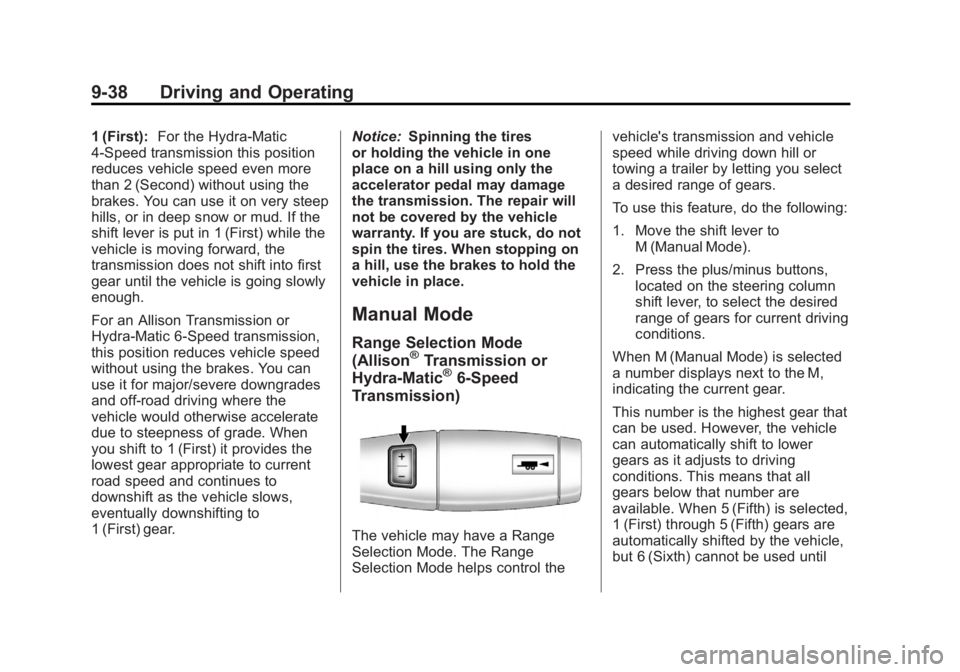
The vehicle may have a Range
Selection Mode. The Range
Selection Mode helps control the vehicle's transmission and vehicle
speed while driving down hill or
towing a trailer by letting you select
a desired range of gears.
To use this feature, do the following:
1. Move the shift lever to
M (Manual Mode).
2. Press the plus/minus buttons, located on the steering column
shift lever, to select the desired
range of gears for current driving
conditions.
When M (Manual Mode) is selected
a number displays next to the M,
indicating the current gear.
This number is the highest gear that
can be used. However, the vehicle
can automatically shift to lower
gears as it adjusts to driving
conditions. This means that all
gears below that number are
available. When 5 (Fifth) is selected,
1 (First) through 5 (Fifth) gears are
automatically shifted by the vehicle,
but 6 (Sixth) cannot be used until
Page 315 of 556
Black plate (39,1)GMC Sierra Owner Manual - 2012 - CRC - 11/15/11
Driving and Operating 9-39
the plus/minus button located on the
steering column lever is used to
change to the gear.
Grade Braking is not available when
Range Selection Mode is active.
SeeTow/Haul Mode on page 9‑39.
While using Range Selection Mode,
Cruise Control and the Tow/Haul
Mode can be used.
If the vehicle has an exhaust
brake, it can also be used, but will
not automatically downshift the
transmission. See Exhaust Brake in
the Duramax Diesel supplement.
Notice: Spinning the tires
or holding the vehicle in one
place on a hill using only the
accelerator pedal may damage
the transmission. The repair will
not be covered by the vehicle
warranty. If you are stuck, do not
spin the tires. When stopping on
a hill, use the brakes to hold the
vehicle in place.Low Traction Mode
If your vehicle has the Allison
Transmission, or the Hydra-Matic
6-Speed Automatic Transmission, it
has a Low Traction Mode that can
assist in vehicle acceleration when
road conditions are slippery, such
as with ice or snow. While the
vehicle is at a stop, select the
second gear range using Range
Selection Mode. This will limit
torque to the wheels after it detects
wheel slip, preventing the tires from
spinning.
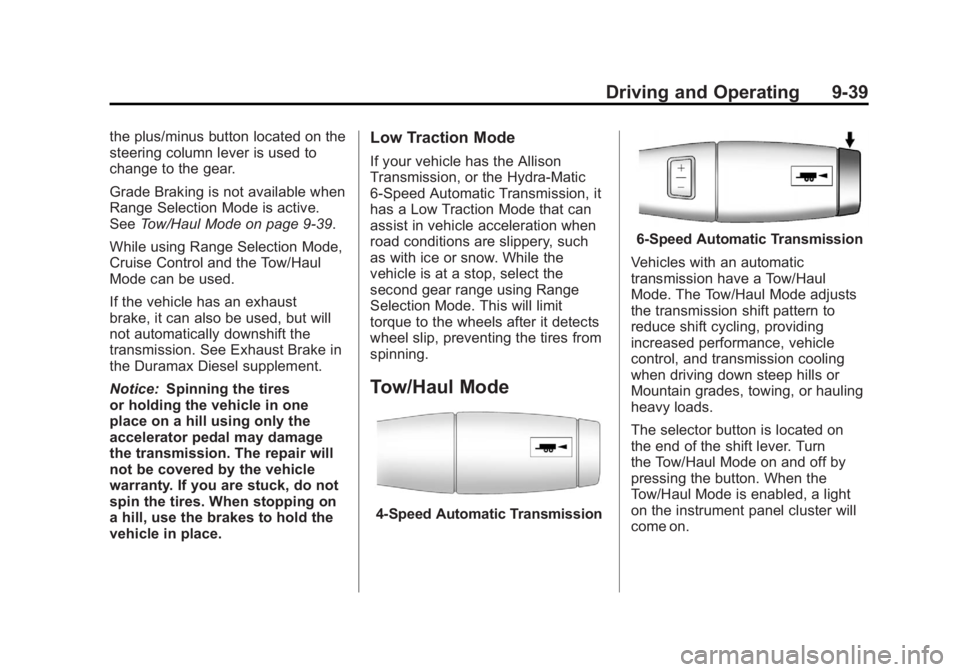
Tow/Haul Mode
4-Speed Automatic Transmission
6-Speed Automatic Transmission
Vehicles with an automatic
transmission have a Tow/Haul
Mode. The Tow/Haul Mode adjusts
the transmission shift pattern to
reduce shift cycling, providing
increased performance, vehicle
control, and transmission cooling
when driving down steep hills or
Mountain grades, towing, or hauling
heavy loads.
The selector button is located on
the end of the shift lever. Turn
the Tow/Haul Mode on and off by
pressing the button. When the
Tow/Haul Mode is enabled, a light
on the instrument panel cluster will
come on.
Page 333 of 556
Black plate (57,1)GMC Sierra Owner Manual - 2012 - CRC - 11/15/11
Driving and Operating 9-57
It is recommended to leave the
system on for normal driving
conditions, but it may be necessary
to turn the system off if the vehicle
is stuck in sand, mud, ice or snow,
and you want to“rock”the vehicle to
attempt to free it. It may also be
necessary to turn off the system
when driving in extreme off-road
conditions where high wheel spin is
required. See If the Vehicle Is Stuck
on page 9‑15.
When the transfer case is in 4LO,
the stability system is automatically
disabled, the StabiliTrak light comes
on, and the appropriate message
will appear on the DIC. Both
traction control and StabiliTrak
are automatically disabled in this
condition.
Traction Control Operation
The TCS is part of the StabiliTrak
system. Traction control limits wheel
spin by reducing engine power
to the wheels (engine speed
management) and by applying brakes to each individual wheel
(brake-traction control) as
necessary.
The TCS is enabled automatically
when the vehicle is started. It will
activate and the StabiliTrak light
will flash if it senses that any of the
wheels are spinning or beginning to
lose traction while driving. If traction
control is turned off, only the
brake-traction control portion of
traction control will work. The
engine speed management will be
disabled. In this mode, engine
power is not reduced automatically
and the driven wheels can spin
more freely. This can cause the
brake-traction control to activate
constantly.
Notice:
If the wheel(s) of one axle
is allowed to spin excessively
while the StabiliTrak
®, ABS, brake
warning lights, and any relevant
DIC messages are displayed, the
transfer case could be damaged.
The repairs would not be covered
by the vehicle warranty. Reduce
engine power and do not spin the wheel(s) excessively while these
lights and messages are
displayed.
The TCS may activate on dry or
rough roads or under conditions
such as heavy acceleration while
turning or abrupt upshifts/downshifts
of the transmission. When this
happens, a reduction in acceleration
may be noticed, or a noise or
vibration may be heard. This is
normal.
If cruise control is being used when
the system activates, the StabiliTrak
light will flash and cruise control will
automatically disengage. Cruise
control may be reengaged when
road conditions allow. See
Cruise
Control on page 9‑58.
StabiliTrak may also turn off
automatically if it determines that a
problem exists with the system.
If the problem does not clear itself
after restarting the vehicle, see your
dealer for service.
Page 338 of 556
Black plate (62,1)GMC Sierra Owner Manual - 2012 - CRC - 11/15/11
9-62 Driving and Operating
URPA defaults to the on setting
each time the vehicle is started.
Notice:If you use URPA while the
tailgate is lowered, it may not
detect an object behind your
vehicle, and you might back into
the object and damage your
vehicle. Always verify the tailgate
is closed when using URPA or
turn off URPA when driving with
the tailgate lowered.
When the System Does Not
Seem to Work Properly
The following messages may be
displayed on the DIC:
SERVICE PARK ASSIST: If this
message occurs, take the vehicle to
your dealer to repair the system. PARK ASST BLOCKED SEE
OWNERS MANUAL:
This
message can occur under the
following conditions:
.The ultrasonic sensors are not
clean. Keep the vehicle's rear
bumper free of mud, dirt, snow,
ice, and slush. For cleaning
instructions, see Exterior Care
on page 10‑98.
.The park assist sensors are
covered by frost or ice. Frost or
ice can form around and behind
the sensors and may not always
be seen; this can occur after
washing the vehicle in cold
weather. The message may not
clear until the frost or ice has
melted.
.A trailer was attached to the
vehicle, or an object was
hanging out of the tailgate during
the last drive cycle. Once the
object is removed and the
tailgate is raised, URPA will
return to normal operation.
.A tow bar is attached to the
vehicle.
.The bumper is damaged. Take
the vehicle to your dealer to
repair the system.
.Other conditions, such as
vibrations from a jackhammer or
the compression of air brakes on
a very large truck, are affecting
system performance.
Rear Vision
Camera (RVC)
If available, the Rear Vision Camera
(RVC) system displays part of the
scene behind the vehicle.
{WARNING
The RVC system does not display
pedestrians, bicyclists, animals,
or any other object located
outside the camera's field of view,
below the bumper, or under the
vehicle. Do not back the vehicle
(Continued)
Page 345 of 556
Black plate (69,1)GMC Sierra Owner Manual - 2012 - CRC - 11/15/11
Driving and Operating 9-69
If the vehicle has the 6.2L V8 engine
(VIN Code 2), use premium
unleaded gasoline with a posted
octane rating of 91 or higher. You
can also use regular unleaded
gasoline rated at 87 octane or
higher, but the vehicle's acceleration
could be slightly reduced, and a
slight audible knocking noise,
commonly referred to as spark
knock, might be heard. If the octane
is less than 87, you might notice a
heavy knocking noise when you
drive. If this occurs, use a gasoline
rated at 87 octane or higher as soon
as possible. Otherwise, you could
damage the engine. If heavy
knocking is heard when using
gasoline rated at 87 octane or
higher, the engine needs service.Gasoline Specifications
(U.S. and Canada Only)
At a minimum, gasoline should
meet ASTM specification D 4814
in the United States or
CAN/CGSB‐3.5 or 3.511 in
Canada. Some gasolines contain
an octane-enhancing additive called
methylcyclopentadienyl manganese
tricarbonyl (MMT). We recommend
against the use of gasolines
containing MMT. SeeFuel Additives
on page 9‑70 for additional
information.
California Fuel
Requirements
If the vehicle is certified to meet
California Emissions Standards, it is
designed to operate on fuels that
meet California specifications. See
the underhood emission control
label. If this fuel is not available in
states adopting California Emissions
Standards, the vehicle will operate
satisfactorily on fuels meeting
federal specifications, but emission control system performance might
be affected. The malfunction
indicator lamp could turn on and the
vehicle might fail a smog‐check test.
See
Malfunction Indicator Lamp on
page 5‑22. If this occurs, return to
your authorized dealer for diagnosis.
If it is determined that the condition
is caused by the type of fuel used,
repairs might not be covered by the
vehicle warranty.
Fuels in Foreign
Countries
Never use leaded gasoline or any
other fuel not recommended in the
previous text on fuel. Costly repairs
caused by use of improper fuel
would not be covered by the vehicle
warranty.
To check the fuel availability, ask an
auto club, or contact a major oil
company that does business in the
country where you will be driving.
Page 376 of 556
Black plate (100,1)GMC Sierra Owner Manual - 2012 - CRC - 11/15/11
9-100 Driving and Operating
If the vehicle’s brake, antilock brake,
or StabiliTrak systems are not
functioning properly, the ITBC
system may not be fully functional
or may not function at all. Make
sure all of these systems are
fully operational to ensure full
functionality of the ITBC system.
The ITBC system is powered
through the vehicle's electrical
system. Turning the ignition off will
also turn off the ITBC system. The
ITBC system is fully functional
only when the ignition is in ON or
in RUN.
The ITBC system can only be used
with trailers with electric brakes.{WARNING
Connecting a trailer that is not
compatible with the ITBC system
may result in reduced or complete
loss of trailer braking. There
may be an increase in stopping
distance or trailer instability which
could result in personal injury or
damage to the vehicle, trailer,
or other property. An aftermarket
controller may be available for
use with trailers with surge, air,
or electric‐over‐hydraulic trailer
brake systems. To determine the
type of brakes on the trailer and
the availability of controllers,
check with your trailer
manufacturer or dealer.When trailering, make sure of the
following:.The ITBC system is used only
with trailers that are equipped
with electric brakes.
.All applicable local and federal
laws and regulations are
followed.
.All electrical and mechanical
connections to the trailer are
made correctly.
.The trailer
’s brakes are in proper
working condition.
.The trailer and vehicle are
properly loaded for the towing
condition.
The ITBC system is a
factory-installed item. Out-of-factory
installation of this system should not
be attempted. GM is not responsible
for warranty or performance of the
system resulting from out-of-factory
installation.