stop start GMC SIERRA 1500 2012 Service Manual
[x] Cancel search | Manufacturer: GMC, Model Year: 2012, Model line: SIERRA 1500, Model: GMC SIERRA 1500 2012Pages: 556, PDF Size: 7.88 MB
Page 387 of 556
Black plate (1,1)GMC Sierra Owner Manual - 2012 - CRC - 11/15/11
Vehicle Care 10-1
Vehicle Care
General Information
General Information . . . . . . . . . . 10-2
California Proposition65 Warning . . . . . . . . . . . . . . . . . 10-3
California Perchlorate Materials Requirements . . . . 10-3
Accessories and Modifications . . . . . . . . . . . . . . . 10-3
Vehicle Checks
Doing Your OwnService Work . . . . . . . . . . . . . . . 10-4
Hood . . . . . . . . . . . . . . . . . . . . . . . . 10-5
Engine Compartment Overview . . . . . . . . . . . . . . . . . . . 10-6
Engine Oil . . . . . . . . . . . . . . . . . . . 10-7
Engine Oil Life System . . . . . 10-10
Automatic Transmission Fluid (4-Speed Transmission) . . . 10-11
Automatic Transmission Fluid (6-Speed
Transmission) . . . . . . . . . . . . . 10-14
Engine Air Cleaner/Filter . . . . 10-17
Cooling System . . . . . . . . . . . . 10-18
Engine Coolant . . . . . . . . . . . . . 10-19
Engine Overheating . . . . . . . . 10-22 Overheated Engine
Protection
Operating Mode . . . . . . . . . . . 10-24
Engine Fan . . . . . . . . . . . . . . . . . 10-24
Power Steering Fluid . . . . . . . 10-25
Washer Fluid . . . . . . . . . . . . . . . 10-26
Brakes . . . . . . . . . . . . . . . . . . . . . 10-27
Brake Fluid . . . . . . . . . . . . . . . . . 10-28
Battery . . . . . . . . . . . . . . . . . . . . . 10-30
Four-Wheel Drive . . . . . . . . . . . 10-30
Front Axle . . . . . . . . . . . . . . . . . . 10-31
Rear Axle . . . . . . . . . . . . . . . . . . 10-32
Noise Control System . . . . . . 10-34
Starter Switch Check . . . . . . . 10-35
Automatic Transmission Shift Lock Control Function
Check . . . . . . . . . . . . . . . . . . . . . 10-35
Ignition Transmission Lock Check . . . . . . . . . . . . . . . . . . . . . 10-35
Park Brake and P (Park) Mechanism Check . . . . . . . . 10-36
Wiper Blade Replacement . . . . . . . . . . . . . . 10-36
Glass Replacement . . . . . . . . 10-37
Headlamp Aiming
Headlamp Aiming . . . . . . . . . . 10-37
Bulb Replacement
Bulb Replacement . . . . . . . . . . 10-39
Halogen Bulbs . . . . . . . . . . . . . . 10-39
Headlamps, Front Turn Signal, Sidemarker, and
Parking Lamps . . . . . . . . . . . . 10-39
Pick-Up Box Identification and Fender Marker
Lamps . . . . . . . . . . . . . . . . . . . . 10-40
Taillamps (Chassis Cab Models) . . . . . . . . . . . . . . . . . . . 10-40
Taillamps, Turn Signal, Stoplamps, and Back-Up
Lamps . . . . . . . . . . . . . . . . . . . . 10-41
Center High-Mounted Stoplamp (CHMSL) and
Cargo Lamp . . . . . . . . . . . . . . 10-42
License Plate Lamp . . . . . . . . 10-42
Replacement Bulbs . . . . . . . . . 10-43
Electrical System
Electrical System Overload . . . . . . . . . . . . . . . . . . 10-43
Fuses and Circuit Breakers . . . . . . . . . . . . . . . . . . 10-44
Engine Compartment Fuse Block . . . . . . . . . . . . . . . . . . . . . 10-44
Instrument Panel Fuse Block . . . . . . . . . . . . . . . . . . . . . 10-48
Page 404 of 556
Black plate (18,1)GMC Sierra Owner Manual - 2012 - CRC - 11/15/11
10-18 Vehicle Care
3. Remove the engine air cleaner/filter from the housing. Take
care to dislodge as little dirt as
possible.
4. Clean the engine air cleaner/ filter sealing surfaces and the
housing.
5. Inspect or replace the engine air cleaner/filter.
6. Reinstall the cover and tighten the screws.
{WARNING
Operating the engine with the air
cleaner/filter off can cause you
or others to be burned. The air
cleaner not only cleans the air; it
helps to stop flames if the engine
backfires. Use caution when
working on the engine and do not
drive with the air cleaner/filter off.
Cooling System
If the vehicle has the Duramax®
Diesel engine, see the Duramax®
Diesel Supplement for more
information.
The cooling system allows the
engine to maintain the correct
working temperature.
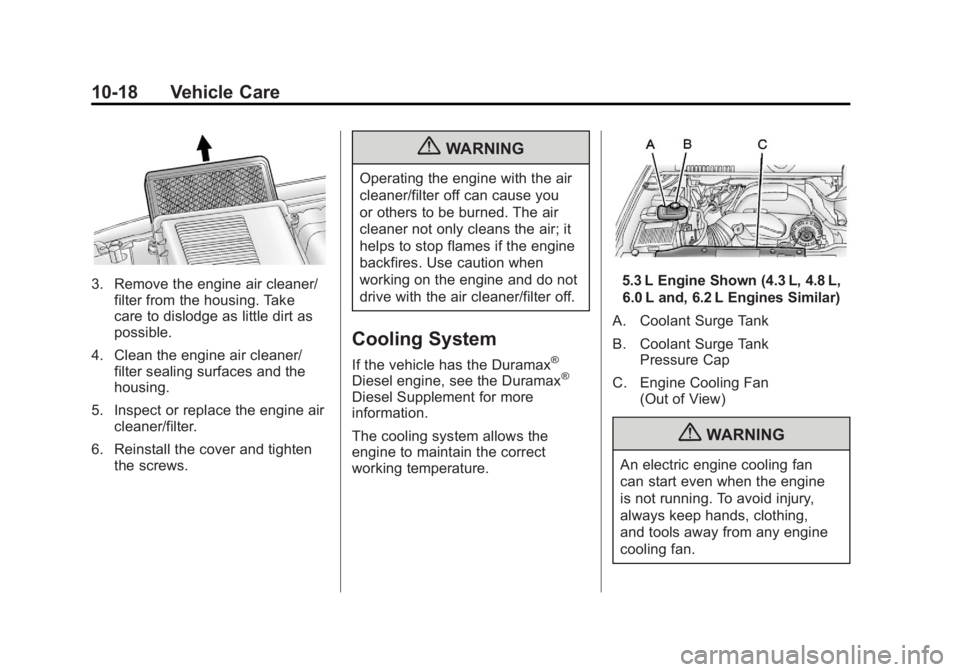
5.3 L Engine Shown (4.3 L, 4.8 L,
6.0 L and, 6.2 L Engines Similar)
A. Coolant Surge Tank
B. Coolant Surge Tank Pressure Cap
C. Engine Cooling Fan (Out of View)
{WARNING
An electric engine cooling fan
can start even when the engine
is not running. To avoid injury,
always keep hands, clothing,
and tools away from any engine
cooling fan.
Page 407 of 556
Black plate (21,1)GMC Sierra Owner Manual - 2012 - CRC - 11/15/11
Vehicle Care 10-21
How to Add Coolant to the
Coolant Surge Tank for
Gasoline Engines
If the vehicle has a diesel engine,
see“Cooling System” in the
Duramax Diesel Supplement for
the proper coolant fill procedure.
{WARNING
You can be burned if you spill
coolant on hot engine parts.
Coolant contains ethylene glycol
and it will burn if the engine parts
are hot enough. Do not spill
coolant on a hot engine.
Notice: This vehicle has a
specific coolant fill procedure.
Failure to follow this procedure
could cause the engine to
overheat and be severely
damaged.
{WARNING
An electric engine cooling fan
under the hood can start up even
when the engine is not running
and can cause injury. Keep
hands, clothing, and tools away
from any underhood electric fan.
{WARNING
Steam and scalding liquids from a
hot cooling system can blow out
and burn you badly. They are
under pressure, and if you turn
the coolant surge tank pressure
cap —even a little —they can
come out at high speed. Never
turn the cap when the cooling
system, including the coolant
surge tank pressure cap, is hot.
Wait for the cooling system and
coolant surge tank pressure cap
to cool if you ever have to turn
the pressure cap. If no coolant is visible in the surge
tank, add coolant as follows:
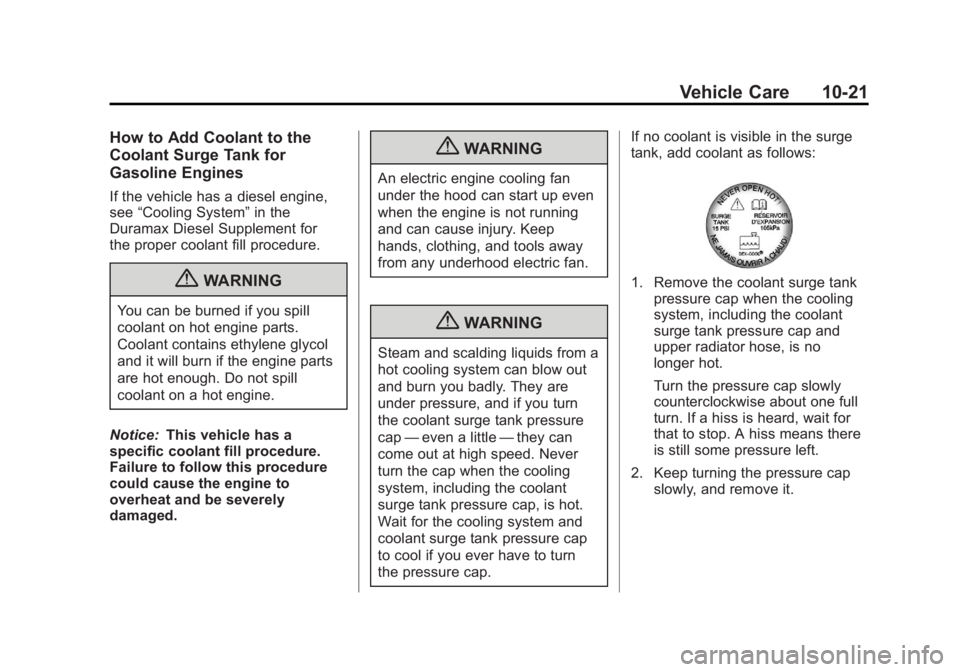
1. Remove the coolant surge tank
pressure cap when the cooling
system, including the coolant
surge tank pressure cap and
upper radiator hose, is no
longer hot.
Turn the pressure cap slowly
counterclockwise about one full
turn. If a hiss is heard, wait for
that to stop. A hiss means there
is still some pressure left.
2. Keep turning the pressure cap slowly, and remove it.
Page 408 of 556
Black plate (22,1)GMC Sierra Owner Manual - 2012 - CRC - 11/15/11
10-22 Vehicle Care
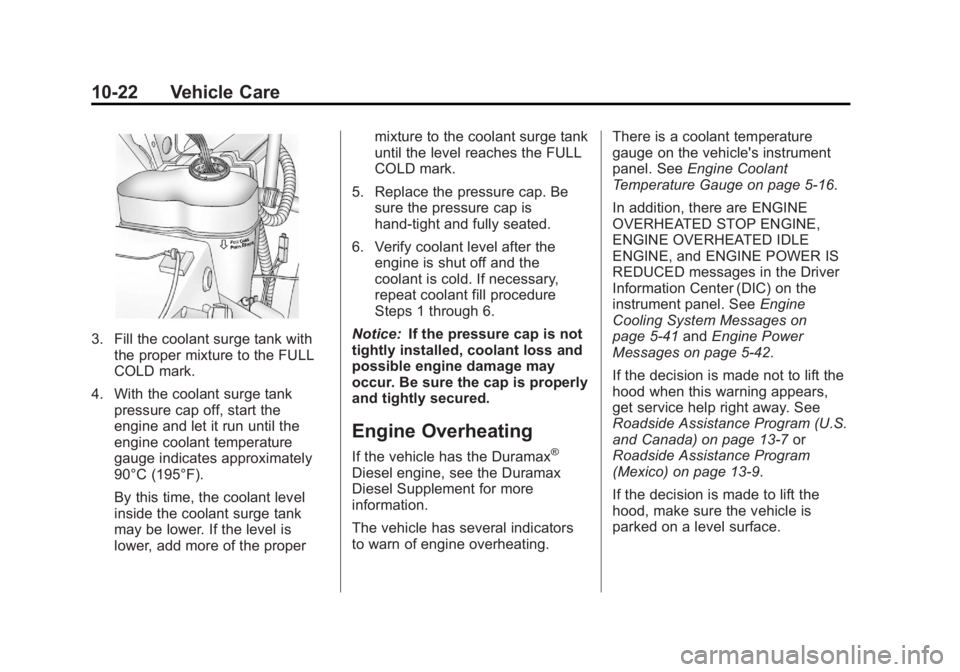
3. Fill the coolant surge tank withthe proper mixture to the FULL
COLD mark.
4. With the coolant surge tank pressure cap off, start the
engine and let it run until the
engine coolant temperature
gauge indicates approximately
90°C (195°F).
By this time, the coolant level
inside the coolant surge tank
may be lower. If the level is
lower, add more of the proper mixture to the coolant surge tank
until the level reaches the FULL
COLD mark.
5. Replace the pressure cap. Be sure the pressure cap is
hand-tight and fully seated.
6. Verify coolant level after the engine is shut off and the
coolant is cold. If necessary,
repeat coolant fill procedure
Steps 1 through 6.
Notice: If the pressure cap is not
tightly installed, coolant loss and
possible engine damage may
occur. Be sure the cap is properly
and tightly secured.
Engine Overheating
If the vehicle has the Duramax®
Diesel engine, see the Duramax
Diesel Supplement for more
information.
The vehicle has several indicators
to warn of engine overheating. There is a coolant temperature
gauge on the vehicle's instrument
panel. See
Engine Coolant
Temperature Gauge on page 5‑16.
In addition, there are ENGINE
OVERHEATED STOP ENGINE,
ENGINE OVERHEATED IDLE
ENGINE, and ENGINE POWER IS
REDUCED messages in the Driver
Information Center (DIC) on the
instrument panel. See Engine
Cooling System Messages on
page 5‑41 andEngine Power
Messages on page 5‑42.
If the decision is made not to lift the
hood when this warning appears,
get service help right away. See
Roadside Assistance Program (U.S.
and Canada) on page 13‑7 or
Roadside Assistance Program
(Mexico) on page 13‑9.
If the decision is made to lift the
hood, make sure the vehicle is
parked on a level surface.
Page 430 of 556
Black plate (44,1)GMC Sierra Owner Manual - 2012 - CRC - 11/15/11
10-44 Vehicle Care
Headlamp Wiring
An electrical overload may cause
the lamps to go on and off, or in
some cases to remain off. Have
the headlamp wiring checked right
away if the lamps go on and off or
remain off.
Windshield Wipers
If the wiper motor overheats due to
heavy snow or ice, the windshield
wipers will stop until the motor cools
and will then restart.
Although the circuit is protected
from electrical overload, overload
due to heavy snow or ice may
cause wiper linkage damage.
Always clear ice and heavy snow
from the windshield before using the
windshield wipers.
If the overload is caused by an
electrical problem and not snow or
ice, be sure to get it fixed.
Fuses and Circuit
Breakers
If the vehicle is a hybrid, see the
hybrid supplement for more
information.
The wiring circuits in the vehicle
are protected from short circuits
by a combination of fuses, circuit
breakers and fusible thermal links.
This greatly reduces the chance of
fires caused by electrical problems.
Look at the silver-colored band
inside the fuse. If the band is broken
or melted, replace the fuse. Be sure
you replace a bad fuse with a new
one of the identical size and rating.If you ever have a problem on the
road and don't have a spare fuse,
you can borrow one that has the
same amperage. Just pick some
feature of your vehicle that you can
get along without–
like the radio or
accessory power outlet– and use its
fuse, if it is the correct amperage.
Replace it as soon as you can.
Engine Compartment
Fuse Block
If the vehicle has a diesel engine,
see the Duramax Diesel supplement
for more information.
If the vehicle is a hybrid, see the
hybrid supplement for more
information.
Page 447 of 556
Black plate (61,1)GMC Sierra Owner Manual - 2012 - CRC - 11/15/11
Vehicle Care 10-61
Driving on a significantly
under‐inflated tire causes the
tire to overheat and can lead to
tire failure. Under‐inflation also
reduces fuel efficiency and tire
tread life, and may affect the
vehicle's handling and stopping
ability.
Please note that the TPMS is
not a substitute for proper tire
maintenance, and it is the driver's
responsibility to maintain correct
tire pressure, even if under‐inflation
has not reached the level to trigger
illumination of the TPMS low tire
pressure telltale.
Your vehicle has also been
equipped with a TPMS malfunction
indicator to indicate when the
system is not operating properly.The TPMS malfunction indicator is
combined with the low tire pressure
telltale. When the system detects a
malfunction, the telltale will flash for
approximately one minute and then
remain continuously illuminated.
This sequence will continue upon
subsequent vehicle start‐ups as
long as the malfunction exists.
When the malfunction indicator is
illuminated, the system may not be
able to detect or signal low tire
pressure as intended. TPMS
malfunctions may occur for a variety
of reasons, including the installation
of replacement or alternate tires or
wheels on the vehicle that prevent
the TPMS from functioning properly.
Always check the TPMS malfunction
telltale after replacing one or more
tires or wheels on your vehicle to
ensure that the replacement or
alternate tires and wheels allow
the TPMS to continue to function
properly.
See
Tire Pressure Monitor
Operation on page 10‑62 for
additional information.
Federal Communications
Commission (FCC) Rules
and with Industry Canada
Standards
See Radio Frequency Statement on
page 13‑20 for information
regarding Part 15 of the Federal
Communications Commission (FCC)
Rules and with Industry Canada
Standards RSS-GEN/210/220/310.
Page 448 of 556
Black plate (62,1)GMC Sierra Owner Manual - 2012 - CRC - 11/15/11
10-62 Vehicle Care
Tire Pressure Monitor
Operation
This vehicle may have a Tire
Pressure Monitor System (TPMS).
The TPMS is designed to warn the
driver when a low tire pressure
condition exists. TPMS sensors are
mounted onto each tire and wheel
assembly, excluding the spare tire
and wheel assembly. The TPMS
sensors monitor the air pressure in
the tires and transmit the tire
pressure readings to a receiver
located in the vehicle.
When a low tire pressure condition
is detected, the TPMS illuminates
the low tire pressure warning light
located on the instrument cluster.If the warning light comes on, stop
as soon as possible and inflate the
tires to the recommended pressure
shown on the Tire and Loading
Information label. See
Vehicle Load
Limits on page 9‑16.
A message to check the pressure in
a specific tire displays in the Driver
Information Center (DIC). The low
tire pressure warning light and the
DIC warning message come on at
each ignition cycle until the tires
are inflated to the correct inflation
pressure. If the vehicle has DIC
buttons, tire pressure levels can be
viewed. For additional information
and details about the DIC operation
and displays, see Driver Information
Center (DIC) on page 5‑30 andTire
Messages on page 5‑45.
The low tire pressure warning light
may come on in cool weather when
the vehicle is first started, and then
turn off as the vehicle is driven.
This could be an early indicator that
the air pressure is getting low and
needs to be inflated to the proper
pressure. A Tire and Loading Information
label shows the size of the original
equipment tires and the correct
inflation pressure for the tires when
they are cold. See
Vehicle Load
Limits on page 9‑16, for an example
of the Tire and Loading Information
label and its location. Also see Tire
Pressure on page 10‑58.
The TPMS can warn about a
low tire pressure condition but it
does not replace normal tire
maintenance. See Tire Inspection
on page 10‑65, Tire Rotation on
page 10‑65 andTires on
page 10‑50.
Notice: Tire sealant materials are
not all the same. A non-approved
tire sealant could damage the
TPMS sensors. TPMS sensor
damage caused by using an
incorrect tire sealant is not
covered by the vehicle
warranty. Always use only the
GM-approved tire sealant
available through your dealer or
included in the vehicle.
Page 450 of 556
Black plate (64,1)GMC Sierra Owner Manual - 2012 - CRC - 11/15/11
10-64 Vehicle Care
The malfunction light and the DIC
message should go off at the next
ignition cycle. The sensors are
matched to the tire/wheel positions,
using a TPMS relearn tool, in the
following order: driver side front tire,
passenger side front tire, passenger
side rear tire, and driver side rear.
See your dealer for service or to
purchase a relearn tool.
There are two minutes to match
the first tire/wheel position, and
five minutes overall to match all
four tire/wheel positions. If it takes
longer, the matching process stops
and must be restarted.
The TPMS sensor matching
process is:
1. Set the parking brake.
2. Turn the ignition to ON/RUN withthe engine off.
3. Press the Remote Keyless Entry (RKE) transmitter's LOCK
and UNLOCK buttons at the
same time for approximately
five seconds. The horn sounds twice to signal the receiver
is in relearn mode and TIRE
LEARNING ACTIVE message
displays on the DIC screen.
If the vehicle does not have
RKE, press the Driver
Information Center (DIC) vehicle
information button until the
PRESS
VTO RELEARN TIRE
POSITIONS message displays.
The horn sounds twice to signal
the receiver is in relearn mode
and TIRE LEARNING ACTIVE
message displays on the DIC
screen.
If the vehicle does not have RKE
or DIC buttons, press the trip
odometer reset stem located on
the instrument panel cluster until
the PRESS
VTO RELEARN
TIRE POSITIONS message
displays. The horn sounds twice
to signal the receiver is in
relearn mode and TIRE
LEARNING ACTIVE message
displays on the DIC screen. 4. Start with the driver side
front tire.
5. Place the relearn tool against the tire sidewall, near the valve
stem. Then press the button to
activate the TPMS sensor.
A horn chirp confirms that the
sensor identification code has
been matched to this tire and
wheel position.
6. Proceed to the passenger side front tire, and repeat the
procedure in Step 5.
7. Proceed to the passenger side rear tire, and repeat the
procedure in Step 5.
8. Proceed to the driver side rear tire, and repeat the procedure in
Step 5. The horn sounds two
times to indicate the sensor
identification code has been
matched to the driver side rear
tire, and the TPMS sensor
matching process is no longer
active. The TIRE LEARNING
ACTIVE message on the DIC
display screen goes off.
Page 499 of 556
Black plate (9,1)GMC Sierra Owner Manual - 2012 - CRC - 11/15/11
Service and Maintenance 11-9
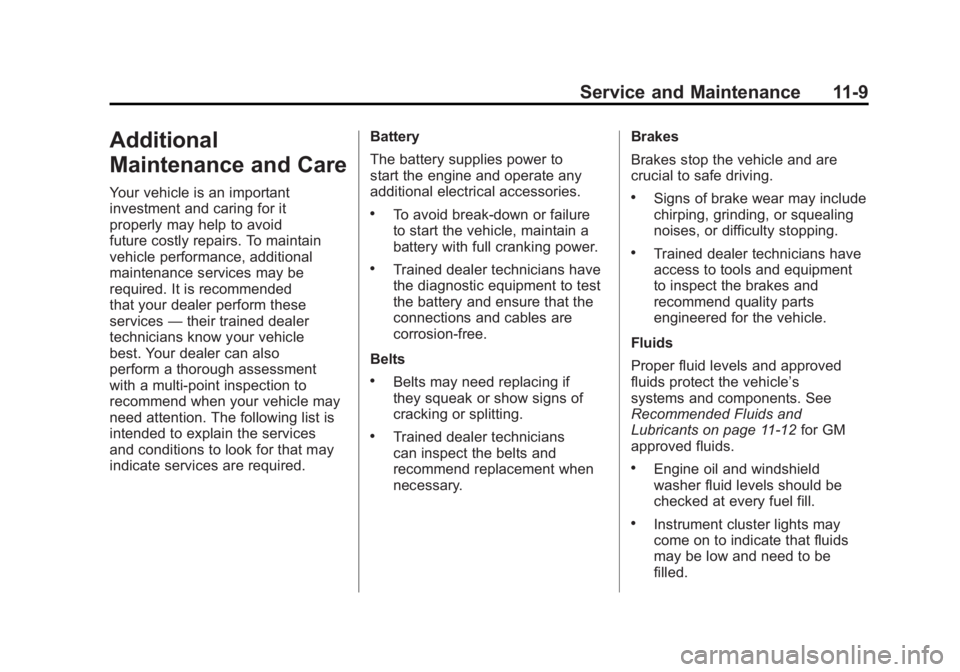
Additional
Maintenance and Care
Your vehicle is an important
investment and caring for it
properly may help to avoid
future costly repairs. To maintain
vehicle performance, additional
maintenance services may be
required. It is recommended
that your dealer perform these
services—their trained dealer
technicians know your vehicle
best. Your dealer can also
perform a thorough assessment
with a multi‐point inspection to
recommend when your vehicle may
need attention. The following list is
intended to explain the services
and conditions to look for that may
indicate services are required. Battery
The battery supplies power to
start the engine and operate any
additional electrical accessories.
.To avoid break‐down or failure
to start the vehicle, maintain a
battery with full cranking power.
.Trained dealer technicians have
the diagnostic equipment to test
the battery and ensure that the
connections and cables are
corrosion‐free.
Belts
.Belts may need replacing if
they squeak or show signs of
cracking or splitting.
.Trained dealer technicians
can inspect the belts and
recommend replacement when
necessary. Brakes
Brakes stop the vehicle and are
crucial to safe driving.
.Signs of brake wear may include
chirping, grinding, or squealing
noises, or difficulty stopping.
.Trained dealer technicians have
access to tools and equipment
to inspect the brakes and
recommend quality parts
engineered for the vehicle.
Fluids
Proper fluid levels and approved
fluids protect the vehicle’s
systems and components. See
Recommended Fluids and
Lubricants on page 11‑12 for GM
approved fluids.
.Engine oil and windshield
washer fluid levels should be
checked at every fuel fill.
.Instrument cluster lights may
come on to indicate that fluids
may be low and need to be
filled.
Page 544 of 556
Black plate (2,1)GMC Sierra Owner Manual - 2012 - CRC - 11/15/11
i-2 INDEX
Automatic TransmissionManual Mode . . . . . . . . . . . . . . . . . 9-38
Shift Lock Control
Function Check . . . . . . . . . . . 10-35
Auxiliary Devices . . . . . . . . . . . . . . . . . . . . . . . 7-32
Roof Mounted Lamp . . . . . . . . . . . 6-6
Axle, Front . . . . . . . . . . . . . . . . . . . . 10-31
Axle, Rear . . . . . . . . . . . . . . . . . . . . 10-32
B
Battery . . . . . . . . . . . . . . . . . . . . . . . 10-30 Jump Starting . . . . . . . . . . . . . . . 10-88
Load Management . . . . . . . . . . . . . 6-9
Power Protection . . . . . . . . . . . . . 6-10
Voltage and Charging
Messages . . . . . . . . . . . . . . . . . . . 5-39
Blade Replacement, Wiper . . . 10-36
Bluetooth . . . . . . . . . . . . . . . . . . . . . . 7-48
Brake
Pedal and AdjustableThrottle . . . . . . . . . . . . . . . . . . . . . . 9-25
System Warning Light . . . . . . . . 5-25 Brakes . . . . . . . . . . . . . . . . . . . . . . . . 10-27
Antilock . . . . . . . . . . . . . . . . . . . . . . . 9-53
Assist . . . . . . . . . . . . . . . . . . . . . . . . . 9-54
Fluid . . . . . . . . . . . . . . . . . . . . . . . . 10-28
Parking . . . . . . . . . . . . . . . . . . . . . . . 9-54
System Messages . . . . . . . . . . . . 5-40
Braking . . . . . . . . . . . . . . . . . . . . . . . . . 9-4
Break-In, New Vehicle . . . . . . . . . 9-25
Bulb Replacement . . . . . . . . . . . . 10-43
Center High-MountedStoplamp (CHMSL) and
Cargo Lamp . . . . . . . . . . . . . . . 10-42
Fog Lamps . . . . . . . . . . . . . . . . . . . . 6-6
Halogen Bulbs . . . . . . . . . . . . . . 10-39
Headlamp Aiming . . . . . . . . . . . 10-37
Headlamps . . . . . . . . . . . . . . . . . 10-39
Headlamps, Front Turn Signal, Sidemarker, and
Parking Lamps . . . . . . . . . . . . 10-39
License Plate Lamps . . . . . . . 10-42 Bulb Replacement (cont'd)
Pick-up Box Identification
and Fender Marker
Lamps . . . . . . . . . . . . . . . . . . . . 10-40
Taillamps . . . . . . . . . . . . . . . . . . . 10-40
Taillamps, Turn Signal, Stoplamps, and
Back-up Lamps . . . . . . . . . . . 10-41
Buying New Tires . . . . . . . . . . . . . 10-68
C
Calibration . . . . . . . . . . . . . . . . . . . . . . 5-5
California
Fuel Requirements . . . . . . . . . . . 9-69
Perchlorate MaterialsRequirements . . . . . . . . . . . . . . . 10-3
Warning . . . . . . . . . . . . . . . . . . . . . . 10-3
Camera, Rear Vision . . . . . . . . . . 9-62
Canadian Vehicle Owners . . . . . . . . iii
Capacities and Specifications . . . . . . . . . . . . . . . . 12-2