warning light GMC SIERRA 1500 2012 Owners Manual
[x] Cancel search | Manufacturer: GMC, Model Year: 2012, Model line: SIERRA 1500, Model: GMC SIERRA 1500 2012Pages: 556, PDF Size: 7.88 MB
Page 1 of 556
Black plate (1,1)GMC Sierra Owner Manual - 2012 - CRC - 11/15/11
2012 GMC Sierra Owner ManualM
In Brief. . . . . . . . . . . . . . . . . . . . . . . . 1-1
Instrument Panel . . . . . . . . . . . . . . 1-2
Initial Drive Information . . . . . . . . 1-8
Vehicle Features . . . . . . . . . . . . . 1-27
Performance and Maintenance . . . . . . . . . . . . . . . . 1-35
Keys, Doors, and Windows . . . . . . . . . . . . . . . . . . . . 2-1
Keys and Locks . . . . . . . . . . . . . . . 2-2
Doors . . . . . . . . . . . . . . . . . . . . . . . . . . 2-9
Vehicle Security . . . . . . . . . . . . . . 2-11
Exterior Mirrors . . . . . . . . . . . . . . . 2-14
Interior Mirrors . . . . . . . . . . . . . . . . 2-18
Windows . . . . . . . . . . . . . . . . . . . . . 2-19
Roof . . . . . . . . . . . . . . . . . . . . . . . . . . 2-22
Seats and Restraints . . . . . . . . . 3-1
Head Restraints . . . . . . . . . . . . . . . 3-2
Front Seats . . . . . . . . . . . . . . . . . . . . 3-3
Rear Seats . . . . . . . . . . . . . . . . . . . 3-10 Safety Belts . . . . . . . . . . . . . . . . . . 3-12
Airbag System . . . . . . . . . . . . . . . . 3-21
Child Restraints . . . . . . . . . . . . . . 3-39
Storage . . . . . . . . . . . . . . . . . . . . . . . 4-1
Storage Compartments . . . . . . . . 4-1
Instruments and Controls . . . . 5-1
Controls . . . . . . . . . . . . . . . . . . . . . . . 5-2
Warning Lights, Gauges, and
Indicators . . . . . . . . . . . . . . . . . . . 5-11
Information Displays . . . . . . . . . . 5-30
Vehicle Messages . . . . . . . . . . . . 5-39
Vehicle Personalization . . . . . . . 5-48
Universal Remote System . . . . 5-56
Lighting . . . . . . . . . . . . . . . . . . . . . . . 6-1
Exterior Lighting . . . . . . . . . . . . . . . 6-1
Interior Lighting . . . . . . . . . . . . . . . . 6-7
Lighting Features . . . . . . . . . . . . . . 6-9 Infotainment System
. . . . . . . . . 7-1
Introduction . . . . . . . . . . . . . . . . . . . . 7-1
Radio . . . . . . . . . . . . . . . . . . . . . . . . . . 7-9
Audio Players . . . . . . . . . . . . . . . . 7-15
Rear Seat Infotainment . . . . . . . 7-37
Phone . . . . . . . . . . . . . . . . . . . . . . . . 7-48
Trademarks and License Agreements . . . . . . . . . . . . . . . . . 7-55
Climate Controls . . . . . . . . . . . . . 8-1
Climate Control Systems . . . . . . 8-1
Air Vents . . . . . . . . . . . . . . . . . . . . . 8-10
Driving and Operating . . . . . . . . 9-1
Driving Information . . . . . . . . . . . . . 9-2
Starting and Operating . . . . . . . 9-25
Engine Exhaust . . . . . . . . . . . . . . 9-33
Automatic Transmission . . . . . . 9-35
Drive Systems . . . . . . . . . . . . . . . . 9-40
Brakes . . . . . . . . . . . . . . . . . . . . . . . 9-53
Page 5 of 556
Black plate (5,1)GMC Sierra Owner Manual - 2012 - CRC - 11/15/11
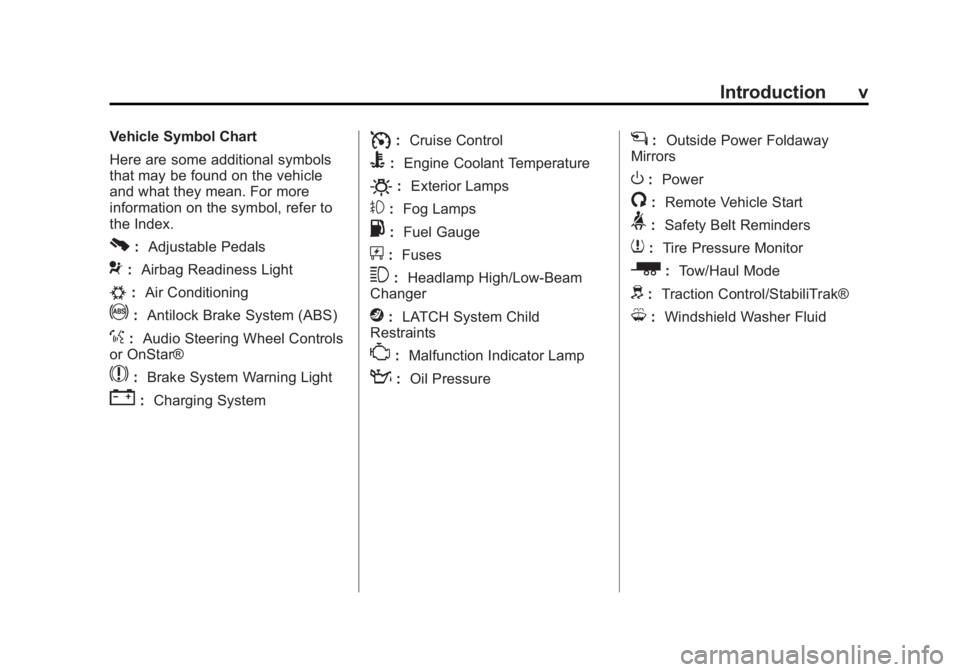
Introduction v
Vehicle Symbol Chart
Here are some additional symbols
that may be found on the vehicle
and what they mean. For more
information on the symbol, refer to
the Index.
0:Adjustable Pedals
9:Airbag Readiness Light
#:Air Conditioning
!:Antilock Brake System (ABS)
%:Audio Steering Wheel Controls
or OnStar®
$: Brake System Warning Light
":Charging System
I:Cruise Control
B: Engine Coolant Temperature
O:Exterior Lamps
#:Fog Lamps
.: Fuel Gauge
+:Fuses
3: Headlamp High/Low-Beam
Changer
j: LATCH System Child
Restraints
*: Malfunction Indicator Lamp
::Oil Pressure
g:Outside Power Foldaway
Mirrors
O: Power
/:Remote Vehicle Start
>:Safety Belt Reminders
7:Tire Pressure Monitor
_: Tow/Haul Mode
d:Traction Control/StabiliTrak®
M:Windshield Washer Fluid
Page 9 of 556
Black plate (3,1)GMC Sierra Owner Manual - 2012 - CRC - 11/15/11
In Brief 1-3
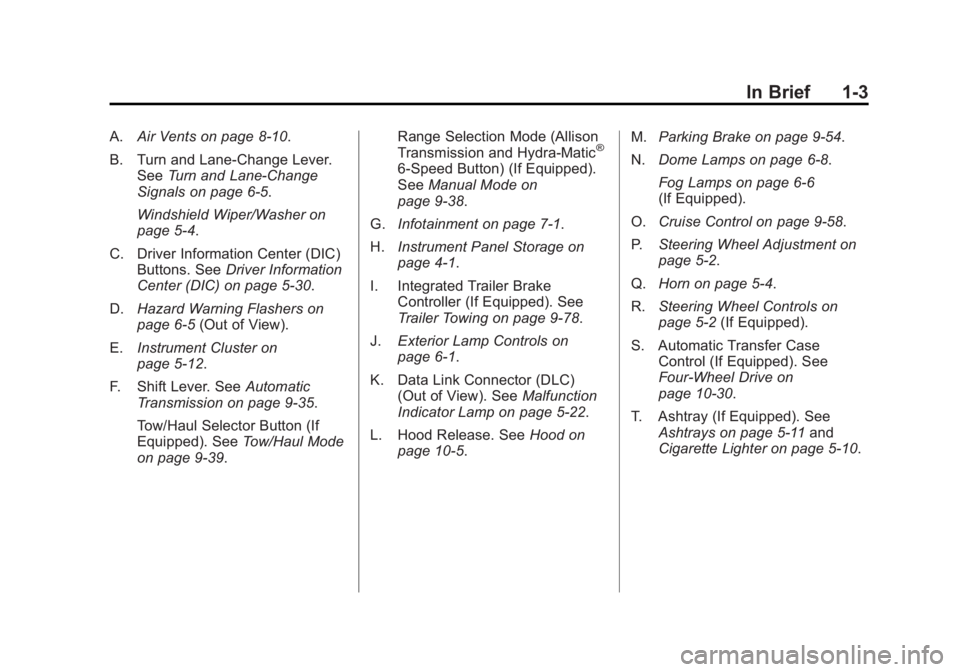
A.Air Vents on page 8‑10.
B. Turn and Lane‐Change Lever. See Turn and Lane-Change
Signals on page 6‑5.
Windshield Wiper/Washer on
page 5‑4.
C. Driver Information Center (DIC) Buttons. See Driver Information
Center (DIC) on page 5‑30.
D. Hazard Warning Flashers on
page 6‑5 (Out of View).
E. Instrument Cluster on
page 5‑12.
F. Shift Lever. See Automatic
Transmission on page 9‑35.
Tow/Haul Selector Button (If
Equipped). See Tow/Haul Mode
on page 9‑39. Range Selection Mode (Allison
Transmission and Hydra-Matic®
6‐Speed Button) (If Equipped).
See
Manual Mode on
page 9‑38.
G. Infotainment on page 7‑1.
H. Instrument Panel Storage on
page 4‑1.
I. Integrated Trailer Brake Controller (If Equipped). See
Trailer Towing on page 9‑78.
J. Exterior Lamp Controls on
page 6‑1.
K. Data Link Connector (DLC) (Out of View). See Malfunction
Indicator Lamp on page 5‑22.
L. Hood Release. See Hood on
page 10‑5. M.
Parking Brake on page 9‑54.
N. Dome Lamps on page 6‑8.
Fog Lamps on page 6‑6
(If Equipped).
O. Cruise Control on page 9‑58.
P. Steering Wheel Adjustment on
page 5‑2.
Q. Horn on page 5‑4.
R. Steering Wheel Controls on
page 5‑2 (If Equipped).
S. Automatic Transfer Case Control (If Equipped). See
Four-Wheel Drive on
page 10‑30.
T. Ashtray (If Equipped). See Ashtrays on page 5‑11 and
Cigarette Lighter on page 5‑10.
Page 13 of 556
Black plate (7,1)GMC Sierra Owner Manual - 2012 - CRC - 11/15/11
In Brief 1-7
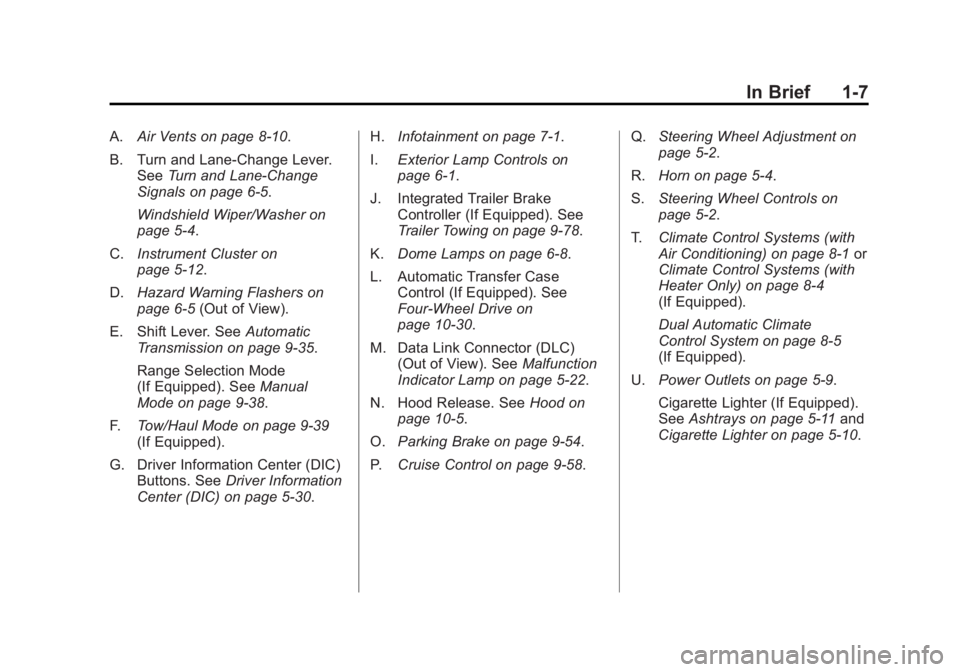
A.Air Vents on page 8‑10.
B. Turn and Lane‐Change Lever. See Turn and Lane-Change
Signals on page 6‑5.
Windshield Wiper/Washer on
page 5‑4.
C. Instrument Cluster on
page 5‑12.
D. Hazard Warning Flashers on
page 6‑5 (Out of View).
E. Shift Lever. See Automatic
Transmission on page 9‑35.
Range Selection Mode
(If Equipped). See Manual
Mode on page 9‑38.
F. Tow/Haul Mode on page 9‑39
(If Equipped).
G. Driver Information Center (DIC) Buttons. See Driver Information
Center (DIC) on page 5‑30. H.
Infotainment on page 7‑1.
I. Exterior Lamp Controls on
page 6‑1.
J. Integrated Trailer Brake Controller (If Equipped). See
Trailer Towing on page 9‑78.
K. Dome Lamps on page 6‑8.
L. Automatic Transfer Case Control (If Equipped). See
Four-Wheel Drive on
page 10‑30.
M. Data Link Connector (DLC) (Out of View). See Malfunction
Indicator Lamp on page 5‑22.
N. Hood Release. See Hood on
page 10‑5.
O. Parking Brake on page 9‑54.
P. Cruise Control on page 9‑58. Q.
Steering Wheel Adjustment on
page 5‑2.
R. Horn on page 5‑4.
S. Steering Wheel Controls on
page 5‑2.
T. Climate Control Systems (with
Air Conditioning) on page 8‑1 or
Climate Control Systems (with
Heater Only) on page 8‑4
(If Equipped).
Dual Automatic Climate
Control System on page 8‑5
(If Equipped).
U. Power Outlets on page 5‑9.
Cigarette Lighter (If Equipped).
See Ashtrays on page 5‑11 and
Cigarette Lighter on page 5‑10.
Page 41 of 556
Black plate (35,1)GMC Sierra Owner Manual - 2012 - CRC - 11/15/11
In Brief 1-35
Performance and
Maintenance
StabiliTrak®System
If equipped, the vehicle has a
traction control system that limits
wheel spin and the StabiliTrak
system that assists with directional
control of the vehicle in difficult
driving conditions. Both systems
turn on automatically every time the
vehicle is started.
.To turn off traction control, press
and release
gon the instrument
panel. The appropriate DIC
message displays. See Ride
Control System Messages on
page 5‑44.
.To turn off both traction control
and StabiliTrak, press and
hold
guntilgilluminates and
the appropriate DIC message
displays. See Ride Control
System Messages on page 5‑44.
.Press and releasegagain to
turn on both systems.
For more information, see
StabiliTrak
®System on page 9‑55.
Tire Pressure Monitor
This vehicle may have a Tire
Pressure Monitor System (TPMS).
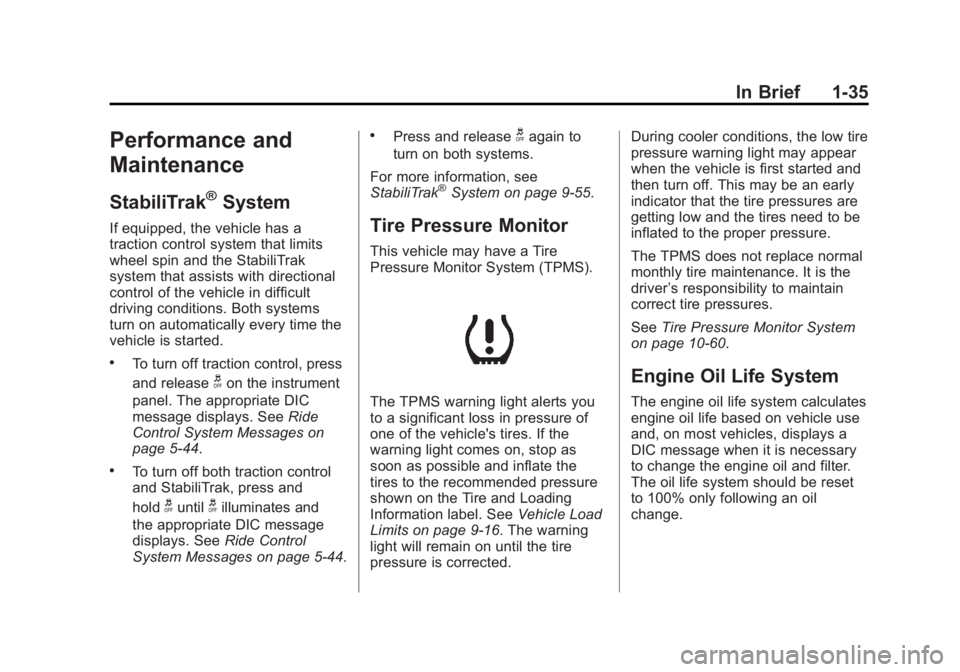
The TPMS warning light alerts you
to a significant loss in pressure of
one of the vehicle's tires. If the
warning light comes on, stop as
soon as possible and inflate the
tires to the recommended pressure
shown on the Tire and Loading
Information label. See Vehicle Load
Limits on page 9‑16. The warning
light will remain on until the tire
pressure is corrected. During cooler conditions, the low tire
pressure warning light may appear
when the vehicle is first started and
then turn off. This may be an early
indicator that the tire pressures are
getting low and the tires need to be
inflated to the proper pressure.
The TPMS does not replace normal
monthly tire maintenance. It is the
driver
’s responsibility to maintain
correct tire pressures.
See Tire Pressure Monitor System
on page 10‑60.
Engine Oil Life System
The engine oil life system calculates
engine oil life based on vehicle use
and, on most vehicles, displays a
DIC message when it is necessary
to change the engine oil and filter.
The oil life system should be reset
to 100% only following an oil
change.
Page 50 of 556
Black plate (6,1)GMC Sierra Owner Manual - 2012 - CRC - 11/15/11
2-6 Keys, Doors, and Windows
When the vehicle starts, the
parking lamps will turn on and
remain on while the vehicle is
running. The doors will be
locked and the climate control
system may come on.
The engine will continue to run
for 10 minutes. Repeat the steps
for a 10-minute time extension.
Remote start can be extended
only once.
After entering the vehicle during a
remote start, insert and turn the key
to ON/RUN to drive the vehicle.
To cancel a remote start:
.Aim the RKE transmitter at the
vehicle and press and hold
/
until the parking lamps turn off.
.Turn on the hazard warning
flashers.
.Turn the ignition on and then
back off. The vehicle can be remote started
two separate times between driving
sequences. The engine will run for
10 minutes after each remote start.
Or, you can extend the engine run
time by another 10 minutes within
the first 10 minute remote start time
frame, and before the engine stops.
For example, if
Qand then/are
pressed again after the vehicle
has been running for five minutes,
10 minutes are added, allowing the
engine to run for 15 minutes.
The additional 10 minutes are
considered a second remote vehicle
start.
Once two remote starts, or a single
remote start with one time extension
has been done, the vehicle must be
started with the key. After the key is
removed from the ignition, the
vehicle can be remote started again. The vehicle cannot be remote
started if the key is in the ignition,
the hood is not closed, or if there
is an emission control system
malfunction and the check engine
light is on.
Also, the engine will turn off during a
remote vehicle start if the coolant
temperature gets too high or if the
oil pressure gets low.
Remote Start Ready
If the vehicle does not have the
remote vehicle start feature, it may
have the remote start ready feature.
This feature allows your dealer to
add the manufacturer's remote
vehicle start feature.
See your dealer to add the
manufacturer's remote vehicle start
feature to the vehicle.
Page 58 of 556
Black plate (14,1)GMC Sierra Owner Manual - 2012 - CRC - 11/15/11
2-14 Keys, Doors, and Windows
4. Insert the new key to beprogrammed and turn it to the
ON/RUN position within
five seconds of turning the
ignition to the LOCK/OFF
position in Step 3.
The security light will turn off
once the key has been
programmed.
5. Repeat Steps 1 through 4 if additional keys are to be
programmed.
If you lose or damage your
PASS-Key III+ key, see your dealer
or a locksmith who can service
PASS-Key III+ to have a new
key made.
Do not leave the key or device
that disarms or deactivates the
theft-deterrent system in the vehicle.Exterior Mirrors
Convex Mirrors
{WARNING
A convex mirror can make things,
like other vehicles, look farther
away than they really are. If you
cut too sharply into the right lane,
you could hit a vehicle on the
right. Check the inside mirror or
glance over your shoulder before
changing lanes.
The passenger side mirror is convex
shaped. A convex mirror's surface is
curved so more can be seen from
the driver seat.
Manual Mirrors
If the vehicle has manual mirrors,
they can be adjusted by moving the
mirror up and down or left to right to
see a little of the side of the vehicle,
and have a clear view behind the
vehicle.
Using hood-mounted air deflectors
and add-on convex mirror
attachments could decrease mirror
performance.
Page 77 of 556
Black plate (9,1)GMC Sierra Owner Manual - 2012 - CRC - 11/15/11
Seats and Restraints 3-9
Heated and Ventilated
Front Seats
{WARNING
If you cannot feel temperature
change or pain to the skin, the
seat heater may cause burns
even at low temperatures. To
reduce the risk of burns, people
with such a condition should use
care when using the seat heater,
especially for long periods of
time. Do not place anything on
the seat that insulates against
heat, such as a blanket, cushion,
cover, or similar item. This
may cause the seat heater to
overheat. An overheated seat
heater may cause a burn or may
damage the seat.
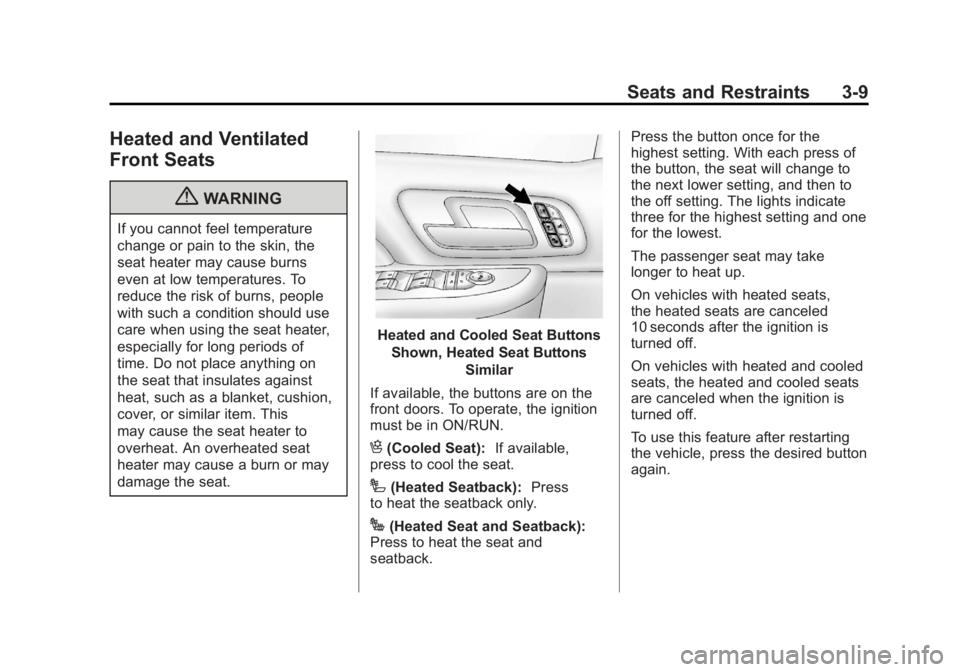
Heated and Cooled Seat ButtonsShown, Heated Seat Buttons Similar
If available, the buttons are on the
front doors. To operate, the ignition
must be in ON/RUN.
H(Cooled Seat): If available,
press to cool the seat.
I(Heated Seatback): Press
to heat the seatback only.
J(Heated Seat and Seatback):
Press to heat the seat and
seatback. Press the button once for the
highest setting. With each press of
the button, the seat will change to
the next lower setting, and then to
the off setting. The lights indicate
three for the highest setting and one
for the lowest.
The passenger seat may take
longer to heat up.
On vehicles with heated seats,
the heated seats are canceled
10 seconds after the ignition is
turned off.
On vehicles with heated and cooled
seats, the heated and cooled seats
are canceled when the ignition is
turned off.
To use this feature after restarting
the vehicle, press the desired button
again.
Page 82 of 556
Black plate (14,1)GMC Sierra Owner Manual - 2012 - CRC - 11/15/11
3-14 Seats and Restraints
.Wear the lap part of the belt
low and snug on the hips, just
touching the thighs. In a crash,
this applies force to the strong
pelvic bones and you would be
less likely to slide under the
lap belt. If you slid under it, the
belt would apply force on your
abdomen. This could cause
serious or even fatal injuries.
.Wear the shoulder belt over the
shoulder and across the chest.
These parts of the body are
best able to take belt restraining
forces. The shoulder belt locks if
there is a sudden stop or crash.
{WARNING
You can be seriously injured,
or even killed, by not wearing
your safety belt properly.
.Never allow the lap or
shoulder belt to become
loose or twisted.
.Never wear the shoulder belt
under both arms or behind
your back.
.Never route the lap or
shoulder belt over an
armrest.
Lap-Shoulder Belt
If the vehicle is a regular cab, then
all seating positions in the vehicle
have a lap-shoulder belt. If the
vehicle is a crew or extended
cab, then all seating positions
in the vehicle have a lap-shoulder
belt except for the center front
passenger position (if equipped),which has a lap belt. See
Lap Belt
(Crew and Extended Cab) on
page 3‑19 for more information.
The following instructions explain
how to wear a lap-shoulder belt
properly.
1. Adjust the seat, if the seat is adjustable, so you can sit up
straight. To see how, see “Seats”
in the Index.
2. Pick up the latch plate and pull the belt across you. Do not let it
get twisted.
The lap-shoulder belt may lock if
you pull the belt across you very
quickly. If this happens, let the
belt go back slightly to unlock it.
Then pull the belt across you
more slowly.
If the shoulder portion of a
passenger belt is pulled out
all the way, the child restraint
locking feature may be engaged.
If this happens, let the belt go
back all the way and start again.
Page 88 of 556
Black plate (20,1)GMC Sierra Owner Manual - 2012 - CRC - 11/15/11
3-20 Seats and Restraints
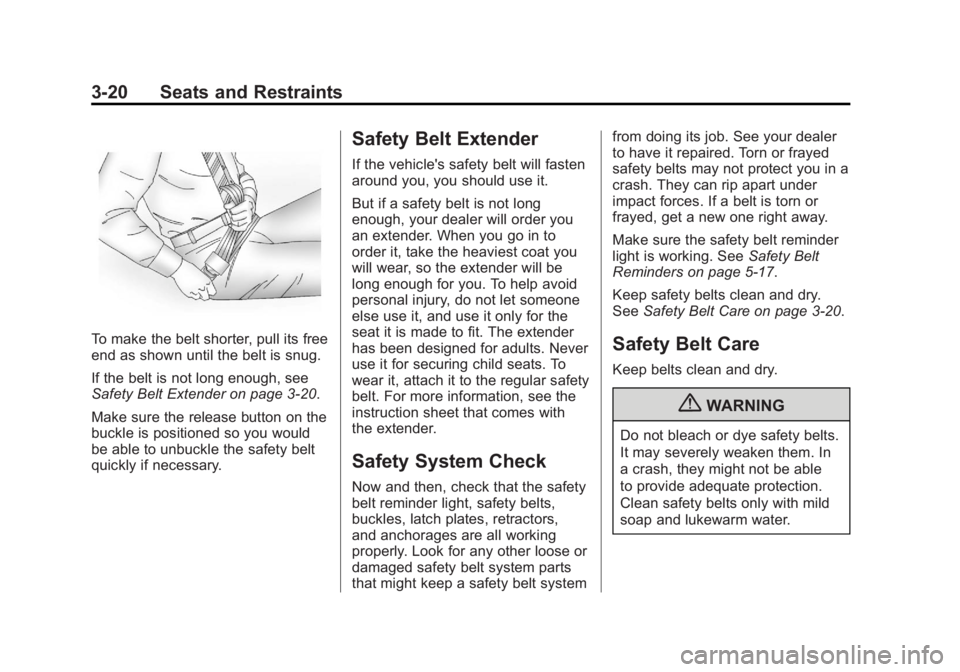
To make the belt shorter, pull its free
end as shown until the belt is snug.
If the belt is not long enough, see
Safety Belt Extender on page 3‑20.
Make sure the release button on the
buckle is positioned so you would
be able to unbuckle the safety belt
quickly if necessary.
Safety Belt Extender
If the vehicle's safety belt will fasten
around you, you should use it.
But if a safety belt is not long
enough, your dealer will order you
an extender. When you go in to
order it, take the heaviest coat you
will wear, so the extender will be
long enough for you. To help avoid
personal injury, do not let someone
else use it, and use it only for the
seat it is made to fit. The extender
has been designed for adults. Never
use it for securing child seats. To
wear it, attach it to the regular safety
belt. For more information, see the
instruction sheet that comes with
the extender.
Safety System Check
Now and then, check that the safety
belt reminder light, safety belts,
buckles, latch plates, retractors,
and anchorages are all working
properly. Look for any other loose or
damaged safety belt system parts
that might keep a safety belt systemfrom doing its job. See your dealer
to have it repaired. Torn or frayed
safety belts may not protect you in a
crash. They can rip apart under
impact forces. If a belt is torn or
frayed, get a new one right away.
Make sure the safety belt reminder
light is working. See
Safety Belt
Reminders on page 5‑17.
Keep safety belts clean and dry.
See Safety Belt Care on page 3‑20.
Safety Belt Care
Keep belts clean and dry.
{WARNING
Do not bleach or dye safety belts.
It may severely weaken them. In
a crash, they might not be able
to provide adequate protection.
Clean safety belts only with mild
soap and lukewarm water.