tow GMC SIERRA 1993 Owner's Manual
[x] Cancel search | Manufacturer: GMC, Model Year: 1993, Model line: SIERRA, Model: GMC SIERRA 1993Pages: 436, PDF Size: 23.88 MB
Page 108 of 436
Features & ContmIs
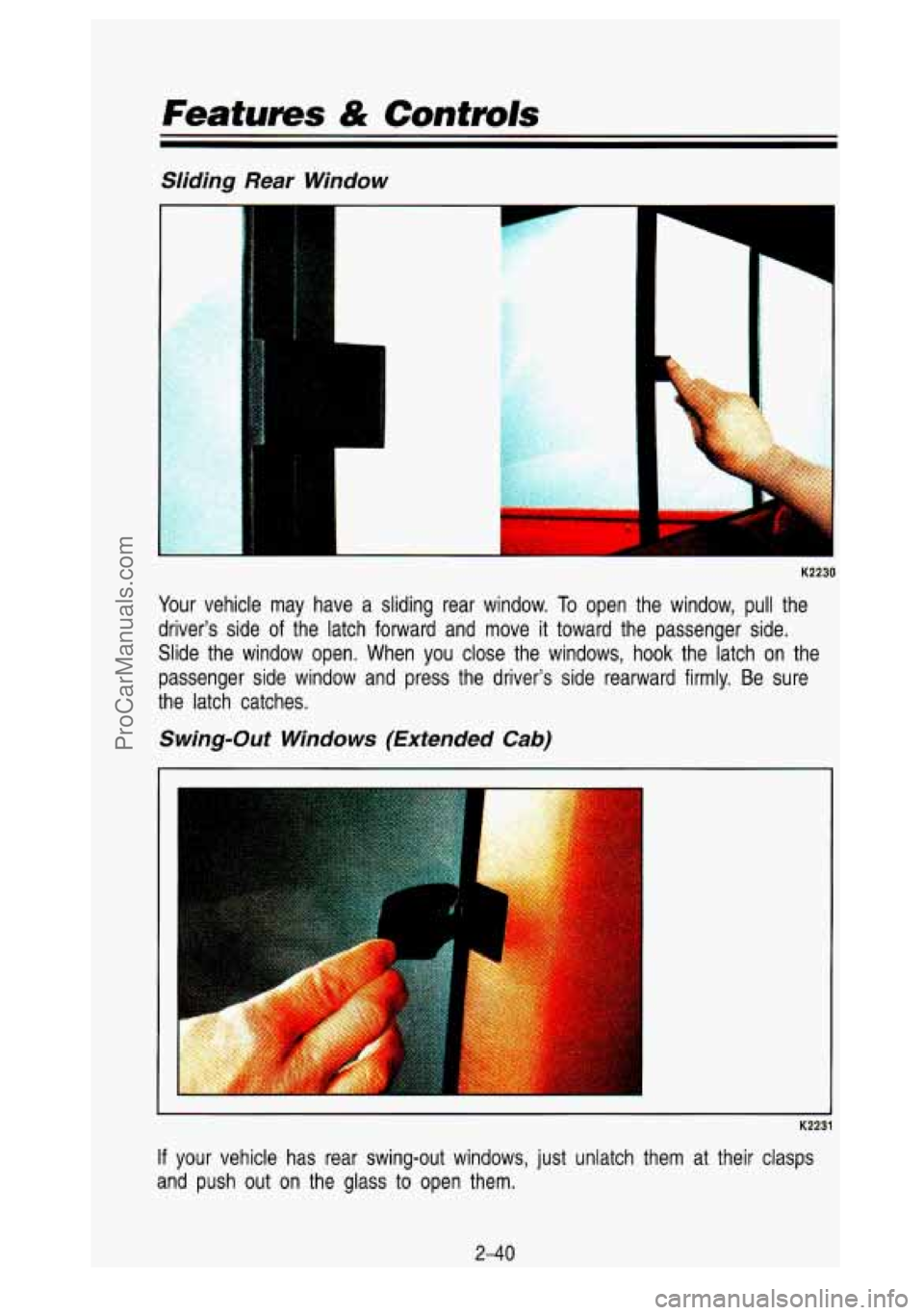
Sliding Rear Window
r
I
I
K2230
Your vehicle may have a sliding rear window. To open the window, pull the
driver’s side
of the latch forward and move it toward the passenger side.
Slide the window open. When you close the windows, hook the latch on the
passenger side window and press the driver’s side rearward f\
irmly. Be sure
the latch catches.
Swing-Out Windows (Extended Cab)
K2231
If your vehicle has rear swing-out windows, just unlatch them at \
their clasps
and push out on the glass to open them.
2-40
ProCarManuals.com
Page 112 of 436

Features & Controls
beam lights with fog lamps at all times, or that headlights b\
e turned on
whenever you must use your windshield wipers.
In addition, most jurisdictions
prohibit driving solely with parking lights, especially at dawn \
or dusk. It is
recommended that you check with your own state or provincial h\
ighway
authority for applicable lighting regulations.
Headight High-Low Beam
- K2242
To change the headlights from low beam to high or high to low, \
pull the turn
signal lever all the way toward you. Then release
it. When the high beams
are on, this blue light
on the instrument panel also will be on.
2-44
ProCarManuals.com
Page 148 of 436

Features & Controls
that the pedal is harder to push. Or, the pedal may go closer to the floor.\
It
may take longer to stop. If the light is still on, have the vehicle towed for
service. (See “Towing Your Vehicle” in the Index.)
CAUTION
* Your brake system may not be working properly if the brake warning
light is on. Driving with the brake warning light on can lead\
to an
accident.
If the light is still on after you’ve pulled off the road and
stopped carefully, have
+hq vehicle towed for service.
“WATER IN FUEL” Light
WATER
IN
FUEL I
-l PB010
This light will come on to warn you if there is too much water in the diesel
fuel system. For more information on how this light works, see\
“Diesel Fuel
Requirements and Fuel System” in the Index.
2-80
ProCarManuals.com
Page 164 of 436

K2441
If your vehicle does not have air conditioning, this is what your heat\
ing
system will
look like.")
Comfort Conhvls & Audio Systems
Heating System (Without Air Conditioning)
K2441
If your vehicle does not have air conditioning, this is what your heat\
ing
system will
look like.
Fan Knob
The knob on the right has four positions. To increase the air flow, turn it
toward
(t). To decrease the air flow, turn it toward (-).
Temperature Lever
The bottom lever lets you select the temperature of the air flowing into your
vehicle. Move the lever right toward
(t) for warmer air. Move the lever left
toward
(-) for cooler air.
Function Lever
The top lever can be moved to three different heating function\
s.
Defrost (Right): This setting operates the defroster. Heated air comes out
near the windshield. Use this when you get fog
or ice on the windshield.
Heater (Center): Heated air comes out near the floor. This is best for cold
weather.
Vent (Left): The air comes out at the vents on your instrument panel and
at your front side windows.
Placing the lever between positions sends air out both vents.
3-4
ProCarManuals.com
Page 167 of 436
Right Button
Defrost (Top): Press here to operate the defroster. Heated air comes out
near the windshield. You can use it to help clear fog or ice on your
windshield.
Heater (Bottom): Press here, and heated air comes out near the floor. This
setting is best for passenger comfort in cold weather.
The air flow can be blended between the two positions. To blend between
positions, press the side of the button showing the area where you would like
more air flow. The system will automatically begin to blend toward the position
chosen. To stop the system between positions, just press the
SAME side of
the button again.
Left Button
Vent (Top): Press the top of this button and all of the airflow will come
through the instrument panel vents.
Heater (Bottom): Press the bottom of this button and all of the airflow will
come through the floor outlet.
The air flow can be blended between the two positions.
To blend between
positions, press the side
of the switch showing the area where you would like
more air flow. The system will automatically begin to blend toward the position
chosen. To stop the system between positions, just press the
SAME side of
the button again.
Temperature Selector Bar
The bar under your system display lets you select the temperat\
ure of the air
coming into your vehicle. Press
COLD for cooler air and press HOT for
warmer air. Release the bar when the system reaches the temperature you
want. The temperature is shown on the display by an arrow moving between
C and H.
Fan Control Button
This button is in the upper right corner of your system control panel. The fan
has four settings-low, medium
low, medium high and high. Press the top of
the button
(t) to increase the air flow. Press the bottom of the button (-) to
decrease the air flow. The setting you select is shown on your display as
LOW, MED LOW, MED HI or HI.
Air Recirculation Button
If you press the MAX button (RECIR on some models), the air in your
vehicle will be recirculated. With the air conditioner on,
MAX will give you
maximum cooling. It can also be used in all modes to help keep dust out of
your vehicle. When
MAX is selected, REC will light on your display.
3-7
ProCarManuals.com
Page 180 of 436

Parking on Hills ........................................................................\
........................... 4-49
Winter Driving
........................................................................\
.............................. 4-52
Towing a Trailer
........................................................................\
........................... 4-55
Power Winches ........................................................................\
............................ 4-62
Power Take-Off
........................................................................\
............................ 4-62
4-2
ProCarManuals.com
Page 222 of 436
Your Driving and the Road
driving. Too-fast or too-slow driving breaks a smooth traffic flow. Treat the left
lane on a freeway as a passing lane.
Entering the Freeway
At the entrance there is usually a ramp that leads to the freewa\
y. If you have
a clear view of the freeway as you drive along the entrance ramp, you
should begin to check traffic.
Try to determine where you expect to blend
with the flow.
If traffic is light, you may have no problem. But if it is heavy,
find a gap as you move along the entering lane and time your approach. T\
ry
to merge into the gap at close to the prevailing speed. Switc\
h on your turn signal, check your rearview mirrors as you move along, and gla\
nce over your
shoulder as often as necessary.
Try to blend smoothly with the traffic flow.
Driving on the Freeway
Once you are on the freeway, adjust your speed to the posted \
limit or to the
prevailing rate if it’s slower. Stay in the right lane unle\
ss you want to pass.
If
you are on a two-lane freeway, treat the right lane as the slow lane and the
left lane as the passing lane. If you are on a three-lane fr\
eeway, treat the
right lane as the slower-speed through lane, the middle lane a\
s the
higher-speed through lane, and the left lane as the passing la\
ne.
Before changing lanes, check your rearview mirrors. Then use yo\
ur turn
signal. Just before you leave the lane, glance quickly over
your shoulder to
make sure there isn’t another vehicle in your “blind” \
spot.
If you are moving from an outside to a center lane on a freeway having
more than two lanes, make sure another vehicle isn’t about \
to move into the
same spot. Look at the vehicles
two lanes over and watch for telltale signs:
turn signals flashing, an increase in speed, or moving toward \
the edge of the lane. Be prepared to delay your move.
Once you are moving on the freeway, make certain you allow a \
reasonable
following distance. Expect to move slightly slower at night.
Leaving the Freeway
When you want to leave the freeway, move to the proper lane \
well in
advance. Dashing across lanes at the last minute is dangerous. \
If you miss
your exit do not, under any circumstances, stop and back up. \
Drive on to the next exit.
At each exit point is a deceleration lane. Ideally it should be long enough for
you to enter
it at freeway speed (after signaling, of course) and then do yo\
ur
braking before moving onto the exit ramp. Unfortunately, not all deceleration
lanes are long enough-some are too short for all the braking. \
Decide when
to start braking.
If you must brake on the through lane, and if there is traffic
444
ProCarManuals.com
Page 226 of 436
I CAUTION
A Coasting downhill in N (Neutral) or with the ignition off is dangerous.
E ‘ Your brakes will have to do all the work of slowing down. They could
get
so hot that they wouldn’t work well. You could crash. Always
have your engine running and your vehicle in gear when you go
downhill.
l I
e
e
e
e
e
Know how to go uphill. You may want to shift down to a lower gear.
The lower gears help cool your engine and transmission, and yo\
u can
climb the hill better.
Stay .in your own lane when driving on two-lane roads in hills or
mountains. Don’t swing wide
or cut across the center of the road. Drive
at speeds that let you stay in your own lane. That way, you won’t be
surprised by a vehicle coming toward you in the same lane.
It takes longer to pass another vehicle when you’re going uphill. You’ll
want
to leave extra room to pass. If a vehicle is passing you and
doesn’t have enough room,
slow down to make it easier for the other
vehicle to get by.
As you go over the top of a hill, be alert. There could be something in
your lane, like a stalled car
or an accident.
You may see highway signs on mountains that warn of special problems.
Examples are long grades, passing or no-passing zones, a fallin\
g rocks
area, or winding roads. Be alert to these and take appropriate action.
Winter driving can present special problems. See “Winter Driv\
ing” in the
Index.
4-48
ProCarManuals.com
Page 233 of 436
AM480043
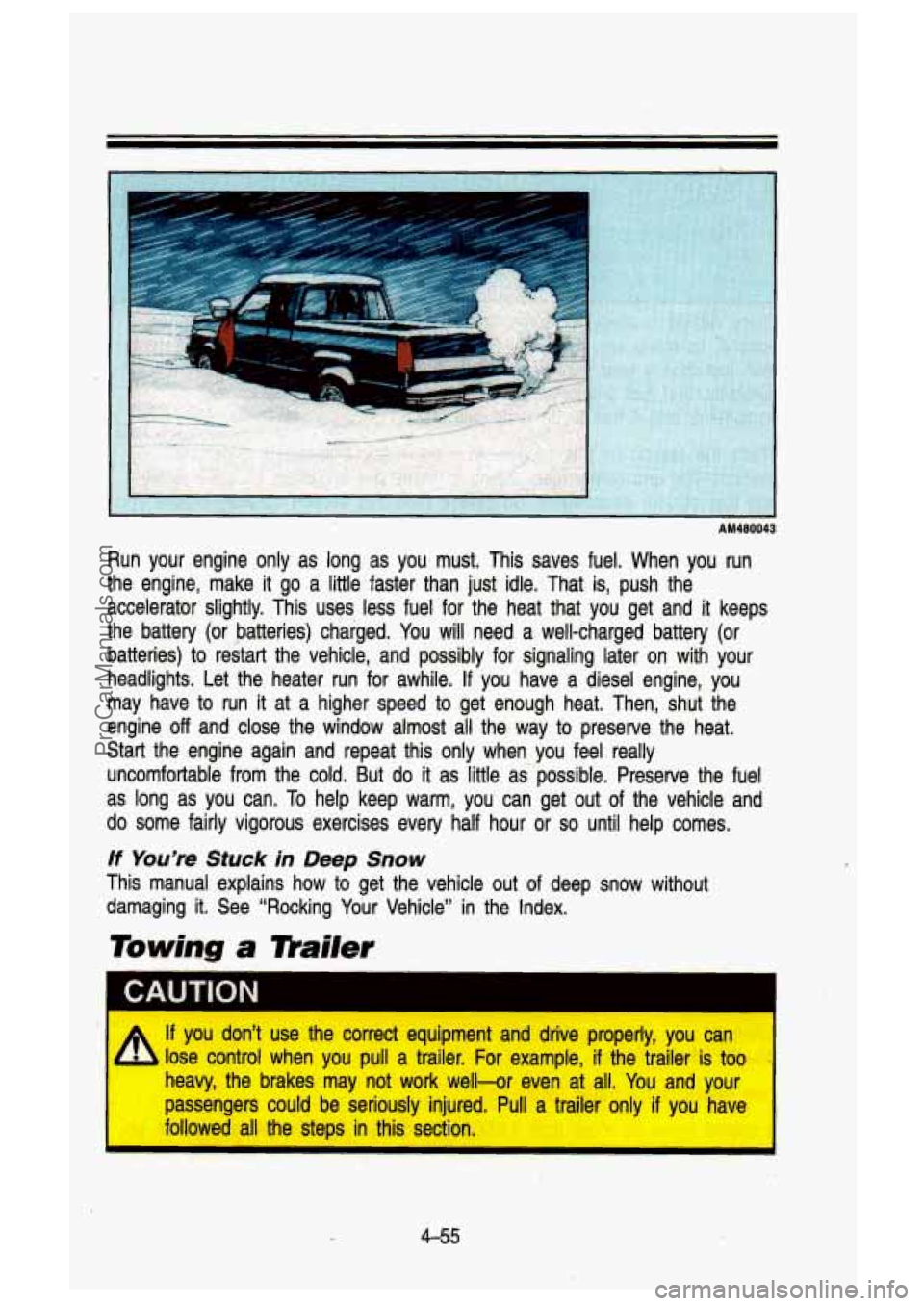
Run your engine only as long as you musk. This saves fuel. When you run
the engine, make it go a little faster than just idle. That is, push the
accelerator slightly. This uses less fuel for the heat that yo\
u get and
it keeps
the battery (or batteries) charged. You will need a well-charged battery (or
batteries) to restart the' vehicle, and possibly for signaling later on with your
headlights. Let the heater run for awhile.
If you 'have a diesel engine, you
may have to run it at a higher speed
to lget enough heat. Then, shut the
engine
off and close the window almost all the way to preserve the heat.
Start the engine again and repeat this only when you feel really
uncomfortable from the cold. But
do it as little as'possible. Preserve the fuel
as long as you can.
To help keep warm, you can get out of the vehicle and
do some fairly vigorous exercises every half hour or so until help comes.
If You're Stuck in Deep Snow
This manual explains how to get the vehicle out of deep snow without
damaging it. See "Rocking Your Vehicle" in the Index.
Towing a mailer
CAUTION I
If you don't use the correct equipment and drive properly, you ca\
n
lose control when you pull a trailer. For example, if the trailer is too
heavy, the brakes may not work well-or even at all. You and your
passengers could be seriously injured. Pull a trailer only if \
you have
followed all the steps in this section.
I
i'- ." "
4-55
ProCarManuals.com
Page 234 of 436
z
Your Driving and the Road
NOTICF
Pulling a trailer improperly can damage your vehicle and result in costly
repairs
not covered by your warranty. To pull a trailer correctly, follow the
advice in this section.
Every vehicle
is ready for some trailer. towing. If it was .built with trailering
options, as many are,
it’s ready for‘heavier trailers. But trailering is different
than just driving your vehicle by itself. Trailering means chan\
ges isn handling,
durability, and fuel .economy. Successful, safe trailering .takes\
correct
equipment, and
it has to be used properly.
That’s the reason for this section. In it are many time-tested, important
trailering tips and safety rules. Many of these are important for your safety
and that of your passengers.
So please read this section carefully before you
pull a trailer.
If You Do Decide To Pull A Trailer
If you do, here are some important .points. .
0 There are many different laws having to do with trailering. Make sure
your rig
will be legal, not only where you live but also where you’ll be\
driving.
A good source for this information can be state or provincial
police.
.Consider using a sway control if your trailer will weigh 4,000 pounds
(1 800 kg) or less. You should always use a sway control if your trailer
will weigh more than 4,000 pounds (1800 kg). You can ask a hitch
dealer about sway controls.
Don’t tow a trailer at all during the first 500 miles (800 km) ‘your new
vehicle is driven. Your engine, axle,
or other parts could be damaged.
Then, during the first 500 miles (800 km) that you tow a trailer, don’t
drive over
50 mph (80 km/ti) and don’t make ,starts at full throttle. T\
hat
will help your engine and other parts of your vehicle wear in at the
heavier load$.
Three important considerations have to do with weight:
Weight
Weight of the Trailer
How heavy can a trailer safely be?
It should never be more than 13,500 Ibs. (6125.6 kg). But even \
that can be
too heavy. It depends on how you plan to use your rig. For example, speed,
altitude, ‘road grades, outside temperature, and how much your vehicle is
4-56
ProCarManuals.com