turn signal GMC SIERRA 1994 Owners Manual
[x] Cancel search | Manufacturer: GMC, Model Year: 1994, Model line: SIERRA, Model: GMC SIERRA 1994Pages: 404, PDF Size: 20.91 MB
Page 10 of 404
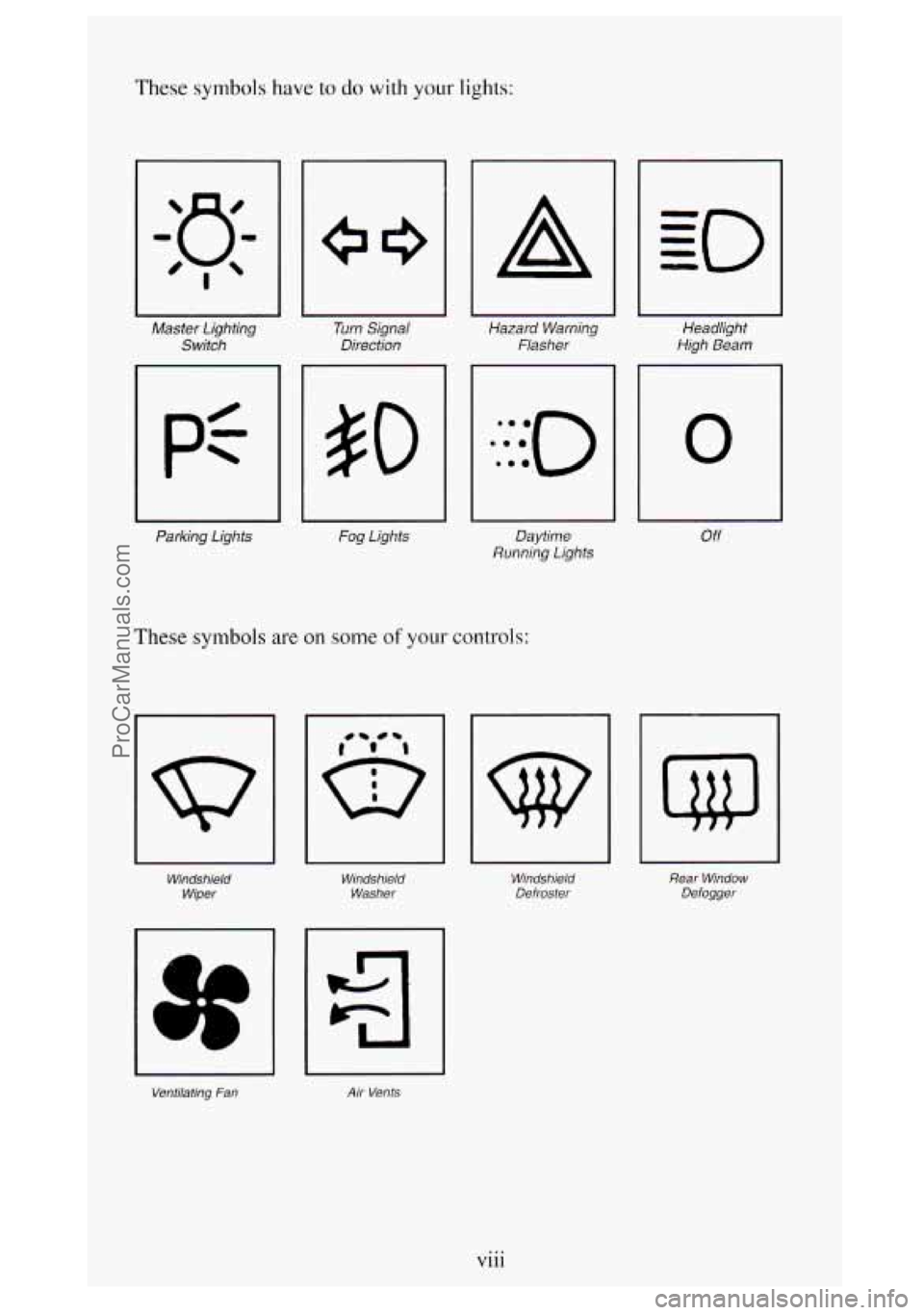
These symbols have to do with your lights:
Master Lighting Switch
Parking Lights Turn
Signal
Direction
Fog Lights
A
Hazard Warning Flasher
Daytime
Running Lights
These symbols are on some of your controls:
Windshield
Wiper Windshield
Washer
Ventilating Fan Air Vents
Headlight
High Beam
0
Off
Windshield Defroster Rear
Window
Defogger
Vlll ...
ProCarManuals.com
Page 60 of 404
EngineExhaust ........................................... 2-33
Running
Your Engine While You’re Parked ................... 2-33
Four-WheelDrive
......................................... 2-34
Transfer Case
.......................................... 2-35
Front Axle Locking Feature
............................... 2-36
Windows
................................................ 2-37
Horn
.................................................... 2-39
TiltWheel
............................................... 2-39
Multifunction Lever
........................................ 2-40
Turn Signal and Lane Change Indicator
...................... 2-40
Headlight High-Low Beam
............................... 2-41
Windshield Wipers
...................................... 2-42
Windshield Washer
...................................... 2-43
Cruise Control
.......................................... 2-44
Headlights and Vehicle Lighting
.............................. 2-49
Mirrors
.................................................. 2-54
SunVisors
............................................... 2-55
Cigarette LightedAshtrays ................................... 2-57
Storage Compartments
...................................... 2-58
Instrument Cluster
......................................... 2-67
Warning Lights and Indicators
............................. 2-69
Gages
................................................ 2-78
Center High-Mount Stop Lamp (CHMSL) Feed Wire ............. 2-82
Camper Wiring Harness
..................................... 2-83
Step Bumper Pad
.......................................... 2-84
Trailer Wiring Harness
...................................... 2-83
2-2
ProCarManuals.com
Page 98 of 404
Multifunction Lever
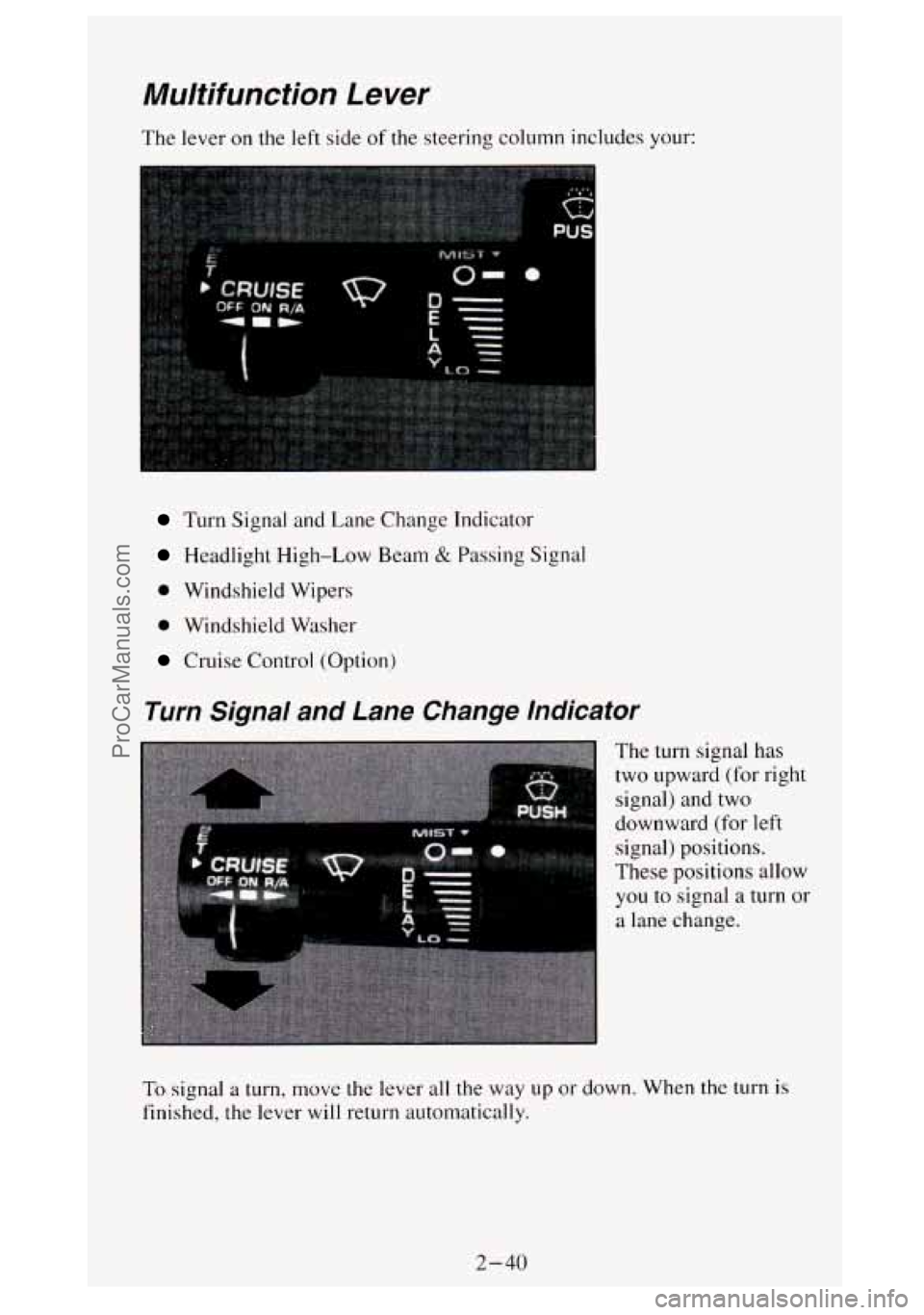
The lever on the left side of the steering column includes your:
Turn Signal and Lane Change Indicator
Headlight High-Low Beam & Passing Signal
0 Windshield Wipers
0 Windshield Washer
Cruise Control (Option)
Turn Signal and Lane Change Indicator
The turn signal has
two upward (for right
signal) and two
downward (for left
signal) positions.
These positions allow
you
to signal a turn or
a lane change.
To signal a turn, move the lever all the way up or down. When the turn is
finished, the lever will return automatically.
2-40
ProCarManuals.com
Page 99 of 404
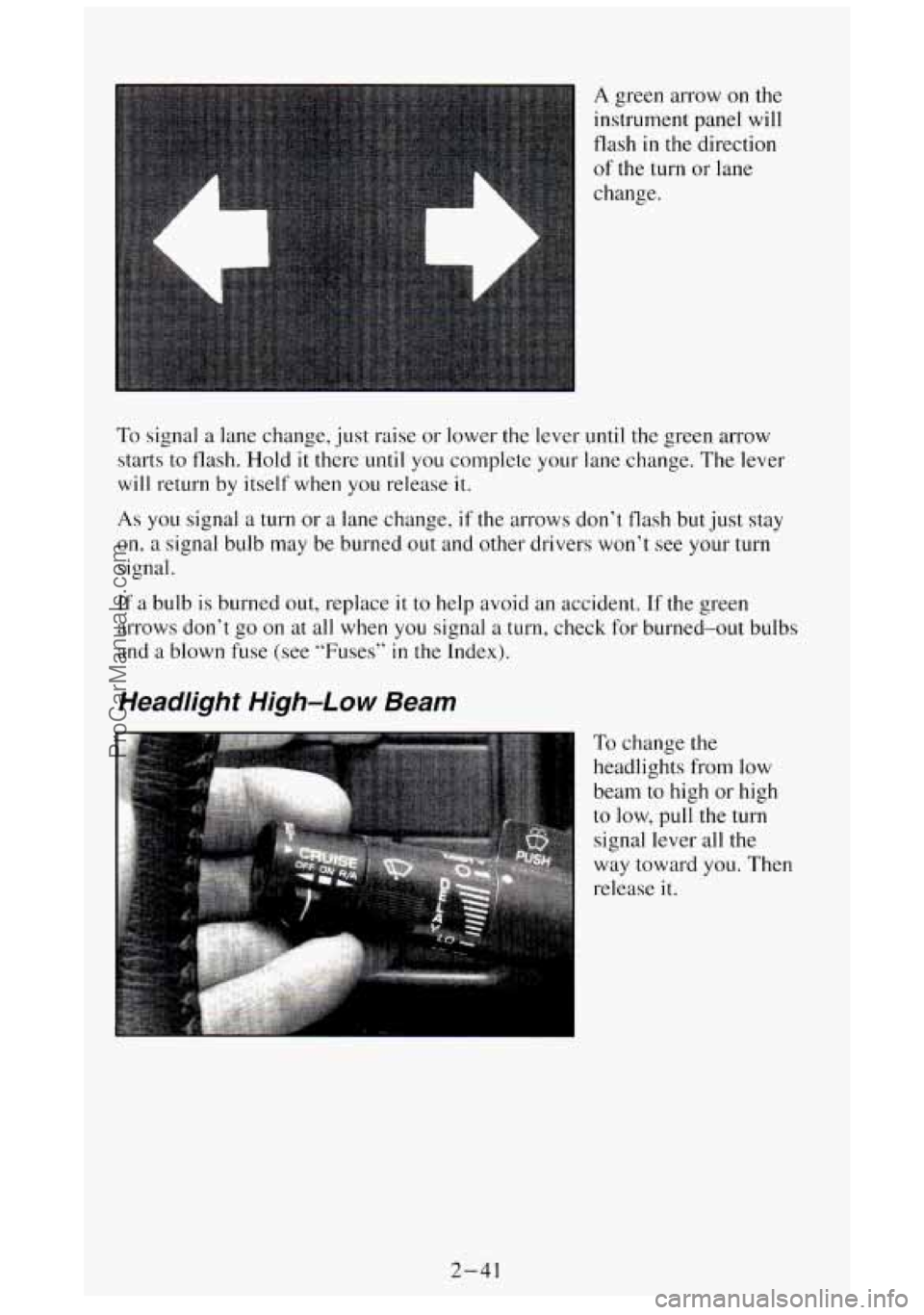
A green arrow on the
instrument panel will
flash
in the direction
of the turn or lane
change.
To signal a lane change, just raise or lower the lever until the green arrow
starts to flash.
Hold it there until you complete your lane change. The lever
will return by itself when you release it.
As you signal a turn or a lane change, if the arrows don’t flash but just stay
on, a signal bulb may be burned out and other drivers won’t see your turn
signal.
If a bulb
is burned out, replace it to help avoid an accident. If the green
arrows don’t go on at all when
you signal a turn, check for burned-out bulbs
and a blown fuse
(see “Fuses” in the Index).
Headlight High-Low Beam
To change the
headlights
from low
beam to high or high
to low, pull the turn
signal lever
all the
way toward
you. Then
release
it.
2-41
ProCarManuals.com
Page 107 of 404
Headlights and Vehicle Lighting
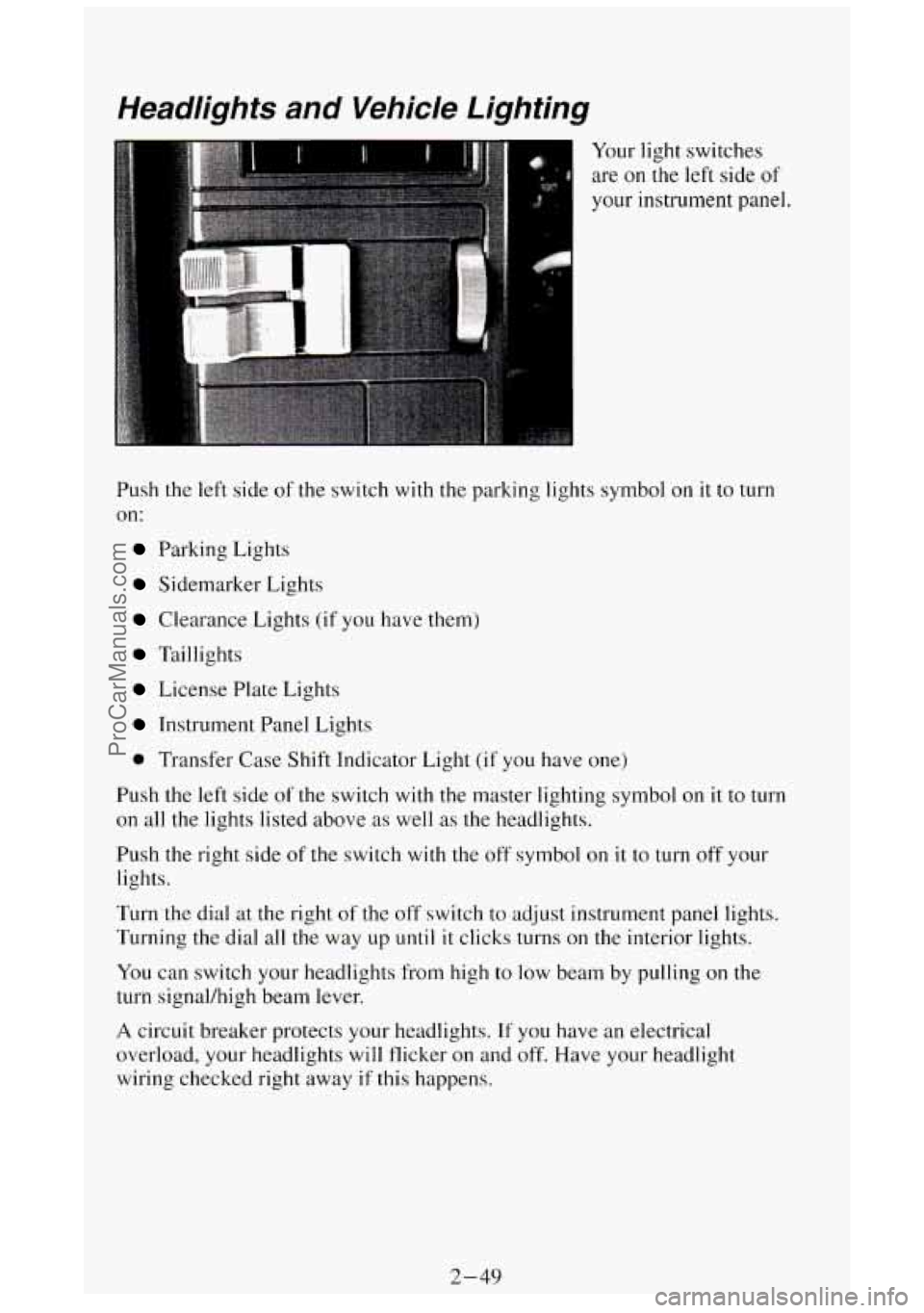
Your light switches
are on
the left side of
your instrument panel.
Push
the left side of the switch with the parking lights symbol on it to turn
on:
Parking Lights
Sidemarker Lights
Clearance Lights (if you have them)
Taillights
License Plate Lights
Instrument Panel Lights
0 Transfer Case Shift Indicator Light (if you have one)
Push the
left side of the switch with the master lighting symbol on it to turn
on all the lights listed above as well as the headlights.
Push the right side of the switch
with the off symbol on it to turn off your
lights.
Turn the dial
at the right of the off switch to adjust instrument panel lights.
Turning the dial all the way up
until it clicks turns on the interior lights.
You can switch your headlights from high to
low beam by pulling on the
turn signal/high beam lever.
A circuit breaker protects your headlights. If you have an electrical
overload, your headlights will flicker on and off. Have your headlight
wiring checked right away
if this happens.
2-49
ProCarManuals.com
Page 127 of 404

To reset the trip odometer, fully press the reset button located \
near the trip
odometer readout. If the reset button is not fully pressed, the trip odometer
may not go all the way back to zero. If it doesn’t, you may have to press the
reset button again to reset the readout to zero.
Tachometer
If you have a
tachometer, it displays
the engine speed in
revolutions per minute
(rpm).
I NOTICE:
Do not operate the engine with the tachometer in the red area\
,
your engine or other parts could be damaged.
Damage to your engine or vehicle caused by operating the
engine in the red area isn’t covered by your vehicle warranty.
Warning Lights and Indicators
This section describes the warning lights and gages that may b\
e on your
vehicle. The pictures will help you locate them.
Warning lights and gages can signal that something
is wrong before it
becomes serious enough to cause an expensive repair or replacem\
ent.
Paying attention to your warning lights and gages could also s\
ave you or
others from injury.
Warning lights go on when there may be
or is a problem with one of your
vehicle’s functions.
As you will see in the details on the next few pages,
some warning lights come on briefly when you turn the ignition\
key just to
let you know they’re working.
If you are familiar with this section, you
should not be alarmed when this happens.
2-69
ProCarManuals.com
Page 129 of 404
A CAUTION:
The brake system warning light will also come on when you set your
parking brake, and
it will stay on if your parking brake doesn’t release fully.
If it stays on after your parking brake is fully released, it means you have a
brake problem.
Water in Fuel Light
The red Water in Fuel
light,
if you have one,
is located near the
middle right edge of
the instrument cluster,
just below the turn
signal and lane change
indicator.
This light will come on to warn you
if there is water in the diesel fuel
system. For more information on how this light works, see “Diesel Fuel
Requirements and Fuel System”
in the Index.
2-71
ProCarManuals.com
Page 135 of 404
Turn Signal and Lane Change lndicator Lights
A
A
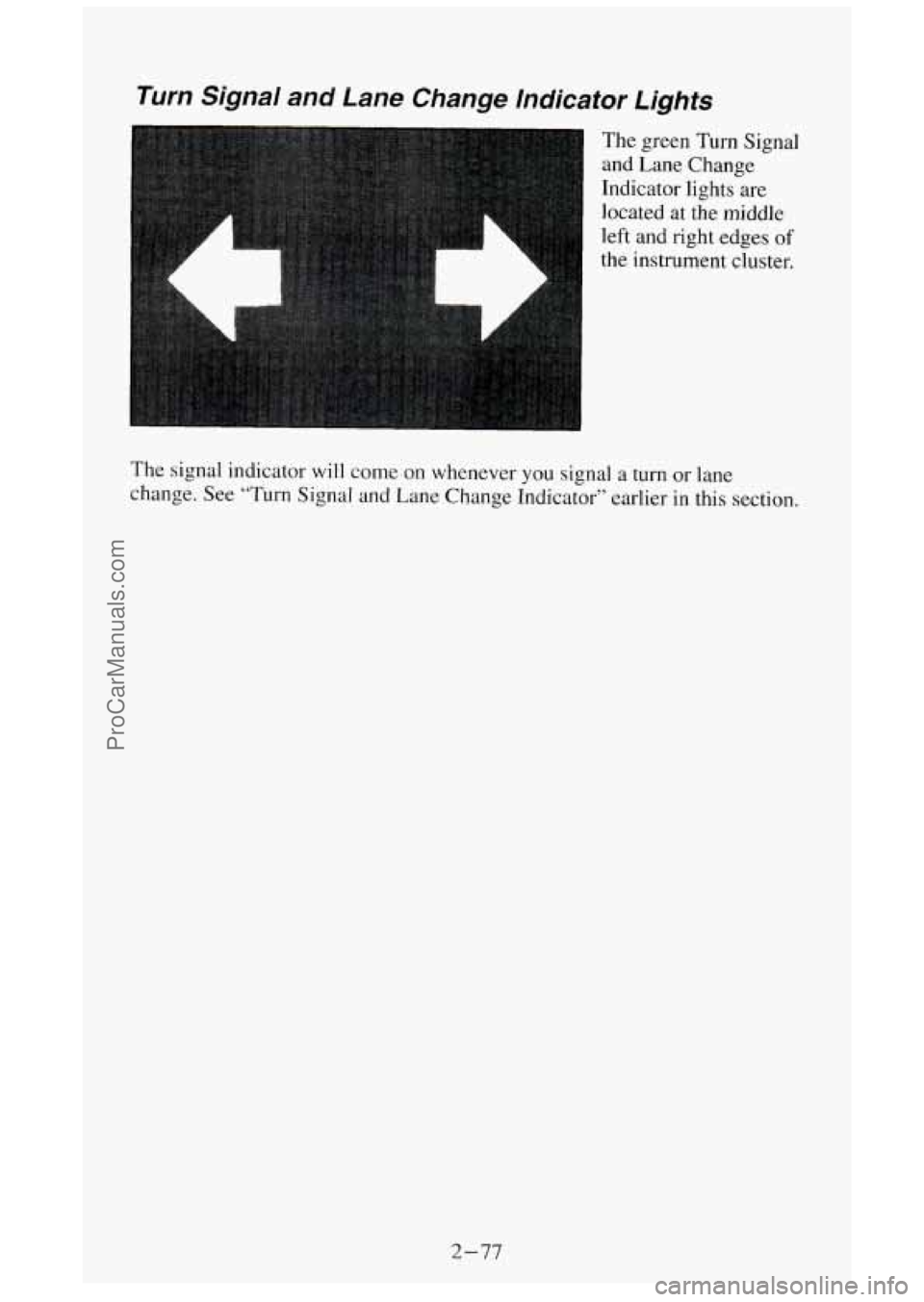
The green Turn Signal
and Lane Change
Indicator lights are
located at the middle
left and right edges
of
the instrument cluster.
The signal indicator
will come on whenever you signal a turn or lane
change. See “Turn Signal and Lane Change Indicator” earlier in this section.
2-77
ProCarManuals.com
Page 159 of 404
AM-FM Button
Press the AM-FM button to switch between AM and FM.
Stereo (AM)
Your Delco@ radio can receive C-QUAM@ stereo broadcasts. Many AM
stations around the country use C-QUAM@ to produce stereo, though some
do not. If your Delco@ system can get C-QUAM@ signals, your STEREO
light
will come on when you are receiving stereo. (C-QUAM@ is a
registered trademark of Motorola Inc.).
VOL Button
The VOL button controls the volume. Pressing VOL "+" increases volume;
VOL "-" decreases volume.
TUNE Button
To tune in radio stations, press the TUNE button. TUNE "+" increases
radio station frequency;
TUNE "-" decreases radio station frequency.
BAUFADE Buttons
To
balance and fade the sound between the lefthight or frondrear speakers,
use the four buttons with the speaker symbols on them. Press the left and
right buttons
to adjust the left and right speaker balance. Pressing the top
and bottom buttons adjusts the front and rear speaker volume balance, or
fade. The relative balance and fade adjustments are shown
on the electronic
display.
Pushbuttons
The six pushbuttons let you return to favorite stations. You can set the
pushbuttons for up to twelve favorite stations
(6 AM and 6 FM). To set the
pushbuttons, just:
Tune in the station you want.
Press the SET button. (SET appears in the electronic display for a few
Within 5 seconds, push one of the six pushbuttons to store the station.
seconds.)
After that, whenever you press that button, the preset station will
return.
3- 17
ProCarManuals.com
Page 175 of 404
0
0
0
0
0
0
0
0
Watch for traffic signs, pavement markings, and lines. If you can see a
sign
up ahead that might indicate a turn or an intersection, delay your
pass.
A broken center line usually indicates it’s all right to pass
(providing the road ahead is clear). Never cross
a solid line on your
side of the lane or
a double solid line, even if the road seems empty of
approaching traffic.
Do not get too close to the vehicle you want to pass while you’re
awaiting an opportunity. For one thing, following
too closely reduces
your area of
vision, especially if you’re following a larger vehicle.
Also, you won’t have adequate space if the vehicle ahead suddenly
slows or stops. Keep back
a reasonable distance.
When
it looks like a chance to pass is coming up, start to accelerate but
stay
in the right lane and don’t get too close. Time your move so you
will be increasing speed as the time comes to move into the other lane.
If the way is clear to pass,
you will have a “running start” that more
than makes up for the distance you would lose by dropping back. And
if something happens to cause you to cancel your pass, you need only
slow down and drop back again and wait for another opportunity.
If other cars are lined up to pass a slow vehicle, wait your turn. But
take care that someone isn’t trying to pass you
as you pull out to pass
the slow vehicle. Remember to glance over your shoulder and check
the blind spot.
Check your mirrors
, glance over your shoulder, and start your left lane
change signal before moving out of the right lane to pass. When
you
are far enough ahead of the passed vehicle to see its front in your inside
mirror, activate your right lane change signal and move back into the
right lane. (Remember that
if your right outside mirror is convex, the
vehicle
you just passed may seem to be farther away from you than it
really is.)
Try
not to pass more than one vehicle at a time on two-lane roads.
Reconsider before passing the
next vehicle.
Don’t overtake
a slowly moving vehicle too rapidly. Even though the
brake lights are not flashing,
it may be slowing down or start
If you’re being passed, make it easy for the following driver
ahead
of you. Perhaps you can ease a little to the right. ;ing to turn.
to get
Loss of Control
Let’s
review what driving experts say about what happens when the three
control systems (brakes, steering and acceleration) don’t have enough
friction where
the tires meet the road to do what the driver has asked.
In any emergency, don’t give up. Keep trying to steer and constantly seek
an
escape route or area of less danger.
4-11
ProCarManuals.com