tow GMC SIERRA 1997 Owner's Manual
[x] Cancel search | Manufacturer: GMC, Model Year: 1997, Model line: SIERRA, Model: GMC SIERRA 1997Pages: 436, PDF Size: 23.38 MB
Page 111 of 436
nrn Signal and Lane Change Signals
The turn signal has two upward (for right) and two
downward (for left) positions. These positions allow you
to signal a turn or a lane change.
To signal a
tum, move the lever all the way up or down.
When the
tum is finished, the lever will return automatically.
CII
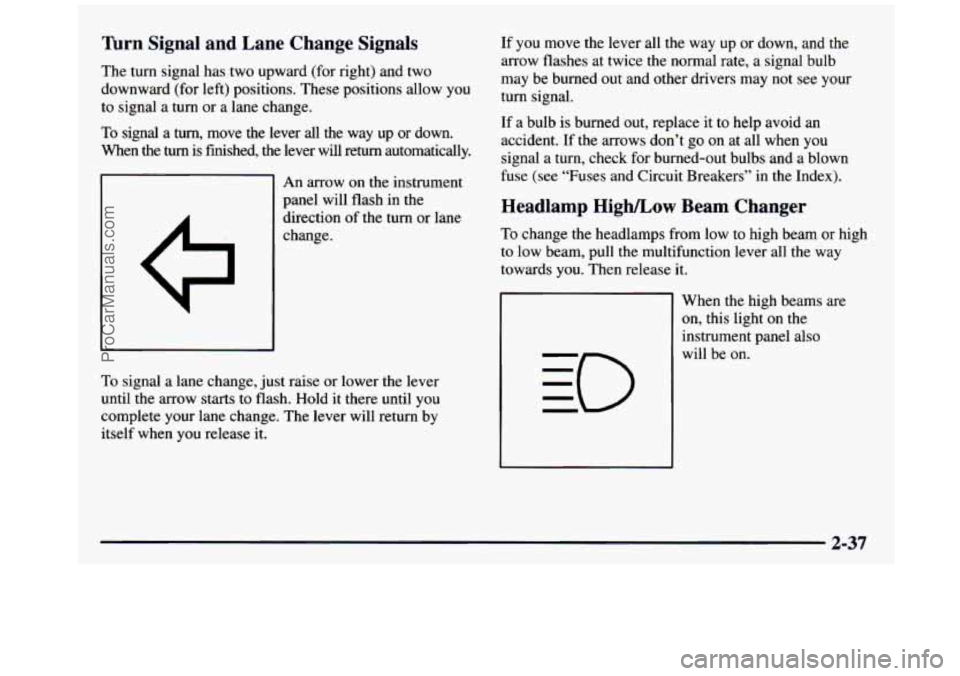
An arrow on the instrument
panel will flash in
the
direction of the turn or lane
change.
To signal a lane change, just raise or lower the lever
until the arrow starts to flash.
Hold it there until you
complete your lane change. The lever will return by
itself when you release it. If you
move the lever all the way up or down, and
the
arrow flashes at twice the normal rate, a signal bulb
may be burned out and other drivers may not see your
turn signal.
If a bulb is burned out, replace it to help avoid an
accident. If
the arrows don’t go on at all when you
signal a turn, check for burned-out bulbs and a blown
fuse (see “Fuses and Circuit Breakers” in the Index).
Headlamp High/Low Beam Changer
To change the headlamps from low to high beam or high
to low beam, pull the multifunction lever all the way
towards you. Then release it.
When the high beams are
on, this light on the
instrument panel also
will be on.
2-37
ProCarManuals.com
Page 123 of 436
Mirror Operation
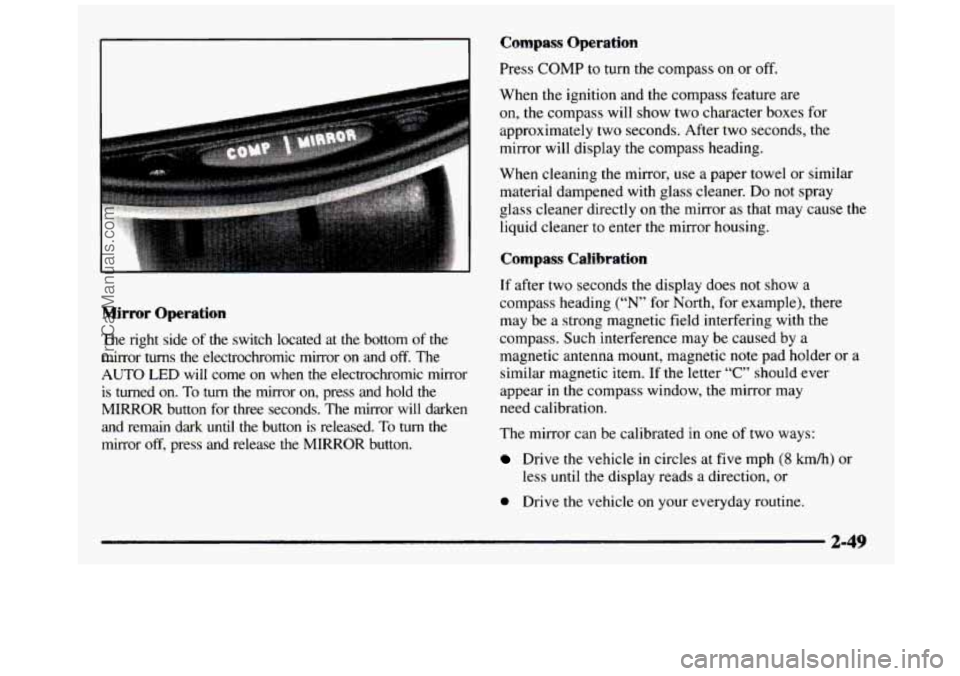
The right side of the switch located at the bottom of the mirror
turns the electrochromic mirror on and off. The
AUTO LED will come on when the electrochromic mirror
is turned
on. To turn the mirror on, press and hold the
MIRROR button for three seconds. The mirror will darken and remain dark
until the button is released. To turn the
mirror
off, press and release the MIRROR button.
Compass Operation
Press COMP to turn the compass on or off.
When the ignition and the compass feature are
on, the compass will show two character boxes for
approximately two seconds. After two seconds, the
mirror will display the compass heading.
When cleaning the mirror, use a paper towel
or similar
material dampened with glass cleaner.
Do not spray
glass cleaner directly on .the mirror as that may cause the
liquid cleaner to enter the mirror housing.
Compass Calibration
If after two seconds the display does not show a
compass heading (“N’ for North, for example), there
may be a strong magnetic field interfering with the
compass. Such interference may be caused by a
magnetic antenna mount, magnetic note pad holder
or a
similar magnetic item. If the letter “C” should ever
appear
in the compass window, the mirror may
need calibration.
The mirror can be calibrated
in one of two ways:
Drive the vehicle in circles at five mph (8 km/h) or
less
until the display reads a direction, or
0 Drive the vehicle on your everyday routine.
ProCarManuals.com
Page 126 of 436
Storage Compartments
Your vehicle has a variety of storage compartments
designed to store small items.
Your vehicle includes a number of storage
compartments for storage
of often-used items.
Some vehicles have storage areas
in the instrument panel.
Use these spaces for items such as gloves or small books.
Some models have a storage pocket on each of the
front doors.
Some vehicles have a storage area behind the seat.
Glove Box
To open your glove box, move the button toward the
passenger’s side and pull the door open.
Center Overhead Console (If Equipped)
Your vehicle may have an overhead console. It has
storage compartments inside it.
Installing a Garage Door Opener
If you have a garage door opener, the front overhead
compartment can be used to conveniently store the opener.
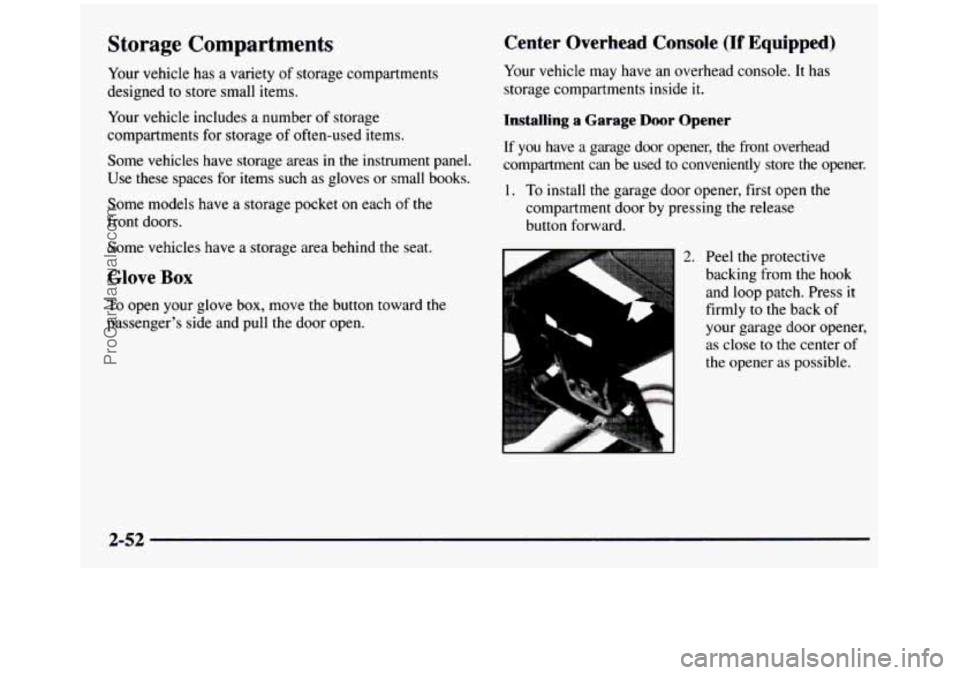
1. To install the garage door opener, first open the
compartment door by pressing the release
button forward.
L
2. Peel the protective
backing from the hook
and loop patch. Press
it
firmly to the back of
your garage door opener,
as close to the center
of
the opener as possible.
2-52
ProCarManuals.com
Page 133 of 436
Ashtrays and Cigarette Lighter To remove the front ashtray, press the retainer spring
and pivot the ashtray toward
you. To replace the ashtray,
Front Ashtray place the bottom part of the ashtray on the pivot bar at
the bottom
of its mounting on the instrument panel.
The front ashtray is located at the bottom of the instrument Then rotate the ashtray back to its original position.
panel. Pull on the notch
in the ashtray door to open it.
NOTICE:
If you store pa] or other things that burn
in your ashtrays, they could be set on fire by
cigarettes or other smoking materials. That could
cause a fire and possibly damage your vehicle.
Do
not store papers and other things that burn in
your ashtrays.
2-59
ProCarManuals.com
Page 145 of 436
Brake System Warning Light
Your vehicle’s hydraulic brake system is divided into
two parts. If
one part isn’t working, the other part can
still work and stop you. For good braking, though,
you
need both parts working well.
If the warning light comes on, there could be a brake
problem. Have your brake system inspected right away.
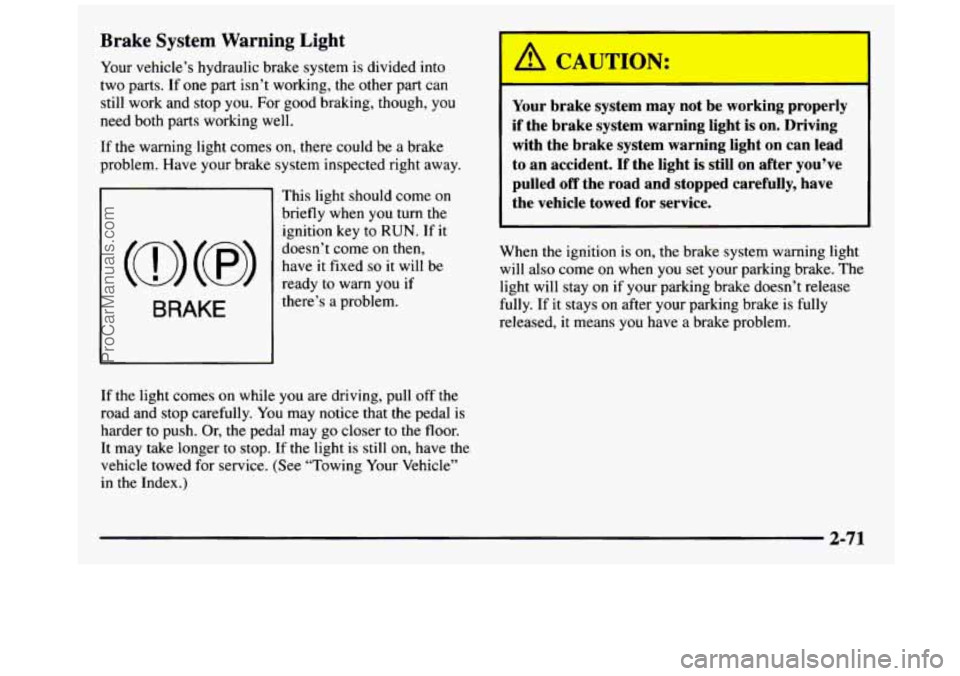
This light should come on
briefly when
you turn the
ignition key to
RUN. If it
doesn’t come on then,
have it fixed so it will be
ready to warn
you if
there’s
a problem.
I
Your brake system may not be working properly
if the brake system warning light is on. Driving
with the brake system warning light
on can lead
to an accident. If the light is still on after you’ve
pulled
off the road and stopped carefully, have
the vehicle towed for service.
When the ignition is on, the brake system warning light
will also come
on when you set your parking brake. The
light will stay on
if your parking brake doesn’t release
fully. If it stays on after your parking brake is fully
released,
it means you have a brake problem.
If the light comes on while you are driving, pull off
the
road and stop carefully. You may notice that the pedal is
harder to push. Or, the pedal may go closer to the floor.
It may take longer
to stop. If the light is still on, have the
vehicle towed for service. (See “Towing Your Vehicle”
in the Index.)
2-71
ProCarManuals.com
Page 148 of 436
If the Light Is Flashing If the Light Is On Steady
The following may prevent more serious damage to
your vehicle:
0 Reducing vehicle speed.
0 Avoiding hard accelerations.
0 Avoiding steep uphill grades.
0 If you are towing a trailer, reduce the amount of
cargo being hauled as soon as it is possible.
If the light stops flashing and remains on steady, see “If
the Light Is On Steady” following.
If the light continues to flash, when
it is safe to do so,
stup the vehicle. Find a safe place to park your vehicle.
Turn the key off, wait at least
10 seconds and restart the
engine. If the light remains on steady, see “If the Light
Is On Steady” following. If the light is still flashing,
follow the previous steps, and drive the vehicle to your
dealer or qualified service center for service. You
may be able to correct the emission system
malfunction by considering the following:
Did you recently put fuel into your vehicle?
If
so, reinstall the fuel cap, making sure to fully install
the cap. The diagnostic system can determine if the fuel
cap has been
left off or improperly installed. A loose or
missing fuel cap
will allow fuel to evaporate into the
atmosphere.
A few driving trips with the cap properly
installed should turn the light off.
Did you just drive through a deep puddle of water?
If
so, your electrical system may be wet. The condition
will usually be corrected when the electrical system
dries out.
A few driving trips should turn the light off.
Are you low on
fuel?
As your engine starts to run out of fuel, your engine may
not run as efficiently as designed since small amounts of
air are sucked into the fuel line causing a misfire. The
system can detect this. Adding fuel should correct this
condition. Make sure to install
the fuel cap properly. It
will take a
few driving trips to turn the light off.
2-74
ProCarManuals.com
Page 154 of 436
Comfort Controls
Heater Control System
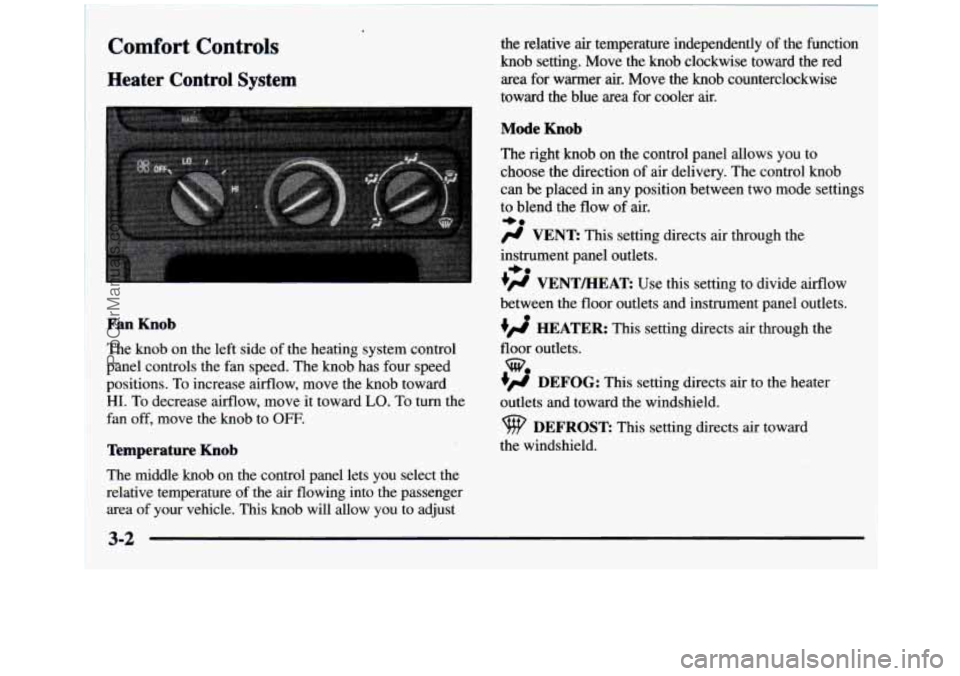
the relative air temperature independently of the function
knob setting. Move the knob clockwise toward the red
area for warmer
air. Move the knob counterclockwise
toward the blue area for cooler air.
Mode Knob
The right knob on the control panel allows you to
choose the direction of
air delivery. The control knob
can be placed in any position between two mode settings
to blend the flow of
air.
-0
/J VENT: This setting directs air through the
instrument panel outlets.
+# VENTEEAT: Use this setting to divide airflow
+0
between the floor outlets and instrument panel outlets.
HEATER: This setting directs air through the
floor outlets.
w
DEFOG: This setting directs air to the heater
outlets and toward the windshield.
DEFROST This setting directs air toward
the windshield.
Fan Knob
The knob on the left side of the heating system control
panel controls the fan speed. The knob has four speed
positions. To increase airflow, move the knob toward
HI. To decrease airflow, move it toward LO. To turn the
fan off, move
the knob to OFF.
Temperature Knob
The middle knob on the control panel lets you select the
relative temperature of the air flowing into the passenger
area of your vehicle. This knob will allow you to adjust
3-2
ProCarManuals.com
Page 155 of 436
Heater and Air Conditioning Control
System
(If Equipped)
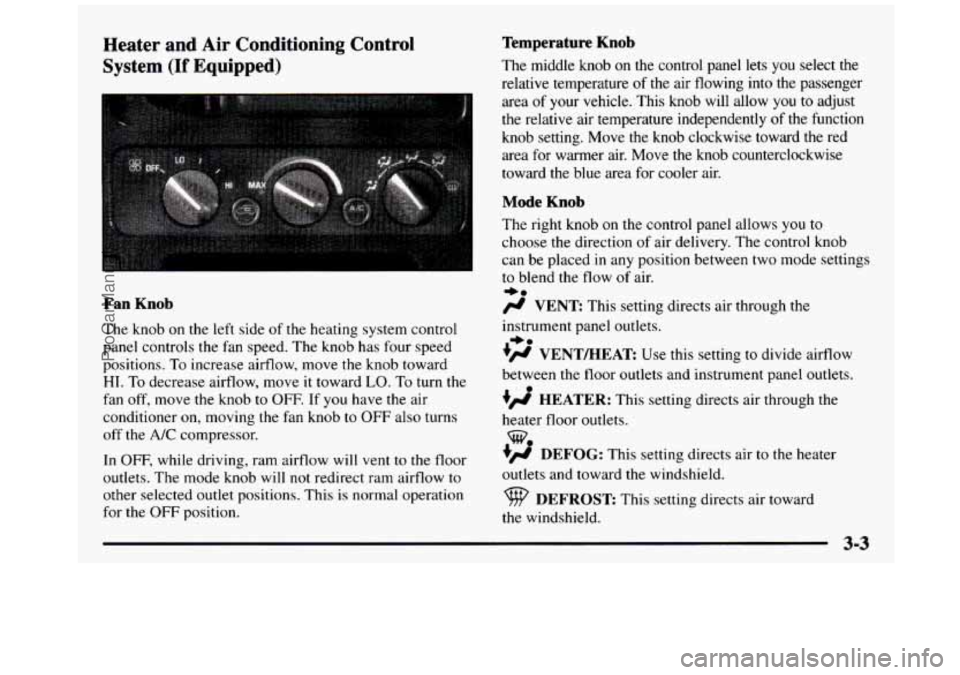
Fan Knob
The knob on the le.ft side of the heating system control
panel controls the fan speed. The knob has four speed
positions. To increase airflow, move
the knob toward
HI. To decrease airflow, move it toward LO. To turn the
fan off, move the knob to OFF. If you have the air
conditioner
on, moving the fan knob to OFF also turns
off the A/C compressor.
In
OFF, while driving, ram airflow will vent to the floor
outlets. The mode knob will not redirect ram airflow
to
other selected outlet positions. This is normal operation
for the
OFF position.
Temperature Knob
The middle knob on the control panel lets you select the
relative temperature
of the air flowing into the passenger
area
of your vehicle. This knob will allow you to adjust
the relative air temperature independently of the function
knob setting. Move the
knob clockwise toward the red
area
for warmer air. Move the knob counterclockwise
toward the blue area for cooler air.
Mode Knob
The right knob on the control panel allows you to
choose the direction of air delivery. The control knob
can be placed in any position between two mode settings
to blend the flow of air.
e0
/J VENT: This setting directs air through the
instrument panel outlets.
?# VENT/HEAT Use this setting to divide airflow
between the
floor outlets and instrument panel outlets.
+’ HEATER: This setting directs air through the
heater floor outlets.
+’ DEFOG: This setting directs air to the heater
outlets and toward
the windshield.
*.
w.
DEFROST This setting directs air toward
the windshield.
ProCarManuals.com
Page 158 of 436
Ventilation Tips
0
0
0
0
Keep the hood and front air inlet free of ice, snow or
any other obstruction
(such as leaves). The heater
and defroster will work far better, reducing the
chance of fogging the inside of your windows.
When you enter
a vehicle in cold weather, turn the
blower
fan to HI for a few moments before driving.
This helps clear the intake ducts of snow and
moisture, and reduces the
chance of fogging the
inside of your windows.
Keep
the air path under the front seats clear of
objects. This helps air to circulate throughout
your vehicle.
The use of hood air deflectors may adversely
affect the performance of the heating and air
conditioning system.
Defogging and Defrosting
On cool, humid days, use DEFOG to keep the
windshield and side windows clear. Use
DEFROST to
remove fog
or ice from the windshield in extremely
humid or cold conditions. Use
DEFROST with the
temperature
knob toward the red area and the fan control
toward
HI.
Rear Window Defogger (If Equipped)
If you see lines running across the rear window, you
have a rear window defogger. The lines warm the glass.
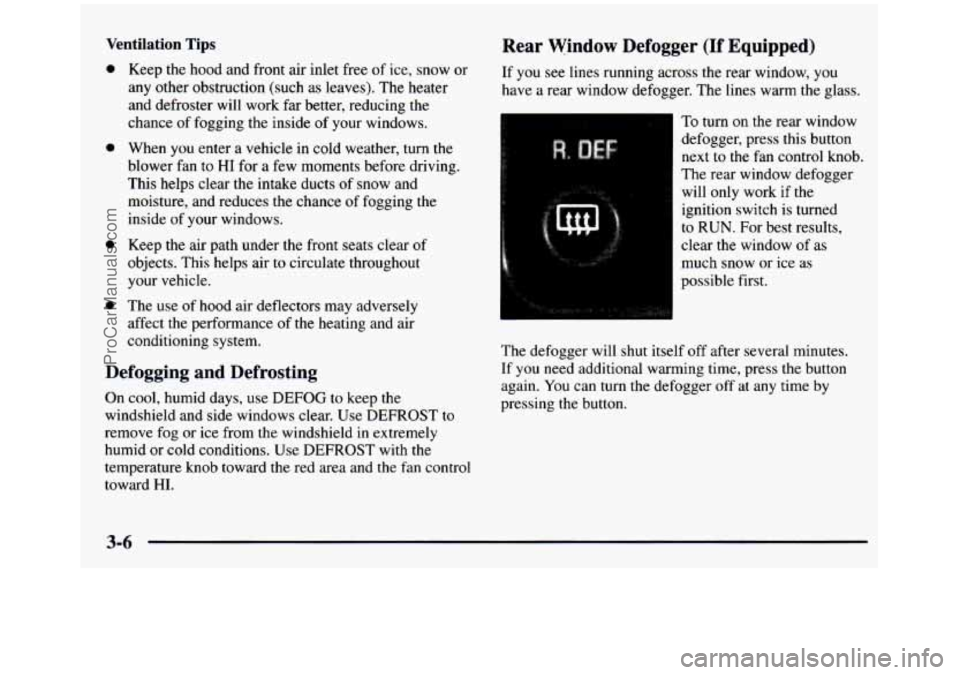
To turn
on the rear window
defogger, press this button
next to
the fan control knob.
The rear window defogger
will only work if the
ignition switch is turned
to RUN. For best results,
clear
the window of as
much snow or ice as
possible first.
The defogger will shut itself off after several minutes.
If you need additional warming time, press the button
again. You can turn the defogger off at any time by
pressing the button.
ProCarManuals.com
Page 179 of 436
Section 4 Your Driving and the Road
Here you’ll find information about driving on different kinds of roads and in varying weather conditions. We’ve also
included many other useful tips on driving.
4-2 4- 3
4-6
4-6
4-9
4-1
1
4- 12
4-13
4- 14
4-27 4-29 Defensive Driving
Drunken Driving
Control
of a Vehicle
Braking
Steering
Off-Road Recovery
Passing
Loss
of Control
Driving Guidelines
Driving
at Night
Driving
in Rain and on Wet Roads 4-32
4-32
4-34
4-35
4-35
4-37
4-4
1
4-45
4-45
4-45 City Driving
Freeway Driving
Before Leaving
on a Long Trip
Highway Hypnosis
Hill and Mountain Roads
Winter Driving
Loading Your Vehicle
Camper Wiring Harness Pickup Conversion
to Chassis Cab
Towing a Trailer
4-1
ProCarManuals.com