ignition GMC SIERRA 1998 User Guide
[x] Cancel search | Manufacturer: GMC, Model Year: 1998, Model line: SIERRA, Model: GMC SIERRA 1998Pages: 452, PDF Size: 23.65 MB
Page 96 of 452
NOTICE: ~
If your key seems stuck in LOCK and you can’t
turn
it, be sure you are using the correct key; if
so, is it all the way in? If it is, then turn the
steering wheel left and right while you turn the
key hard. But turn the key only with your hand.
Using
a tool to force it could break the key or the
ignition switch.
If none of this works, then your
vehicle needs service.
Key Release Button (Manual Tr :--:I: ssion)
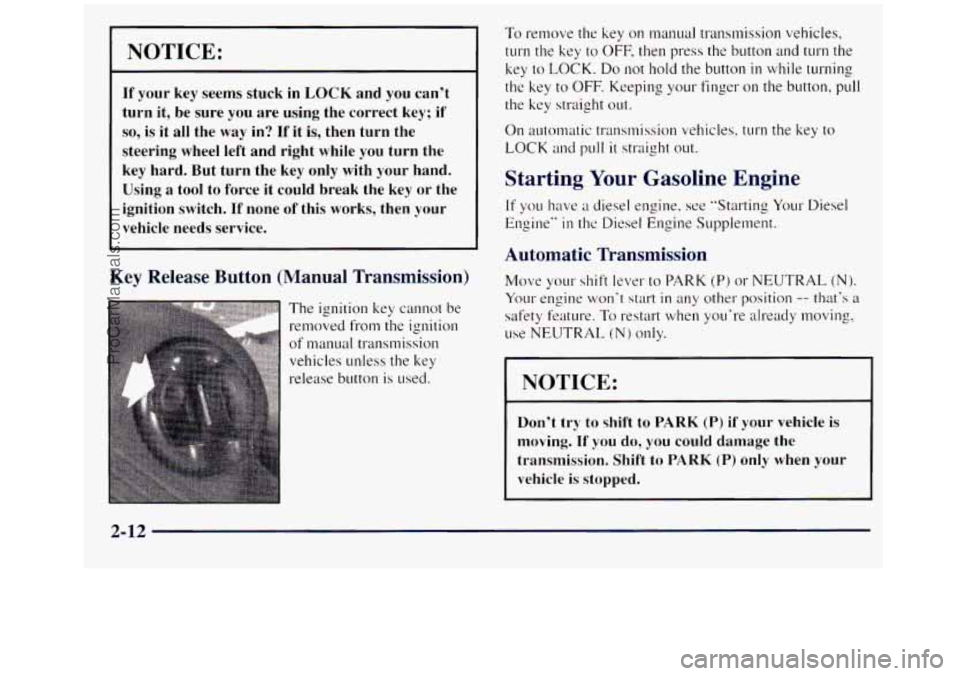
The ignition key cannot be
relnoved from the ignition
of manual transmission
vehicles unless the key
release button is used.
To remove the key on n-mual transmission vehicles,
turn the key to OFF, then press the button and turn the
key
to LOCK. Do not hold the button in while turning
the key
to OFF. Keeping your finger on the button, pull
the key straight out.
On automatic transmission vehicles, turn the key to
LOCK and pull it straight out.
Starting Your Gasoline Engine
If you have ;I diesel engine, see “Starting Your Diesel
Engine”
in the Diesel Engine Supplement.
Automatic Transmission
Move your shift lever to PARK (P) or NEUTRAL (N).
Your engine won‘t start in any other position -- that’s a
safety feature. To restart when you‘re already moving,
use NEUTRAL
(N) only.
NOTICE:
Don’t try to shift to PARK (P) if your vehicle is
moving. If
you do, you could damage the
transmission. Shift to
PARK (P) only when your
vehicle
is stopped.
2-12
ProCarManuals.com
Page 97 of 452
Manual Transmission
The gear selector should be in NEUTRAL (N) and the
parking
brake engaged. Hold the clutch pedal to the
floor and start the engine. YOLU vehicle won‘t start if the
clutch pedal is not all the way
down -- that‘s a
safety feature.
How to Start the Engine
1. Without pushing the accelerator pedal. turn your
ignition key to START. When the engine starts: let
engine
gets warm.
z (TO of the key. The idle speed will go down as your
I NOTICE:
Holding your key in SrI‘,4KT for longer than
15 seconds at a time will cause your battery to be
drained much sooner. And the excessive heat can
damage your starter motor. 3.
If your
engine still won’t start (or starts but then
stops), wait
15 seconds and start over.
When the engine starts,
let go of the key and the
accelerator pedal.
NOTICE:
Your engine is designed to work with the
electronics in your vehicle. If you add electrical
parts or accessories, you could change the way
the engine operates. Before adding electrical
equipment, check with your dealer.
If you don’t,
your engine might not perform properly.
If you ever have to have your vehicle towed, see
the part
of this manual that tells how to do it
without damaging your vehicle. See “Towing
Your Vehicle” in
the Index.
2-13
ProCarManuals.com
Page 99 of 452
Automatic Transmission Operation
I
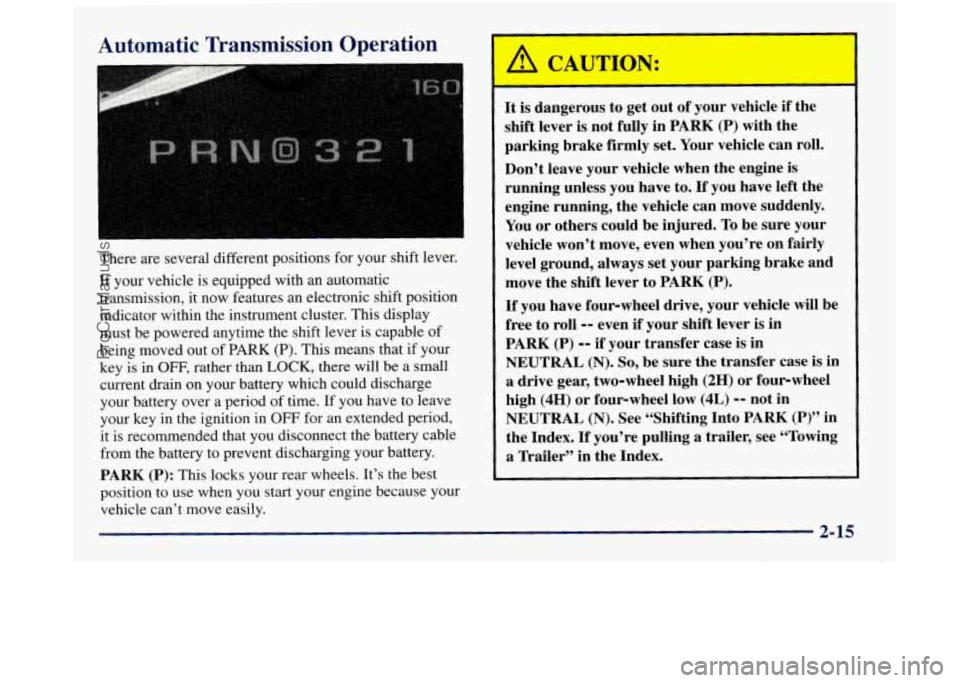
There are several different positions for your shift lever.
If your vehicle is equipped with an automatic
transmission, it now features an electronic shift position
indicator within the instrument cluster. This display
must be powered anytime the shift lever is capable of
being moved out of
PARK (P). This means that if your
key is
in OFF, rather than LOCK, there will be a small
current drain on your battery which could discharge
your battery over a period
of time. If you have to leave
your key in the ignition in
OFF for an extended period,
it is recommended that you disconnect the battery cable
from the battery
to prevent discharging your battery.
PARK
(P): This locks your rear wheels. It’s the best
position to use when you start your engine because your
vehicle can’t move easily. It
is dangerous to get out of your vehicle if the
shift lever is not fully in PARK
(P) with the
parking brake firmly set. Your vehicle can roll.
Don’t leave your vehicle when the engine is
running unless you have to. If you have left the
engine running, the vehicle can move suddenly.
You or others could be injured.
To be sure your
vehicle won’t move, even when you’re on fairly
level ground, always set your parking brake and
move the shift lever to PARK (P).
If you have four-wheel drive, your vehicle will be
free to roll
-- even if your shift lever is in
PARK (P)
-- if your transfer case is in
NEUTRAL
(N). So, be sure the transfer case is in
a drive gear, two-wheel high (2H) or four-wheel
high
(4H) or four-wheel low (4L) -- not in
NEUTRAL (N). See “Shifting Into PARK (P)” in
the Index.
If you’re pulling a trailer, see “Towing
a Trailer” in the Index.
2-15
ProCarManuals.com
Page 108 of 452
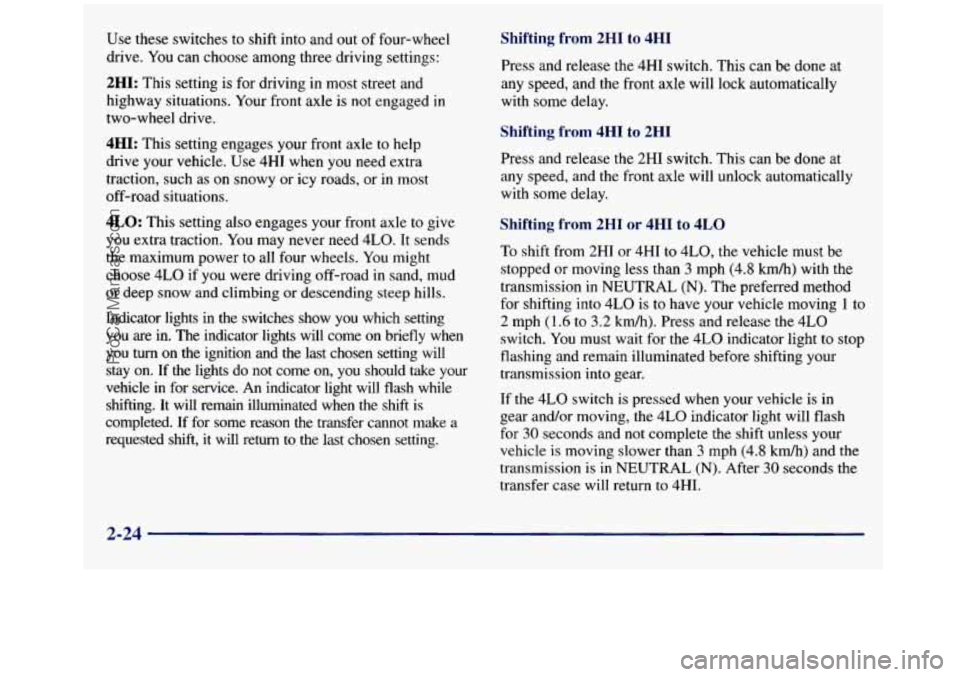
Use these switches to shift into and out of four-wheel
drive. You can choose among three driving settings:
2HI: This setting is for driving in most street and
highway situations. Your front axle is not engaged
in
two-wheel drive.
4HI: This setting engages your front axle to help
drive your vehicle. Use 4HI when you need extra
traction, such as
on snowy or icy roads, or in most
off-road situations.
4LO: This setting also engages your front axle to give
you extra traction. You may never need 4LO. It sends
the maximum power to all
four wheels. You might
choose 4LO if you were driving off-road in sand, mud
or deep snow and climbing or descending steep hills.
Indicator lights in the switches show you which setting
you are in. The indicator lights will come on briefly when
you
turn on the ignition and the last chosen setting will
stay on. If the lights
do not come on, you should take your
vehicle in for service. An indicator light will flash while
shifting. It will remain illuminated when
the shift is
completed. If for some reason the transfer cannot make a
requested shift, it will return
to the last chosen setting.
Shifting from 2HI to 4HI
Press and release the 4HI switch. This can be done at
any speed, and the front axle will lock automatically
with some delay.
Shifting from 4HI to 2HI
Press and release the 2HI switch. This can be done at
any speed, and the front axle will unlock automatically
with some delay.
ting from 2HI or 4HI to 4LO
'li hift from 2HI or 4HI to 4L0, the vehicle must be
stopped or moving less than
3 mph (4.8 km/h) with the
transmission in
NEUTRAL (N). The preferred method
for shifting into 4LO is to have your vehicle moving
1 to
2 mph (1.6 to
3.2 kmh). Press and release the 4LO
switch. You must wait for the
4LO indicator light to stop
flashing and remain illuminated before shifting your
transmission into gear.
If the 4LO switch is pressed when your vehicle is in
gear and/or moving, the 4LO indicator light will flash
for 30 seconds and not complete the shift unless your
vehicle is moving slower than
3 mph (4.8 kmh) and the
transmission is
in NEUTRAL (N). After 30 seconds the
transfer case will return to 4HI.
2-24
ProCarManuals.com
Page 109 of 452
Shifting from 4LO to 4HI or 2HI
To shift from 4LO to 4HI or 2H1, your vehicle must be
stopped or moving less than
3 mph (4.8 km/h) with the
transmission in
NEUTRAL (N). The preferred method
for shifting out of
4LO is to have your vehicle moving
1 to 2 mph (1.6 to 3.2 km/h). Press and release the 4HI
switch. You must wait for the 4HI indicator light to stop
flashing and remain illuminated before shifting your
transmission into gear.
If the 4HI switch is pressed when your vehicle is in gear
and/or moving, the
4HI indicator light will flash for
30 seconds but will not complete the shift unless the
vehicle is moving slower than
3 mph (4.8 km/h) and the
transmission is in
NEUTRAL (N).
Parking Brake
To set the parking brake, hold the regular brake pedal
down with your right foot. Push down the parking brake
pedal with your left foot.
If the ignition is on, the brake system warning light will
come on.
To release the parking brake, hold the regular brake
pedal down. Pull
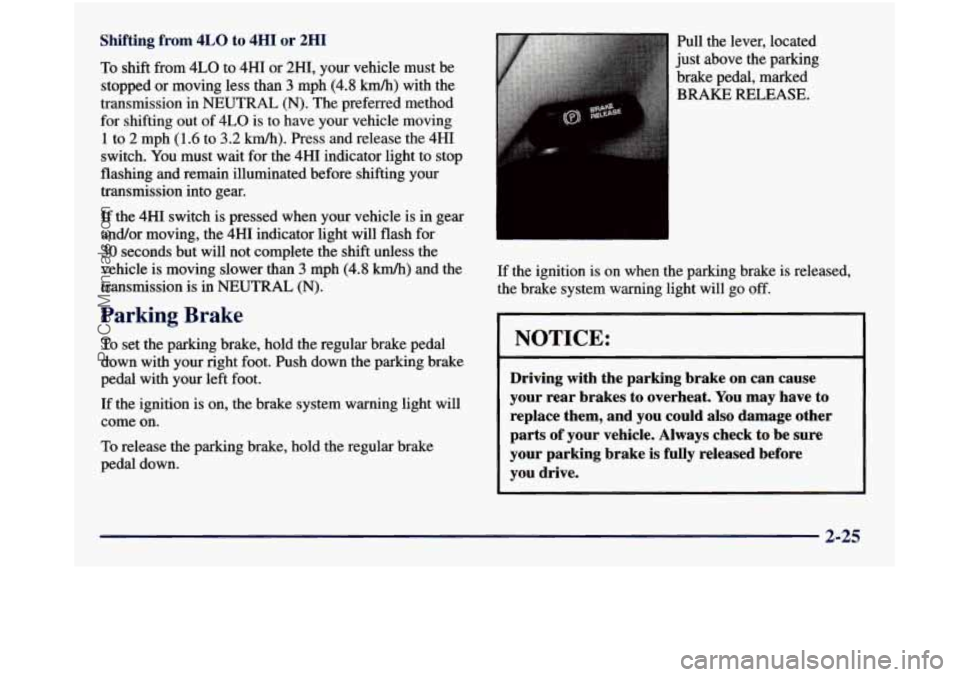
the lever, located
just above the parking
brake pedal, marked
BRAISE RELEASE.
If the ignition is on when the parking brake is released,
the brake system warning light will go off.
NOTICE:
Driving with the parking brake on can cause
your rear brakes to overheat. You may have to
replace them, and you could also damage other
parts of your vehicle. Always check to be sure
your parking brake is fully released before
you drive.
2-25
ProCarManuals.com
Page 111 of 452
1.
2.
Hold the brake pedal down with your right foot and
set the parking brake.
Move
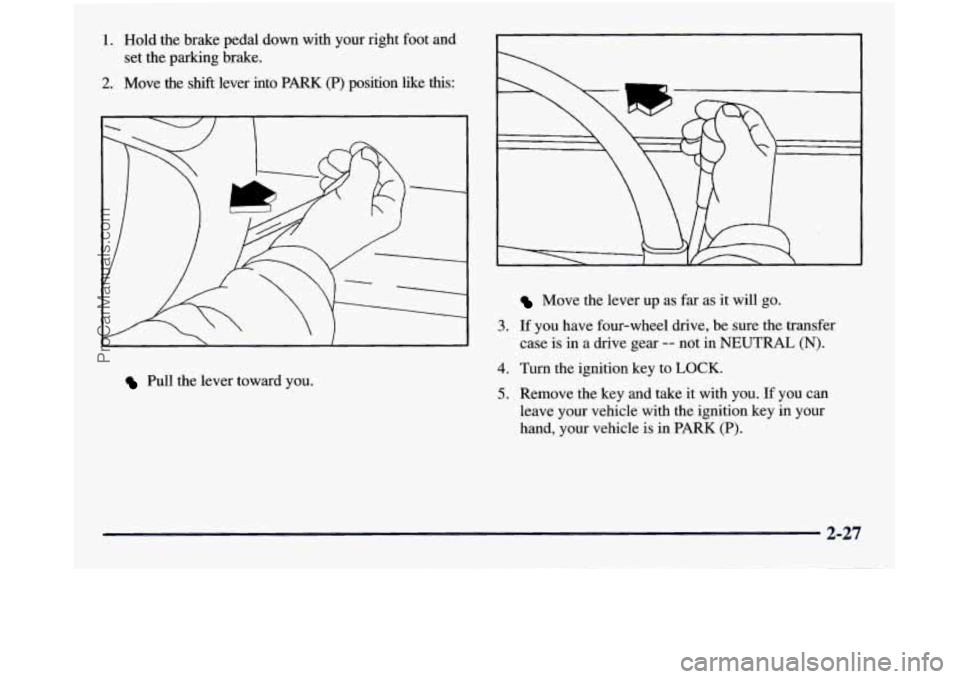
the shift lever into PARK (P) position like this:
r
3.
Pull the lever toward you.
4.
5.
Move the lever up as far as it will go.
If you have four-wheel drive, be sure the transfer
case is in a drive gear
-- not in NEUTRAL (N).
Turn the ignition key to LOCK.
Remove the key and take it with you. If you can
leave your vehicle with the ignition key in your
hand, your vehicle is in PARK
(P).
2-27
ProCarManuals.com
Page 113 of 452
Shifting Out of PARK (P)
(Automatic Transmission)
Your vehicle has a brake-transmission shift interlock
system. You have to fully apply your regular brakes
before you can shift from PARK
(P) when the ignition is
in
RUN. See “Automatic Transmission” in the Index.
If you cannot shift out of PARK
(P), ease pressure on
the shift lever and push the shift lever all the way up
into PARK
(P) as you maintain brake application. Then,
move the shift lever
to any gear you want.
If you ever hold the brake pedal down but still can’t
shift
out of PARK (P), try this:
1. Turn the key to OFF.
2. Apply and hold the brake until the end of Step 4.
3. Shift to NEUTRAL (N).
4. Start the vehicle and shift to the drive gear you want.
5. Have the brake-transmission shift interlock system
fixed as
soon as you can.
Parking Your Vehicle
(Manual Transmission Models
Only)
Before you get out of your vehicle, put your manual
transmission in REVERSE
(R), turn off the engine, and
firmly apply the parking brake.
If you have four-wheel drive, be sure your transfer case
is in a drive gear. Your vehicle could roll if it isn’t.
If
you are parking on a hill, or if you are pulling a
trailer, see “Towing a Trailer” in
the Index.
2-29
ProCarManuals.com
Page 117 of 452
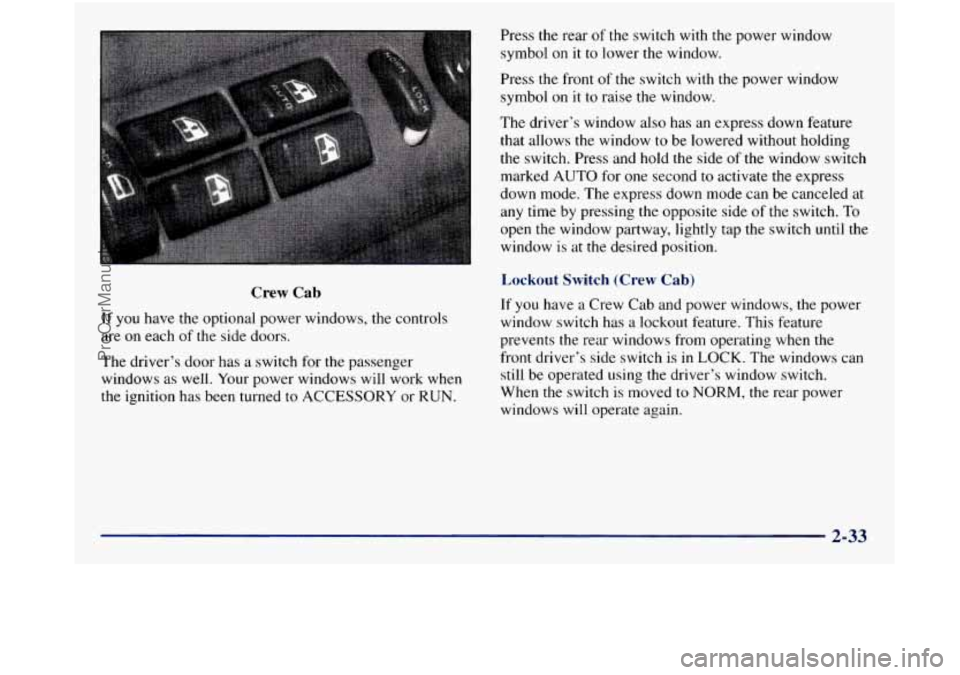
Crew Cab
If you have the optional power windows, the controls
are on each of the side doors.
The driver’s door has a switch for the passenger
windows as well. Your power windows will work when
the ignition has been turned
to ACCESSORY or RUN. Press the rear
of the
switch with the power window
symbol on
it to lower the window.
Press the front of
the switch with the power window
symbol
on it to raise the window.
The driver’s window also has an express down feature
that allows the window to be lowered without holding
the switch. Press and hold the side of the window switch
marked
AUTO for one second to activate the express
down mode. The express down mode can be canceled at
any time by pressing the opposite side
of the switch. To
open the window partway, lightly tap the switch until the
window is at the desired position.
Lockout Switch (Crew Cab)
If you have a Crew Cab and power windows, the power
window switch has
a lockout feature. This feature
prevents the rear windows from operating when
the
front driver’s side switch is in LOCK. The windows can
still be operated using the driver’s window switch.
When the switch is moved
to NORM, the rear power
windows will operate again.
2-33
ProCarManuals.com
Page 125 of 452
Ending Cruise Control
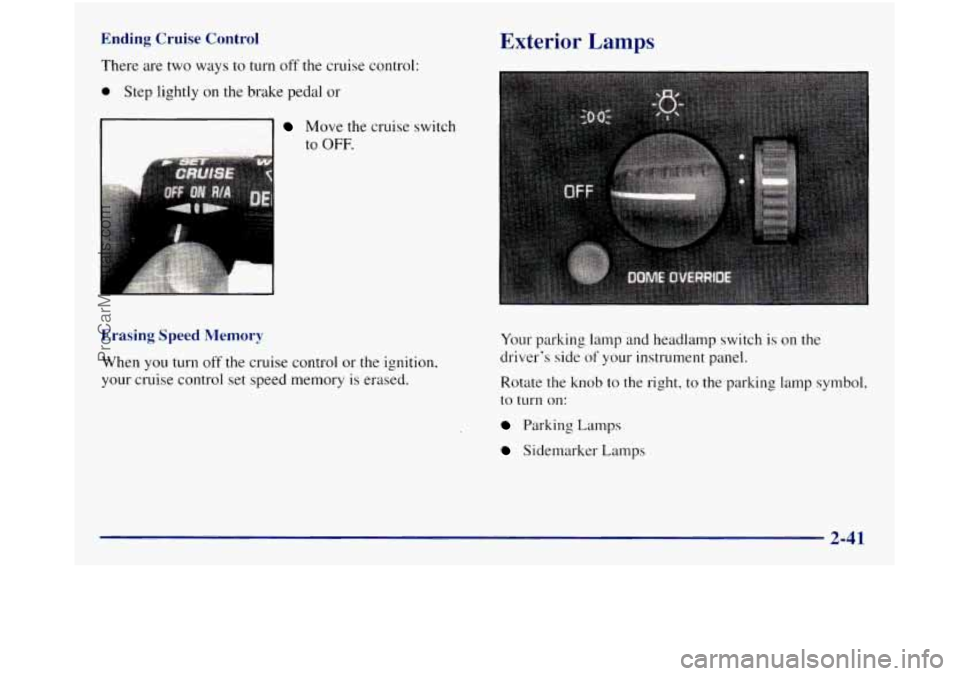
There are two ways to turn off the cruise control:
0 Step lightly on the brake pedal or
Move the cruise switch
to
OFF.
Erasing Speed Memory
When you turn off the cruise control or the ignition,
your cruise control set speed memory is erased.
Exterior Lamps
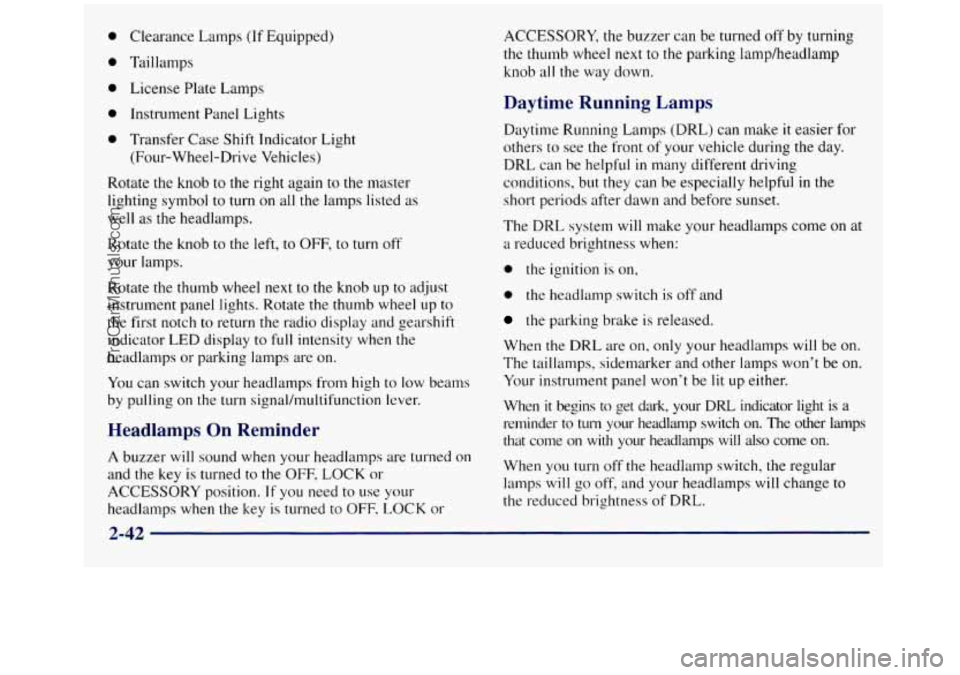
Your parking lamp and headlamp switch is on the
driver's side
of your instrument panel.
Rotate the knob to the right, to the parking lamp symbol.
to
turn on:
Parking Lamps
Sidemarker Lamps
2-41
ProCarManuals.com
Page 126 of 452
Clearance Lamps (If Equipped)
Taillamps License Plate Lamps
Instrument Panel Lights
Transfer Case Shift Indicator Light (Four-Wheel-Drive Vehicles)
Rotate the knob to the right again to the master
lighting symbol
to turn on all the lamps listed as
well as the headlamps.
Rotate the knob to the left,
to OFF, to turn off
your lamps.
Rotate the thumb wheel next to
the knob up to adjust
instrument panel lights. Rotate the thumb wheel
up to
the first notch to return the radio display and gearshift
indicator
LED display to full intensity when the
headlamps or parking lamps are on.
You can switch your headlamps from high
to low beams
by pulling on the turn signal/multifunction lever.
Headlamps On Reminder
A buzzer will sound when your headlamps are turned on
and the key
is turned to the OFF, LOCK or
ACCESSORY position.
If you need to use your
headlamps when the key is turned to OFF-
LOCK or ACCESSORY, the
buzzer can be turned off by turning
the thumb wheel next
to the parking lamp/headlamp
knob all the way down.
Daytime Running Lamps
Daytime Running Lamps (DRL) can make it easier for
others to see the front of your vehicle during the day.
DRL can be helpful
in many different driving
conditions, but they can be especially helpful
in the
short periods after dawn and before sunset.
The DRL system
will make your headlamps come on at
a reduced brightness when:
0 the ignition is on,
0 the headlamp switch is off and
the parking brake is released.
When the DRL are on, only your headlamps will be on.
The taillamps, sidemarker and other lamps won’t
be on.
Your instrument panel won’t be lit
up either.
When it begins to get dark, your DRL indicator light is a
reminder to turn your headlamp switch on. The other lamps
that come
on with your headlanips will also come on.
When you
turn off the headlamp switch, the regular
lamps will
go off, and your headlamps will change to
the reduced brightness of DRL.
2-42
ProCarManuals.com