fuel pressure GMC SIERRA 2005 Owner's Manual
[x] Cancel search | Manufacturer: GMC, Model Year: 2005, Model line: SIERRA, Model: GMC SIERRA 2005Pages: 574, PDF Size: 2.95 MB
Page 217 of 574
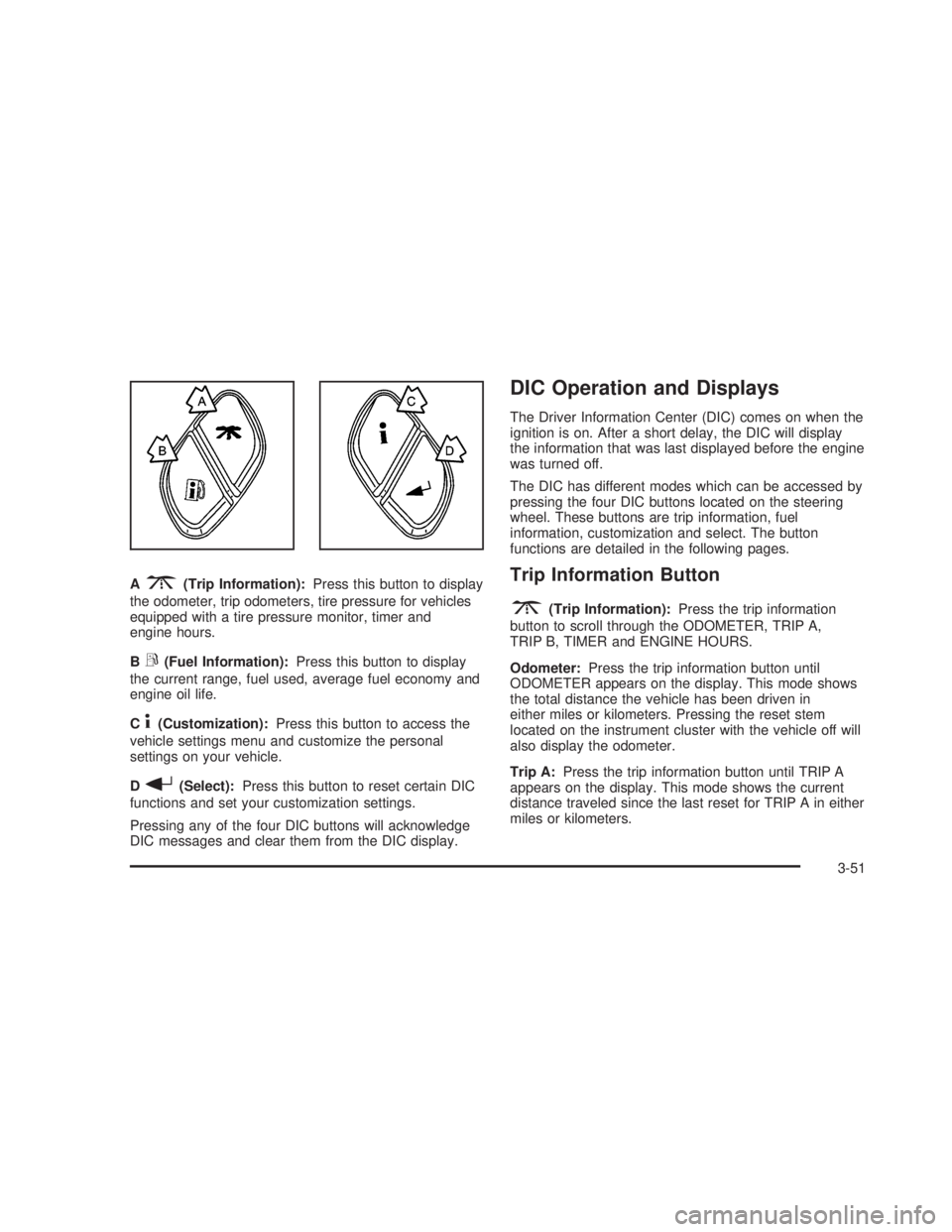
A3(Trip Information):Press this button to display
the odometer, trip odometers, tire pressure for vehicles
equipped with a tire pressure monitor, timer and
engine hours.
B
r(Fuel Information):Press this button to display
the current range, fuel used, average fuel economy and
engine oil life.
C
4(Customization):Press this button to access the
vehicle settings menu and customize the personal
settings on your vehicle.
D
r(Select):Press this button to reset certain DIC
functions and set your customization settings.
Pressing any of the four DIC buttons will acknowledge
DIC messages and clear them from the DIC display.
DIC Operation and Displays
The Driver Information Center (DIC) comes on when the
ignition is on. After a short delay, the DIC will display
the information that was last displayed before the engine
was turned off.
The DIC has different modes which can be accessed by
pressing the four DIC buttons located on the steering
wheel. These buttons are trip information, fuel
information, customization and select. The button
functions are detailed in the following pages.
Trip Information Button
3
(Trip Information):Press the trip information
button to scroll through the ODOMETER, TRIP A,
TRIP B, TIMER and ENGINE HOURS.
Odometer:Press the trip information button until
ODOMETER appears on the display. This mode shows
the total distance the vehicle has been driven in
either miles or kilometers. Pressing the reset stem
located on the instrument cluster with the vehicle off will
also display the odometer.
Trip A:Press the trip information button until TRIP A
appears on the display. This mode shows the current
distance traveled since the last reset for TRIP A in either
miles or kilometers.
3-51
Page 335 of 574
When you want to leave the freeway, move to the
proper lane well in advance. If you miss your exit, do
not, under any circumstances, stop and back up. Drive
on to the next exit.
The exit ramp can be curved, sometimes quite sharply.
The exit speed is usually posted.
Reduce your speed according to your speedometer, not
to your sense of motion. After driving for any distance
at higher speeds, you may tend to think you are
going slower than you actually are.
Before Leaving on a Long Trip
Make sure you are ready. Try to be well rested. If you
must start when you are not fresh — such as after
a day’s work — do not plan to make too many miles that
rst part of the journey. Wear comfortable clothing
and shoes you can easily drive in.
Is your vehicle ready for a long trip? If you keep it
serviced and maintained, it is ready to go. If it needs
service, have it done before starting out. Of course, you
will nd experienced and able service experts in
GM dealerships all across North America. They will be
ready and willing to help if you need it.Here are some things you can check before a trip:
Windshield Washer Fluid:Is the reservoir full? Are
all windows clean inside and outside?
Wiper Blades:Are they in good shape?
Fuel, Engine Oil, Other Fluids:Have you checked
all levels?
Lamps:Are they all working? Are the lenses clean?
Tires:They are vitally important to a safe,
trouble-free trip. Is the tread good enough for
long-distance driving? Are the tires all inated to the
recommended pressure?
Weather Forecasts:What is the weather outlook
along your route? Should you delay your trip a
short time to avoid a major storm system?
Maps:Do you have up-to-date maps?
4-41
Page 347 of 574
Certication/Tire Label
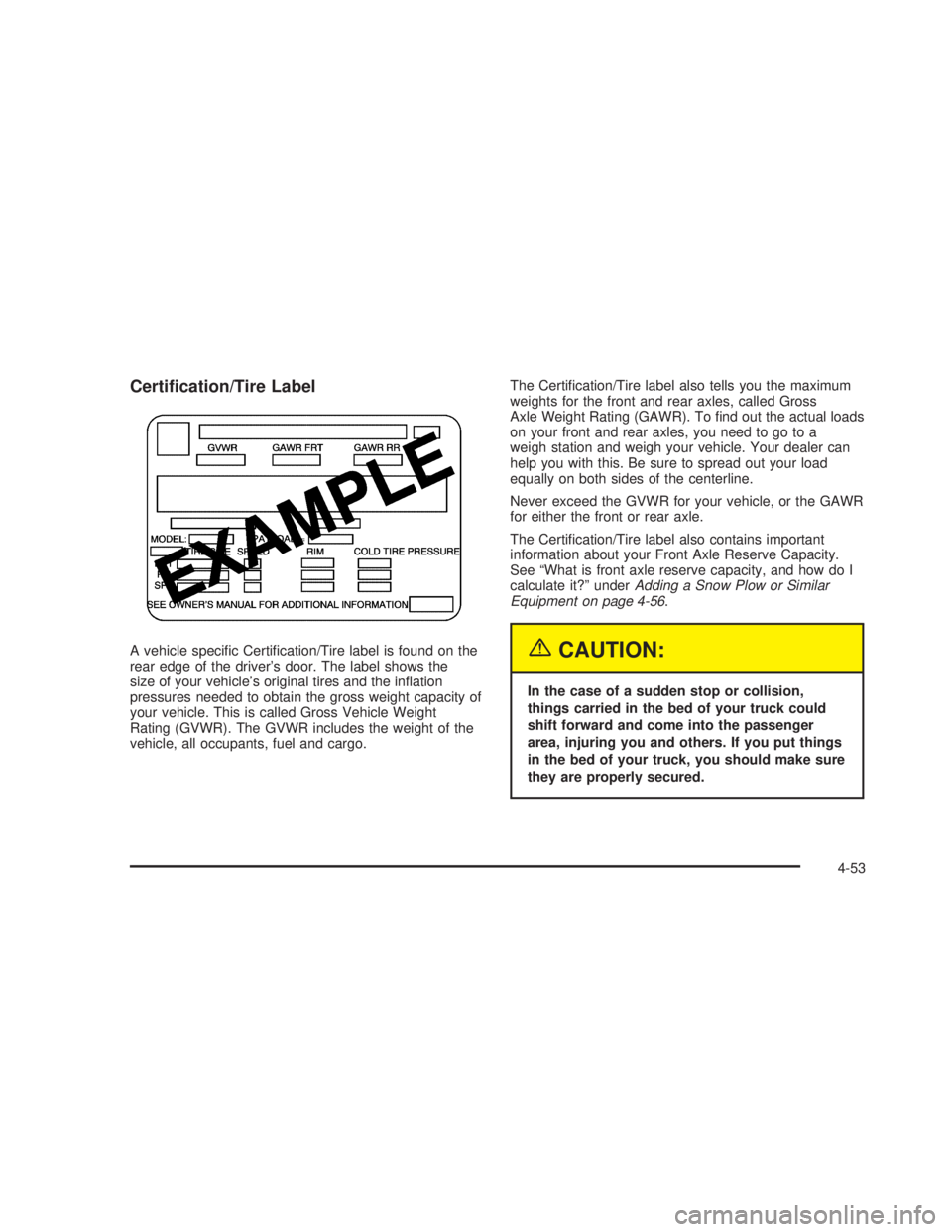
A vehicle specic Certication/Tire label is found on the
rear edge of the driver’s door. The label shows the
size of your vehicle’s original tires and the ination
pressures needed to obtain the gross weight capacity of
your vehicle. This is called Gross Vehicle Weight
Rating (GVWR). The GVWR includes the weight of the
vehicle, all occupants, fuel and cargo.The Certication/Tire label also tells you the maximum
weights for the front and rear axles, called Gross
Axle Weight Rating (GAWR). To nd out the actual loads
on your front and rear axles, you need to go to a
weigh station and weigh your vehicle. Your dealer can
help you with this. Be sure to spread out your load
equally on both sides of the centerline.
Never exceed the GVWR for your vehicle, or the GAWR
for either the front or rear axle.
The Certication/Tire label also contains important
information about your Front Axle Reserve Capacity.
See “What is front axle reserve capacity, and how do I
calculate it?” underAdding a Snow Plow or Similar
Equipment on page 4-56.{CAUTION:
In the case of a sudden stop or collision,
things carried in the bed of your truck could
shift forward and come into the passenger
area, injuring you and others. If you put things
in the bed of your truck, you should make sure
they are properly secured.
4-53
Page 395 of 574
Service............................................................5-4
Doing Your Own Service Work.........................5-5
Adding Equipment to the Outside
of Your Vehicle...........................................5-6
Fuel................................................................5-6
Gasoline Octane............................................5-6
Gasoline Specications....................................5-7
California Fuel...............................................5-7
Additives.......................................................5-7
Fuel E-85 (85% Ethanol).................................5-8
Fuels in Foreign Countries...............................5-9
Filling Your Tank..........................................5-10
Filling a Portable Fuel Container.....................5-12
Checking Things Under the Hood....................5-12
Hood Release..............................................5-13
Engine Compartment Overview.......................5-14
Engine Oil (Gasoline Engine)..........................5-20
Engine Oil Life System (Gasoline Engine)........5-23
Engine Air Cleaner/Filter................................5-25
Automatic Transmission Fluid
(Except Allison Transmission
®) ....................5-27
Automatic Transmission Fluid
(Allison Transmission
®) ...............................5-30
Manual Transmission Fluid.............................5-33
Hydraulic Clutch...........................................5-34Engine Coolant.............................................5-35
Coolant Surge Tank Pressure Cap..................5-37
Engine Overheating.......................................5-37
Overheated Engine Protection Operating
Mode (V8 Engines Only)............................5-39
Cooling System............................................5-40
Engine Fan Noise.........................................5-45
Power Steering Fluid.....................................5-46
Windshield Washer Fluid................................5-48
Brakes........................................................5-49
Battery........................................................5-52
Jump Starting...............................................5-53
Rear Axle.......................................................5-58
Four-Wheel Drive............................................5-58
Front Axle......................................................5-60
Noise Control System.....................................5-61
Tampering with Noise Control System
Prohibited.................................................5-61
Bulb Replacement..........................................5-62
Halogen Bulbs..............................................5-62
Headlamps..................................................5-63
Front Turn Signal, Sidemarker and
Daytime Running Lamps.............................5-64
Roof Marker Lamps......................................5-65
Section 5 Service and Appearance Care
5-1
Page 471 of 574
Tire Terminology and Denitions
Air Pressure:The amount of air inside the tire pressing
outward on each square inch of the tire. Air pressure
is expressed in pounds per square inch (psi) or
kiloPascal (kPa).
Accessory Weight:This means the combined weight
of optional accessories. Some examples of optional
accessories are, automatic transmission, power steering,
power brakes, power windows, power seats, and air
conditioning.
Aspect Ratio:The relationship of a tire’s height
to its width.
Belt:A rubber coated layer of cords that is located
between the plies and the tread. Cords may be made
from steel or other reinforcing materials.
Bead:The tire bead contains steel wires wrapped by
steel cords that hold the tire onto the rim.
Bias Ply Tire:A pneumatic tire in which the plies are
laid at alternate angles less than 90 degrees to the
centerline of the tread.
Cold Ination Pressure:The amount of air pressure in
a tire, measured in pounds per square inch (psi) or
kilopascals (kPa) before a tire has built up heat
from driving. SeeInation - Tire Pressure on page 5-79.Curb Weight:This means the weight of a motor
vehicle with standard and optional equipment including
the maximum capacity of fuel, oil and coolant, but
without passengers and cargo.
DOT Markings:A code molded into the sidewall of a
tire signifying that the tire is in compliance with the U.S.
Department of Transportation (DOT) motor vehicle
safety standards. The DOT code includes the Tire
Identication Number (TIN), an alphanumeric designator
which can also identify the tire manufacturer, production
plant, brand and date of production.
GVWR:Gross Vehicle Weight Rating, seeLoading
Your Vehicle on page 4-50.
GAWR FRT:Gross Axle Weight Rating for the front
axle, seeLoading Your Vehicle on page 4-50.
GAWR RR:Gross Axle Weight Rating for the rear axle,
seeLoading Your Vehicle on page 4-50.
Intended Outboard Sidewall:The side of an
asymmetrical tire, that must always face outward when
mounted on a vehicle.
KiloPascal (kPa):The metric unit for air pressure.
Light Truck (LT-Metric) Tire:A tire used on light duty
trucks and some multipurpose passenger vehicles.
5-77
Page 473 of 574
UTQGS (Uniform Tire Quality Grading Standards):
A tire information system that provides consumers
with ratings for a tire’s traction, temperature, and
treadwear. Ratings are determined by tire manufacturers
using government testing procedures. The ratings are
molded into the sidewall of the tire. SeeUniform
Tire Quality Grading on page 5-87.
Vehicle Capacity Weight:The number of designated
seating positions multiplied by 150 lbs (68 kg) plus
the rated cargo load. SeeLoading Your Vehicle
on page 4-50.
Vehicle Maximum Load on the Tire:Load on an
individual tire due to curb weight, accessory weight,
occupant weight, and cargo weight.
Vehicle Placard:A label permanently attached to a
vehicle showing the vehicle’s capacity weight and
the original equipment tire size and recommended
ination pressure. See “Tire and Loading Information
Label” underLoading Your Vehicle on page 4-50.Ination - Tire Pressure
Tires need the correct amount of air pressure to operate
effectively.
Notice:Do not let anyone tell you that
under-ination or over-ination is all right. It is not.
If your tires do not have enough air (under-ination),
you can get the following:
Too much exing
Too much heat
Tire overloading
Premature or irregular wear
Poor handling
Reduced fuel economy
If your tires have too much air (over-ination), you
can get the following:
Unusual wear
Poor handling
Rough ride
Needless damage from road hazards
5-79
Page 537 of 574
(b)Visually inspect front and rear suspension and
steering system for damaged, loose or missing parts,
signs of wear or lack of lubrication. Inspect power
steering lines and hoses for proper hook-up, binding,
leaks, cracks, chang, etc. Visually check constant
velocity joints, rubber boots and axle seals for leaks.
(c)Visually inspect hoses and have them replaced if they
are cracked, swollen or deteriorated. Inspect all pipes,
ttings and clamps; replace with genuine GM parts as
needed. To help ensure proper operation, a pressure test
of the cooling system and pressure cap and cleaning the
outside of the radiator and air conditioning condenser is
recommended at least once a year.
(d)Visually inspect wiper blades for wear or cracking.
Replace blade inserts that appear worn or damaged
or that streak or miss areas of the windshield.
(e)Make sure the safety belt reminder light and all your
belts, buckles, latch plates, retractors and anchorages
are working properly. Look for any other loose or
damaged safety belt system parts. If you see anything
that might keep a safety belt system from doing its
job, have it repaired. Have any torn or frayed safety belts
replaced. Also look for any opened or broken airbag
coverings, and have them repaired or replaced.
(The airbag system does not need regular maintenance.)(f)Lubricate all key lock cylinders, body door hinges,
hood latch assembly, secondary latch, pivots, spring
anchor, release pawl, tailgate hinges, tailgate linkage,
tailgate handle pivot points, latch bolt, fuel door
hinge, locks and folding seat hardware. More frequent
lubrication may be required when exposed to a corrosive
environment. Applying silicone grease on weatherstrips
with a clean cloth will make them last longer, seal
better and not stick or squeak.
(g)Check vent hose at transfer case for kinks and
proper installation.
(h)Change automatic transmission uid and lter if the
vehicle GVWR is over 8600 lbs or if the vehicle is
mainly driven under one or more of these conditions:
In heavy city traffic where the outside temperature
regularly reaches 90°F (32°C) or higher.
In hilly or mountainous terrain.
When doing frequent trailer towing.
Uses such as found in taxi, police or delivery
service.
(i)Drain, ush and rell cooling system. This service
can be complex; you should have your dealer perform
this service. See Engine Coolant on page 5-35for
what to use. Inspect hoses. Clean radiator, condenser,
pressure cap and ller neck. Pressure test the cooling
system and pressure cap.
6-9
Page 539 of 574
At the First 100, 1,000 and 6,000
Miles (160, 1 600 and 10 000km)
Check dual wheel nut torque. For proper torque, see
Capacities and Specications on page 5-130.
At Each Fuel Fill
It is important to perform these underhood checks at
each fuel ll.
Engine Oil Level Check
Check the engine oil level and add the proper oil if
necessary. SeeEngine Oil (Gasoline Engine) on
page 5-20for further details.
Notice:It is important to check your oil regularly
and keep it at the proper level. Failure to keep your
engine oil at the proper level can cause damage
to your engine not covered by your warranty.
Engine Coolant Level Check
Check the engine coolant level and add
DEX-COOL®coolant mixture if necessary. SeeEngine
Coolant on page 5-35for further details.
Windshield Washer Fluid Level Check
Check the windshield washer uid level in the windshield
washer tank and add the proper uid if necessary.
At Least Once a Month
Tire Ination Check
Visually inspect your tires and make sure tires are
inated to the correct pressures. Do not forget to check
your spare tire. SeeTires on page 5-72for further
details. Check to make sure the spare tire is stored
securely. Push, pull and then try to turn the spare tire.
If it moves, tighten it. SeeChanging a Flat Tire on
page 5-92.
6-11
Page 566 of 574
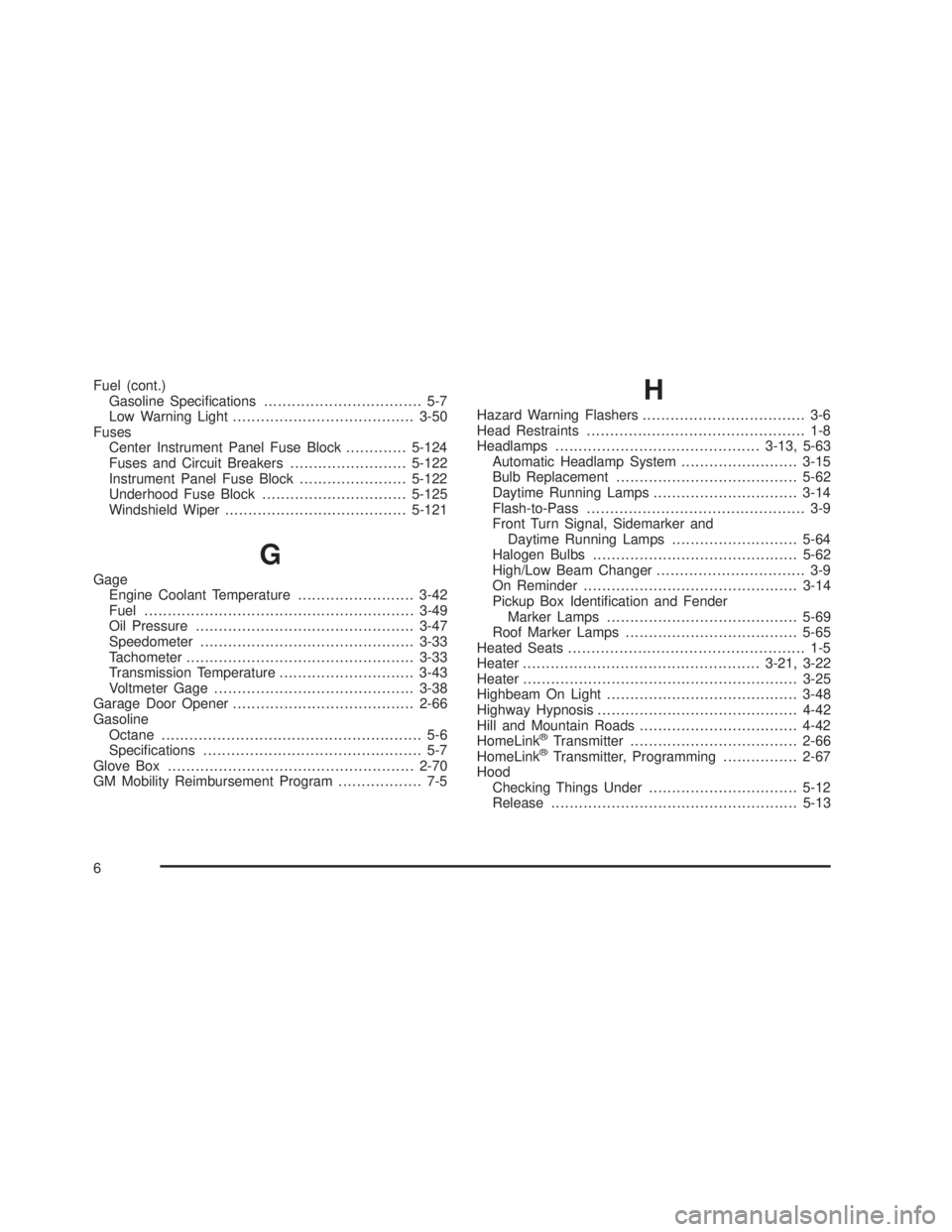
Fuel (cont.)
Gasoline Specications.................................. 5-7
Low Warning Light.......................................3-50
Fuses
Center Instrument Panel Fuse Block.............5-124
Fuses and Circuit Breakers.........................5-122
Instrument Panel Fuse Block.......................5-122
Underhood Fuse Block...............................5-125
Windshield Wiper.......................................5-121
G
Gage
Engine Coolant Temperature.........................3-42
Fuel..........................................................3-49
Oil Pressure...............................................3-47
Speedometer..............................................3-33
Tachometer.................................................3-33
Transmission Temperature.............................3-43
Voltmeter Gage...........................................3-38
Garage Door Opener.......................................2-66
Gasoline
Octane........................................................ 5-6
Specications............................................... 5-7
Glove Box.....................................................2-70
GM Mobility Reimbursement Program.................. 7-5
H
Hazard Warning Flashers................................... 3-6
Head Restraints............................................... 1-8
Headlamps............................................3-13, 5-63
Automatic Headlamp System.........................3-15
Bulb Replacement.......................................5-62
Daytime Running Lamps...............................3-14
Flash-to-Pass............................................... 3-9
Front Turn Signal, Sidemarker and
Daytime Running Lamps...........................5-64
Halogen Bulbs............................................5-62
High/Low Beam Changer................................ 3-9
On Reminder..............................................3-14
Pickup Box Identication and Fender
Marker Lamps.........................................5-69
Roof Marker Lamps.....................................5-65
Heated Seats................................................... 1-5
Heater...................................................3-21, 3-22
Heater...........................................................3-25
Highbeam On Light.........................................3-48
Highway Hypnosis...........................................4-42
Hill and Mountain Roads..................................4-42
HomeLink
®Transmitter....................................2-66
HomeLink®Transmitter, Programming................2-67
Hood
Checking Things Under................................5-12
Release.....................................................5-13
6
Page 567 of 574
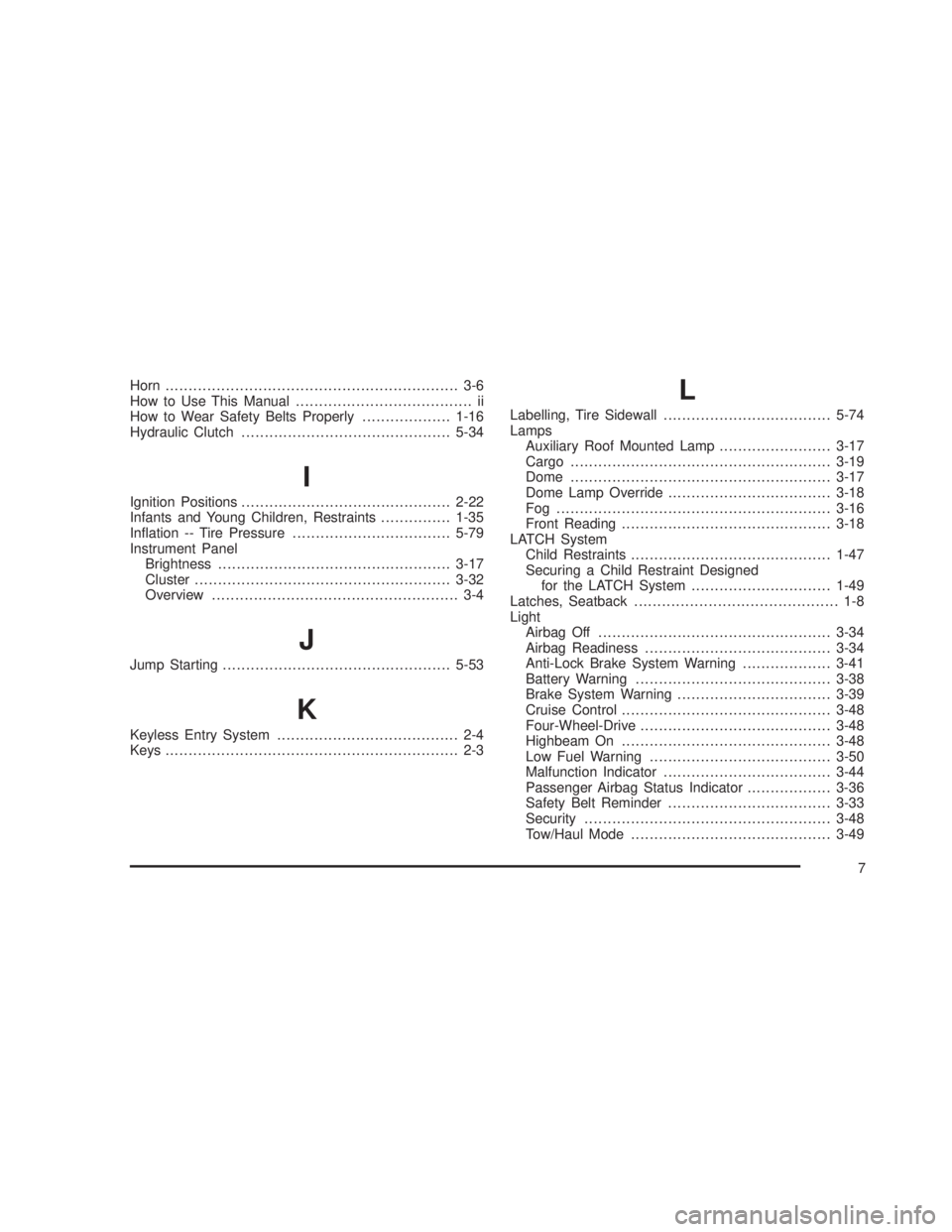
Horn............................................................... 3-6
How to Use This Manual...................................... ii
How to Wear Safety Belts Properly...................1-16
Hydraulic Clutch.............................................5-34
I
Ignition Positions.............................................2-22
Infants and Young Children, Restraints...............1-35
Ination -- Tire Pressure..................................5-79
Instrument Panel
Brightness..................................................3-17
Cluster.......................................................3-32
Overview..................................................... 3-4
J
Jump Starting.................................................5-53
K
Keyless Entry System....................................... 2-4
Keys............................................................... 2-3
L
Labelling, Tire Sidewall....................................5-74
Lamps
Auxiliary Roof Mounted Lamp........................3-17
Cargo........................................................3-19
Dome........................................................3-17
Dome Lamp Override...................................3-18
Fog ...........................................................3-16
Front Reading.............................................3-18
LATCH System
Child Restraints...........................................1-47
Securing a Child Restraint Designed
for the LATCH System..............................1-49
Latches, Seatback............................................ 1-8
Light
Airbag Off..................................................3-34
Airbag Readiness........................................3-34
Anti-Lock Brake System Warning...................3-41
Battery Warning..........................................3-38
Brake System Warning.................................3-39
Cruise Control.............................................3-48
Four-Wheel-Drive.........................................3-48
Highbeam On.............................................3-48
Low Fuel Warning.......................................3-50
Malfunction Indicator....................................3-44
Passenger Airbag Status Indicator..................3-36
Safety Belt Reminder...................................3-33
Security.....................................................3-48
Tow/Haul Mode...........................................3-49
7