AUX GMC SIERRA 2008 Owner's Manual
[x] Cancel search | Manufacturer: GMC, Model Year: 2008, Model line: SIERRA, Model: GMC SIERRA 2008Pages: 578, PDF Size: 6.47 MB
Page 173 of 578
Instrument Panel Overview...............................3-4
Instrument Panel Overview
(Base/Uplevel version).................................3-4
Instrument Panel Overview
(Premium version).......................................3-6
Hazard Warning Flashers................................3-8
Other Warning Devices...................................3-8
Horn.............................................................3-8
Tilt Wheel.....................................................3-9
Turn Signal/Multifunction Lever.........................3-9
Turn and Lane-Change Signals.......................3-10
Headlamp High/Low-Beam Changer.................3-11
Flash-to-Pass...............................................3-11
Windshield Wipers........................................3-12
Rainsense™ II Wipers...................................3-12
Windshield Washer.......................................3-13
Cruise Control..............................................3-14
Exterior Lamps.............................................3-17
Headlamps on Reminder................................3-18
Daytime Running Lamps (DRL).......................3-18
Automatic Headlamp System..........................3-19
Puddle Lamps..............................................3-20
Fog Lamps..................................................3-20
Auxiliary Roof Mounted Lamp.........................3-20Instrument Panel Brightness...........................3-21
Dome Lamps...............................................3-21
Dome Lamp Override....................................3-21
Entry Lighting...............................................3-21
Exit Lighting.................................................3-21
Reading Lamps............................................3-22
Cargo Lamp.................................................3-22
Electric Power Management...........................3-22
Battery Run-Down Protection..........................3-23
Accessory Power Outlet(s).............................3-23
Ashtray(s) and Cigarette Lighter......................3-24
Climate Controls............................................3-25
Climate Control System
(With Air Conditioning)...............................3-25
Climate Control System (Heater Only)..............3-27
Dual Automatic Climate Control System...........3-28
Outlet Adjustment.........................................3-33
Warning Lights, Gages, and Indicators............3-34
Instrument Panel Cluster................................3-35
Speedometer and Odometer...........................3-36
Trip Odometer..............................................3-36
Tachometer.................................................3-36
Safety Belt Reminders...................................3-37
Section 3 Instrument Panel
3-1
Page 192 of 578
Puddle Lamps
If your vehicle has puddle lamps, they come on when
the unlock button on the Remote Keyless Entry
(RKE) Transmitter is pressed. The lamps time out or
turn off once the engine is started.
Fog Lamps
-(Fog Lamps):If your vehicle has fog lamps, the
control is located next to the exterior lamps control
on the instrument panel, to the left of the steering
column.
The ignition must be in the ON/RUN position for the fog
lamps to come on.
Press the button to turn the fog lamps on or off. A light
will come on in the instrument panel cluster.
When the fog lamps are turned on, the parking lamps
automatically turn on.
When the headlamps are changed to high-beam, the
fog lamps also go off. When the high-beam headlamps
are turned off, the fog lamps will come on again.
Some localities have laws that require the headlamps to
be on along with the fog lamps.
Auxiliary Roof Mounted Lamp
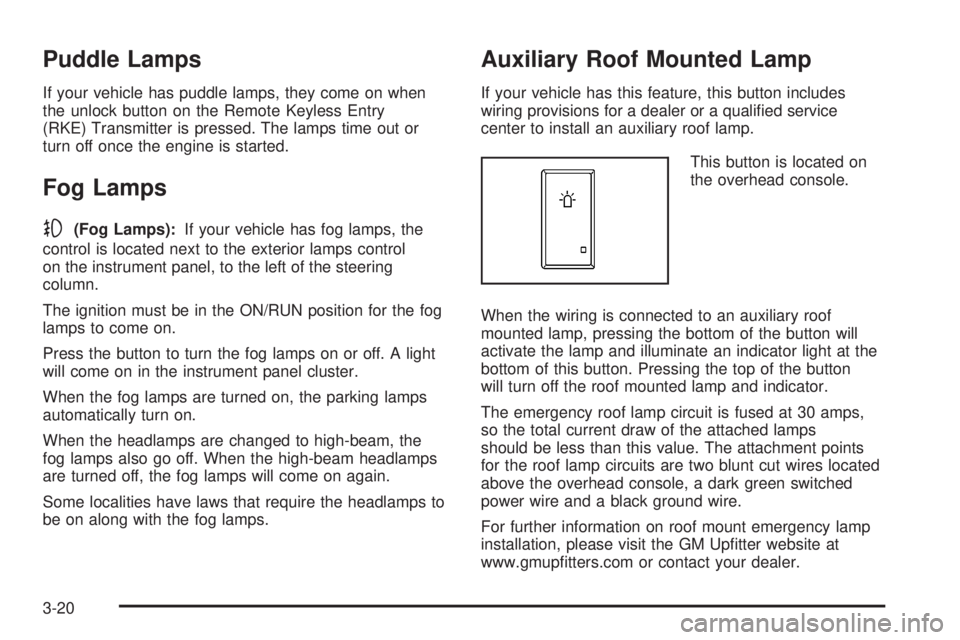
If your vehicle has this feature, this button includes
wiring provisions for a dealer or a qualied service
center to install an auxiliary roof lamp.
This button is located on
the overhead console.
When the wiring is connected to an auxiliary roof
mounted lamp, pressing the bottom of the button will
activate the lamp and illuminate an indicator light at the
bottom of this button. Pressing the top of the button
will turn off the roof mounted lamp and indicator.
The emergency roof lamp circuit is fused at 30 amps,
so the total current draw of the attached lamps
should be less than this value. The attachment points
for the roof lamp circuits are two blunt cut wires located
above the overhead console, a dark green switched
power wire and a black ground wire.
For further information on roof mount emergency lamp
installation, please visit the GM Uptter website at
www.gmuptters.com or contact your dealer.
3-20
Page 195 of 578
EPM works to prevent excessive discharge of the
battery. It does this by balancing the generator’s output
and the vehicle’s electrical needs. It can increase
engine idle speed to generate more power, whenever
needed. It can temporarily reduce the power demands of
some accessories.
Normally, these actions occur in steps or levels, without
being noticeable. In rare cases at the highest levels
of corrective action, this action may be noticeable to the
driver. If so, a Driver Information Center (DIC)
message might be displayed, such as Battery Saver
Active or Service Battery Charging System. If this
message is displayed, it is recommended that the driver
reduce the electrical loads as much as possible. See
DIC Warnings and Messages on page 3-63.
Battery Run-Down Protection
This feature shuts off the dome and reading lamps, if
they are left on for more than 10 minutes after the
ignition is turned off. The cargo lamp shuts off
after 20 minutes. This prevents the battery from
running down.
Accessory Power Outlet(s)
Accessory power outlets can be used to connect
auxiliary electrical equipment, such as a cellular
telephone or CB radio.
The vehicle may have two accessory power outlets
located below the climate control system, or may have
one accessory power outlet and one cigarette lighter.
The cigarette lighter is designed to t only in the
receptacle closest to the driver.
There may be another accessory power outlet in the
rear cargo area. If the vehicle has a oor console, there
is an accessory power outlet inside the storage bin
and one on the rear of the oor console.
To use an accessory power outlet, remove the protective
cap. When not in use, always cover the accessory
power outlet with the protective cap.
Notice:Leaving electrical equipment plugged in for
an extended period of time while the vehicle is off
will drain the battery. Power is always supplied
to the outlets. Always unplug electrical equipment
when not in use and do not plug in equipment
that exceeds the maximum 20 ampere rating.
3-23
Page 266 of 578
For Radios with CD and DVD, Press the left arrow to go
to the start of the current track, if more than ve seconds
on the CD have played. If less than ve seconds on
the CD have played, the previous track plays. Press the
right arrow to go to the next track.
If either arrow is held, or pressed multiple times, the
player continues moving backward or forward through
the tracks on the CD.
sREV (Fast Reverse):Press and hold to reverse
playback quickly within a track. You will hear sound at a
reduced volume. Release to resume playing the
track. The elapsed time of the track displays.
\FWD (Fast Forward):Press and hold to advance
playback quickly within a track. You will hear sound
at a reduced volume. Release to resume playing
the track. The elapsed time of the track displays.
RDM (Random):With the random setting, the tracks
can be listened to in random, rather than sequential
order. To use random, do one of the following:
Press the CD/AUX button, or for a single CD player,
insert a disc partway into the slot of the CD player.
A RDM label displays.
To play the tracks from the single CD in random
order, press the pushbutton positioned under the
RDM label until Random Current Disc displays.
Press the pushbutton again to turn off random play.
Press the CD/AUX button, or for a six-disc CD
player, press and hold the
^button. A beep sounds
and Load All Discs displays. Insert one or more discs
partway into the slot of the CD player.
To play tracks from all CDs loaded in a six-disc CD
player in random order, press the pushbutton
positioned under the RDM label until Randomize All
Discs displays. Press the same pushbutton again to
turn off random play.
To play the tracks from a CD loaded in the radio with
CD and DVD, press the DVD/CD AUX button when
not sourced to the CD, or insert a disc partway into
the slot. A RDM label displays.
To play tracks from a single CD in random order,
press the pushbutton positioned under the RDM
label until Random Current Disc displays. Press the
pushbutton again to turn off random play.
BAND:Press to listen to the radio when a CD is playing.
The CD remains inside the radio for future listening.
For the radio with CD and DVD, press to listen to the
radio when a CD or DVD is playing. The CD or DVD
remains inside the radio for future listening or for viewing
entertainment.
CD/AUX (CD/Auxiliary):Press to play a CD when
listening to the radio. The CD icon and a message
showing the disc and/or track number displays when a
CD is in the player. Press again and the system
3-94
Page 267 of 578
automatically searches for an auxiliary input device, such
as a portable audio player. If a portable audio player is
not connected, “No Input Device Found” displays.
DVD/CD AUX (Auxiliary):Press this button to cycle
through DVD, CD, or Auxiliary when listening to
the radio. The DVD/CD text label and a message
showing the track or chapter number displays when a
disc is in either slot. Press this button again and
the system automatically searches for an auxiliary input
device, such as a portable audio player. If a portable
audio player is not connected, “No Aux Input Device”
displays. If a disc is in both the DVD slot and the CD slot
the DVD/CD AUX button cycles between the two
sources and not indicate “No Aux Input Device”. If a
front auxiliary device is connected, the DVD/CD AUX
button cycles through all available options, such
as: DVD slot, CD slot, Front Auxiliary, and Rear Auxiliary
(if available). See “Using the Auxiliary Input Jack(s)”
later in this section, or “Audio/Video (A/V) Jacks” under,
Rear Seat Entertainment (RSE) System on page 3-113
for more information.
If a disc is inserted into top DVD slot, the rear seat
operator can turn on the video screen and use
the remote control to navigate the CD (tracks only)
through the remote control.Radios with CD and DVD Audio Output
Only one audio source can be heard through the
speakers at one time. An audio source is dened as
DVD slot, CD slot, XM™, FM/AM, Front Auxiliary Jack,
or Rear Auxiliary Jack.
Press the
Obutton to turn the radio on. The radio can
be heard through all of the vehicle speakers.
Front seat passengers can listen to the radio (AM, FM,
or XM) by pressing the BAND button or the DVD/CD
AUX button to select CD slot, DVD slot, front or
rear auxiliary input (if available).
If a playback device is plugged into the radio’s front
auxiliary input jack or the rear auxiliary jack, the
front seat passengers are able to listen to playback from
this source through the vehicle speakers. See “Using
the Auxiliary Input Jack(s)” later in this section, or
“Audio/Video (A/V) Jacks” under,Rear Seat
Entertainment (RSE) System on page 3-113for more
information.
In some vehicles, depending on audio options, the rear
speakers can be muted when the RSA power is
turned on. SeeRear Seat Audio (RSA) on page 3-122
for more information.
3-95
Page 269 of 578
Using the DVD Player
The DVD player is controlled by the buttons on the
remote control, or by the RSA system, or by the buttons
on the radio faceplate. See “Remote Control”, under
Rear Seat Entertainment (RSE) System on page 3-113
andRear Seat Audio (RSA) on page 3-122for more
information.
The DVD player is only compatible with DVDs of the
appropriate region code that is printed on the jacket of
most DVDs.
The DVD slot of the radio is compatible with most
audio CDs, CD-R, CD-RW, DVD-Video, DVD-Audio,
DVD-R/RW, DVD+R/RW media along with MP3
and WMA formats.
If an error message displays on the video screen or the
radio, see “DVD Display Error Messages” under,
Rear Seat Entertainment (RSE) System on page 3-113
and “DVD Radio Error Messages” in this section for
more information.
Playing a DVD
DVD/CD AUX (Auxiliary):Press this button to cycle
through DVD, CD, or Auxiliary when listening to
the radio. The DVD/CD text label and a message
showing track or chapter number displays when a disc
is in either slot. Press this button again and the
system automatically searches for an auxiliary inputdevice, such as a portable audio player. If a portable
audio player is not connected, “No Aux Input Device”
displays. If a disc is in both the DVD slot and the CD slot
the DVD/CD AUX button cycles between the two
sources and not indicate “No Aux Input Device”. If a
front auxiliary device is connected, the DVD/CD AUX
button cycles through all available options, such
as: DVD slot, CD slot, Front Auxiliary, and Rear Auxiliary
(if available). See “Using the Auxiliary Input Jack(s)”
later in this section, or “Audio/Video (A/V) Jacks” under,
Rear Seat Entertainment (RSE) System on page 3-113
for more information.
O(Power):Press to turn the radio on or off. Turn this
knob clockwise or counterclockwise to increase or
decrease the volume. Press and hold for more than
two seconds to turn off the entire radio and Rear Seat
Entertainment (RSE) system and to start the parental
control feature. Parental control prevents the rear
seat occupant from operating the Rear Seat Audio
(RSA) system or remote control.
A lock symbol displays next to the clock display. The
parental control feature remains on until you press and
hold this knob for more than two seconds again, or
until the driver turns the ignition off and exits the vehicle.
f(Tune):Turn to change tracks on a CD or DVD,
to manually tune a radio station, or to change clock or
date settings, while in the clock or date setting mode.
3-97
Page 272 of 578
e(Audio Stream):Press to cycle through audio
stream formats located on the DVD-A disc. The video
screen shows the audio stream changing.
Inserting a Disc
To play a disc, gently insert the disc, with the label side
up, into the loading slot. The DVD player might not accept
some paper labeled media. The player starts loading the
disc into the system and show “Loading Disc” on the radio
display. At the same time, the radio displays a softkey
menu of option(s). Some discs automatically play the
movie while others default to the softkey menu display,
which requires the Play, Enter, or Navigation softkeys to
be pressed; either by softkey or by the rear seat
passenger using the remote control.
Loading a disc into the system, depending on media
type and format, ranges from 5 to 20 seconds for a CD,
and up to 30 seconds for a DVD.
Stopping and Resuming Playback
To stop playing a DVD without turning off the system,
press the
cbutton on the remote control, or press the
pushbutton located under the stop or the play/pause
symbol tags displayed on the radio. If the radio head is
sourced to something other than DVD-V, press the
DVD/CD AUX button to make DVD-V the active source.To resume DVD playback, press the
r/jbutton on
the remote control, or press the pushbutton located
under the play/pause symbol tag displayed on the radio.
The DVD should resume play from where it last
stopped if the disc has not been ejected and the stop
button has not been pressed twice on the remote
control. If the disc has been ejected or the stop button
has been pressed twice on the remote control, the
disc resumes playing at the beginning of the disc.
Ejecting a Disc
Press theZbutton on the radio to eject the disc. If a
disc is ejected from the radio, but not removed, the
radio reloads the disc after a short period of time. The
disc is stored in the radio. The radio does not resume
play of the disc automatically. If the RSA system
is sourced to the DVD, the movie when reloaded into
the DVD player begins to play again. In case loading
and reading of a DVD or CD cannot be completed
(unknown format, etc.), and the disc fails to eject, press
and hold the DVD
Zbutton more than ve seconds
to force the disc to eject.
3-100
Page 273 of 578
DVD Radio Error Messages
Player Error:This message displays when there are
disc load or eject problems.
Disc Format Error:This message displays, if the disc
is inserted with the disc label wrong side up, or if
the disc is damaged.
Disc Region Error:This message displays, if the disc
is not from a correct region.
No Disc Inserted:This message displays, if no disc is
present when the
Zor DVD/CD AUX button is
pressed on the radio.
Using the Auxiliary Input Jack
Your radio system has an auxiliary input jack located on
the lower right side of the faceplate. This is not an
audio output; do not plug the headphone set into the
front auxiliary input jack. An external audio device such
as an iPod, laptop computer, MP3 player, CD player,
etc. can be connected to the auxiliary input jack for use
as another source for audio listening.
Drivers are encouraged to set up any auxiliary device
while the vehicle is in PARK (P). SeeDefensive Driving
on page 4-2for more information on driver distraction.
To use a portable audio player, connect a 3.5 mm
(1/8 inch) cable to the radio’s front auxiliary input jack.When a device is connected, press the radio CD/AUX
button to begin playing audio from the device over
the vehicle speakers.
For optimal sound quality, increase the portable audio
device’s volume to the loudest level.
It is always best to power your portable audio device
through its own battery while playing.
O(Power/Volume):Turn clockwise or
counterclockwise to increase or decrease the volume of
the portable player. Additional volume adjustments
might have to be made from the portable device if the
volume is not loud or soft enough.
BAND:Press to listen to the radio when a portable
audio device is playing. The portable audio device
continues playing, so you might want to stop it or turn
it off.
CD/AUX (CD/Auxiliary):Press to play a CD when a
portable audio device is playing. Press again and
the system begins playing audio from the connected
portable audio player. If a portable audio player is
not connected, “No Input Device Found” displays.
DVD/CD AUX (CD/Auxiliary):Press to cycle through
DVD, CD, or Auxiliary when listening to the radio.
The DVD/CD text label and a message showing track or
chapter number displays when a disc is in either slot.
Press again and the system automatically searches
3-101
Page 274 of 578
for an auxiliary input device, such as a portable audio
player. If a portable audio player is not connected,
“No Aux Input Device” displays. If a disc is in both the
DVD slot and the CD slot the DVD/CD AUX button
cycles between the two sources and not indicate “No
Aux Input Device”. If a front auxiliary device is
connected, the DVD/CD AUX button cycles through all
available options, such as: DVD slot, CD slot, Front
Auxiliary, and Rear Auxiliary (if available). See “Using
the Auxiliary Input Jack(s)” later in this section, or
“Audio/Video (A/V) Jacks” under,Rear Seat
Entertainment (RSE) System on page 3-113for more
information.
Using an MP3 (Radio with CD or
Six-Disc CD Player)
MP3 CD-R or CD-RW Disc
The radio plays MP3 les that were recorded on a
CD-R or CD-RW disc. The les can be recorded with
the following xed bit rates: 32 kbps, 40 kbps, 56 kbps,
64 kbps, 80 kbps, 96 kbps, 112 kbps, 128 kbps,
160 kbps, 192 kbps, 224 kbps, 256 kbps, and 320 kbps
or a variable bit rate. Song title, artist name, and
album are available for display by the radio when
recorded using ID3 tags version 1 and 2.
Compressed Audio
The radio also plays discs that contain both
uncompressed CD audio (.CDA les) and MP3 les.
By default the radio shows the MP3 label on the left side
of the screen but plays both le formats in the order
in which they were recorded to the disc.
MP3 Format
If you burn your own MP3 disc on a personal computer:
Make sure the MP3 les are recorded on a CD-R
or CD-RW disc.
Do not mix standard audio and MP3 les on
one disc.
Make sure the CD does not have more than a
maximum of 50 folders, 15 playlists, and 512 folders
and les to read and play.
Create a folder structure that makes it easy to nd
songs while driving. Organize songs by albums
using one folder for each album. Each folder
or album should contain 18 songs or less.
Avoid subfolders. The system can support up to
eight subfolders deep, however, keep the total
number of folders to a minimum in order to reduce
the complexity and confusion in trying to locate
a particular folder during playback.
3-102
Page 278 of 578
The radio can begin playing while it is scanning the disc
in the background. When the scan is nished, the CD-R
or CD-RW begins playing again.
Once the disc has scanned, the player defaults to playing
MP3 les in order by artist. The current artist playing is
shown on the second line of the display between the
arrows. Once all songs by that artist are played, the
player moves to the next artist in alphabetical order on
the CD-R or CD-RW and begins playing MP3 les by that
artist. If you want to listen to MP3 les by another artist,
press the pushbutton located below either arrow button.
You will go to the next or previous artist in alphabetical
order. Continue pressing either button until the desired
artist is displayed.
To change from playback by artist to playback by album,
press the pushbutton located below the Sort By label.
From the sort screen, push one of the buttons below the
album button. Press the pushbutton below the back label
to return to the main music navigator screen. Now the
album name is displayed on the second line between the
arrows and songs from the current album begins to play.
Once all songs from that album are played, the player
moves to the next album in alphabetical order on the
CD-R or CD-RW and begins playing MP3 les from that
album.
To exit music navigator mode, press the pushbutton
below the Back label to return to normal MP3 playback.BAND:Press this button to listen to the radio when a
CD is playing. The CD remains safely inside the radio for
future listening.
CD/AUX (CD/Auxiliary):Press this button to play a CD
when listening to the radio. The CD icon and a
message showing disc and/or track number displays
when a CD is in the player. Press this button again and
the system automatically searches for an auxiliary
input device such as a portable audio player. If a
portable audio player is not connected, “No Input Device
Found” displays.
Using an MP3 (Radio with CD and
DVD Player)
MP3/WMA CD-R or CD-RW Disc
Compressed Audio or Mixed Mode Discs
The radio also plays discs that contain both
uncompressed CD audio (.CDA les) and MP3/WMA les
depending on which slot the disc is loaded into. By default
the radio reads only the uncompressed audio (.CDA) and
ignores the MP3/WMA les on the DVD deck. On the CD
deck, press the CAT (category) button to toggle between
compressed and uncompressed audio format, the default
being the uncompressed format (.CDA).
3-106