clock GMC SIERRA 2010 User Guide
[x] Cancel search | Manufacturer: GMC, Model Year: 2010, Model line: SIERRA, Model: GMC SIERRA 2010Pages: 630, PDF Size: 4.65 MB
Page 303 of 630
3. Press theHbutton until the minute numbers begin
to flash, then turn the
fknob to increase or
decrease the minutes.
4. Press the
Hbutton until the 12HR or 24HR time
format begins to flash, then turn the
fknob to
change the time format.
5. Press the
Hbutton again until the clock display
stops flashing to set the currently displayed time,
or wait until the flashing stops after five seconds
and the current time displayed automatically sets.
MP3 Radios with a Single CD or a
Single CD and DVD Player
To set the time and date:
1. Turn the ignition key to ACC/ACCESSORY or ON/RUN, then press the
Obutton to turn the
radio on.
2. Press the
Hbutton to display HR, MIN, MM, DD,
YYYY (hour, minute, month, day, and year).
3. Press the softkey located under any one of the tabs to change that setting. 4. To increase the time or date, do one of the
following:
.Press the softkey below the selected tab.
.Press the¨SEEK button.
.Press the\FWD button.
.Turn thefknob clockwise.
5. To decrease the time or date, do one of the following:
.Press the©SEEK button.
.Press thesREV button.
.Turn thefknob counterclockwise.
To change the time default setting from 12 hour to
24 hour or to change the date default setting from
month/day/year to day/month/year:
1. Press the
Hbutton and then the softkey located
below the forward arrow tab. 12H, 24H, the date
MM/DD (month and day), and DD/MM (day and
month) displays.
2. Press the softkey located below the desired option.
3. Press the
Hbutton again to apply the desired
option, or let the screen time out.
4-85
Page 304 of 630
MP3 Radio with a Six-Disc CD Player
To set the time and date:1. Turn the ignition key to ACC/ACCESSORY or ON/RUN, then press the
Obutton to turn the
radio on.
2. Press the MENU button.
3. Press the
Hbutton to display HR, MIN, MM, DD,
YYYY (hour, minute, month, day, and year).
4. Press the softkey located under any one of the tabs to change that setting.
5. To increase the time or date, do one of the following:
.Press the softkey below the selected tab.
.Press the¨SEEK button.
.Press the\FWD button.
.Turn thefknob clockwise. 6. To decrease the time or date, do one of the
following:
.Press the©SEEK button.
.Press thesREV button.
.Turn thefknob counterclockwise.
To change the time default setting from 12 hour to
24 hour or to change the date default setting from
month/day to day/month: 1. Press the MENU button and then the softkey under the
Htab.
2. Press the softkey located below the forward arrow tab. 12H, 24H, the date MM/DD (month and day),
and DD/MM/ (day and month) displays.
3. Press the softkey located below the desired option.
4. Press the MENU button again to apply the desired option, or let the screen time out.
4-86
Page 307 of 630
Radio Data System (RDS)
For radios with the Radio Data System (RDS) feature,
it only works with FM stations that broadcast RDS
information. This system relies upon receiving specific
information from these stations and only works when
the information is available. While the radio is tuned to
an FM-RDS station, the station name or call letters
displays. In rare cases, a radio station could broadcast
incorrect information that causes the radio features
to work improperly. If this happens, contact the
radio station.
Playing the Radio
O
(Power/Volume):Press to turn the system on
and off.
Turn clockwise or counterclockwise to increase or
decrease the volume.
(Information) (AM-FM Radio) : Press to switch the
display between the radio station frequency and the
time. While the ignition is off, press this button to
display the time. Speed Compensated Volume (SCV) :
Radios with
Speed Compensated Volume (SCV) automatically
adjusts the radio volume to compensate for road and
wind noise as the vehicle's speed changes while
driving, so that the volume level stays consistent.
To activate SCV:
1. Set the radio volume to the desired level.
2. Press the MENU button to display the radio setup menu.
3. Press the softkey under the AUTO VOLUM (automatic volume) tab on the radio display.
4. Press the softkey under the desired Speed Compensated Volume setting (OFF, Low, Med,
or High) to select the level of radio volume
compensation. The display times out after
approximately 10 seconds. Each higher setting
allows for more radio volume compensation at
faster vehicle speeds.
4-89
Page 310 of 630
Setting the Tone (Bass/Treble)
(AM-FM Radio)
Bass/Treble :To adjust the bass or treble, press
the tune knob or the EQ button until the desired tone
control tab displays. Turn the tune knob clockwise or
counterclockwise to increase or decrease the setting.
The display shows the current bass or treble level.
If a station's frequency is weak, or if there is static,
decrease the treble.
Setting the Tone (Bass/Midrange/Treble)
(All Except AM-FM Radio)
BASS/MID/TREB (Bass, Midrange, or Treble) :
To adjust bass, midrange, or treble:
1. Press the
fknob until the tone control tabs
display.
2. Highlight the desired tone control tab by doing one of the following:
.Pressing thefknob.
.Press the softkey under the desired tab. 3. Adjust the setting by doing one of the following:
.Turn thefknob clockwise or counterclockwise.
.Press the¨SEEK, or©SEEK button.
.Press the\FWD, orsREV button.
If a station's frequency is weak or if there is static,
decrease the treble.
To quickly adjust bass, midrange, or treble to the middle
position, press the softkey positioned under the BASS,
MID, or TREB tab for more than two seconds. A beep
sounds and the level adjusts to the middle position.
To quickly adjust all tone and speaker controls to the
middle position, press the
fknob for more than
two seconds until a beep sounds.
EQ (Equalization) : Press this button to choose bass
and treble equalization settings designed for different
types of music. The choices are pop, rock, country, talk,
jazz, and classical. Selecting MANUAL or changing
bass or treble, returns the EQ to the manual bass and
treble settings.
Unique EQ settings can be saved for each source.
If the radio has a Bose
®audio system, the EQ settings
are either MANUAL or TALK.
4-92
Page 311 of 630

Adjusting the Speakers (Balance/Fade)
BAL/FADE (Balance/Fade) :To adjust balance or fade
on radios without a
`button, press thefknob until
the speaker control tabs display. Continue pressing to
highlight the desired tab, or press the softkey under
the desired tab. Turn the
fknob clockwise or
counterclockwise to adjust the highlighted setting,
or adjust the highlighted setting by pressing either
SEEK arrow,
\FWD, orsREV button until the
desired levels are obtained.
To quickly adjust balance or fade to the middle position,
press the softkey positioned under the BAL or FADE tab
for more than two seconds. A beep sounds and the
level adjusts to the middle position.
To quickly adjust all speaker and tone controls to the
middle position, press the
fknob for more than
two seconds.
If the Rear Seat Audio (RSA) is turned on, the radio
disables FADE and mutes the rear speakers.
`(Balance/Fade): To adjust the balance or fade for
radios with a
`button, press this button or the tune
knob until the desired speaker control tab displays.
Turn the tune knob clockwise or counterclockwise to
adjust the setting.
The setting can also be adjusted by pressing the
seek arrows.
Finding a Category (CAT) Station
CAT (Category) : The CAT button is used to find
XM stations when the radio is in the XM mode.
To find XM channels within a desired category:
1. Press the BAND button until the XM frequency displays. Press the CAT button to display the
category tabs. Continue pressing the CAT button
until the desired category name displays.
.Radios with CD and DVD can also navigate the
category list by pressing the
\FWD or the
sREV button.
2. Press either of the two buttons below the desired category tab to immediately tune to the first
XM station associated with that category.
4-93
Page 320 of 630

Playing a DVD
DVD/CD AUX (Auxiliary) :Press this button to cycle
through DVD, CD, or Auxiliary when listening to the
radio. The DVD/CD text tab and a message showing
track or chapter number displays when a disc is in
either slot. Press this button again and the system
automatically searches for an auxiliary input device,
such as a portable audio player. If a portable audio
player is not connected, “No Aux Input Device”displays.
If a disc is in both the DVD slot and the CD slot the
DVD/CD AUX button cycles between the two sources
and not indicate “No Aux Input Device”. If a front
auxiliary device is connected, the DVD/CD AUX button
cycles through all available options, such as: DVD slot,
CD slot, Front Auxiliary, and Rear Auxiliary (if available).
See “Using the Auxiliary Input Jack(s)” later in this
section, or “Audio/Video (A/V) Jacks” under,Rear Seat
Entertainment (RSE) System
on page 4‑134for more
information.
O(Power): Press to turn the radio on or off. Turn this
knob clockwise or counterclockwise to increase or
decrease the volume. Press and hold for more than
two seconds to turn off the entire radio and Rear Seat
Entertainment (RSE) system and to start the parental
control feature. Parental control prevents the rear seat
occupant from operating the Rear Seat Audio (RSA)
system or remote control. A lock symbol displays next to the clock display.
The parental control feature remains on until the knob
is pressed and held for more than two seconds again,
or until the driver turns the ignition off and exits the
vehicle.
f(Tune):
Turn to change tracks on a CD or DVD, to
manually tune a radio station, or to change clock or
date settings, while in the clock or date setting mode.
See the information given earlier in this section specific
to the radio, CD, and the DVD. Also, see “Setting the
Time” in the index, for setting the clock and date.
©SEEK (Previous Track/Chapter): Press the left
arrow to return to the start of the current track or
chapter. Press the left arrow again to go to the previous
track or chapter. This button might not work when the
DVD is playing the copyright information or the
previews.
SEEK
¨(Next Track/Chapter): Press the right arrow
to go to the next track or chapter. This button might not
work when the DVD is playing the copyright information
or the previews.
sREV (Fast Reverse): Press to quickly reverse the
CD or DVD at five times the normal speed. The radio
displays the elapsed time while in fast reverse. To stop
fast reversing, press again. This button might not work
when the DVD is playing the copyright information or
the previews.
4-102
Page 324 of 630
Drivers are encouraged to set up any auxiliary device
while the vehicle is in P (Park). SeeDefensive Driving
on page 5‑2for more information on driver distraction.
To use a portable audio player, connect a 3.5 mm
(1/8 in) cable to the radio's front auxiliary input jack.
When a device is connected, press the radio CD/AUX
button to begin playing audio from the device over the
vehicle speakers.
For optimal sound quality, increase the portable audio
device's volume to the loudest level.
It is always best to power the portable audio device
through its own battery while playing.
O(Power/Volume): Turn clockwise or
counterclockwise to increase or decrease the
volume of the portable player. Additional volume
adjustments might have to be made from the portable
device if the volume is not loud or soft enough.
BAND : Press to listen to the radio when a portable
audio device is playing. The portable audio device
continues playing.
CD/AUX (CD/Auxiliary) : Press to play a CD when a
portable audio device is playing. Press again and the
system begins playing audio from the connected
portable audio player. If a portable audio player is not
connected, “No Input Device Found” displays.DVD/CD AUX (CD/Auxiliary) :
Press to cycle thro
ugh DVD, CD, or Auxiliary when listening to the radio.
The DVD/CD text tab and a message showing track or
chapter number displays when a disc is in either slot.
Press again and the system automatically searches for
an auxiliary input device, such as a portable audio
player. If a portable audio player is not connected,
“No Aux Input Device” displays. If a disc is in both the
DVD slot and the CD slot the DVD/CD AUX button
cycles between the two sources and not indicate
“No Aux Input Device”. If a front auxiliary device is
connected, the DVD/CD AUX button cycles through
all available options, such as: DVD slot, CD slot,
Front Auxiliary, and Rear Auxiliary (if available).
See “Using the Auxiliary Input Jack(s)” later in this
section, or “Audio/Video (A/V) Jacks” under,Rear Seat
Entertainment (RSE) System
on page 4‑134for more
information.
Using the USB Port
Radios with a USB port can control a USB storage
device or an iPod®using the radio buttons and knobs.
See Using an MP3 (Radios with CD)on page 4‑107or
Using an MP3 (Radios with CD and DVD)on
page 4‑114for information about how to connect and
control a USB storage device or an iPod.
4-106
Page 374 of 630
StabiliTrak®System
The vehicle may have a vehicle stability enhancement
system called StabiliTrak. It is an advanced computer
controlled system that assists the driver with directional
control of the vehicle in difficult driving conditions.
StabiliTrak activates when the computer senses a
discrepancy between the intended path and the
direction the vehicle is actually traveling. StabiliTrak
selectively applies braking pressure at any one of the
vehicle's brakes to assist the driver with keeping the
vehicle on the intended path.
When the vehicle is started and begins to move, the
system performs several diagnostic checks to insure
there are no problems. The system may be heard or felt
while it is working. This is normal and does not mean
there is a problem with the vehicle. The system should
initialize before the vehicle reaches 20 mph (32 km/h).
In some cases, it may take approximately two miles of
driving before the system initializes.
If cruise control is being used when StabiliTrak
activates, the cruise control automatically disengages.
The cruise control can be re-engaged when road
conditions allow. SeeCruise Control
on page 4‑7for
more information. If the system fails to turn on or activate, the StabiliTrak
light along with one of the following messages will be
displayed on the Driver Information Center (DIC):
TRACTION CONTROL OFF, SERVICE TRACTION
CONTROL, STABILITRAK OFF, SERVICE
STABILITRAK. If these DIC messages appear, make
sure the StabiliTrak system has not been turned off
using the StabiliTrak on/off button. Then turn the
steering wheel clockwise from the nine o'clock position
to the three o'clock position. If this clears the
message(s), the vehicle does not need servicing. If this
does not clear the message(s), then turn the vehicle off,
wait 15 seconds, and then turn it back on again to reset
the system. If any of these messages still appear on the
DIC, the vehicle should be taken in for service. For
more information on the DIC messages, see
DIC
Warnings and Messages on page 4‑65.
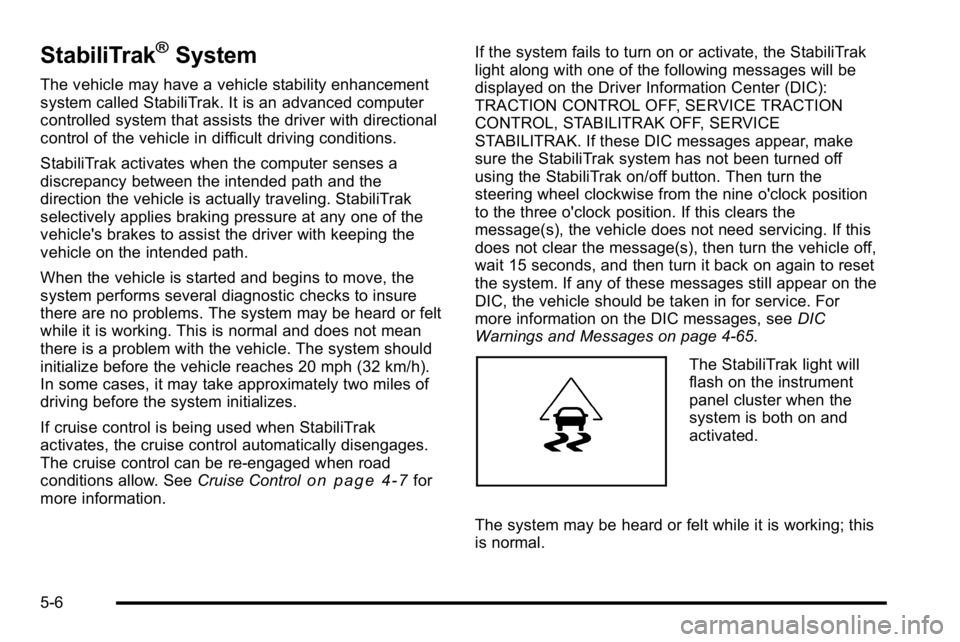
The StabiliTrak light will
flash on the instrument
panel cluster when the
system is both on and
activated.
The system may be heard or felt while it is working; this
is normal.
5-6
Page 377 of 630
Try to adjust the speed so you can drive through the
curve. Maintain a reasonable, steady speed. Wait to
accelerate until out of the curve, and then accelerate
gently into the straightaway.
Steering in Emergencies
There are times when steering can be more effective
than braking. For example, you come over a hill and
find a truck stopped in your lane, or a car suddenly
pulls out from nowhere, or a child darts out from
between parked cars and stops right in front of you.
These problems can be avoided by braking—if you can
stop in time. But sometimes you cannot stop in time
because there is no room. That is the time for evasive
action —steering around the problem.
The vehicle can perform very well in emergencies
like these. First, apply the brakes. See Braking
on
page 5‑3. It is better to remove as much speed as
possible from a collision. Then steer around the
problem, to the left or right depending on the
space available.
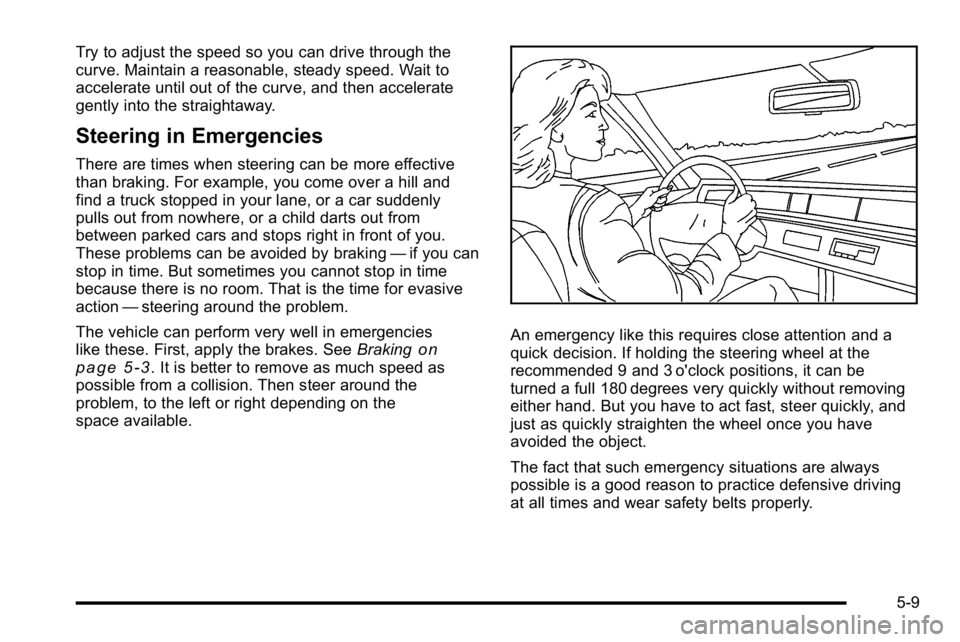
An emergency like this requires close attention and a
quick decision. If holding the steering wheel at the
recommended 9 and 3 o'clock positions, it can be
turned a full 180 degrees very quickly without removing
either hand. But you have to act fast, steer quickly, and
just as quickly straighten the wheel once you have
avoided the object.
The fact that such emergency situations are always
possible is a good reason to practice defensive driving
at all times and wear safety belts properly.
5-9
Page 385 of 630

.Sound the horn as you approach the top of the hill
to let opposing traffic know you are there.
.Use headlamps even during the day to make the
vehicle more visible to oncoming traffic.
{WARNING:
Driving to the top (crest) of a hill at full speed can
cause an accident. There could be a drop-off,
embankment, cliff, or even another vehicle. You
could be seriously injured or killed. As you near
the top of a hill, slow down and stay alert.
If the vehicle stalls, or is about to stall, and you cannot
make it up the hill:
.Push the brake pedal to stop the vehicle and
keep it from rolling backwards and apply the
parking brake.
.If the engine is still running, shift the transmission
to R (Reverse), release the parking brake, and
slowly back down the hill in R (Reverse).
.If the engine has stopped running, you need to
restart it. With the brake pedal pressed and the
parking brake still applied, shift the transmission to
P (Park) and restart the engine. Then, shift to
R (Reverse), release the parking brake, and slowly
back down the hill as straight as possible in
R (Reverse).
.While backing down the hill, put your left hand
on the steering wheel at the 12 o'clock position
so you can tell if the wheels are straight and can
maneuver as you back down. It is best to back
down the hill with the wheels straight rather than
in the left or right direction. Turning the wheel too
far to the left or right will increase the possibility
of a rollover.
Things not to do if the vehicle stalls, or is about to stall,
when going up a hill:
.Never attempt to prevent a stall by shifting into
N (Neutral) to rev-up the engine and regain forward
momentum. This will not work. The vehicle can roll
backward very quickly and could go out of control.
.Never try to turn around if about to stall when
going up a hill. If the hill is steep enough to stall
the vehicle, it is steep enough to cause it to roll
over. If you cannot make it up the hill, back straight
down the hill.
5-17