radio GMC SIERRA 2011 Owner's Guide
[x] Cancel search | Manufacturer: GMC, Model Year: 2011, Model line: SIERRA, Model: GMC SIERRA 2011Pages: 594, PDF Size: 6.55 MB
Page 219 of 594
Black plate (3,1)GMC Sierra Owner Manual - 2011
Lighting 6-3
Turn the headlamp control to off
and then back to the headlamp on
position to make the headlamps
stay on for an additional 10 minutes.
Push the turn signal/multifunction
lever toward the instrument panel to
change the headlamps from low
beam to high beam.
Exterior Lamps Off
Reminder
For vehicles with a radio, a reminder
chime sounds when the headlamps
or parking lamps are manually
turned on, the ignition is off, and a
door is open. To disable the chime,
turn the lamp off.
Headlamp
High/Low-Beam
Changer
5 3
(Headlamp High/Low
Beam Changer): To change the
headlamps from low to high beam,
push the lever toward the instrument
panel. To return to low-beam
headlamps, pull the multifunction
lever toward you. Then release it.
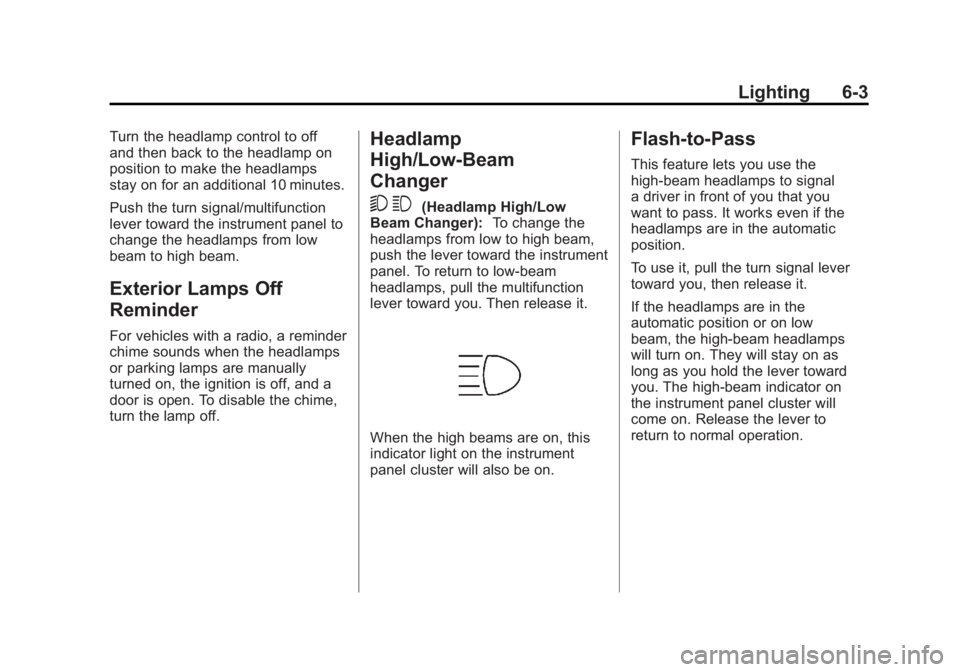
When the high beams are on, this
indicator light on the instrument
panel cluster will also be on.
Flash-to-Pass
This feature lets you use the
high-beam headlamps to signal
a driver in front of you that you
want to pass. It works even if the
headlamps are in the automatic
position.
To use it, pull the turn signal lever
toward you, then release it.
If the headlamps are in the
automatic position or on low
beam, the high-beam headlamps
will turn on. They will stay on as
long as you hold the lever toward
you. The high-beam indicator on
the instrument panel cluster will
come on. Release the lever to
return to normal operation.
Page 220 of 594
Black plate (4,1)GMC Sierra Owner Manual - 2011
6-4 Lighting
Daytime Running
Lamps (DRL)
Daytime Running Lamps (DRL) can
make it easier for others to see the
front of your vehicle during the day.
Fully functional daytime running
lamps are required on all vehicles
first sold in Canada.
The DRL system comes on when
the following conditions are met:
.The ignition is on.
.The exterior lamps control is
in AUTO.
.The transmission is not in Park.
.The light sensor determines it is
daytime.
When the DRL system is on,
only the DRL lamps are on.
The taillamps, sidemarker,
instrument panel lights, and
other lamps will not be on.
When it begins to get dark, the
automatic headlamp system
switches from DRL to the
headlamps. To turn off the DRL lamps, turn
the exterior lamps control to the
OFF position and then release.
For vehicles first sold in Canada,
the transmission must be in the
P (Park) position before the DRL
lamps can be turned off.
Automatic Headlamp
System
When it is dark enough outside, the
automatic headlamp system turns
on the headlamps at the normal
brightness, along with the taillamps,
sidemarker, parking lamps, and the
instrument panel lights. The radio
lights will also be dim.
To turn off the automatic headlamp
system, turn the exterior lamps
switch to the off position and then
release it. For vehicles first sold in
Canada, the transmission must be
in the P (Park) position before the
automatic headlamp system can
be turned off.
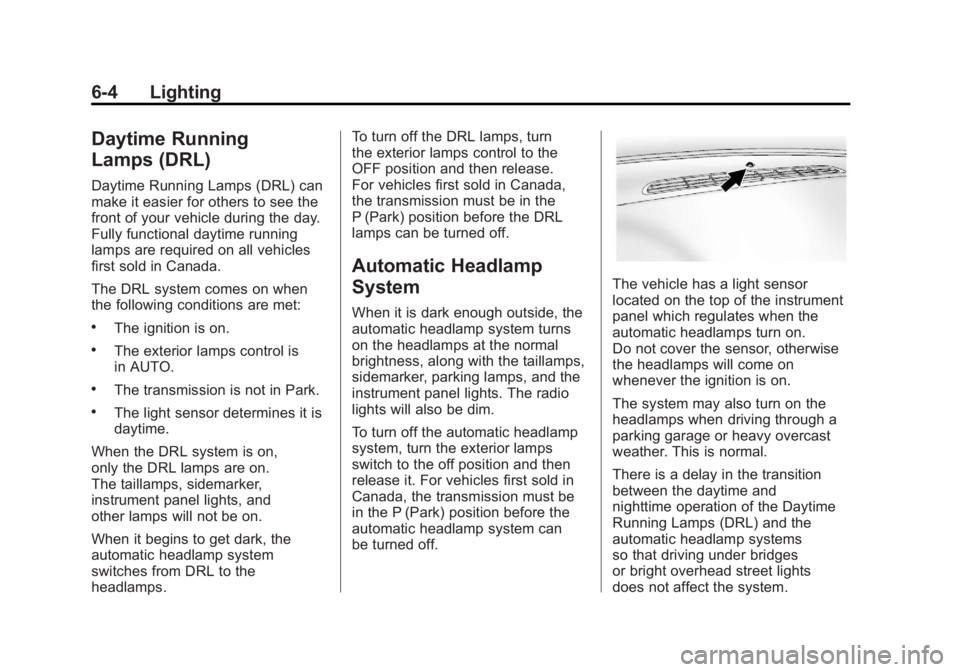
The vehicle has a light sensor
located on the top of the instrument
panel which regulates when the
automatic headlamps turn on.
Do not cover the sensor, otherwise
the headlamps will come on
whenever the ignition is on.
The system may also turn on the
headlamps when driving through a
parking garage or heavy overcast
weather. This is normal.
There is a delay in the transition
between the daytime and
nighttime operation of the Daytime
Running Lamps (DRL) and the
automatic headlamp systems
so that driving under bridges
or bright overhead street lights
does not affect the system.
Page 221 of 594
Black plate (5,1)GMC Sierra Owner Manual - 2011
Lighting 6-5
The DRL and automatic headlamp
system are only affected when the
light sensor detects a change in
lighting lasting longer than the
delay.
If the vehicle is started in a dark
garage, the automatic headlamp
system comes on immediately.
Once the vehicle leaves the garage,
it takes approximately one minute
for the automatic headlamp system
to change to DRL if it is bright
enough outside. During that delay,
the instrument panel cluster may
not be as bright as usual. Make
sure the instrument panel brightness
control is in the full bright position.
SeeInstrument Panel Illumination
Control on page 6‑7.
To idle the vehicle with the
automatic headlamp system off,
turn the control to the off position. The headlamps will also stay
on after you exit the vehicle.
This feature can be programmed
using the Driver Information Center
(DIC). See
Vehicle Personalization
(with DIC Buttons) on page 5‑52.
If the vehicle is not equipped
with DIC buttons, exit lighting
is automatic. When it is dark
enough outside, the exterior lamps
remain on for 30 seconds after the
ignition is moved from ON/RUN to
LOCK/OFF.
For vehicles without a radio, the
instrument panel light remains on
for 30 seconds with the driver door
closed. For vehicles with a radio,
the instrument panel light remains
on for 10 minutes with the driver
door closed. See Retained
Accessory Power (RAP) on
page 9‑40.
The regular headlamp system can
be turned on when needed.Hazard Warning Flashers
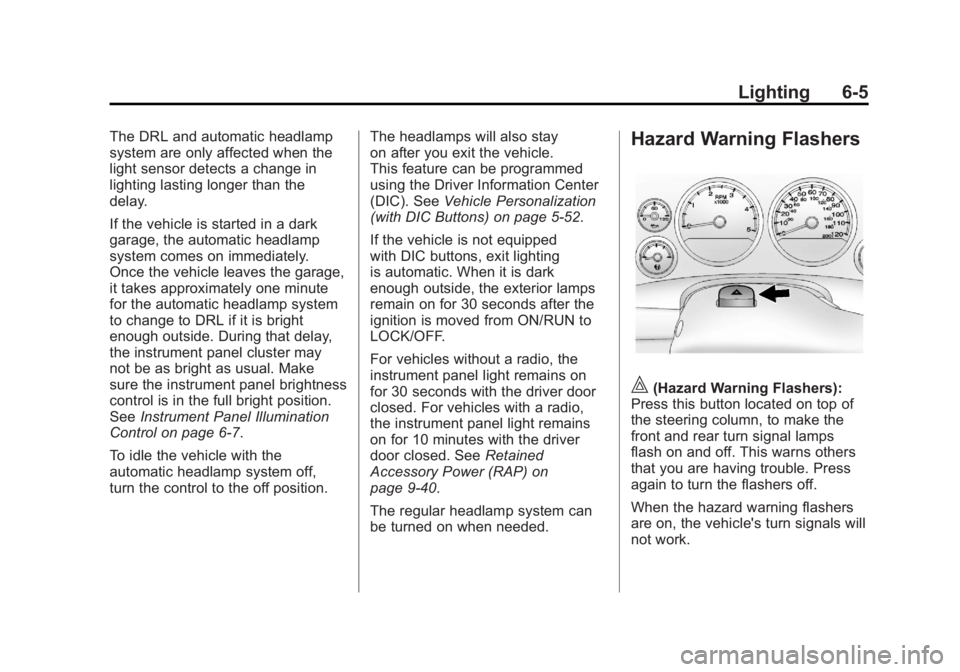
|(Hazard Warning Flashers):
Press this button located on top of
the steering column, to make the
front and rear turn signal lamps
flash on and off. This warns others
that you are having trouble. Press
again to turn the flashers off.
When the hazard warning flashers
are on, the vehicle's turn signals will
not work.
Page 227 of 594
Black plate (1,1)GMC Sierra Owner Manual - 2011
Infotainment System 7-1
Infotainment
System
Introduction
Infotainment . . . . . . . . . . . . . . . . . . . 7-1
Theft-Deterrent Feature . . . . . . . 7-2
Operation . . . . . . . . . . . . . . . . . . . . . 7-2
Radio
AM-FM Radio . . . . . . . . . . . . . . . . . 7-8
Satellite Radio . . . . . . . . . . . . . . . 7-10
Radio Reception . . . . . . . . . . . . . 7-14
Fixed Mast Antenna . . . . . . . . . 7-15
Satellite Radio Antenna . . . . . . 7-15
Audio Players
CD Player . . . . . . . . . . . . . . . . . . . 7-15
CD/DVD Player . . . . . . . . . . . . . . 7-22
Auxiliary Devices . . . . . . . . . . . . 7-34
Rear Seat Infotainment
Rear Seat Entertainment(RSE) System . . . . . . . . . . . . . . 7-39
Rear Seat Audio (RSA) System . . . . . . . . . . . . . . . . . . . . . 7-48
Phone
Bluetooth . . . . . . . . . . . . . . . . . . . . 7-50
Introduction
Infotainment
Determine which radio the vehicle
has and read the following pages to
become familiar with its features.
{WARNING
Taking your eyes off the road
for extended periods could
cause a crash resulting in
injury or death to you or others.
Do not give extended attention to
entertainment tasks while driving.
This system provides access to
many audio and non‐audio listings. To minimize taking your eyes off the
road while driving, do the following
while the vehicle is parked:
.Become familiar with the
operation and controls of
the audio system.
.Set up the tone, speaker
adjustments, and preset
radio stations.
For more information, see Defensive
Driving on page 9‑2.
Notice: Contact your dealer
before adding any equipment.
Adding audio or communication
equipment could interfere with
the operation of the engine, radio,
or other systems, and could
damage them. Follow federal
rules covering mobile radio
and telephone equipment.
Page 228 of 594
Black plate (2,1)GMC Sierra Owner Manual - 2011
7-2 Infotainment System
The vehicle has Retained
Accessory Power (RAP). With RAP,
the audio system can be played
even after the ignition is turned off.
SeeRetained Accessory Power
(RAP) on page 9‑40 for more
information.
Navigation/Radio System
For vehicles with a navigation radio
system, see the separate Navigation
System Manual.
Theft-Deterrent Feature
TheftLock®is designed to
discourage theft of the vehicle's
radio by learning a portion of the
Vehicle Identification Number (VIN).
The radio does not operate if it
is stolen or moved to a different
vehicle.
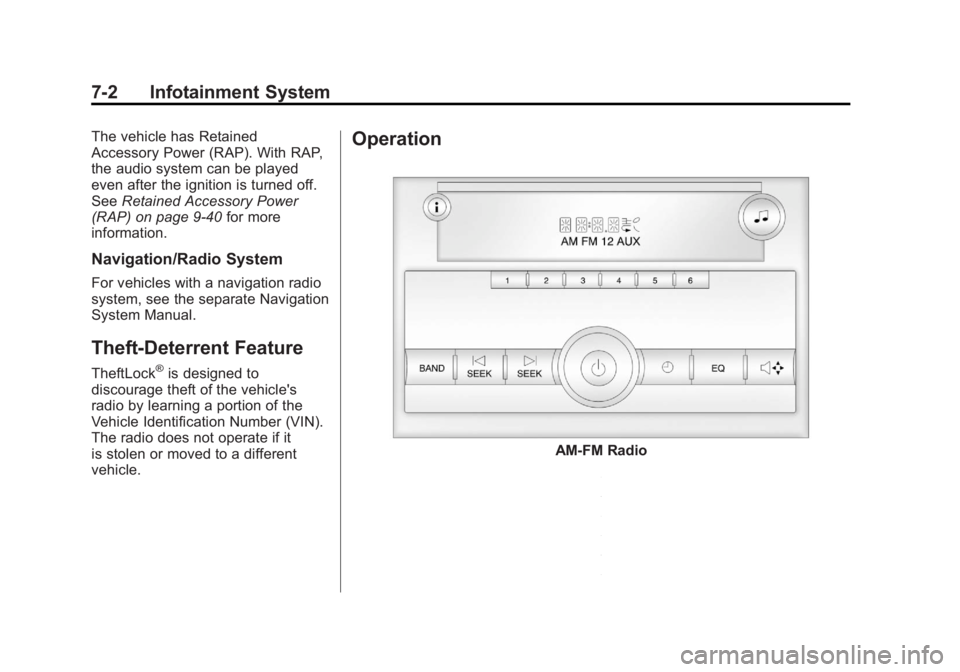
Operation
AM-FM Radio
Page 229 of 594
Black plate (3,1)GMC Sierra Owner Manual - 2011
Infotainment System 7-3
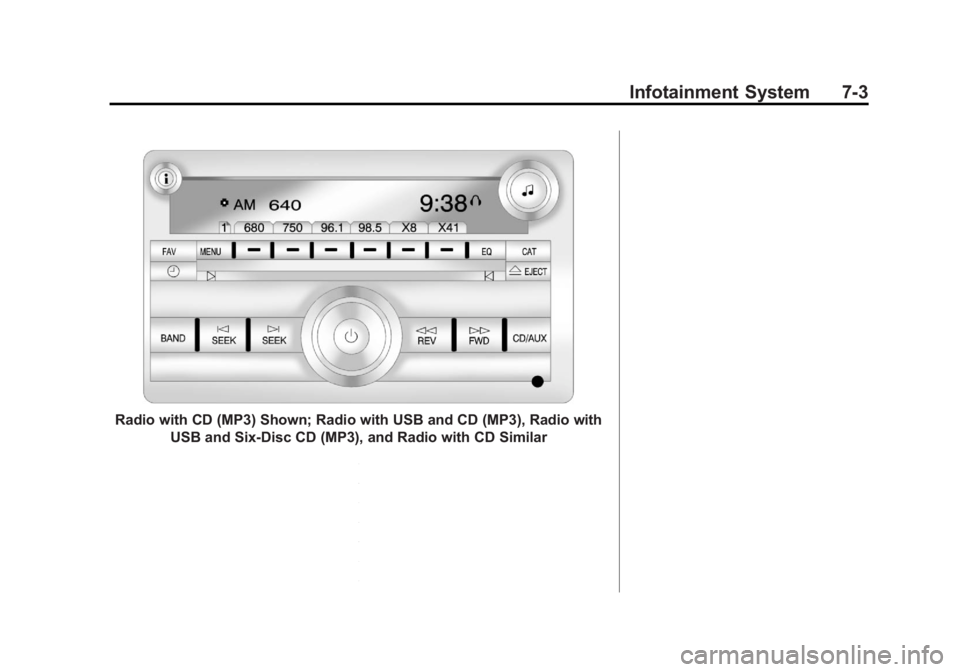
Radio with CD (MP3) Shown; Radio with USB and CD (MP3), Radio withUSB and Six-Disc CD (MP3), and Radio with CD Similar
Page 230 of 594
Black plate (4,1)GMC Sierra Owner Manual - 2011
7-4 Infotainment System
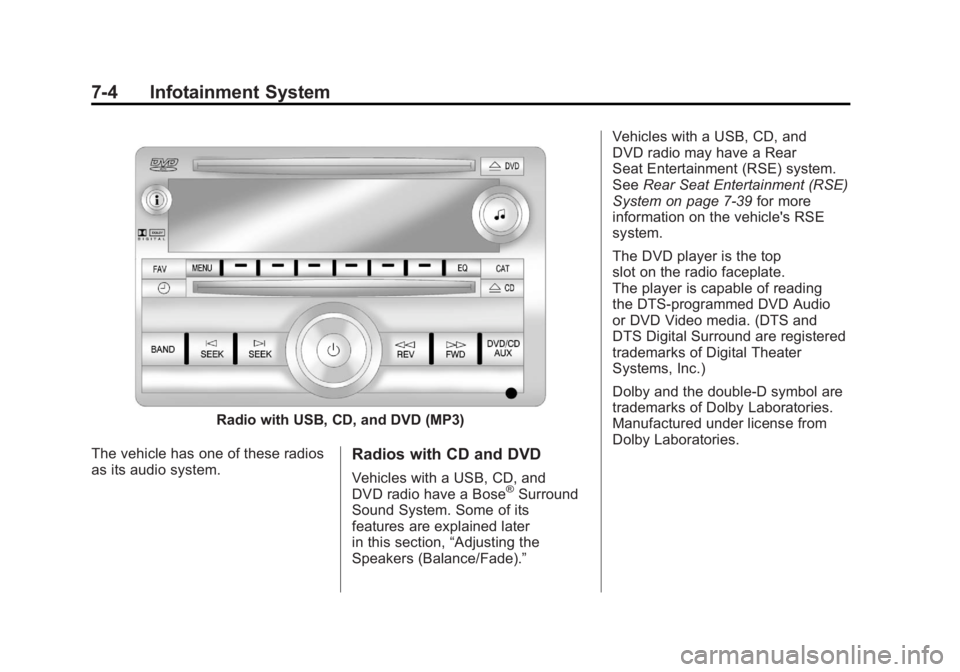
Radio with USB, CD, and DVD (MP3)
The vehicle has one of these radios
as its audio system.
Radios with CD and DVD
Vehicles with a USB, CD, and
DVD radio have a Bose®Surround
Sound System. Some of its
features are explained later
in this section, “Adjusting the
Speakers (Balance/Fade).” Vehicles with a USB, CD, and
DVD radio may have a Rear
Seat Entertainment (RSE) system.
See
Rear Seat Entertainment (RSE)
System on page 7‑39 for more
information on the vehicle's RSE
system.
The DVD player is the top
slot on the radio faceplate.
The player is capable of reading
the DTS‐programmed DVD Audio
or DVD Video media. (DTS and
DTS Digital Surround are registered
trademarks of Digital Theater
Systems, Inc.)
Dolby and the double-D symbol are
trademarks of Dolby Laboratories.
Manufactured under license from
Dolby Laboratories.
Page 231 of 594
Black plate (5,1)GMC Sierra Owner Manual - 2011
Infotainment System 7-5
Using the Radio
O(Power/Volume):Press to turn
the system on and off.
Turn clockwise or counterclockwise
to increase or decrease the volume.
4(Information) (AM-FM Radio and
AM-FM Radio with CD): Press to
switch the display between the radio
station frequency and the time.
While the ignition is off, press this
button to display the time. Press to
display additional text information
related to the current FM-RDS or
XM station; or CD, MP3, or WMA
song. If information is available
during XM, CD, MP3, or WMA
playback, the song title information
displays on the top line of the
display and artist information
displays on the bottom line.
When information is not available,
“NO INFO” displays. Speed Compensated Volume
(SCV):
Radios with Speed
Compensated Volume (SCV)
automatically adjust the radio
volume to compensate for road
and wind noise as the vehicle's
speed changes while driving, so that
the volume level stays consistent.
To activate SCV:
1. Set the radio volume to the desired level.
2. Press the MENU button to display the radio setup menu.
3. Press the softkey under the AUTO VOLUM (automatic
volume) tab on the radio display.
4. Press the softkey under the desired Speed Compensated
Volume setting (OFF, Low, Med,
or High) to select the level of
radio volume compensation.
The display times out after
approximately 10 seconds. Each
higher setting allows for more
radio volume compensation at
faster vehicle speeds.
Setting the Tone (Bass/Treble)
(AM-FM Radio and AM-FM
Radio with CD)
To adjust the bass or treble:
1. Press the
fknob until Bass or
Treble displays.
2. To adjust the setting, do one of the following:
.Turn thefknob.
.Press either¨SEEK,
or
©SEEK.
.Press either\FWD,
or
sREV.
EQ (Equalization): Press this
button to choose bass and treble
equalization settings designed for
different types of music. Selecting
MANUAL, or changing bass or
treble, returns the EQ to the manual
bass and treble settings.
Unique EQ settings can be saved
for each source.
Page 232 of 594
Black plate (6,1)GMC Sierra Owner Manual - 2011
7-6 Infotainment System
Setting the Tone
(Bass/Midrange/Treble)
(All Except AM-FM Radio
and Radio with CD)
BASS/MID/TREB (Bass, Midrange,
or Treble):To adjust the bass,
midrange, or treble:
1. Press the
fknob until the tone
control tabs display.
2. Highlight the desired tone control tab by doing one of
the following:
.Press thefknob.
.Press the softkey under the
desired tab. 3. Adjust the setting by doing one
of the following:
.Turn thefknob clockwise
or counterclockwise.
.Press the¨SEEK,
or
©SEEK.
.Press the\FWD,
or
sREV.
If a station's frequency is weak or if
there is static, decrease the treble.
To quickly adjust bass, midrange,
or treble to the middle position,
press the softkey positioned under
the BASS, MID, or TREB tab for
more than two seconds. A beep
sounds and the level adjusts to
the middle position. To quickly adjust all tone and
speaker controls to the middle
position, press the
fknob for
more than two seconds until a
beep sounds.
EQ (Equalization): Press this
button to choose bass and treble
equalization settings designed for
different types of music. Selecting
MANUAL, or changing bass or
treble, returns the EQ to the manual
bass and treble settings.
Unique EQ settings can be saved
for each source.
If the radio has a Bose
®audio
system, the EQ settings are either
MANUAL or TALK.
Page 233 of 594
Black plate (7,1)GMC Sierra Owner Manual - 2011
Infotainment System 7-7
Adjusting the Speakers
(Balance/Fade) (AM-FM Radio
and AM-FM Radio with CD)
To adjust the balance or fade:
1. Press
`or press thefknob
until the speaker control label
displays.
2. To adjust the setting, do one of the following:
.Turn thefknob.
.Press either¨SEEK,
or
©SEEK.
.Press either\FWD,
or
sREV.
Adjusting the Speakers
(Balance/Fade) (All Except
AM-FM Radio and Radio
with CD)
BAL/FADE (Balance/Fade): To
adjust the balance or fade:
1. Press the
fknob until the
speaker control tabs display.
2. Highlight the desired speaker control tab by doing one of the
following:
.Press thefknob.
.Press the softkey under the
desired tab. 3. Adjust the setting by doing one
of the following:
.Turn thefknob clockwise
or counterclockwise.
.Press the¨SEEK,
or
©SEEK.
.Press the\FWD,
or
sREV.
To quickly adjust all speaker and
tone controls to the middle position,
press the
fknob for more than
two seconds.
If the Rear Seat Audio (RSA) is
turned on, the radio disables FADE
and mutes the rear speakers.