seats GMC TERRAIN 2010 Owner's Manual
[x] Cancel search | Manufacturer: GMC, Model Year: 2010, Model line: TERRAIN, Model: GMC TERRAIN 2010Pages: 16, PDF Size: 0.29 MB
Page 5 of 16
A B C
5
Seat Adjustments
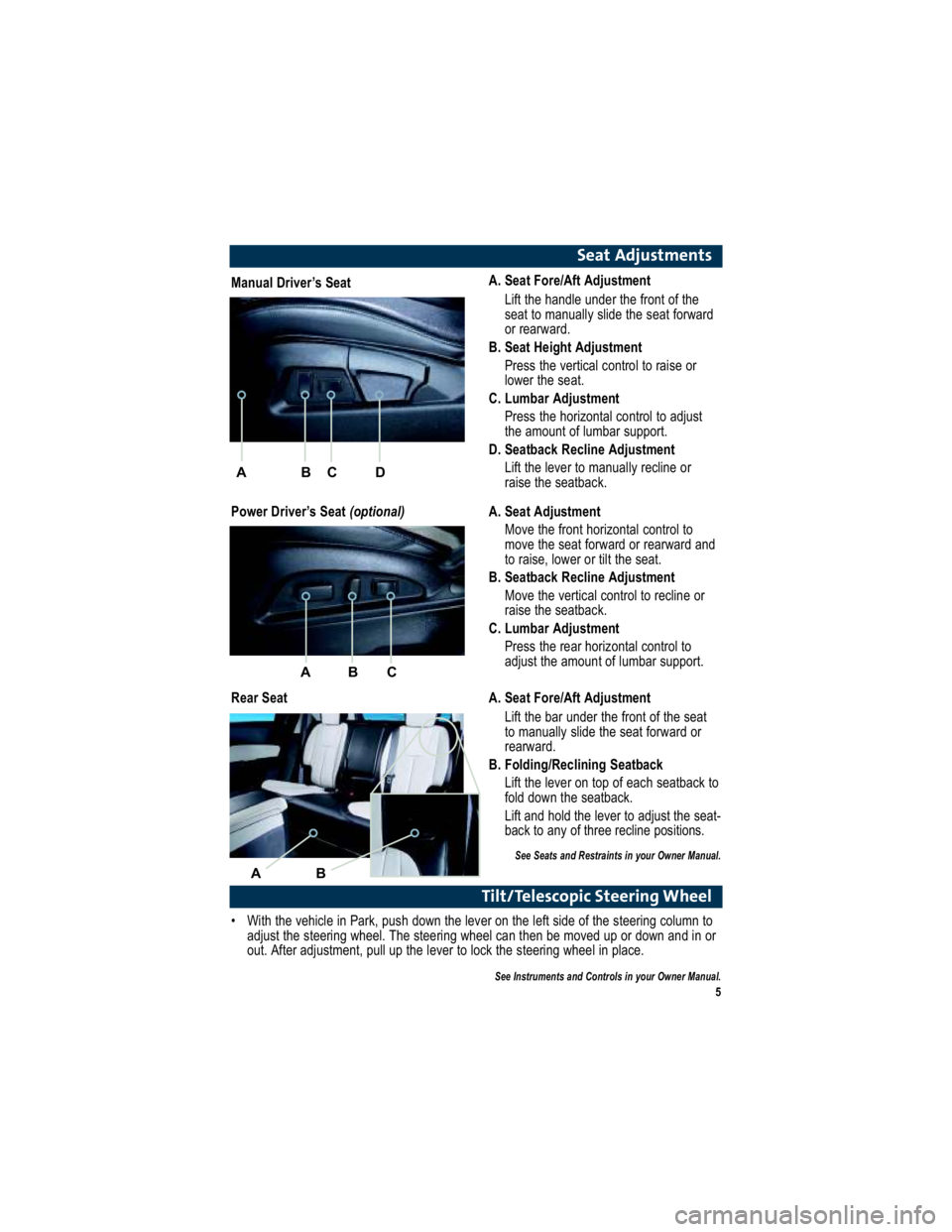
A. Seat Fore/Aft AdjustmentLift the handle under the front of the
seat to manually slide the seat forward
or rearward.
B. Seat Height Adjustment Press the vertical control to raise or
lower the seat.
C. Lumbar Adjustment Press the horizontal control to adjust
the amount of lumbar support.
D. Seatback Recline Adjustment
Lift the lever to manually recline or
raise the seatback.
Tilt/Telescopic Steering Wheel
With the vehicle in Park, push down the lever on the left si de of the steering column to
adjust the steering wheel. The steering wheel can then be mo ved up or down and in or
out. After adjustment, pull up the lever to lock the steering whe el in place.
See Instruments and Controls in your Owner Manual.
Manual Driver’s Seat
Power Driver’s Seat (optional)
Rear Seat A. Seat Adjustment
Move the front horizontal control to
move the seat forward or rearward and
to raise, lower or tilt the seat.
B. Seatback Recline Adjustment
Move the vertical control to recline or
raise the seatback.
C. Lumbar Adjustment Press the rear horizontal control to
adjust the amount of lumbar support.
A. Seat Fore/Aft Adjustment Lift the bar under the front of the seat
to manually slide the seat forward or
rearward.
B. Folding/Reclining Seatback
Lift the lever on top of each seatback to
fold down the seatback.
Lift and hold the lever to adjust the seat -
back to any of three recline positions.
See Seats and Restraints in your Owner Manual.
A B C
AB
D
Page 11 of 16
11
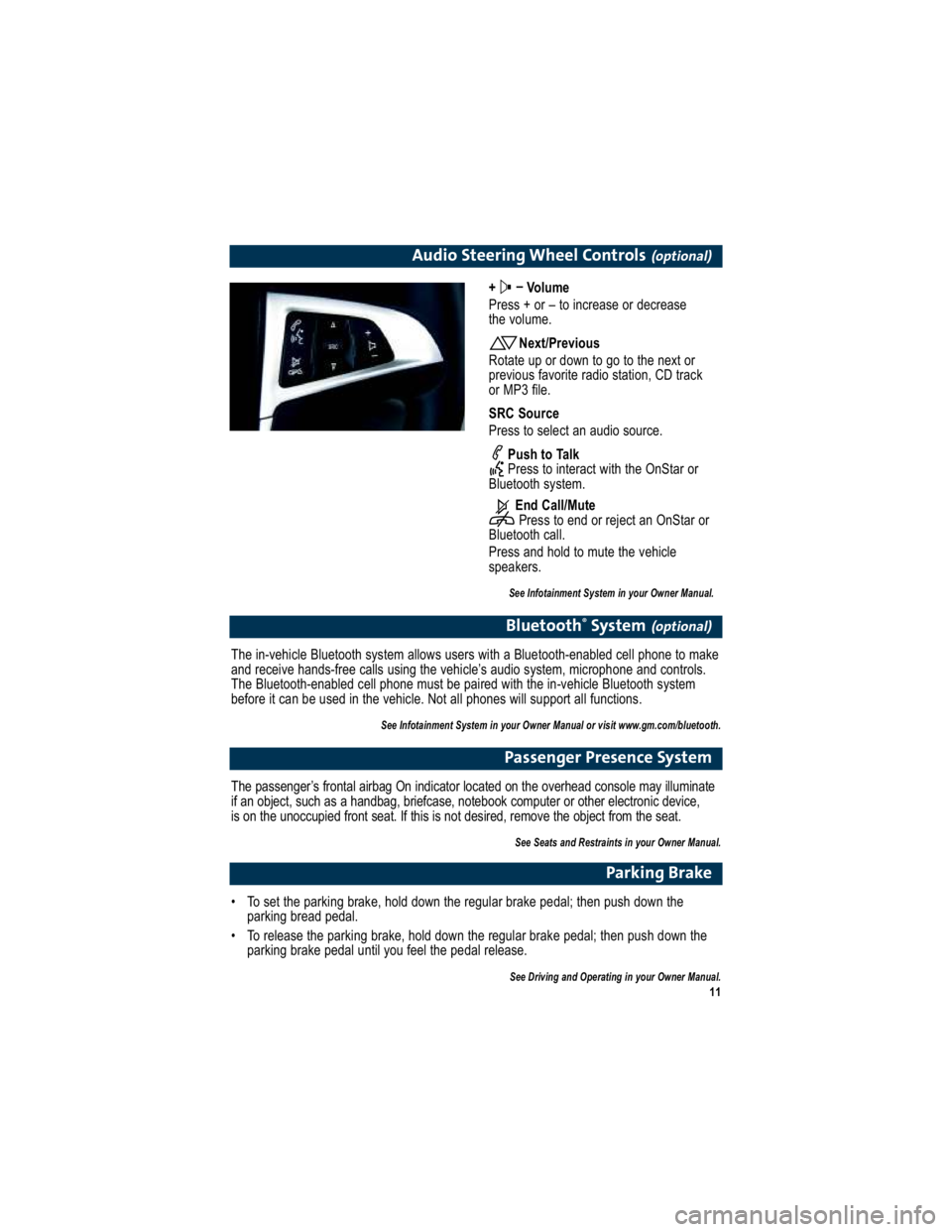
Audio Steering Wheel Controls(optional)
+ –
Volume
Press + or – to increase or decrease
the volume.
Next/Previous
Rotate up or down to go to the next or
previous favorite radio station, CD track
or MP3 file.
SRC Source
Press to select an audio source.
Push to Talk
Press to interact with the OnStar or
Bluetooth system.
End Call/MutePress to end or reject an OnStar or
Bluetooth call.
Press and hold to mute the vehicle
speakers.
See Infotainment System in your Owner Manual.
Bluetooth ®
System(optional)
The in-vehicle Bluetooth system allows users with a Bluetoo th-enabled cell phone to make
and receive hands-free calls using the vehicle’s audio s ystem, microphone and controls.
The Bluetooth-enabled cell phone must be paired with the in -vehicle Bluetooth system
before it can be used in the vehicle. Not all phones will support all functions.
See Infotainment System in your Owner Manual or visit www.gm.com/bluetooth.
Passenger Presence System
The passenger’s frontal airbag On indicator located on the overhead console may illuminate
if an object, such as a handbag, briefcase, noteboo k computer or other electronic device,
is on the unoccupied front seat. If this is not des ired, remove the object from the seat.
See Seats and Restraints in your Owner Manual.
Parking Brake
To set the parking brake, hold down the regular brake pedal ; then push down the
parking bread pedal.
To release the parking brake, hold down the regular brake p edal; then push down the
parking brake pedal until you feel the pedal release.
See Driving and Operating in your Owner Manual.
Page 13 of 16
13
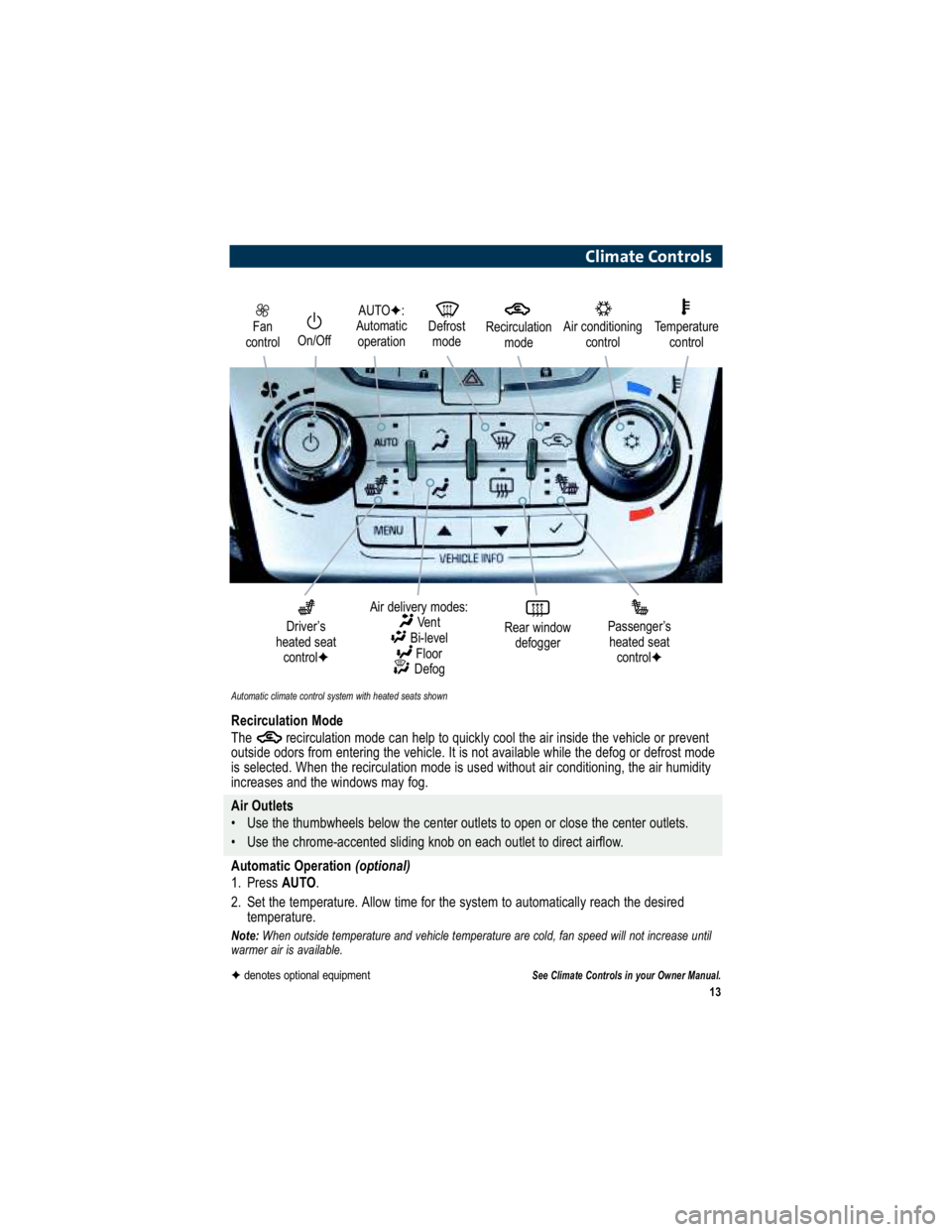
Fan
controlOn/Off
AUTO :
Automatic operation Defrost
mode
Driver’s
heated seat control
Air delivery modes:
Vent
Bi-level Floor
Defog
Rear window defoggerPassenger’s
heated seat control
Automatic climate control system with heated seats shown
Air conditioning
controlTemperaturecontrol
Climate Controls
Recirculation Mode
The recirculation mode can help to quickly cool the air in side the vehicle or prevent
outside odors from entering the vehicle. It is not available w hile the defog or defrost mode
is selected. When the recirculation mode is used without air conditioning, the air humidity
increases and the windows may fog.
Air Outlets
Use the thumbwheels below the center outlets to open or clo se the center outlets.
Use the chrome-accented sliding knob on each outlet to di rect airflow.
Automatic Operation (optional)
1. Press AUTO.
2. Set the temperature. Allow time for the system to automatically reach the desired
temperature.
Note: When outside temperature and vehicle temperature are cold, fan s peed will not increase until
warmer air is available.
See Climate Controls in your Owner Manual.
Recirculation
mode
denotes optional equipment