instrument cluster GMC TERRAIN 2019 Owner's Guide
[x] Cancel search | Manufacturer: GMC, Model Year: 2019, Model line: TERRAIN, Model: GMC TERRAIN 2019Pages: 434, PDF Size: 6.38 MB
Page 165 of 434
GMC Terrain/Terrain Denali Owner Manual (GMNA-Localizing-U.S./Canada/
Mexico-12146071) - 2019 - crc - 7/27/18
164 Lighting
When the DRL are on, the taillamps,
sidemarker lamps, instrument panel
lights, and other lamps will not be
on. The instrument cluster will be lit.
The DRL turn off when the
headlamps are turned to
Oor the
ignition is off. For vehicles first sold
in Canada, the DRL can only be
turned off when the vehicle is
parked.
The regular headlamp system
should be turned on when needed.
Automatic Headlamp
System
When the exterior lamp control is
set to AUTO and it is dark enough
outside, the headlamps come on
automatically.
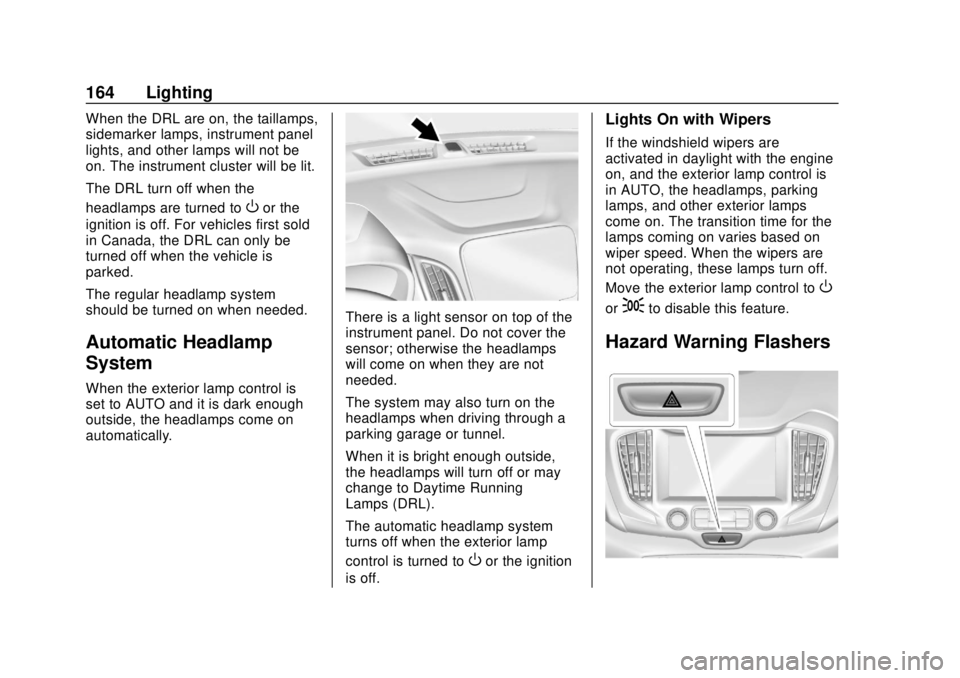
There is a light sensor on top of the
instrument panel. Do not cover the
sensor; otherwise the headlamps
will come on when they are not
needed.
The system may also turn on the
headlamps when driving through a
parking garage or tunnel.
When it is bright enough outside,
the headlamps will turn off or may
change to Daytime Running
Lamps (DRL).
The automatic headlamp system
turns off when the exterior lamp
control is turned to
Oor the ignition
is off.
Lights On with Wipers
If the windshield wipers are
activated in daylight with the engine
on, and the exterior lamp control is
in AUTO, the headlamps, parking
lamps, and other exterior lamps
come on. The transition time for the
lamps coming on varies based on
wiper speed. When the wipers are
not operating, these lamps turn off.
Move the exterior lamp control to
O
or;to disable this feature.
Hazard Warning Flashers
Page 166 of 434
GMC Terrain/Terrain Denali Owner Manual (GMNA-Localizing-U.S./Canada/
Mexico-12146071) - 2019 - crc - 7/27/18
Lighting 165
|:Press to make the front and
rear turn signal lamps flash on and
off. This warns others that you are
having trouble.
Press
|again to turn the
flashers off.
Turn and Lane-Change
Signals
Move the lever all the way up or
down to signal a turn.
An arrow on the instrument cluster
will flash in the direction of the turn
or lane change.
Raise or lower the lever until the
arrow starts to flash to signal a lane
change. Hold it there until the lane change is complete. If the lever is
moved momentarily to the lane
change position, the arrow will flash
three times.
The lever returns to its starting
position when it is released.
If after signaling a turn or lane
change, the arrow flashes rapidly or
does not come on, a signal bulb
may be burned out.
Have any burned out bulbs
replaced. If a bulb is not burned out,
check the fuse. See
Instrument
Panel Fuse Block 0321.
Fog Lamps
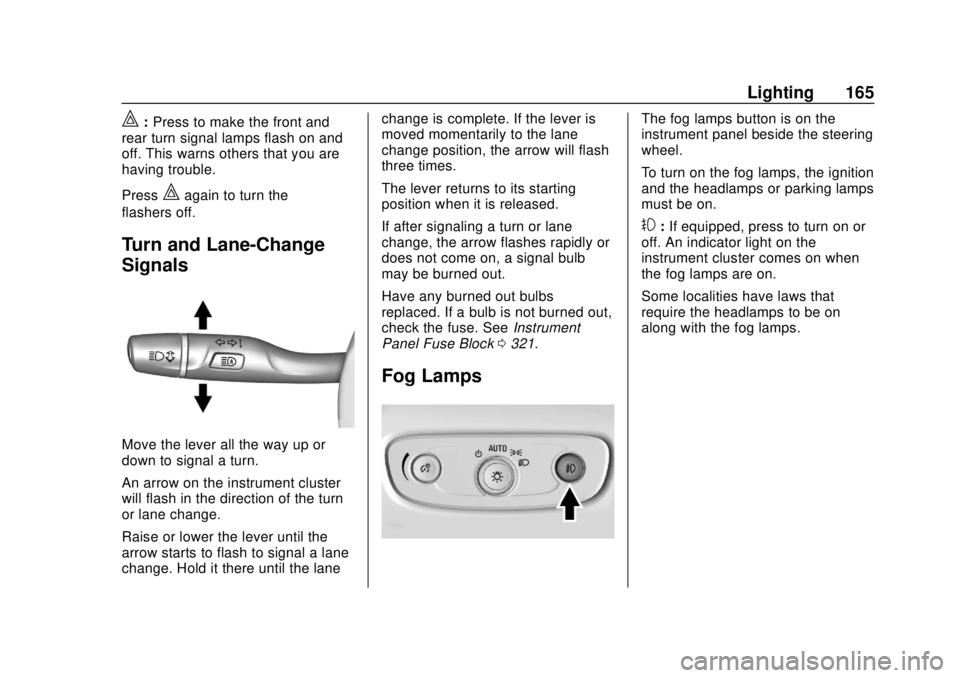
The fog lamps button is on the
instrument panel beside the steering
wheel.
To turn on the fog lamps, the ignition
and the headlamps or parking lamps
must be on.
#:If equipped, press to turn on or
off. An indicator light on the
instrument cluster comes on when
the fog lamps are on.
Some localities have laws that
require the headlamps to be on
along with the fog lamps.
Page 167 of 434
GMC Terrain/Terrain Denali Owner Manual (GMNA-Localizing-U.S./Canada/
Mexico-12146071) - 2019 - crc - 7/27/18
166 Lighting
Interior Lighting
Instrument Panel
Illumination Control
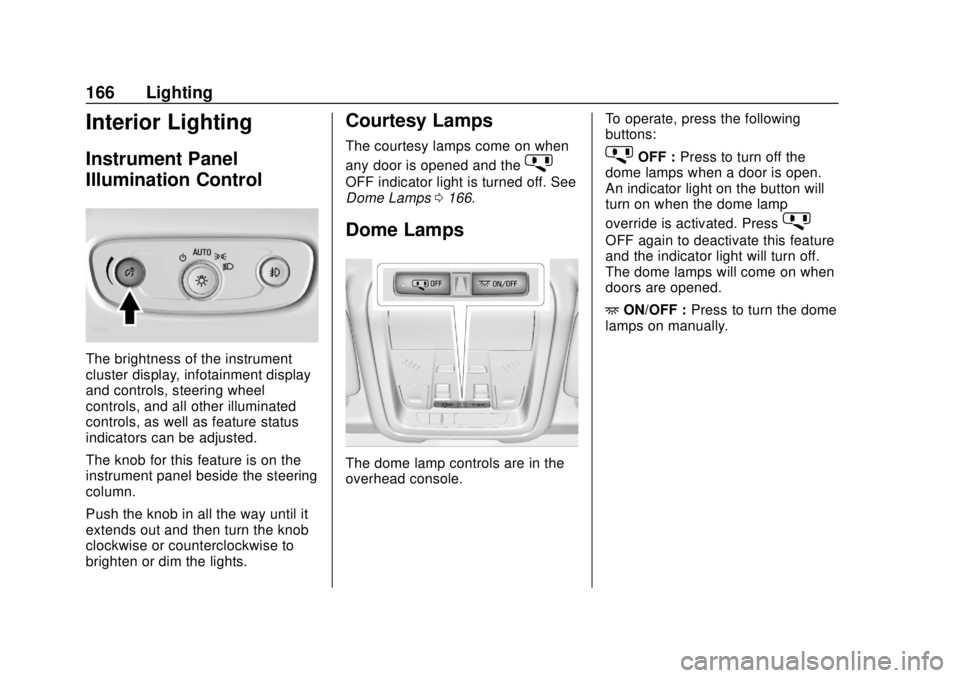
The brightness of the instrument
cluster display, infotainment display
and controls, steering wheel
controls, and all other illuminated
controls, as well as feature status
indicators can be adjusted.
The knob for this feature is on the
instrument panel beside the steering
column.
Push the knob in all the way until it
extends out and then turn the knob
clockwise or counterclockwise to
brighten or dim the lights.
Courtesy Lamps
The courtesy lamps come on when
any door is opened and the
j
OFF indicator light is turned off. See
Dome Lamps0166.
Dome Lamps
The dome lamp controls are in the
overhead console. To operate, press the following
buttons:
jOFF :
Press to turn off the
dome lamps when a door is open.
An indicator light on the button will
turn on when the dome lamp
override is activated. Press
j
OFF again to deactivate this feature
and the indicator light will turn off.
The dome lamps will come on when
doors are opened.
+ ON/OFF : Press to turn the dome
lamps on manually.
Page 223 of 434
GMC Terrain/Terrain Denali Owner Manual (GMNA-Localizing-U.S./Canada/
Mexico-12146071) - 2019 - crc - 7/27/18
222 Driving and Operating
Ride Control Systems
Traction Control/
Electronic Stability
Control
System Operation
The vehicle has a Traction Control
System (TCS) and StabiliTrak/
Electronic Stability Control (ESC),
an electronic stability control
system. These systems help limit
wheel slip and assist the driver in
maintaining control, especially on
slippery road conditions.
TCS activates if it senses that any
of the drive wheels are spinning or
beginning to lose traction. When this
happens, TCS applies the brakes to
the spinning wheels and reduces
engine power to limit wheel spin.
StabiliTrak/ESC activates when the
vehicle senses a difference between
the intended path and the direction
the vehicle is actually traveling.
StabiliTrak/ESC selectively applies
braking pressure to any one of thevehicle wheel brakes to assist the
driver in keeping the vehicle on the
intended path.
If cruise control is being used and
TCS or StabiliTrak/ESC begins to
limit wheel spin, cruise control will
disengage. Cruise control may be
turned back on when road
conditions allow.
Both systems come on
automatically when the vehicle is
started and begins to move. The
systems may be heard or felt while
they are operating or while
performing diagnostic checks. This
is normal and does not mean there
is a problem with the vehicle.
It is recommended to leave both
systems on for normal driving
conditions, but it may be necessary
to turn TCS off if the vehicle gets
stuck in sand, mud, ice, or snow.
See
If the Vehicle Is Stuck 0190
and “Turning the Systems Off and
On” later in this section.
The indicator light for both systems
is in the instrument cluster. This
light will:
.
Flash when TCS is limiting
wheel spin
. Flash when StabiliTrak/ESC is
activated
. Turn on and stay on when either
system is not working
If either system fails to turn on or to
activate, a message displays in the
Driver Information Center (DIC), and
dcomes on and stays on to
indicate that the system is inactive
and is not assisting the driver in
maintaining control. The vehicle is
safe to drive, but driving should be
adjusted accordingly.
Page 224 of 434
GMC Terrain/Terrain Denali Owner Manual (GMNA-Localizing-U.S./Canada/
Mexico-12146071) - 2019 - crc - 7/27/18
Driving and Operating 223
Ifdcomes on and stays on:
1. Stop the vehicle.
2. Turn the engine off and wait 15 seconds.
3. Start the engine.
Drive the vehicle. If
dcomes on
and stays on, the vehicle may need
more time to diagnose the problem.
If the condition persists, see your
dealer.
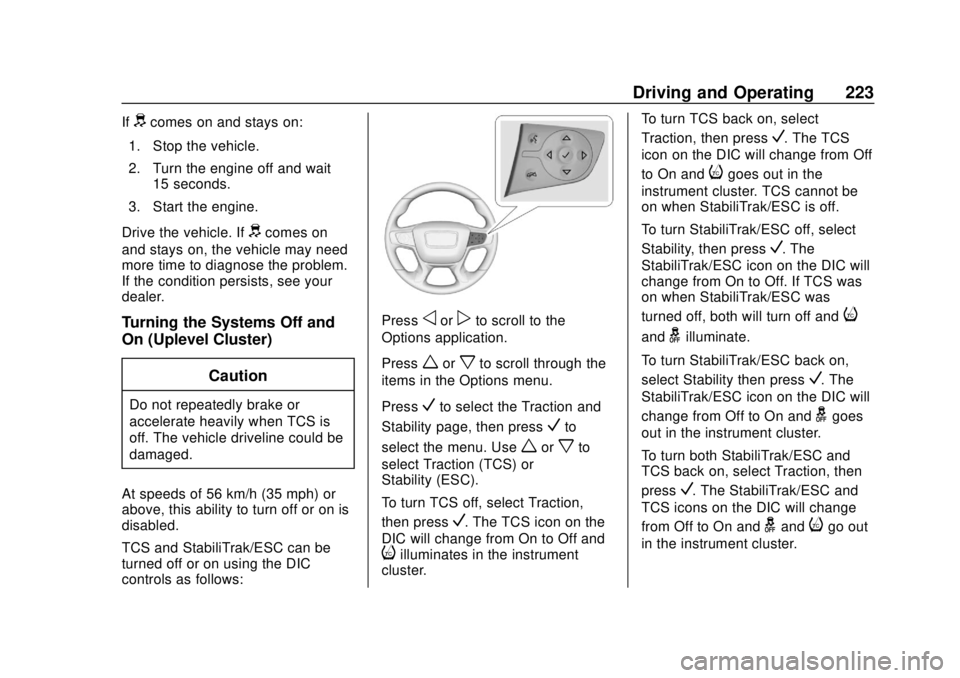
Turning the Systems Off and
On (Uplevel Cluster)
Caution
Do not repeatedly brake or
accelerate heavily when TCS is
off. The vehicle driveline could be
damaged.
At speeds of 56 km/h (35 mph) or
above, this ability to turn off or on is
disabled.
TCS and StabiliTrak/ESC can be
turned off or on using the DIC
controls as follows:
Pressoorpto scroll to the
Options application.
Press
worxto scroll through the
items in the Options menu.
Press
Vto select the Traction and
Stability page, then press
Vto
select the menu. Use
worxto
select Traction (TCS) or
Stability (ESC).
To turn TCS off, select Traction,
then press
V. The TCS icon on the
DIC will change from On to Off and
iilluminates in the instrument
cluster. To turn TCS back on, select
Traction, then press
V. The TCS
icon on the DIC will change from Off
to On and
igoes out in the
instrument cluster. TCS cannot be
on when StabiliTrak/ESC is off.
To turn StabiliTrak/ESC off, select
Stability, then press
V. The
StabiliTrak/ESC icon on the DIC will
change from On to Off. If TCS was
on when StabiliTrak/ESC was
turned off, both will turn off and
i
andgilluminate.
To turn StabiliTrak/ESC back on,
select Stability then press
V. The
StabiliTrak/ESC icon on the DIC will
change from Off to On and
ggoes
out in the instrument cluster.
To turn both StabiliTrak/ESC and
TCS back on, select Traction, then
press
V. The StabiliTrak/ESC and
TCS icons on the DIC will change
from Off to On and
gandigo out
in the instrument cluster.
Page 225 of 434
GMC Terrain/Terrain Denali Owner Manual (GMNA-Localizing-U.S./Canada/
Mexico-12146071) - 2019 - crc - 7/27/18
224 Driving and Operating
Adding accessories can affect the
vehicle performance. See
Accessories and Modifications
0286.
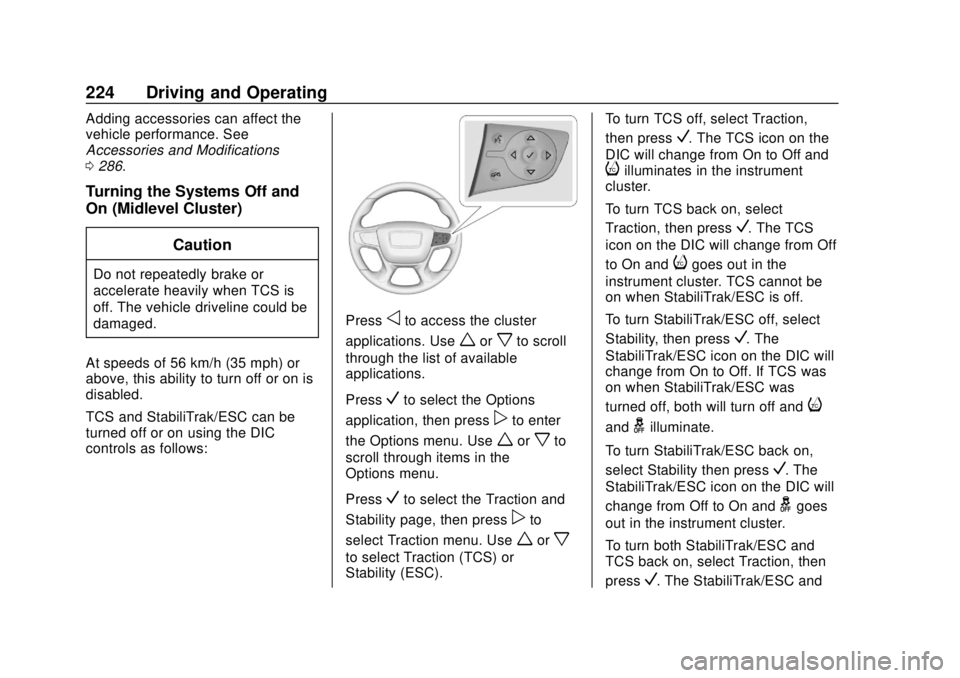
Turning the Systems Off and
On (Midlevel Cluster)
Caution
Do not repeatedly brake or
accelerate heavily when TCS is
off. The vehicle driveline could be
damaged.
At speeds of 56 km/h (35 mph) or
above, this ability to turn off or on is
disabled.
TCS and StabiliTrak/ESC can be
turned off or on using the DIC
controls as follows:
Pressoto access the cluster
applications. Use
worxto scroll
through the list of available
applications.
Press
Vto select the Options
application, then press
pto enter
the Options menu. Use
worxto
scroll through items in the
Options menu.
Press
Vto select the Traction and
Stability page, then press
pto
select Traction menu. Use
worx
to select Traction (TCS) or
Stability (ESC). To turn TCS off, select Traction,
then press
V. The TCS icon on the
DIC will change from On to Off and
iilluminates in the instrument
cluster.
To turn TCS back on, select
Traction, then press
V. The TCS
icon on the DIC will change from Off
to On and
igoes out in the
instrument cluster. TCS cannot be
on when StabiliTrak/ESC is off.
To turn StabiliTrak/ESC off, select
Stability, then press
V. The
StabiliTrak/ESC icon on the DIC will
change from On to Off. If TCS was
on when StabiliTrak/ESC was
turned off, both will turn off and
i
andgilluminate.
To turn StabiliTrak/ESC back on,
select Stability then press
V. The
StabiliTrak/ESC icon on the DIC will
change from Off to On and
ggoes
out in the instrument cluster.
To turn both StabiliTrak/ESC and
TCS back on, select Traction, then
press
V. The StabiliTrak/ESC and
Page 226 of 434
GMC Terrain/Terrain Denali Owner Manual (GMNA-Localizing-U.S./Canada/
Mexico-12146071) - 2019 - crc - 7/27/18
Driving and Operating 225
TCS icons on the DIC will change
from Off to On and
gandigo out
in the instrument cluster.
Adding accessories can affect the
vehicle performance. See
Accessories and Modifications
0 286.
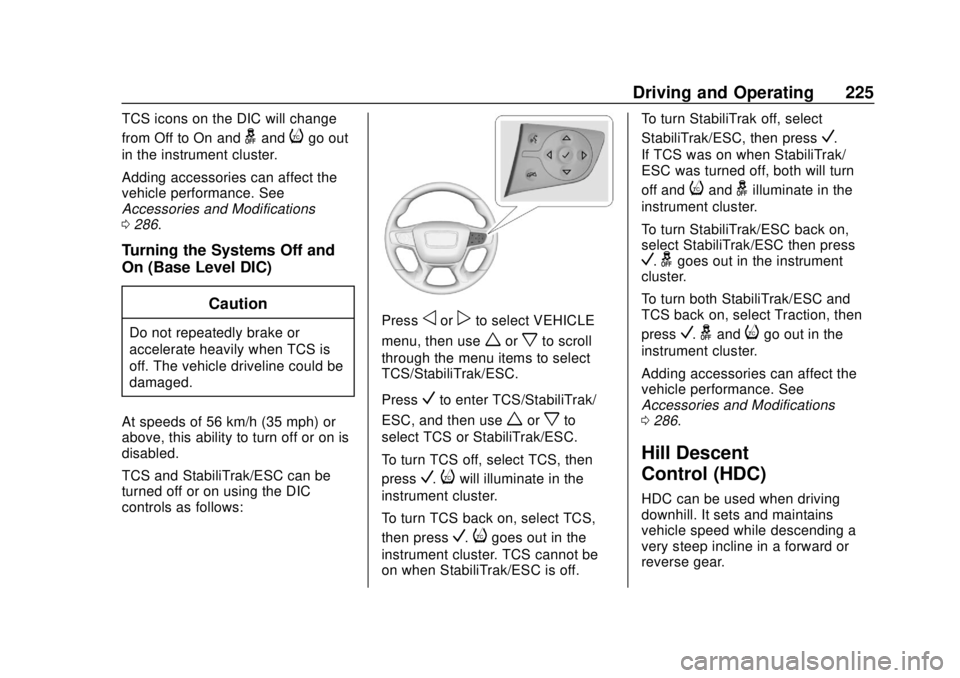
Turning the Systems Off and
On (Base Level DIC)
Caution
Do not repeatedly brake or
accelerate heavily when TCS is
off. The vehicle driveline could be
damaged.
At speeds of 56 km/h (35 mph) or
above, this ability to turn off or on is
disabled.
TCS and StabiliTrak/ESC can be
turned off or on using the DIC
controls as follows:Pressoorpto select VEHICLE
menu, then use
worxto scroll
through the menu items to select
TCS/StabiliTrak/ESC.
Press
Vto enter TCS/StabiliTrak/
ESC, and then use
worxto
select TCS or StabiliTrak/ESC.
To turn TCS off, select TCS, then
press
V.iwill illuminate in the
instrument cluster.
To turn TCS back on, select TCS,
then press
V.igoes out in the
instrument cluster. TCS cannot be
on when StabiliTrak/ESC is off. To turn StabiliTrak off, select
StabiliTrak/ESC, then press
V.
If TCS was on when StabiliTrak/
ESC was turned off, both will turn
off and
iandgilluminate in the
instrument cluster.
To turn StabiliTrak/ESC back on,
select StabiliTrak/ESC then press
V.ggoes out in the instrument
cluster.
To turn both StabiliTrak/ESC and
TCS back on, select Traction, then
press
V.gandigo out in the
instrument cluster.
Adding accessories can affect the
vehicle performance. See
Accessories and Modifications
0 286.
Hill Descent
Control (HDC)
HDC can be used when driving
downhill. It sets and maintains
vehicle speed while descending a
very steep incline in a forward or
reverse gear.
Page 227 of 434
GMC Terrain/Terrain Denali Owner Manual (GMNA-Localizing-U.S./Canada/
Mexico-12146071) - 2019 - crc - 7/27/18
226 Driving and Operating
The HDC switch is on the center
console.
Press
5to enable or disable HDC.
Vehicle speed must be below
50 km/h (31 mph).
The HDC light displays on the
instrument cluster when enabled.
HDC can maintain vehicle speeds
between 3 and 22 km/h (2 and
14 mph) on an incline greater than
or equal to a 10% grade. A blinking
HDC light indicates the system is
actively applying the brakes to
maintain vehicle speed.
When HDC is activated, the initial
HDC speed is set to the current
driving speed. It can be increased or
decreased by pressing +RES
or –SET on the steering wheel or by applying the accelerator or brake
pedal. This adjusted speed
becomes the new set speed.
HDC will remain enabled between
22 and 60 km/h (14 and 37 mph);
however vehicle speed cannot be
set or maintained in this range.
It will automatically disable if the
vehicle speed is above 80 km/h
(50 mph) or above 60 km/h
(37 mph) for at least 30 seconds.
Press
5again to re-enable HDC.
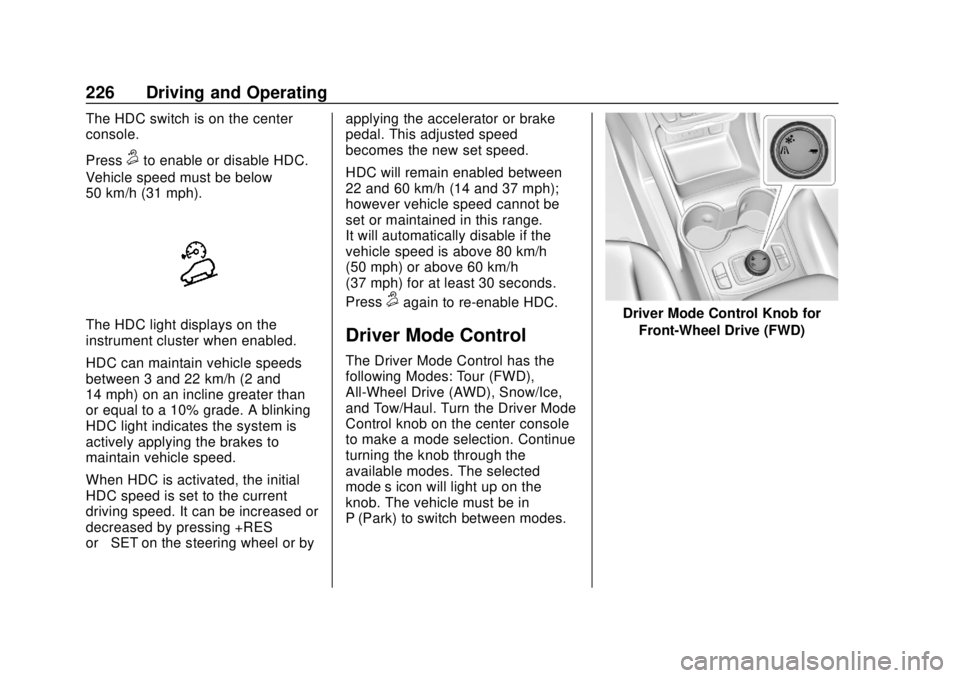
Driver Mode Control
The Driver Mode Control has the
following Modes: Tour (FWD),
All-Wheel Drive (AWD), Snow/Ice,
and Tow/Haul. Turn the Driver Mode
Control knob on the center console
to make a mode selection. Continue
turning the knob through the
available modes. The selected
mode’s icon will light up on the
knob. The vehicle must be in
P (Park) to switch between modes.
Driver Mode Control Knob for
Front-Wheel Drive (FWD)
Page 228 of 434
GMC Terrain/Terrain Denali Owner Manual (GMNA-Localizing-U.S./Canada/
Mexico-12146071) - 2019 - crc - 7/27/18
Driving and Operating 227
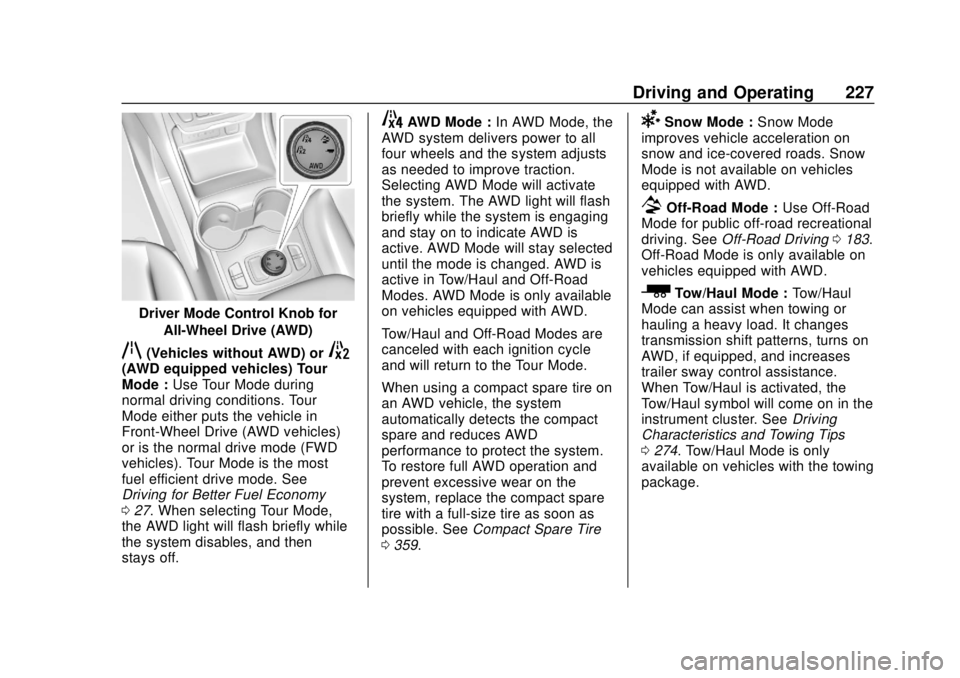
Driver Mode Control Knob forAll-Wheel Drive (AWD)
q(Vehicles without AWD) or5(AWD equipped vehicles) Tour
Mode : Use Tour Mode during
normal driving conditions. Tour
Mode either puts the vehicle in
Front-Wheel Drive (AWD vehicles)
or is the normal drive mode (FWD
vehicles). Tour Mode is the most
fuel efficient drive mode. See
Driving for Better Fuel Economy
0 27. When selecting Tour Mode,
the AWD light will flash briefly while
the system disables, and then
stays off.
4AWD Mode : In AWD Mode, the
AWD system delivers power to all
four wheels and the system adjusts
as needed to improve traction.
Selecting AWD Mode will activate
the system. The AWD light will flash
briefly while the system is engaging
and stay on to indicate AWD is
active. AWD Mode will stay selected
until the mode is changed. AWD is
active in Tow/Haul and Off-Road
Modes. AWD Mode is only available
on vehicles equipped with AWD.
Tow/Haul and Off-Road Modes are
canceled with each ignition cycle
and will return to the Tour Mode.
When using a compact spare tire on
an AWD vehicle, the system
automatically detects the compact
spare and reduces AWD
performance to protect the system.
To restore full AWD operation and
prevent excessive wear on the
system, replace the compact spare
tire with a full-size tire as soon as
possible. See Compact Spare Tire
0 359.6Snow Mode : Snow Mode
improves vehicle acceleration on
snow and ice-covered roads. Snow
Mode is not available on vehicles
equipped with AWD.
7Off-Road Mode : Use Off-Road
Mode for public off-road recreational
driving. See Off-Road Driving 0183.
Off-Road Mode is only available on
vehicles equipped with AWD.
_Tow/Haul Mode : Tow/Haul
Mode can assist when towing or
hauling a heavy load. It changes
transmission shift patterns, turns on
AWD, if equipped, and increases
trailer sway control assistance.
When Tow/Haul is activated, the
Tow/Haul symbol will come on in the
instrument cluster. See Driving
Characteristics and Towing Tips
0 274. Tow/Haul Mode is only
available on vehicles with the towing
package.
Page 231 of 434
GMC Terrain/Terrain Denali Owner Manual (GMNA-Localizing-U.S./Canada/
Mexico-12146071) - 2019 - crc - 7/27/18
230 Driving and Operating
Cruise Control
The cruise control lets the vehicle
maintain a speed of about 40 km/h
(25 mph) or more without keeping
your foot on the accelerator. Cruise
control does not work at speeds
below 40 km/h (25 mph).
{Warning
Cruise control can be dangerous
where you cannot drive safely at
a steady speed. Do not use
cruise control on winding roads or
in heavy traffic.
Cruise control can be dangerous
on slippery roads. On such roads,
fast changes in tire traction can
cause excessive wheel slip, and
you could lose control. Do not use
cruise control on slippery roads.
With the Traction Control System
(TCS) or StabiliTrak/Electronic
Stability Control (ESC), the system
may begin to limit wheel spin while
you are using cruise control. If this
happens, the cruise control will automatically disengage. See
Traction Control/Electronic Stability
Control
0222. If a collision alert
occurs when cruise control is
activated, cruise control is
disengaged. See Forward Collision
Alert (FCA) System 0250. When
road conditions allow you to safely
use it again, cruise control can be
turned back on.
Cruise control will disengage if
either TCS or StabiliTrak/ESC is
turned off.
If Hill Descent Control (HDC) is
engaged, cruise control disengages.
See Hill Descent Control (HDC)
0 225.
If the brakes are applied, cruise
control disengages.
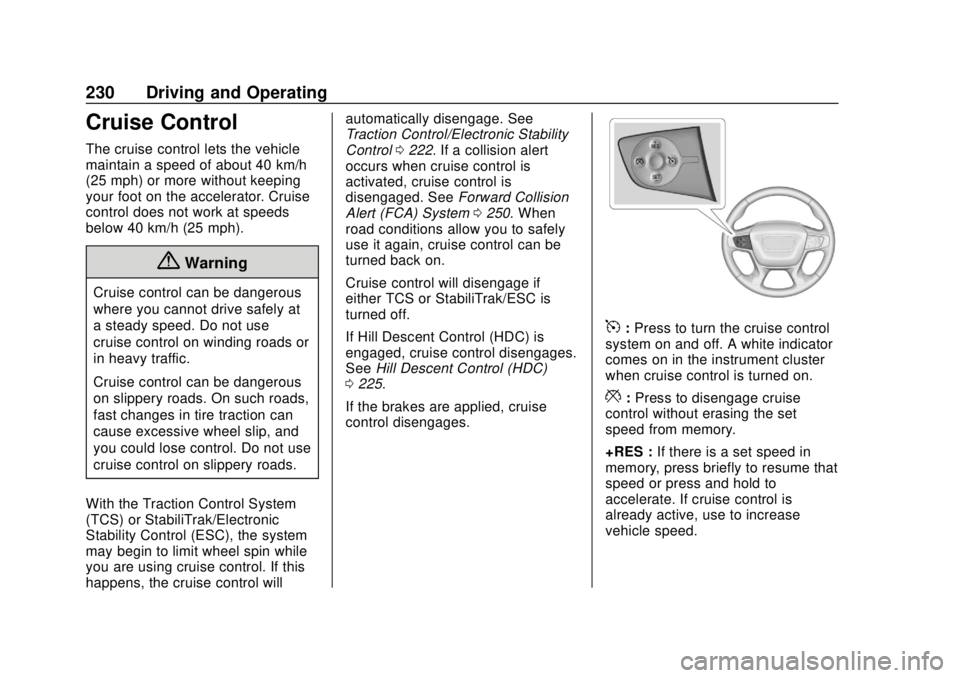
5: Press to turn the cruise control
system on and off. A white indicator
comes on in the instrument cluster
when cruise control is turned on.
*: Press to disengage cruise
control without erasing the set
speed from memory.
+RES : If there is a set speed in
memory, press briefly to resume that
speed or press and hold to
accelerate. If cruise control is
already active, use to increase
vehicle speed.