light GMC TERRAIN 2019 Owner's Manual
[x] Cancel search | Manufacturer: GMC, Model Year: 2019, Model line: TERRAIN, Model: GMC TERRAIN 2019Pages: 434, PDF Size: 6.38 MB
Page 2 of 434

GMC Terrain/Terrain Denali Owner Manual (GMNA-Localizing-U.S./Canada/
Mexico-12146071) - 2019 - crc - 7/27/18
ContentsIntroduction . . . . . . . . . . . . . . . . . . . . . . 2
In Brief . . . . . . . . . . . . . . . . . . . . . . . . . . . 5
Keys, Doors, and Windows . . . . . 29
Seats and Restraints . . . . . . . . . . . 57
Storage . . . . . . . . . . . . . . . . . . . . . . . 109
Instruments and Controls . . . . . . 113
Lighting . . . . . . . . . . . . . . . . . . . . . . . 161
Infotainment System . . . . . . . . . . 169
Climate Controls . . . . . . . . . . . . . . 170
Driving and Operating . . . . . . . . . 178
Vehicle Care . . . . . . . . . . . . . . . . . . 284
Service and Maintenance . . . . . 376
Technical Data . . . . . . . . . . . . . . . . 391
Customer Information . . . . . . . . . 395
Reporting Safety Defects . . . . . . 405
OnStar . . . . . . . . . . . . . . . . . . . . . . . . 409
Connected Services . . . . . . . . . . . 417
Index . . . . . . . . . . . . . . . . . . . . 421
Page 4 of 434
GMC Terrain/Terrain Denali Owner Manual (GMNA-Localizing-U.S./Canada/
Mexico-12146071) - 2019 - crc - 7/27/18
Introduction 3
About Driving the Vehicle
As with other vehicles of this type,
failure to operate this vehicle
correctly may result in loss of
control or a crash. Be sure to read
the driving guidelines in this manual
in the section called“Driving and
Operating” and specifically Driver
Behavior 0179, Driving
Environment 0180, and Vehicle
Design 0180.
Danger, Warning, and
Caution
Warning messages found on vehicle
labels and in this manual describe
hazards and what to do to avoid or
reduce them.
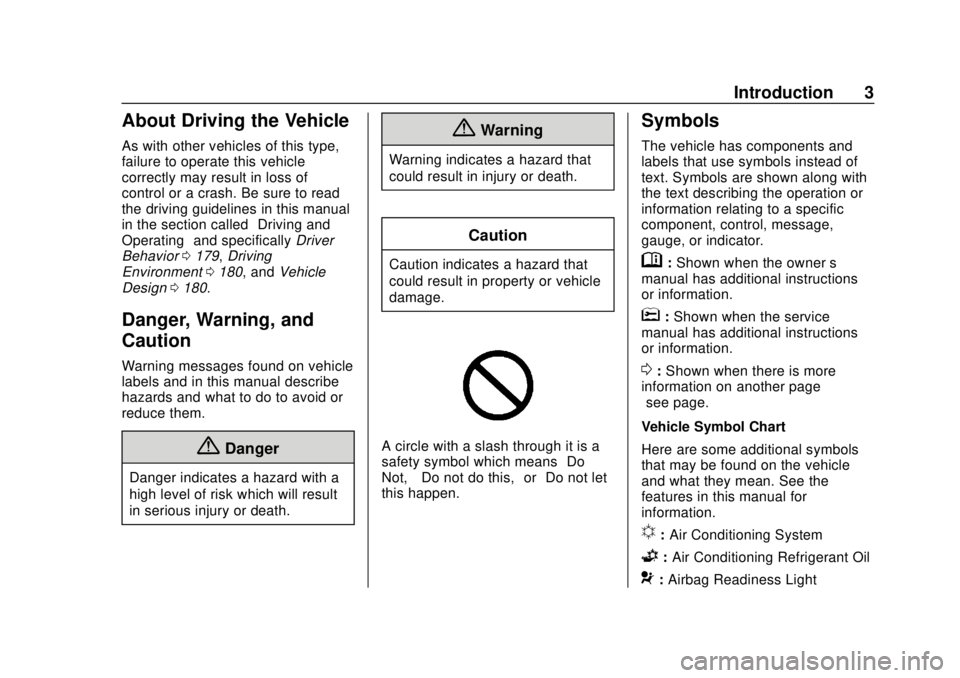
{Danger
Danger indicates a hazard with a
high level of risk which will result
in serious injury or death.
{Warning
Warning indicates a hazard that
could result in injury or death.
Caution
Caution indicates a hazard that
could result in property or vehicle
damage.
A circle with a slash through it is a
safety symbol which means “Do
Not,” “Do not do this,” or“Do not let
this happen.”
Symbols
The vehicle has components and
labels that use symbols instead of
text. Symbols are shown along with
the text describing the operation or
information relating to a specific
component, control, message,
gauge, or indicator.
M: Shown when the owner ’s
manual has additional instructions
or information.
*: Shown when the service
manual has additional instructions
or information.
0: Shown when there is more
information on another page —
“see page.”
Vehicle Symbol Chart
Here are some additional symbols
that may be found on the vehicle
and what they mean. See the
features in this manual for
information.
u: Air Conditioning System
G:Air Conditioning Refrigerant Oil
9:Airbag Readiness Light
Page 5 of 434
GMC Terrain/Terrain Denali Owner Manual (GMNA-Localizing-U.S./Canada/
Mexico-12146071) - 2019 - crc - 7/27/18
4 Introduction
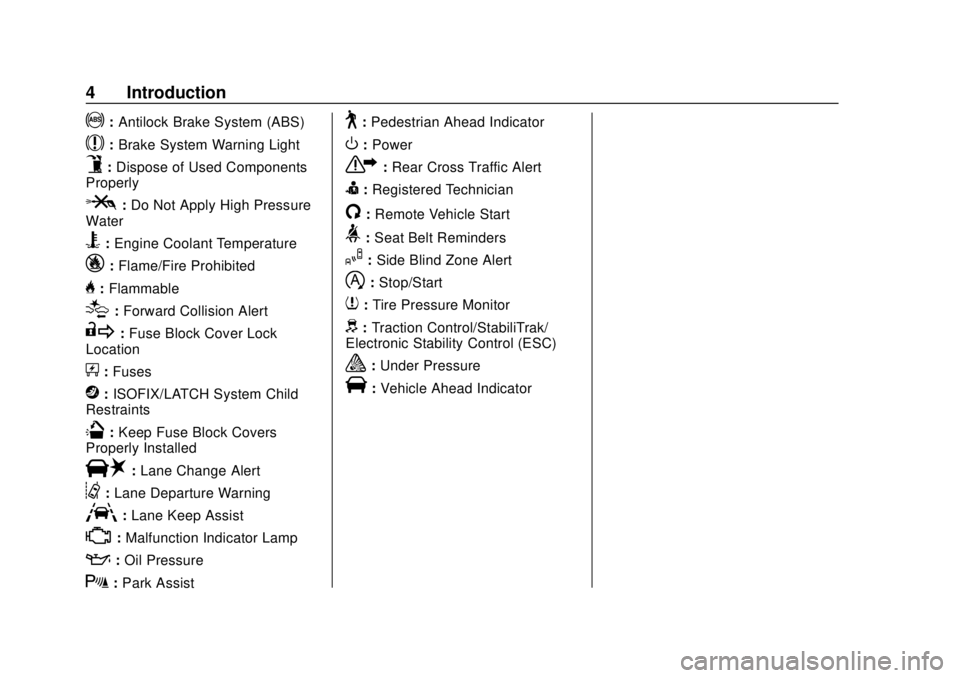
!:Antilock Brake System (ABS)
$:Brake System Warning Light
9:Dispose of Used Components
Properly
P: Do Not Apply High Pressure
Water
B: Engine Coolant Temperature
_: Flame/Fire Prohibited
H:Flammable
[:Forward Collision Alert
R: Fuse Block Cover Lock
Location
+: Fuses
j:ISOFIX/LATCH System Child
Restraints
Q: Keep Fuse Block Covers
Properly Installed
|: Lane Change Alert
@:Lane Departure Warning
A:Lane Keep Assist
*:Malfunction Indicator Lamp
::Oil Pressure
X:Park Assist
~:Pedestrian Ahead Indicator
O:Power
7: Rear Cross Traffic Alert
I:Registered Technician
/:Remote Vehicle Start
>: Seat Belt Reminders
I:Side Blind Zone Alert
h:Stop/Start
7: Tire Pressure Monitor
d:Traction Control/StabiliTrak/
Electronic Stability Control (ESC)
a: Under Pressure
V:Vehicle Ahead Indicator
Page 6 of 434
GMC Terrain/Terrain Denali Owner Manual (GMNA-Localizing-U.S./Canada/
Mexico-12146071) - 2019 - crc - 7/27/18
In Brief 5
In Brief
Instrument Panel
Instrument Panel . . . . . . . . . . . . . . . . 6
Initial Drive Information
Initial Drive Information . . . . . . . . . . 8
Stop/Start System . . . . . . . . . . . . . . . 8
Remote Keyless Entry (RKE)System . . . . . . . . . . . . . . . . . . . . . . . . 8
Remote Vehicle Start . . . . . . . . . . . 8
Door Locks . . . . . . . . . . . . . . . . . . . . . 9
Liftgate . . . . . . . . . . . . . . . . . . . . . . . . . . 9
Windows . . . . . . . . . . . . . . . . . . . . . . . 10
Seat Adjustment . . . . . . . . . . . . . . . 11
Memory Features . . . . . . . . . . . . . . 12
Heated and Ventilated Seats . . . 13
Head Restraint Adjustment . . . . 13
Seat Belts . . . . . . . . . . . . . . . . . . . . . 14
Passenger Sensing System . . . 14
Mirror Adjustment . . . . . . . . . . . . . . 14
Steering Wheel Adjustment . . . . 15
Interior Lighting . . . . . . . . . . . . . . . . 15
Exterior Lighting . . . . . . . . . . . . . . . 16
Windshield Wiper/Washer . . . . . . 17
Climate Controls . . . . . . . . . . . . . . . 18
Transmission . . . . . . . . . . . . . . . . . . 19
Vehicle Features
Infotainment System . . . . . . . . . . . 20
Steering Wheel Controls . . . . . . . 20
Cruise Control . . . . . . . . . . . . . . . . . 20
Driver Information Center (DIC) . . . . . . . . . . . . . . . . . 20
Forward Collision Alert (FCA) System . . . . . . . . . . . . . . . . . . . . . . . 21
Forward Automatic Braking (FAB) . . . . . . . . . . . . . . . . 21
Front Pedestrian Braking (FPB) System . . . . . . . . . . . . . . . . . . . . . . . 21
Lane Keep Assist (LKA) . . . . . . . 21
Lane Change Alert (LCA) . . . . . . 22
Surround Vision . . . . . . . . . . . . . . . 22
Rear Vision Camera (RVC) . . . . 22
Rear Cross Traffic Alert (RCTA) System . . . . . . . . . . . . . . . . . . . . . . . 22
Park Assist . . . . . . . . . . . . . . . . . . . . 22
Automatic Parking Assist (APA) . . . . . . . . . . . . . . . . . . 23
Power Outlets . . . . . . . . . . . . . . . . . 23
Universal Remote System . . . . . 23
Sunroof . . . . . . . . . . . . . . . . . . . . . . . . 23
Performance and Maintenance
Traction Control/Electronic Stability Control . . . . . . . . . . . . . . 25
Tire Pressure Monitor . . . . . . . . . . 25 Fuel (LYX - 1.5L L4 Turbo
Engine) . . . . . . . . . . . . . . . . . . . . . . . 25
Fuel (LTG - 2.0L L4 Turbo Engine) . . . . . . . . . . . . . . . . . . . . . . . 26
Fuel (Diesel) . . . . . . . . . . . . . . . . . . . 26
E85 or FlexFuel . . . . . . . . . . . . . . . . 26
Engine Oil Life System . . . . . . . . 26
Driving for Better Fuel
Economy . . . . . . . . . . . . . . . . . . . . . 27
Diesel Particulate Filter . . . . . . . . 27
Diesel Exhaust Fluid . . . . . . . . . . . 28
Roadside Assistance Program . . . . . . . . . . . . . . . . . . . . . . 28
Page 8 of 434

GMC Terrain/Terrain Denali Owner Manual (GMNA-Localizing-U.S./Canada/
Mexico-12146071) - 2019 - crc - 7/27/18
In Brief 7
1.Air Vents 0175.
2. Turn Signal Lever. See Turn
and Lane-Change Signals
0 165.
IntelliBeam System Button (If
Equipped). See Exterior Lamp
Controls 0161.
3. Instrument Cluster (Base and
Midlevel) 0122 orInstrument
Cluster (Uplevel) 0125.
Driver Information Center (DIC)
Display.
See Driver Information Center
(DIC) (Base and Midlevel)
0 142 orDriver Information
Center (DIC) (Uplevel) 0147.
4. Windshield Wiper/Washer
0114.
5. Infotainment 0169.
6. Light Sensor. See Automatic
Headlamp System 0164.
7. Hazard Warning Flashers
0164.
8. Climate Control Systems 0170
(If Equipped). Dual Automatic Climate Control
System
0172 (If Equipped).
9. Shift Switches. See Automatic
Transmission 0213.
10. Power Outlets 0117.
11. Assistance Systems for
Parking or Backing 0243 (If
Equipped).
12. Heated and Ventilated Front
Seats 065 (If Equipped).
13. Wireless Charging 0118 (If
Equipped).
14. Driver Mode Control 0226 (If
Equipped).
15. Lane Keep Assist (LKA) 0258
(If Equipped).
Hill Descent Control (HDC)
0 225 (If Equipped).
16. USB Port. See the infotainment manual.
Auxiliary Jack. See the
infotainment manual.
17. ENGINE START/STOP Button. SeeIgnition Positions 0195. 18. Steering Wheel Controls. See
the infotainment manual.
19. Horn 0114.
20. Steering Wheel Adjustment
0114 (Out of View).
21. Hood Release. See Hood
0 287.
22. Cruise Control 0230.
Heated Steering Wheel 0114
(If Equipped).
Forward Collision Alert (FCA)
System 0250 (If Equipped).
23. Data Link Connector (DLC) (Out of View). See Malfunction
Indicator Lamp (Check Engine
Light) 0133.
24. Electric Parking Brake 0219.
25. Exterior Lamp Controls 0161.
Instrument Panel Illumination
Control 0166.
Fog Lamps 0165 (If
Equipped).
Page 14 of 434
GMC Terrain/Terrain Denali Owner Manual (GMNA-Localizing-U.S./Canada/
Mexico-12146071) - 2019 - crc - 7/27/18
In Brief 13
Then immediately press and hold 1,
2, or
B(Exit) until two beeps
sound. To manually recall these
positions, press and hold 1, 2, or
B
until the saved position is reached.
When Seat Entry Memory is
enabled in vehicle personalization,
positions previously saved to
memory buttons 1 and 2 are
recalled when the ignition is
changed from off to on or ACC/
ACCESSORY.
When Seat Exit Memory is enabled
in vehicle personalization, the
feature automatically recalls the
previously saved exit position when
exiting the vehicle.
Memory adjustments may not be
available upon delivery or after
service until steps in “Saving
Memory Positions” section are
performed. See Memory Seats062.
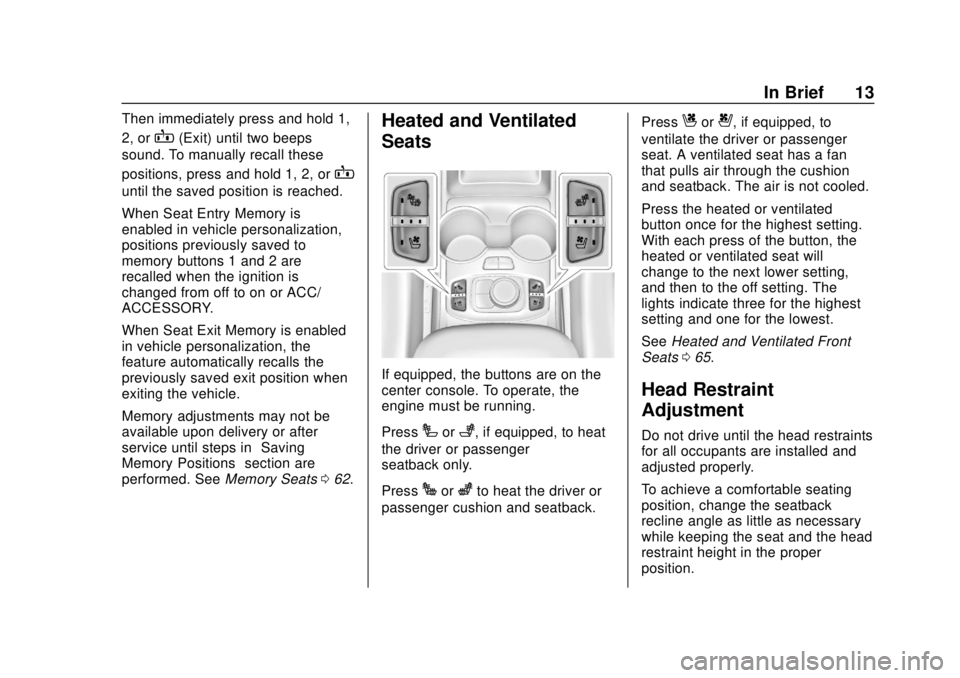
Heated and Ventilated
Seats
If equipped, the buttons are on the
center console. To operate, the
engine must be running.
Press
Ior+, if equipped, to heat
the driver or passenger
seatback only.
Press
Jorzto heat the driver or
passenger cushion and seatback. Press
Cor{, if equipped, to
ventilate the driver or passenger
seat. A ventilated seat has a fan
that pulls air through the cushion
and seatback. The air is not cooled.
Press the heated or ventilated
button once for the highest setting.
With each press of the button, the
heated or ventilated seat will
change to the next lower setting,
and then to the off setting. The
lights indicate three for the highest
setting and one for the lowest.
See Heated and Ventilated Front
Seats 065.
Head Restraint
Adjustment
Do not drive until the head restraints
for all occupants are installed and
adjusted properly.
To achieve a comfortable seating
position, change the seatback
recline angle as little as necessary
while keeping the seat and the head
restraint height in the proper
position.
Page 15 of 434
GMC Terrain/Terrain Denali Owner Manual (GMNA-Localizing-U.S./Canada/
Mexico-12146071) - 2019 - crc - 7/27/18
14 In Brief
SeeHead Restraints 058 and Seat
Adjustment 060.
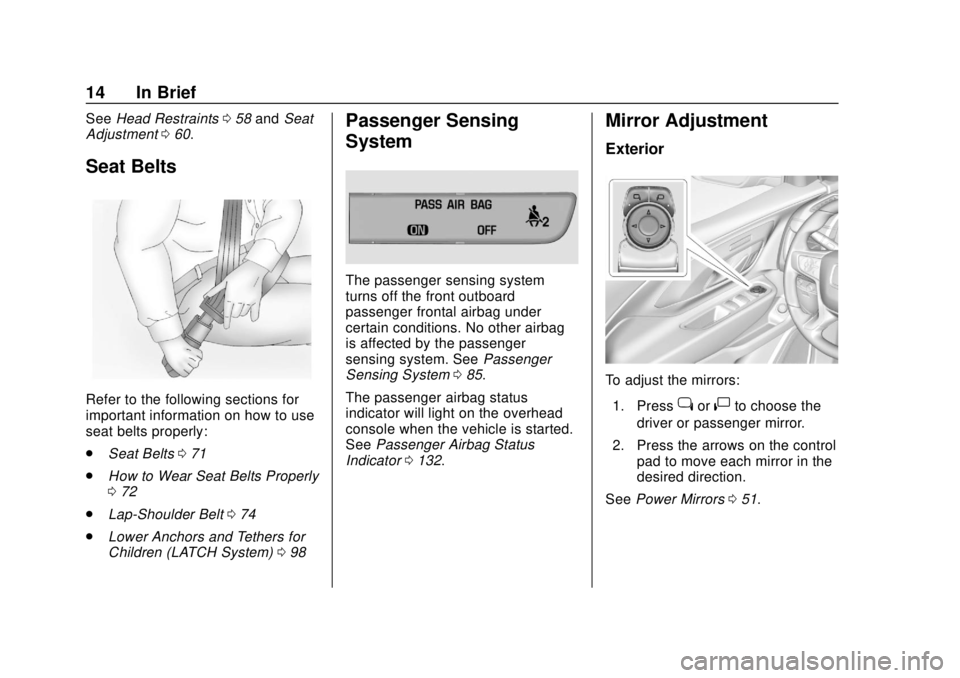
Seat Belts
Refer to the following sections for
important information on how to use
seat belts properly:
.
Seat Belts 071
. How to Wear Seat Belts Properly
072
. Lap-Shoulder Belt 074
. Lower Anchors and Tethers for
Children (LATCH System) 098
Passenger Sensing
System
The passenger sensing system
turns off the front outboard
passenger frontal airbag under
certain conditions. No other airbag
is affected by the passenger
sensing system. See Passenger
Sensing System 085.
The passenger airbag status
indicator will light on the overhead
console when the vehicle is started.
See Passenger Airbag Status
Indicator 0132.
Mirror Adjustment
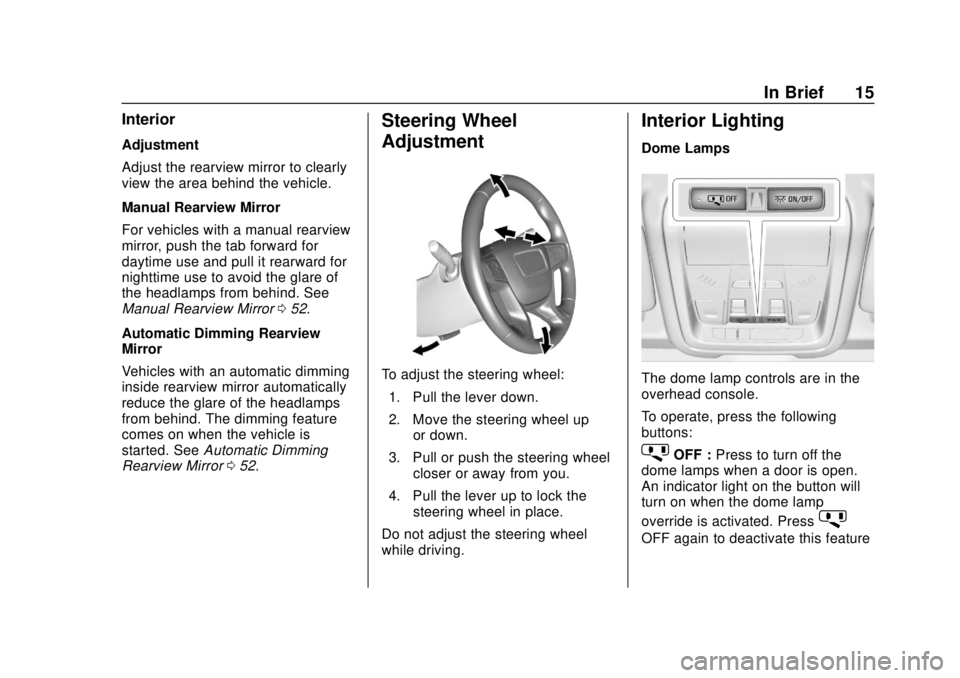
Exterior
To adjust the mirrors:
1. Press
jor|to choose the
driver or passenger mirror.
2. Press the arrows on the control pad to move each mirror in the
desired direction.
See Power Mirrors 051.
Page 16 of 434
GMC Terrain/Terrain Denali Owner Manual (GMNA-Localizing-U.S./Canada/
Mexico-12146071) - 2019 - crc - 7/27/18
In Brief 15
Interior
Adjustment
Adjust the rearview mirror to clearly
view the area behind the vehicle.
Manual Rearview Mirror
For vehicles with a manual rearview
mirror, push the tab forward for
daytime use and pull it rearward for
nighttime use to avoid the glare of
the headlamps from behind. See
Manual Rearview Mirror052.
Automatic Dimming Rearview
Mirror
Vehicles with an automatic dimming
inside rearview mirror automatically
reduce the glare of the headlamps
from behind. The dimming feature
comes on when the vehicle is
started. See Automatic Dimming
Rearview Mirror 052.
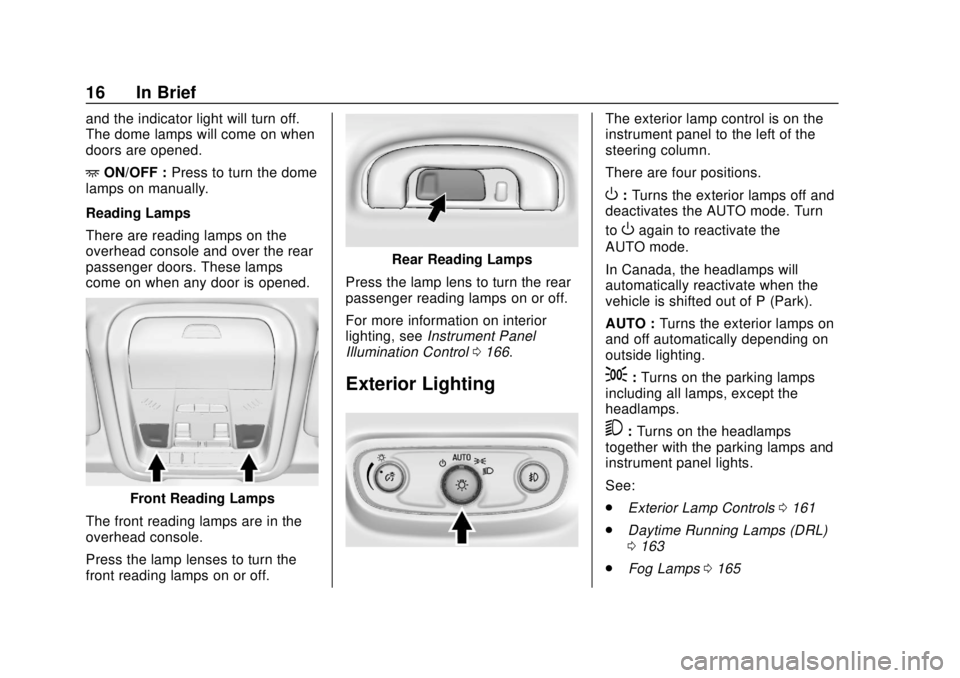
Steering Wheel
Adjustment
To adjust the steering wheel:
1. Pull the lever down.
2. Move the steering wheel up or down.
3. Pull or push the steering wheel closer or away from you.
4. Pull the lever up to lock the steering wheel in place.
Do not adjust the steering wheel
while driving.
Interior Lighting
Dome Lamps
The dome lamp controls are in the
overhead console.
To operate, press the following
buttons:
jOFF : Press to turn off the
dome lamps when a door is open.
An indicator light on the button will
turn on when the dome lamp
override is activated. Press
j
OFF again to deactivate this feature
Page 17 of 434
GMC Terrain/Terrain Denali Owner Manual (GMNA-Localizing-U.S./Canada/
Mexico-12146071) - 2019 - crc - 7/27/18
16 In Brief
and the indicator light will turn off.
The dome lamps will come on when
doors are opened.
+ON/OFF : Press to turn the dome
lamps on manually.
Reading Lamps
There are reading lamps on the
overhead console and over the rear
passenger doors. These lamps
come on when any door is opened.
Front Reading Lamps
The front reading lamps are in the
overhead console.
Press the lamp lenses to turn the
front reading lamps on or off.
Rear Reading Lamps
Press the lamp lens to turn the rear
passenger reading lamps on or off.
For more information on interior
lighting, see Instrument Panel
Illumination Control 0166.
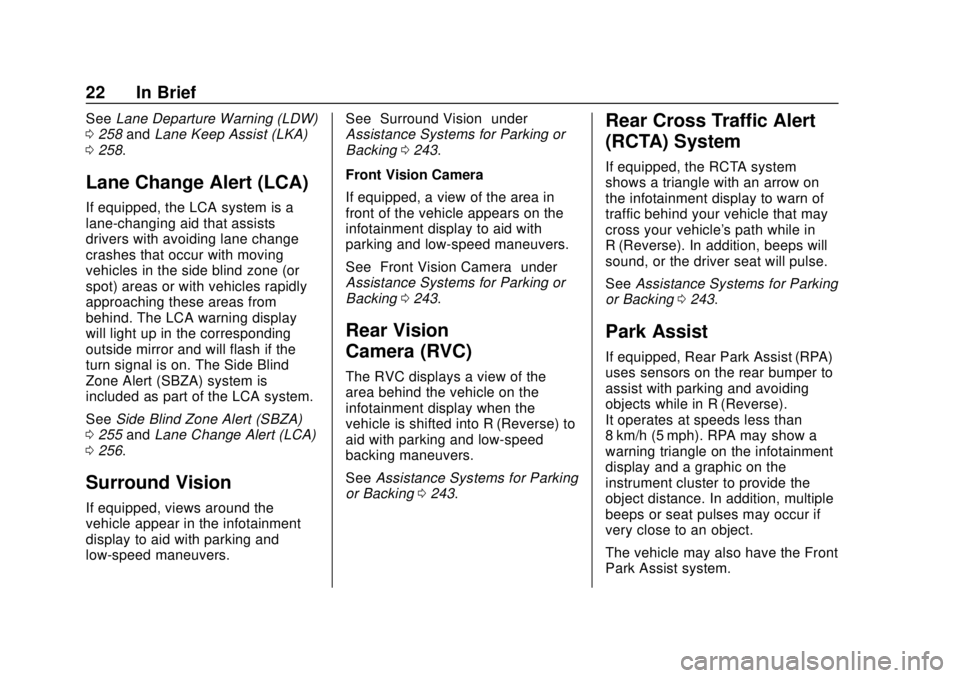
Exterior Lighting
The exterior lamp control is on the
instrument panel to the left of the
steering column.
There are four positions.
O:Turns the exterior lamps off and
deactivates the AUTO mode. Turn
to
Oagain to reactivate the
AUTO mode.
In Canada, the headlamps will
automatically reactivate when the
vehicle is shifted out of P (Park).
AUTO : Turns the exterior lamps on
and off automatically depending on
outside lighting.
;: Turns on the parking lamps
including all lamps, except the
headlamps.
5: Turns on the headlamps
together with the parking lamps and
instrument panel lights.
See:
. Exterior Lamp Controls 0161
. Daytime Running Lamps (DRL)
0163
. Fog Lamps 0165
Page 23 of 434
GMC Terrain/Terrain Denali Owner Manual (GMNA-Localizing-U.S./Canada/
Mexico-12146071) - 2019 - crc - 7/27/18
22 In Brief
SeeLane Departure Warning (LDW)
0 258 andLane Keep Assist (LKA)
0 258.
Lane Change Alert (LCA)
If equipped, the LCA system is a
lane-changing aid that assists
drivers with avoiding lane change
crashes that occur with moving
vehicles in the side blind zone (or
spot) areas or with vehicles rapidly
approaching these areas from
behind. The LCA warning display
will light up in the corresponding
outside mirror and will flash if the
turn signal is on. The Side Blind
Zone Alert (SBZA) system is
included as part of the LCA system.
See Side Blind Zone Alert (SBZA)
0 255 andLane Change Alert (LCA)
0 256.
Surround Vision
If equipped, views around the
vehicle appear in the infotainment
display to aid with parking and
low-speed maneuvers. See
“Surround Vision” under
Assistance Systems for Parking or
Backing 0243.
Front Vision Camera
If equipped, a view of the area in
front of the vehicle appears on the
infotainment display to aid with
parking and low-speed maneuvers.
See “Front Vision Camera” under
Assistance Systems for Parking or
Backing 0243.
Rear Vision
Camera (RVC)
The RVC displays a view of the
area behind the vehicle on the
infotainment display when the
vehicle is shifted into R (Reverse) to
aid with parking and low-speed
backing maneuvers.
See Assistance Systems for Parking
or Backing 0243.
Rear Cross Traffic Alert
(RCTA) System
If equipped, the RCTA system
shows a triangle with an arrow on
the infotainment display to warn of
traffic behind your vehicle that may
cross your vehicle's path while in
R (Reverse). In addition, beeps will
sound, or the driver seat will pulse.
See Assistance Systems for Parking
or Backing 0243.
Park Assist
If equipped, Rear Park Assist (RPA)
uses sensors on the rear bumper to
assist with parking and avoiding
objects while in R (Reverse).
It operates at speeds less than
8 km/h (5 mph). RPA may show a
warning triangle on the infotainment
display and a graphic on the
instrument cluster to provide the
object distance. In addition, multiple
beeps or seat pulses may occur if
very close to an object.
The vehicle may also have the Front
Park Assist system.